Most WooCommerce SEO advice is general ecommerce advice with the word WooCommerce typed in front of it. That is a shame, because the platform has a specific shape, and the things that go wrong on it go wrong for reasons you can point at in the settings. WooCommerce is a plugin on top of WordPress, so your store inherits WordPress URL handling, WordPress templating and WordPress plugin politics, and almost every real finding traces back to one of those three.
We build on this stack, which is the reason this article exists and also the reason to read it carefully. What follows is what the platform handles on its own, what you have to add, what the plugins genuinely change, and the cases where we would tell you to use something else. That last section is the one to read first if you are still choosing.
What WooCommerce SEO means when your store is a WordPress plugin
Start with the architecture, because it explains the rest. WooCommerce does not replace WordPress, it extends it. Products are a custom post type, categories are a taxonomy, and the shop is a set of archive pages. So the URL rules, the sitemap and the template layer are all WordPress features that your store is borrowing.
That inheritance is mostly good news. WordPress documentation describes permalinks as “the permanent URLs of your posts, pages, categories, and other archive pages on your website” and says they “help to create a URL structure that is easy for both humans and search engines to understand and share”. A store built on it starts with readable URLs, which some hosted platforms still do not give you.
What you get out of the box is narrower than the marketing suggests but wider than critics claim. WooCommerce core emits structured data itself. Its code reference lists the types its structured data class generates, which are product, review, breadcrumb list, website and order. That is real output you do not have to install anything to get.
What you do not get is the editorial layer. Title templates, meta descriptions, canonical control, redirect management and any opinion about what a page should be called are not WooCommerce features and never have been. Those arrive with an SEO plugin, which is why the question of which plugin comes up so early on this stack and so late on others.
Sitemaps sit in between, and this trips people up. WordPress core generates one on its own, and WooCommerce’s own beginner guide points at it, noting that “Your default WordPress sitemap lives at yoursite.com/wp-sitemap.xml”. So a bare install is already submitting something. The catch is that the core sitemap is indiscriminate, listing what exists rather than what you want indexed, which on a store means it happily includes archives you would rather nobody crawled. Most SEO plugins replace it with one you can control, and that replacement, rather than the existence of a sitemap, is the actual gain.
Product and category URLs, the setting that is expensive to change later
This is the highest-stakes decision on the platform and it is made in a settings screen most store owners visit once. WooCommerce documentation says “You can choose from four permalink base options for your products”, set under Settings and then Permalinks, and the choice determines the shape of every product URL you will ever have.
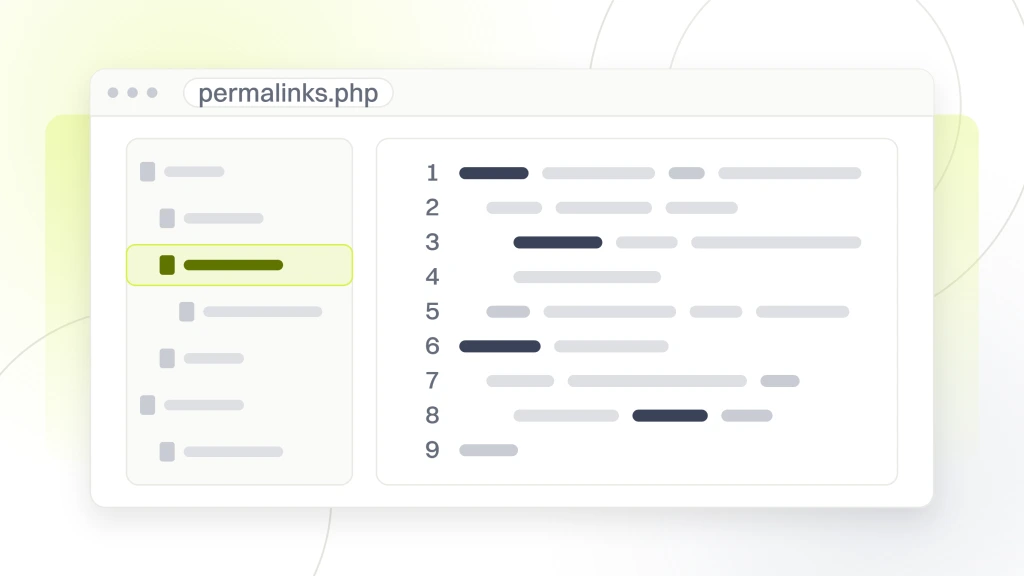
The option that causes trouble is the one that puts the category in the path. WooCommerce describes it as using “the shop page name followed by the product category name”, which produces tidy, descriptive URLs and quietly couples every product URL to your category structure. Recategorize a product and its address changes. On a catalog that gets reorganized, that is a redirect burden you signed up for without noticing.
WooCommerce changed the mechanics of this in version 10.5, and the change is worth knowing if you use that structure. Its developer blog states that “Starting with the 10.5 release, WooCommerce has updated how it selects the category to use in product permalinks when a product is assigned to multiple categories”, and that “The new behavior selects the deepest category (most ancestors in the hierarchy) rather than sorting by parent term ID”. Sites on Default or Shop base are explicitly not affected. So a product sitting in two categories could resolve to a different URL than it used to, purely because of how the platform picks.
The platform is blunt about the cost of changing your mind. Its documentation warns that “Changing permalink structures updates the URLs of existing products” and that “Any previously shared links or search engine indexes pointing to the old URLs will return 404 errors unless you set up redirects”. There is also a collision to avoid, since it asks you to “Make sure your Custom base setting does not conflict with the taxonomy permalink settings” because “WordPress requires these values to be unique so it can distinguish categories from products”.
What an SEO plugin actually changes, and what it cannot
Every WooCommerce SEO guide eventually recommends a plugin, and most of them are written by somebody who sells one. Be aware of that while reading, including here, since we install these for clients. The useful framing is not which plugin wins but which category of problem a plugin can touch at all.
What they genuinely change is the editorial and signaling layer. Title and meta description templates applied across thousands of products at once, canonical tags, control over what gets indexed, redirect handling when URLs move, breadcrumb output and additional structured data beyond what core emits. On a catalog, the template feature alone is the reason to install one, because nobody is writing four thousand title tags by hand.
What no plugin can change is the thing underneath. It cannot make a slow host fast, it cannot rewrite product descriptions that arrived in a supplier feed, it cannot decide your category structure, and it cannot create demand for a product nobody searches for. A plugin that reports a green light on every product has told you the fields are filled in, which is not the same claim as the page deserving to rank.
Worth knowing before you choose one, the vendor guidance you will find is rarely neutral. WooCommerce’s own beginner SEO post recommends a specific plugin throughout and carries a paid listing for that vendor’s WooCommerce extension on the same page. That is not a scandal and the advice is not wrong. It is just that the platform’s own documentation is not a disinterested comparison, and neither is a plugin maker’s guide to its own category. Our comparison of free SEO tools covers what the free tiers of this category actually withhold.
Shop archives, filters and the URLs the platform generates for you
A WooCommerce store generates addressable URLs you never created. Category archives, tag archives, attribute archives, paginated pages of each, and whatever your filter widget or theme adds on top. Left alone, that is a large surface of near-identical pages competing with each other and consuming crawling.
Google’s crawling guidance is direct about the general mechanism, warning that the common parameter-based implementation of faceted navigation “can generate infinite URL spaces which harms the website in a couple ways”, and stating that “Oftentimes there’s no good reason to allow crawling of filtered items, as it consumes server resources for no or negligible benefit”. The full mechanism and the arithmetic behind it are covered in our guide to an ecommerce site audit, so what matters here is the WooCommerce-specific part.
Three things are specific to this platform. Product attributes can have archives enabled or disabled per attribute, which is a switch, not a code change, and most stores have never looked at it. Product tags are on by default and generate an archive per tag, which on a store with loose tagging habits is a large set of thin pages nobody intended. And your theme, rather than WooCommerce, usually decides how filtering builds URLs, so two stores on the same platform can behave completely differently here.
So the audit action is to enumerate rather than assume. Crawl the store, group the URLs by pattern, and count how many are products against how many are archives and filter combinations. If archives outnumber products several times over, you have found the biggest technical issue on the site and it is fixable from settings and a robots file rather than from a rebuild.
Pagination deserves its own look while you are counting, because shop archives paginate by default and long categories produce a lot of pages. The question to answer is not whether those pages should exist, since a customer browsing page four needs them, but whether each one is reachable, distinct enough to be worth keeping, and honest about which page it is. A category split across thirty pages with the same title and description on every one is thirty near-identical pages, and the fix is a template that says which page it is rather than a decision to hide them.
Product structured data, and where WooCommerce core stops
Structured data is where this stack is stronger than its reputation, because core does the basic job without help. As noted above, the WooCommerce structured data class generates product, review, breadcrumb list, website and order types, so a default install is already describing products to search engines in a readable form.
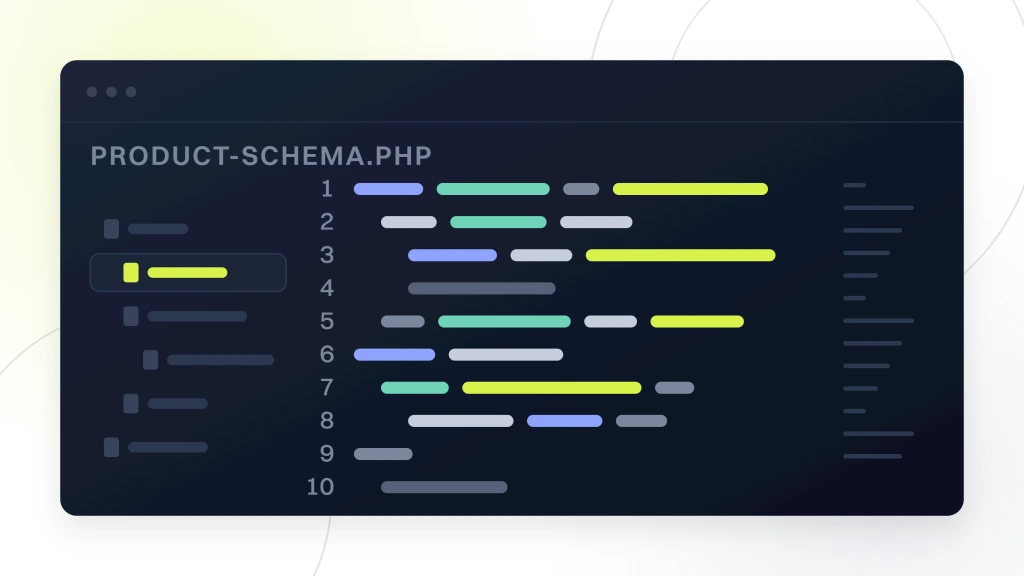
Google’s documentation explains what that buys you, saying that when you add product structured data “your product information can appear in richer ways in Google Search results”. Note what that sentence promises, which is eligibility rather than placement, and treat any plugin claiming to win rich results as overselling a schema field.
Where it gets thinner is variable products, which is exactly where stores need it most. Google’s ecommerce URL guidance says “To help Google understand your product variants, make sure that each variant can be identified by a separate URL”, and it accepts two shapes for that, a path segment such as /t-shirt/green or a query parameter such as /t-shirt?color=green. WooCommerce produces the second shape, because a variation permalink appends the chosen attributes to the parent product URL, so a variation can be linked to. What it is not is a page of its own. It carries the parent’s canonical tag, the parent’s title and meta description and the parent’s structured data, and it is absent from your sitemap, so it is addressable without being independently indexable. The same Google guidance tells you to canonicalize query parameter variants back to the parent, so the platform is not breaking a rule here. The limit is that it gives you no way to promote a variant into a page of its own when that variant deserves to be one.
That is a genuine platform limitation rather than a configuration mistake, and it is the strongest technical argument against this stack for a certain kind of catalog. If your variants are meaningfully different products that people search for by name, and a shoe in a specific colorway is a good example, you are fighting the platform. If your variants are sizes of the same thing, you are not, and the default behavior is correct.
Speed, because a WordPress store carries more weight than a page
Speed complaints about WooCommerce are usually complaints about a specific install rather than about the platform, and the difference matters because one is fixable cheaply and the other is not. A store carries more than a brochure site does. Cart and account pages resist caching by design, because they are personal, and a page that cannot be cached is a page your server builds from scratch every time.
The usual culprits are boring and repeatable. Shared hosting sized for a blog. A theme that loads a page builder on every product. A plugin count in the dozens where each one adds queries. Product images uploaded at camera resolution. None of those is WooCommerce, and all of them are why a store on WooCommerce is slow.
Measure before you buy anything, because this is an area where stores spend money on the wrong layer. Test a product page and a category page separately, since they fail differently, and test them on a connection and a device that resemble your customers rather than your office. Our guide to analyzing a website covers doing that honestly, and the general search procedure is in SEO performance step by step.
When WooCommerce is the wrong choice for your store
We build on this stack, so read this section as the one where our interest and your interest most clearly diverge. There are stores we would tell to use something else, and here they are.
If nobody is going to maintain it. WooCommerce documentation describes itself as “the free, core WooCommerce plugin”, and the plugin genuinely is free. The stack around it is not free and is not passive. You are responsible for hosting, updates, plugin compatibility and security, and a store that nobody updates becomes a liability rather than an asset. If there is no developer, no agency and no appetite, a hosted platform that takes those decisions away from you is the better buy even though it rents you less control.
If your variants are the products. Per the section above, if customers search for the specific variant by name and each needs to be its own indexable page, you will spend the project fighting default behavior. A platform that treats variants as first-class addressable items will cost you less than making this one do it.
If your only reason is price. Choosing a free plugin and then paying for managed hosting, a premium theme, several paid extensions and someone to keep them talking to each other is a real budget, and it is often not the cheapest one. Price the whole stack over three years, not the download. Run that arithmetic honestly and on a small catalog a hosted platform’s monthly fee often wins outright, and if that is what your own numbers say, we would tell you to take it rather than talk you into a build.
If browsing is your product. Some catalogs are used the way a marketplace is used, where customers arrive with no specific item in mind and filter their way to one across many dimensions at once. That pattern puts sustained load on the database and generates the URL surface described above at its worst, and making it fast is engineering rather than configuration. It can be done on this stack, but if that is the core of your business rather than an edge of it, you are buying a platform for the hardest thing it does rather than for the easiest.
None of those cases is unusual. If you are still deciding between platforms rather than working with one, that is a genuinely different question from this article and deserves its own comparison on SEO merit.
Where this stops being a WooCommerce question
Plenty of what gets filed under this heading is not platform-specific at all, and mistaking one for the other wastes money. Three boundaries are worth drawing explicitly.
- Choosing a platform is a different article. Whether WooCommerce, Shopify or anything else is the better SEO foundation is a comparison question. This one assumes you already run WooCommerce and want it working.
- General ecommerce SEO is a different article. Category page strategy, keyword research for a catalog, supplier-duplicated descriptions and product page conversion apply identically on every platform. They are not WooCommerce problems and no WooCommerce setting fixes them.
- Auditing is a different job. Finding what is wrong once is not the same as running search performance continuously, and the two need different documents.
The practical test is simple. Ask whether the finding would still exist if you moved the same catalog to another platform tomorrow. If it would, it is an ecommerce problem and the platform is innocent. If it would not, it belongs in this article.
Two more cases worth naming. If you sell into several countries or currencies, the hard part is language and country targeting rather than anything WooCommerce does, and that is covered in our explanation of an international SEO audit. If you are trying to prove the work moved something, that is measurement, covered in benchmarking SEO.
The order to work through a WooCommerce store
Sequence matters here more than on most sites, because one of these decisions invalidates work done after it. Do them in this order.
Settle the URL structure first. Everything downstream assumes stable addresses, and the platform has told you what changing them costs. If the structure is wrong, fix it once, with redirects, before writing a single title tag.
Then close the archive surface. Decide which attribute and tag archives earn their place and turn the rest off, because there is no point optimizing pages you are about to stop publishing.
Then install and configure the plugin, once. Set templates across the catalog rather than editing products individually, and resist the temptation to override at product level until a template has proved insufficient.
Then work the products by revenue. Your best sellers get original descriptions and hand-written titles. The tail keeps the template and the supplied copy, and that is a deliberate decision rather than a backlog. How to write the findings up so somebody acts on them is covered in our breakdown of an SEO report.
Then set the re-measure date before you start. Write down what the numbers were on the day you began, and pick the date you will look again. Stores are seasonal, so without a recorded starting point you will read a good month as proof the work succeeded and a bad one as proof it failed, and both readings will be guesses. This costs one spreadsheet at the beginning and settles arguments that otherwise run for a year.
What we would do first, and what to ask us
Given a WooCommerce store and an afternoon, we would open Settings and Permalinks before anything else, because that screen predicts more findings than any crawl. Then we would crawl and count URLs by pattern to size the archive problem. Then we would open three best-selling products and check whether the titles, descriptions and structured data were written or generated. That is most of a diagnosis and none of it requires a tool you have to pay for.
What we would not do first is install another plugin. The instinct on this stack is to solve a problem by adding software, and on a store already running dozens of plugins, that instinct is part of the problem.
Now point this at us, because we build WooCommerce stores and we have just written an article explaining why WooCommerce is fine. Ask us which of the findings in any proposal are platform problems and which would follow you to any platform, since the second kind cannot be solved by hiring the people who know this one best. Ask what we would do if you told us you were moving to a hosted platform next year, and whether the answer changes what we would recommend today. If it does, you have learned something about the advice. Those questions work on any firm, and they work on us.
The cheapest first step costs nothing and takes ten minutes, which is opening your permalink settings and your product count and comparing that count with what a crawl returns. If you would rather somebody did the reading, our free website audit is where to start, and the ongoing version is what we sell as ecommerce SEO services.