
Website ranking software is a shopping phrase rather than a product category. Type it into Google and the first page hands you a rank tracker, a free grader, a site crawler and two listicles, as though those were four brands of the same thing. They are not. They are three different products with three different meters running, and the meter is the part that decides what you pay and what you are allowed to do.
We sell audits, so treat this as interested testimony and check it. Every price and limit below was read off the vendor’s own pricing page on 16 September 2026, and where a vendor would not show me its numbers I have said so rather than guessed. That matters more here than in most comparisons, because one of the vendors on this list had a price change already posted and pending on the day I read it.
What website ranking software actually is, and the three products inside the phrase
Start by splitting the phrase, because almost every buying mistake in this category comes from comparing two tools that were never doing the same job.
The first product is a grader. You give it one address, it gives you back a score and a short list of things it did not like, and then it forgets you. The second is a rank tracker. You give it a list of search terms, it checks where you sit for each one on a schedule, and the history it builds is the actual product. The third is a site auditor. It crawls the whole site and returns a findings list, priced by how much crawling you need.
Those three answer different questions. A grader answers how does this page look right now. A tracker answers is this moving. An auditor answers what is wrong across all of it. You can own all three and still have no idea what to fix, which is the gap our website audit page exists to close.
Keep the three separate as you read any shortlist. Most listicles rank them against each other on a single star rating, which is like rating a thermometer against a toolbox.
Graders, one address and one score with no memory
The grader is the product most people meet first, because it is the one that costs nothing and asks for nothing but a URL.
HubSpot’s tool at website.grader.com titles itself “Website Grader – Check your Pages for Speed and SEO”, which is an honest description of the scope. Others in the same shape turn up under grader and page grader searches, and several of them are attached to an agency that would like to talk to you afterward. That is not a criticism. A free grader is a lead form with a useful output attached, and the output can genuinely be useful.
What a grader cannot do is tell you whether anything changed. One score on one day is a photograph. The number that matters in search work is the direction of travel over weeks, and no grader holds a history long enough to show you one. This is also why a grader score is a poor thing to set a target against, a point our comparison of website checkers goes into on its own terms.
It is also worth knowing what a grader is measuring, because the inputs are narrower than the confident single number suggests. Most of them check things visible from the page itself, load behavior, title and heading structure, image handling, mobile rendering and whether the connection is secure. All of that is real and all of it is worth fixing. None of it involves looking at a single competitor, which is why two sites in the same market can both score well and only one of them can be first.
Use graders for what they are good at. A fast second opinion on one page, a sanity check before a launch, and a way to see what an outsider’s tool says about a site you have stopped being able to see clearly.
Rank trackers, where the unit is keywords times refresh rate
Here is where the money goes, and where the pricing pages stop being comparable unless you read them very carefully.
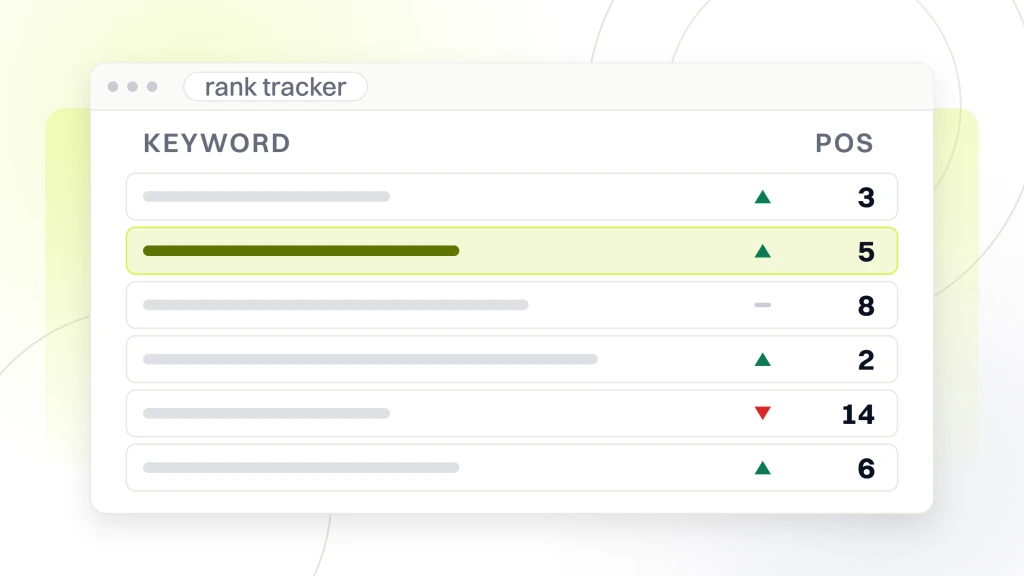
A rank tracker sells you an allowance of search terms. Every vendor prints that allowance in large type on the pricing page, and every buyer compares those numbers across tabs. The problem is that the allowance is only half of the unit. The other half is how often each term gets re-checked, and that half is usually printed in the comparison table further down the page where nobody scrolls.
Semrush prices its entry SEO plan at $139 a month, or $117.33 a month billed annually, and that plan covers 5 websites and 500 keywords tracked daily. Its Pro+ plan is $299 a month for 15 websites and 1,500 keywords daily, and Advanced is $549 a month for 40 websites and 5,000 keywords daily. The word doing the work in every one of those lines is daily.
Advanced Web Ranking prices its Pro plan at $139 a month for 7,000 keywords, Agency at $279 for 14,500, Enterprise at $699 for 35,500, and a 50,000 keyword tier at $980. Its plan comparison table lists those keyword allowances under the heading of keywords updated weekly.
Two trackers at the same price, and the fourteen times difference
Put those two plans side by side, because the coincidence in the price makes the point better than any argument.
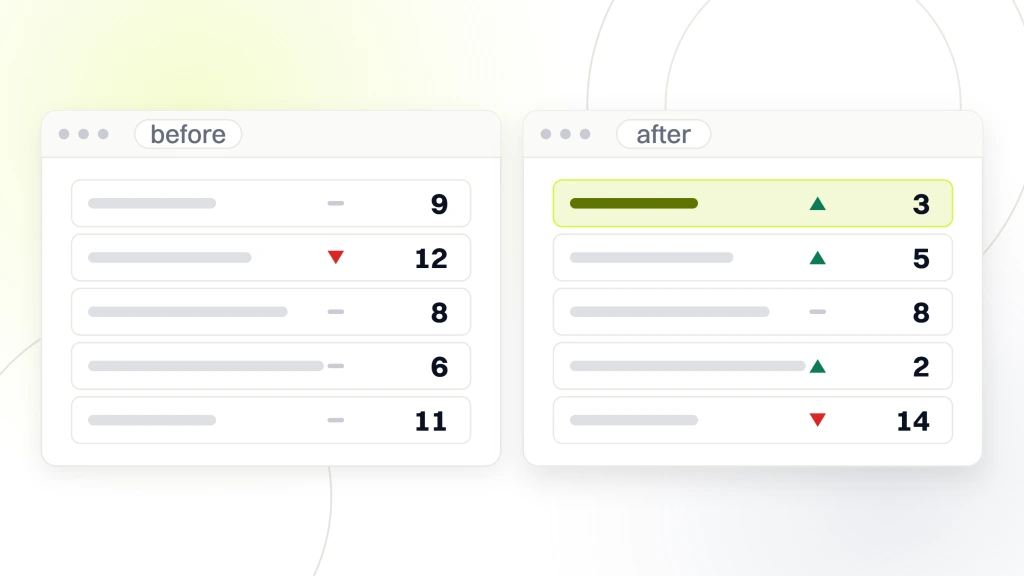
Semrush’s SEO plan and Advanced Web Ranking’s Pro plan both cost $139 a month. One gives you 500 keywords. The other gives you 7,000. That is fourteen times the allowance at an identical price, and if you were comparing the big numbers on two open tabs you would conclude that one vendor is robbing you.
Neither is. Semrush prints its 500 as tracked daily. Advanced Web Ranking prints its 7,000 under a comparison table heading that reads keywords updated weekly, and lists daily, weekly, bi-weekly and monthly updates as a plan feature, so weekly is the rate that allowance is quoted against rather than the only rate on offer. Multiply the allowance by the refresh rate and you get the number of individual position checks the vendor runs for you in a month, which is the thing actually being sold, because every check costs the vendor a query against a search engine. Once you do that multiplication the two plans stop looking fourteen times apart.
So the question is not how many keywords you get. It is how many you need and how often you need them looked at. A site with forty commercial pages and a quarterly reporting cycle does not need anything checked daily. An ecommerce site in a category where competitors reprice and republish constantly might.
One more mechanism quietly eats the allowance, and it is the reason people run out far earlier than their own list length predicts. A search term is not tracked once. It is tracked once per device type and once per location you ask about, and most trackers count each of those as a separate keyword against your plan. Both vendors above sell local and mobile tracking as features of the plans quoted.
So a list of 200 terms checked on desktop and mobile across three cities is not 200 keywords, it is closer to 1,200. Do that multiplication before you pick a tier, because it is the single most common reason a plan that looked generous on Monday is full by the end of the first month.
Site auditors, where the meter is pages crawled per month
The third product meters something else entirely, which is why it never compares cleanly against the first two.
An auditor charges by crawl volume. SE Ranking’s Core plan is $129.00 a month, or $103.20 billed annually, and alongside its keyword allowance it lists 250,000 pages per month in audit. Its Growth plan at $279.00 a month, or $223.20 annually, lifts that to 2,000,000 pages per month. Its comparison table also caps pages per project at 250,000 on Core and 1,000,000 on Growth, so the account total is not the ceiling a single large site runs into. Those are crawl budgets, not keyword budgets, and they are the number that binds you if you run a large catalog.
This is the limit people discover late. A forty page brochure site will never touch a crawl ceiling. A store with sixty thousand product URLs, faceted navigation and a paginated blog can burn through a monthly crawl allowance in a couple of full passes, and then the tool you are paying for quietly stops giving you fresh findings until the month rolls over.
Work out roughly how many URLs you actually have before you read a single pricing page. Our guide to conducting a website audit covers how a site’s real URL count tends to be several times what its owner expects.
Suites, where all three meters run on one invoice
Most of the well known names are not one product at all, which is what makes the category so confusing to shop.
SE Ranking’s Core plan carries a keyword allowance, a crawl allowance, a project count of 10, one manager seat and an API credit allowance, all on the same line item. Growth raises the project count to 30 and the seats to 3. Semrush’s plans likewise count websites monitored alongside keywords tracked. You are not buying a tool, you are renting four meters at once, and you will hit whichever one is tightest for your situation first.
Suites also sell the overflow separately. SE Ranking lists extra keywords from $22.40 on Core and from $32 on Growth, extra manager seats from $16, and an Agency Pack add-on at $69.00 a month available on annual billing only. Overflow pricing is worth reading before you sign, because it tells you what the vendor expects you to run out of.
The practical consequence is that a suite is rarely the cheapest way to get one job done, and usually the cheapest way to get four jobs done badly enough to be fine.
The three products and what each one meters
Everything above collapses into one table, and the right hand column is the only one that should decide a purchase.
| Product | Question it answers | What it meters |
|---|---|---|
| Grader | How does this one page look today | Nothing, one address at a time |
| Rank tracker | Is this moving, and which way | Search terms times how often each is re-checked |
| Site auditor | What is wrong across the whole site | Pages crawled per month |
| Suite | All three, adequately | Whichever of the above runs out first |
Read a pricing page with that third column in hand and the marketing falls away. You are looking for one number, the one you will hit first, and everything else on the page is there to make the plan look generous in a dimension you were never going to use.
There is a fifth meter hiding in the suites and it catches agencies rather than site owners. Projects, sometimes called websites monitored, cap how many separate workspaces you can run. SE Ranking’s Core plan lists 10 projects and Growth lists 30. Semrush’s entry SEO plan lists 5 websites to monitor and its Advanced plan lists 40. If you handle client sites, that count will bind you long before any keyword or crawl allowance does, and it is the one number people forget to check because it has nothing to do with search.
Seats work the same way. A plan that looks affordable for one person becomes something else when a second analyst needs a login, which is why the overflow line for extra seats is worth finding before the trial ends rather than after.
Why a free grader cannot stand in for a tracker
This substitution gets attempted constantly, usually by someone sensible trying not to spend money, and it fails for a structural reason rather than a quality one.
A grader returns a composite score. A tracker returns a position for a named search term. Those are not the same kind of number and one cannot be converted into the other. A grader score can climb while every position you care about falls, because the score is computed from things on your page and the position is decided by comparison against everybody else’s.
The second failure is memory. Even if you ran a grader by hand every Monday and wrote the scores into a spreadsheet, you would have a record of your own page and no record of the competitive field that actually moved. Our explanation of what it means to analyze a website and our guide to checking a site both cover what these one-shot tools do return, which is genuinely worth having, just not this.
If your budget is zero, the honest answer is not a grader. It is Google’s own reporting, covered next.
What you get before you pay anyone anything
Before comparing paid plans it is worth knowing what the search engine already reports to you about your own site, because a surprising number of tool purchases are re-buying it.
Google’s own documentation describes the Search Console performance report this way. “The Search performance report shows how much traffic you’re getting from Google Search, including breakdowns by queries, pages, and countries.” That is first party data about your own site, from the only organization that knows what actually happened.
What it does not do is watch your competitors, and that is the honest dividing line between free reporting and a paid tracker. Search Console tells you about you. A tracker tells you about the field. If your question is whether your own pages are gaining or losing query coverage, you may not need to buy anything at all. If your question is why somebody else is above you, you do.
Set that up first regardless. Every paid tool in this category integrates with it, and several of the suites list that integration as a feature you are paying for.
Prices and limits move, and here is one caught mid-move
Any comparison of software prices is a photograph with a date on it, and this category moves faster than most.
Seobility’s pricing page, read on 16 September 2026, carried a notice at the top of the plan table asking visitors to check its updated prices taking effect on September 18th. So no figure for that vendor appears in this article. Quoting a price that was two days from being replaced would be worse than quoting none, and by the time you read this it would have been wrong for a while.
Two other vendors on this list would not show their numbers to a plain page request at all. SEOptimer’s pricing page refused the request outright, and the HubSpot grader builds its content in the browser rather than serving it in the page, so nothing beyond its own title could be read. Those three are named here without figures on purpose.
Treat every number in every comparison article, including this one, as needing a click before you act on it. The vendor’s own pricing page is the only source that is not out of date.
How to size a plan before you open a pricing page
Sizing first and shopping second inverts the normal order and saves most of the money, because a pricing page is designed to tell you what to want.
Write down four numbers before you look at anything. How many search terms genuinely decide revenue, which is usually a much shorter list than the one your last agency sent. How often a change in those would alter a decision you make. How many URLs the site really has. How many separate sites or clients need their own workspace.
Those four map exactly onto the four meters. Terms and refresh rate size the tracker. URL count sizes the crawl allowance. Site count sizes the project limit. With those written down, a pricing page becomes a lookup rather than a decision, and you will usually find the entry tier is enough, which is the outcome the layout of the page is working against.
Our roundup of website stats checkers is worth a look at the same time, because some of what people buy a tracker for is traffic reporting they already have.
When you do not need any of this software
There is a real case against buying anything here, and it applies to more sites than the category would like to admit.
Tracking is measurement, and measurement only earns its cost when somebody acts on it. If nobody on your side can change the site this quarter, a tracker produces a chart that makes people feel informed and changes nothing. The money is better spent on the first fix than on watching the problem at a higher resolution.
The same applies to a small site with a short list of pages and no competitors worth watching. A local business with one service page and a handful of terms can read Search Console once a month and be as well informed as a tool would make it. Our comparison of free SEO tools covers the free end of the one-shot tools, which is usually enough at that size.
Buy tracking when the number of things you could change exceeds the number you can check by hand. Below that line it is an expense that feels like progress.
What we would check first
If you are about to open five pricing pages, do this first and you will close three of them.
Decide which of the three products you are actually buying, because a grader, a tracker and an auditor answer different questions and only one of them is probably yours this quarter. Then find the meter, multiply the allowance by the refresh rate where there is one, and check the overflow price for the meter you will hit first.
Then confirm every number on the vendor’s own page on the day you buy. Three of the vendors here either had a price change pending or would not show their numbers to us at all, and that is a normal week in this category rather than an unusual one.
If what you actually need is somebody to tell you what is wrong once, rather than a dashboard that tells you it is still wrong every Monday, that is a different purchase and a smaller one. Our free website audit is where we would start on an unfamiliar site, and it hands back a findings list rather than a score.