
Google Shopping runs on a different discipline than search PPC. Product feed quality replaces keyword strategy. Feed titles, images, and structured data control which auctions you enter. Bidding runs at the product level. Performance Max wraps the whole thing in a black box unless you build campaign structure that forces transparency. This guide walks the exact process we run on live ecommerce accounts under a google shopping ads management retainer. Feed rebuild to Performance Max control to ROAS-driven budget allocation. You’ll finish in nine minutes with feed rules, campaign structure, bidding math, and the reporting cadence that keeps Shopping honest.
The same framework works for a Shopify store spending $1,800 per month and a WooCommerce brand spending $28,000 per month. What changes is the depth of feed segmentation and the number of Performance Max asset groups you run in parallel. Print the framework and mark it up while auditing your own account so the fixes you spot land back inside the same week. Every claim below maps to real ecommerce accounts, real feed audits, and real ROAS math, not blog theory.
Feed quality drives every Shopping outcome
Feed quality is the single largest lever in google shopping ads management. A well-optimized feed beats a poorly-optimized feed by 30% to 60% on impression share at the same bid. Titles carry the most weight. Product titles that lead with brand plus product type plus key attribute (color, size, material) rank higher and convert better than generic titles. Images carry the second-most weight. Low-quality images depress click-through rate no matter how well the title matches, and Google’s shopping algorithm downweights products with weak visual performance inside two weeks.
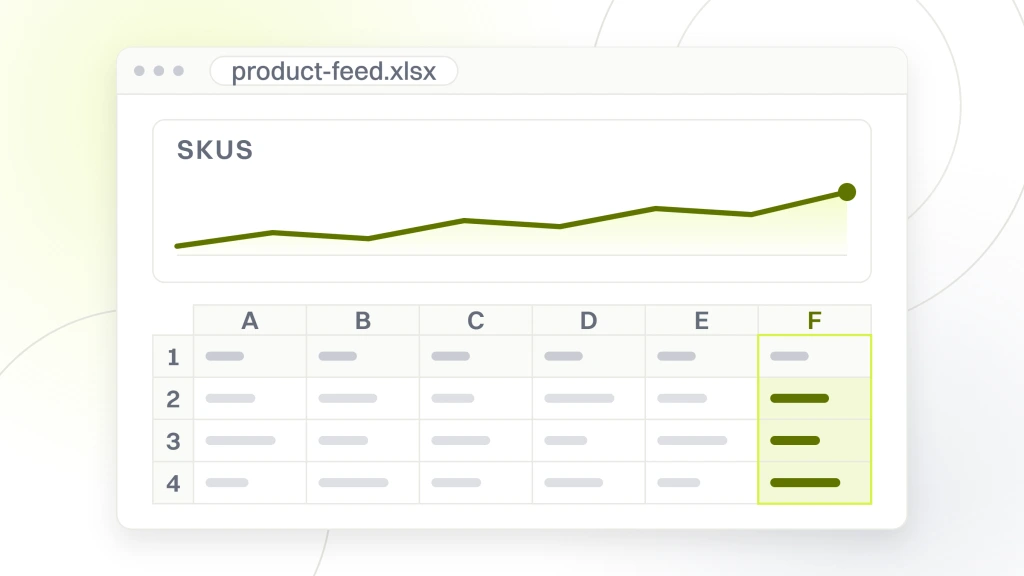
Every product needs eight feed attributes at minimum. Title. Description. Price. Availability. Image. Brand. GTIN. Product category taxonomy. Missing any of the eight either blocks the product from Shopping (Availability, Image, Price) or drops it lower in the auction (Title, GTIN, Category). Fix feed attributes before raising bids and impression share typically climbs 25% to 45% with zero extra spend inside 30 days. Feed hygiene stays cheaper than bid inflation on almost every ecommerce account we’ve touched.
Apparel titles follow “Brand + Gender + Product Type + Color + Size + Material.” Electronics titles follow “Brand + Product Type + Model + Key Spec + Color.” Home goods follow “Brand + Product Type + Style + Color + Material.” Rewriting titles to the vertical formula typically grows click-through rate 15% to 30% inside 14 days because the title matches more search queries and reads as more specific in the search result. The vertical formula also survives feed manager rules better than freeform titles written by category managers.
Campaign structure that keeps Shopping honest
Modern Shopping runs Performance Max and Standard Shopping side by side. Performance Max covers the black-box scale case. Standard Shopping covers the transparent control case. Running both together captures Performance Max efficiency without losing visibility into which products, queries, and audiences drive revenue. Ecommerce brands that run Performance Max alone often hit strong ROAS but cannot explain why or catch it when it drifts, which turns quarterly reviews into guesswork.
Segment Performance Max by margin band or product priority. High-margin bestsellers go into one asset group with aggressive ROAS targets. New product launches go into a second asset group with volume targets. Legacy or clearance products go into a third asset group with a floor bid. Segmentation stops the algorithm from over-serving low-margin products that produce easy conversions and starving high-margin products that take longer to close. Shopping done right treats margin band as first-class metadata, not an afterthought.
- Performance Max for bestsellers with target ROAS
- Performance Max for new launches with volume targets
- Performance Max for clearance with floor bids
- Standard Shopping for query-level transparency
- Branded Shopping campaign to defend brand queries
- Remarketing Shopping for cart abandoners
- Feed-only campaign for long-tail SKUs
Performance Max hides query-level data by default. Force transparency by using audience signals only for guidance rather than replacement, keeping a parallel Standard Shopping campaign for the same products, and pulling the search terms report weekly to feed negatives back into both campaigns. Ecommerce brands that treat Performance Max as fully autonomous typically leave 20% to 35% of possible ROAS on the table with no way to diagnose which segments underperform. Transparency is a workflow decision, not a Google feature.
Bidding strategy for Google Shopping
Shopping bidding runs on Target ROAS once the account clears 30 conversions per month. Below that threshold Maximize Conversions produces cleaner learning data. Target ROAS goals should sit at 60% to 80% of the actual last-90-day ROAS during ramp-up. Google will overshoot slightly during learning, then settle. Ecommerce brands that set aggressive targets in the first 14 days usually watch the algorithm undershoot volume and stall the account for weeks while the learning window resets.
Calibrate Target ROAS every 30 days based on account contribution margin. If the account produces 3.2x ROAS at 40% gross margin, breakeven ROAS is 2.5x and target should sit at 3.0x or higher. If contribution margin drops during a promo cycle, drop target ROAS proportionally to keep volume flowing. Ecommerce brands that hold Target ROAS constant during promos usually see the algorithm cut delivery during the exact window they need volume. Static targets during dynamic margin months is one of the most expensive bidding mistakes we see on Shopping accounts.
Group products into portfolios with shared ROAS targets. Best sellers portfolio at 4.5x. New arrivals portfolio at 2.5x during launch phase. Clearance portfolio at 1.8x to move inventory. Portfolio bidding stops the algorithm from optimizing against the average and hiding the winners inside a mediocre group average. Google’s portfolio bidding documentation covers the setup. Rebalance the portfolios monthly. New arrivals graduate to the bestseller portfolio after they hit 30 conversions in a month. Bestsellers drop back to the general portfolio if their ROAS slides two months in a row. Clearance items retire from Shopping once inventory drops below the safety threshold.
Merchant Center hygiene every week
Merchant Center errors and warnings drag Shopping performance down fast. Products with disapproved status do not serve at all. Products with warnings serve at lower impression share until the warning clears. Ecommerce brands that let 10% to 15% of the feed sit in warning state usually lose 15% to 25% of possible impression share until the diagnostic queue clears. A weekly Merchant Center pass recovers most of that lost impression share inside a month.
Check Merchant Center diagnostics weekly. Fix disapprovals inside 48 hours. Fix warnings inside a week. Common warning triggers include missing GTIN, image mismatch between feed and landing page, price mismatch between feed and product detail page, and structured data absent on the product detail page. Automating feed generation via Merchant Center’s automated improvements or a third-party feed manager reduces manual QA time by 60% to 80% on catalogs over 500 SKUs. That QA time saved compounds through every month of the retainer.
Feed manager tools like DataFeedWatch, GoDataFeed, and Channable rewrite product feeds against custom rules and push clean data to Merchant Center. Cost ranges from $65 to $499 per month depending on catalog size. Pay back is usually 30 to 45 days on catalogs above 500 SKUs. Below 500 SKUs the manual QA time in a spreadsheet often costs less than the tool subscription, so the tool math changes. Any WooCommerce brand doing $50,000 per month in Shopping revenue should not be on the default plugin at month 12.
ROAS math on contribution margin
Report contribution margin ROAS, not gross revenue ROAS. Gross revenue ROAS of 4.5x sounds strong until you subtract product cost, shipping, returns, and fulfillment. Contribution margin ROAS after those subtractions might land at 1.4x, which means every dollar of ad spend nets 40 cents of margin. That’s the number that matters. Ecommerce brands that chase gross revenue ROAS usually grow revenue while margin contracts, then wonder why the CFO wants to cut the ad budget in Q2.
Set target ROAS at 1.5x contribution margin ROAS at minimum for a healthy scaling account. A 40% gross margin business needs 2.5x break-even and should target 3.5x to grow profit alongside revenue. A 25% gross margin business needs 4.0x break-even and should target 5.5x to fund reinvestment. Ecommerce brands that skip the contribution margin math usually chase gross ROAS numbers that flatter the vendor and starve the business of profit, which is the fastest way to burn a retainer relationship.
Return rate is the hidden variable in contribution margin ROAS. Apparel brands routinely see 20% to 35% return rates. Home decor sits at 8% to 15%. Electronics sits at 6% to 12%. Return rate has to feed into the ROAS calculation because a 4.5x gross ROAS on a 30% return category delivers a 3.15x net ROAS after refunds. Ecommerce brands that price against gross ROAS on high-return categories usually run the account 20% to 30% hotter than they can sustain and watch profit contract even as revenue grows.
Reporting cadence that catches drift
The weekly report covers pacing, disapprovals, and top movers. Monthly report adds product-level ROAS, category-level ROAS, campaign-level performance, and next-month plan. Quarterly business review ties Shopping revenue to overall ecommerce revenue and calculates the true cost per acquired customer including retention. Ecommerce brands that only see monthly reports miss the daily anomaly window that catches broken feeds and disapproved bestsellers before they cost the week.
Track five metrics weekly. Impression share versus last week. Click-through rate versus last week. Conversion rate versus last week. ROAS versus target. Cost per acquired customer versus target. Any metric moving 10% or more week-over-week needs a diagnostic before it becomes a monthly trend. Waiting a month to catch a 10% slide usually turns it into a 25% to 40% slide by the time the monthly report lands. Shopping done right runs on weekly signals, not monthly averages.
Weekly report is a five-line email. Spend to date versus monthly pace. Revenue to date versus target. ROAS versus target. Top 3 disapprovals fixed. One line of commentary on what changed. Ecommerce owners read those in 90 seconds and know whether to sleep well or ask a follow-up question. Anything longer than five lines gets skipped, which defeats the purpose of weekly reporting entirely.
Shopify and WooCommerce feed specifics
Shopify stores plug into Merchant Center via the Google and YouTube app in most cases. The default feed is fine as a starting point but needs custom titles, custom labels for margin banding, and custom product highlights for premium SKUs. Stores that never customize the feed usually cap out at 60% to 70% of the Shopping performance a well-tuned feed produces. That gap is money left on the table every week the feed stays generic.
Shopify’s automatic feed sync updates prices and availability within 30 minutes. Use that speed to protect margin. Set up rules that pause products when inventory drops below a safety threshold. Set up rules that boost bids on products with margin above the account average. Shopify’s flexibility on custom fields makes both rules straightforward. WooCommerce and BigCommerce need extra plugins to hit the same coverage, which pushes Shopify further ahead for Shopping performance at scale.
WooCommerce feeds usually run through the Google Listings and Ads plugin or a paid feed manager. The default plugin covers basics. Serious ecommerce accounts on WooCommerce move to DataFeedWatch or Channable inside the first quarter because the default lacks custom rules, margin banding, and multi-market support. Shopping for WooCommerce at scale means treating the feed pipeline as a first-class product, not a plugin setting.
Real ecommerce case study Abigail Ahern
Abigail Ahern, the London luxury home decor brand, worked with our team for four years across paid search, paid social, and SEO on Shopify plus Google Ads plus Meta. Shopping was a core channel. We rebuilt the product feed, segmented Performance Max by margin band, and calibrated Target ROAS to contribution margin math instead of gross revenue. Ecommerce revenue grew 179% over the engagement. Paid search ROAS reached 1,588%. Paid social ROAS reached 3,000%. Not a single discount banner ran during the ramp.
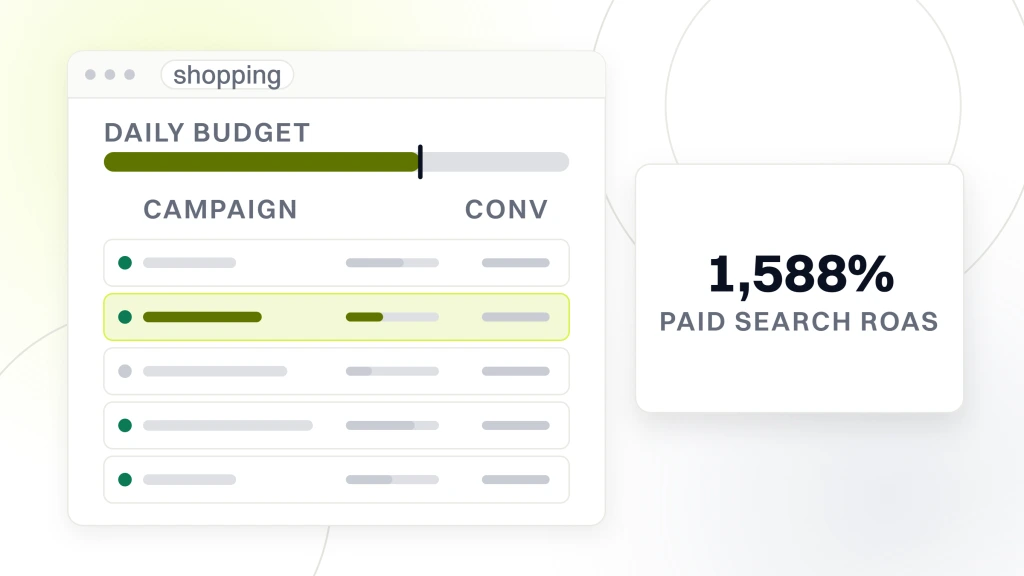
The Shopping wins compounded across three quarters. Feed cleanup delivered 45% higher impression share in the first month. Performance Max segmentation delivered 30% higher blended ROAS in the second quarter. Contribution margin calibration protected profit as we scaled spend by 60% through the third quarter. The approach is the same one we run on ecommerce brands scaling paid search from Shopify feeds today. Accounts wanting a full baseline before signing with a google shopping ads management agency can start with our free Google Ads audit.
Topps Tiles, the UK’s #1 tile specialist, ran a parallel six-month paid media sprint with our team on Google Ads across Search, Shopping, and inventory feeds. Innovative Shopping campaign design drove 5,465 new visitors, added 1.3 million impressions, and pushed unique market share to 33.3%. Same discipline. Feed hygiene first. Campaign structure second. Bid calibration third. Both accounts confirm the pattern that feed work drives 70% to 80% of Shopping outcome delta before advanced tactics matter.
Seasonality by category
Ecommerce Shopping demand is not flat across the year. Q4 carries a 40% to 70% spike in most categories. Back to school grows apparel and home goods 15% to 25%. Spring grows outdoor and home decor 20% to 35%. Summer grows travel and beach categories 25% to 45%. Shopping has to bake in the shape of the demand curve per category, not run one flat budget from January to December.
Adjust budgets by month using a seasonality index. Baseline months at 100. Q4 at 140 to 170. Back to school at 115 to 125 in August. Spring at 120 to 135 in March through May. Summer at 125 to 145 depending on category. Products with strong seasonal demand can carry campaign-level bid modifiers up 25% to 40% during the peak weeks. Flat-budget accounts miss peak revenue and overspend during lulls, dragging blended ROAS lower across the year.
Q4 planning starts in August. Feed cleanup by end of August. New product launches loaded by early September. Bid target calibration in mid-September. Budget scale-up in late September to warm the algorithm before the Black Friday wave. Ecommerce brands that start Q4 planning in November usually spend the peak weeks fighting technical debt instead of harvesting demand. The prep work in August compounds through November and pays back through the pre-Christmas window.
Google shopping ads management pricing in 2026
Agency pricing for Shopping follows one of three models. Flat monthly fee at $800 to $3,500 for small ecommerce brands. Percentage of media spend at 12% to 18% for accounts above $10,000 monthly spend. Hybrid retainer with a base fee plus performance bonus tied to ROAS or revenue targets. Each model works if the incentives align, but the hybrid model with a bonus tied to contribution margin ROAS aligns the tightest between agency and brand.
Redefine Web’s smallest google shopping ads management retainer starts at $1,499 per month bundled with SEO and content. Larger ecommerce brands run on the standard PPC management services retainer with Shopping included alongside search and paid social. Our Google Ads management services page covers the full operating model. For a comparative operating model view, our B2B PPC agency page details how the same discipline maps to B2B pipeline attribution.
Evaluate Google Ads management agencies on seven rows. Reporting depth. Merchant Center access model. Contract length. Strategist assignment. Pricing model. Past ecommerce results with numbers. Written onboarding plan. Ask for two references in your vertical and one Shopify or WooCommerce reference. Reference calls beat case study PDFs every time. Ecommerce-specific agencies that specialize in Google Ads management for ecommerce brands typically outperform general PPC agencies on Shopping because feed work is a specialty that general PPC teams often outsource or skip.
Onboarding for google shopping ads management
Week one covers Merchant Center audit and feed diagnostic. Week two rebuilds the feed with new titles and custom labels. Week three restructures Performance Max by margin band. Week four calibrates Target ROAS to contribution margin math. Day 30 the account runs on a clean foundation with tracking and segmentation live. The first real review lands at day 90 after the algorithm has trained on the new structure and the new feed rules.
Days 30 to 60 focus on scale. Add asset groups. Turn on branded Shopping defense. Layer in remarketing Shopping for cart abandoners. Add Standard Shopping for query-level negatives. Days 60 to 90 focus on efficiency. Recalibrate portfolios. Rebalance budgets across margin bands. Retire clearance groups as inventory clears. The 90-day mark is when the account shifts from setup to steady-state optimization.
The takeaway for ecommerce brands. Shopping is a feed game, not a bid game. Fix the feed first. Segment Performance Max second. Calibrate Target ROAS on contribution margin third. Those three moves usually cover 70% to 80% of the possible outcome delta. Everything else is refinement layered on top of a clean foundation. Ecommerce brands that skip the foundation and chase advanced tactics like custom audience signals, cross-platform bidding, and dynamic remarketing usually spend three quarters building on sand before returning to the feed work first. Feed then structure then bidding. Every other sequence produces a slower ramp and a lower ROAS ceiling.