Custom web development services AI integration is a scoped feature set, not a marketing headline. You have a real product with real users. You add one AI feature that removes 5 minutes of friction from the most common workflow, and adoption speaks for itself. This guide walks the 7 feature patterns worth building in 2026, the model picks that hold up at production scale, the front-end and back-end integration points, and a real SaaS onboarding case study where a targeted AI module drove activation up 300%.
You will read which AI features earn their build cost, how AI custom web development services differs from a plain OpenAI wrapper, the front-end patterns for streaming responses, the back-end patterns for retrieval-augmented generation, when large language models integration beats fine-tuning, the cost math per feature, and a rebuild for Rocket Software, Inc. that drove activation rate up 300% in month one with a scoped AI-driven onboarding wizard.
The 7 AI feature patterns worth building in 2026
Every AI scope we write ranks feature ideas against the same 7 patterns. Each pattern has a clear scope shape, a proven cost band, and a known payoff. If your idea does not fit one of the 7, either reshape it until it does or park it. Freelance feature ideas outside these patterns are where AI budgets go to die.
First, semantic search over user content. Second, a RAG chat interface anchored to a knowledge base you own. Third, structured extraction from user uploads such as PDFs, images, and screenshots. Fourth, workflow suggestions built from historical pattern analysis. Fifth, a smart onboarding wizard that adapts to user answers. Sixth, an activation-scoring model that flags at-risk users for intervention. Seventh, a plain-language coaching assistant that lives inside the app for the first 7 to 30 days of a new account.
All 7 patterns share 3 traits. Each removes real friction from a workflow a user already does. Each goes live in 3 to 6 weeks per feature at defined cost bands. Each measures success against a single primary metric the client picks in the SOW. Any feature that lacks one of those 3 traits is a research project, not a scoped build.
Front-end integration patterns for streaming AI responses
Front-end integration for custom web development services front-end back-end AI enhancements starts with streaming. Front-end work carries the perceived-speed gain more than any other layer of the build. Users tolerate a 2 to 4 second AI response when the tokens stream in as they are generated. Users bounce off a 4-second wait when the response arrives all at once. The perceived speed is the same. The engineering cost to stream is 20% more effort than a batch response. Every AI feature we deliver uses Server-Sent Events or the Vercel AI SDK stream helpers.
Beyond streaming, 3 front-end patterns earn a slot in every AI feature. First, loading states with token count. Second, a cancel button that terminates the request. Third, a retry button that re-runs the last prompt with an optional edit. All 3 take a total of one day to build and remove the top three sources of user frustration with AI features. Every custom web development services large language models integration project we deliver uses all 3.
Streaming responses via Server-Sent Events
Server-Sent Events give you a one-way stream from server to browser without WebSocket overhead. Your API route opens a text/event-stream response. Your React component reads from the stream with the Fetch API and a ReadableStream reader. Tokens arrive every 30 to 80 milliseconds. Users see the response build word by word. In short, the perceived speed gain over batch responses is measurable in user satisfaction surveys inside 2 weeks of launch.
Vercel AI SDK for React and Next.js apps
The Vercel AI SDK wraps the streaming pattern in 20 lines of React. You call useChat or useCompletion. You wire the return values to your input and output components. The SDK handles the SSE parsing, the message history state, and the loading indicators. Every Next.js custom web development ai integration services build we deliver uses the AI SDK. It saves 3 to 5 days of custom stream-handling code per feature. For instance, see web.dev case studies for reference patterns on how leading teams instrument streaming UI.
Back-end integration for retrieval-augmented generation
Back-end integration for AI features in custom web app builds hinges on retrieval-augmented generation. You store your knowledge base as embedded documents. You embed the user’s query at request time. You retrieve the top-K relevant documents. You wrap them in a system prompt and pass them to the model. That pipeline covers 80% of production AI use cases and costs 20% of the effort of fine-tuning. Every AI custom web development project we deliver starts with this pattern.
The RAG pipeline has 4 moving parts. The embedding model that turns text into vectors. The vector store that holds them. The retrieval logic that picks the top matches. The generation model that composes the answer. Every part has a swap-out choice. Every choice trades cost against quality. The right pick depends on how much traffic you expect and how much you can spend per request. Our engineers benchmark 3 embedding models and 2 retrieval strategies on every new project.
Vector store picks for RAG at scale
Postgres with pgvector runs 60% of the RAG builds we deliver. Most clients already run Postgres, so it wins the default slot. Pinecone runs 25% since managed vector search removes ops overhead when the team lacks database experience. Weaviate and Qdrant run the remaining 15% for specialty needs like hybrid search or self-hosted deployments. Every vector store handles up to 10 million documents at low latency. Past 10 million, the architecture question changes and specialty stores earn their price.
Chunking strategy and retrieval quality
Document chunking is where most RAG projects underperform. Chunks of 200 to 400 tokens with 20 to 50 token overlap give retrieval the right balance of specificity and context. Larger chunks retrieve too much noise. Smaller chunks lose context. Every RAG project we deliver benchmarks 3 chunk sizes on a labeled test set before locking in the production choice. That benchmark takes 2 days and prevents 4 weeks of quality complaints once the feature reaches real users.
When large language models integration beats fine-tuning
Retrieval-augmented generation goes live in 2 weeks. Fine-tuning goes live in 6 and needs 2,000 to 10,000 labeled examples. 9 out of 10 features clients call fine-tuning in practice work as retrieval-augmented generation. You point the model at your documents, wrap the response with a system prompt, and get 90% of the benefit at 20% of the cost.
Fine-tuning wins for a specific writing style or a domain classification the base model gets wrong. Retrieval wins everywhere else. Every AI custom web app scope we write runs this comparison on the first call.
The math is the deciding factor. A RAG pipeline costs $8,000 to $18,000 to build and $0.001 to $0.003 per request in inference cost. A fine-tuning project costs $18,000 to $60,000 to build plus the labeled dataset and $0.005 to $0.015 per request. RAG wins the cost comparison at almost every scale below 5 million requests a month. Fine-tuning earns its price when volume is high enough that per-request savings compound past the upfront training cost.
When retrieval wins the pick
Retrieval wins when your knowledge base updates frequently, when accuracy on your source documents matters more than a specific writing style, when you need auditable citations back to the source, and when the training data would take longer to curate than the feature is worth. Every internal knowledge base we plug into a custom web app runs on retrieval, not fine-tuning. Every one saves 4 to 6 weeks of upfront work versus the fine-tuning alternative.
When fine-tuning wins the pick
Fine-tuning wins when you need a specific writing style the base model cannot reproduce, when you have a domain-specific classification task the base model gets wrong more than 10% of the time, when you have 2,000+ labeled examples already, and when the request volume is high enough that per-request cost savings outweigh the upfront training cost. Every fine-tuning project we take on runs the cost math first. Most convert to a RAG plan after the math.
Cost per AI feature in a custom web development project
AI feature build cost inside a custom web development project depends on scope. Semantic search lands at $8,000 to $14,000. A chat interface with RAG lands at $14,000 to $22,000. Structured extraction from user uploads lands at $18,000 to $30,000. Workflow suggestions with historical pattern analysis land at $22,000 to $35,000. Every number covers scoping, prompt design, evaluation loop, front-end integration, back-end integration, and 2 weeks of production tuning post-launch.
Beyond the build cost, ongoing inference cost is the number to plan for. A moderate-volume AI feature runs $200 to $1,500 per month in model API cost at 50,000 to 250,000 requests. High-volume features can run $3,000 to $10,000 per month. Every proposal we write includes a monthly inference budget appendix so the client knows what the operational cost looks like at 3 months, 6 months, and 12 months out. Missing this line item is the number one reason AI features get pulled after launch.
The evaluation loop is 20% of the build
Every AI feature we build includes an evaluation loop that scores the model output against a labeled dataset of 100 to 500 test cases. That evaluation loop runs on every prompt change, every model version bump, and every code refactor. It catches regressions in 5 minutes that would otherwise show up as user complaints in 5 days. That evaluation loop is what separates a real custom web development ai integration services build from a demo. Skipping it saves 20% of the initial cost and creates 300% of the post-launch cost.
Monitoring and drift detection post-launch
AI features drift the moment traffic changes shape. A new user segment starts asking a new class of question, the model latency creeps up, or the retrieval hit rate drops as the knowledge base grows. Every AI feature we deliver goes live with a monitoring dashboard that tracks 4 metrics on a rolling 7-day window. Median latency and 95th percentile. Retrieval hit rate. User satisfaction, sampled through a thumbs-up-thumbs-down widget. And weekly inference cost per user. When any metric drifts past a defined band, the on-call engineer gets a page and runs the evaluation loop against the current traffic.
Prompt versioning and rollback
Prompt versions get committed to git the same as code. Every prompt change goes through review. Every prompt version is tagged with a semver identifier. Rollbacks are as simple as reverting the commit and redeploying. Every AI feature we build has a prompt version history that goes back to launch day. That history saves the team when a prompt tweak causes a regression the evaluation loop missed. 10 minutes of history discipline prevents 4 hours of debugging.
Security and safety inside an AI custom web development build
Security and safety inside an AI custom web development build cover 4 categories. Prompt injection defense. Data leakage defense. Rate limiting on the API. And output moderation for user-facing surfaces. Every AI feature we deliver runs through all 4 before launch. Missing any one of them creates a real risk that shows up in the first 30 days as a user attack or an accidental data exposure.
Prompt injection is the top risk category in production AI features. A user types a message that tries to override the system prompt. Without defenses, the model complies with the user’s instructions instead of the app’s rules. Defenses include strong system prompts, delimited user input, output validation, and never mixing tool call arguments with user text. Every serious AI custom web development services build includes prompt injection tests in the evaluation loop. Skipping them creates real exposure the first time a bad-faith user finds the app.
Prompt injection defenses
Delimit user input with clear XML tags in the prompt. Instruct the model to treat text inside the delimiters as data, not commands. Validate the model output against a strict schema before rendering. Log every prompt and response for audit. Every one of these defenses is a 2-hour engineering task. Combined, they block 95% of prompt injection attempts. The remaining 5% needs application-specific rate limiting and anomaly detection. Every production AI feature we deliver includes at least the base 4 defenses.
Data leakage defenses
Data leakage happens when the model returns information the user is not authorized to see. RAG retrievers must filter documents by the requesting user’s permission set before passing them into the model. Row-level security on the database is the first defense. Retrieval-time filtering is the second. Output redaction on named entities is the third. Every enterprise AI custom web development services build we run implements all 3. Missing any one of them creates a compliance risk the client will discover during their first security audit.
Rate limits and abuse controls on the AI route
AI endpoints attract abuse the way login endpoints attract credential stuffing. A single bad actor can burn $2,000 of inference budget overnight with an unrestricted chat route. Every AI feature we deliver goes live with 3 rate-limit layers. Per-user request caps on a rolling 60-minute window. Per-IP caps that catch shared accounts and scrapers. And a global spend ceiling that halts the route when daily inference cost passes a defined threshold. The 3 layers combined block 99% of abuse patterns and cost roughly one engineering day to implement.
Output moderation for user-facing surfaces
Any AI output that renders to a user needs a moderation check. Text goes through a moderation endpoint that flags policy-violating content before the browser sees it. Structured output goes through schema validation that rejects fields outside the allowed shape. Every custom web development services large language models integration project we run pipes model output through both checks. The check adds 100 to 300 milliseconds per request and blocks the top category of post-launch incidents.
A custom web development services AI integration case study
Rocket Software, Inc. came to us with a subscriber acquisition tool that was losing 93% of trial signups before the second session. The onboarding was static, the drip email flow was misfiring, and the team had no signal on which behaviors mapped to retention. We scoped a targeted AI-driven onboarding rebuild that combined a smart 3-step wizard, an activation-likelihood scoring model, and a plain-language coaching assistant for the first 7 days of the trial.
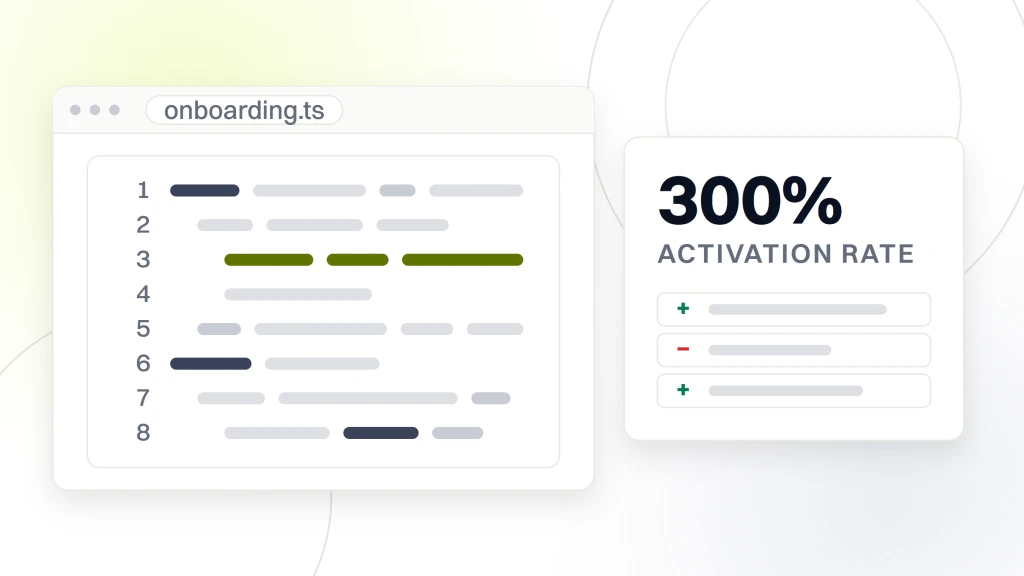
Inside 30 days we plugged the AI features into the existing product, wired activation event tracking, and pushed the rebuild live. Rocket Software, Inc. drove activation rate up 300% in month one, hit 3,000 customers in launch week, and settled into 400-plus new subscribers per day post-launch. Every one of those numbers came from a scoped 4-week build focused on the highest-impact AI features instead of a 6-month rebuild. That is the shape of good scoped AI work when the calendar is tight and the stakes are real.
The 3 AI features that moved the needle
Smart 3-step wizard that adapted to the user’s answers. Activation-likelihood scoring model that flagged users at risk of dropping off. Coaching assistant that suggested next actions in plain language during the first week of the trial. 3 features. 4 weeks. One integrated release. That focus is what a good custom web app development scope looks like when a targeted AI module can move the primary metric without a full product rebuild.
The numbers measured 30 days out
Activation rate up 300%. Three thousand customers in week one. 400 new subscribers per day. Those 3 numbers came from a scoped 4-week AI feature build that focused on the moments in the onboarding flow with the highest drop-off. Not a full rebuild. Not a fine-tuned model. Retrieval plus a small chat model plus a focused scoring model plus a wizard. Every AI feature earned its place in the scope before it earned its way into the codebase. For scale context, a separate SaaS build we ran drove customer acquisition 100x on a global PPC and offer rebuild, showing the same scoped-scope pattern applies past the acquisition funnel too.
Team shape for a custom web development services AI integration project
The right team shape for a scoped AI build inside a custom web app is one AI engineer, one full-stack engineer, and one product designer. 3 people. 6 to 10 week engagement. 5 to 7 scoped features per engagement. Larger teams add coordination overhead without adding throughput on scoped AI work. Smaller teams create bottlenecks on evaluation and prompt tuning.
Client-side, one product owner who can approve scope trade-offs inside the week is the minimum. Two additional stakeholders can attend the sprint review without slowing the sprint. Projects with a rotating cast of client decision-makers deliver 30 to 50% slower, since every prompt design decision becomes a committee vote. Every AI engagement we run names the accountable owner in the SOW before the first line of code.
The AI engineer role
The AI engineer owns prompt design, model selection, evaluation loop, and RAG pipeline. That role is not a research position. It is production engineering with an eye for prompt behavior and an ability to read evaluation scores against a labeled test set. Every AI engineer we hire has delivered at least 3 production AI features before they own a client account. Every one has debugged a live prompt injection in production. That experience is what separates production AI engineering from a demo.
The full-stack engineer role
The full-stack engineer owns front-end integration, back-end API surface, streaming implementation, and database changes needed to store retrieved documents and prompt history. That role is where the front-end and back-end AI work land inside the sprint. The full-stack engineer takes the AI engineer’s prompt design and evaluation output, wraps it in production code, and pushes it live behind a feature flag. Every AI feature we deliver follows this handoff pattern.
Where to start with AI integration in your custom web app
Start by picking the workflow inside your app that costs your users the most cognitive load. Time them on it for a week. Note the drop-off points. Pick one of the 7 patterns from the top of this guide that would remove the friction at the highest drop-off. Scope a 3 to 4 week build. Push a working prototype live behind a feature flag. Measure. Iterate. That approach beats a 6-month AI rebuild every quarter of every year we have been doing this work.
Take a project manager at a mid-market SaaS in Denver. She notices her users spend 4 minutes on average trying to search their project archive for a matching template. That is 4 minutes she is paying for on every session. A semantic search feature drops that to 30 seconds. Build cost lands at $10,000. Payback lands inside 60 days at 5,000 monthly sessions. That is the shape of a good first AI bet inside a live product. Small scope. Clear metric. Fast payback. Then the second feature earns its slot on the strength of the first.
Scope your custom web development services AI integration build now
Ready to scope AI features into your custom web app with a team that goes live production software. Our custom web development services team runs discovery, prototypes, and production builds end to end. For the base scope math, see our custom web application development services and custom web development cost. For the wider service context, see our web design and development services. For authoritative reference on production AI application patterns, see web.dev Core Web Vitals reference.