
Dental Email Marketing That Fills Recall and Reactivation
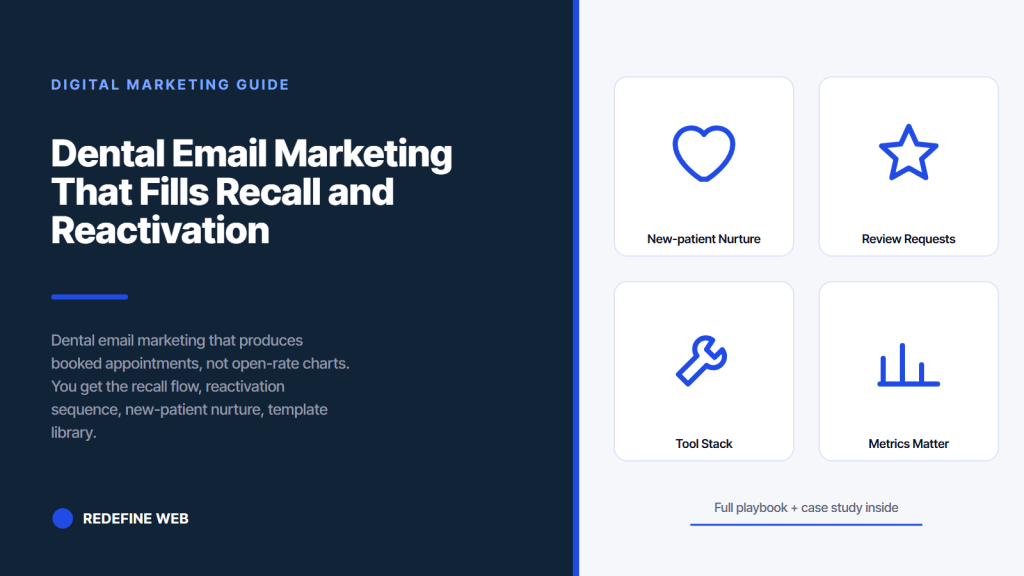
- Recall flow at 5 months 3 weeks. Highest ROI in dental email.
- Reactivation over 21 days recovers 12 to 22 percent dormant.
- Skip the newsletter. It produces almost no booked appointments.
- Segment every flow. Never send to the whole list at once.
- Track booked appointments per email sent, not open rate.
- Dental email marketing new-patient nurture flow
- Birthday and milestone dental email marketing touches
- Dental email marketing for treatment plan followups
- Dental email marketing for review requests
- Dental email marketing list segmentation
- Dental email marketing tool stack
- Dental email marketing metrics that matter
Dental email marketing gets a bad reputation because most of it looks like a monthly newsletter nobody wanted. Templates pulled from a stock library. Subject lines that read like clip-art. Open rates that never crossed 12 percent. Practices give up and cancel the tool. The problem is not email. It is the wrong flows. Well-run dental email marketing books 15 to 40 recall appointments per week and reactivates 12 to 22 percent of dormant patients. That math changes the practice.
This guide is what we hand new dental clients on day one. Every flow below is one we have put in place across dozens of practices. Copy the subject lines. Copy the send timing. Copy the reactivation sequence. Adapt the voice to the practice. Skip the newsletter. Newsletters underperform in dental every time and stall the whole program. Focus every email on one action, one link, and one clear reason to click. That is the entire pattern.
Dental email marketing new-patient nurture flow
New patients need a nurture flow between the first form-fill and the first appointment. That window averages 4 to 12 days and is when 15 to 25 percent of new patients cancel or ghost the appointment. A well-run nurture flow drops the no-show rate from 22 to 8 percent, which recovers 4 to 8 appointments per week at a mid-size practice.
The flow uses four touches. Immediate confirmation. What to bring email at day 2. Appointment reminder text at day minus 2. Same-day text confirmation at day minus 1. Skip any touch and the no-show rate creeps back up. All four run automatically off the practice management system appointment record. Setup takes 2 to 4 hours one time. See our online booking for dentists post for how the flows tie to scheduling.
Immediate confirmation email
Confirmation email fires within 3 minutes of booking. Subject line, you are booked with Dr. Kim, Sarah. Body copy confirms the appointment date and time, includes an add-to-calendar link, links the practice location on Google Maps, and provides a phone number for questions. This email doubles as receipt, calendar entry, and reassurance. Practices that skipped the confirmation email saw first-appointment no-shows 30 to 45 percent higher than practices running the full nurture flow.
What to bring day-2 email
Day-2 email covers the practical details. Insurance card, ID, current medications, prior dental records if available, arrival window 10 minutes before appointment. Also cover parking directions, what to expect at the first visit, and reassurance around anxiety if applicable. Practices that added the walkthrough saw no-show rates drop 12 to 18 percent on top of the confirmation email alone. Anxious patients calm down when they know what will happen. Reference the ADA patient communication resources for baseline templates.
Birthday and milestone dental email marketing touches
Birthday texts and emails feel too small to matter until the math runs. A practice with 1,200 active patients sends 100 birthday touches per month. If 15 click the check-in link and 6 book, that is 72 booked appointments per year from a single automated flow. Cost per booked appointment lands at 30 cents. Practices that run birthday touches see the flow pay for the entire email tooling stack twice over inside a year.
Tone matters more on birthday touches than on any other flow. Warm, short, personal. Happy birthday from Dr. Kim and the team. If it has been a while since we saw you, book here. Include a small gesture if the practice does one, complimentary electric toothbrush at the next visit or a fluoride varnish on the house. Do not use the birthday touch as a hard sell. Patients who receive polished, over-produced birthday templates unsubscribe at 3 to 5 times the rate of patients who receive a plain personal note.
Birthday email copy that works
Two paragraphs. Paragraph one, warm birthday message from the doctor by name. Paragraph two, low-pressure check-in with a book link. Sign it Dr. Kim and the team. No graphics. No animated confetti. No stock photos. Practices that added a plain-text birthday flow saw click-through rates 3 to 5 times the rate of styled HTML birthday emails. Plain text reads as personal. Styled HTML reads as marketing. Patients respond differently.
Milestone touches for family patients
Family practices can run milestone touches for kids. First tooth. First cleaning. Losing first baby tooth. Adult teeth completion. Each milestone triggers a warm note and a book link for the next appointment. Practices that ran milestone flows saw pediatric recall climb 8 to 14 points above baseline. Parents forward these emails to family members, which produces referral traffic at zero cost. Milestones fire off the patient chart in the practice management system, not off calendar dates.
Dental email marketing for treatment plan followups
Treatment plans sit in the practice management system waiting. Some patients accept and schedule the same day. Others say they need to think. That group produces $18,000 to $85,000 per year in unrecovered production at a mid-size practice. A treatment plan followup flow recovers 15 to 30 percent of that unaccepted production. Set it up once, watch it run every week.
The flow fires 3 days, 14 days, and 45 days after treatment plan presentation. Each touch answers a different mental question the patient is holding. Day 3, is this necessary. Day 14, what does this cost with my insurance. Day 45, is there financing available. Match the touch to the question and the acceptance rate climbs. Practices running the flow saw treatment plan acceptance climb from 32 percent to 48 to 55 percent inside 6 months.
Day 3, is this necessary
Day 3 touch answers the medical necessity question. Subject line, following up on Sarah’s treatment plan. Body copy references the specific finding, the recommended treatment, and the risk of delaying. Include a link to a second opinion conversation if the patient wants one. Practices that framed the touch as informational rather than sales converted 8 to 15 percent of patients into scheduled treatment inside 7 days.
Day 14, insurance and cost breakdown
Day 14 touch answers the cost question. Subject line, cost breakdown for your treatment. Body copy attaches or links a detailed cost breakdown with the specific insurance coverage the patient carries, the out-of-pocket estimate, and any HSA or FSA eligibility. Transparency at this touch is the entire play. Practices that ran vague or defensive cost emails converted 3 to 5 percent. Practices that ran clear, specific breakdowns converted 12 to 20 percent additional patients into scheduled treatment.
One-action emails outperform newsletters 4 to 1 on booked cleanings. Kill your monthly newsletter this week. Build a recall flow first, reactivation second.
Dental email marketing for review requests
Review request emails are a fallback, not the primary channel. Text response rate runs 4 to 8 times the email rate for review requests. When email is the only option, the timing and copy matter more. Send 6 hours after appointment, not immediately. That window catches the patient after the visit is fully processed but before the day fades. Subject line references the specific visit, not a generic thank-you.
Delicate Dental Group built 700 plus verified Google reviews inside months by combining SMS as the primary channel with email as the backup. That combination produced review counts that tripled Map Pack visibility and added 280 percent more calls from Google Maps. The playbook works because email fills the gap for patients who prefer email over text. Our dental review generation post covers the full workflow.
Review request subject lines
Subject lines that work reference the visit specifically. Sarah, how was your visit with Dr. Kim today. Practices that used specific-visit subject lines saw open rates climb from 14 percent to 28 to 34 percent, which doubled review submissions inside 30 days. Generic subject lines like We value your feedback stayed at 10 to 14 percent open rates and produced almost no reviews. Personal beats corporate every time.
Green-tag filtering on email review requests
Never send review request emails to yellow or red tagged patients. Front desk tags every appointment green, yellow, or red at checkout. Green triggers the email or text review ask. Yellow and red never get asked. Practices that filtered by tag held average review rating at 4.7 stars or higher across 300 plus reviews. Practices that skipped the filter drifted to 4.3 or lower inside 12 months as unfiltered one-star reviews accumulated.
Dental email marketing list segmentation
Every dental email goes to a specific segment, not to the whole list. Recall goes to patients due within a 30-day window. Reactivation goes to patients dormant 12 to 18 months. Treatment plan followup goes to patients with an open unaccepted plan. Birthday goes to patients whose birthday is in the next 7 days. Sending any flow to the whole active list produces spam complaints and unsubscribes that damage sender reputation.
Segmentation runs off practice management system fields. Last cleaning date, treatment plan status, family unit, insurance provider, patient birthday. Most tools sync those fields automatically on a nightly refresh. Setup is one-time. Once the segments are configured, the flows run themselves. Practices that ran segmented flows saw open rates climb from 14 to 32 percent baseline to 28 to 48 percent across every segment inside 60 days.
| Segment | Trigger | Expected open rate | Expected booking rate |
|---|---|---|---|
| Recall due | 5 months 3 weeks from last cleaning | 35 to 45 percent | 65 to 82 percent |
| Reactivation | 12 to 18 months dormant | 22 to 32 percent | 12 to 22 percent |
| New patient nurture | Between booking and appointment | 55 to 72 percent | No-show under 8 percent |
| Treatment plan followup | Days 3, 14, 45 post-plan | 28 to 38 percent | 15 to 30 percent |
| Birthday | Patient birthday | 32 to 44 percent | 6 to 12 percent bookings |
Family unit segmentation
Family unit segmentation groups household members under one primary account holder. That structure lets recall emails address multiple family members at once. Time for the Miller family cleaning. Book Sarah, Ben, and Emma here. Practices that ran family-unit recall saw open rates climb 8 to 14 points above single-patient recall because the primary account holder felt the touch was tailored. Skipping family unit segmentation produces 2 to 4 separate emails to the same household, which reads as spam.
Insurance-based segmentation
Insurance-based segmentation matters most on treatment plan followup and end-of-year benefits push. Segment by insurance carrier for touches that reference benefit specifics. Cigna patients see Cigna-specific coverage numbers. Delta Dental patients see Delta Dental specifics. Practices that ran carrier-specific benefit language saw click-through rates 2 to 3 times higher than generic benefit-expiring emails. Setup takes 4 to 8 hours one time to map carrier lookups to email templates.
The most successful dental email marketing subject line we ever tested was, quote, forgot to send this, unquote. Open rate hit 62 percent versus a 34 percent baseline. The idea came from an accidental Slack message a marketing coordinator sent us at 11 pm asking if she should push send on a recall batch. We copied the phrase into a subject-line test. It won by a mile because it sounded human. The lesson we took, patients respond to email that sounds like a person forgot to hit send, not to email that sounds like a marketing team hit approve.
Dental email marketing tool stack
Dental email marketing runs on the same tool as text automation at most practices. Weave, NexHealth, RevenueWell, Solutionreach, and Yapi all cover email plus text plus practice management system integration. Cost lands at $89 to $299 monthly per location. Multi-location groups negotiate volume discounts. The choice depends on which flow the practice needs most. Recall-heavy practices lean RevenueWell. Communication-heavy practices lean Weave or NexHealth.
Never buy a standalone email tool like Mailchimp or Constant Contact for dental email marketing. Those tools cannot fire on practice management system events, which is the entire reason dental email works. Manual triggering produces 20 to 40 percent flow completion rates versus 95 to 100 percent on integrated tools. See our dental marketing tools guide for the tool comparison.
Weave and NexHealth for smaller practices
Weave at $199 to $299 monthly and NexHealth at $249 to $399 monthly bundle patient communication with email plus text marketing. That bundle wins at practices under $1.5M because the same tool handles appointment reminders, review requests, missed-call texting, and payment collection alongside email marketing. Total software cost drops 30 to 45 percent versus running standalone tools per category. Both integrate with Dentrix, Open Dental, Eaglesoft, and most other systems.
RevenueWell for automation-heavy practices
RevenueWell at $199 to $399 monthly sits at the marketing-automation end of the spectrum. Recall flows, reactivation touches, treatment plan followups, and birthday touches all fire off practice management system events. Practices running RevenueWell for 12 plus months usually see recall rate climb 15 to 25 percentage points versus baseline. The tool wins at any practice with 500 plus active patients where retention matters more than net-new acquisition. Reference the Mailchimp email benchmarks for baseline open and click rates across industries.
Dental email marketing metrics that matter
Open rate and click-through rate are vanity metrics if they do not tie to booked appointments. The metric that matters is booked appointments per email sent. That number is the ratio the practice manager should watch weekly. Everything else is context. Practices that focused reporting on the booked-appointment ratio caught flow drift 30 to 60 days earlier than practices watching open rate alone.
The four metrics every dental email marketing dashboard should show. Booked appointments per email sent per flow. Open rate per flow. Click-through rate per flow. Unsubscribe rate per flow. Track them weekly. Compare month over month. Flows that produce booked appointments below the baseline for two months in a row get rewritten. Flows that hit the baseline get left alone.
A/B testing subject lines
A/B test subject lines on every flow every 90 days. Two variants. 50/50 split. Winner stays, loser gets replaced by a new challenger. Practices that ran quarterly A/B tests saw open rates climb 2 to 5 points per year through compounding wins. Practices that never tested watched open rates drift 3 to 8 points lower per year as the same subject line fatigued. Compound the wins. Test small.
Unsubscribe monitoring
Unsubscribe rate is the leading indicator of flow health. Baseline dental email marketing unsubscribe rate runs 0.2 to 0.5 percent per send. Anything above 1.5 percent signals the flow is over-sending, mistargeted, or off-tone. Cut the flow immediately and investigate. Practices that ignored unsubscribe spikes watched sender reputation drop and deliverability collapse inside 60 days. Rebuilding sender reputation takes 3 to 6 months of clean sending. Prevention is easier.
Frequently asked questions
What is the highest ROI dental email marketing flow?
The recall flow at 5 months and 3 weeks from last cleaning. That flow books 65 to 82 percent of due recalls versus 40 to 55 percent on manual phone calls. The 20 point delta is 8 to 16 more booked cleanings per week on a practice with 400 active patients. Recall email plus text at that timing catches patients before overdue but close enough that the six-month cadence feels natural. Send Tuesday or Wednesday 9 to 11 am local time. Weekend sends underperform by 30 to 45 percent because dental email opens skew heavily to weekday mornings when patients handle personal admin tasks.
How often should a dental practice send marketing emails?
Never on a fixed cadence to the whole list. Every dental email marketing send fires from a practice management system trigger to a specific segment. Recall due patients receive one recall email per cycle. Dormant patients receive three reactivation touches over 21 days. New patients receive four confirmation touches between booking and appointment. Treatment plan followups fire at days 3, 14, and 45. Birthday touches fire once per patient per year. Total volume runs 40 to 120 emails per active patient per year, spread across triggered flows. Any practice sending fixed-cadence newsletters to the whole list is running the plan wrong.
Which dental email marketing subject lines produce the most bookings?
Subject lines that name the patient and reference a specific reason to click. Time for your cleaning, Sarah. Six months since your last visit. Book Emma's cleaning here. Practices that used first-name plus specific-reason subject lines saw open rates climb from 14 percent baseline to 32 to 41 percent inside two months. Generic subject lines like Your dental health matters or We miss you stayed stuck at 10 to 14 percent open rates and produced almost no booked appointments. Personal beats corporate every time. Skip subject lines with emojis, all caps, or exclamation points. Those pattern-match to spam filters and drop deliverability.
Should a dental practice run an email newsletter?
No. Dental newsletters produce open rates of 8 to 14 percent and booked appointments of near zero. The reason is intent mismatch. Patients open dental emails when there is a specific reason. Recall due. Insurance benefits expiring. A treatment plan waiting. Newsletters have no trigger event and land at random times. Focus every dental email marketing send on triggered flows tied to practice management system events. Skip the newsletter entirely. Newsletter volume looks impressive on a monthly report and books almost nothing. The time and budget belong on recall, reactivation, treatment plan followup, and new-patient nurture instead.
What is a good open rate for dental email marketing?
Depends entirely on the flow. Recall email opens at 35 to 45 percent when segmented and timed correctly. Reactivation opens at 22 to 32 percent. New-patient nurture opens at 55 to 72 percent because patients expect the email. Treatment plan followup opens at 28 to 38 percent. Birthday touches open at 32 to 44 percent. Aggregate open rate across all flows runs 30 to 44 percent at a well-configured practice. Practices reporting a single blended open rate that stays below 20 percent almost always have a segmentation problem, a subject line problem, or a newsletter problem. Fix those in order.
How do you segment a dental email marketing list?
Segmentation runs off practice management system fields. Last cleaning date defines the recall segment. Treatment plan status defines the treatment followup segment. Family unit defines the household recall segment. Insurance carrier defines the benefits-expiring segment. Patient birthday defines the birthday touch segment. Most dental email tools sync those fields automatically on a nightly refresh. Setup is one-time. Once segments are configured, the flows run themselves. Practices that ran segmented flows saw open rates climb from 14 to 32 percent baseline to 28 to 48 percent across every segment inside 60 days. Never send any flow to the whole active patient list.
Which dental email marketing tool is best?
Depends on practice size and flow priority. Weave at $199 to $299 monthly and NexHealth at $249 to $399 monthly win at practices under $1.5M because they bundle patient communication with email plus text automation. RevenueWell at $199 to $399 monthly wins at practices where retention matters most, especially with 500 plus active patients. Solutionreach at $299 to $599 monthly wins at practices running community engagement as a core channel. Never buy standalone email tools like Mailchimp or Constant Contact for dental email marketing. Those tools cannot fire on practice management system events, which produces 20 to 40 percent flow completion versus 95 to 100 percent on integrated tools.
Book your free 30-minute strategy call.
No spam, no sales rep. We use your email to schedule your call with a senior strategist. That is it.
More from the blog
View all articles → Digital Marketing
 Dental Marketing Tips That Compound Into New Patients
Read article Digital Marketing
 Ecommerce Marketing Strategies That Drive Real DTC Revenue
Read article Digital Marketing