An enterprise SEO audit runs mostly the same checks as a small one. What changes is the order, the unit you check, and the fact that you can never look at everything. On a site of thousands of URLs you audit templates rather than pages, you check eligibility before quality, and every finding leaves the document with a named owner attached to it.
Get the sequence wrong and a quarter goes with it. Picture a team spending six weeks scoring page titles across 40,000 URLs, then finding in week seven that a canonical rule on the category template had been pointing the whole catalog at a filtered view the entire time. The checks were not wrong. They ran in an order that let the expensive problem hide behind the cheap ones.
Our stake, before any of the advice below. We sell enterprise SEO programs, including audits, so a reader who finishes this and decides to hire somebody might hire us. That shapes what we emphasize, and you should read the section on running it in house with that in mind. Every check listed here is one you can run yourself with tools you probably already license.
What an enterprise SEO audit checks that a smaller one does not
Almost nothing, at the level of individual checks. Canonicals, status codes, titles, internal links and schema are the same list at 500 URLs and at 5 million. Anybody selling you a secret enterprise checklist is selling you the ordinary one with a larger invoice attached.
Four things genuinely change, and they are all structural. The first is sampling, because no human reads 40,000 findings. The second is that a defect is rarely local. As Siteimprove puts it, “A faulty canonical in one article is a fix request. The same canonical logic embedded in two CMSs is a release risk.” The third is that the person running the audit almost never controls the release cycle. The fourth is that several teams own different parts of the same page.
Victorious describes the symptom list well, noting that on large sites “orphan pages accumulate, redirect chains compound, error codes go undetected, and page speed problems are easy to miss across thousands of URLs”. None of those is a new category of problem. They are ordinary problems that stopped being visible.
So the enterprise version is a sequencing and routing problem wearing a technical costume. What separates a useful audit from a 300-page export is the order you run the checks in and who receives each finding.
Start with scope and access, not with a crawl
The first day of an enterprise SEO audit produces no findings at all, and that is correct. Starting a crawler before you know what you are allowed to crawl is how audits end up reporting on a staging subdomain, a retired country site, or a partner portal nobody was asking about.
Write down six things before anything runs. Every hostname and subdomain in scope, with the ones deliberately excluded named in writing. The content management systems in play, because a large brand usually has more than one. Who can deploy a template change, by team rather than by person. The release cadence, so you know how long a fix waits. The markets and languages you sell in. And the analytics and log access you actually have, rather than the access somebody promised.
Our own enterprise page commits to the scope part in one line, saying we crawl “the full site, not a sample” and listing “Every URL, no sampling” as the scope of the audit stage. That is a promise about the crawl, and it is only keepable if the hostname list is settled first. It is not a promise that a person read every URL, and no audit at this size is. So record two numbers at the end, how many URLs the crawl reached against your own estimate of what exists, and list the checks you could not run site-wide.
Access is where this stage usually stalls, and log access is the piece that stalls it. A CDN in front of the origin is often the only place a full record of bot requests exists, so the request goes to whoever runs the edge rather than to whoever runs the site.
Build the template map before you read a single finding
This is the step that makes everything after it possible, and it is the step most audits skip. You need a mapping from URL pattern to template, and from template to the team that owns it.
Export the crawl, then classify every URL into a page group. Category pages, product detail pages, location pages, editorial, help center, legacy campaign pages, and whatever your business calls the rest. The enterprise audit walkthrough on Screaming Frog’s blog does exactly this, adding a column to the crawl export to sort URLs into page groups such as product categories, product detail pages, location pages and blog posts, and the consultant who wrote it says the same process holds at “one thousand pages or one million”.
Then add three columns most people leave out. The count of live URLs on that template. The team that can change it. And the system it is built in, because the same visual template can be two implementations in two content management systems, which means two tickets.
With that map in hand, every later finding compresses. Four thousand missing meta descriptions become one ticket against one template, and the ticket goes to a team you can already name.
Check eligibility first, because nothing else matters until a page can rank
Eligibility means the page can be reached, fetched, indexed and pointed at itself. Run this block before you look at a single title tag. Siteimprove’s guidance says the same thing in plainer terms, to “Rank findings by the damage they can cause before the page has any chance to perform, then by the value of the affected estate.”
- robots.txt. Read it line by line against your template map, not for syntax errors. Ask which money template each disallow rule touches.
- Index coverage. Compare the crawl against Search Console’s page indexing report, per template rather than in aggregate.
- Canonicals. Check the rule the template emits, then check ten URLs on it. A template that self-canonicalizes on page one and points to page one from page four is a pagination bug, not a canonical bug.
- Status codes and redirects. Chains, loops, soft 404s and any template returning a 200 for a page that has nothing on it.
- Noindex and meta robots. Look for the directive applied at template level by a developer solving a different problem two years ago.
- Orphans. URLs in the sitemap or the logs that no internal link points to. At this size they arrive in batches from retired campaigns and migrations, so group them by pattern before you count them.
Every item here has the same shape. It decides whether a URL is a candidate at all, so a defect at this layer invalidates the quality work underneath it. Finish the block, write it up, then move on.
The platform limits that only bind above a certain size
Some checks return nothing on a small site and matter enormously on a large one, because they are limits with a number attached. These are the ones worth putting on a comprehensive SEO audit checklist for enterprise clients specifically.
| Check | The published limit | What it breaks |
|---|---|---|
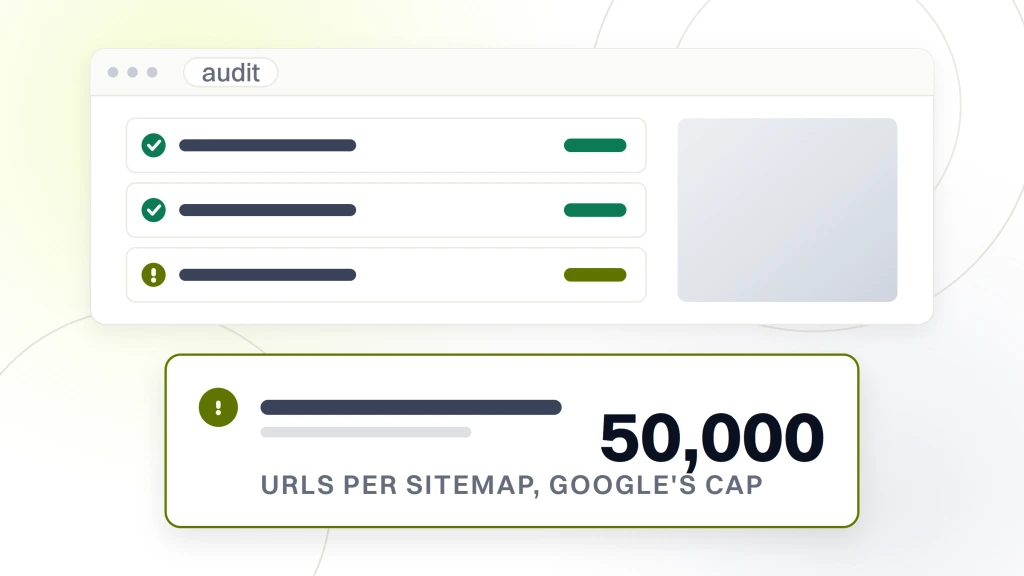
| Sitemap file size | Google states that all formats “limit a single sitemap to 50MB (uncompressed) or 50,000 URLs” | URLs past the cutoff are simply absent from the file you submitted |
| robots.txt file size | Google “enforces a robots.txt file size limit of 500 kibibytes (KiB)” and says content “which is after the maximum file size is ignored” | Rules appended to the bottom of a long file over several years never apply |
| hreflang return links | Google states that “Each language version must list itself as well as all other language versions” | One market added without updating the others drops out of the cluster |
| URL Inspection API quota | Google publishes a per-site quota of 2000 queries per day and 600 per minute | Any plan to inspect a large URL set programmatically has a hard daily ceiling |
None of those is exotic. Each is a documented number that a site simply grows past, usually without anybody noticing, because nothing errors. The sitemap still validates. The robots file still parses. The pages just quietly stop being covered.
Add parameter handling and faceted URLs to the same block. Filters, sorts, session identifiers and tracking parameters generate combinations that no one designed and no one owns, and they are generated by a template, which means they are fixed by a rule rather than by a cleanup.
Score rendering and page experience per template, never per page
Two checks in this block, and both go wrong when run on a sample somebody picked by eye.
Rendering first. Fetch the raw HTML and compare it against the rendered document object model for one representative URL per template. You are looking for content, links or structured data that exist only after JavaScript runs. Do this per template and the result is a list of frameworks and components to fix. Do it per page and you get an unreadable list of URLs that all share three root causes.
Then page experience. Score Largest Contentful Paint, Interaction to Next Paint and Cumulative Layout Shift for each template, with field data where you have enough traffic for it and lab data where you do not. Our own technical audit page makes this the dividing line, saying a per-template report “is the difference between a real technical SEO audit and a PageSpeed screenshot”.
Logs belong in this block too, though we treat what they answer separately in our piece on the enterprise technical SEO audit. For the checklist, the entry is simple. Pull thirty days of requests, group them by template, and compare against the template map you built in step two.
Find the duplication before you find the thin content
Content checks at this size are not a page-by-page read. They are three passes, and the order matters because each one changes the population the next one runs against.
Pass one is duplication. Near-identical pages generated by the platform, product descriptions repeated across variants, location pages built from one paragraph with a town name swapped in, and the same article published under two content management systems after a merger. Fix these first and the thin-content list gets smaller on its own.
Pass two is cannibalization, which is the enterprise-specific one. Pull every query where two or more of your URLs appear, per template, and look for the pattern where the category page and the editorial guide trade places week to week. Doing that properly needs position data at a volume the interface will not hand you, which is why keyword tracking at enterprise scale is a prerequisite for this check rather than a reporting nicety.
Pass three is intent and coverage on what survives. Only now is it worth asking whether a page answers the query it ranks for. Running this pass first is the most common way an audit produces four hundred content recommendations for pages that should have been merged or retired.
Follow your internal links to see where authority actually goes
Internal linking is where large sites lose the most ground quietly, because nothing is broken. Pages are reachable. They are just reachable badly.
Check four things against the template map. Click depth from the home page to each money template, since the Screaming Frog walkthrough flags “Important pages buried more than four clicks deep” as a standing issue. The ratio of navigational links to in-body links pointing at each template, because a page that is only ever linked from a mega menu is being treated as furniture. Anchor text distribution, which on a large site is generated by a component rather than written. And whether hub pages and the pages under them link both ways, or only downward.
The finding you want out of this block is a rule, not a list. Something on the order of, every product detail page should carry a contextual link to its category and to two sibling products, emitted by the template. That is one engineering ticket, and it lands on every page the template builds.
Score every finding, then sequence it against your release calendar
Now the audit stops being a technical exercise. Every finding gets four attributes, and a finding missing any of them is not finished.
- Impact. Expressed in URLs affected and the revenue those URLs carry, not in a severity color.
- Effort. Estimated by the team who would do it, not by the person who found it.
- Owner. A team with a backlog, named in the document.
- Dependency. What has to ship first, which is the attribute almost every audit leaves out.
That fourth one is not our invention. Growth Digital scores findings on “business impact (how much revenue is at stake), implementation effort (how hard is this to fix), and dependency chain (what else needs to happen first)”, and the dependency chain is what turns a scored list into an order.
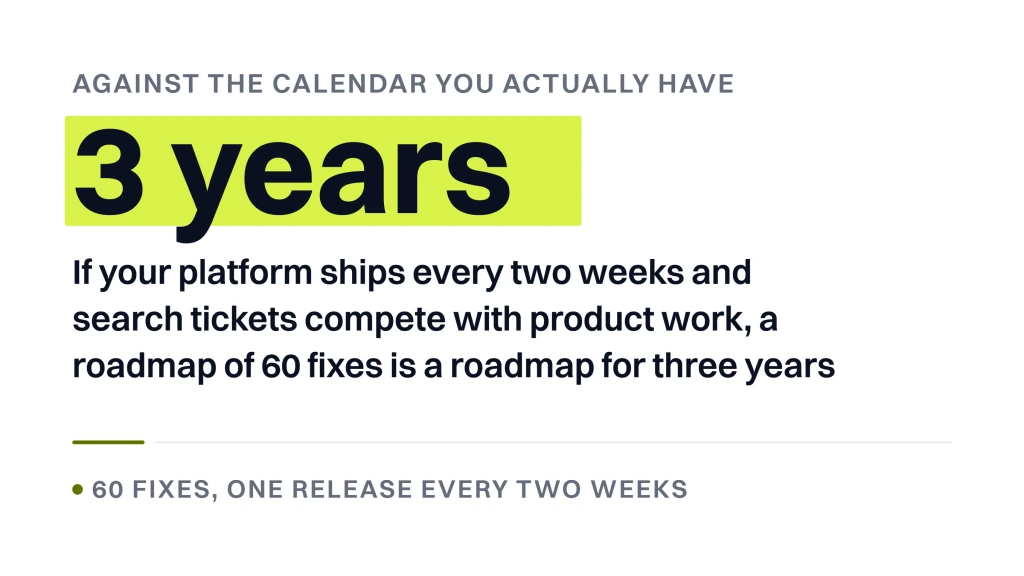
Then sequence against the calendar you actually have. If your platform ships every two weeks and search tickets compete with product work, a roadmap of 60 fixes is a roadmap for three years. Cut it to what fits, put the rest in an appendix, and be honest that the appendix may never ship. How that roadmap reads once it is written is covered in building an enterprise SEO strategy.
The recheck that almost every enterprise SEO audit skips
An audit that ends at the document has done half the work. On a large site, defects come back, because the thing that produced them is still in the release pipeline.
Siteimprove states the failure mode directly. “Enterprise SEO audits don’t fail because teams miss a checklist item. They fail when no one can prove what changed, who owns the fix, or whether the defect stayed gone.” The same page draws the cadence distinction, that “quarterly audits catch history, while monitoring catches the bug before it spreads”. That is a vendor selling monitoring, so read it as a claim rather than a finding. The mechanism behind it is not in dispute though, because the pipeline that produced a defect is still running after the audit ships.
So close the audit with three things. A retest list, meaning the exact checks to re-run and the templates to run them against. A baseline, so the retest has something to compare to. And a trigger list, naming the events after which you re-run the eligibility block regardless of the calendar, which is any migration, replatform, CMS upgrade, new market launch or navigation change.
Where those results go matters as much as the retest. A finding that reappears and is only visible in a spreadsheet somebody has to open is not being watched, which is why this belongs in your enterprise SEO reporting rather than in a folder.
The whole checklist in one table, in running order
Here is the sequence in one place. Every line names the artifact it produces, because a finding with nothing behind it cannot be reviewed, and the team that fixes it, because a finding with no owner never gets scheduled.
| Check | What it produces | Who fixes it |
|---|---|---|
| Hostnames in scope, exclusions named | Written scope list | Search lead |
| Content management systems per template | Platform map | Search lead |
| Log and analytics access confirmed | Access grants, retention window | Infrastructure |
| URL pattern mapped to template | Page-group column on the crawl | Search lead |
| Live URL count per template | Counts per page group | Search lead |
| Owning team per template | Deploy history | Engineering |
| robots.txt read against the template map | Rule to template matrix | Platform engineering |
| Index coverage grouped by template | Search Console export | Search lead |
| Canonical rule each template emits | Rule plus ten sample URLs | Platform engineering |
| Status codes, chains, loops, soft 404s | Crawl export by template | Platform engineering |
| Noindex and meta robots per template | Directive list | Platform engineering |
| Orphans grouped by pattern | Sitemap and log URLs with no inlink | Search lead |
| Sitemap files against the 50,000 cap | Sitemap index inventory | Platform engineering |
| robots.txt size against the 500 KiB cutoff | Byte offset of the cutoff | Platform engineering |
| hreflang return links reciprocate | Cluster matrix per market | Localization |
| URL Inspection quota against your plan | Daily call budget | Search lead |
| Parameter and facet generation rules | Parameter inventory by template | Platform engineering |
| Raw HTML against rendered document | Diff per template | Front end |
| Core Web Vitals per template | Field and lab scores | Front end |
| Bot requests by template, thirty days | Log summary | Infrastructure |
| Near-duplicate clusters by template | Similarity groups | Content |
| Cannibalization per query | Query to URL map | Content |
| Intent and coverage on what survives | Page verdicts | Content |
| Click depth to money templates | Depth per template | Front end |
| Navigation against in-body links and anchors | Link source breakdown | Front end |
| Retest list and baseline recorded | Retest sheet | Search lead |
| Coverage recorded, URLs reached against checks skipped | Coverage statement | Search lead |
Why a comprehensive SEO audit checklist for enterprise clients keeps getting longer
Checklists grow because length is the easiest thing to sell. Growth Digital advertises an audit covering “338 individual checkpoints across five dimensions”, which it names as technical infrastructure, content architecture, authority signals, user experience and competitive positioning. We have no way to verify what those 338 contain, and neither do you before you buy.
Count is a poor proxy for value in both directions. A 338-point audit can be genuinely thorough, and it can also be one crawler export with every warning type on its own row.
Two questions separate them. First, does the checklist collapse to templates, or does it report per URL? Second, does each item name who fixes it? A checklist that answers yes to both can run to 500 items and still be readable, because the reader is only ever looking at their own slice of it.
The reason the list feels endless is that nobody prunes it. Checks get added after every incident and none are ever removed, so your audit still tests things your platform made impossible three years ago. Once a year, delete the checks that have not produced a finding in two audits and write down why. Ours skips meta keywords, keyword density and vendor authority scores outright, and skips hreflang on any estate that sells in one market.
Should your team run the enterprise SEO audit or should an agency
We sell this work, which we said at the top and will not pretend otherwise here. With that on the table, here is the honest split.
Run it in house when you have a search lead with time to spend, a crawl license that can finish your site, and log access. You know your platform limits, your release process and your stakeholders, and none of that transfers to an outside team in a kickoff call. The audit will be slower and the judgment calls will be better.
Bring in help for three specific things. Capacity, when the audit is a six-week job and your one search person also owns the quarter’s roadmap. An outside read, when the internal answer to what is wrong has been the same for a year and nobody believes it anymore. And crawl scale, when the tools you license stop halfway through the site.
Ask any outside provider the same questions you would ask us. Who runs the crawl and who writes the document. Whether findings arrive as tickets or as prose. Whether you keep the raw data. What happens to the audit if you do not buy the retainer. Our own enterprise page answers the last one by saying we work in your stack and “If you have none, we bring ours and hand the data over at the end”, and our standalone SEO audit ships as a written report you keep rather than as dashboard access that expires. Get the equivalent in writing from whoever you shortlist, including from us.
What we would check in your first week
Not the full list. On a site you have never seen, four checks tell you more in a week than a complete crawl tells you in a month.
We would pull the index coverage report and group it by template, because the gap between URLs submitted and URLs indexed on your highest-value template is the fastest signal of a systemic problem. We would read robots.txt against the template map, which takes twenty minutes and occasionally ends the investigation. We would diff raw HTML against the rendered page on one URL per template. And we would ask which team ships changes to the category template, because that answer shapes everything the document should recommend.
Those four are also a reasonable test of anybody pitching you. A provider who opens with a crawl before asking who owns the templates is going to hand you a list, and a list is not a plan. The tooling side of that decision is its own question, and we went through what the platforms cost and what they actually add in our comparison of enterprise SEO tools, and what a per-template pass covers on our technical SEO audit page.
If you want an outside read before you commit to anything, our free website audit returns a written report with three ranked fixes, and it is yours to hand to your own team whether or not you ever speak to us again.