WooCommerce SEO best practices separate stores that pull 30 to 55% of revenue from organic search from stores stuck paying for every visit at 2.3x ROAS. Most stores we audit run the default WooCommerce install, a free SEO plugin with the wizard clicked once back in 2022, and no ongoing category page work. Closing the gap comes down to 40 specific fixes across templates, schema, category copy, plugin configuration, and monthly editorial rhythm.
This guide walks the working WooCommerce SEO stack for 2026. You get the plugin comparison, the URL rewrite pattern that fixes the category base problem, the product template schema spec, the category page content pattern that ranks, the Core Web Vitals checklist for the WooCommerce theme, and the monthly cadence that produces compounding organic revenue. Bring your Search Console data for the last 16 months and your top 50 revenue URLs. Every section below reads sharper with your own numbers next to it.
Product page template pattern for WooCommerce SEO
Product pages carry the buyer through to checkout. They carry the second largest slice of organic revenue after category pages. A WooCommerce product template needs seven working elements to rank and convert at the same time.
Those seven elements are a unique title tag with product attribute variables, a unique meta description pulled from the short description field, an H1 matching the primary product query, Product schema with price, availability, rating, and review count, breadcrumb schema, 150 to 400 words of unique description below the manufacturer copy, and a related products block linking to 3 to 6 sibling products in the same category. Missing any single element costs 5 to 15% of the product’s ranking potential.
The title tag template deserves its own paragraph. The default WooCommerce title of “Product Name Store Name” earns 30 to 50% lower click through than a template with real product attributes. Rank Math’s product title template supports variables like %product_price%, %product_variation%, and %product_category%. A working template reads “Product Name in Color for Under $Price Store Name” and shows the buyer everything they need before the click. Stores that fix this template across 500 to 5,000 products see impression share climb 25 to 40% inside two crawl cycles.
Description copy is the other quiet win. Manufacturer descriptions get scraped by 15 competitors selling the same SKU. Google ranks the site with either the strongest domain authority or the most unique added content. Add 150 to 400 words of buyer question answers, use case examples, and care instructions to every product template. That unique content outranks drop shippers who run the manufacturer copy verbatim. RAFZ Cirkulära Interiörer, the Swedish sustainable furniture brand, is a real example of what the template pattern produces once it lands. Their 28% conversion rate gain and 82% drop in server requests came after a WooCommerce rebuild that paired the category and product template rewrites the average store still ignores with a lightweight custom theme.
Core Web Vitals and speed for WooCommerce SEO best practices
Core Web Vitals scores have counted as a Google ranking signal since 2021. A WooCommerce product page loading in over 3.5 seconds ranks 3 to 8 positions below a competitor’s page loading in under 2.5 seconds on the same query, all other factors equal. Fixing Core Web Vitals is table stakes for WooCommerce SEO in 2026.
The three metrics that matter are Largest Contentful Paint (LCP), Interaction to Next Paint (INP), and Cumulative Layout Shift (CLS). LCP measures how fast the main visible content renders. INP replaced First Input Delay in March 2024 and measures how fast the page responds to user interaction. CLS measures how much layout jumps around during load. Google’s threshold for good is LCP under 2.5 seconds, INP under 200 milliseconds, and CLS under 0.1.
Default WooCommerce fails all three on most themes. LCP fails when product images load without srcset or fetchpriority hints. INP fails when the WooCommerce cart fragments script runs on every page load. CLS fails when the theme swaps in the currency or price after DOM ready. The fixes are template-level. Add fetchpriority=high to the main product image, disable cart fragments on non-cart pages, and set explicit width and height on every image and CSS-defined element that renders after the initial paint.
WP Rocket, FlyingPress, or LiteSpeed Cache handle 70% of the Core Web Vitals work through caching, lazy-loading, and delayed JavaScript execution. Perfmatters handles plugin-level deactivation and script control. ShortPixel or Imagify handle image compression and modern format delivery. The stack together brings most WooCommerce stores from 55 mobile PageSpeed to 80 to 92 mobile in one afternoon of configuration. See the working setup in the web.dev Core Web Vitals guide for the specific thresholds and diagnostic tools.
Schema and structured data for WooCommerce products and categories
Schema markup is one of the WooCommerce SEO best practices that pulls star ratings, price, and availability into the search result snippet. That richer snippet earns 40 to 60% more clicks than a plain blue link. Every WooCommerce store needs Product schema, breadcrumb schema, and category CollectionPage schema working on every URL.
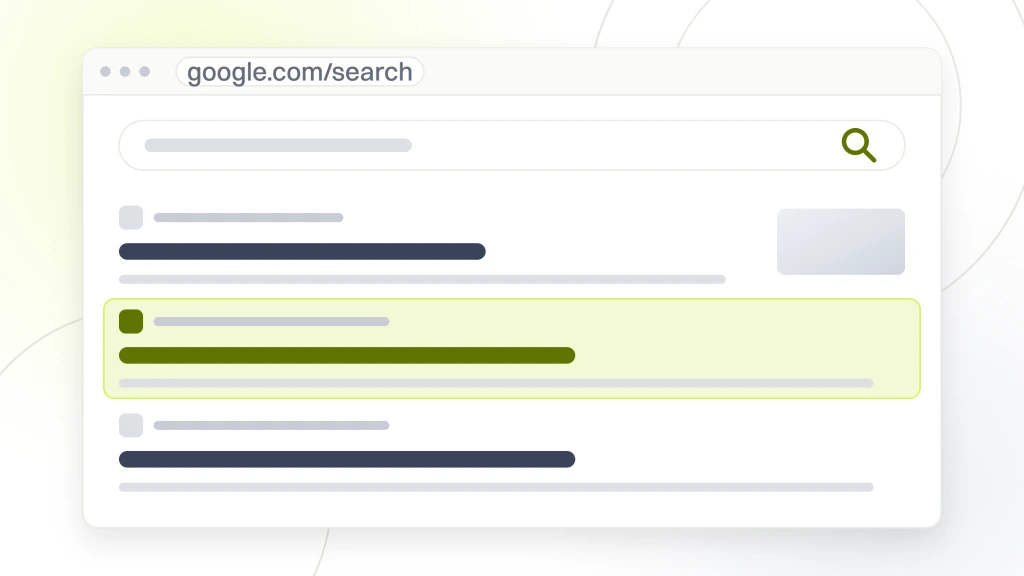
Product schema on WooCommerce pulls automatically from the product database once Rank Math or Yoast is installed. The schema populates name, description, image, offers (price, priceCurrency, availability), and aggregateRating (from WooCommerce product reviews). Google requires either a valid price or a priceRange field on Offer. Products with a variable price (say a range from $89 to $249) need priceSpecification with minPrice and maxPrice to render the richer snippet correctly.
Breadcrumb schema populates from the store’s category hierarchy. If the URL structure was fixed to nest products under categories (see the URLs section above), breadcrumb schema renders correctly. If the store still runs the default /product/ base, breadcrumb schema either shows nothing or shows the wrong parent, which confuses Google and kills the rich snippet chance. That is a second reason to fix URL structure before layering schema on top.
Category CollectionPage schema tells Google the URL is a category listing, not a single product. Rank Math handles this automatically. The one manual step is validating a random product URL and a random category URL through Google’s Rich Results test every quarter, especially after a theme or plugin update, tied into a broader WooCommerce maintenance workflow. Broken schema is a common regression after a theme update that changed the product template file structure.
Internal linking pattern that raises WooCommerce category rankings
Internal linking sits inside the WooCommerce SEO optimization best practices bucket for one reason. It tells Google which pages a store treats as most important. Most WooCommerce stores link inconsistently. Some categories get 40 internal links, others get 3. The imbalance means Google ranks the linked categories and orphans the un-linked ones, no matter which category holds the better products.
The working pattern gives every top-level category 15 to 25 internal links from across the site. The homepage links to the top 6 to 10 categories. Every category page links to 2 to 4 sibling categories in the same theme. Every blog post links to at least one category and one related blog post. Every product page links to 3 to 6 related products in the same category. That link graph produces even ranking distribution across the store’s key URLs.
Blog posts are the underused internal linking source. A store with 40 blog posts covering buyer questions can pass link equity to category pages in a way the store’s own navigation never can. A blog post on “how to season cast iron” links naturally to the “Cast Iron Cookware” category. A post on “what size cutting board to buy” links to “Cutting Boards.” Every published post should link to 1 to 3 category pages using descriptive anchor text that matches the category’s primary keyword.
Automated related products and cross-sell blocks are underused. WooCommerce has a related products block by default but stores rarely configure it beyond the theme’s default 4-product row. Setting related products to pull from the same category, matching one product tag, and prioritizing in-stock items produces cross-sells that both help conversion and build the internal link graph. Every enabled related products block is a small internal link boost on every product view.
Content marketing rhythm that feeds WooCommerce category rankings
Every high-intent transactional WooCommerce search has 30 to 50 informational searches around it. “How to clean cast iron,” “what size cast iron to buy,” and “cast iron seasoning oil” all sit above the transactional “cast iron pan for sale” query in the buyer’s history. Blog content ranks on those queries and hands the reader off to category pages when they are ready to buy.
The working editorial calendar for a WooCommerce store publishing 2 to 4 posts per month covers three post types. Buyer question posts (how-to, comparison, what-is) take 40% of the calendar. Product deep-dive posts (best-of lists, product comparisons, use case guides) take another 40%. Category background posts (materials, techniques, industry news) take the last 20%. Each post links to 1 to 3 category pages and 2 to 3 sibling blog posts through natural in-body anchors.
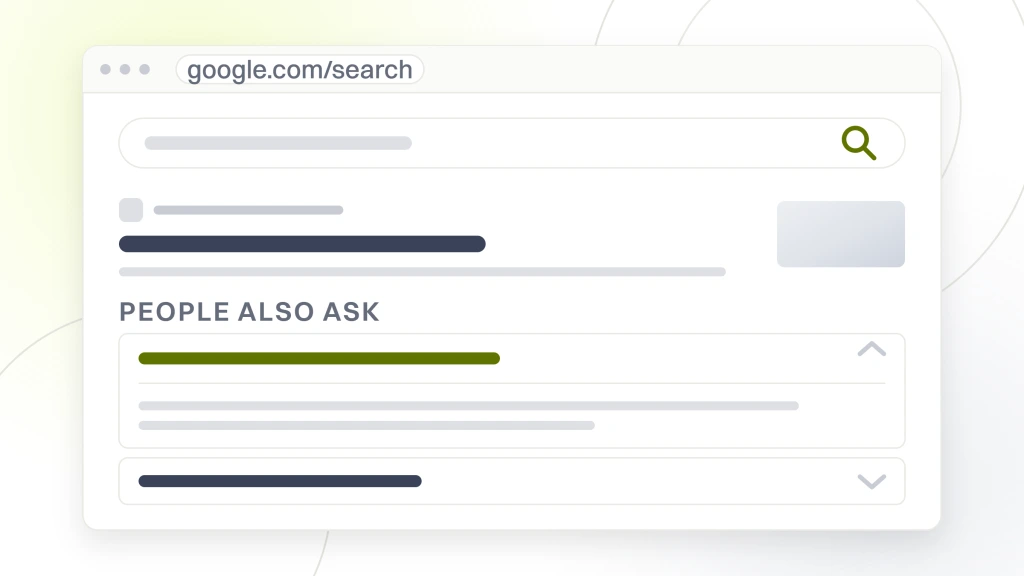
Answer the full question inside the post. AI Overviews and ChatGPT extract from posts that structure information for extraction. Lead every post with a 40 to 60 word direct answer, deepen the explanation, then close with a category page CTA. That format earns citations in AI Overviews and featured snippets. Buried answers in the middle of a 3,000 word post do not extract. Buried answers do not rank in featured snippets, which capture 8 to 15% of first-page click share on informational queries.
Dino Decking, a UK composite decking specialist, ran the SEO-first content program and produced 206% year-over-year clicks at peak season plus a 74% conversion gain on the commercial URLs already close to page one. Their editorial calendar covered 4 posts per month across buyer questions and category comparisons for 12 straight months. The compounding pattern their program produced holds for any WooCommerce store willing to run a consistent calendar for 12 months without abandoning it at month 4.
Cost benchmarks for WooCommerce SEO services by store size
Redefine Web offers WooCommerce SEO retainers at $999, $1,499, $2,499, and from $4,500 per month, sized to catalog depth, category count, and content cadence. The $999 tier covers Rank Math setup, the top 6 category rewrites, and 2 posts per month for solo stores under 500 SKUs. The $1,499 tier adds faceted navigation cleanup, product template work, and 3 posts per month for stores in the 500 to 3,000 SKU range. The $2,499 tier adds schema audits, backlink outreach, and 4 posts per month for stores in the 3,000 to 5,000 SKU range. From $4,500 covers multi-country hreflang and international category coverage for stores above 5,000 SKUs.
Anything under $999 usually means a rank tracker plus a monthly report with no content or technical work. That’s rent burned every month. The middle of the range covers real category rewrites, monthly editorial, technical implementation, and reporting tied to organic revenue rather than keyword rankings. Any agency quoting “custom pricing” on the first call without asking about catalog size and vertical is either overpricing or underscoping. Both hurt the store.
| Store profile | Monthly retainer | What is included | Time to compounding |
|---|---|---|---|
| Solo store under 500 SKUs | $999/mo | Rank Math setup + 6 category rewrites + 2 posts/mo | 10 to 14 weeks |
| Mid-size 500 to 3,000 SKUs | $1,499/mo | Above + faceted nav + product template + 3 posts/mo | 12 to 16 weeks |
| Large 3,000 to 5,000 SKUs | $2,499/mo | Above + schema audit + backlink outreach + 4 posts/mo | 14 to 18 weeks |
| Multi-country 5,000+ SKUs | Starts at $4,500/mo | Above + hreflang + international category coverage | 16 to 20 weeks |
A fair WooCommerce SEO retainer covers the following every month, and the deliverables sit in a shared client folder the merchant can open at any time:
- Monthly category page rewrite for 2 to 4 URLs at 400 to 800 words each
- 2 to 4 blog posts per month covering buyer questions or category deep-dives
- Quarterly product template schema audit with fixes rolled into a scheduled release
- Monthly technical crawl with 4xx, 5xx, and redirect chain cleanup
- Quarterly Core Web Vitals audit with dev-actionable fix queue
- Backlink outreach with 2 to 5 new referring domains per month
- Monthly reporting tied to organic revenue and category page position
- Weekly implementation standup with merchant, dev, and content team
How to measure ROI on WooCommerce SEO best practices monthly
Track three numbers every month. Organic revenue attributed through Google Analytics 4 ecommerce events, category page position for the top 15 revenue categories, and cost per acquisition from organic compared to paid. Everything else is diagnostic. Impressions, sessions, and bounce rate are input signals, not decisions.
Google Analytics 4 ecommerce events need to fire correctly on every product page, add-to-cart click, and checkout step for the organic revenue number to hold up. Half of WooCommerce stores have GA4 installed but with checkout events missing or firing twice. Fix that in week one of any SEO engagement before any monthly report gets built on top of the numbers.
The monthly review meeting runs 45 to 60 minutes on the first Tuesday. Merchant, marketing lead, and SEO contact review the three summary numbers plus one page from Search Console showing top-ranking queries and top-clicked pages. Decisions come out of the meeting. Publish next month’s topic list, prioritize the next category rewrite, add a schema fix to the dev backlog. Small consistent decisions compound over 12 months into 25 to 45% organic revenue growth.
The final number to watch at year one is the source mix on new revenue. A healthy WooCommerce store with 12 months of SEO work under it sees 30 to 55% from organic search, 10 to 20% from Google Business Profile or brand search, 15 to 25% from paid, and the rest from email and direct. If the mix is still 70% paid at month 12, the SEO plan is not compounding and someone at the store needs to ask why.
Common WooCommerce SEO mistakes that cost real revenue
Every WooCommerce store audit turns up the same short list of mistakes. Fixing them takes a week of focused work and produces measurable ranking movement inside two crawl cycles. The list is boring, which is why it works.
The most common mistake is running 8 SEO plugins at the same time. Rank Math handles title tags. Yoast handles title tags. All in One SEO handles title tags. They fight each other. Pick one and delete the others. The second most common mistake is default WooCommerce product images with no alt text, no descriptive filename, and no compression. Every image should have descriptive alt text with the product name and category, a filename like “cast-iron-skillet-12-inch.webp” not “IMG_2831.jpg,” and compression under 100 KB.
The third mistake is missing or wrong canonical tags on paginated category pages. Page 2 of a category listing should canonicalize to page 1 in most cases (or use rel=next/prev when the theme supports it). Product variant URLs should canonicalize to the master product. Filter facet URLs should either canonicalize to the parent category or noindex entirely depending on whether they add unique content. Getting this wrong means Google indexes 5 to 15 versions of the same page and picks the worst one to rank.
What to do this week to apply WooCommerce SEO best practices to your store
Pick three actions from the list below and finish them by Friday. Compounding rewards operators who move on Tuesday, not planners who research through Q3. The seven actions rank return on time invested for a store starting from the same partial state most WooCommerce stores start from today.
That baseline reads as a store on the default WooCommerce URL structure, Rank Math or Yoast installed but not configured, Core Web Vitals in the 40 to 60 mobile PageSpeed range, category pages with zero unique copy, product templates missing schema, and no editorial calendar in play. Every one of those inputs moves from broken to functional inside a week of focused effort using the actions below.
- Enable category-nested URLs in Rank Math or Yoast and generate the 301 redirect map from old to new
- Rewrite the product title template to include product attributes (color, price band, use case)
- Install and configure Rank Math free with Product schema, breadcrumb schema, and category schema enabled
- Add 60 to 120 words of unique copy above the product grid on the top 5 revenue category pages
- Fix Largest Contentful Paint on the product template with fetchpriority=high on the main image
- Set up Google Analytics 4 ecommerce events firing correctly through the checkout flow
- Publish one blog post answering the top question buyers ask before purchasing in your primary category
The Ecommerce SEO Services for DTC Brands page at Redefine Web covers this baseline plus the ongoing category rewrites, technical work, and content cadence for stores that want the execution off their plate. For stores wanting paid coverage as organic compounds, the Ecommerce PPC Agency for DTC Brands service handles Google Ads and Meta prospecting. Related reading covers the full audit workflow in the E-commerce SEO Audit Services guide and the platform-level comparison in Best E-commerce Platforms for SEO in 2025.
WooCommerce SEO best practices are not one clever tactic. They’re 40 specific fixes across URL structure, templates, schema, category copy, and content, applied consistently over 12 months. The Ecommerce Marketing Retainer Plans from $1,499/mo covers the ongoing execution for stores wanting a fixed monthly cost and a specific deliverable schedule. Stores growing organic revenue steadily every quarter are the ones that ran the boring version of this plan without swapping agencies every six months. That’s the whole of it. Next Tuesday is when the work starts.