
Call Tracking for Dentists That Actually Fixes Lead Quality
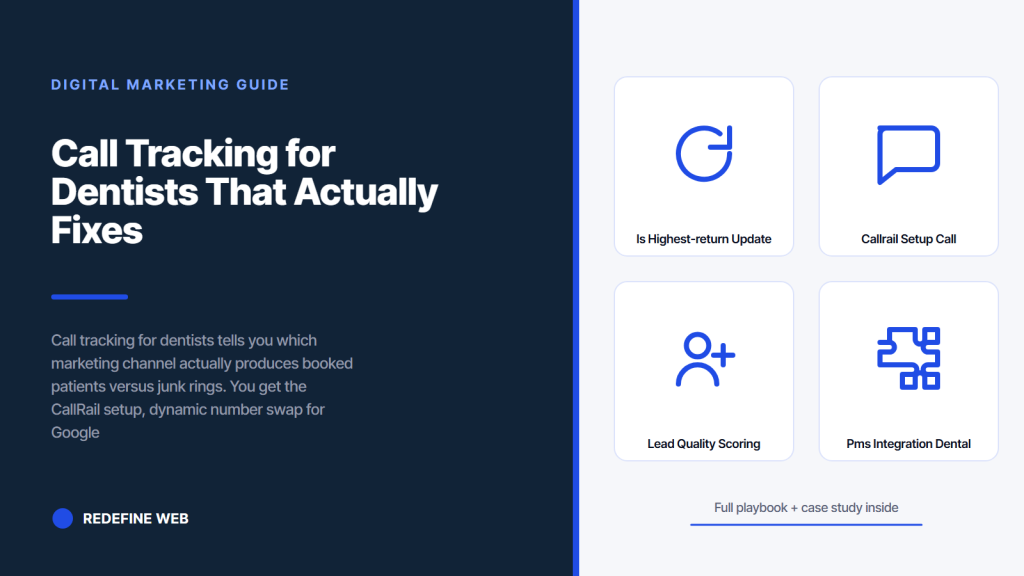
- 60 to 75 percent of dental new patients come by phone, not form.
- CallRail with dynamic number insertion covers 90 percent of use cases.
- Front desk tagging in 30 seconds per call turns data into decisions.
- Smile Design cut cost per call 30 percent across 50 offices with call tracking.
- Signed BAA plus consent notice equals HIPAA-compliant call recording.
- Why call tracking for dentists is the highest-return fix
- CallRail setup for call tracking dental marketing
- Lead quality scoring in call tracking for dentists
- PMS integration for dental call tracking
- Reporting rhythms that drive spending decisions
- Smile Design case study on call tracking for dentists
- Pricing for CallRail and alternatives
- HIPAA and call recording privacy
- Common mistakes practices make with call tracking for dentists
- Where to start on call tracking for dentists today
Call tracking for dentists is the single highest-return operational fix in dental marketing. Every practice spending $2,400 per month on Google Ads without call tracking cannot tell you which of the 34 monthly calls came from the campaign, which came from organic search, and which came from the sign out front. That blind spot is what keeps practices spending on channels that do not book patients while starving the ones that do. Fix it with 45 minutes of setup and the rest of the marketing plan starts pulling weight the moment the tracker goes live.
You get the exact CallRail setup we run on solo practices and 50-office DSOs. Dynamic number insertion for Google Ads. Static tracking numbers for Business Profile and organic. Lead quality scoring at every call. Integration with Dentrix, Eaglesoft, and Open Dental. The 30-day audit that turns raw call data into a spending decision. A real DSO example where the tracker cut cost per call 30 percent across 50 locations. Read straight through in about ten minutes and set up the tracker this week.
Why call tracking for dentists is the highest-return fix
Call tracking for dentists returns more per dollar than SEO, PPC, or web design work. Not because the tracker generates patients on its own, but because it tells you which channel does. Every dollar flows to the channel that actually books, which is why the tracker is the highest-return fix in dental marketing.
Without call tracking, form submissions are the only conversion signal the practice sees. Phone calls, which drive 60 to 75 percent of dental new patient volume, stay invisible in the marketing report. That gap is why practices misread channel performance for years and keep spending on the channels that appear to work while starving the ones that actually book.
The attribution gap on dental sites
Dental practices average 60 to 75 percent of new patient contacts as phone calls. Web form submissions are the minority. Without call tracking, every dollar spent on marketing sees only the form submission data, which represents at best 25 to 40 percent of the actual patient volume. That gap is why practices misread channel performance and misallocate spend for years.
Spend decisions built on complete data
Dental call tracking closes the attribution gap. Every phone call routes through a tracked number tied to the marketing channel that drove it. Google Ads clicks that lead to a call get a Google Ads number. Organic search sessions get an organic number. Business Profile calls get the profile tracking number. Direct traffic gets the branded number. That segmentation is what lets the practice see cost per call by channel and shift spend to the channels that produce booked patients.
CallRail setup for call tracking dental marketing
Call tracking dental marketing runs on CallRail for most solo practices and multi-office groups. CallTrackingMetrics and WhatConverts are the main alternatives. All three handle dynamic number insertion, static number pools, and integration with common dental PMS systems. The setup takes about 45 minutes for a solo practice and 3 to 4 hours for a multi-office group.
- Buy 4 to 6 tracking numbers per office, one per marketing channel
- Install the CallRail JavaScript snippet in the site’s global header
- Enable dynamic number insertion for Google Ads paid traffic
- Configure static number pools for organic, Business Profile, direct, and referral
- Route every tracking number to the real practice line via forwarding
- Enable call recording where state law allows for quality scoring
- Connect CallRail to Google Analytics 4 and Google Ads for attribution
Dynamic number insertion for Google Ads
Dynamic number insertion swaps the practice’s real phone number for a tracked number based on the visitor’s traffic source. Google Ads visitors see a Google Ads tracked number. Organic search visitors see the organic tracked number. The swap happens in JavaScript inside 200 milliseconds and does not affect page speed or user experience. Every subsequent call from that visitor gets attributed to the source that drove them. That single feature is what makes CallRail the standard for call tracking dental marketing.
Static number pool for Business Profile
The Business Profile carries its own dedicated static tracking number that forwards to the real practice line. That number is separate from the site’s dynamic number. Every call from the profile gets attributed to the Business Profile channel, which lets the practice see how much of the phone volume comes from Google Maps and local pack rankings. Practices that skip this get GBP call volume lumped into direct traffic, which obscures the true impact of the local SEO work.
Lead quality scoring in call tracking for dentists
Call tracking for dentists earns its keep on the lead quality scoring layer. Raw call counts are useful. Scored calls are the ranking factor. Every inbound call gets tagged: booked appointment, existing patient, wrong number, spam, or hangup. That taxonomy is what tells the practice whether the marketing campaign generated real patient bookings or drove junk volume.
Scoring runs one of two ways: manual tagging by the front desk staff at end of call, or automated AI-based tagging from call recording transcripts. Manual scoring is more accurate but requires 30 seconds of staff time per call. Automated scoring is faster but misses nuance in patient intent. Most practices we work with start manual for 60 days then add automated scoring as a QA layer. The workflow ends with a per-channel cost-per-booked-patient number that drives every spending decision.
Call tagging taxonomy that scales
The tagging taxonomy for a dental practice covers seven states: booked new patient, existing patient calling, information request without booking, wrong number, spam, hangup, and no answer callback. Each state maps to a business meaning. Booked new patients are the revenue channel. Existing patients are recurring revenue. Information requests without booking are qualified leads that did not convert. The other four are noise. That segmentation is what lets the practice measure marketing performance honestly.
Scoring workflow at the front desk
Front desk staff tag every call in 30 seconds using a mobile-friendly form or a keypad shortcut in the CallRail app. The tag goes into the call record. Weekly reports roll up the tags by channel. Sites with 5 hours of upfront training and 30 seconds per call generate accurate channel attribution across every call inside 30 days. Sites that skip the tagging see raw call volume by channel with no quality layer, which is data without a decision.
Before installing CallRail, grade last month's calls 1-5 on fit. If junk rate is over 40 percent, tracking won't save you. The offer is off.
PMS integration for dental call tracking
Dental call tracking closes the full loop when it integrates with the practice management system. Dentrix, Eaglesoft, Open Dental, and Denticon all offer API integrations with CallRail via Zapier or direct connectors. The integration pushes booked appointments from CallRail back to the PMS, which lets the practice see whether the marketing-generated calls actually turned into patients that showed up and paid.
| PMS system | Integration method | Setup effort | Data flow direction |
|---|---|---|---|
| Dentrix | Zapier + Dentrix API | 2 to 3 hours | Two-way after 4.6.1 |
| Eaglesoft | Native CallRail plugin | 1 hour | One-way to Eaglesoft |
| Open Dental | Direct API | 3 to 5 hours technical | Two-way |
| Denticon | Zapier | 2 hours | One-way to Denticon |
| Curve Dental | Manual export | Ongoing weekly | Manual reconciliation |
| Dovetail | Zapier | 1 to 2 hours | One-way |
Dentrix CallRail integration
Dentrix runs the largest install base in the U.S. dental market. CallRail integrates via Zapier plus the Dentrix API. Setup takes 2 to 3 hours for a technical resource. Once live, every booked appointment tag in CallRail pushes to Dentrix as a scheduled patient with the marketing source in the notes field. The reverse push confirms whether the patient actually showed up for the first visit, which closes the attribution loop back to cost per acquired patient.
Eaglesoft native plugin
Eaglesoft has a native CallRail plugin that runs in 60 minutes of setup. The plugin logs every call tagged as a booked appointment as a patient contact in Eaglesoft with the marketing source captured. The one-way flow means booked patients show up in Eaglesoft but no PMS data pushes back to CallRail for reconciliation. For practices that need two-way flow, Zapier plus the Eaglesoft API adds another 90 minutes to setup.
Reporting rhythms that drive spending decisions
Call tracking data is worthless without a reporting rhythm. The pattern that works: weekly channel performance reports for the marketing lead, monthly cost per booked patient rollup for the practice owner, quarterly strategic review for spend reallocation. That cadence catches channel drift inside 7 days and keeps strategic conversations grounded in trend data rather than noise.
Weekly reports carry raw call counts by channel, tagged conversion counts, and cost per booked patient by channel. Monthly reports carry the same data at higher confidence with month-over-month trends. Quarterly reports pull in the last 90 days plus year-over-year comparisons to inform spend reallocation. See our full dental marketing attribution guide for the GA4 configuration that pairs with the call tracking data.
Weekly channel performance report
The weekly report shows total calls, booked new patient calls, existing patient calls, and junk calls by channel. Google Ads, Business Profile, organic search, direct, and referral. Cost per booked patient calculated from the channel spend divided by booked new patient calls. That single-page report tells the marketing lead which channel is running clean and which channel needs intervention before the next spend cycle.
Monthly owner rollup
The monthly rollup goes to the practice owner and covers total booked new patients, revenue attributed to marketing, cost per acquired patient trend, and a ranked list of the top three channels by ROI. That format keeps the owner in the loop without drowning them in weekly noise. The owner reads the monthly rollup in 5 minutes and approves spend adjustments in a 15-minute conversation with the marketing lead.
Smile Design case study on call tracking for dentists
Smile Design Dentistry is a 50-plus location DSO in Central Florida and Tampa Bay. Before call tracking, the group ran PPC across all offices with no attribution beyond aggregate form submissions. Cost per call sat high, lead quality was suspect, and the central marketing team could not tell which offices returned the paid spend. Booked new patient volume was flat despite $180,000 per month in Google Ads spend across the network.
We rolled out CallRail across every office with dynamic number insertion tied to Google Ads plus static numbers for the Business Profiles. Per-office lead quality scoring in the front desk workflow. Weekly reports rolling per-office performance to the central team. Six months in, cost per call dropped 30 percent as spend flowed from underperforming offices to high-converting ones. PPC conversion rate climbed 20 percent as landing pages and creatives got optimized against real call data. Reporting cadence held weekly with per-location detail across all 50 locations.
The Smile Design numbers
Cost per call down 30 percent as spend reallocated to high-converting offices and channels. PPC conversion rate up 20 percent as creatives got optimized against real call quality data. Locations live with call tracking: 50 plus. Reporting cadence: weekly per-location with monthly executive rollup. Every dollar of marketing spend became traceable to a specific channel, office, and outcome. That transparency is what let the central team make spending decisions with confidence instead of guesses.
Lessons from the Smile Design engagement
Two lessons apply to almost every practice reading this. First, call tracking is not optional for practices spending real money on marketing. It is the operational foundation that turns marketing from a cost center into a measurable revenue channel. Second, per-office scoring is the difference between good and great tracking. Aggregate numbers hide the offices that are draining budget and the ones that are compounding it. Per-office visibility flows spend to the offices returning the highest cost per booked patient.
Pricing for CallRail and alternatives
CallRail pricing runs $45 to $145 per month depending on the tier and the number pool size. Solo practices sit on the Marketing plan at $65 to $95 per month. Multi-office groups sit on the Analytics or Marketing Pro plans at $145 to $295 per month per office equivalent. CallTrackingMetrics and WhatConverts run in a similar price band. All three include dynamic number insertion, integrations with Google Ads and GA4, and call recording in state where it is legal.
The pricing math for a solo practice looks like this: $95 per month on CallRail, $45 setup fee, plus $2 per tracking number per month for extra numbers beyond the base pool. Total year-one cost around $1,200. Return: 20 to 40 percent lower marketing spend as attribution surfaces the underperforming channels. Payback typically inside 60 days. Every solo practice spending more than $1,500 per month on marketing should carry call tracking.
Solo practice pricing tier
Solo practices spending less than $1,500 per month on marketing can use CallRail Starter at $45 per month with 4 numbers included. Practices spending $1,500 to $5,000 per month use the Marketing plan at $95 per month with 10 numbers and CRM integrations. Above $5,000 per month in spend, the Marketing Pro plan at $145 per month with unlimited numbers and full integrations pays for itself in one channel reallocation.
Multi-office group pricing
Multi-office groups negotiate an enterprise contract with CallRail at roughly $95 to $145 per office per month. That includes per-office number pools, group-level reporting, per-office analytics dashboards, and API access for PMS integration. Groups with 20-plus offices should ask for the discounted enterprise tier which usually lands 15 to 25 percent below the per-office rate.
The worst call tracking setup we ever audited was a 12-office group that installed CallRail, forgot to enable dynamic number insertion, and left the real practice number on the site for two years. Every Google Ads campaign visitor got the real number. Every call routed straight to the office. Zero calls tagged to Google Ads. The marketing lead swore Google Ads was broken because the reports showed zero call conversions across the whole spend. Google Ads was fine. The tracker was fine. The JavaScript snippet was one line short. Turned it on. Saw 340 monthly calls attributed to Google Ads across the group inside 30 days. Software works when it is switched on.
HIPAA and call recording privacy
Call recording sits in a regulated space for dental practices. CallRail signs a Business Associate Agreement (BAA) that covers HIPAA-compliant storage of call recordings and transcripts. Practices in two-party consent states like California, Florida, and Pennsylvania need to play a consent notice at the start of every recorded call. Practices in one-party consent states can record without notice. Skipping the BAA or the notice creates real legal exposure that no ranking gain is worth.
The consent notice is a 5-second audio message played to the caller before the call connects. CallRail bundles the notice generation and playback in the recording feature. Practices in Texas, New York, or California can enable recording once the BAA is signed and the notice is confirmed. Practices in the 12 two-party consent states need extra due diligence before enabling recording. When in doubt, disable recording and use manual tagging without the audio archive.
BAA with CallRail is required
Every dental practice using CallRail with call recording enabled needs to sign a Business Associate Agreement with CallRail. The BAA is standard, takes 20 minutes to review, and covers HIPAA-compliant storage of call recordings and transcripts. CallRail provides the BAA upon request from any healthcare customer. Signing the BAA is the difference between compliant tracking and a HIPAA violation exposure. Every dental engagement starts with the BAA on file.
Two-party consent notice
Two-party consent states include California, Florida, Illinois, Maryland, Massachusetts, Michigan, Montana, Nevada, New Hampshire, Pennsylvania, and Washington. Every recorded call in these states requires an audio notice at connection informing the caller the call may be recorded for quality purposes. CallRail generates and plays the notice automatically once enabled. Skip the notice at your own legal risk. The 5-second delay is worth avoiding a legal exposure that dwarfs any marketing benefit.
Common mistakes practices make with call tracking for dentists
The mistakes repeat across almost every audit we run on practices already using call tracking. Dynamic number insertion turned off. Business Profile still pointing to the real practice number instead of a tracked one. Front desk not tagging calls. Reports gathering dust in a folder nobody opens. Every one of these is a self-inflicted attribution gap that costs weeks of usable data.
The fixes are cheap. Enable dynamic number insertion in the CallRail admin. Update the Business Profile number to the tracked static number. Add a 15-minute weekly stand-up covering the call log. Delete unused reports and set up a single weekly email that goes to the marketing lead automatically. Practices that grind through these small fixes see their attribution data go from noisy to actionable inside 30 days.
Dynamic number insertion turned off
The most common call tracking for dentists mistake is installing CallRail and never enabling dynamic number insertion. The JavaScript loads. The static numbers exist. But every Google Ads visitor still sees the real practice number, which routes to the office without attribution. The fix is one toggle in the CallRail admin plus a 10-minute test on the site. Practices skipping this waste 100 percent of the paid attribution signal until someone catches the miss.
Business Profile still on the real number
Practices that update the site to tracked numbers but forget to update the Business Profile lose the GBP attribution signal. The Profile still shows the real practice line, so every Google Maps call routes straight to the office and never touches CallRail. Fix that by updating the Profile primary phone to the GBP tracked number. Google reads the number change as a legitimate business update and does not penalize the profile.
Where to start on call tracking for dentists today
Sign up for CallRail today. Buy 6 tracking numbers. Install the JavaScript snippet in the site’s global header. Enable dynamic number insertion. Configure static numbers for Business Profile and direct traffic. Train the front desk on the tagging taxonomy. That 45 minutes of work turns 30 days of raw call data into a real spending decision. Every marketing dollar starts pulling more weight the moment the tracker goes live.
When you are ready to layer full attribution across every channel, our dental marketing tools stack covers CallRail plus the GA4 configuration plus PMS integration. Also read our dental ppc playbook to see how the tracker plugs into paid search. For the underlying attribution mechanics beyond calls, see the GA4 attribution documentation, the CallRail Knowledge Base, and the Google Ads call tracking guide. Layer on our dental marketing hub for the full playbook.
Frequently asked questions
What is call tracking for dentists and why does it matter?
Call tracking for dentists is the practice of routing every inbound phone call through a tracked number tied to the marketing channel that drove the visitor to call. Google Ads visitors see one number. Organic search visitors see another. Business Profile visitors see a third. That segmentation lets the practice see which channel produces booked new patients versus which produces existing patient calls, wrong numbers, and spam. The alternative is guessing which channel returned the marketing spend, which is why practices waste 30 to 50 percent of their marketing budget on channels that do not book patients. Every practice spending more than $1,500 per month on marketing should carry call tracking, and the payback typically lands inside 60 days of installation.
How does dental call tracking integrate with Google Ads?
CallRail integrates with Google Ads via a native connector that imports call conversions back into the Google Ads account. Setup takes 20 minutes: authorize the CallRail-Google Ads connection, map tracked call events to Google Ads conversion actions, and set the counting method. Once live, every tracked call from a Google Ads visitor gets imported as a conversion event tied to the specific ad, keyword, and campaign that drove the visit. That data feeds Google Ads Smart Bidding, which then optimizes bids toward the keywords and audiences that actually produce booked patients rather than form fills alone. Practices using this integration see 20 to 40 percent cost per acquisition improvements over practices that only import form conversions into Google Ads.
How much does CallRail cost for a dental practice?
CallRail runs $45 to $145 per month for solo practices depending on the tier and number pool size. The Starter plan at $45 per month includes 4 numbers and basic tracking, fits practices spending less than $1,500 per month on marketing. The Marketing plan at $95 per month includes 10 numbers, CRM integrations, and Google Ads connection, fits practices spending $1,500 to $5,000 per month. The Marketing Pro plan at $145 per month includes unlimited numbers, full analytics, and API access for PMS integration, fits practices above $5,000 per month in spend. Multi-office groups negotiate enterprise contracts at roughly $95 to $145 per office per month with group reporting and volume discounts above 20 offices.
Is call recording HIPAA compliant for dental practices?
Yes, with proper setup. CallRail signs a Business Associate Agreement covering HIPAA-compliant storage of call recordings and transcripts. Every dental practice using CallRail with recording enabled needs to sign the BAA before recording any calls that could contain protected health information. In two-party consent states like California, Florida, Illinois, and Pennsylvania, an audio consent notice must play at the start of every recorded call informing the caller the call may be recorded. In one-party consent states, no notice is required. Skipping the BAA or the notice creates real legal exposure. Practices unsure of their state law should default to playing the consent notice, or disable recording and use manual tagging without the audio archive. Compliance is not optional.
How do I set up call tracking for a multi-office dental group?
Multi-office groups run CallRail with per-office number pools and centralized reporting. Each office gets its own set of 4 to 6 tracking numbers: one for Google Ads, one for the Business Profile, one for organic search, one for direct traffic, and optional numbers for referral sources. The central JavaScript snippet swaps the correct office number based on the location page or geo detection. Reporting rolls up per-office performance to a group dashboard showing which offices convert cold traffic and which need help. PMS integration via Zapier or direct API pushes booked appointments back to Dentrix, Eaglesoft, Open Dental, or Denticon per office. Setup for a 10-office group runs 4 to 6 hours end-to-end, with reporting live inside 48 hours.
What lead quality scoring workflow works for dental call tracking?
The workflow that scales starts with a 7-state tagging taxonomy: booked new patient, existing patient, information request without booking, wrong number, spam, hangup, no answer callback. Front desk staff tag every call in 30 seconds using a mobile-friendly form or a keypad shortcut in the CallRail app. Weekly reports roll up the tags by channel showing booked new patients per source and cost per booked patient. Sites with 5 hours of upfront staff training and 30 seconds per call generate accurate channel attribution within 30 days. After 60 days of manual scoring, add automated AI-based tagging from call recordings as a QA layer to catch inconsistent manual tagging. That combined workflow produces the cost per booked patient number that drives every marketing spending decision.
Book your free 30-minute strategy call.
No spam, no sales rep. We use your email to schedule your call with a senior strategist. That is it.
More from the blog
View all articles → Digital Marketing
 Dental Marketing Tips That Compound Into New Patients
Read article Digital Marketing
 Ecommerce Marketing Strategies That Drive Real DTC Revenue
Read article Digital Marketing