
Dental Marketing Attribution With GA4, GBP, Calls, and Forms
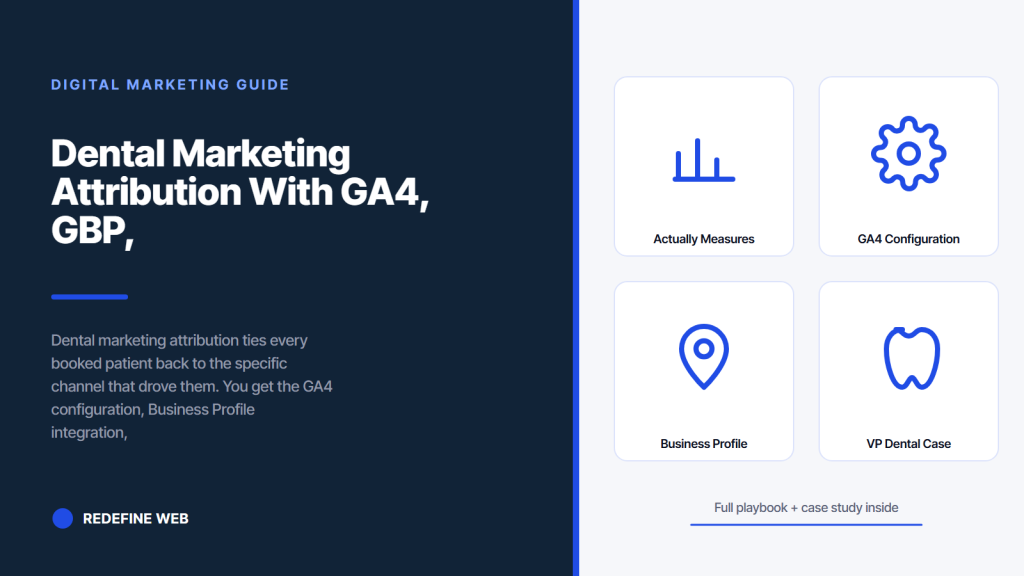
- Attribution measures booked patients, not clicks or form submissions.
- GA4 defaults miss half the conversions until events are configured.
- Business Profile phone number must route through call tracking.
- VP Dental doubled monthly new patients through unified attribution.
- Weekly channel report plus monthly owner rollup is the reporting cadence.
- What dental marketing attribution actually measures
- GA4 configuration for dental marketing analytics
- Business Profile integration for map pack attribution
- Call tracking layer in dental marketing attribution
- Form tracking pattern post iOS 17
- VP Dental case study on dental marketing attribution
- Multi-touch attribution models that fit dental
- Reporting rhythm for dental marketing reporting
- Common dental marketing attribution mistakes
- Where to start on dental marketing attribution today
Dental marketing attribution is the discipline of tying every booked patient back to the specific channel, campaign, and touchpoint that produced the booking. Not the last touch. Not the loudest touch. The complete journey from first click to booked patient to first visit. Practices that skip attribution burn 30 to 50 percent of their marketing budget on channels that appear to work in raw metrics but do not actually book. Practices that build the stack correctly see every dollar tied to an outcome inside 30 days.
You get the exact stack we ship for solo practices and multi-office groups. GA4 configuration with the right events and conversion goals. Business Profile integration for map pack call attribution. Call tracking layer with dynamic number insertion for paid traffic. Form tracking pattern that survives the iOS 17 cookie changes. Multi-touch attribution model that gives credit to the assisting channels. Reporting rhythm that turns raw data into a spending decision every week. Read straight through in about ten minutes and start on the stack tomorrow.
What dental marketing attribution actually measures
Dental marketing attribution measures which channel produced the booked patient. Not the click. Not the form submission. The booked patient who showed up, sat in the chair, and paid. That distinction is what separates real attribution from vanity metrics. Practices that measure only clicks or only form fills chase channels that generate noise without revenue.
The chain of events that ends in revenue looks like this. Impression on a search result. Click through to the site. Session with real page views. Conversion signal, either form or phone. Booked appointment. First visit. Paid invoice. Attribution ties every step in that chain back to the initial channel that produced the impression. Without that linkage, every marketing report reads a different story.
Click volume versus booked patient volume
A Google Ads campaign that generates 400 clicks per month at $8 per click sounds impressive on the surface. If those 400 clicks produce 3 booked patients, the cost per booked patient is $1,067. If a Facebook Ads campaign generates 120 clicks and 8 booked patients, the cost per booked patient is closer to $120. Same monthly spend. Very different outcomes. Attribution surfaces the truth. Click volume hides it.
Assisting channels earn partial credit
Most dental patients touch 3 to 5 marketing channels before booking. A first-touch Google Ads click. A second-touch organic search visit two weeks later. A third-touch review lookup on Business Profile. A fourth-touch direct visit to book. Last-click attribution gives the direct visit 100 percent credit and starves the earlier channels of their share. Multi-touch attribution splits credit across all touchpoints, which is closer to the truth.
GA4 configuration for dental marketing analytics
Dental marketing analytics runs on GA4 as the core data layer. Every conversion event needs to be configured explicitly. Every custom dimension for booking source needs to be defined. Every UTM parameter on paid links needs to be consistent across campaigns. Practices that install GA4 with default settings capture 30 to 50 percent less signal than practices that configure it correctly on day one.
- Set up the GA4 property with the correct data streams for the site and app if applicable
- Configure conversion events for booking form submit, click-to-call, and directions tap
- Create custom dimensions for booking source, service requested, and preferred office
- Enable Google Signals for cross-device tracking of the same visitor
- Link GA4 to Google Ads for import of campaign click data into the property
- Link GA4 to Search Console for the organic query data view
- Configure a 30-day conversion window to match the dental patient decision cycle
Conversion events that map to booked patients
Every location page carries three conversion events: booking form submit, click-to-call tap, and directions tap. Form submits fire on successful validation. Click-to-call fires on the mobile tel: link tap. Directions tap fires on the Google Maps directions link. Together, those three cover the full digital-to-physical conversion path. Sites that track only form submits miss 60 to 75 percent of the conversion volume.
Custom dimensions for booking source
Custom dimensions capture the metadata attached to each conversion. Booking source pulls from the UTM parameters. Service requested pulls from the form field. Preferred office pulls from the location page URL. Those three dimensions turn every conversion into a rich record that can split by channel, by service, and by office in the GA4 explorations. Sites that skip custom dimensions get flat conversion data that cannot answer the important questions.
Business Profile integration for map pack attribution
The Business Profile is the largest single traffic source for local dental practices and one of the hardest to attribute in standard GA4. Google Maps calls do not fire the GA4 click-to-call event. Direction taps happen inside Google Maps, not the site. Website clicks from the profile pass through with a specific referrer that GA4 can capture, but the phone call and directions events happen off-site.
The fix combines two data sources. GA4 captures the website click referrer from the profile as the source google.maps or the referrer path business.google.com. CallRail captures the profile-tracked phone number as the channel Business Profile. Business Profile Insights inside the Google Business Profile console shows raw impressions, website clicks, direction taps, and calls. Combining all three sources produces a complete map pack attribution picture. See our full local seo for dentists playbook for how the map pack numbers roll into the attribution stack.
GBP Insights data flow
Business Profile Insights exports monthly data as CSV covering impressions, website clicks, direction taps, and phone calls. That data pulls into the attribution dashboard as a separate channel labeled Business Profile. Sites that skip the manual monthly import lose the profile signal entirely from their attribution model, which shrinks the visible dental marketing attribution picture by 30 to 50 percent depending on how much traffic the profile drives.
CallRail number in the Business Profile
Every practice using CallRail should replace the Business Profile primary phone with a CallRail-tracked number. That single change captures every profile-driven phone call into the attribution system with the source labeled Business Profile. Google reads the number swap as a legitimate business update and does not penalize the profile. Sites that skip this step lose 30 to 50 percent of the phone call signal from the map pack.
Enhanced conversions only work if the CRM sends booked patient data back to Google. If you're not doing that, Smart Bidding chases form fills, not real revenue.
Call tracking layer in dental marketing attribution
Dental marketing attribution needs call tracking because 60 to 75 percent of dental new patients call rather than fill out a form. Every practice spending real money on marketing needs CallRail, CallTrackingMetrics, or WhatConverts installed to close the phone attribution gap. Without call tracking, marketing reports show only form conversions, which represents the minority of actual patient volume.
The call tracking layer runs alongside GA4, not instead of it. CallRail pushes call events into GA4 as conversion events with the source attributed. Google Ads visitors get Google Ads call events. Organic visitors get organic call events. Business Profile calls get profile events. That integration turns GA4 from a form-only conversion tracker into a complete conversion tracker across every channel and every touchpoint. See our call tracking for dentists guide for the full setup.
Dynamic number insertion pattern
Dynamic number insertion swaps the practice’s real phone number for a tracked number based on the visitor’s traffic source. Google Ads visitors see a Google Ads tracked number. Organic visitors see the organic number. That swap happens in JavaScript inside 200 milliseconds and does not affect page speed. Every subsequent call from the visitor gets attributed to the source that drove them, which closes the phone attribution loop.
CallRail to GA4 integration
CallRail integrates natively with GA4 via a built-in connector. Setup takes 15 minutes. Once live, every tagged call fires a GA4 conversion event with the source, campaign, and quality tag. That event flows into the standard GA4 reports alongside form submissions, which means the marketing lead sees complete conversion data in one dashboard instead of stitching CallRail exports with GA4 exports every week.
Form tracking pattern post iOS 17
Form tracking has changed since iOS 17 introduced Advanced Data Protection and cookie limitations. First-party cookies still work for most cases. Third-party cookies are functionally dead. The pattern that works: server-side event tracking with first-party cookies plus consented visitor identifiers. Practices that still rely on client-side tracking lose 20 to 40 percent of the conversion signal from iOS visitors.
| Tracking method | Reliability | Setup effort | Data loss on iOS 17 |
|---|---|---|---|
| Client-side gtag.js | Baseline | 30 minutes | 20 to 40 percent |
| Server-side GTM | High | 4 to 6 hours | Under 5 percent |
| First-party pixel | High | 2 to 3 hours | Under 10 percent |
| Google Ads offline conversion import | Very high | Weekly manual | Zero |
| CallRail form connector | Very high | 15 minutes | Zero, first-party |
| CRM webhook | Very high | 1 to 2 hours | Zero |
Server-side GTM setup
Server-side Google Tag Manager runs the tracking events through a first-party server that the practice controls. Setup takes 4 to 6 hours on a small tag stack and $60 to $150 per month for the server hosting. Once live, iOS 17 restrictions bypass entirely because the server hosts the tracking domain as first-party. Practices spending more than $3,000 per month on paid ads should invest in server-side GTM for the attribution reliability alone.
Offline conversion import for Google Ads
Google Ads offline conversion import lets the practice upload booked patient data on a weekly basis, tying the click that drove the visit to the actual booking. That data closes the loop between the initial click and the booked appointment weeks later. Sites using offline conversion imports see Google Ads Smart Bidding optimize toward the keywords and audiences that actually book patients rather than form submissions alone.
VP Dental case study on dental marketing attribution
VP Dental, a 20-plus year practice led by Dr. Valerie Preston, came to us with fragmented marketing spread across two vendors. One shop ran the website, another ran the SEO. No unified attribution across the two. No call tracking. Cost per new patient was invisible. Google Maps calls, organic search calls, direct calls, and PPC calls all lumped together as generic phone traffic. The practice could not tell which of their marketing dollars actually produced new patients.
We consolidated the marketing stack under one team. Unified WordPress redesign with integrated booking, digital forms, and virtual consult scheduling. Targeted Google Maps SEO campaign with CallRail tracking the profile calls. GA4 configured with the correct conversion events. Twelve months in, new patient acquisition doubled with $8,100 per month in additional recurring revenue. Google search impressions climbed 776 percent as the map pack work compounded. Every dollar of marketing spend became traceable to a specific channel and outcome.
The VP Dental numbers
New monthly patients up 100 percent inside 12 months. Recurring revenue up $8,100 per month attributed to the digital rebuild. Google search impressions up 776 percent as map pack work compounded. Every number tied back to specific channels through the unified attribution stack. The old fragmented setup meant the practice was blind to which vendor delivered value. The unified setup meant every optimization moved a measurable outcome.
Lessons from the VP Dental engagement
Two lessons apply to almost every practice reading this. First, fragmented vendors mean fragmented attribution. When one shop runs the website and another runs the SEO, neither has full visibility and both blame the other when results stall. Consolidate. Second, attribution is not a report you run at the end of the quarter. It is a foundation you build on day one. Practices that install call tracking, configure GA4 correctly, and connect the Business Profile before the first marketing dollar is spent get every dollar back in visible outcomes from month one.
Multi-touch attribution models that fit dental
Multi-touch attribution splits credit across every touchpoint in the patient journey rather than crediting only the last click. That model matters for dental because most new patients touch 3 to 5 channels before booking. Google Ads plants the seed. Organic search deepens interest. Business Profile confirms trust. Direct visit closes the booking. Attribution that credits only the direct visit misses the 3 upstream touches that made the direct visit happen.
GA4 offers four attribution models out of the box: last click, first click, linear, and data-driven. Data-driven attribution uses machine learning to assign credit across touchpoints based on how each contributed to the conversion. For dental practices with 30 to 100 monthly conversions, data-driven attribution produces the most useful spend allocation signal. Practices with under 30 monthly conversions default to linear because the data volume is too small for the ML model.
Data-driven attribution in GA4
Data-driven attribution in GA4 requires at least 300 conversions and 3,000 conversion paths in the last 28 days to trigger the ML model. Solo practices rarely hit that threshold on their own. Practices that do hit it see credit distributed across paid, organic, and profile channels in a way that reflects the real patient journey. Below the threshold, GA4 falls back to a rule-based model, which still beats last-click for most dental marketing decisions.
Linear attribution as the fallback
Linear attribution splits credit evenly across every touchpoint in the conversion path. A conversion with 4 touches gives each channel 25 percent credit. That model beats last-click because it recognizes upstream channels, and it beats data-driven for low-volume practices because it does not require ML training data. Most solo practices with 8 to 20 monthly conversions run linear attribution and see reliable channel comparisons in the reports.
Reporting rhythm for dental marketing reporting
Dental marketing reporting stays useful only when it runs on a predictable rhythm. Weekly channel performance reports to the marketing lead. Monthly cost per booked patient rollup to the practice owner. Quarterly strategic review for spend reallocation. That cadence catches channel drift inside 7 days and keeps strategic discussions grounded in trends rather than noise.
The weekly report is one page. Channel spend, tracked calls by channel, form submits by channel, cost per booked patient by channel. The monthly rollup is two pages with month-over-month trends and the top three actions for the next 30 days. The quarterly review pulls 90 days of data plus year-over-year comparisons. That documentation trail is what lets the practice owner make honest spending decisions instead of running on hunches.
Weekly channel report format
The weekly report includes total spend by channel, tagged conversion counts by channel, tagged booked new patient counts by channel, and cost per booked patient calculated per channel. Google Ads, Business Profile, organic search, direct, referral, and paid social. That single page tells the marketing lead which channel is running clean and which needs intervention before the next spend cycle. Sites without this report make optimization decisions on gut feel.
Monthly owner rollup
The monthly owner rollup goes to the practice owner in five minutes of reading time. Total booked new patients from marketing. Total revenue attributed to marketing. Cost per acquired patient trend versus the last 3 months. Top three channels by ROI. Ranked list of the top three actions for the next 30 days. That format keeps the owner in the loop without drowning them in weekly noise. Fifteen-minute conversation with the marketing lead approves the next month’s plan.
The worst dental marketing attribution setup we ever audited was a practice running Google Ads, Facebook Ads, and organic SEO with no call tracking, GA4 configured with default settings, and a Business Profile pointing to the wrong phone number that used to belong to a car wash. The car wash owner picked up dental appointment calls for six months before someone caught the mismatch. The practice marketing lead was convinced Google Ads was underperforming because zero booked patients showed up in the reports. Google Ads was fine. The Profile was pointing to a car wash. Fix the phone number. Attribution came back inside two weeks. Sometimes the fix is not the strategy. Sometimes it is the wiring.
Common dental marketing attribution mistakes
The mistakes repeat across almost every audit we run. GA4 installed with default settings and no custom events. Call tracking missing on the Business Profile. UTM parameters inconsistent across paid campaigns. Reports gathering dust in a folder nobody opens. Every one of these is a self-inflicted attribution gap that costs the practice usable spending data.
The fixes are cheap. Configure GA4 custom events on every conversion action. Update the Business Profile primary phone to the tracked number. Standardize UTM parameters across every paid campaign. Automate the weekly report to email itself to the marketing lead. Practices that grind through these small fixes go from noisy attribution to actionable attribution inside 30 days.
UTM parameter inconsistency
UTM parameters are the labels on paid links that GA4 reads for source attribution. When Google Ads campaigns use lowercase source values and Facebook Ads campaigns use uppercase source values, GA4 splits the same channel into two data streams. That fragments the attribution signal and confuses reporting. Fix it with a UTM naming convention document and a builder that enforces the convention on every new campaign.
Default GA4 misses half the conversions
GA4 installed with default settings tracks page views, sessions, and users. It does not track click-to-call taps, directions taps, or form submissions unless events are configured. Practices that install GA4 without configuring events see traffic numbers but no conversion numbers. That gap makes marketing attribution meaningless. Fix it with 90 minutes of event configuration on day one.
Where to start on dental marketing attribution today
Install CallRail and update the Business Profile phone number today. Configure GA4 conversion events for form submits, click-to-call, and directions taps. Standardize UTM parameters across every paid campaign. Automate the weekly report email. That afternoon of work turns 30 days of raw marketing data into a real spending decision.
When you are ready to build the full stack across every channel, our dental marketing tools covers CallRail, GA4, and Business Profile integration in one setup. For the underlying attribution mechanics, see the GA4 attribution documentation, the Google Ads conversion tracking guide, and the Google Business Profile Insights reference. Layer on our dental marketing hub for the site-wide playbook.
Frequently asked questions
What is dental marketing attribution and why does it matter?
Dental marketing attribution is the discipline of tying every booked patient back to the specific channel, campaign, and touchpoint that produced the booking. Not the last touch. Not the loudest touch. The full journey from first click to booked patient. Practices that skip attribution burn 30 to 50 percent of marketing budget on channels that appear to work in raw metrics but do not actually produce bookings. Practices that build the stack correctly see every dollar tied to an outcome inside 30 days. The stack combines GA4 for site behavior, CallRail for phone attribution, Business Profile Insights for map pack data, and unified reporting that rolls up per-channel cost per booked patient. Without this stack, marketing spending decisions run on gut feel.
How do I configure GA4 for a dental practice?
GA4 configuration for a dental practice requires four steps beyond the default install. First, set up conversion events for booking form submits, click-to-call taps, and directions taps. Fire each event with the correct parameters. Second, create custom dimensions for booking source, service requested, and preferred office. Those dimensions capture the metadata attached to each conversion for slicing later. Third, link GA4 to Google Ads and Search Console for the click and query data view. Fourth, enable Google Signals for cross-device tracking of the same visitor. Configuration takes 90 minutes on a solo practice site and 3 to 4 hours on a multi-office group. Sites that skip these steps capture 30 to 50 percent less usable attribution signal and cannot answer the important marketing questions.
How do I attribute Google Business Profile calls in dental marketing?
Business Profile calls attribute through two mechanisms. First, replace the profile primary phone number with a CallRail-tracked static number labeled Business Profile in the tracker. Every profile-driven call routes through that number and gets tagged with the source before forwarding to the real practice line. Google reads the number swap as a legitimate business update and does not penalize the profile. Second, export Business Profile Insights monthly and pull the impressions, website clicks, direction taps, and calls into the attribution dashboard as a separate channel. Combining both sources produces a complete map pack attribution picture. Sites that skip either step lose 30 to 50 percent of the profile signal from their marketing reports.
What is the best attribution model for a dental practice?
Data-driven attribution in GA4 fits practices with 30 to 100 monthly conversions because the ML model needs conversion volume to train. Practices below 30 monthly conversions run linear attribution which splits credit evenly across every touchpoint in the conversion path. Both beat last-click attribution which credits only the direct visit and starves the upstream channels of their share of the credit. Multi-touch attribution matters for dental because most new patients touch 3 to 5 channels before booking. First-touch Google Ads, second-touch organic search, third-touch Business Profile, fourth-touch direct visit. Last-click gives the direct visit 100 percent credit and misses the upstream channels that made it happen. Multi-touch produces a truer spending allocation signal.
How does iOS 17 affect dental marketing attribution?
iOS 17 introduced Advanced Data Protection and stricter cookie restrictions that lose 20 to 40 percent of conversion signal for practices relying on client-side tracking. Third-party cookies are functionally dead. First-party cookies still work for most cases. The fix is server-side event tracking through Google Tag Manager server-side. Setup takes 4 to 6 hours plus $60 to $150 per month for the server hosting. Once live, iOS 17 restrictions bypass because the server hosts the tracking domain as first-party. Practices spending more than $3,000 per month on paid ads should invest in server-side GTM for the attribution reliability. Practices below that spend can use offline conversion imports to Google Ads on a weekly basis to close the tracking gap without the full server-side infrastructure.
What reports should I run for dental marketing analytics?
The reporting rhythm that produces spending decisions runs three reports on a predictable cadence. Weekly channel performance report to the marketing lead covering spend, tracked calls, form submits, and cost per booked patient by channel in one page. Monthly cost per booked patient rollup to the practice owner covering month-over-month trends, top three channels by ROI, and top three actions for the next 30 days in two pages. Quarterly strategic review pulling 90 days plus year-over-year comparisons for spend reallocation decisions. That cadence catches channel drift inside 7 days and keeps strategic conversations grounded in trends rather than noise. Practices that run reports only monthly miss weekly optimization windows. Practices that run reports daily overwhelm the marketing lead with noise.
Book your free 30-minute strategy call.
No spam, no sales rep. We use your email to schedule your call with a senior strategist. That is it.
More from the blog
View all articles → Digital Marketing
 Dental Marketing Tips That Compound Into New Patients
Read article Digital Marketing
 Ecommerce Marketing Strategies That Drive Real DTC Revenue
Read article Digital Marketing