Google analytics for healthcare websites looks simple on paper. Drop the tag, watch the numbers roll in. Then a compliance officer asks about protected health information in URL parameters, a marketing manager wants to know why the GA4 conversion count sits at half the number the practice management system shows, and the tracking layer turns into a weekend of untangling event tags, banner logic, and iframe callbacks. This guide walks the setup that keeps the tag layer clean, honest, and compliant, from the first consent prompt through the monthly KPI review.
Here is the short version. Wire GA4 with a consent mode banner, strip PHI at the tag layer, map five patient-side events, and reconcile the numbers against the practice management system every month. Do that and you have healthcare web analytics you can build decisions on, plus a clean audit trail the moment the compliance question lands on your desk. Skip any of it and the dashboard lies to you politely for months as the marketing budget drains against wrong assumptions about which patients came from where.
The Healthcare Web Analytics KPI Set
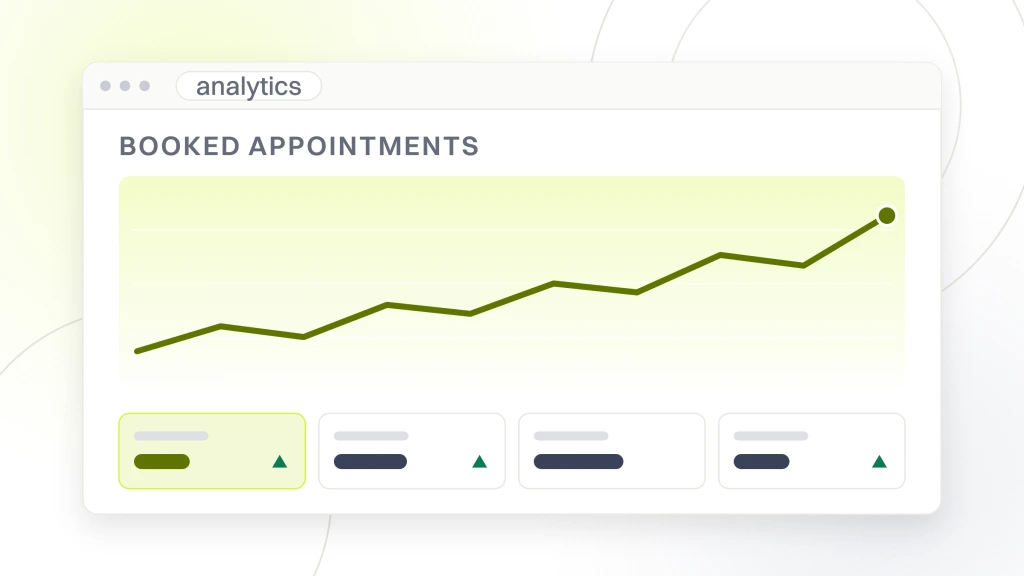
Keep five KPIs at the top of the report and bury everything else in explorations. The five that pay rent are booked appointments, phone calls attributed to organic and paid, contact form submits, direction taps on the location page, and cost per booked patient across paid channels. Watch those five every month and the rest of the GA4 interface becomes optional context for the occasional spot check. That is the whole of healthcare web analytics on a single page.
| KPI | Source | Cadence | Owner |
|---|---|---|---|
| Booked appointments | Practice management system | Weekly | Office manager |
| Attributed phone calls | CallRail or call tracking tool | Weekly | Marketing lead |
| Contact form submits | GA4 event plus form plugin | Weekly | Marketing lead |
| Direction taps | GA4 event on map link | Monthly | Marketing lead |
| Cost per booked patient | Ads spend divided by attributed books | Monthly | Practice owner |
Why booked appointments is the anchor
Every other number in the report matters only in relation to booked appointments. A 40% traffic spike that produces zero new booked appointments signals off-intent traffic. A 5% traffic dip that produces the same booked appointments signals sharper intent. You calibrate everything against the anchor. The practice management system stays the source of truth. GA4 remains the diagnostic layer, and that split keeps the report honest.
Cost per booked patient by channel
Split cost per booked patient by acquisition channel every month. Google Ads runs $80 to $220 per booked patient for a general practice depending on market. Local SEO runs $15 to $60 per booked patient once the site is established and ranking. Meta Ads runs $120 to $300 per booked patient for cosmetic work, less for pediatric or urgent care. Keep those numbers on hand. They set the negotiating floor the next time an agency partner sits across the table.
The direction taps signal
A direction click on the location page usually means the patient is about to walk in. That signal correlates strongly with same-day emergency visits and walk-in cleanings, which are hard to attribute otherwise. Track direction taps as a soft conversion. When they rise without a matching rise in booked appointments, either the walk-in traffic is undercaptured in the PMS or the location page is being used as a driving reference by patients who never intended to visit. Both are useful signals for healthcare website analytics.
Connecting Google Analytics for Healthcare Websites to the Practice Management System
GA4 lives outside the practice management system, and that gap is what makes attribution hard in healthcare. You cannot link a specific GA4 session to a specific booked patient without passing PHI to Google, which is a compliance exposure you do not take on. The workable pattern is to reconcile aggregate counts between the two systems on a monthly cadence and let the trend line carry the story. That reconciliation is the load-bearing habit for the whole tracking stack.
Reconcile GA4 booking events against the PMS every month. A gap under 15% is normal. A gap over 25% means a tag broke and nobody noticed.
The monthly reconciliation
On the first business day of the month, pull the count of new patient appointments booked in the prior month from the practice management system. Pull the count of booking_complete events from GA4 for the same period. Compare. A gap under 10% is normal, since phone calls and walk-ins produce booked appointments GA4 never saw. A gap over 25% means either the tag is broken or the PMS is counting phone bookings as web bookings.
Call tracking is the bridge
Call tracking numbers close the loop between GA4 and the practice management system for phone-booked patients. CallRail, WhatConverts, and CallTrackingMetrics all integrate with GA4 through the tag manager. Dynamic number insertion swaps the phone number based on the traffic source, so a call from a Google Ads visit gets attributed to Google Ads before the receptionist even picks up. That attribution layer is what makes cost per booked patient calculable per channel.
The reconciliation gap and what causes it
A persistent 15 to 25% gap between GA4 and the PMS is usually one of three things. Ad blockers strip GA4 pings for roughly 8 to 14% of traffic. Consent denials remove client IDs for another 3 to 8%. And the widget iframe sometimes fails to fire the completion event when the confirmation renders inside a third-party iframe. Fix the third one first since it is silent. The other two are structural and get modeled by GA4 automatically.
Consent Mode and HIPAA-Safe Healthcare Web Analytics Event Mapping
Consent mode and the HIPAA-safe event map are the two gates that keep the tag layer out of trouble. Get either wrong and the tag layer starts collecting things it should not, or blocking things it should have kept. This part is boring, worth doing once, and then guarded every quarter.
Consent mode v2 in plain terms
Consent mode v2 lets GA4 receive a lightweight, cookieless ping from users who deny analytics_storage. Google then models the missing sessions from the ones that do consent. For a healthcare property, that modeling recovers roughly 20 to 40% of denied traffic in aggregate reports. Wire the banner so it fires before any Google tag loads, and set both analytics_storage and ad_storage to deny by default.
The five patient-side events
Map five patient-side events at the tag manager layer. Booking_complete fires on the widget confirmation. Contact_form_submit fires on any general form. Phone_click fires on tel: links. Direction_tap fires on the map link. Chat_open fires on any live chat launcher. That set is enough to power every KPI on the healthcare web analytics dashboard without pulling any PHI into Google.
Scrubbing PHI at the tag layer
Names, emails, phone numbers, and appointment reasons must never reach Google. Configure the tag manager to strip URL parameters that carry patient identifiers, and drop any event payload with a field name that matches a PHI pattern. Test it with the GA4 DebugView on a fresh session. If a single email address shows up in the event stream, the practice has a data-handling incident on its hands, not a marketing problem.
Real Numbers From a Multi-Location Healthcare Website Analytics Cleanup
A 50-plus location dental support organization brought us in when the marketing team had no way to tell which of the 50 offices was driving new patient bookings from the website. GA4 was firing on every page, yet the events were misconfigured, call tracking was missing, and the PMS-to-GA4 reconciliation gap sat above 40% every single month. The dashboard existed. The signal did not.
If the PMS-to-GA4 reconciliation gap sits over 25% for two months, the tag layer is broken. Fix that before spending another dollar on ads.
What we found in the first audit
The booking widget iframe was not passing the completion event upstream since the third-party iframe swallowed the postMessage call before GA4 could listen. Phone numbers on the location pages were static, so calls stayed unattributable across every channel. And the consent banner was misconfigured, denying analytics_storage silently on roughly 60% of first sessions. Three fixes, three separate developer tickets, all pushed live inside two weeks.
The reconciliation number after cleanup
After the cleanup the PMS-to-GA4 reconciliation gap dropped from 40% to under 12%, which sits inside the modeling band GA4 handles automatically. Cost per booked patient by channel became calculable for the first time. PPC conversion rate rose 20% inside a quarter, since the team could finally see which campaigns produced booked patients versus which produced clicks that never picked up the phone. The healthcare web analytics cleanup surfaced the same booking gap across every location the moment the tag layer went consistent. See our Healthcare Website SEO post for the site-level fixes that pair with the analytics work.
What changed in the reporting cadence
The weekly report went from a 40-metric wall to a 5-KPI dashboard per location, with a monthly one-pager sent to the practice owner. Marketing meetings dropped from 90 minutes of interpreting numbers to 20 minutes of deciding on the next campaign. Nobody misses the 40-metric wall. Everyone reads the 5-KPI page. For the record, Pelvic Rehabilitation Medicine, another healthcare client of ours, saw organic traffic climb 174% year over year once a similar tracking and content stack went live.
Common Healthcare Website Statistics and Analytics Mistakes
Most practice analytics setups drift the same way. Custom dashboards get built in January, weekly attribution reports get promised, and by March the marketing lead is checking the default GA4 report between calls and calling it a review. The fix is not more dashboards. The fix is a 5-KPI page that fits on one screen and answers the only questions leadership will ask. Healthcare website analytics has to be easy to open on a Monday morning.
Chasing bounce rate
Bounce rate in GA4 is not what it was in Universal Analytics. Engagement rate replaced it. Chasing bounce rate on a modern GA4 property gets you fiddling with a metric Google itself deprioritized. Look at engaged sessions per page instead, and only for the pages that lead to a conversion event. Everything else is chart wallpaper.
Setting up too many custom dimensions
Every custom dimension you add to GA4 you then need to maintain. Practices spin up 15 custom dimensions in month one and never look at 12 of them again. Stick to three. Traffic source group, service page category, and location. That covers 90% of the questions the marketing team asks. Everything else is easier to answer with a one-off exploration.
Treating GA4 as the source of truth
GA4 is the diagnostic layer for healthcare website statistics. The practice management system is the source of truth for booked appointments. Treat GA4 like a diagnostic tool, not a ledger. When the two disagree, the PMS wins for booked patient counts, and GA4 wins for traffic source and content path. Neither system is wrong. They measure different things, and the trained reader knows which question to point at which report.
Healthcare Website Conversion Optimization With GA4 Signals
Healthcare website conversion optimization is the payoff on a clean analytics layer. Once the events and consent flags are wired correctly, GA4 shows exactly where users drop, which service pages convert, and which traffic sources deserve more spend next quarter. The optimization loop stops running on guesswork and starts running on tested inputs, and the analytics track earns its retainer line for the first time.
Fix the mobile insurance field on step four of the booking flow before any ad spend increase. Practices recover 15 to 25% of started bookings that way.
Funnel exploration for the booking flow
The GA4 funnel exploration on the booking sequence shows the exact step where users drop. Step one is booking widget open. Step two is provider or reason selection. Step three is time slot pick. Step four is contact detail entry. Drop-off between step three and step four is the most common healthcare pattern, and it usually traces to an unexpected insurance field or a hard-to-read time picker on mobile. Fix the fourth step and you often recover 15 to 25% of started bookings.
Service page conversion segmentation
Segment the conversion rate by landing page category. Emergency pages usually convert at 8 to 14% since intent is sharp. Cleaning pages convert at 3 to 6%. Cosmetic pages convert at 2 to 4% given the buying window runs longer. The point is not that emergency wins. The point is that each page needs its own benchmark and its own CTA structure to compete against its own baseline. That framing is what makes healthcare website conversion optimization pragmatic instead of theoretical.
Where to run experiments first
Run experiments on the page that gets the most qualified traffic and has the biggest conversion gap versus its category benchmark. That is usually the homepage or a single hero service page. Google Optimize is deprecated so most practices run experiments through PostHog, VWO, or a simple A/B split at the CDN level. See our Healthcare Website CRO post for the test structure that pairs with GA4 tracking.
Looker Studio Reporting for Healthcare Website Analytics
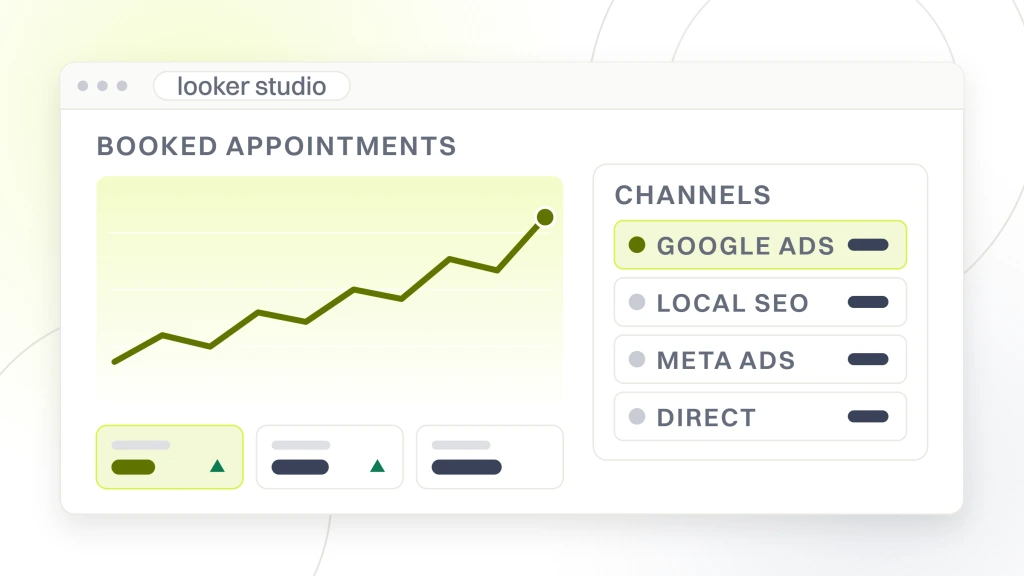
The GA4 native reports are fine for spot checks. For monthly reviews and stakeholder reporting, Looker Studio is the tool. Connect GA4 as a data source, pull in the five KPIs, add a segmentation slice for location if you run multi-location, and you have a one-pager that reads in 30 seconds. That is the report the practice owner opens on a Monday, and it is the shape the analytics program needs to earn its keep.
The one-page monthly report
The monthly one-pager needs five sections. KPI scorecard at the top with month-over-month change. Traffic source table with sessions plus conversions per channel. Top ten landing pages by booked appointments. Booking funnel exploration snapshot. Recommended action for next month. That last line is the one everyone reads first, so make it the sharpest sentence on the page.
Blending call tracking data into the report
CallRail and WhatConverts both connect as Looker Studio data sources. Blend the call data with GA4 sessions to show attributed calls per channel alongside sessions per channel. That side-by-side view is where the cost per booked patient math becomes obvious. Practices that skip the blend often overestimate paid channel performance since untracked phone bookings inflate the numerator.
Where the retainer fits
Running google analytics for healthcare websites as part of a broader web marketing program takes 3 to 6 hours a month at a specialist level for a single-location practice. Multi-location groups need 10 to 15 hours. Most practices bundle it inside a monthly healthcare marketing retainer, since the analytics work compounds across the SEO, PPC, and CRO tracks. Retainer starts at $1,499 a month. See our Healthcare SEO Agency page for the specific attribution work we run inside those retainers, and our Healthcare Marketing Agency hub for the full stack.
Quarterly Audit Checklist for Google Analytics for Healthcare Websites
Every quarter, run a four-part audit on the analytics layer. The audit catches silent breakage that happened after a plugin update, a widget swap, or a compliance tool refresh. Twenty minutes of quarterly review beats six months of unnoticed data drift, and it keeps the report defensible the moment a board member asks about attribution.
Twenty minutes of quarterly audit beats six months of silent data drift. Run it the first week of every quarter without exception.
Tag firing verification
Open the site in a private window with GA debugger active. Click through the top five landing pages and the booking flow. Every expected event should fire in the debugger console. Anything missing is a broken tag. See Chrome DevTools console documentation for the debugging workflow inside a private window session.
Consent banner spot check
Reload the site with cookies cleared. The consent banner should show up before any tag fires. Deny analytics_storage and confirm GA4 still receives a cookieless ping in the debugger. Accept and confirm the client ID appears. Both states need to work or the modeling layer breaks silently and the report reads high or low without you knowing which.
PMS reconciliation review
Pull the last three months of booking_complete counts from GA4 and match them against the PMS new patient count for the same period. A gap that stays under 15% means the tag is honest. A gap that widened over the quarter usually means a widget update stopped forwarding the completion postMessage upstream. Fix that first before touching anything else in the tag manager. The whole stack is only as accurate as the last widget release note nobody read.
Google analytics for healthcare websites earns its keep the moment the events are right, the consent layer is honest, PHI stays out of the tag, and the KPI set stays short. Wire it that way and the monthly report becomes a real decision tool instead of a ceremony nobody trusts. Skip a step and the dashboard turns into wallpaper the practice owner scrolls past on the way to the schedule.