Dental video marketing works when the videos serve a specific booking outcome and stops working when they exist to look good on a homepage. A doctor waving at the camera does not book patients. A 30-second clip where the doctor explains a first implant consult does book patients, especially as a paid ad against high-intent search. This guide covers the formats that book patients, scripts that convert, filming setups that need no crew, and metrics that tell you whether any of it produced a real appointment.
Here is the short version. A single practice with a smartphone, a $60 lavalier mic, and a quiet room can produce enough content for 12 months. Skip the production company on the first pass. Start with the doctor explaining three procedures on camera. Add patient stories with signed consent. That combination books more cases than most six-figure productions we’ve seen at client practices.
Why Dental Video Marketing Beats Static Content
Video works because it does three jobs static content cannot. It builds trust in the doctor before the patient books. It explains procedures in a format patients actually consume. And it reuses cleanly across five channels. Each of those advantages compounds when the program runs consistently for 6 to 12 months at a real practice.
Trust builds faster on video
A patient landing on your homepage decides in about 7 seconds whether to keep exploring. Static text and stock imagery get scanned and skipped. A 15-second clip of the doctor speaking to the camera holds attention and gives the patient a sense of the person they will meet. Practices that place a doctor-intro clip above the fold see homepage conversion grow 25 to 40 percent versus text-only heroes.
Procedure explanations get watched
Patients researching implants, veneers, or Invisalign want to understand what happens in the chair. A 60-second explainer from the doctor with a chair-side visual outperforms a 500-word text page on almost every metric. Watch time on procedure explainers runs 55 to 70 percent, high enough to justify running the same clip as a YouTube pre-roll for the same search phrases.
One asset, five channels
A 30-second clip runs as an Instagram Reel, a YouTube Short, a TikTok, a homepage hero, and a paid social ad. That single asset serves 5 channels for a year. Static assets cost the same or more and serve fewer channels. The economics favor the practice that plans distribution before the doctor hits record.
Dental Video Marketing Formats That Book Cases
Not every format produces bookings. Some look nice and never move the number. The formats below have measurable outcomes on real practices. Pick 2 or 3 that fit your service mix. Run them for a full quarter before deciding whether to expand.
The doctor procedure explainer
60 seconds. The doctor sits down, looks at the camera, and explains one procedure in plain language. No terms only a clinician uses. No fluff. What happens, how long it takes, what the patient will feel, and what recovery looks like. This format serves the paid ad set targeting high-intent keywords and the organic YouTube channel targeting long-tail queries. Every core service gets one version.
The patient story with signed consent
90 seconds to two minutes. A real patient talks about their experience, on camera, with signed consent. Not a testimonial from a promo shoot. A story about what brought them in and what the outcome felt like. Patient story clips convert on cosmetic and implant pages at rates 40 to 60 percent higher than pages without them. The consent form matters. So does letting the patient use their own words.
The office tour walkthrough
45 seconds. A walkthrough of the office, the reception area, and one operatory, filmed on a smooth handheld or a gimbal. This reduces anxiety for patients booking online. Practices that add a short tour clip to their New Patients page see a two to four percentage point improvement in show rate for first-time patients.
Format quick-compare table
| Format | Length | Best For | Primary Metric |
|---|---|---|---|
| Doctor procedure explainer | 60 seconds | Paid ads and YouTube organic | Watch time and booked consults |
| Patient story with consent | 90 to 120 seconds | Cosmetic and implant pages | Landing page conversion rate |
| Office tour walkthrough | 45 seconds | New patient page | First-visit show rate |
Scripts for Dental Video Marketing That Book Patients
Scripting is where most video work goes sideways. Doctors want to sound polished. Patients want to hear a real person. The scripts that work do three things. Open with the patient’s actual question, answer plainly, and close with a specific next step. Skip the polished intro. Skip the closing pitch. Both erode authenticity and the conversion rate that follows.
The procedure explainer script
Open with the question the patient searched for. “You are asking if dental implants hurt.” Middle. The honest answer with specifics. “The procedure itself is done with local anesthetic and you will feel pressure but not pain. Most patients report soreness for two to three days after.” Close. The specific next step. “If you’d like to talk through what an implant would look like for you, we run 20-minute consultations. Booking is on our website.” 45 to 60 seconds total.
The patient story prompts
Patient story scripts should not exist as scripts. Prompt the patient with three questions off camera. What brought you in? What surprised you about the experience? Would you recommend the practice, and why? Let the patient answer in their own words. Edit for length, not polish. Fumbles read as real. Over-edited patient clips read as fake and hurt conversion on cosmetic service pages.
The office tour script
Voiceover from the doctor or the office manager. Point out the reception, the operatory, and one comfort feature like blankets or noise-canceling headphones. Close with “Come see the office in person.” 45 seconds total. Do not narrate every room. Patients only need enough visual context to book without anxiety about the space.
Filming Setup Without a Crew
A production crew is rarely necessary for a practice-level program. The setup below produces clips that perform on organic social and paid ads. Total kit sits under $500. Once the setup is in place, filming a batch of three or four takes about 2 hours per session and the kit lasts for years.
The equipment list
A modern iPhone or Pixel filming in 4K. A $60 lavalier mic that plugs into the phone. A basic tripod at around $40. One softbox light at around $100. A quiet operatory or private office as the location. Total under $250 if the phone already exists. Add a $150 gimbal if you want the office tour to feel smooth. That is the whole kit for a full year of content.
Framing and lighting basics
Frame the doctor from the chest up. Eyes sit in the upper third of the frame. Light source hits the face from a 45-degree angle above and to the side. Avoid overhead fluorescents. They cast unflattering shadows. Natural window light works well in most operatories.
Audio and background
Audio matters more than picture quality on the platforms. Use the lavalier. Test the levels before a full take. Keep the background clean. A neutral wall with one framed diploma or a piece of art. Avoid dental equipment in the shot unless it is part of the procedure explainer.
Paid Distribution Channels That Convert
Organic distribution moves slowly. Paid distribution moves fast. Most practices should run their best assets as paid ads within the first month of publishing. The channels below cover the paid options that actually convert today. Pick based on service mix and patient age.
YouTube pre-roll for procedure keywords
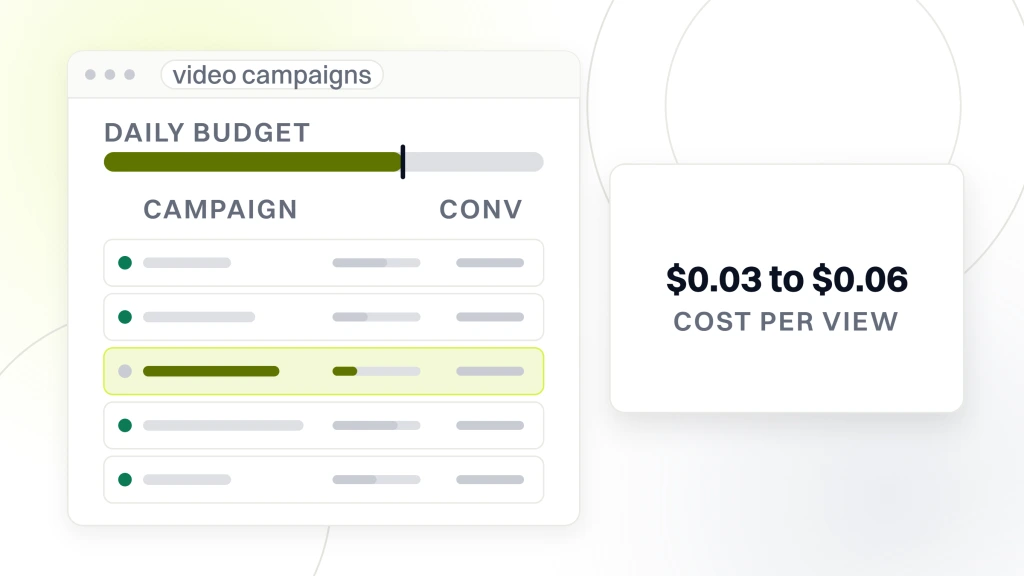
Bid to run your procedure explainer as a skippable pre-roll on YouTube searches for the procedure. “Dental implant recovery time.” “Invisalign vs braces cost.” The viewer already showed intent by searching for the phrase. The clip shows the doctor’s face and answers the question. Practices that run this format see cost per view around $0.03 to $0.06 and landing page conversion 30 to 50 percent higher than the same page from a text ad.
Meta Reels ads for local awareness
Meta Reels ads work well for cosmetic services with a strong visual outcome. Whitening. Veneers. Invisalign. The 15-second version of your patient story runs as a Reels ad targeting the 20-mile radius around the practice. Cost per thousand impressions runs $8 to $15 by market. Practices with a strong before-and-after visual see cost per lead 20 to 40 percent below equivalent static ads.
TikTok for pediatric and young adult services
TikTok makes sense for pediatric services aimed at parents and cosmetic services aimed at young adults. The platform’s algorithm rewards native content, so a 15 to 30-second clip filmed vertically with the doctor speaking to camera outperforms polished cross-posted content. Cost per thousand impressions runs $4 to $8 in most markets. Test small. Scale on the winners after four weeks.
Organic Dental Video Marketing That Compounds
Organic clips compound over 12 to 24 months. Every asset published to YouTube keeps ranking for procedure keywords long after the clip was recorded. Every Reel or TikTok has a smaller shelf life but keeps feeding local awareness. Both matter. Neither replaces paid in the short term, but both build a defensible asset base over time.
YouTube as a procedure search engine
YouTube is the second-largest search engine in the world. Patients research procedures there before booking. Your 60-second explainer, titled with the actual search phrase, ranks in weeks and holds for years. Practices that publish 15 to 25 explainers over a year see YouTube become their second-largest organic channel behind Google Search.
Reels and TikTok for local recognition
Vertical short-form clips on Instagram Reels and TikTok build local face recognition. Patients who see your doctor’s face three times before booking are more likely to book than patients who see the doctor’s face only during the appointment reminder email. It is a slower, softer channel than paid. It works. It just does not work quickly.
Publishing cadence that sustains
Two clips a month is sustainable. Four is ambitious. Once a month is too slow to build momentum with the algorithm or the local audience. Batch-film every 8 weeks. Four to six clips per session. Edit and schedule over the following two weeks. That rhythm produces enough content without burning out the doctor.
Measuring Dental Video Marketing Performance
Measurement is where most programs stall. Practices track views. Views do not book patients. The metrics below tell you whether the program produced real appointments and revenue rather than vanity engagement across the ad accounts and organic channels.
- Landing page conversion rate with video versus without video on the same page.
- Cost per booked appointment from paid video ads compared to paid static ads.
- Watch time on procedure explainers as a leading indicator of ad quality.
- Assisted conversions where a clip touchpoint sat in the path to booking.
- Show rate on new patients who watched an office tour clip before booking.
- Organic YouTube traffic to your website from procedure explainer descriptions.
- Direct search brand queries as an indicator of face recognition from Reels or TikTok.
Setting up the tracking
Add UTM parameters to every clip description link. Configure GA4 events for plays on landing pages. Sync CallRail with the paid ad platforms so every call is attributable to a specific ad set. Without these pieces in place, the program produces beautiful assets and untrackable outcomes. The tracking layer is a one-time build. Do it before publishing the first clip.
Reporting to the practice owner
Monthly reports show cost per booked appointment from video ads next to cost per booked appointment from static ads. Show watch time trends on the top clips. Show organic YouTube traffic growth. Skip view counts unless the clip is running for pure awareness. Practice owners care about patients and revenue, not view counts on a Reel that never produced a call.
When to pivot the program
Give the program a full quarter before pivoting. 4 weeks is not enough data. The quarterly review looks at what formats produced bookings, what topics produced traffic, and which paid channels ran under target cost per acquisition. Cut the formats that missed. Double the budget on the ones that hit.
Common Mistakes That Waste Dental Video Budget
Programs go wrong in the same handful of ways at almost every practice. Learn from the mistakes below rather than repeat them. Every item has cost real practices real money.
Producing one big video instead of many small ones
A three-minute brand video costs $8,000 and serves one channel. Six 30-second explainers cost less and serve five channels each for a year. The math favors many small clips over one big one. Skip the brand film until year two. Start with the explainers that book patients from day one.
Skipping consent on patient stories
Patient story clips need signed consent that explicitly covers the platforms where you will publish. HIPAA rules on identifiable patient information are strict. Skipping the paperwork on a clip that ran well is how a compliance headache starts. Build a consent form with your practice attorney once. Use it every time a patient sits for a shoot.
Cross-posting horizontal clips as vertical Reels
A horizontal clip shrunk into a vertical Reel with black bars performs poorly. The platforms deprioritize non-native format content. Film vertical from the start for vertical distribution. Film horizontal for YouTube. Trying to make one asset serve both formats is how practices produce content that underperforms everywhere. Batch-film twice.
Workflow Across the Practice Team
Every program lives or dies on internal workflow. Doctors want to help, front desks want to focus on patients, and someone has to own the calendar. Build the workflow before the first shoot so the program keeps running past month three. The pattern below scales cleanly at one location and at ten.
Who owns the calendar
One person at the practice owns the calendar. Usually the marketing coordinator or the office manager. That person picks topics, blocks the doctor’s time, and confirms editing turnaround. Without a named owner, projects stall between the shoot and the publish date. Give the owner an hour a week for planning and follow-up.
How the doctor stays involved without burning out
Batch the doctor’s time. Two hours every 8 weeks produces four to six clips. Do not ask the doctor to film once a week. The consistency erodes fast. Batching also lets the doctor arrive with three topics scripted rather than freestyling for the camera. Better content and less doctor fatigue.
Editing and publishing responsibilities
Editing sits with the marketing coordinator, a contracted editor, or the agency. Publishing sits with the coordinator. Each edited clip should hit the site, YouTube, Instagram, and the ad platform within a week of the edit. Any longer and the batch stacks up and momentum drops off.
How North County Dental Care Rebuilt Patient Flow with Video
North County Dental Care, a 20-year family practice in Vista, California, was almost invisible online despite a strong offline reputation. Our rebuild included a mobile-first website, local SEO, GMB-driven PPC, and a practice-led video program that ran across the site and paid channels from 2021 to 2024.
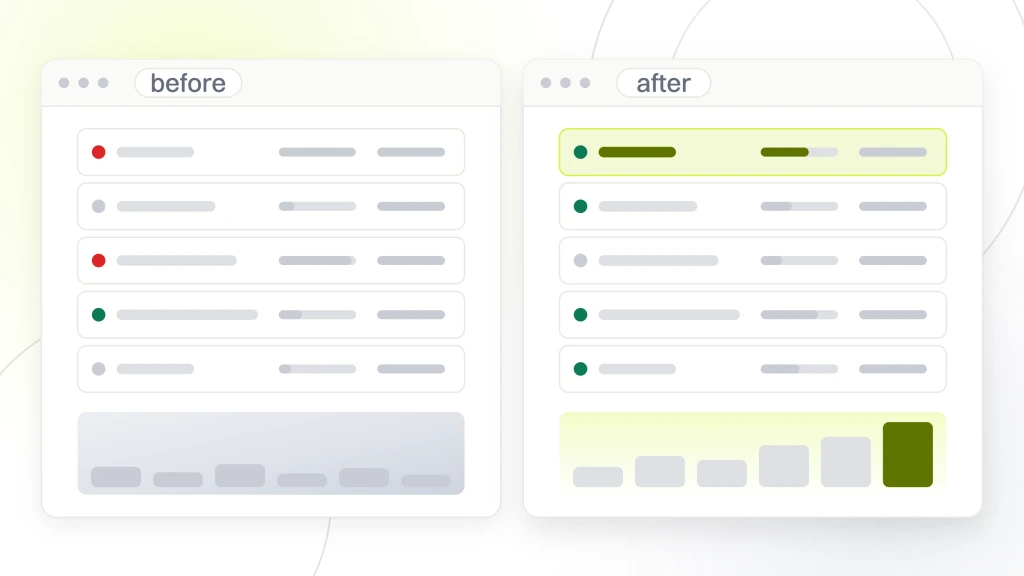
Doctor-led explainer clips on the service pages
The video at North County Dental Care was led by the practice itself. The clips let patients see the people behind the practice before booking, which built trust with local families.
Video paired with local SEO
Video assets fed local visibility as well as the paid campaigns. Paired with consistent listings and service pages mapped to keywords, the video work helped the practice earn top rankings in the Vista area.
The measurable outcome
The rebuilt program at North County Dental Care generated 12 to 16 new patients monthly, a 1,000 percent jump in patient volume against the pre-engagement baseline, a 385 percent gain in organic traffic, and a 500 percent return on marketing investment. Video was one of four components that produced the outcome, and the compounding effect of a doctor-led program across a rebuilt site and a paid distribution layer is what turned around a practice that had been almost invisible online for years.
Dental video marketing works when the clips serve booking outcomes and stops working when they exist to look good. If you’d like help building a program that measures against booked appointments rather than views, our team at Redefine Web supports practices through dental marketing for dentists. Related reads. Dental content marketing, dental marketing plan, dental marketing tools, and dental photo consent for marketing. External references. ADA marketing guidance, YouTube ads for local businesses, and HHS HIPAA covered entity resource.