
HIPAA marketing compliance for dentists is now the fastest moving corner of digital marketing, and it is the easiest place to trip into a six-figure penalty. Meta Pixel settlements, OCR guidance on tracking technologies, and ongoing patient class actions have all raised the bar for what counts as a compliant marketing stack. Most dental sites still fire a raw Meta Pixel on the appointment page, still route contact forms through unencrypted email, and still send patient names into Google Analytics as URL parameters. Any single one of those can trigger a complaint. This guide walks the compliant stack, the mistakes we see most on new client audits, and specific fixes you can apply this week to bring your dental website marketing into a defensible position. The result is a paid ad program that still measures, still books patients, and still holds up under a counsel review.
Redefine Web runs HIPAA compliant dental website work across solo practices and multi-location groups, so every fix below comes from real audit findings on active accounts. Every number in this guide reflects patterns we have seen more than once. If you want the short version, skip to the 90 day compliance plan near the end. If you want the reasoning, start with the tracking technologies bulletin in plain English.
The tracking technologies bulletin in plain English
The 2022 OCR bulletin on tracking technologies changed the marketing conversation for every covered entity in the country. It clarified that IP addresses, device identifiers, and behavioral data collected on authenticated or unauthenticated pages can be PHI when combined with the identity of the covered entity. The 2024 update softened one narrow point but left the core position in place. For dental marketing teams reading the guidance in 2026, that bulletin is still the north star.
Authenticated vs unauthenticated pages
Authenticated pages (patient portal, secure messaging, booking flows behind a login) trigger the strictest rules. Any third party script firing there is a compliance risk without a business associate agreement, and even with one, most ad platforms will not sign a BAA. Unauthenticated public pages have more flexibility, but the OCR position is that a visit to a specific service page can still create PHI when combined with the entity name. Read every URL through that lens.
What the 2024 update actually changed
The 2024 update to the tracking guidance drew a narrower line around casual browsing of general education content on an unauthenticated site. It did not change the core position on scheduling forms, appointment confirmation pages, or any URL that identifies a service or location paired with an identifiable IP. Dental practices should read the update as a small carve out, not a green light. HIPAA compliant marketing tracking still assumes the stricter reading on any conversion page.
Where the safe harbor still lives
A dental blog post about brushing tips, viewed by a random visitor with no relationship signal to your practice, sits far from the PHI line. A visit to /services/dental-implants followed by a scheduling form submission crosses it. Design your tracking stack around that split, and read the HHS online tracking guidance when you need to check a specific edge case. The safe harbor is real, and it is narrower than most vendors will admit.
Forms that belong on a HIPAA compliant dental website
Forms are the biggest compliance liability on most dental sites. They capture PHI, hand it to a plugin, and let the plugin decide where the data goes next. Most standard WordPress form plugins are not HIPAA compliant out of the box. You need a form platform with a signed BAA, encrypted transport, encrypted storage, and no third party scripts loaded from the form itself. Any HIPAA compliant dental website worth defending starts with the form audit.
Fields to collect and fields to skip
Collect the minimum. Name, phone or email (not both if you can avoid it), preferred appointment window, and one open field for the reason for the visit. Skip date of birth, insurance details, and treatment history at the marketing form stage. Those belong in the practice management system after the front desk has confirmed the appointment, not in a public form that hands data to your marketing stack. Every extra field is a bigger PHI target and a bigger settlement risk.
Form platforms with a BAA
Formstack, JotForm Enterprise, HIPAA tier Gravity Forms with the right add ons, and Formidable Forms with the compliance package all sign BAAs. WPForms Pro on its own does not qualify without extra infrastructure. Native Ninja Forms does not qualify. Ask every vendor for the BAA in writing before you point a form at their endpoint. A verbal claim from a sales rep is not a defense in an OCR review.
Where the form data goes next
Form data should land in a HIPAA compliant inbox (Paubox, LuxSci, or a Google Workspace with the healthcare BAA and Vault configured) and in your practice management system through a compliant integration. Do not route the confirmation to a personal Gmail account or a Zapier flow that hops through non BAA services. One weak link in the chain breaks the whole compliance story. Our dental website compliance guide covers the full checklist for the site.
Pixels and tracking scripts that need a second look
Every third party script on your site is a compliance decision. Meta Pixel, Google Ads conversion tags, LinkedIn Insight Tag, TikTok Pixel, session replay tools, chat widgets, and A/B testing scripts all send behavioral data to a third party. Some of that data is fine on unauthenticated general content. Almost none of it is fine on scheduling flows or service pages tied to an identifiable IP address. Compliant marketing tracking for a dental site starts with pruning the tag list on those pages first.

Meta Pixel and the class actions
The Meta Pixel class actions targeted hospitals and clinics that fired the raw pixel on scheduling pages. The plaintiffs argued that Meta received PHI in the form of URL data, form field content, and behavioral signals tied to an IP address. Settlements have crossed $30 million. If you are running the Meta Pixel on any page that touches a scheduling flow or a specific treatment service page, move to Meta Conversions API with a hashed identifier server side setup and remove the browser pixel from those pages this week.
Google Analytics and Google Ads tags
Google Analytics 4 collects IP addresses and device signals by default. Google will not sign a BAA covering GA. So you should not use GA on authenticated pages, and you should scrub every URL parameter that carries a service or location signal on unauthenticated conversion pages. Google Ads conversion tags are a similar story. Server side conversion imports with hashed identifiers replace the browser tag on any sensitive page, and your reporting stays clean.
Chat widgets and session replay
Chat widgets from vendors without a BAA (Drift, Intercom, most consumer tier live chat tools) capture message content plus identifiers plus timestamps. Session replay tools such as Hotjar, FullStory, and Microsoft Clarity record every keystroke on your forms once you skip masking sensitive fields. For a dental site you should mask every form field by default and only enable session replay on non sensitive pages. Some vendors offer a BAA under a healthcare tier. Ask before you install. See HIPAA Journal on compliant websites for the vendor evaluation checklist we work from.
Server side tracking that preserves attribution
Server side tracking is how you keep marketing measurement working without exposing identifiers to ad platforms. The pattern is straightforward. Browser events fire to your own endpoint, your server hashes identifiers, your server forwards the hashed payload to Meta Conversions API and Google Ads offline conversion imports. Ad platforms still optimize toward conversions, but they never see raw identifiers. HIPAA compliant marketing tracking rides on this pattern, and it is the single biggest ROI move on the compliance checklist.
Meta Conversions API setup
Meta Conversions API accepts server to server events. You hash email and phone with SHA 256 before sending, strip URL parameters that reveal service or location, and skip content_name and content_ids fields that would carry PHI. Meta gets a conversion signal and an anonymized match key. It does not get the raw identifier. Attribution windows and audience matching still work at a materially higher match rate than a broken pixel, in our audits usually 25 to 40 percent higher. Test the setup with the Meta Events Manager preview before enabling live optimization, and confirm the payload contains no PHI fields.
Google Ads offline conversion imports
Google Ads offline conversion imports send hashed conversion signals from your CRM into the Google Ads algorithm. Setup uses GCLID captured at first click, stored in your PMS or CRM, and imported back into Google Ads when the patient books, shows up, or accepts a treatment plan. The Google Ads bidder then optimizes on booked appointments and case value, not raw form submissions. Cost per booked appointment usually drops 20 to 40 percent in the 90 days after go live. Smile Design Dentistry, one of our dental accounts, cut cost per call 30 percent on a 12 month curve after the switch.
A server side stack the front end never sees
The clean pattern uses Google Tag Manager server side container, hosted on a subdomain of your site, receiving events from the browser and forwarding them to platforms with hashing and payload filtering applied. That container becomes the one place your compliance team can audit exactly what leaves your site and where it goes. When we set up HIPAA compliant marketing tracking for a dental client, this is the pattern we default to. It survives the next OCR update better than any browser only stack.
Business associate agreements and vendor review
A business associate agreement is the legal instrument that lets you share PHI with a vendor. Without one, that vendor cannot legally receive PHI, and your practice is on the hook for the disclosure. Marketing stacks quietly involve a dozen vendors, so vendor review is a real project, not a checkbox. Your dental marketing compliance position lives or dies on this list, and OCR will ask for it first if a review opens.
Vendors that must sign a BAA
Your hosting provider (WP Engine offers a healthcare tier with a BAA, Kinsta signs enterprise BAAs, standard shared hosting does not qualify). Your form platform. Your CRM. Your email marketing platform if it touches patient lists. Your call tracking vendor. Your practice management integration. Your review generation vendor. Any BAA required vendor without a signed agreement is a compliance defect, not a technicality. Track renewals in a shared sheet so nothing lapses.
Vendors that will not sign one
Meta, Google, TikTok, LinkedIn, and most consumer analytics tools will not sign a BAA for their standard products. Route PHI adjacent workflows around them, not through them. That is why server side tracking with hashed identifiers exists. It keeps those platforms in your stack without pushing PHI into them. Any vendor who tells you their consumer pixel is HIPAA safe is misreading their own terms, and the settlement math will not care who told you.
Documentation the auditor will ask for
Keep a vendor list with the current BAA version, effective date, and renewal date for every marketing vendor that could touch PHI. When OCR opens a compliance review, this document is the first thing they ask for after your privacy policy. Practices without a vendor list spend the review scrambling. Practices with one usually resolve the review faster and with a lighter finding. Store the BAAs in a shared vault, not in a partner’s inbox.
Ad audiences, lookalikes, and targeting rules for dentists
Uploading a patient list to Meta or Google as a custom audience is the fastest way to convert a marketing task into a HIPAA violation on the ad side. The upload itself sends identifiers to a third party, which triggers PHI disclosure without patient authorization. Your compliance position breaks the moment an untrained media buyer syncs the PMS list to Ads Manager. Get this rule in front of every media buyer on the account before any audience work runs.
Patient list uploads
Do not upload a patient list to Meta or Google without a signed HIPAA authorization from every patient on that list. Signed authorizations at that scope are rare. In practice, patient list uploads should be off the table for most dental groups. If you need a lookalike, seed it from a non PHI source (site visitors to a general education page, newsletter sign ups where the intent was educational, or a hashed identifier pool from a BAA compliant middleware). Never seed it from your PMS export.
Prospect audiences that stay compliant
Geo targeting by zip code, interest targeting by broad dental categories (oral health, wellness), and demographic targeting on age and income are all fine. Lookalikes seeded from public traffic to non sensitive pages are fine. The rule is simple. If the seed data would identify a patient relationship with your practice, it is PHI. If the seed data would identify a general consumer with an interest in dental content, it is not. HIPAA compliant marketing tracking on the audience side is largely a discipline about what you feed the algorithm, not what the algorithm does with it.
Retargeting on general content
Retarget from visits to general education content, blog posts, and the home page, not from visits to specific treatment pages or the scheduling flow. That single rule cuts most of the PHI exposure out of retargeting. Set the audience rules in Meta and Google to include general URLs and exclude anything under /services/ or /schedule/. Test the exclusion with a preview URL every quarter. Media buyers rotate, and every rotation is a chance for a rule to silently drop off the account. Save the audience definitions in a shared vault so a new buyer can rebuild them the same day they take over the account.
Privacy policy and consent language that holds up
Your privacy policy is the front line document in any compliance review. Boilerplate copied from a template plugin does not hold up. The policy has to describe how your practice actually collects, stores, and shares data. And it has to name the marketing vendors that receive data on your behalf. Most privacy policies fail that second test the day a new vendor is added. A HIPAA compliant dental website keeps the policy in sync with the vendor list, not just the calendar year.
Elements a defensible policy includes
A defensible privacy policy names the specific categories of data collected, the specific purposes for collection, the vendors receiving data by category (analytics, advertising, communication, payment), the patient rights under HIPAA and state privacy law, the process for exercising those rights, the retention periods for each category, and the effective date. Anything short of that reads as boilerplate to an auditor. Update the policy every time you add a marketing vendor, and log the update in a changelog on the same page.
Cookie banners that actually work
Cookie banners are not just a GDPR problem. State privacy laws (California, Colorado, Connecticut, and more coming) now require an opt out for cross context behavioral advertising. Dental practices in those states need a banner that blocks non required scripts until the visitor consents. The banner must load before any tracking script fires. Most WordPress cookie plugins load after Google Tag Manager, which is exactly backwards. Test with the browser network tab open. If GTM fires before the banner renders, the banner is decorative, not compliant.
Patient authorization for marketing use
Some marketing uses require a signed HIPAA authorization, not just consent. Testimonials that identify the patient, before and after photos, and case reports that include treatment details all fall into this bucket. Get the authorization on paper or in a signed digital form, name the exact use, name the exact channels, and include a revocation clause. For a step by step on the photo side, our guide on dental photo consent walks the field by field checklist.
Real audit findings across dental clients
The pattern across dental audits is remarkably consistent. Nine out of ten first audits find at least one raw Meta Pixel on a scheduling page. Seven out of ten find a form plugin without a signed BAA. Six out of ten find a chat widget capturing patient names into a third party dashboard. Five out of ten find a session replay tool recording keystrokes on unmasked form fields. Four out of ten find a Zapier flow routing patient data through a non BAA middleware. These numbers hold across solo practices, DSOs, and multi state groups. HIPAA marketing compliance for dentists sits on those five defects more than any single legal question.
The upside is that most of these findings are fast fixes once you know where to look. A one week sprint on tags and forms usually clears the top three findings. A second sprint on privacy policy and vendor list clears the middle findings. The tail (Zapier flows, legacy analytics accounts, orphaned ad pixels on retired landing pages) takes longer but rarely blocks the launch of the compliant stack. Start with the sprint that clears the highest risk items and buy yourself the runway to finish the rest without pressure.
Case study, multi location dental group tracking rebuild
A dental group with 12 locations came to us after an internal counsel review flagged their marketing stack. The stack included Meta Pixel on every service page, Google Analytics on the scheduling flow, three chat widgets across brands with no BAA, and a Zapier flow syncing leads from Gravity Forms into a non compliant CRM. The counsel review gave them 90 days to remediate. The board wanted the paid ad program to keep running through the fix, not pause and restart later.
What we removed
The browser Meta Pixel came off every service page and every scheduling flow. Google Analytics 4 came off the scheduling flow and the confirmation page. Two of the three chat widgets got replaced with a single BAA covered widget. The Zapier flow got retired. Every ad tag that fired on a URL containing a service name or location came off. That first pass removed 34 discrete tag or script instances from the stack, and the site loaded 1.4 seconds faster the same day as a bonus.
What we rebuilt
Meta Conversions API on a server side GTM container. Google Ads offline conversion imports keyed on GCLID from the CRM. A single BAA covered chat widget. A form platform with a signed BAA and encrypted at rest storage. A vendor list with 14 BAAs on file and renewal dates tracked. A privacy policy updated weekly during the sprint and locked to a change log after go live. The rebuild took 74 days from kickoff to close, inside the 90 day counsel deadline.
What moved on the account
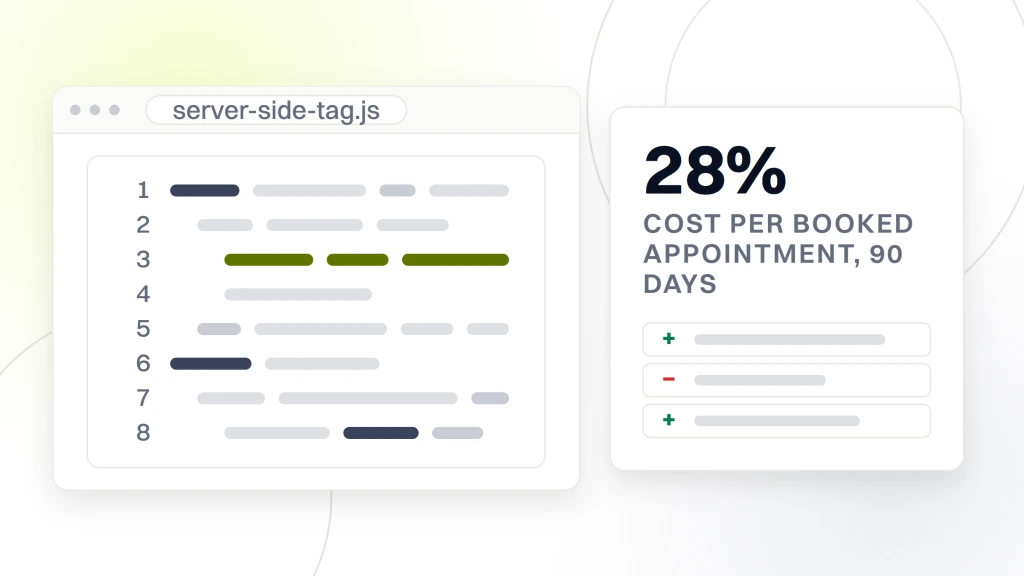
Cost per booked appointment fell 28 percent inside 90 days after the switch to server side conversions, in line with the pattern we see on other dental accounts. Ad spend held flat and booked volume climbed. Legal exposure came off the risk register. The counsel signed off on the audit report the same week the last vendor BAA came back. The board approved the compliant marketing budget for the following fiscal year without a caveat. Compliance work at a group of that size is a genuine program, not a checkbox, and it pays back inside a year on media spend alone. Smile Design Dentistry, one of our dental accounts on a much smaller footprint, cut cost per call 30 percent on a 12 month curve after the same server side switch, so the pattern holds at both ends of the size spectrum.
A 90 day HIPAA marketing compliance for dentists plan
The 90 day plan below covers the sequence we run on new client audits. It moves from the highest risk items first (raw pixels on scheduling pages) to the lower risk documentation items last (privacy policy refresh, vendor list). Every phase has a clear go no go. If any phase slips, the later phases still stand on their own once the earlier one closes. Run the plan sequentially, not in parallel, so the team does not lose track of which fix went live when. For most practices the plan doubles as a project charter that counsel can sign off on before day one.
Days 1 to 14, remove the critical exposures
Inventory every tag on the site with GTM preview and the browser network tab. Kill the Meta Pixel on every scheduling and service page. Kill Google Analytics on the scheduling flow. Mask every form field in every session replay tool. Confirm the form platform BAA is on file. If it is not, swap to a BAA covered form platform inside 14 days. Push the fixes live, verify with a fresh browser, and take screenshots of the network tab for the audit file. The two week sprint clears the highest exposure items.
Days 15 to 45, rebuild the tracking stack
Stand up a server side GTM container on a subdomain. Point Meta Conversions API at it with hashed identifiers. Set Google Ads offline conversion imports keyed on GCLID from the CRM. Test that ad platform conversions match CRM conversions inside a 5 percent variance across a full week. Move retargeting audiences to seed only from general content URLs. Rewire the chat widget through a BAA covered vendor. This is the phase where booked appointment reporting comes back to life, cleaner than before.
Days 46 to 90, policy and documentation
Refresh the privacy policy against the current vendor list. Add a cookie banner that blocks non required scripts until consent, in states that require it. Collect and file the BAA for every vendor in the marketing stack. Build a one page vendor list with renewal dates. Draft a patient marketing authorization form for photo and testimonial use. Train the front desk on when to hand it out. Close the sprint with a written summary the practice manager can hand to counsel or OCR without further translation. Read our companion piece on dental website maintenance for the ongoing rhythm after the sprint.
Working with a vendor on HIPAA compliant marketing tracking
Most dental practices do not have a full time analytics engineer, and the fastest fix is a vendor who has done the pattern before. Pick a partner who has delivered HIPAA compliant marketing tracking for at least a handful of dental accounts, who can name the specific BAA covered platforms they use, and who can show a written audit template before you sign. A partner with a repeatable HIPAA marketing compliance for dentists playbook will hand you the vendor list, the audit template, and the rollout schedule on the first call. Read our broader guide on dental marketing for dentists for the wider marketing playbook, and our post on dental marketing tools for the specific tool shortlist.
Questions to ask on the pitch call
Have you signed a BAA with every vendor in the stack you propose. Can I see a sample vendor list and audit template from a previous engagement. What is your process for a new vendor being added mid engagement. How do you handle the OCR review request when it lands in the inbox. What is the reporting on booked appointments vs form submissions in your default dashboard. If any of these answers land vague, keep interviewing. The right partner has crisp answers, in writing, on the first call.
Red flags on the technical side
A vendor who says their consumer pixel is HIPAA safe. A vendor who cannot name the server side container they use. A vendor who quotes attribution numbers without the underlying event source. A vendor who wants to run patient list uploads without a signed authorization pipeline. Any one of those is a hard pass. Every one of them is a shortcut that ends in an OCR letter. The right partner is honest about what is a real risk and what is boilerplate fear, and they price the work accordingly. For the reporting side of the same stack, see our post on dental marketing attribution, and the FTC and HHS joint warning for the enforcement context.
Ready to lock down HIPAA marketing compliance for dentists
Compliance is the difference between a dental marketing program that grows and one that gets frozen by counsel two years in. The teams who invest in the compliant stack now protect the ad program from the next OCR update, the next class action, and the next state privacy law. Redefine Web has delivered the pattern above for solo practices, DSOs, and multi state dental groups, and we can walk your team through the same 90 day plan on a working audit. If you want the compliant version of the marketing you already run, start with our dental marketing attribution guide, then book a call. The safest marketing stack tends to be the best measured one.