
Google Business Profile for dentists is the single most valuable free local asset a dental practice owns. It sits inside the map pack for every “dentist near me” search, every implant query, and every emergency dental search in your metro. Set it up right and it books more new patients than your website does. Neglect it and competitors take those searches every single day. This guide walks through the setup, the category logic, the photo cadence, the review workflow, and the ongoing rhythm that separates a Google Business Profile for dentists that books patients from one that just sits there.
You will finish in about nine minutes with the exact checklist, the ranking checks, and a 30-day plan. Dental local search marketing lives and dies on the profile. Get it right once and it compounds every quarter after that. The plan below covers primary category logic, the review workflow, the photo and video cadence, multi-location group setup, insights review, and the weekly rhythm that keeps a Google Business Profile for dentists inside the top three of the map pack against real competition. If you would rather have a partner deploy this for you, our local SEO for dentists playbook mirrors the exact stack we run inside our dental engagements at Redefine Web.
Categories and Primary Category Logic for a Google Business Profile for Dentists
The primary category is the single biggest ranking lever on the profile. Google reads it as the anchor for what your practice does. Pick “Dentist” as the primary category for a general practice. Pick “Cosmetic dentist” or “Pediatric dentist” only when that specialty produces more than 60 percent of your revenue. Getting this wrong costs rankings that no amount of content or reviews will recover. The office manager at the practice down the street from us listed her primary category as “Doctor” for three years and quietly ranked for pediatrician queries the entire time. She wondered why the website was so bad. It was not the website. It was the category.
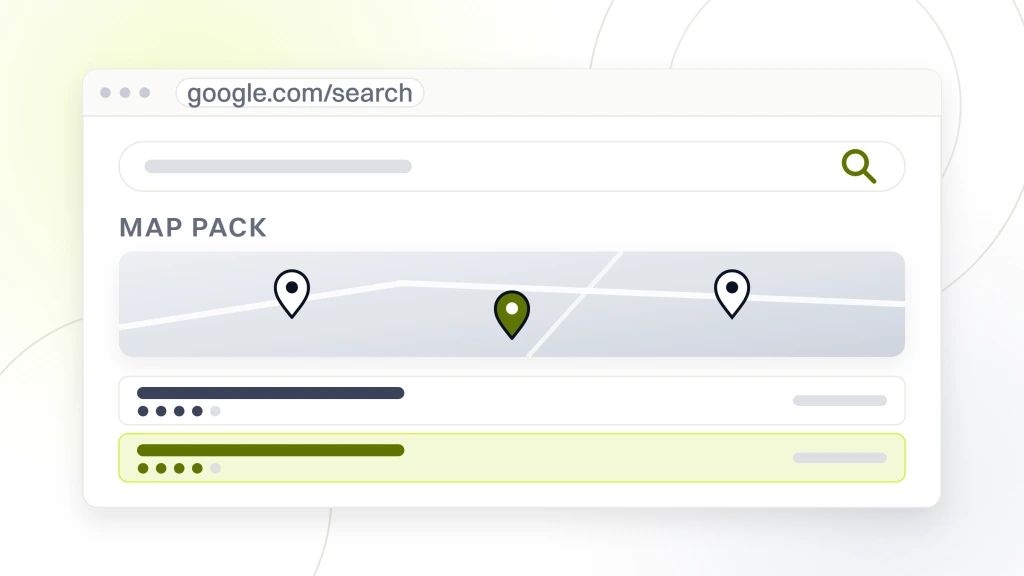
Add 8 to 12 secondary categories that map to your real service mix. Emergency dental service. Cosmetic dentist. Pediatric dentist. Teeth whitening service. Dental implants periodontist. Orthodontist if you place clear aligners in-house. Every secondary category widens the query surface where the profile can match. Do not stuff categories that do not fit. Google is fine with 12 relevant secondaries and hostile to 3 irrelevant ones. Categories drive relevance, and relevance is one of the three ranking pillars alongside prominence and proximity.
Services and Attributes That Grow Dental Local SEO
The services section is a searchable list of what you offer. Every service you list becomes a term Google can match to a query. This is one of the highest-impact sections of the profile and one of the most under-used. Filling it out grows relevance across dozens of long-tail dental queries and moves the Google Business Profile for dentists higher on procedure-level searches like “same day crown” or “child dental exam.”
Add 25 to 60 services grouped logically. General cleanings, exams, fillings, extractions on the routine side. Implants, crowns, bridges, veneers on the restorative side. Invisalign, teeth whitening, bonding on the cosmetic side. Emergency care, wisdom teeth removal, root canals on the urgent side. Each service gets a 300-character description written for a patient, not a bot. Include the procedure name, the practice location, and one benefit sentence. Our local SEO for dentists guide walks through the description formula in full.
Attributes Patients Filter On
Attributes are yes-or-no flags Google surfaces in the profile summary and lets searchers filter on. Wheelchair accessible entrance. Wheelchair accessible parking lot. Restroom. LGBTQ+ friendly. Accepts new patients. Online care. Fill every attribute honestly. The filters run on the search results page, and a missing accessibility attribute drops your profile out of every query filtered on it. These are the fastest ranking-adjacent fixes on the checklist and take 10 minutes to set for a Google Business Profile for dentists.
Appointment Link and Booking Flow
The appointment link on your Google Business Profile for dentists should hit a dedicated booking page, not the homepage. Track that link with a UTM parameter that reads utm_source=gbp&utm_medium=organic. GA4 will then attribute booked appointments back to the profile. Practices that skip UTM tagging see GBP traffic bucket into “direct” in GA4 and end up under-crediting the channel that actually produced the appointment.
Review Generation and Response for Dental Local Search Marketing
Reviews carry the most weight of any ranking signal on the profile. Not the total count. The velocity. A practice with 60 reviews and 5 new ones every month outranks a practice with 300 reviews and none in the last quarter. The 2026 algorithm reads velocity as the freshness proxy and rewards it accordingly. This is the pattern we saw at Delicate Dental Group, a scratch-launch practice led by Dr. Monica Ponce that we partnered with in 2020. Delicate opened with zero digital footprint against competitors that had 15 to 20 years of tenure and hundreds of established reviews in the same region.
We built an automated review workflow for Delicate that pulled in 5 to 12 fresh Google reviews per month from month two onward. Post-appointment SMS asked happy patients for a Google review, front-desk staff worked from tested scripts, and in-office review-culture coaching kept the whole team focused. Inside months, Delicate Dental Group crossed 700 verified Google reviews, grew Map Pack calls 280 percent, and tripled Maps impressions. The Google Business Profile for dentists was the primary asset delivering that growth. Same story pattern shows up across every dental engagement where the review workflow is real and repeatable.
| Review signal | Weak profile | Strong profile |
|---|---|---|
| Total review count | Under 40 | 150+ |
| Reviews last 30 days | 0 to 1 | 4 to 12 |
| Average star rating | 4.3 or lower | 4.7 to 4.9 |
| Owner response rate | Under 40 percent | 100 percent inside 48h |
| Reviews mentioning services | Under 20 percent | 60 percent or more |
| Photos on reviews | Rare | 1 in 5 or better |
SMS-First Review Request Flow
Send an SMS review request 24 hours after a completed appointment. Not immediately, because the patient is still driving home. Not a week later, because the appointment has faded from memory. Twenty-four hours hits the sweet spot for a Google Business Profile for dentists in a busy market. Add one automated follow-up 72 hours later if the first message goes unread. No third message. Third messages read as spam and hurt the practice’s phone number reputation with carriers, which then hurts your regular appointment reminder throughput.
Response Templates That Read Human
Respond to every review inside 48 hours. Positive reviews get a two-sentence response that names the reviewer’s specific detail and adds one detail from the practice. Negative reviews get a four-sentence response that acknowledges the frustration, offers a next step off-platform, and never argues. Google reads response velocity and response rate as prominence signals. Every unanswered review is a small ranking penalty compounding on the profile over time.
Photos and Video That Keep the Profile Active
Photos on a Google Business Profile are a proxy for active management. Google prefers profiles that show new photos every 30 to 60 days. Stale photo galleries send the signal that the practice may have closed. Fresh photos every month keep the profile alive in the algorithm and give patients social proof of what to expect when they walk in. This is one of the cheapest ranking moves on a Google Business Profile for dentists and one of the easiest to hand to a staff member.
Upload 4 to 8 photos per month. Mix categories. Exterior. Interior reception. Operatory. Team. Behind the scenes. New tech. Community event. Team photos in scrubs holding a small sign perform particularly well. Avoid stock photography. Avoid patients without written photo consent, which is a HIPAA issue documented in our dental photo consent for marketing post. Video walkthroughs at 30 to 60 seconds have started to outperform photos in impressions per upload since Google added the video ranking signal in mid-2025.
File Naming and Metadata
Name every image file with a descriptive slug before upload. dental-implant-consultation-vista-ca.jpg beats IMG_2831.jpg. Google reads the filename. Add geo-coordinates to the image metadata using a free tool if you want another small ranking assist, though this signal has weakened since 2023. Keep dimensions at 1200 wide minimum and file size under 300 KB. Anything larger loads slowly on mobile and Google downweights slow-loading media on the profile.
Video Walkthroughs That Convert
A 30-second office walkthrough shot on a modern phone outperforms a professionally produced 90-second video on the profile. Patients want to know what the front desk looks like, whether the operatory feels clean, and whether the parking lot is easy to use. Answer those three questions and skip the b-roll of a hygienist smiling at a fake patient. Real feels honest. Honest converts. iSmile Dental Spa in Carmichael, CA layered a professional patient-trust video into their local marketing mix and saw it compound with the Google Business Profile for dentists rebuild we ran for them. Inside six months iSmile ranked on the first page for 75 keywords, grew organic traffic 800 percent, and grew patient acquisition by 900 percent from a starting baseline of 1 to 2 new patients per month.
Posts and Offers That Stay Live on the Profile
Google Posts on the profile expire after 7 days for standard posts and 6 months for offer posts. Cycling them every week keeps the profile active and gives searchers a call to action inside the map pack card itself. Practices that post weekly show 15 to 25 percent higher call volume from the profile than practices that never post. This is the cheapest weekly action a Google Business Profile for dentists needs to keep growing month over month.
Rotate three post types. Standard update on a new procedure or team addition. Offer post for a new patient exam special. Event post for a community appearance. Every post carries a photo, a two-sentence description, and a call-to-action button linking to a matched landing page on your site. Match the offer to the landing page. Do not use the homepage as the destination for a $99 new patient exam post because the landing math falls apart the moment the patient hits a generic page.
- Publish one Standard post per week on a service, team, or community update
- Publish one Offer post per month tied to a live promotion
- Publish one Event post per quarter around a screening or community day
- Include a photo on every post. Text-only posts underperform by 40 percent
- Track each post with a UTM tag to attribute booked appointments in GA4
- Archive expired offer posts monthly to keep the profile tidy
Call to Action Buttons That Book
Every post supports one CTA button. Book. Order online. Buy. Learn more. Sign up. Call now. For dental practices, Book and Call now outperform every other option. Book routes to your online scheduling. Call now triggers a click-to-call on mobile. Choose based on where your intake wants the traffic. If your front desk handles higher volumes on the phone than online, use Call now. If your online booking has better show rates, use Book. Test both for one quarter and read the GA4 attribution to decide.
Weekly Posting Cadence
Set a weekly posting slot on a Monday morning. Batch four posts on the first of the month. Schedule them out through the profile’s scheduler or a third-party tool like GMB Everywhere. Do not miss weeks. The algorithm reads a two-week posting gap as neglect and the profile’s freshness signal drops fast. Practices that keep a two-year uninterrupted weekly post cadence rank measurably higher than practices that post six times and quit. Consistency wins on a Google Business Profile for dentists more than clever content ever will.
Q and A Section as an SEO Asset
The Q&A section on Google Business Profile is public and searchable. Patients can post questions. Anybody with a Google account can answer, which is a real risk if a competitor decides to be unhelpful. The best move is to seed the Q&A yourself with 8 to 12 real questions and full answers before a competitor or an anonymous account fills the space with junk that hurts the Google Business Profile for dentists in every query the answer touches.
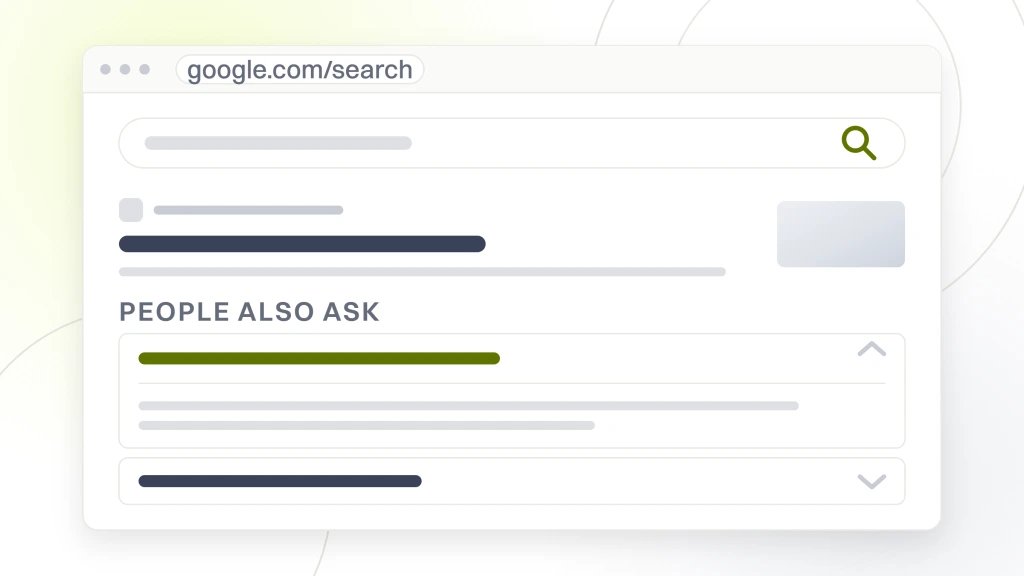
Ask what patients actually ask on discovery calls. Do you take my insurance. Do you see kids. Do you offer sedation. What is the cost of an implant. Do you handle emergencies after hours. Do you have Saturday appointments. Answer each question honestly in 40 to 80 words. Include the phone number, the address, and any relevant service link. Q&A content shows up in search results as expandable answer cards and can pull additional real estate on the map card in your favor.
Multi-Location Google Business Profile for Dentists Management
A group with 5 to 40 offices manages profiles through the Bulk Location Management interface. Each office needs a dedicated profile with a primary category, service list, photo set, and review flow tied to that location alone. Duplicate content across profiles gets flagged and hurts every profile in the group. Smile Design Dentistry, a 50+ location dental support organization we work with across Central Florida and Tampa Bay, ran into this the hard way. Broad targeting and duplicated content across their profiles pulled cost per call up and stalled patient quality. We restructured the profiles per office, wrote per-location service descriptions, and paired the work with CallRail analytics and location-specific landing pages.
Inside the engagement, PPC conversion rate climbed 20 percent and cost per call dropped 30 percent across all 50+ Smile Design Dentistry locations. Assign a single location manager per office who owns photos, posts, and Q&A. Central marketing handles category logic, service descriptions, and review response templates. Do not let central marketing own everything because the local voice disappears and rankings drop 12 to 18 percent inside 24 months. Local voice with corporate structure is the pattern that scales. Our multi-location dental SEO post covers the workflow for DSOs and group practices in more depth.
Chain Locations and Store Codes
Set a store code on every location profile using the format city-neighborhood-office. Store codes make bulk updates painless. When Google rolls out a new attribute or category, you can update all 40 offices in a single upload rather than clicking through 40 profiles individually. This is the workflow difference between managing a 40-office group in an afternoon and taking two weeks to update category attributes across the whole footprint of a Google Business Profile for dentists at scale.
Per-Office Photos Beat Chain Photos
Every office needs its own photo set. A chain that uses the same 8 photos across 40 offices signals a stock feel and Google downweights the group’s freshness signal. Give every office a dedicated team photo, operatory shot, and front-desk close-up. The cost is one photo shoot per year per office, which is cheap for the ranking payoff. Skip this and rankings will flatten no matter how much you spend on content and paid ads.
Insights, Reporting, and Ranking Grid Checks
Google Business Profile insights report impressions, searches, calls, direction requests, and website clicks. Read them monthly. Watch for the ratio of calls to impressions, which is the profile’s engagement rate. Ratios above 4 percent are strong for dental. Ratios under 1 percent point to a profile with reach but no compelling reason to click. VP Dental, a 20+ year practice led by Dr. Valerie Preston, unified their fragmented web and SEO under one strategy with us and used monthly insights to drive the plan. Search impressions grew 776 percent, new monthly patients doubled, and $8,100 in additional monthly recurring revenue came through the Google Business Profile for dentists paired with the site rebuild.
Layer a grid tracker like Local Falcon on top of insights. Grid tracking shows where your profile ranks on a 5-by-5 or 7-by-7 grid across your service area. Insights alone show the total. Grid tracking shows the geography. A profile ranked 1 in the center and 8 at the edge is a proximity problem that photos, reviews, and posts can help with. A profile ranked 4 in the center and 4 at the edge is a prominence problem that needs categories, services, or citation cleanup. Read both together to decide what to fix next.
Reporting Frequency
Pull GBP insights monthly and grid data quarterly for a solo practice, monthly for a multi-location group. Weekly reporting on a single profile is overkill and creates report fatigue. Monthly is the sweet spot for seeing meaningful movement without micromanaging noise. Practices with a strong monthly rhythm on GBP data tend to make better decisions on where to spend the next hour of local work on a Google Business Profile for dentists.
Benchmarks for a Healthy Profile
A healthy dental profile in a mid-size US metro produces 3,000 to 8,000 monthly impressions, 80 to 260 direction requests, 60 to 220 calls, and 200 to 700 website clicks. Numbers below the low end usually flag a categorization or review velocity problem. Numbers above the high end usually flag a strong prominence signal from consistent posts, photos, and reviews. Benchmarks scale up 2 to 4x for major metros and down 40 to 60 percent for smaller markets.
Case Study Snapshot for North County Dental Care
North County Dental Care, a family practice in Vista, CA with more than 20 years of community reputation, held zero top-10 search positions and ran a fragmented marketing program across multiple agencies before we came in. NAP listings were inconsistent, GMB presence was thin, and new patient flow sat at 1 to 2 patients per month from digital. We rebuilt the site on a secure mobile-first foundation, cleaned up NAP and citations, added schema, fixed broken links, and layered a targeted GMB PPC campaign with local video marketing on top of the Google Business Profile for dentists cleanup.
From 2021 to 2024, North County Dental Care grew patient volume 1,000 percent, grew organic traffic 385 percent, and returned 500 percent on marketing spend. New patient flow settled at 12 to 16 patients per month, up from 1 to 2. The Google Business Profile for dentists sat at the center of the local layer. It is the pattern we deploy on every dental engagement where a strong offline reputation is being undersold by an invisible or broken online presence.
Ongoing Rhythm That Keeps a Google Business Profile for Dentists Winning
Setup takes an afternoon. Winning takes a rhythm. Weekly posts. Monthly photos. Daily review responses. Quarterly grid tracking. Annual category refresh. Practices that hold this rhythm for two years land inside the top 3 map results for their primary procedure and city within 12 to 18 months in most metros. The rhythm compounds. Every quarter of consistent execution stacks on the last one, and the profile becomes progressively harder for competitors to catch.
Assign one person to own the profile. Not the front desk on top of their day job, unless the front desk has 30 minutes of protected time per week. Not the practice owner on weekends. Give the profile a real owner with a real slot in the weekly calendar. Our local SEO for dentists post covers the full owner playbook. When the profile has an owner and a slot, everything else falls into place on the Google Business Profile for dentists.
The GBP Owner Role
The GBP owner spends about 30 minutes per week keeping the profile active. Fifteen minutes on the weekly post and photo upload. Ten minutes on review responses. Five minutes on Q&A monitoring. Twice a year the owner spends two hours on a full audit of categories, attributes, services, and photos. Total time investment across the year sits under 40 hours for a single-location practice. The payoff is measured in bookings, not effort.
When to Outsource
Outsource the profile when the owner cannot hold the 30 minutes per week reliably, when the practice has 3 or more locations, or when the local competition is dense and needs a strategy layer on top of execution. Retainers for GBP-only management run $150 to $400 per month per profile. Bundled with local SEO and content, the number lands in a $999 per month retainer at Redefine Web that covers the Google Business Profile for dentists plus content and citations.