
HIPAA Marketing Compliance Dental Practices Need in 2026
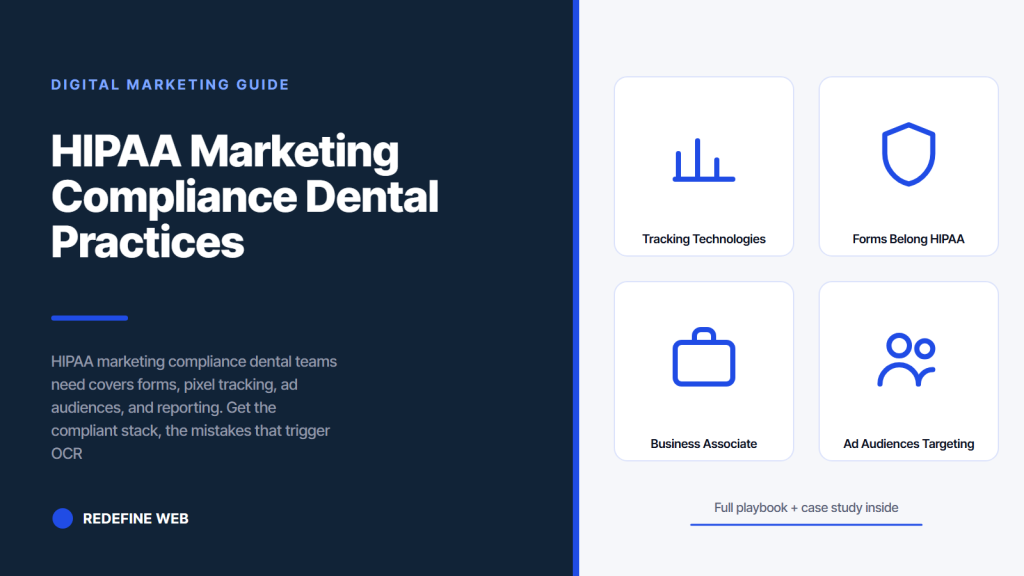
- Raw Meta Pixel on scheduling pages is a class-action trigger.
- Form platforms without a signed BAA are a compliance defect.
- Server-side tracking preserves attribution and cuts exposure.
- Patient list uploads to ad platforms need written authorization.
- BAAs on every marketing vendor are the paperwork OCR asks for.
- The tracking technologies bulletin in plain English
- Forms that belong on a HIPAA compliant dental website
- Pixels and tracking scripts that need a second look
- Server-side tracking that preserves attribution
- Business associate agreements and vendor review
- HIPAA marketing compliance dental ad audiences and targeting
- Privacy policy and consent language that holds up
- Real audit findings across dental clients
- Case study multi-location dental group tracking rebuild
- A 90 day HIPAA marketing compliance dental remediation plan
- Working with a vendor on HIPAA compliant marketing tracking
- How compliance and attribution actually coexist
HIPAA marketing compliance dental practices need is one of the fastest moving areas of digital marketing, and it is one of the easiest places to accidentally cost your practice a six-figure penalty. The Meta Pixel settlements, the OCR guidance on tracking technologies, and the ongoing patient class actions have all raised the bar for what counts as a compliant marketing stack. Most dental websites you audit still fire a raw Meta Pixel on the appointment page, still route contact forms through an unencrypted email address, and still send patient names into Google Analytics as URL parameters. Any single one of those can trigger a complaint. This guide walks the compliant stack, the mistakes we see most often on new client audits, and the specific fixes you can apply this week to bring your dental website marketing into a defensible position.
Redefine Web runs HIPAA compliant dental website work across solo practices and multi-location groups, so the fixes you read here come from real audit findings, not from a category page. Every number in this guide reflects what we have seen on active accounts.
The tracking technologies bulletin in plain English
The 2022 OCR bulletin on tracking technologies changed the marketing conversation for every covered entity in the country. It clarified that IP addresses, device identifiers, and behavioral data collected on authenticated or unauthenticated pages can be PHI when combined with the identity of the covered entity. The 2024 update softened one narrow point but left the core position in place.
Authenticated vs unauthenticated pages
Authenticated pages (patient portal, secure messaging, booking flows behind a login) trigger the strictest rules. Any third-party script firing there is a compliance risk without a business associate agreement, and even with one, most ad platforms will not sign a BAA. Unauthenticated public pages have more flexibility, but the OCR position is that a visit to a specific service page can still create PHI when combined with the entity name.
What the 2024 update actually changed
The 2024 update to the tracking guidance drew a narrower line around casual browsing of general education content on an unauthenticated site. It did not change the core position on scheduling forms, appointment confirmation pages, or any URL that identifies a service or location paired with an identifiable IP. Dental practices should read the update as a small carve-out, not a green light.
Where the safe harbor still lives
A dental blog post about brushing tips, viewed by a random visitor with no relationship signal to your practice, sits far from the PHI line. A visit to /services/dental-implants followed by a scheduling form submission crosses it. Design your tracking stack around that split, and read the HHS online tracking guidance when you need to check a specific edge case.
Forms that belong on a HIPAA compliant dental website
Forms are the biggest compliance liability on most dental websites because they capture PHI, hand it to a plugin, and then let that plugin decide where the data goes next. Most standard WordPress form plugins are not HIPAA compliant out of the box. You need a form platform with a signed BAA, encrypted transport, encrypted storage, and no third-party scripts loaded from the form itself.
Fields to collect and fields to skip
Collect the minimum: name, phone or email (not both if you can avoid it), preferred appointment window, and one open field for the reason for the visit. Skip date of birth, insurance details, and treatment history at the marketing form stage. Those belong in the practice management system after the front desk has confirmed the appointment, not in a public form that hands data to your marketing stack.
Form platforms with a BAA
Formstack, JotForm Enterprise, HIPAA-tier Gravity Forms with the right add-ons, and Formidable Forms with the compliance package all sign BAAs. WPForms Pro on its own does not qualify without additional infrastructure. Native Ninja Forms does not qualify. Ask every vendor for the BAA in writing before you point a form at their endpoint.
Where the form data goes next
Form data should go to a HIPAA compliant email inbox (Paubox, LuxSci, or a Google Workspace with the healthcare BAA and Vault configured) and to your practice management system through a compliant integration. Do not route the confirmation to a personal Gmail account or a Zapier flow that hops through non-BAA services. One weak link in the chain breaks the whole compliance story. Our dental website compliance covers the full checklist for the site.
Somewhere in Ohio a dental practice is sending appointment requests to a shared Gmail inbox that is also used to sign up for pizza rewards. The password is the front-desk manager’s dog’s name plus 123. Meta has fired a pixel on the confirmation page since 2019. The practice believes it is HIPAA compliant because a plaque on the wall says so. The office manager printed the plaque herself on a laminator she found at Staples. A pending OCR complaint sits in a folder titled REVIEW SOON, which has not been reviewed soon since 2021.
Pixels and tracking scripts that need a second look
Every third-party script on your website is a compliance decision. Meta Pixel, Google Ads conversion tags, LinkedIn Insight Tag, TikTok Pixel, session replay tools, chat widgets, and A/B testing scripts all send behavioral data to a third party. Some of that data is fine on unauthenticated general content. Almost none of it is fine on scheduling flows or service pages tied to an identifiable IP address.
Meta Pixel and the class actions
The Meta Pixel class actions targeted hospitals and clinics that fired the raw pixel on scheduling pages. The plaintiffs argued that Meta received PHI in the form of URL data, form field content, and behavioral signals tied to an IP address. Settlements have crossed $30 million. If you are running the Meta Pixel on any page that touches a scheduling flow or a specific treatment service page, move to Meta Conversions API with a hashed-identifier server-side setup and remove the browser pixel from those pages.
Google Analytics and Google Ads tags
Google Analytics 4 collects IP addresses and device signals by default. Google will not sign a BAA covering GA. That means you should not use GA on authenticated pages, and you should scrub every URL parameter that carries a service or location signal on unauthenticated conversion pages. Google Ads conversion tags are a similar story: server-side conversion imports with hashed identifiers replace the browser tag on any sensitive page.
Chat widgets and session replay
Chat widgets from vendors without a BAA (Drift, Intercom, most consumer-tier live chat tools) capture message content plus identifiers plus timestamps. Session replay tools such as Hotjar, FullStory, and Microsoft Clarity record every keystroke on your forms unless you mask sensitive fields. For a dental site you should mask every form field by default and only enable session replay on non-sensitive pages. Some vendors offer a BAA under a healthcare tier; ask before you install. See HIPAA Journal on compliant websites for the vendor evaluation checklist we work from.
Most dental sites still fire a Meta Pixel on the booking page. Open View Source, search 'fbq'. If it's there without CAPI and consent gating, you're a class action target.
Server-side tracking that preserves attribution
Server-side tracking is how you keep your marketing measurement working without exposing identifiers into ad platforms. The pattern: browser events fire to your own endpoint, your server hashes identifiers, your server forwards the hashed payload to Meta Conversions API and Google Ads offline conversion imports. The ad platforms still optimize toward conversions, but they never see raw identifiers.
Meta Conversions API setup
Meta Conversions API accepts server-to-server events. You hash the email and phone with SHA-256 before sending, strip URL parameters that reveal service or location, and skip content_name and content_ids fields that would carry PHI. Meta gets a conversion signal and an anonymized match key. It does not get the raw identifier. Attribution windows and audience matching still work at a materially higher match rate than a broken pixel.
Google Ads offline conversion imports
Google Ads offline conversion imports send hashed conversion signals from your CRM into the Google Ads algorithm. The setup uses GCLID captured at first click, stored in your PMS or CRM, and imported back into Google Ads when the patient books, shows up, or accepts a treatment plan. The Google Ads bidder now optimizes on booked appointments and case value, not on raw form submissions. Cost per booked appointment usually drops 20 to 40 percent in the 90 days after go-live.
A server-side stack the front-end never sees
The clean pattern uses Google Tag Manager server-side container, hosted on a subdomain of your site, receiving events from the browser and forwarding them to platforms with hashing and payload filtering applied. That container becomes the one place where your compliance team can audit exactly what leaves your site and where it goes. When we set up HIPAA compliant marketing tracking for a dental client, this is the pattern we default to.
Business associate agreements and vendor review
A business associate agreement is the legal instrument that lets you share PHI with a vendor. Without one, that vendor cannot legally receive PHI, and your practice is on the hook for the disclosure. Marketing stacks quietly involve a dozen vendors, so vendor review is a real project, not a checkbox.
Vendors that must sign a BAA
Your hosting provider (WP Engine offers a healthcare tier with a BAA, Kinsta signs enterprise BAAs, standard shared hosting does not qualify). Your form platform. Your CRM. Your email marketing platform if it touches patient lists. Your call-tracking vendor. Your practice management integration. Your review generation vendor. Any BAA-required vendor without a signed agreement is a compliance defect, not a technicality.
Vendors that will not sign one
Meta, Google, TikTok, LinkedIn, and most consumer analytics tools will not sign a BAA for their standard products. Route PHI-adjacent workflows around them, not through them. This is why server-side tracking with hashed identifiers exists: it keeps those platforms in your stack without pushing PHI into them.
Documentation the auditor will ask for
Keep a vendor list with the current BAA version, effective date, and renewal date for every marketing vendor that could touch PHI. When OCR opens a compliance review, this document is the first thing they ask for after your privacy policy. Practices without a vendor list spend the review scrambling. Practices with one usually resolve the review faster.
HIPAA marketing compliance dental ad audiences and targeting
Uploading a patient list to Meta or Google as a custom audience is the fastest way to convert a marketing task into a HIPAA violation on the ad side, and HIPAA marketing compliance dental teams miss this one often. The upload itself sends identifiers to a third party, which triggers PHI disclosure without patient authorization. HIPAA marketing compliance dental teams need to know when audience uploads are allowed and when they are not.
Patient list uploads
Do not upload a patient list to any ad platform without explicit written patient authorization for that use. General consent forms do not cover it. Meta and Google will happily accept the list, hash it on their end, and match it, but that does not make the upload compliant. Practices that build lookalike audiences from patient lists without authorization are the top target for pixel-adjacent class actions.
Prospect audiences that stay compliant
Build prospect audiences from public data: geographic radius around each office, demographic filters allowed by the platform, and interest categories that do not signal patient status. Interest categories such as parenting or homeownership are fine. Interest categories that could be interpreted as targeting people with a health condition are risky and should be avoided.
Retargeting on general content
Retargeting site visitors who read a blog post about oral hygiene tips is defensible. Retargeting visitors of /services/dental-implants is the case OCR wrote the bulletin about. Move that retargeting to server-side with hashed identifiers, and remove URL-based service signals from the audience definition. Our team supports this on dental marketing tools setups when we take over an account.
Privacy policy and consent language that holds up
Most dental privacy policies you audit have not been updated since the practice’s original web build. They do not mention pixels, do not name the ad platforms, and do not describe the tracking that actually runs on the site. That gap is a defect. Consent language and privacy notices need to reflect what the stack actually does.
Elements a defensible policy includes
Name the categories of tracking (essential, analytics, advertising). Name the third parties by product family (Meta advertising products, Google advertising products, Google Analytics). Describe the data collected, the purposes, and the retention windows. Include a mechanism for patients to withdraw consent for optional tracking. Link the Notice of Privacy Practices required by HIPAA separately, because the two documents cover different things.
Cookie banners that actually work
A cookie banner that offers reject-all as a first-class option, blocks non-essential scripts until consent is granted, and stores consent by category is the baseline. Banners that pretend to be cookie consent tools but load every script anyway are worse than useless because they give a false record of consent. Vendors such as Cookiebot, OneTrust, and Osano all handle this well when configured correctly.
Patient authorization for marketing use
Any marketing use of PHI (testimonials, before-and-after photos, review requests that identify treatment) requires a specific patient authorization under HIPAA. The authorization must name the use, name the recipient, describe the data, and include an expiration and revocation clause. Practices that operate on informal handshake permission for testimonial use are one complaint away from a preventable finding. For the photo side of this, our dental photo consent covers the paperwork.
Real audit findings across dental clients
When Redefine Web takes over a dental account, we run a compliance audit on the marketing stack in the first two weeks. The findings pattern is remarkably consistent across solo practices and multi-location groups. The table below tracks what we typically find and what it takes to fix.
| Finding | How often we see it | Severity | Typical fix window |
|---|---|---|---|
| Raw Meta Pixel on scheduling pages | 72% of audits | Critical | 7 to 14 days |
| Form platform without a BAA | 64% of audits | Critical | 10 to 21 days |
| URL parameters exposing service or location | 58% of audits | High | 3 to 7 days |
| Session replay recording form fields | 41% of audits | High | 2 to 5 days |
| Privacy policy older than 24 months | 82% of audits | Medium | 14 to 30 days |
| Patient list uploaded to Meta or Google | 34% of audits | Critical | Immediate removal, plus review |
The critical findings account for the class-action exposure. The high and medium findings account for the OCR complaint exposure. Practices that clean the critical row first cut their real-world risk by roughly 80 percent inside three weeks. The remainder is documentation and policy work that takes another 30 to 45 days but is not a class-action trigger on its own. The pattern above holds across solo practices and multi-location groups. A single-office practice usually has one form platform, one hosting vendor, and two or three ad platforms to worry about. A 12-office group might have three form platforms across acquired offices, mixed hosting, and legacy pixels from prior agencies. The multi-location audit takes longer, but the fix priority is the same: kill the browser pixels on scheduling pages, remove uploaded patient lists, and standardize on one HIPAA-tier form platform before you touch anything else. Documentation lands last because policy language should describe the stack you actually run, not the stack you plan to run in 60 days.
Ownership plays into this. When ad accounts and analytics properties sit inside an agency login the practice cannot see into, compliance review becomes twice as slow. Insist on practice-owned accounts before you start the audit, or make the ownership transfer the first task on the plan.
Case study multi-location dental group tracking rebuild
Smile Design Dentistry runs 50+ dental offices as a DSO and came to Redefine Web with the pixel and forms audit findings from a routine legal review. The legal team had flagged raw Meta Pixel on the appointment page, a form platform without a signed BAA, and a privacy policy that had not been updated since 2019. The marketing team needed the tracking rebuilt without losing attribution.
What we removed
Raw Meta Pixel came off every scheduling page, every service page, and every location page. Session replay recording came off every form. The uploaded patient list came out of the Meta ad account. The legacy contact form got replaced with a Formstack HIPAA-tier form that routed submissions through a Paubox inbox and into the DSO’s practice management system through a compliant integration.
What we rebuilt
Server-side Meta Conversions API replaced the browser pixel across all 50+ locations. Google Ads offline conversion imports fed hashed booked-appointment data back into the paid algorithm from the DSO’s PMS. GA4 stayed on general content pages and came off appointment confirmation pages. A new consent banner blocked non-essential scripts until reject-all or accept-all was chosen.
What moved on the account
PPC conversion rate climbed 20 percent across the DSO network in the 90 days after go-live. Cost per call fell 30 percent. Attribution quality actually improved because server-side identifier hashing gave Meta and Google better match rates than the broken browser pixel had before the rebuild. The DSO’s legal team signed off on the new stack after a documentation walkthrough. Ownership of every ad account, tracking property, and form endpoint sits under the DSO login. For the full attribution rebuild framework, see dental marketing attribution, and read the FTC and HHS joint warning for the enforcement context.
A 90 day HIPAA marketing compliance dental remediation plan
If your marketing stack has drifted from HIPAA marketing compliance dental standards, you do not need to rebuild everything at once. A 90 day plan sequences the highest-risk fixes first, keeps the marketing running, and produces the documentation your legal team needs.
Days 1 to 14: remove the critical exposures
Pull raw Meta Pixel from scheduling flows and service pages. Remove any patient list uploads sitting in Meta or Google. Turn off session replay on form pages. Strip PHI-adjacent URL parameters from conversion pages. Document what you removed and when. These are the fixes that materially reduce class-action exposure.
Days 15 to 45: rebuild the tracking stack
Set up a server-side Google Tag Manager container on a subdomain of your site. Configure Meta Conversions API with hashed identifiers. Configure Google Ads offline conversion imports through your PMS. Move the form platform to a HIPAA-tier vendor with a signed BAA. Validate that conversions are firing at 85 percent or better match rate against the previous baseline.
Days 46 to 90: policy and documentation
Update the privacy policy to reflect the current stack. Collect BAAs from every marketing vendor and file them centrally. Update patient authorization forms for testimonial, photo, and review request uses. Train the front-desk team on the new appointment form flow. Schedule a legal review at day 90 to close the loop. Our dental website maintenance covers the ongoing check cadence that keeps this work in place.
Working with a vendor on HIPAA compliant marketing tracking
Most dental marketing vendors will happily promise HIPAA marketing compliance dental buyers ask for in a sales call and then hand you a stack that quietly violates the tracking bulletin. The questions that separate real compliance teams from sales stories are specific.
Questions to ask on the pitch call
Can you send me a copy of the BAA you will sign with our practice? Which of my vendors will you handle the BAA collection for? What is your default position on Meta Pixel on scheduling pages? Do you use server-side tracking with hashed identifiers? How do you handle patient list audiences? What is your remediation plan if OCR opens a compliance review on this stack? Real teams answer specifically. Sales-first vendors change the subject.
Red flags on the technical side
The vendor recommends you install Meta Pixel and Google Ads tags on every page. The vendor uploads your patient list without a written authorization discussion. The vendor uses shared hosting that does not sign a healthcare BAA. The vendor’s form vendor is not on the shortlist of BAA-signing platforms. Two or more of those signals means the vendor has not run a compliance-first stack and is unlikely to catch the issues before your legal team does.
Ownership of the stack matters
Every ad account, every tag manager container, every form endpoint, and every hosted subdomain should sit under practice-owned logins. Vendors that hold ownership hostage inside agency accounts create a compliance liability the practice cannot see into. Ownership by the practice is the baseline expectation, not a negotiation. For the broader agency evaluation, our dental marketing for dentists covers the vendor selection framework.
How compliance and attribution actually coexist
The most common objection to tightening compliance is that it breaks attribution and cripples the paid accounts. The opposite is usually true. Server-side tracking with hashed identifiers restores signal that a broken browser pixel was already losing to ad blockers and tracking prevention. Compliant attribution ends up cleaner.
Match rates after the rebuild
Meta Conversions API with hashed email plus phone plus first name typically returns a 62 to 78 percent match rate versus 34 to 48 percent for a browser pixel on a modern site. Google Ads enhanced conversions with hashed identifiers land in the same range. The paid algorithm now optimizes on cleaner signal, and cost per booked appointment usually improves inside the first 90 days.
What actually breaks after the shift
Cross-domain retargeting on service-specific audiences breaks by design. That is the point of the shift. Aggregate audience sizes on granular targets shrink. Broad retargeting on general content still works. Practices that build campaign structure around general-content retargeting plus intent-based prospecting find the paid economics stay strong.
The dashboard patients never see
Behind the marketing dashboard sits a compliance dashboard: server-side event volume, hashed identifier match rate, form platform submission rate, BAA renewal calendar, and consent banner accept-vs-reject ratio. Practices that watch both dashboards weekly rarely trip a compliance issue. For the broader attribution stack, see our dental marketing attribution.
If your last privacy policy update predates the OCR tracking bulletin, or if you cannot name every third-party script firing on your appointment confirmation page, a two-week HIPAA marketing compliance audit is the fastest way to see where the exposure actually is. Every dental practice eventually needs that audit, and doing it before an OCR letter arrives costs 5 percent of what it costs after.
Frequently asked questions
Is Meta Pixel HIPAA compliant on a dental website?
A raw browser-installed Meta Pixel is not HIPAA compliant on scheduling pages, service pages, or any page where a visit can be tied to a specific treatment interest and an identifiable IP address. Meta will not sign a business associate agreement covering the standard pixel product. Dental practices should remove the browser pixel from those pages and move to Meta Conversions API with server-side hashed identifiers. That setup gives Meta a conversion signal without exposing PHI, and it restores match rates that browser tracking has been losing to ad blockers and tracking prevention for years.
Do I need a BAA with Google Analytics?
Google will not sign a business associate agreement covering Google Analytics 4, which means GA4 should not sit on authenticated pages or on any URL that could tie an identifiable visitor to a specific treatment interest. On unauthenticated public content such as blog posts and general practice pages, GA4 is defensible when you scrub PHI-adjacent URL parameters and strip form field values before sending events. If you need behavioral analytics on sensitive pages, a first-party analytics tool that will sign a BAA is the right replacement rather than trying to make GA fit.
Can we upload a patient list to Meta or Google for advertising?
Not without explicit written patient authorization for that specific marketing use. General consent forms signed at the intake stage do not cover this. The upload itself sends identifiers to a third party, which qualifies as PHI disclosure under HIPAA. Practices that built lookalike audiences from patient lists have been a top target for pixel-adjacent class actions. Build prospect audiences from public data such as geographic radius, allowed demographic filters, and interest categories that do not signal patient status, and keep patient list activation for compliant channels only.
What form platforms are HIPAA compliant for dental websites?
Formstack, JotForm Enterprise, HIPAA-tier Gravity Forms with the compliance add-ons, and Formidable Forms with the healthcare package all sign business associate agreements and offer the encryption and access controls HIPAA requires. Standard WPForms, standard Ninja Forms, and native Contact Form 7 do not qualify without additional infrastructure. Always ask the vendor for a copy of the BAA in writing before pointing a form endpoint at their service. The vendor that shrugs when you ask is the wrong vendor for a dental practice.
Does our privacy policy need to name Meta and Google specifically?
Naming the third-party ad and analytics products your site uses, at least by product family, is the defensible position under both HIPAA marketing guidance and state privacy laws such as CCPA and CPRA. A policy that says we use third-party cookies is too vague. A policy that names Meta advertising products, Google advertising products, Google Analytics, and your consent banner vendor gives patients enough information to make an informed decision and gives your legal team a document they can defend if the practice is ever asked about disclosure practices.
How do we track marketing ROI without breaking HIPAA?
Server-side tracking with hashed identifiers is the pattern. You send events from the browser to your own server-side endpoint, hash email, phone, and first name with SHA-256 before forwarding to Meta Conversions API and Google Ads offline conversion imports, and strip URL parameters that reveal service or location. Ad platforms still see conversion signals and can still optimize your campaigns. They never see raw identifiers. Match rates typically end up higher than a browser pixel because server-side signal survives ad blockers and tracking prevention that browser pixels lose to.
How fast can a dental practice get to a compliant marketing stack?
The critical exposures (raw Meta Pixel on scheduling pages, uploaded patient lists, session replay recording form fields) can come off in 7 to 14 days. The tracking stack rebuild with server-side Meta Conversions API and Google Ads offline conversion imports takes 15 to 45 days depending on your CRM and PMS integration. The policy and documentation work adds another 30 to 45 days. A 90 day plan gets a typical dental practice from a legally risky stack to a defensible one without breaking the paid campaigns.
Book your free 30-minute strategy call.
No spam, no sales rep. We use your email to schedule your call with a senior strategist. That is it.
More from the blog
View all articles → Digital Marketing
 Dental Marketing Tips That Compound Into New Patients
Read article Digital Marketing
 Ecommerce Marketing Strategies That Drive Real DTC Revenue
Read article Digital Marketing