Automated compliance solutions for healthcare websites turn a quarterly HIPAA sweep and a WCAG audit from a forgotten Google Doc checklist into a continuous system that flags drift the same day it happens. Practices that treat compliance as an annual project keep losing to practices that treat it as a nightly cron job. The gap between those two postures is where most small-practice HIPAA incidents happen. A plugin update goes live on Tuesday, a tracking script starts firing on the appointment page, and nobody checks until a compliance officer asks.
This guide covers what automated compliance solutions for healthcare websites should watch, which pieces still need a human eye, cookie consent management platforms for healthcare websites HIPAA compliance rules, ADA compliance for healthcare websites scanning, and the tool combinations that hit 80% of the workload on a $200 monthly budget. Every recommendation comes from real client sites we maintain, not from vendor sales sheets.
Contents at a glance. WCAG accessibility scanning for ADA compliance. Cookie consent management platforms for HIPAA compliance. PHI-safe analytics validation. Healthcare website security headers and TLS automation. Tool and cost picks. Pelvic Rehabilitation Medicine case study. Common mistakes. Frequently asked questions.
WCAG scanning for ADA compliance for healthcare websites
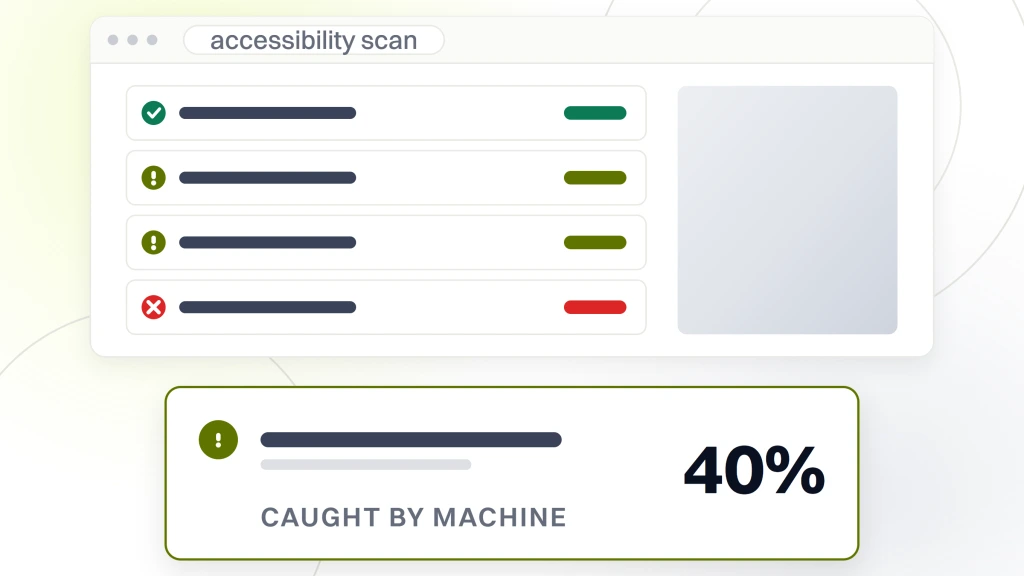
ADA compliance for healthcare websites is a legal exposure and a UX obligation at the same time. The DOJ took a formal position in 2022 that websites of public-facing businesses fall under Title III of the ADA. Healthcare practices sit squarely inside that ruling, so automated compliance solutions for healthcare websites now start with accessibility scanning. WCAG 2.1 AA is the working standard. Automated scanning catches roughly 40% of WCAG violations at machine speed, leaving the harder 60% for manual review.
What automated WCAG scanners catch
The machine-detectable violations are the boring ones. Missing alt text on images, insufficient color contrast between text and background, missing form labels, missing skip links, broken heading hierarchy, missing ARIA landmarks, and missing lang attributes. axe-core, WAVE, Lighthouse accessibility audits, and Deque Axe DevTools all catch these reliably. Running one of them weekly against the top 30 pages plus any new content catches the drift that shows up when marketing teams push pages without an accessibility check.
Set the scanner to fail the build if the accessibility score drops. A pre-deploy gate stops a bad page before patients see it. That gate is the single highest-value control in ADA compliance for healthcare websites, and it takes 30 minutes to wire up in a modern CI pipeline.
What humans still have to check
Whether alt text describes the image accurately. Whether tab order makes sense in a complex intake form. Whether a video carries meaningful captions and audio descriptions. Whether an interactive component announces state changes to a screen reader. Whether error messages read clearly to a patient using assistive tech. Those all need a human running a screen reader (VoiceOver, NVDA, JAWS) against the site once a quarter. Automation flags the machine-detectable half, and humans handle the meaningful half.
Cookie consent management platforms for healthcare websites HIPAA compliance
Cookie consent management platforms for healthcare websites HIPAA compliance are the layer that keeps analytics and marketing tags from firing until the patient consents. On a healthcare site the consent gate is a bigger deal than on a general marketing site, so a fired-too-early tracking pixel can carry PHI to a third party without a signed BAA in place. Getting the consent gate right is non-negotiable in 2026, which is why automated compliance solutions for healthcare websites treat consent as the foundation layer.
Popular platform picks include OneTrust, Cookiebot, Osano, Termly, and Complianz for WordPress-specific setups. Every one of them handles the base consent banner and cookie gating. The difference between them shows up in granular consent categories, geo-based rule sets, and the audit trail they keep for compliance reporting. For a US-only single-location practice, the free tier of Complianz or Termly covers the base case. For a multi-region health system, OneTrust or Cookiebot at $100 to $500 a month is the safer pick.
Required capabilities for cookie consent management platforms for healthcare websites HIPAA compliance
- Block analytics scripts by default. Google Analytics 4, Meta Pixel, HubSpot, and every other third-party tag stays held until the patient clicks accept.
- Category-based consent. Necessary, functional, analytics, marketing. The patient can accept some categories and reject others.
- Geo-based rules. California residents get a CCPA-specific banner, EU residents get a GDPR-specific banner, and Colorado, Virginia, Utah residents get the state-specific variant.
- Consent log retention. Every consent decision timestamped and stored for at least 12 months, ideally 36.
- Google Consent Mode v2 integration. Signals to Google whether ads consent and analytics consent are granted, so Google Ads bidding behaves correctly.
- Cookie audit auto-scan. Weekly scan detects any new cookies the site starts setting, then prompts a category assignment.
The Google Consent Mode documentation is the reference for the analytics-side integration. Cookie consent management platforms for healthcare websites HIPAA compliance work best when they get wired to Consent Mode from day one and not bolted on later. Retrofitting Consent Mode against a live analytics setup takes 4 to 8 hours; wiring it during initial setup takes 30 minutes.
PHI-safe analytics validation
Even with consent gates and BAAs in place, healthcare analytics setups drift over time. A new event tag gets added by a marketing consultant. A new URL parameter shows up on an appointment confirmation page. A field label gets pushed into an analytics event payload by a form plugin update. Any of the three can push PHI into Google Analytics or Meta silently. PHI-safe analytics validation is the automation layer that catches those patterns before compliance officers do, and it belongs in every stack of automated compliance solutions for healthcare websites.
What the PHI validator scans
Every event payload sent to Google Analytics 4 gets sampled and checked for patterns that look like PHI: potential names, potential symptom words, potential appointment types tied to diagnosis codes. Every URL that lands on the confirmation page gets checked for query strings that could carry PHI. Every third-party tag manager container gets diffed weekly against the last known-good version, so unexpected tag additions get caught the same day they land.
The scanner runs on a lightweight Puppeteer script, or as a paid tier of Feroot or ObservePoint. A single-practice DIY setup runs on $0 to $30 a month of cloud compute. A multi-location group hits $200 to $500 a month for the vendor version with the reporting UI a compliance officer wants to see.
Reporting and audit trail
Every scan run generates a JSON audit report stored for 12 months. Every flagged event gets a screenshot and a payload capture. When HHS OCR opens an investigation, or when a compliance officer runs an internal audit, the audit trail is what proves the practice was actively monitoring PHI exposure and not hoping for the best. A 12-month audit trail is the compliance baseline for automated compliance solutions for healthcare websites. Longer retention (36 months) costs almost nothing in cloud storage and covers most OCR investigation windows.
Healthcare website security headers and TLS automation
Healthcare website security depends on the boring layer of HTTP security headers and TLS certificate management running correctly every day. Missing headers, weak TLS ciphers, or an expired certificate breaks patient trust and Google rankings in the same afternoon. Automation handles the recurring work, so the maintenance team only touches it when something changes.
What to automate on healthcare website security headers
Content Security Policy (CSP) enforcement, Strict-Transport-Security (HSTS), X-Content-Type-Options, X-Frame-Options, Referrer-Policy, and Permissions-Policy all get set at the CDN or origin server and tested weekly by an automated scanner. Mozilla Observatory and securityheaders.com both offer free scanners the maintenance team can run on a schedule via API. A weekly check catches a missing header the moment a hosting migration or a plugin change drops it.
Any deployment of automated compliance solutions for healthcare websites should set the CSP in report-only mode for the first two weeks. That way you catch every legitimate script the site depends on before the enforcement mode blocks something patient-facing. Once the report is clean, flip to enforcement. Skipping the report-only phase is the single most common way healthcare website security rollouts break appointment forms.
TLS certificate management
Let’s Encrypt with automated renewal via certbot, or the hosting platform’s built-in tooling, covers 95% of healthcare sites. The remaining 5% are enterprise setups running EV certificates from a commercial CA. Either way the automation piece is the same. Monitor the certificate expiry date daily, alert 30 days before expiry, and validate the renewal installed correctly. Expired certificates cause immediate ranking drops and patient trust damage in the same 24 hours.
Beyond the renewal itself, the automation should also check the chain of trust, verify the certificate matches the served hostname, and confirm the TLS version negotiated is 1.2 or higher. Weak ciphers still get negotiated on misconfigured servers, and Mozilla Observatory catches those in the same weekly scan.
Tool and cost picks for automated compliance solutions for healthcare websites
The stack we run for automated compliance solutions for healthcare websites on client sites costs $150 to $400 a month total, covering all four workstreams above. The table breaks down the categories, the tool picks, and the price bands. Every price assumes a single-location practice site. Multi-location groups scale up on log volume and check frequency, so the multi-location number sits at $600 to $1,500 monthly.
| Workstream | Tool picks | Monthly cost | Check frequency |
|---|---|---|---|
| HIPAA form and tracking | Feroot, ObservePoint, or DIY Puppeteer | $0 to $500 | Nightly |
| WCAG accessibility | axe-core, WAVE, Deque Axe DevTools | $0 to $80 | Weekly |
| Cookie consent management | Cookiebot, OneTrust, Complianz, Termly | $0 to $500 | Every page load |
| PHI-safe analytics | DIY GTM auditor, Feroot | $0 to $300 | Weekly diff |
| Security headers and TLS | Mozilla Observatory API, Let’s Encrypt | $0 to $30 | Weekly plus daily cert check |
How to sequence the tool rollout
Start with HIPAA form and tracking auditing, so you catch the compliance failures that carry the highest dollar risk. Add cookie consent management second, since it feeds into HIPAA form auditing (uncontrolled scripts fire tracking calls before consent). Add WCAG scanning third, so ADA demand letters (cheaper on average than HIPAA fines) get flagged as they show up. Add PHI-safe analytics validation fourth as the confidence layer over the other three. Security header monitoring plugs in at any point on the timeline.
DIY vs vendor picks by practice size
Single-practice sites run fine on DIY setups using Puppeteer, axe-core, and Complianz. Multi-location groups and DSOs at 5 or more locations benefit from vendor picks (Feroot, OneTrust, Deque Axe DevTools), since the compliance reporting UI matters when a compliance officer needs monthly evidence. Health systems standardize on OneTrust plus ObservePoint plus Deque for a $2,000 to $5,000 monthly total that covers the audit trail requirements enterprise procurement teams want.
How automated compliance solutions worked on a multi-location practice
Pelvic Rehabilitation Medicine runs 14 locations across 10 states on WordPress multisite, treating persistent pelvic pain and endometriosis. PRM had already earned a 174% increase in keyword rankings and a 166% increase in organic traffic during the initial rebuild, plus launched the Worthy Warrior patient community. The automated compliance solutions stack layered on top of the maintenance retainer runs the four workstreams nightly. Total cost sits at $180 a month across four vendor and DIY tools combined for full coverage.
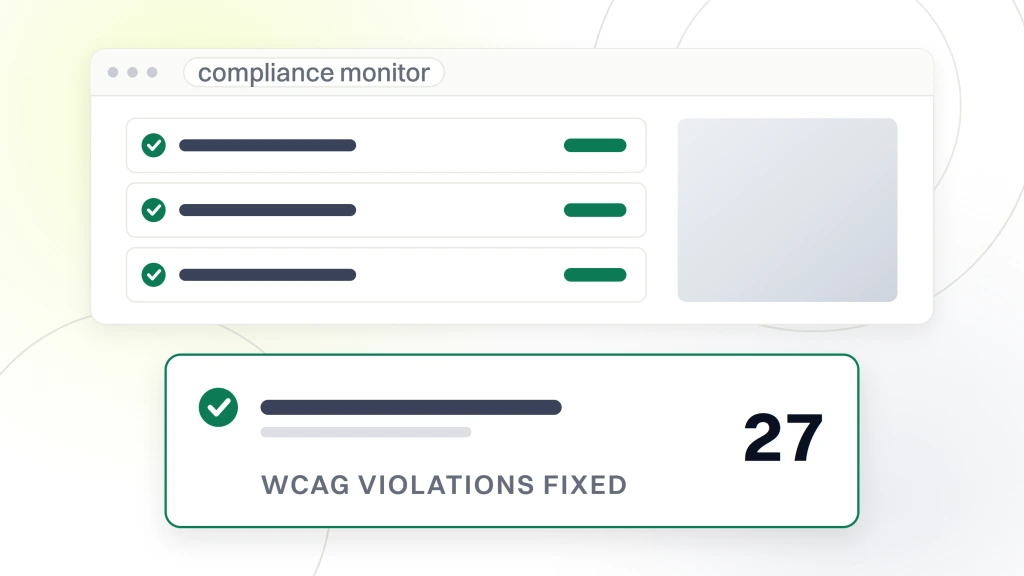
Over 18 months of continuous compliance monitoring on the Pelvic Rehabilitation Medicine site, the stack caught three plugin updates that would have introduced HIPAA-violating tracking calls (rolled back within the same day), 27 WCAG violations that got fixed in the next content deploy, one cookie consent misconfiguration where a marketing tag was firing before consent (fixed within 4 hours), and two TLS certificate near-expirations that renewed correctly after the 30-day alert. The 174% keyword growth and 166% organic traffic gains held steady through the entire compliance monitoring window.
Zero compliance incidents were reported to HHS OCR during the 18-month window. Zero ADA demand letters landed. Zero cookie consent complaints came in. The stack ran quietly, doing the boring work every night, so the practice manager could focus on running the clinical side. That is the whole point of automation. It makes compliance a scheduled task instead of a fire drill. The math on cost versus avoided incident writes itself, since a single HIPAA fine averages 25 to 200 times the annual monitoring cost.
The postmortem culture around every flagged violation was as valuable as the automated compliance solutions for healthcare websites tooling itself. Every alert that fired got documented in a shared runbook, so the same pattern would not repeat. That documentation became the training material for new engineers joining the maintenance team. Boring, weekly, incremental improvement compounded into a compliance posture other practices spend $30,000 to $50,000 in consulting fees trying to reach.
Common mistakes on healthcare website compliance automation
The same six failure patterns show up on every practice site we audit. Each one is cheap to fix once identified. Skipping any one of them turns automation into theater instead of actual coverage.
- Consent banner blocks analytics but not marketing tags. Meta Pixel keeps firing before consent, which defeats the whole purpose of the gate.
- WCAG scanning only against the homepage. Interior pages accumulate violations that never get flagged, so the ADA compliance for healthcare websites posture rots at the deep-link layer.
- No audit trail retention. When HHS OCR asks for evidence of monitoring, screenshots from three months ago do not exist.
- Security headers set once, never re-tested. Hosting migrations and CDN changes silently drop headers, sometimes weekly.
- TLS certificate renewal not validated post-renewal. A failed renewal on Sunday morning becomes a full site outage on Monday.
- Consent Mode not wired to Google Ads. Bidding behaves incorrectly and campaign performance drops without an obvious cause.
Where automated compliance for healthcare websites is headed
HHS OCR guidance on web tracking technology has tightened repeatedly since 2023. The HHS bulletin on tracking technology is required reading for every practice manager. Automated compliance solutions for healthcare websites now need to keep pace with guidance updates from OCR, DOJ ADA enforcement patterns, and browser vendor changes to cookie behavior.
Third-party cookies deprecation on Chrome (finally rolling through in 2025 and 2026) reshapes what tracking scripts do and how consent management works. State privacy law expansion (California, Virginia, Colorado, Connecticut, Utah, plus 15 more states adopting similar laws through 2027) makes geo-based consent rules the new baseline. The compliance stack needs quarterly updates just to stay current, and that is another reason automation earns its keep on healthcare websites.
The practical next step for most practices is a two-week compliance audit against the four workstreams above. Map current coverage against the working stack. Fix the biggest gap first (usually HIPAA tracking script auditing). Move to the second (usually cookie consent wiring). Iterate through WCAG and PHI analytics. Six months from audit to fully automated compliance solutions for healthcare websites is a realistic timeline on most practice sites. The WCAG 2.1 quick reference on W3.org covers the accessibility side of the audit in depth.
Get your automated compliance solutions for healthcare websites live
Ready to run the audit and stand up the stack. Our Healthcare Website Maintenance Services engagement covers the automation layer as part of the working plan. For deeper reading on the security side, our Healthcare Website Security post covers the governance layer. The Accessibility (ADA/WCAG) guide covers the compliance side in detail. For the technical hardening layer see Website Security Features and Maintenance Checklist. The healthcare marketing agency hub ties compliance into the broader patient acquisition side.