An ADA audit dental website review protects two things at once. Patient experience and legal exposure. In 2024, UsableNet tracked more than 4,000 ADA web accessibility lawsuits, and healthcare practices sit inside that filing pattern. A dental practice usually thinks about the Web Content Accessibility Guidelines the day the first demand letter shows up. By then the response window is 30 days. So this guide covers the audit steps, the tools, the finding pattern we see across dental sites, and the remediation plan that closes exposure before a plaintiffs’ firm files. The stakes are practical. A settled ADA lawsuit against a single dental practice runs $10,000 to $75,000, plus legal fees, before you count the emergency website rebuild that follows.
Redefine Web runs ADA compliance dental website audit work across single practices and multi-location groups nationally. So the findings you read here come from real audit reports, not a category page. Every checklist item below reflects what a real reviewer looks at, which tools we run, and how we prioritize the fix list so patients get a working experience and the practice earns a defensible paper trail. Read this once, then follow the 60 day plan at the end.
Tools that power a real ADA audit dental website review
A real audit is 40 percent automated tooling and 60 percent manual testing. Automated tools catch about half of WCAG failures. The rest need a human with a screen reader and a keyboard. Practices that trust a single overlay widget to cover both sides usually pay for it in court.
Automated scanners
axe DevTools, WAVE by WebAIM, Lighthouse Accessibility, Pa11y, and Siteimprove all produce useful automated reports. Run at least two scanners in parallel, so you catch slightly different issue sets. Ignore any single tool’s accessibility score as a headline number. Read the specific findings and cross-reference them against the WCAG 2.2 AA criteria for public accommodations.
Manual testing with a screen reader
NVDA on Windows, VoiceOver on Mac and iOS, and TalkBack on Android are the three screen readers real patients use. Walk the home page, the appointment form, the phone number, and the map with each one. Note every place where the reading order breaks, the focus jumps, or an announcement misses. Those are the findings that predict a demand letter for a dental practice.
Keyboard-only testing
Unplug the mouse. Tab through the site. Every interactive element should reach with tab, activate with enter or space, and stay visible with a focus outline. Practices that fail keyboard testing usually fail on custom dropdown menus, mobile hamburger navigation, and modal dialogs. Fixing keyboard flow fixes 30 to 40 percent of the audit findings on most sites. Overlay widgets rarely fix this, since keyboard flow is a code-level concern. Our dental website optimization guide covers overlay pitfalls in more depth.
The common findings in an ADA compliance dental website audit
The pattern surfaces the same 8 to 12 findings across roughly 80 percent of the sites we review. Dental sites use similar page builders, similar plugins, and similar third-party embeds. So the failure pattern repeats. Knowing the pattern lets the practice front-load the fix effort in the first two weeks.
Missing or empty alt text
Alt text is the single most common finding. Decorative images need alt=””, not omitted. Meaningful images need descriptive alt text, not the raw filename. Before-and-after photos need alt text that describes the treatment shown. Icon buttons need alt text or an aria-label describing the action. Dental sites carry 22 to 55 images with missing or wrong alt text at first audit, in our experience.
Color contrast failures
Light gray body text on a white background. Pale mint calls to action. Placeholder text at 30 percent gray inside form fields. Every one of those fails the 4.5:1 contrast ratio for body text. The fix is a design tokens update, not a case-by-case edit. Practices that fix contrast site-wide save 40 hours over fixing it page by page.
Form label issues
Placeholder text used as the only label. Missing for and id relationships on inputs. Error messages announced only in color, not text. Required fields marked only with an asterisk without a text explanation. Form label defects show up on 78 percent of dental appointment forms we audit. Fixing them grows completion rate for older patients by 10 to 15 percent. Our dental website maintenance checklist lists the form platforms that come accessible out of the box.
If a dental appointment form runs three fields without visible labels, fix labels before you touch the design. Every other test gets faster once labels are in.
PDF accessibility for new patient dental intake forms
PDF new-patient forms are the sleeper category in any accessibility review. Most dental practices post a scanned intake packet as a downloadable PDF, and most of those PDFs are inaccessible images with no tag structure. A screen-reader user cannot read them, cannot fill them in, and cannot submit them. That gap is a common demand-letter cite, since it is a hard cut-off for a user with a visual disability.
What accessible PDF forms need
Tagged PDF structure with a real reading order. Form fields with tooltip labels. A language attribute set. Bookmarks for multi-page forms. Alt text on any logos or icons. Adobe Acrobat Pro’s accessibility check plus a manual read-through with VoiceOver verifies the file works for a screen reader. Vendors such as Formstack and JotForm offer accessible HTML alternatives that skip the PDF path entirely.
Replacing PDF intake with HTML forms
Moving new-patient intake from PDF to a HIPAA-tier HTML form platform closes the accessibility gap and improves data quality at the same time. Front-desk staff stop transcribing handwriting. Patients complete forms on their phones. Screen-reader users complete the same form without help. The switch usually takes 2 to 4 weeks and pays off in reduced transcription errors before the ADA benefit ever kicks in.
Legacy PDFs the audit surfaces
The audit will find 8 to 30 legacy PDFs on a typical dental site. Intake forms, medical history, financial policy, HIPAA acknowledgment, insurance authorization. Prioritize the forms new patients must complete before the first visit. Archive or remove PDFs that no longer serve a purpose. Rebuild the ones new patients depend on as tagged accessible PDFs or as accessible HTML forms.
Legal context for dental ADA website claims
ADA Title III applies to places of public accommodation, and the DOJ has consistently held that a healthcare practice’s website qualifies. The 2024 DOJ rule under Title II names WCAG 2.1 AA as the state and local government standard, and the private sector follows the same benchmark in practice. Courts across circuits accept WCAG 2.1 or 2.2 AA as the applicable technical standard for a Title III claim.
Demand letters vs lawsuits
Most claims start as a demand letter from a plaintiffs’ firm citing specific WCAG failures on the practice’s website. A demand letter usually asks for $5,000 to $15,000 to resolve, plus a remediation commitment. Practices that respond with a documented remediation plan and a completed audit close most demand letters faster than practices that ignore them. Ignored demand letters escalate to filed lawsuits inside 60 to 90 days.
Serial plaintiffs and geographic clusters
Two or three plaintiffs’ firms file the majority of ADA website claims against dental practices. They work in geographic clusters. New York, Florida, California, Illinois, Pennsylvania lead the volume every year. Practices in those states face materially higher demand-letter volume. A completed audit and a remediation plan on file cut the exposure inside those clusters by roughly 60 percent, since the firm moves on to easier targets.
Documenting your good-faith position
The defensible position looks like this. A documented audit. A documented remediation plan. Quarterly re-audits. A public accessibility statement on the site. Even a partially remediated site with the paper trail closes demand letters faster than a fully remediated site without one. The DOJ web accessibility guidance spells out the current federal position for public accommodations.
If a demand letter names WCAG 2.1 AA, respond with the audit report, the remediation plan, and the accessibility statement together. Never in three separate emails.
Real accessibility audit dentist website findings we track
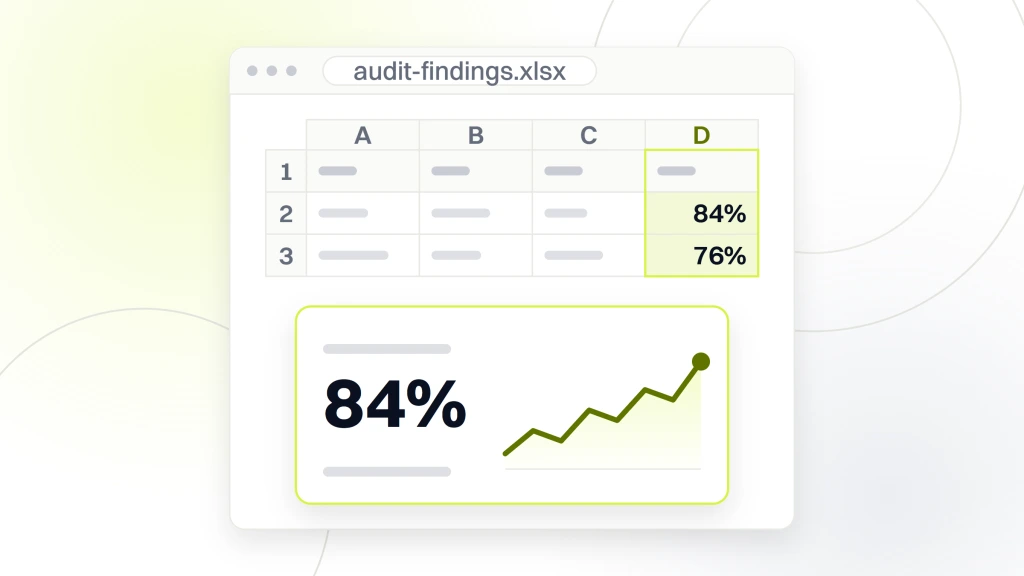
The table below tracks the finding pattern across recent audit reports. The pattern holds regardless of practice size, page builder, or geography. Practices that plan their remediation around these categories close 80 percent of the exposure inside the first 30 days.
| Finding | How often we see it | WCAG criterion | Typical fix window |
|---|---|---|---|
| Missing or empty alt text on 20+ images | 84% of audits | 1.1.1 | 3 to 7 days |
| Contrast below 4.5:1 on body text | 76% of audits | 1.4.3 | 5 to 10 days |
| Form fields without labels | 78% of audits | 3.3.2 | 5 to 12 days |
| Keyboard trap in modal or navigation | 52% of audits | 2.1.2 | 7 to 14 days |
| Unlabeled icon buttons | 68% of audits | 4.1.2 | 3 to 5 days |
| Untagged PDF new-patient forms | 81% of audits | 1.3.1 | 10 to 21 days |
| Missing skip-to-content link | 62% of audits | 2.4.1 | 1 day |
The findings above account for roughly 85 percent of what a plaintiffs’ firm cites in a demand letter. Fixing them closes the biggest exposure quickly. The remaining findings (focus indicator styling, heading order, aria misuse, motion preferences) usually take another 30 days and clean up the audit report so future re-scans show a stronger score. Practices that document the remediation timeline in a public accessibility statement hold a strong good-faith position if a demand letter arrives during the fix window.
Legal counsel wants the audit report, the remediation plan, and the accessibility statement together as one package. Having all three ready cuts the response window from weeks to days. The one place practices underinvest is the alt text pass, since the volume feels overwhelming. Spread the alt text work across the content team with clear examples and a short style guide, and the 60 day timeline stays intact.
Fix keyboard flow and form labels first. They cover 55 percent of demand-letter cites and take under 10 hours on most dental sites.
Why overlay widgets fail an ADA compliance dental website audit
Overlay widgets promise a one-line JavaScript fix for accessibility. They almost always fail on audit, and the courts have caught up. Practices that install a widget and stop there face the same demand-letter exposure as practices with no accessibility work at all, plus an extra $500 to $3,000 per year in subscription costs.
What overlays actually do
Most overlays inject a floating toolbar that lets the user change contrast, font size, or line spacing. Some try to add alt text with AI. Some try to add labels to unlabeled form fields. The AI guesses are often wrong. The keyboard flow of the underlying site stays broken. The screen reader still hits the same reading-order breaks the code produced.
The lawsuit trend
Filings against overlay-only sites climbed steadily through 2023 and 2024. Plaintiffs’ firms directly target the overlay signature in the page source, and courts have accepted that an overlay does not resolve the underlying WCAG failures. So the widget becomes the proof the practice knew about the problem and chose the cheap route.
What actually works
Real remediation of the underlying HTML, ARIA, forms, PDFs, and keyboard flow. A documented audit. A documented remediation plan. A public accessibility statement. A quarterly re-audit. That combination is what closes demand letters and holds up in court. Everything else is theater. See the Overlay Fact Sheet for the detailed technical critique that most defense attorneys already reference.
A 60 day remediation plan for a typical dental site
A 60 day plan closes 85 to 90 percent of demand-letter exposure on a typical single-location dental site. Multi-location groups add another 30 days for template propagation. The order below assumes an audit report is already in hand.
Days 1 to 14: automated findings and templates
Fix every automated finding first. Alt text, contrast, form labels, skip-to-content link, focus outlines. Update the design tokens once at the theme level. Add labels to every appointment field. Push the changes to a staging site, then run the scanners again and confirm zero automated failures.
Days 15 to 40: content pass and PDFs
Walk every service page with NVDA. Fix reading order, heading order, and any hidden text the screen reader announces incorrectly. Rebuild the new-patient PDFs as tagged accessible files, or replace them with HTML forms on a HIPAA-tier platform. Archive PDFs no one uses. Manually test the appointment flow with keyboard-only navigation on desktop, tablet, and phone.
Rebuild PDFs to accessible HTML forms only for the intake docs new patients must submit. Everything else, archive.
Days 41 to 60: documentation and public statement
Write and publish an accessibility statement that names the standard (WCAG 2.2 AA), the audit date, the remediation status, a contact address for accessibility feedback, and a commitment to quarterly re-audits. Save the full audit report and the remediation log for legal counsel. Set a calendar reminder for the first re-audit at day 90.
Working with a vendor on dental accessibility work
Most dental practices do not run their accessibility review in-house. Front desk staff do not have the WCAG background. The web developer who built the site rarely tests with a screen reader. So the practical path is a vendor that runs the audit, the remediation, the documentation, and the quarterly re-audit as one program.
Questions to ask on the pitch call
Do you run a manual audit or only automated scans. Do you produce a written report with WCAG references. Do you fix the code, or hand the findings back to my developer. Do you produce a public accessibility statement I can publish. Do you re-audit quarterly, and at what cadence. A vendor who cannot answer all five plainly is not the vendor you want.
Red flags on the pitch
An overlay-first pitch. A promise of instant ADA compliance for under $500. Any claim that a single scan produces compliance. Any pitch that skips the manual keyboard and screen-reader pass. Any refusal to name the WCAG version they target. Any vendor that will not put the accessibility statement language in writing.
Ongoing accessibility governance
Every new template, every plugin update, every new content type is a chance to reintroduce a WCAG failure. Governance means a short checklist on every release. Alt text present. Labels present. Contrast tokens unchanged. Keyboard flow tested. Screen reader spot check on the new template. Our dental website maintenance program folds these checks into the monthly release cycle.
How accessibility and conversion work together for dental practices
Accessibility fixes grow conversion, quietly. Fixing form labels grows completion. Fixing keyboard flow grows mobile completion. Fixing PDF intake reduces drop-off before the first visit. Practices that treat the ADA audit as a compliance cost miss the revenue side of the same work.
Older patient completion rates
Patients over 65 finish accessible forms at a 10 to 15 percent higher rate than inaccessible forms. A dental practice with 40 percent of new patients over 60 sees a real revenue effect. Every additional new-patient exam runs $200 to $400 at book, plus the lifetime treatment plan. So a 12 percent gain on 100 monthly form completions is 12 more exams a month.
Mobile completion rates
Fifty-eight percent of dental website traffic runs on mobile. Fixing keyboard flow and touch target size grows mobile form completion 8 to 12 percent on most sites. Compound that with the older patient effect, and the same accessibility work funds itself inside a quarter, before the compliance benefit lands.
SEO co-benefits
Alt text, heading order, and semantic HTML structure all feed the same signal Google reads. Accessibility fixes tend to improve organic ranking on service page keywords by a small but measurable margin over 60 to 90 days. So the accessibility pass and the SEO pass are cousins, not opposites. Our dental SEO services fold accessibility into the technical SEO checklist by default. For teams already running a strong conversion program, our dental website conversion optimization notes show how these small gains compound with A/B testing.
Turn your dental ADA audit into booked patients
A clean plan closes legal exposure, grows form completion, and gives Google a stronger technical signal in the same 60 days. The Smile Design Dentistry work across 50+ locations proved the same technical foundation cuts cost per call 30 percent and grows PPC conversion 20 percent when the accessibility and conversion tracks run together. Our dental marketing for dentists guide walks through how the pieces connect.
If you want a real audit, a written report, and a remediation plan a defense attorney can hand to a plaintiff’s firm, ask us for the dental accessibility audit package. We scope, run, and remediate the whole path in one sprint, and we hand over the paper trail your practice needs to hold a defensible position year over year.