
Most practice teams want a healthcare website maintenance checklist that fits on one page and gets run, not a 200-item Notion doc nobody opens after week two. This is the practical version. 12 monthly tasks that keep a practice site fast and compliant, 8 quarterly tasks that catch problems before patients do, a tool stack that runs $30 to $80 a month combined, and a playbook for when a security incident lands on a Tuesday at 10 AM. Well-run practice sites carry near-zero preventable downtime and near-zero compliance exposure. Poorly-run ones lose $8,000 to $40,000 on a single PHI exposure or an indexing outage nobody catches for six weeks. The work is cheap. Skipping it is expensive.
Related read. Our guide on healthcare website classification criteria covers how to sort practice sites into tiers before scoping any of the work below.
Why a Healthcare Website Maintenance Checklist Matters in 2026
Practice sites carry more risk per unpatched plugin than any other vertical. HIPAA rules turn a compromised contact form into a reportable breach. Google penalties fire faster on medical YMYL content when Core Web Vitals scores tank. Patients bounce twice as fast from a broken booking flow, and rival practices sit one click away in the local pack.
A monthly and quarterly rhythm catches the drift before any of those risks land. Cadence matters as much as the list itself. 26 audits a year lose to 4 audits a year that actually get done. Pick a rhythm you can sustain. Most single-location practices settle on monthly for security and performance, quarterly for deeper structural reviews.
Search ranking sits downstream of technical health, and healthcare sites feel that faster than most verticals. A practice site scoring under 50 on mobile PageSpeed will not rank for competitive local queries no matter how strong the content is. A site with 4 broken links to core service pages loses local pack visibility inside a quarter. This medical practice website maintenance program is a search program disguised as a hygiene program. Skipping it costs rankings before it costs anything else.
The Monthly Healthcare Website Maintenance Checklist
12 tasks. 2 hours a month for a solo practice, 4 hours for multi-location. Run it on the same Monday every month. Log completion in a shared spreadsheet so nothing slips. Every task is either a security control, a performance check, or a search-visibility signal Google reads within a week. The compound effect over 12 months is real on any practice site.
Security tasks (5 monthly)
- Update WordPress core, all plugins, all themes to the latest stable version.
- Review Wordfence or Sucuri firewall logs for blocked attacks and unusual patterns.
- Verify the SSL certificate is valid, correctly installed, and not expiring within 60 days.
- Rotate the admin password on the main administrator account.
- Scan for malware and suspicious file changes using a security plugin scheduled scan.
Performance tasks (4 monthly)
- Run PageSpeed Insights on the homepage, top 5 service pages, and contact page. Log scores.
- Compress any new images added during the month to WebP under 100 KB.
- Clear expired transients and optimize the database using WP-Optimize or equivalent.
- Verify the CDN is serving assets correctly (Cloudflare, BunnyCDN, or equivalent).
Search visibility tasks (3 monthly)
- Review Search Console for new crawl errors, indexing issues, or manual actions.
- Check the last 30 days of Search Console queries for new keyword opportunities.
- Verify the Google Business Profile is up to date on hours, services, and photos.
This monthly website maintenance loop takes under 4 hours if you actually run it every month. Skipping a month doubles the workload the following month since drift compounds fast on WordPress. The checklist earns its keep the first time a plugin update ships a critical patch and your site gets it inside 7 days instead of 7 weeks.
The Quarterly Healthcare Website Maintenance Work
8 quarterly tasks catch the structural problems the monthly rhythm misses. Budget half a day per quarter, or split it across two mornings. Monthly work handles current-state hygiene. Quarterly work catches drift that builds too slowly to spot in any single month. Practices that skip quarterly work usually find the gap the day a backup restoration fails, an accessibility complaint arrives, or a HIPAA form audit surfaces a tracking pixel nobody remembered installing three years ago. Multi-location practices should run this quarterly website maintenance checklist per location and at the group level, since location pages build their own drift patterns.
The full quarterly list
- Full Screaming Frog crawl to find broken links, missing meta descriptions, duplicate title tags.
- Backup restoration test on a staging environment to verify backups restore cleanly.
- Accessibility audit against WCAG 2.1 AA using axe DevTools or WAVE.
- HIPAA compliance review of every form, tracking pixel, and third-party embed.
- Hosting review to confirm resource usage matches the plan tier.
- Provider bio pages review for accuracy, credentials, updated headshots.
- Content freshness audit on top 20 pages by traffic, refresh anything over 18 months old.
- Analytics goal and conversion audit to confirm nothing broke in the last 90 days.
Quarterly work is where practices get the highest return per hour spent. A single backup restoration test that catches a corrupted archive can save the entire business. A single HIPAA form audit that flags a rogue Facebook Pixel prevents a reportable breach. Block the time on the calendar the first week of every quarter and treat it as fixed.
Security Tasks in Detail on Your Healthcare Website Maintenance Checklist
Security work is the highest-risk section of the plan since HIPAA reporting rules turn a preventable breach into a legal event. Every monthly security task above blocks a specific attack vector we see in the wild on practice sites at least once a quarter.
Plugin updates and the WordPress attack surface
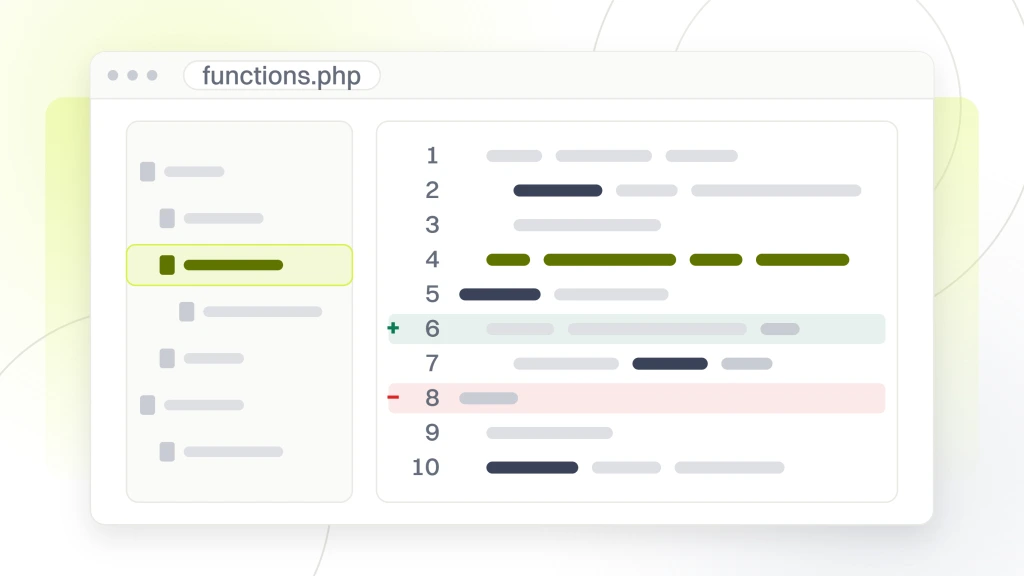
Roughly 60% of WordPress compromises come through outdated plugins. Practice sites average 22 to 35 plugins per install, which is a wide attack surface. Update within 7 days of a security release. If a plugin author has not pushed an update in 12 months, replace it. 6 months of skipped updates on a practice site sets up the next breach. Track updates in the same spreadsheet as the rest of the checklist so nothing gets missed.
Firewall log review
Wordfence or Sucuri firewall logs show every blocked attack against the site. Review the top 20 blocked patterns monthly. Look for repeated attempts from single IP addresses, which suggest targeted probing rather than automated scanning. Look for attempts against admin URLs, which suggest someone knows or is guessing at your admin panel location. Any pattern that repeats week after week deserves an IP block or a firewall rule adjustment. For deeper reference on hardening WordPress, the WordPress hardening guide is the canonical source.
SSL and TLS hygiene
Expired SSL certificates lock patients out of the site and trigger “Not Secure” warnings that destroy trust instantly. Modern Let’s Encrypt certificates auto-renew, but auto-renewal fails silently more often than most owners realize. Verify the expiration date monthly. Confirm the site is running TLS 1.2 or 1.3 (not 1.0 or 1.1, which are deprecated and non-HIPAA-compliant). The free SSL Labs test gives you both answers in under a minute.
HIPAA website compliance drift
HIPAA website compliance is the quiet failure mode most practice sites run into by year 2. A marketing hire installs a Facebook Pixel to track ad conversions. That pixel now captures form-fill data across the appointment page, which counts as PHI transmitted to an unauthorized processor. Repeat the quarterly form-and-pixel audit religiously. Any third-party script touching a form has to sit under a signed BAA or come off the site.
Core Web Vitals Healthcare Websites Have to Pass
Core Web Vitals for healthcare websites are the same three metrics Google uses across every site. LCP (Largest Contentful Paint) under 2.5 seconds, INP (Interaction to Next Paint) under 200 milliseconds, and CLS (Cumulative Layout Shift) under 0.1. On healthcare sites in particular, these thresholds matter more since YMYL ranking penalties compound faster on failing metrics.
What breaks Core Web Vitals on practice sites
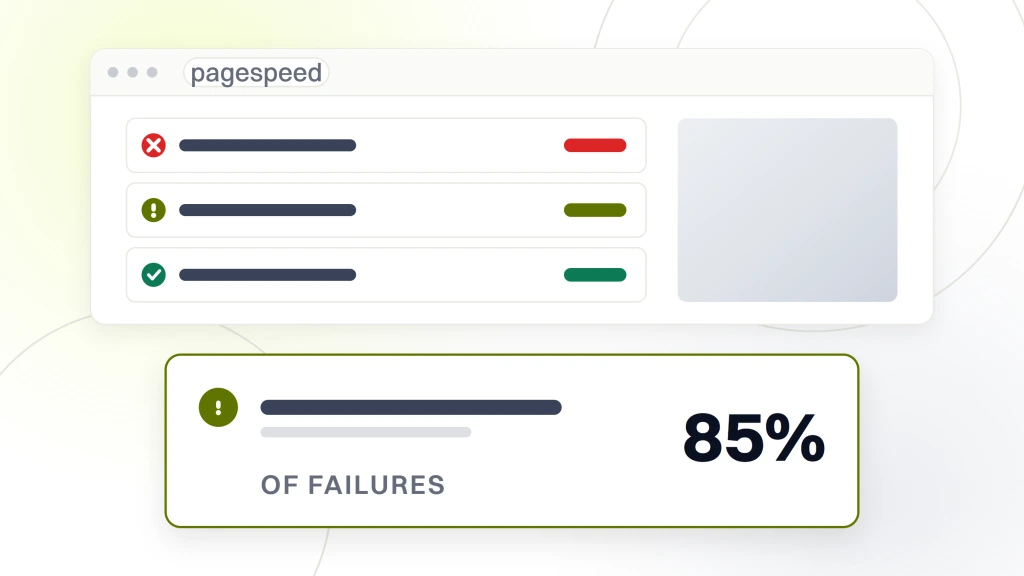
Uncompressed hero images (LCP fails), too many third-party scripts on the appointment page (INP fails), poorly-sized image containers that resize on load (CLS fails). The three problems account for 85% of failing Core Web Vitals scores on healthcare sites we audit. Fix each once and the metric holds until the next major site change. The Google web.dev Core Web Vitals reference lays out every threshold and how field data is measured.
The measurement tools
PageSpeed Insights gives you both lab data and field data. Field data (Chrome UX Report) is what Google uses for ranking. Lab data is what you can control on a specific URL. Both matter. Track the field data monthly on your top 10 pages. If field data stays green for 90 days, you’re clear. If it drops to yellow or red, run the lab data to diagnose why, fix, and wait 60 days for the field data to catch up.
The maintenance rhythm on CWV
Monthly check on top 10 pages via PageSpeed Insights. Quarterly deep audit including third-party script review, database query optimization, and hosting resource check. Annual review comparing scores against the previous 4 quarters to catch slow degradation. Core Web Vitals rarely fail all at once. They drift downward over 6 to 12 months as content is added and plugins accumulate.
Healthcare Web Hosting Behind the Checklist
Healthcare web hosting drives half of what the maintenance checklist has to catch. Cheap shared hosting means you inherit whatever security posture the noisy neighbors on the same server bring. HIPAA-compliant managed hosting costs more up front but removes a whole category of maintenance work from your monthly list.
What HIPAA-compliant hosting really means
A signed Business Associate Agreement (BAA) with the host is table stakes. Server-level encryption at rest and in transit is standard. Audit logging of all admin access is required. Automatic backups with tested restoration are non-negotiable. Not every host advertising “HIPAA compliant” delivers all four. Read the fine print. Confirm the BAA covers what your specific data flows require. The HHS HIPAA Security Rule documentation spells out what a covered entity has to demand from any hosting vendor.
Managed hosting versus DIY
Managed WordPress hosting at healthcare tier handles updates, backups, and security scans on autopilot. That removes 4 of the 12 monthly tasks from your team’s plate. Cost runs $50 to $200 a month for a solo practice site. DIY hosting on unmanaged VPS costs $10 to $30 but requires all 12 monthly tasks and a person who can diagnose server-level problems when they land.
The hidden cost of cheap hosting
A $10-a-month shared host that goes down for 6 hours during a Monday morning booking window costs you 3 to 8 lost appointments at an average patient lifetime value of $2,000. That is $6,000 to $16,000 in a single incident. The same incident on a $150-a-month managed host almost never happens since uptime SLAs sit at 99.9%. Hosting math is downstream of practice opportunity cost.
Backups and Disaster Recovery on the Quarterly Rhythm
Every practice site has backups. Most practice sites have never tested that the backups restore cleanly. The quarterly restoration test on staging is the single highest-value item on the whole plan since it’s the check that saves your entire business the day an incident lands and the restoration doesn’t work.
The backup schedule that works
Daily automated backups of the full site (database + files) stored offsite for 30 days. Weekly backups stored offsite for 90 days. Monthly backups stored offsite for 12 months. Managed hosts handle this on autopilot. On DIY hosting, use UpdraftPlus Premium or Solid Backups scheduled to Amazon S3 or Backblaze B2. Cost is roughly $70 to $150 a year for storage and plugin licensing.
The restoration test protocol
Quarterly, restore the most recent daily backup to a staging environment. Walk through the homepage, one service page, the contact form, and the appointment booking flow. Confirm each works exactly as production. If any step fails, the backup is invalid and the backup process needs to be fixed before the next quarter. This is the check that separates practices with real disaster recovery from practices with a false sense of security.
The incident response plan
Document the exact steps for restoring from backup. Who has hosting credentials, who calls the host’s emergency line, who notifies the practice team, who posts to the practice’s social channels if the site is down. Keep the document current. Test the plan at least annually. Most incidents get worse since nobody remembers who has the login for the hosting dashboard.
Case Study Pelvic Rehabilitation Medicine Maintenance Rebuild
Pelvic Rehabilitation Medicine, a specialty group with 14 clinics treating pelvic pain and endometriosis, carried the maintenance backlog common in specialty healthcare. Scattered content across dated pages, inconsistent Core Web Vitals scores, and a backup process that had not been tested in over a year. The team was running the site part-time and the accumulated drift was showing up as slower page loads and rising crawl errors in Search Console.
The rebuild put a monthly and quarterly rhythm in place, moved hosting to a HIPAA-compliant managed provider, added quarterly backup testing, and rewrote the internal ownership model. 12 months in, Pelvic Rehabilitation Medicine grew organic keyword rankings 174% year over year and organic traffic 166%, and the Worthy Warrior patient community platform launched as a real support hub for pelvic pain and endometriosis patients. The maintenance rebuild sat upstream of every one of those numbers since ranking gains cannot compound on a site that degrades in the background. Fixing the maintenance layer freed the content and SEO programs to run at scale. We see the sequence repeat on every mid-size healthcare rebuild.
Common Maintenance Mistakes That Break the Whole Rhythm
Most practices run this plan for the first three months then quietly drop it. The pattern is consistent. Read the drop-off points below before the initial momentum wears off.
The drop-off pattern
- Nobody owns the checklist. The office manager assumes the marketing hire runs it. The marketing hire assumes the developer runs it. Nobody runs it.
- Monthly rhythm gets set for the wrong day. Set it for the first Monday of every month. Not “sometime in the first week.”
- Tasks get marked complete without evidence. Add a screenshot or log entry to the shared spreadsheet.
- Quarterly work never happens since no one blocks 4 hours on the calendar.
- Tools rotate every 6 months since someone read a blog post about a new tool. Pick tools, stick with them for 12 months minimum.
Why the pattern repeats
Practice teams are lean. Maintenance is invisible when it works. Nobody gets thanked for a site that stays up. Everyone gets blamed when it goes down. The incentive structure quietly discourages the work that prevents the problems. Fixing that requires either an outside partner paid just for maintenance, or a rigorous internal cadence with executive sponsorship. Without one of the two, the checklist dies at month four every time.
Who Runs the Healthcare Website Maintenance Checklist
Three ownership models work in 2026. In-house with a dedicated marketing or IT hire. Fractional through an outside partner on a monthly retainer at $199, $299, or $499 a month. Hybrid where in-house handles the monthly rhythm and an outside partner handles quarterly deep audits. The right answer depends on your team’s technical capacity and the practice’s tolerance for maintenance overhead.
In-house ownership
Works if you have a marketing hire or office manager with basic WordPress skills and 4 hours a month to allocate. Total cost is the hire’s fractional time plus $80 to $120 a month in tools. Total time commitment is 4 monthly hours plus 4 quarterly hours plus incident response as it comes up. Practices growing past 3 locations usually outgrow in-house ownership around location 4.
Fractional partner retainer
Works if your team doesn’t have technical capacity. Retainer runs $199, $299, or $499 a month per site depending on scope. In exchange the partner runs the full monthly and quarterly checklist, handles incident response, and provides monthly reporting. Multi-provider practices frequently save money on this model since a single well-run maintenance partner replaces multiple part-time in-house hours. HIPAA website compliance work gets folded into the retainer scope on every plan tier.
Where we run this
For the full maintenance service option, see our Healthcare Website Maintenance Services. For the pillar guide on what maintenance covers, see Website Maintenance Pillar. On security governance in particular, our Healthcare Website Security guide covers PHI risk management. For CWV deep-dives, see Core Web Vitals for Healthcare Websites.
Start the Healthcare Website Maintenance Checklist This Month
Pick a Monday. Block 2 hours. Run the 12 monthly items on your practice site. Log what you find in a shared spreadsheet the whole team can see. Repeat next month. In 90 days you will have a real baseline, a real cadence, and a real answer to the question every practice owner asks eventually. Is my site actually safe? Is it actually fast? Is it actually helping us book patients? This plan stops being theoretical the moment you run it for the first time. Start there. The compounding returns take care of themselves.