Healthcare website security is the quiet layer that keeps a $2M Office for Civil Rights (OCR) fine off the practice’s desk. Most healthcare websites we audit have 3 or 4 PHI exposure paths open right now. Analytics tags collecting patient identifiers. Chat widgets storing conversation logs on third-party servers. Contact forms emailing PHI in cleartext. Marketing pixels grabbing form-field data. Fixing them is not expensive. Missing them is. The 2026 OCR settlement average sits around $265,000 per incident, and the 2024 to 2026 uptick in web-tracking enforcement is not slowing down.
This guide walks the 7-checkpoint audit, translates HIPAA rules into plain English, maps the 6 most common PHI exposure paths, and covers the governance workflow that keeps healthcare website security tight month over month. A real 60-day remediation shows how a 6-path exposure got closed for $4,200. Read straight through in 10 minutes and take the checklist to your dev team on Monday. For deeper hosting context, see our healthcare web hosting security and compliance guide.
Seven checkpoints in a healthcare website security audit
Every healthcare website security audit we run starts with the same 7 checkpoints. Forms and how they transmit data. Analytics tags and what they collect. Marketing pixels and where they send data. Chat and scheduling widgets that store conversation history. Hosting environment and where PHI could live at rest. TLS and HTTPS configuration, plus every place the certificate chain could break. Third-party scripts and what they can access on the DOM. Each checkpoint has a pass or fail signal, a common failure mode, and a fix that runs 2 to 12 hours of dev work. Total audit takes 4 to 8 hours per site. Healthcare website security work compounds when the 7 checkpoints run on a schedule.
The most common failure in 2026 healthcare website security audits is analytics tags collecting PHI. Google Analytics 4 configured with default settings captures URL query parameters, referrer URLs, and form field values in event streams. If the appointment booking form appends the patient name or reason for visit to the URL, GA4 stores that in a data set outside a Business Associate Agreement (BAA). That is a HIPAA violation the OCR calls tracking-technology PHI exposure, and in 2024 through 2026 the OCR issued 47 formal notices to healthcare providers on tracking violations alone. For the source language, read the HHS bulletin on HIPAA online tracking.
- Forms. TLS 1.2 or higher, encrypted transport, encrypted storage, BAA with the form vendor.
- Analytics. No PHI in event streams, no PHI in URL parameters, no session recording of forms.
- Pixels. Meta, TikTok, and ad platform pixels blocked on any page that could carry PHI.
- Chat widgets. BAA with the vendor, no transcript storage on non-BAA servers.
- Hosting. BAA with the host, encryption at rest, access logs retained 6 or more years.
- TLS. HTTPS-only, HSTS enabled, valid certificate, no mixed-content warnings.
- Third-party scripts. Audited quarterly, no untrusted scripts on booking pages.
Forms audit
The forms audit checks every contact, booking, appointment, and intake form on the site. Every one of them touches PHI. Every one needs TLS 1.2 or higher on transport, encryption at rest on the server that stores submissions, a BAA with the form vendor (Gravity Forms plus a HIPAA-certified add-on like HIPAA Forms is one option), and no email-to-inbox pattern that sends raw PHI in cleartext. The most common finding is a practice using Contact Form 7 with an email notification to the front desk containing the patient name, condition, and phone. That single pattern is a HIPAA violation on every submission. Fix it before the next audit window.
Analytics audit
The analytics audit checks what GA4, Meta Pixel, Microsoft Clarity, Hotjar, or similar tools capture during a booking form submission. Load the site in a browser, open developer tools, submit a test form with dummy data, and watch the network tab. Any request that contains dummy patient data in the payload is a PHI exposure. Common findings include URL parameters appended by the form plugin, referrer URLs carrying the previous page’s booked-service context, session-recording tools capturing typed input inside form fields, and Meta Pixel firing on the confirmation page with the appointment type in the URL. Google’s Consent Mode guide covers the legitimate way to gate tags.
Healthcare website security under HIPAA in plain English
HIPAA compliance for healthcare websites boils down to 5 rules. First, protect PHI in transit with TLS 1.2 or higher on every page that could receive or display it. Second, protect PHI at rest with encryption on any server or database storing form submissions. Third, sign a BAA with every vendor whose software or servers might touch PHI. Fourth, log access to PHI and retain those logs for 6 years minimum. Fifth, run a breach notification workflow that meets the 60-day OCR reporting requirement in case a breach happens anyway. The HHS HIPAA for professionals hub is the canonical reference.
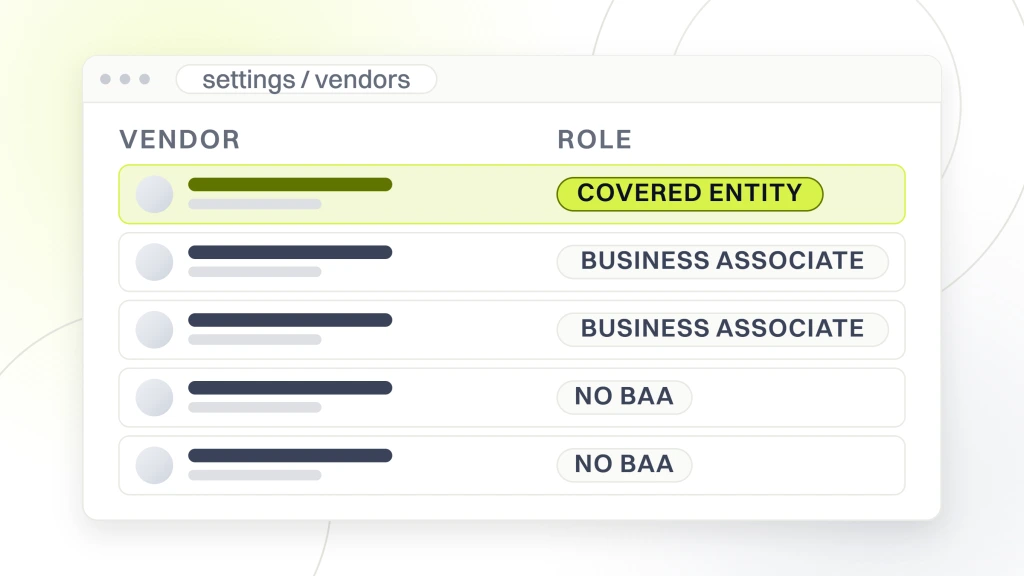
Healthcare website security depends on all 5 rules holding at once. The 5 rules apply per Covered Entity or Business Associate designation under HIPAA. Practices are Covered Entities. Web vendors, form vendors, chat vendors, and hosting providers are Business Associates. Every Business Associate needs a signed BAA on file before the practice sends the first PHI byte through their system. Practices that skip the BAA step and rely on an unsigned or missing agreement are on the hook for the vendor’s breach as if it were their own. The BAA is not paperwork. It is the shield.
Rule of thumb. If a vendor cannot produce a countersigned BAA in 48 hours, treat their tool as non-compliant and route PHI around it until they can. Verbal assurances do not survive an OCR audit.
Callout. If a vendor cannot countersign a BAA within 48 hours, treat their platform as non-compliant. Route PHI around it until the paperwork lands.
TLS in transit
TLS 1.2 or higher on every page is table stakes for healthcare website security. Run a check against the SSL Labs test tool and confirm the site scores A or higher. Anything below A means the TLS configuration has a weak cipher suite, an outdated protocol version enabled, or a certificate chain issue. Fix takes 1 to 4 hours of hosting configuration work depending on the platform. Managed WordPress hosts like Kinsta, WPEngine, and Rocket.net apply the correct config out of the box. Shared hosts on Bluehost or Hostgator often run weaker defaults that fail SSL Labs. Recheck after every major hosting change, not once a year.
Encryption at rest
Encryption at rest protects PHI stored on the server or database from unauthorized access if the storage layer is compromised. Every managed hosting environment for healthcare sites should have full-disk encryption enabled. Every database storing form submissions should use column-level or full-database encryption. Every backup should encrypt before writing to backup storage. Check each layer through the hosting dashboard, not by asking the vendor. Vendors sometimes overstate encryption coverage until an audit forces them to admit which layers actually encrypt and which only claim to. Screenshots of the dashboard settings belong in the audit file.
Common PHI exposure paths every healthcare website security audit finds
Common healthcare website PHI exposure paths fall into 6 patterns. URL parameters carrying patient identifiers or appointment types. Analytics event streams capturing form field values. Marketing pixels firing on confirmation pages with appointment context in the URL. Session recording tools capturing typed input inside forms. Email notifications from unencrypted contact forms sending PHI in cleartext. Chat widget conversation logs stored on non-BAA servers. Each pattern has a specific fix, and the fixes are cheap once identified. What is expensive is the OCR investigation that starts when someone reports a violation. Healthcare website security work closes every path before the report lands.
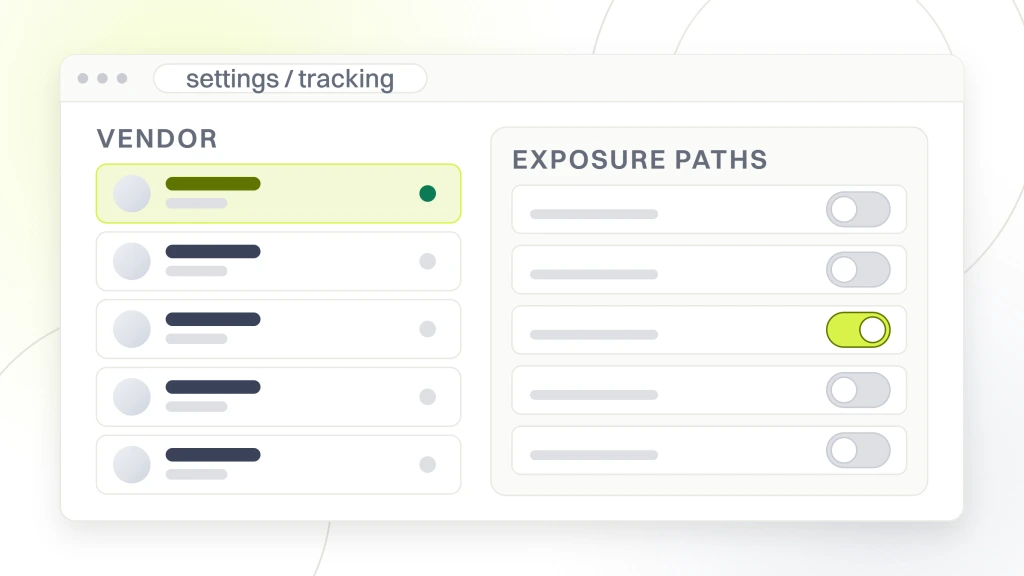
The 2022 OCR bulletin on tracking technologies made web pixels a formal enforcement priority. In 2024, the OCR fined a hospital $2.4M for Meta Pixel firing on patient portal pages. In 2025, three regional health systems settled Meta Pixel class-action suits at $18M, $8M, and $6M respectively. Every marketing team running a healthcare website in 2026 needs a documented pixel-blocking strategy on any page that could carry PHI, plus a written policy stating which pixels can fire on marketing pages that carry no PHI. That distinction is the shield. PHI exposure prevention starts here, and healthcare data security work slots in right after.
| Exposure path | Root cause | Fix time |
|---|---|---|
| URL parameters with PHI | Form plugin appends fields to URL | 2-4 hours |
| Analytics captures form data | GA4 default event tracking | 1-3 hours |
| Marketing pixel on confirmation | Tag manager not conditional | 2-6 hours |
| Session recording on forms | Hotjar or Clarity uncensored | 1-2 hours |
| Email PHI cleartext | Non-HIPAA form plugin | 4-8 hours |
| Chat logs on non-BAA server | Consumer chat widget | 6-12 hours |
Pixel-blocking strategy
A pixel-blocking strategy defines which marketing pixels can fire on which URL patterns. Booking pages, confirmation pages, patient portal pages, and search results carrying appointment context all get pixels blocked. Marketing pages carrying no PHI can run pixels for retargeting and campaign attribution. Implement the split with Google Tag Manager conditions or a consent-management platform (CMP). The CMP route is cleaner and produces an audit trail the OCR accepts as evidence of a documented strategy. Cookiebot, OneTrust, and Cookieyes all publish HIPAA-aware configurations for medical websites.
URL parameter scrubbing
URL parameter scrubbing removes PHI from URLs before analytics and pixels see it. Configure the form plugin to POST data instead of GET, so form fields never land in the URL. Configure GA4 to strip query parameters from page_location events. Configure the CDN or reverse proxy to rewrite URLs that contain patient identifiers. Test the fix by submitting a form and checking the GA4 realtime report for the confirmation page URL. If a patient name or appointment reason appears in the URL, the fix has not landed and PHI is still leaking. Rerun the audit until the URL is clean.
Callout. If the confirmation URL carries an appointment type or patient name after the fix, treat the site as still leaking and re-run the audit that afternoon.
How PHI exposure prevention works on a healthcare website security program
PHI exposure prevention on healthcare websites is a repeating loop, not a one-time project. Inventory every place PHI enters the site. Map every third-party tool that could touch PHI. Sign a BAA with each. Configure each tool to strip or block PHI at ingestion. Test every path with a dummy submission. Review the inventory quarterly. Re-test after every plugin update, hosting change, or new marketing tool. Healthcare data security work fits this cadence, and medical website security teams that hit the quarterly review stay off the OCR list. The teams that skip it are the ones we see in the settlement newsletters.
Practices that run this loop from launch avoid the retroactive cleanup bill. Practices that run it after a first OCR letter pay 3 to 8 times more, because the cleanup includes forensic investigation, breach notification, credit monitoring for affected patients, and legal fees on top of the fix itself. The 2026 average total cost of a healthcare data breach sits at $10.93M per IBM Security’s Cost of a Data Breach report. Even a small practice pays $50,000 to $200,000 on a single tracking-technology violation once penalties, legal fees, and remediation land. Healthcare PHI protection at the front end is 20 to 40 times cheaper.
Written PHI inventory
A written PHI inventory lists every form, widget, plugin, integration, and third-party tool that could touch PHI. Include the vendor name, BAA status (signed date and expiration), data-in-transit encryption, data-at-rest encryption, and who at the practice owns the relationship. Keep the inventory in a spreadsheet the compliance owner updates quarterly. Every new vendor request gets added to the spreadsheet on day one, with a BAA request kicked off the same day. If the vendor cannot sign, the request gets denied before the tool touches the site. Simple discipline, big payoff.
Quarterly review
The quarterly review runs the same 7 checkpoints against the current site. Same test submissions. Same network tab inspection. Same SSL Labs check. Same BAA expiration check. Flag any drift from the last review and open a ticket to close it. Quarterly cadence catches new plugins, new marketing tools, and vendor policy changes before they turn into a breach. Practices that run the quarterly review stay ahead of enforcement. Practices that run it once a year get caught by the tools installed in month 4 that quietly started collecting PHI in month 7.
Healthcare website security governance workflow
Healthcare website security governance workflow is the answer to the question, who owns this when something changes? A workflow with a named owner, a written approval step for new tools, a change log for the site, and a quarterly audit cycle keeps the site compliant across staff turnover, agency changes, and platform migrations. Without governance, the site drifts. A new marketing manager installs a heatmap tool. A junior developer adds a chat widget. A vendor updates a plugin and enables a new tracking feature. Any one of those can open a PHI exposure path. Governance is the guardrail that catches the drift before it becomes a breach.
Our best-performing healthcare clients run the governance workflow monthly at 30 minutes and quarterly at 4 hours. Monthly covers plugin update review and third-party script diff. Quarterly runs the full 7-checkpoint audit and the BAA renewal check. Annual covers the tabletop breach-response drill and the full risk assessment. Small practices can share the monthly review with the marketing agency. Larger practices assign it to an in-house owner. Either works. What does not work is nobody owning it.
Named owner role
The named owner role can sit with an in-house compliance officer, a security-focused developer at the digital agency, or a fractional CISO. The role owns the PHI inventory, the BAA folder, the audit cadence, and the incident response plan. The role has authority to block a new plugin, tool, or marketing tag until the BAA is signed and the PHI test passes. Practices that give the role real authority stay compliant. Practices that make the role advisory only get overridden by marketing every time a new tool lands, and PHI exposure paths pile up quarter over quarter.
Launch checklist
The launch checklist runs before any new page, form, or feature goes live in production. Confirm TLS 1.2 or higher. Confirm forms POST rather than GET. Confirm no PHI appears in URLs, event streams, or session recordings. Confirm all third-party scripts on the page have signed BAAs. Confirm the pixel-blocking configuration blocks Meta, TikTok, and ad platform pixels. Confirm the page loads clean on the network tab with a test submission. Sign off in writing and file the sign-off with the change log. The launch checklist takes 30 to 90 minutes per page and catches 80 to 90% of the exposure paths before they hit production. Bake the launch checklist into the healthcare website security governance workflow and every ticket picks up the guardrail by default.
Two habits separate practices that stay ahead of enforcement from practices that get caught. First, they log every third-party script change in a running document reviewed monthly. Second, they run a 30-minute plugin update review after every WordPress core update, because plugin authors add new tracking features quietly between versions. Healthcare data security work depends on both habits. Medical website security teams that skip the log review learn about a new tracking feature 4 months after it launched, when a patient complaint pushes them into an OCR letter. The log is cheap. The letter is not.
Healthcare website security remediation pattern from a 6-path audit
A New Jersey primary care group came to us in Q3 2025 with 6 PHI exposure paths open on their WordPress site. Meta Pixel firing on the appointment confirmation page with the visit reason in the URL. GA4 capturing form field values in event streams. Hotjar recording input inside the patient intake form. Contact Form 7 emailing raw PHI to the front desk inbox. Intercom chat storing conversation logs on non-BAA servers. Google Ads conversion tags firing on booking confirmation with appointment context in the referrer. All 6 paths open. All 6 paths closable in 60 days for a fixed budget.
The remediation ran across 8 weeks. Week 1 audit and PHI inventory. Weeks 2 to 4 form rebuild with HIPAA Forms and BAA-signed transactional email. Weeks 3 to 5 analytics reconfiguration and CMP install. Weeks 4 to 6 chat migration to a HIPAA-eligible vendor. Weeks 5 to 7 pixel-blocking rules in Tag Manager and BAA collection from every remaining vendor. Week 8 post-remediation audit and sign-off. Total dev time 42 hours. Total spend $4,200. The practice signed the governance workflow at project close and has run the quarterly review 3 times since with zero new exposure paths. Healthcare website security paid back within a single quarter.
Callout. A 6-path PHI exposure closed for $4,200 in 60 days. The same 6 paths, if OCR finds them first, run $50,000 to $200,000 minimum in penalties and cleanup.
The remediation numbers
The remediation moved the practice from 6 open exposure paths to 0 in 60 days. Post-remediation network-tab tests show 0 PHI in URLs, 0 PHI in GA4 event streams, 0 form-field capture in session recordings, and 0 Meta Pixel or Google Ads pixel fires on confirmation pages. Contact form submissions now route through HIPAA Forms with encrypted transport and encrypted storage. Chat traffic runs through a BAA-signed vendor. The BAA folder holds signed agreements for all 11 third-party tools. Quarterly review takes 3.5 hours. Governance owner spends 30 minutes a month on the running log. That cadence keeps the practice’s healthcare website security posture green quarter over quarter.
Lessons on healthcare website HIPAA compliance
Three lessons repeat across every healthcare website HIPAA compliance project we run. First, the exposure paths are almost always the same 6 patterns. Fix the patterns and the site is 90% compliant. Second, the fix is cheap if run before an OCR letter arrives. Post-letter, the cost multiplies by 5 to 20. Third, governance beats one-time fixes. A practice that runs the quarterly review stays compliant. A practice that runs a one-time cleanup and skips governance drifts back into exposure within 6 to 9 months as new tools get installed. Healthcare PHI protection needs a schedule.
Vendor BAA verification for healthcare website security
Vendor BAA verification for healthcare website security means confirming every vendor that could touch PHI has a countersigned BAA on file, current, and reviewed annually. Every form vendor. Every hosting provider. Every email vendor. Every chat vendor. Every analytics vendor with a Business Associate offering (GA4 does not have one, so PHI must never touch GA4). Every marketing automation tool. Every CRM. Every backup vendor. The list is longer than most practices realize until they build the inventory. Once built, the BAA folder becomes the reference every healthcare website security audit starts from.
BAA checklist
The BAA checklist runs against every vendor request before the tool goes live. Confirm the vendor offers a BAA at their tier of service, not only enterprise. Confirm the BAA covers the specific product the practice uses. Confirm the vendor breach notification window matches or beats 60 days. Confirm the vendor sub-processors are named. Confirm the vendor liability caps are acceptable. If any check fails, escalate to legal before signing. Practices that skip the checklist sign BAAs that leave real gaps, and those gaps become the practice’s liability during an OCR audit.
BAA tracking
BAA tracking sits in the same spreadsheet as the PHI inventory. Columns for vendor name, product, BAA signed date, BAA expiration, sub-processor list, and breach notification window. Set a 60-day expiration reminder on every BAA row so renewal happens before the current agreement lapses. Vendors sometimes update their BAA terms during renewal windows. Read the diff every time. If terms change materially, escalate to legal. The 30 minutes of tracking discipline per quarter costs less than the first hour of breach response counsel would cost after an incident.
Tools and technology stack for healthcare website security work
Healthcare data security work runs on a specific stack. The tools that offer HIPAA-eligible tiers with signed BAAs, ranked by fit for a mid-market practice website in 2026. This is not a shopping list. It is the shortlist we recommend after 200+ healthcare website audits and remediations. Every tool listed has an active BAA program, a stable product roadmap, and pricing that fits a small-to-mid-market practice budget. Skip anything not on this list unless the vendor can prove BAA availability and a clean OCR record on request. Healthcare website security depends on the stack more than any single tool feature.
Forms stack picks
Gravity Forms plus HIPAA Forms is the cleanest WordPress option for medical website security. HIPAA Forms sits on top of Gravity, provides encrypted transport and encrypted storage, signs a BAA, and delivers notifications through a HIPAA-eligible email vendor. Alternatives include Formstack Medical (SaaS, higher monthly cost, cleaner UX for staff), Foxit HIPAA Forms (PDF workflow, good for intake), and Formsite HIPAA (older UI, still solid). Never route PHI through Contact Form 7, WPForms free tier, Ninja Forms free tier, or Google Forms. None sign a BAA. All 4 are open exposure paths on healthcare sites.
Hosting stack picks
Managed WordPress hosting with a signed BAA is the shortest path to compliant hosting. Kinsta and WP Engine both sign BAAs on their higher tiers and apply encryption at rest by default. Rocket.net signs a BAA on request. Pantheon signs BAAs on their Gold and Diamond tiers. AWS, Google Cloud, and Azure all sign BAAs on enterprise agreements and work well for practices that want direct cloud control. Avoid shared hosts on Bluehost, Hostgator, or SiteGround shared tiers. None sign BAAs at those tiers, and the underlying encryption story is weaker than managed WordPress. For deeper hosting detail, our healthcare website maintenance service page maps the full stack.
Breach response plan for healthcare website security incidents
A breach response plan for healthcare website security incidents lives in a document every relevant staff member can find in under 60 seconds. Names, phone numbers, roles, and vendor contacts. The plan runs the same steps in every incident. Detect and log the event. Contain the exposure. Preserve forensic evidence. Notify legal counsel. Notify the cyber-insurance carrier. Notify affected patients within 60 days per HIPAA. Notify OCR within 60 days if the breach affects 500 or more patients. File the annual OCR report if the breach affects fewer than 500. Document every step for the audit trail, then feed the lessons back into the healthcare website security governance workflow so the same path never opens twice.
Callout. Every practice needs the breach response plan printed and posted. During an incident, no one has time to hunt for a PDF in the shared drive.
Incident intake process
The incident intake process starts the moment anyone at the practice suspects a PHI exposure. Front desk, marketing agency, IT contractor, or patient complaint. The named owner opens an incident record with time, source, and initial description. The owner then runs the containment checklist. Disable the offending script, plugin, or integration. Preserve server logs. Preserve network-tab captures. Preserve the vendor communication trail. Only after containment does the notification and forensic sequence begin. Rushing to notify before containment can compound the exposure.
Forensic investigation steps
The forensic investigation confirms exactly which PHI was exposed, to what parties, and for how long. Pull server logs for the affected date range. Pull GA4 export, Meta Pixel export, and any relevant tool export. Confirm which URLs, form submissions, or events carried PHI. Confirm which third parties received the data. The forensic report becomes the basis for the OCR notification, the patient notification, and the credit monitoring scope. Practices with a forensic partner on retainer close the investigation in 5 to 10 business days. Practices without one wait 3 to 6 weeks and pay more.
Where to start on healthcare website security this quarter
Start with the 7-checkpoint audit. Book 4 to 8 hours of dev time and a 60-minute debrief with the practice owner. Close the top 2 exposure paths within 30 days. Sign the governance workflow. Add the quarterly review to the calendar. Give a named owner authority to block new tools until the BAA lands. That single quarter of work closes 80% of the risk. The remaining 20% closes over the next 2 quarters as vendors renew BAAs and platform migrations complete. Healthcare PHI protection compounds when the audit runs on a schedule.
We ran this exact playbook for Hightop Health, LLC when the network launched. The team started with no online presence, unified their brand under one core site, and closed every third-party tracking path before launch. The result was a 450% gain in keyword rankings and a 300% surge in top-3 keyword positions over the launch curve, without a single PHI exposure event during rollout. That combination of compliant infrastructure and clean SEO is the point of the playbook. If you want a partner to run the audit and the remediation, our healthcare marketing retainer covers monthly governance and the quarterly review. See the companion piece on security features healthcare websites need and the monthly and quarterly maintenance checklist. For the ongoing update cadence, our healthcare website maintenance services guide breaks down what a healthy retainer looks like.