
Enterprise WordPress SEO, Webflow and Drupal all clear the technical bar search engines actually set, so the CMS decision at scale is not a question of which platform Google likes. It is a question of what each one publishes as a ceiling, who inside your company is allowed to ship a fix, and what one change costs in people and calendar time.
Get this wrong and the bill does not arrive as a ranking drop. It arrives as a quarter where the canonical fix everyone signed off on sits behind a release train, or a content team that cannot edit a title tag without filing a ticket. Those are platform decisions wearing an SEO costume.
Know where we stand before any of the argument below. We build most often on WordPress, we also build on Webflow and on headless front ends, and we sell enterprise SEO programs, so a reader who decides to hire help might hire us. We resell no license and take no commission on any platform named here.
The risk that leaves is plain enough, a firm that builds mostly on WordPress writing a comparison WordPress wins, and the phrase that brings most readers to this page is itself a WordPress one. So run the test below on this page too.
Every platform claim below comes from a page we opened on 18 September 2026. Where a vendor publishes no limit, this article says so rather than filling the gap with a number.
What actually changes about SEO when you change CMS
Less than the comparison posts suggest. Google’s own SEO Starter Guide treats the content management system as an implementation detail rather than a ranking input. On sitemaps it says “Some content management systems (CMS) may even do this automatically for you. However this isn’t required”. On titles it says “If you use a CMS, you might not need to do anything technical to your titles, beyond just focusing on writing good titles”.
That is the whole mechanism. A crawler receives HTML. Three platforms emitting the same markup, the same canonical and the same status code are indistinguishable at the point of measurement, and nothing in any ranking system reads the name of your CMS. So the useful question is not which platform ranks better. It is what it costs you to change the markup once you have thousands of URLs, three brand reviewers and a release process.
Two things sit outside this article deliberately. Crawl allocation and log file evidence belong to the audit, and we have already written up what an enterprise technical SEO audit changes at scale rather than repeat it here. And if you are not yet sure your organization has the problem, start with when a company crosses into enterprise search before you shop for a platform.
Where the enterprise sites actually sit, by the numbers
Overall market share is a bad guide here, because small sites dominate it. The useful cut is how a platform’s share moves as you climb the traffic ranks, which W3Techs publishes. The three breakdowns below were read on 18 September 2026, the date printed on each chart.
| Share of known CMS sites | WordPress | Drupal | Webflow |
|---|---|---|---|
| Overall | 58.8% | 0.9% | 1.2% |
| Top 1,000,000 | 49.0% | 3.6% | 1.5% |
| Top 100,000 | 51.3% | 6.1% | 1.8% |
| Top 10,000 | 51.9% | 6.7% | 2.3% |
| Top 1,000 | 49.3% | 5.5% | 1.8% |
Read the Drupal column first. It runs 0.9% of all sites whose CMS is known and 6.7% of the top 10,000, roughly seven times its overall share. Drupal is disproportionately a large-site platform.
WordPress barely moves, holding roughly half at every level from the whole web down to the top 1,000. Webflow climbs from 1.2% to 2.3% at the top 10,000, growing into the segment rather than owning it. None of this says which platform is better. It tells you how deep the hiring pool is and how much of the tooling you buy was tested against your stack.
Enterprise WordPress SEO, what you get before a single plugin
More than most comparisons credit. WordPress core has shipped XML sitemaps since version 5.5, in wp-includes/sitemaps, with an index and per-type providers. The default page size is set in core as apply_filters( 'wp_sitemaps_max_urls', 2000, $object_type ), documented as “The maximum number of URLs included in a sitemap. Default 2000”, and it is filterable. A site with a million URLs gets a paginated sitemap set with no plugin and no configuration.
Core also handles the commonest self-inflicted SEO wound. wp_old_slug_redirect(), in core since version 2.1.0 and commented “Redirect old slugs to the correct permalink”, catches a 404 and finds the current URL from the post’s past slugs. An editor renaming a page does not silently break a link.
Above that baseline sits the plugin layer, and its scale is the real argument. On wordpress.org, Yoast SEO reports “Active installations 10+ million” and Rank Math reports “Active installations 4+ million”. Whatever you think of either one, that is an enormous installed base of tested behavior for metadata, schema, canonical control and redirects.
Enterprise WordPress SEO inherits its weakness directly from that strength. Everything above core is a plugin, and a plugin is third-party code running in your request cycle that somebody has to own, update and security review. At five sites that is a chore. At fifty it is a job.
What WordPress VIP changes, and what it takes away
WordPress VIP is Automattic’s managed enterprise tier, and its documentation is specific about the trade. The infrastructure page describes “container-based infrastructure that allows customers to run WordPress applications and Node.js applications”, says “A GitHub repository is supplied for every application”, and confirms that “The VIP Platform supports both WordPress single site and WordPress multisite installations of WordPress”.
Then comes the sentence that changes how your SEO work runs. VIP’s own documentation states that “On the WordPress VIP Platform, plugins cannot be installed, updated, or deleted from within the WordPress Admin dashboard”. The only route is the site’s wpcomvip GitHub repository, because on the VIP Platform “code is deployed from git”.
Read that against the previous section. The thing that makes enterprise WordPress SEO fast, installing a plugin on a Tuesday afternoon and configuring it before lunch, is exactly what the managed tier removes. Adding schema output on VIP is a pull request, a code review and a deploy. That is better engineering and it is a slower SEO cycle, and both are true at once.
On cost, VIP publishes none. Its pricing page is headed “Plans built around your business. No hidden costs or upcharges”, answers “How do I get a quote?” with “Contact our sales team and tell us about your traffic, your sites, and the support you need”, and contains no figure in any currency. It does promise “No setup fees. No surprise add-ons. Pricing is set at contract signature and holds for the term”, which is worth having in writing once the quote arrives.
Webflow enterprise SEO capabilities, and the ceilings it publishes
Webflow’s pitch on search is one line on its SEO feature page, “All the power you need, without plugins”. The pricing page backs that as table rows rather than marketing copy, listing “301 redirects”, “Canonical tags”, “Sitemap controls” and “Crawler access controls”, with metadata generated from CMS fields.
For an SEO lead that list is genuinely strong, because every item is a setting rather than a dependency nobody has to keep patched. The question is where it stops, and Webflow publishes part of the answer and withholds the rest.
| Published ceiling | Team plan | Enterprise plan |
|---|---|---|
| CMS items | 20,000 | Custom |
| Static pages | 500 | Custom |
| Bandwidth | Up to 30 TB/month | Custom |
| Content management API rate limit | 600 RPM | Custom |
| Price | $2,500/mo, annual contract required | Talk to us |
Webflow’s own product update on CMS scale says it is “ready to serve websites well beyond 10,000; 20,000; or even 100,000+ items for truly custom levels of CMS scale”, for Enterprise customers specifically. The headroom exists. It is a negotiated number rather than a published one, and the pricing table’s tooltip on CMS items adds “Add more for a separate fee”.
Worth noticing the tension. Webflow’s SEO page answers “Can Webflow scale for enterprise SEO needs?” by citing “automated SEO settings for unlimited CMS items”, while the pricing page prints a finite 20,000 for Team and “Custom” above it. Both can be true, since the automation may apply to whatever your contract allows. But your content ceiling is a contract term, so get it in writing before you plan a 60,000-page programmatic build.
Ask for the ceiling in your order form
Ask for your CMS item limit, static page limit and API rate limit written into the order form, not the sales deck. A limit that lives in a conversation is a limit that gets rediscovered during a launch.
Drupal against WordPress on enterprise SEO scalability
One note on sourcing. Every drupal.org address we tried on 18 September 2026 returned a challenge page rather than content, so the Drupal facts here come from the official GitHub mirror of Drupal core, described on the repository itself as a “Verbatim mirror of the git.drupal.org repository for Drupal core”. What we could not read there is not in this article.
Listing the modules in Drupal core on the 11.x branch settles a claim people argue about constantly. There is no metatag module, no sitemap module, no redirect module and no pathauto in core. Those are contributed projects, which means your SEO baseline on a fresh Drupal install is lower than on a fresh WordPress install, where the sitemap is already there.
What core does ship is the Path module, described in its own manifest as one that “Allows users to create custom URLs for existing paths on the site”. That is manual aliasing, one URL at a time. Patterned aliases across 40,000 product pages is the contributed layer’s job, exactly as metadata is on WordPress.
Drupal’s real enterprise edge sits elsewhere, and core states it plainly. The Workspaces module “Provides an API for staging and previewing content in a full site context”. Staging a whole site’s worth of changes, previewing them together and publishing them as one act is a governance capability WordPress core has no equivalent for. If your SEO work moves in coordinated releases across thousands of pages rather than page by page, that difference is worth more than any metadata field.
Webflow vs WordPress vs Drupal enterprise SEO scalability, side by side
Here is the comparison reduced to what each vendor publishes. Every cell either quotes a page we opened or says the figure is not published. That second category is larger than most comparison tables admit.
| Question | WordPress | Drupal | Webflow |
|---|---|---|---|
| XML sitemap without add-ons | Yes, core since 5.5 | No, contributed | Yes, “Sitemap controls” |
| Patterned URL aliases without add-ons | Yes, permalink structures | No, core Path is manual | Yes, from CMS fields |
| Old URL redirect without add-ons | Yes, old slug redirect | No, contributed | Yes, “301 redirects” |
| Content ceiling | Not published, set by hosting | Not published, set by hosting | 20,000 items on Team, “Custom” above |
| Site-wide staged publishing in core | No | Yes, Workspaces | Page branching on Enterprise |
| Published enterprise price | Not published on VIP | Not applicable, open source | Not published, “Talk to us” |
| Uptime figure published | Not published on VIP | Not applicable | “99.99% uptime SLAs” |
Two rows deserve a second look. Neither WordPress nor Drupal has a content ceiling or an uptime figure to publish, because neither is a hosted service, so your ceiling is whatever your infrastructure and your database can carry. That is freedom and it is also an unpriced risk, since nobody is contractually on the hook when the taxonomy query falls over at 400,000 terms. A hosted platform sells you a number in a contract. Open source sells you the ability to build whatever number you will pay an infrastructure team to build, which is the same choice you face on WordPress against a custom build at any size.
What none of these platforms publish
These gaps matter more than the published figures, so here they are as a list rather than as absences you have to notice.
- Webflow does not publish any Enterprise ceiling. CMS items, static pages, bandwidth and API rate limit all read “Custom” in the Enterprise column of its own pricing table.
- WordPress VIP does not publish a price, a traffic band or a site count. Its pricing page carries no figure in any currency and routes you to a quote.
- Neither open source project publishes a scale limit, because neither one runs your servers. Any number you have read for “the maximum posts WordPress can handle” came from a host or a blog, not from the project.
- None of them publishes an SEO outcome, and that absence is correct. A platform that promised you rankings would be making a claim it has no way to keep.
So any comparison table with confident enterprise numbers in every cell is quoting something the vendor does not publish. The test is one click. Open the vendor’s own live page, find the figure, or treat it as unsourced. Run it on the pages ranking for this subject and most fail.
One WordPress agency asserts that “Sitecore licensing alone runs $100,000-$500,000+ annually” with nothing behind it to open, and a firm that sells Sitecore and Adobe as WordPress replacements writes that “72% of all WordPress customers had experienced at least one breach”, sourced to a WordPress security vendor’s own statistics page. Check this page the same way.
Published limits change without notice and without a changelog entry. Every figure in this article carries the date it was read for exactly that reason. Re-check anything you are about to sign against.
Why the most scalable website builder for enterprise SEO is the wrong question
“Scalable” collapses four different problems into one word, and they have four different answers. Separate them before you compare anything.
- Content volume. How many URLs the platform will hold. Published by Webflow for Team, negotiated above it, unpublished and infrastructure-bound for WordPress and Drupal.
- Traffic. Whether the site survives a spike. A hosting and caching question, and solvable on all three.
- Editorial throughput. How many people can publish at once without colliding. A permissions, workflow and staging question.
- Change throughput. How fast an approved technical fix reaches production across every template it touches.
The first two are money problems, and money solves them on any of the three. The second two decide whether your search program moves, and they are almost never tested during an evaluation, because a demo site has one editor and no approval chain.
A worked example. A retailer with 180,000 product URLs needs a canonical rule changed on one template. On self-hosted WordPress the search lead edits the template rule and a deploy applies it everywhere. On Webflow Enterprise it is a collection template edit and a publish. On Drupal it is a configuration change through the release process.
None of those is slow. What makes it slow is that the brand team owns the template, the release train runs every three weeks, and nobody told the search lead the rule sat inside a component marketing cannot open.
Who can ship an SEO fix without a developer
This separates the three platforms more cleanly than any feature list does.
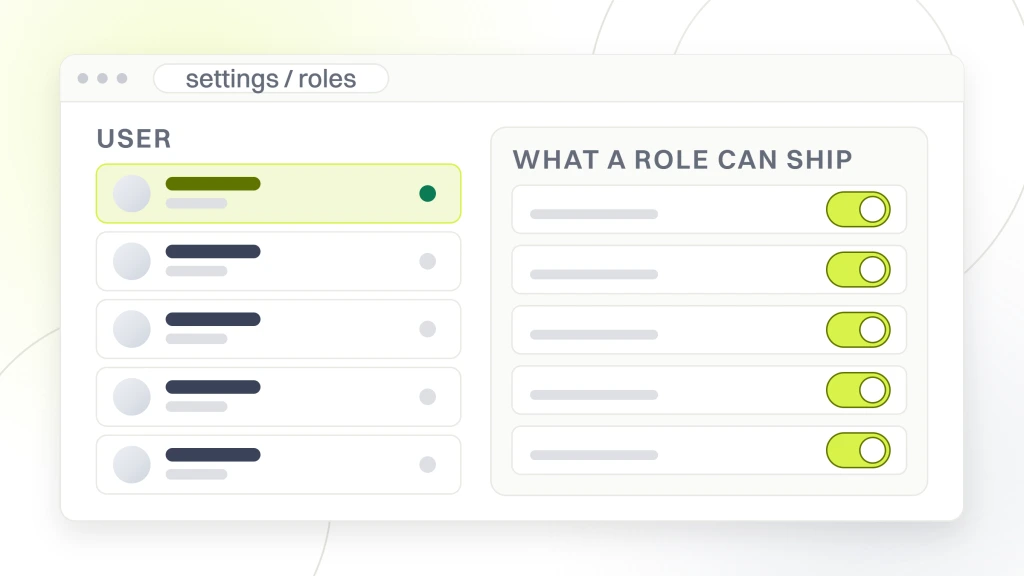
Webflow is built around the answer being “a marketer”. “All the power you need, without plugins” is a governance statement as much as a feature claim, and its 301 redirect copy says so outright, promising you can create and publish redirects with “no engineering help required”. If your bottleneck is a developer queue, that is the whole pitch and it is a real one.
Self-hosted WordPress lands in the same place by a different route. The SEO plugin puts metadata, canonical and schema controls in an interface an editor can use. The cost is that somebody owns the plugin, and on a fifty-site estate that ownership is a staffed responsibility rather than an afterthought.
WordPress VIP and Drupal both answer “a developer, through the release process”, and both are honest about it. VIP says plugins can only be changed through the GitHub repository. Drupal’s SEO layer is contributed modules with configuration that ships as code. That is more auditable and slower, and whether slower is bad depends on how much of your backlog is already waiting on engineering.
Run the trial as a change request
Give each platform’s trial one real ticket from your backlog and time it end to end, including approvals. You are buying the cycle time, not the interface, and only the ticket exposes it.
What a replatform actually costs you in search
If you are reading a CMS comparison you are probably considering a move, so price the move rather than the destination. Google’s site move guidance opens its best practices at your size, telling you to “Split your move into smaller steps, if that makes sense for your site”. It says that “If your site is large and it’s technically possible, we recommend initially moving just a piece of the site to test any effects on traffic and search indexing”, picking “a section that changes less frequently and isn’t significantly affected by frequent or unpredictable events”. The reason it gives is the one a budget plan never carries, that “The more pages that you move, the more likely you’ll encounter additional problems to solve”.
The same page gives the instruction most replatforms ignore. “Change only one thing at a time”, and its own example is precisely your situation. “For example, if you want to move your site to a new domain name, change your content management system (CMS), and update your site to use a new layout, do them one at a time”. Almost every replatform we have seen does all three in one weekend, because that is how the budget was approved.
Staging the move is also what makes the damage findable. The harm in a replatform comes from URLs nobody mapped, and a first slice of a few hundred pages surfaces that pattern while it is still cheap to fix. We have written up what happens when a site lost rankings after a redesign, and the cause is almost always an unmapped URL set rather than the platform it moved to.
Build the redirect map from logs, not the sitemap
Build your redirect map from server logs and Search Console, never from the old sitemap. The sitemap lists what you meant to publish. The logs list what search engines and people actually request.
What enterprise WordPress SEO services should cover on a platform decision
If you bring an agency into a CMS decision, the deliverable is not a recommendation slide. It is a written inventory of what your stack can change today, what it cannot, and the workaround for each blocker. That is the artifact that survives the meeting, on an enterprise SaaS SEO strategy as much as on a retail estate.
Three things belong in that inventory. First, a template census, because at this size you are not editing pages, you are editing the twenty or thirty templates that generate them. Second, the approval chain per template, naming which team owns each one, since that is where the real delay lives. Third, the published limits, dated, with the gaps listed as gaps.
What should not be in it is a ranking forecast tied to a platform. Nobody can honestly produce one, because no platform controls the input. The honest version is that a better platform removes friction, and removed friction lets a search program ship more of what it already knew it should do.
Budget belongs in the same document, which is why it pays to be modeling the return on an enterprise program before the platform conversation rather than after it. A replatform that eats two quarters of engineering time has to beat what those two quarters would have earned on the site you already have.
What we would do first
Assume you stay. That is the honest starting position and it costs nothing to test. Take the five SEO changes stuck in your backlog and find out, specifically, what blocks each one. If four of the five are blocked by approval chains, headcount or an unclear owner, a new CMS changes nothing and you will spend two quarters discovering that.
If the blockers really are platform blockers, write them down before you look at any vendor, then evaluate against your own list rather than a feature grid written by whoever wants you to switch. Ask each vendor to put its ceilings in the order form, and ask what happens when you exceed them.
Our own bias, stated so you can discount it, is that most enterprise sites we audit are not held back by their CMS. They are held back by nobody owning the templates. We would rather fix that than move you, and we say so on projects where moving you would be the larger invoice. Where a move is right, it belongs in a web design and development scope with a redirect map and a rollback plan, not in a search retainer.
Whichever way it lands, decide it on dated evidence rather than a table somebody wrote two years ago. Our case studies show how we document platform limits on programs this size, and you can bring us your list.