Picking the best SEO plugins for WooCommerce comes down to three real options in 2026. Rank Math, Yoast SEO, and All in One SEO. Each one ranks stores well when configured correctly. Each has quirks that matter more or less depending on catalog size, team training, and whether the store already runs one of them. This guide compares the three head to head on the features that actually move ranking rather than the marketing bullet points that don’t.
You’re probably reading this since your store runs the default WooCommerce install with a free plugin from 2022 that has not been touched since. Below you get the plugin comparison across schema depth, title templates, sitemap handling, redirects, price, and support. You also get the migration guide for switching plugins on a live store, the setup checklist for Rank Math and Yoast, and the honest reasons to stick with what you have. Bring your top 20 revenue URLs. The recommendations read better against your actual traffic.
What this guide covers
- Title tag templates across the top three plugins
- Pricing and total cost of ownership for each tier
- Migrating between SEO plugins for WooCommerce without losing rankings
- The features that actually move ranking versus the ones that don’t
- How to pick the right plugin for your store size and team
- A 7 step cleanup checklist you can finish by Friday
Title tag templates across the top plugins
Product title tag templates control what shows in the search result. A well configured template pulls the product name, price, category, and store name into a title that earns clicks. A poorly configured template shows the raw pattern of Product Name and Store Name, and earns 30 to 50% lower click through than the enhanced version.
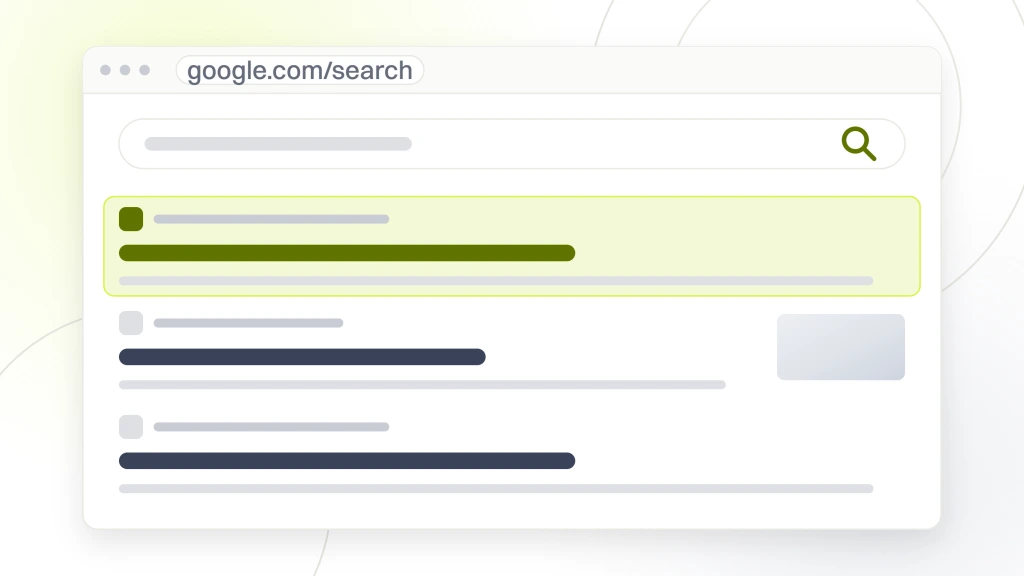
Rank Math supports variables like %title%, %product_price%, %product_category%, %sep%, %sitename%, %currentyear%. A working template reads %title% for %product_price% at %sitename% and renders as Cast Iron Skillet 12 Inch for $89.99 at KitchenStore on the live page. The variables also work in meta description templates so the meta description pulls in short_description or product excerpt automatically.
Yoast SEO’s product title templates use similar variable syntax with %%title%%, %%price%%, %%category%%, %%sep%%, %%sitename%%. The Yoast template editor is slightly clunkier than Rank Math’s but produces equivalent output. Yoast also supports per-product template overrides through the Yoast metabox on each product page, useful for one off products that need custom titles.
AIOSEO Pro uses smart tags like #post_title, #woo_price, #product_category, #separator_sa, #site_title. The tag syntax is less familiar to WordPress veterans but functionally equivalent. All three plugins produce clean, variable driven title tags when configured correctly. The difference between them on title tag output is under 5% in practice. What matters more than the specific plugin choice is having any plugin configured with attribute driven templates rather than defaulting to WooCommerce titles that read as Product Name and Store Name and leave click through revenue on the table.
Pricing and total cost of ownership
Rank Math free covers most stores at $0. Rank Math Pro runs $59/year. Yoast SEO Premium runs $99/year with the WooCommerce add-on at $79/year for $178 total. AIOSEO Pro runs $99.50/year. The pricing gap between the free and Premium tiers rarely justifies the switch for stores under 5,000 SKUs.
| Plugin | Free tier | Premium price | Best fit |
|---|---|---|---|
| Rank Math | 90% of features | $59/year Pro | Most WooCommerce stores under 5,000 SKUs |
| Yoast SEO | Limited without add-on | $178/year Premium plus Woo | Teams already trained on Yoast |
| All in One SEO | Basic feature set | $99.50/year Pro | Teams that prefer AIOSEO’s UX |
| SEOPress | Full features free | $49/year Pro | Budget tight stores under 500 SKUs |
The pricing math shifts at scale. A store with 20,000 SKUs benefits from Rank Math Pro’s larger sitemap handling. $59/year saves 4 to 6 hours of monthly manual sitemap cleanup. A store with a content marketing focus benefits from Yoast Premium’s internal linking suggestions. $178/year saves 8 to 12 hours of monthly linking work. A store with lots of legacy URLs benefits from AIOSEO Pro’s 404 monitoring. $99.50/year saves 2 to 4 hours of monthly cleanup.
Compare the annual plugin cost against the equivalent freelance SEO time it saves. Rank Math Pro at $59/year pays back if it saves the merchant 30 minutes per month. Yoast Premium plus Woo add-on at $178/year pays back if it saves 90 minutes per month. AIOSEO Pro at $99.50/year pays back at roughly 50 minutes per month of saved cleanup work. All three plugins clear their annual fee in labor savings on any active store.
Budget the plugin cost as a line item, not a decision point. Stores spending $2,000 or more per month on paid search need to spend $59 to $178 per year on the plugin that keeps their organic side working. Every store owner who says the pricing is too high spends that same amount every 3 weeks on Meta ads that convert at half the rate of organic search. Get the perspective right.
Migrating between SEO plugins for WooCommerce without losing rankings
Switching plugins on a live store takes 4 hours plus a schema validation pass afterward. Rank Math and Yoast both include built in importers for each other’s data. The importer pulls title templates, meta descriptions, focus keyphrases, redirects, and schema settings from the source plugin into the destination plugin.
The switch process runs in 5 steps. Export current settings from the old plugin, usually a backup file or CSV. Install the new plugin and run its setup wizard without activating anything that conflicts. Run the built in importer to pull the old plugin’s data. Deactivate and delete the old plugin. Validate 5 to 10 sample URLs through Google’s Rich Results test to confirm schema still renders correctly.
Most switches produce no ranking movement. Google reads the rendered page, not the plugin behind it. Occasionally a template mismatch causes a 2 to 4 position drop for 2 to 3 weeks yet Google re-crawls and re-indexes the affected URLs. Keep a rollback plan ready. The old plugin’s export file plus a database backup taken before the switch. Rolling back takes 30 minutes if something breaks.
Dino Decking, a UK composite decking specialist, ran their SEO first program through a plugin standardization pass early in the engagement. Consolidating from 3 SEO adjacent plugins down to Rank Math free eliminated conflicting schema output and freed up 20% of the site’s crawl budget for real product URLs. The technical cleanup contributed to the 206% year over year clicks increase at peak season and 74% conversion gain on commercial URLs their program produced.
Features that matter across SEO plugins for WooCommerce
Not every plugin feature matters. The features that actually move ranking are Product schema completeness, product title templates with attribute variables, breadcrumb schema, XML sitemaps split by post type, and redirect manager. Everything else is nice to have. All three top plugins cover these 5 must haves in their free or Premium tiers. For a deeper dive into how plugins, speed, and schema stack together on WooCommerce, see the full services breakdown.
Product schema completeness is the biggest single ranking input. A Product schema block missing aggregateRating or priceRange won’t render the enhanced snippet. The store loses 40 to 60% click through on affected URLs. Validate schema quarterly using Google’s Rich Results test on a random product URL, a random category URL, and the homepage. This catches theme update regressions early.
Product title templates with attribute variables are the second biggest input. Stores running the default template earn 30 to 50% lower CTR than stores running %title% for %price% at %sitename%. The fix takes 5 minutes to edit the template in the plugin’s Titles and Meta settings. Every WooCommerce store audit should check this first.
Redirect manager matters for stores with active URL cleanup work. Every deleted product needs a 301 redirect to the parent category. Every renamed category needs a 301 from the old slug to the new one. Every migrated page needs a redirect map. A working redirect manager saves 8 to 12 hours per month on a store actively pushing content and product changes live. Read the Google 301 redirects documentation for the setup pattern every plugin should follow.
Breadcrumb schema is the quiet third input. It adds the category path under the URL in the search result and gives Google a clean hierarchy signal. Rank Math and Yoast both render breadcrumb schema automatically once the WooCommerce breadcrumb setting is on. AIOSEO requires a manual toggle in the Search Appearance panel. Miss the toggle and the store loses the breadcrumb visual on every product page, which drops click through 5 to 10% on category rich queries.
XML sitemap handling matters most at scale. Stores over 5,000 SKUs need paginated sitemaps that split by post type and cap out at 5,000 URLs per file. Rank Math handles this cleanly in the free tier. Yoast handles it in Premium. AIOSEO handles it in Pro. Stores that skip pagination end up with a single 40 MB sitemap Google can’t process, and the affected URLs drop out of the index inside 2 to 4 weeks.
How to pick the right plugin for your store
Pick Rank Math free if you are starting a new WooCommerce store, running a store under 5,000 SKUs, or already comfortable with WordPress. Pick Yoast Premium if the team already runs Yoast on other WordPress sites and switching costs more than staying. Pick AIOSEO if the store already runs it and switching would not produce meaningful gains for the effort.
The default recommendation for most new WooCommerce stores is Rank Math free. It covers 90% of what most stores need, and the setup wizard walks a merchant through the whole configuration in 20 to 40 minutes. Stores at 5,000 SKUs or more upgrade to Rank Math Pro at $59/year for the larger sitemap handling and content AI features.
Abigail Ahern, the London luxury home decor brand, standardized on a single plugin as part of the paid and organic rebuild that produced 179% year over year ecommerce revenue growth and 1,588% paid search ROAS. Plugin consolidation was one small input among many, yet eliminating the duplicate schema output from two overlapping plugins was a quiet contributor to the enhanced snippet render rate that raised click through across their category and product pages.
For a Swedish ecommerce parallel, RAFZ Cirkulära Interiörer replaced a plugin bloated 15 second site with a custom lightweight rebuild that grew conversions 28% and cut server requests 82%. Part of that cleanup was consolidating on one plugin rather than layering 3 overlapping ones. Fewer plugins meant cleaner Product schema output and a page load that dropped from 15 seconds to 2. Speed and schema clarity moved together.
Setup checklist for Rank Math on a new WooCommerce store
The Rank Math setup wizard runs in 20 to 40 minutes on a fresh store. Every step in that wizard maps to a ranking input that pays back in the first crawl cycle after launch. Skip a step and the store leaves that specific gain on the table until someone circles back to fix it 6 months later.
- Run the setup wizard and pick the Ecommerce mode, which turns on Product schema by default
- Configure the product title template as %title% for %product_price% at %sitename%
- Configure the product meta description template as %product_short_description%
- Turn on WooCommerce breadcrumbs in the appearance panel
- Verify the XML sitemap loads at /sitemap_index.xml and includes a product sitemap
- Submit the sitemap URL to Google Search Console under Sitemaps
- Validate 3 random product URLs, 1 category URL, and the homepage through Google’s Rich Results test
- Set a quarterly calendar reminder to re-validate after theme or WordPress core updates
Every one of these steps takes under 5 minutes. The full checklist runs in one focused afternoon. Stores that finish this list see the enhanced snippet render on their product URLs inside 7 to 14 days, and rankings on commercial keywords climb 2 to 5 positions across the tracked set inside 4 to 8 weeks.
Common mistakes to avoid with SEO plugins for WooCommerce
The most common mistake is running two SEO plugins at once. A store installs Rank Math on Monday, tries Yoast on Wednesday, and forgets to deactivate one. Both plugins output their own Product schema, their own sitemap, and their own title tag filter. Google reads the conflicting output as a low quality signal, and the store’s rankings sit 2 to 4 positions lower than they should for 3 to 6 months until someone spots the double install.
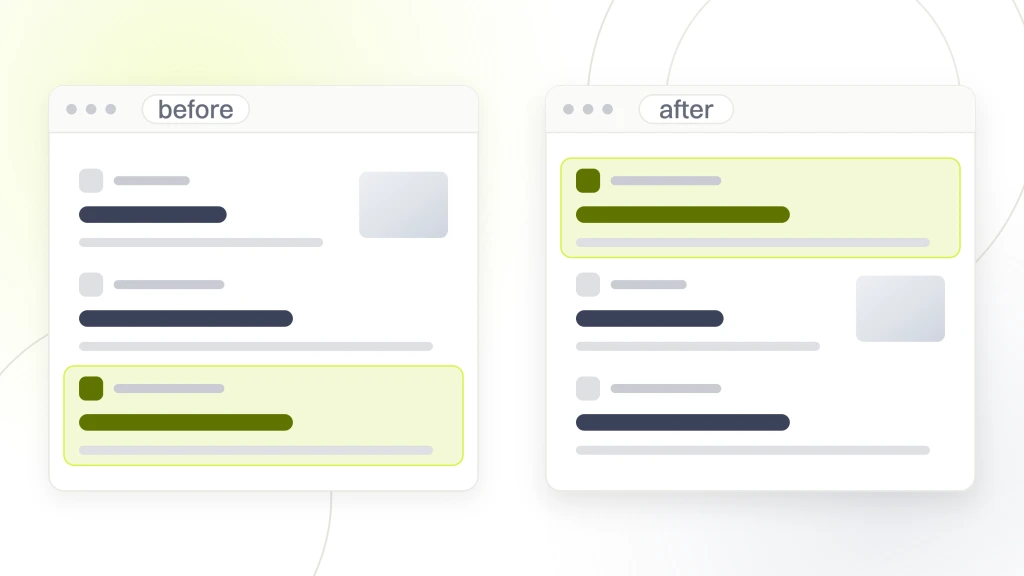
The second most common mistake is leaving the default title template on. Stores that never change the WooCommerce default title tag lose 30 to 50% of the click through that a properly templated title earns. The fix is a 5 minute settings edit. Yet 40% of the stores we audit have never touched this setting.
The third mistake is skipping schema validation after theme updates. A theme update can strip breadcrumbs, break the Product schema block, or drop the aggregateRating field. The store keeps running, but the enhanced snippet stops rendering, and click through drops 5 to 15% inside a week. Run Google’s Rich Results test on 3 URLs every time a theme or WordPress core update goes live. It takes 2 minutes and catches the regression before it costs the store real traffic.
What to do this week to clean up your plugin stack
Pick 3 actions from the list below and finish them by Friday. A store owner who cleans up the plugin stack in one afternoon usually sees measurable ranking improvement within one crawl cycle. Google stops seeing conflicting schema and title output.
Most WooCommerce stores start with 3 to 6 SEO adjacent plugins running at the same time. A schema plugin from 2020. A meta tags plugin from 2021. Rank Math or Yoast installed in 2022 but not configured. A sitemap plugin from an old tutorial. Each plugin generates its own version of title tags, schema, or sitemaps, and Google reads the conflicting output as a low quality signal. The list below is the 7 step cleanup that fixes it.
- Audit installed plugins for anything with SEO in the name and note the last update date
- Deactivate every SEO plugin except the one that will be the go forward choice
- Install Rank Math free and run the setup wizard if the store has no working SEO plugin
- Configure the product title template with attribute variables like title, price, and sitename
- Validate 5 random product URLs through Google’s Rich Results test after configuration
- Delete the deactivated SEO plugins after 7 days if no ranking issues appear
- Set a quarterly reminder to re-validate schema after theme or WordPress core updates
The Ecommerce SEO Services for DTC Brands page at Redefine Web covers plugin standardization plus the ongoing category rewrite work for stores wanting the execution off their plate. For deeper WooCommerce specific execution, the WooCommerce SEO Services for Growth Focused Stores guide covers the full 12 month plan. Complementary reading in the WooCommerce SEO Best Practices guide covers the setup and cadence, and the Shopify vs WooCommerce SEO comparison covers platform level decisions.
The best SEO plugins for WooCommerce are the ones that produce complete schema on time and let the merchant focus on category rewrites and content rather than plugin configuration. The Ecommerce Marketing Retainer Plans from $1,499/mo covers ongoing plugin management alongside category page work for stores wanting a fixed monthly cost. Stores growing organic revenue steadily are the ones that picked one plugin, configured it once, and got back to doing the boring category page work every month for 12 months. That’s the entire playbook. Next Tuesday is when the plan starts.