
A DTC lighting brand doing $1.8M annual revenue on WooCommerce reached out to our team after ranking collapsed 41% in eight weeks. The store had swapped hosting, added three new plugins, moved SEO from Yoast to RankMath, and dropped the block editor onto category pages that had rendered through a legacy PHP template for four years. Nothing individual broke. Everything together broke. Real woocommerce seo services work catches that pattern before it costs a quarter. That’s the exact pattern woocommerce seo services surface when small changes stack without a single owner watching the ranking chart. Product schema went missing under the eyes of woocommerce seo services no one had scoped. Category canonicals reset to homepage. Meta descriptions regenerated from a template and overwrote 340 hand-written variants. TTFB doubled in one quarter.
This piece walks through woocommerce seo services the way our team runs them for growth-focused DTC stores. Plugin selection across Yoast, RankMath, and AIOSEO. Real WordPress plus Woo speed work. Product schema. Block editor SEO on category and product pages. Plugin conflict audits. Replatforming risk from Shopify or BigCommerce into Woo. Every number below runs on real DTC accounts our team measured across 2024 and 2025.
What woocommerce seo services cover for growing DTC stores
Woocommerce seo services cover four workstreams that most agency scopes lump into one line item and then forget to staff correctly. Plugin architecture. WordPress plus Woo performance. Product and category schema. And the block editor plus theme layer that decides how every SERP-facing element gets rendered. Skip any one workstream and the woocommerce seo services scope stops delivering. Skip two and the store caps at page two.
The four workstreams a real Woo SEO scope contains
The first woocommerce seo services workstream is plugin architecture. Picking one SEO plugin (Yoast, RankMath, or AIOSEO), one caching stack (WP Rocket plus Cloudflare, or LiteSpeed on native LS hosting), and one schema layer that plays nicely with WooCommerce product data. The second is performance. WordPress plus Woo runs 2 to 4 times heavier than static Shopify themes, and the query count on a busy category page routinely hits 380 to 640 SQL calls without any code changes. The third is schema, where Product, Offer, AggregateOffer, and BreadcrumbList JSON-LD must render correctly for Google Shopping surfaces and rich results. The fourth is the block editor plus theme layer, where cursor speed feels fine to the merchandiser and then category pages send 220 KB of unused block CSS on every render.
Why one owner has to run the whole scope
The four workstreams touch the same core files. wp-config.php. functions.php. The theme’s product-single template. The Woo hooks that inject cart and add-to-cart markup. A plugin update from any vendor can silently rewrite the schema, disable the sitemap, or push a filter that changes how canonical URLs render. One named owner watching every deploy against Search Console and PageSpeed Insights catches the drift inside a week. Stores that scatter ownership across a dev shop, a hosting provider, and a plugin support ticket queue routinely lose 30% to 50% of pre-quarter rankings before anyone spots the pattern. Our writeup on technical seo for ecommerce covers the crawl-budget math that starts biting past 3,000 SKUs on WordPress plus Woo.
Yoast versus RankMath versus AIOSEO for WooCommerce stores
The SEO plugin choice is the first architectural decision a WooCommerce store owner makes and the hardest one to change later. Every plugin writes meta titles, meta descriptions, schema, canonicals, and sitemap entries to the WordPress database in a slightly different way. Migrating between them without a proper mapping step wipes 6 to 18 months of hand-written meta work, and that is a preventable woocommerce seo services failure.
The comparison DTC founders should reference
| Plugin | Woo product schema | Sitemap flexibility | Free tier limits | Paid tier price | Best fit |
|---|---|---|---|---|---|
| Yoast SEO | Native WooCommerce add-on ($79/yr) | Strong, per-post-type toggles | Broad | $99/yr Premium | Stores wanting the safest default |
| RankMath | Native Woo module in free tier | Very strong, granular | Wide feature set for free | $79/yr Pro | Stores wanting free feature depth |
| AIOSEO | Native Woo module in Pro tier | Strong | Moderate | $99/yr Basic Pro | Stores already on AIOSEO |
| The SEO Framework | None native, needs code | Moderate | Broad | Free | Developer-run stores |
| SEOPress | Native Woo module in Pro | Strong | Moderate | $49/yr Pro | Budget-conscious stores |
Read the table against your current stack, not the aspirational one. A store that’s been running Yoast for three years with 800 hand-written meta descriptions almost never wins by moving to RankMath just because RankMath scores higher in a plugin review roundup. The migration cost eats the feature gain. A store launching fresh in 2026 picks RankMath nine times out of ten and the free tier includes Woo product schema, redirect management, and a proper sitemap without upsells. Our team defaults to RankMath on new Woo builds and to Yoast when the client already has three years of Yoast-formatted meta data on 400+ SKUs.
WordPress plus Woo speed work that moves rankings
WordPress plus Woo runs slower out of the box than any competing ecommerce platform, and speed sits at the center of any real woocommerce seo services scope. That’s a design tradeoff of the open plugin architecture, not a flaw. A busy category page on a stock Woo store routinely fires 380 to 640 SQL queries, loads 12 to 24 external scripts, and returns 1.4 to 2.8 second TTFB on mid-tier shared hosting. Google’s page experience signals read every one of those numbers.
Where the query count comes from
Product query loops on category pages are the single largest driver of database load. A Woo category page rendering 24 products by default calls wc_get_product() 24 times, each of which fires 6 to 12 subqueries for stock status, price, variations, attributes, and taxonomy terms. Add a related products block and the count doubles. Object caching via Redis or Memcached cuts the sustained query count by 55% to 78% on repeat visits, and full-page caching via WP Rocket, LiteSpeed Cache, or Cloudflare APO drops it to near zero for anonymous traffic. Stores skipping object caching and full-page caching together routinely return 3 to 5 second server response times under a light load spike, and Google downgrades that as a page experience signal within 30 to 45 days.
The speed budget worth defending
Set a mobile Largest Contentful Paint budget of 2.4 seconds and a mobile Interaction to Next Paint budget of 190 milliseconds. Category pages beat the budgets or they get held back from launch. Product pages beat the budgets or a hero image gets replaced with a smaller WebP variant. Cart and checkout beat the budgets or a plugin gets audited for load impact. Stores holding a real speed budget keep rankings under seasonal traffic spikes. Stores that treat speed as a quarterly checkup lose ranking momentum every time a merchandiser adds a slider plugin over the weekend. This is where woocommerce seo services earn their keep on the ops side. For more on titles, descriptions, and reviews, read our ecommerce product page SEO guide.
WooCommerce product schema and rich results the store earns
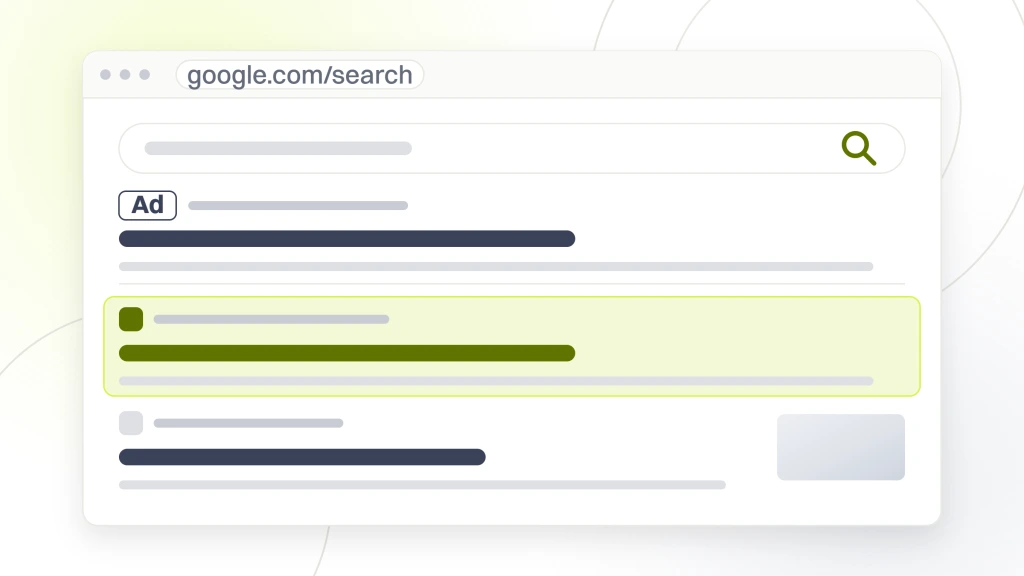
Product schema is the layer that decides whether a WooCommerce store shows up in Google Shopping surfaces, price rich results, review star snippets, and AI Overview product citations. Correctly rendered schema adds 8% to 22% to organic click-through inside 30 to 60 days. Broken or missing schema caps the store at plain blue text results and competitors show star ratings and prices. Fixing that gap is the highest-ROI slice of most woocommerce seo services engagements.
The four schema types every product page needs
Product schema declares the SKU, brand, description, category, and image. Offer schema declares price, currency, availability, and shipping details. AggregateRating schema pulls in review scores from the store’s review plugin (Judge.me, Yotpo, or WooCommerce native reviews). BreadcrumbList schema declares the navigation hierarchy so Google understands where the product sits in the catalog. All four render as nested JSON-LD in the page head. Yoast’s Woo add-on and RankMath’s Woo module both render the four types correctly out of the box. Google reads JSON-LD in either the head or the body of the page, so body placement alone does not stop rich results. The requirements are set out in Google’s product structured data documentation.
Where schema breaks silently on WooCommerce
Schema breaks silently on Woo in three patterns. Pattern one is a variable product where the parent product prints one Offer instead of a full AggregateOffer covering every variation, and cuts the store out of shopping surfaces for the variant-level searches. Pattern two is a theme filter that strips the review markup during a redesign, which drops the star snippet inside 30 days without a single deploy note flagging the change. Pattern three is a review plugin update that changes the JSON-LD output format and stops matching the Product schema the SEO plugin renders. Sitewide schema validation via the Rich Results Test API, run monthly against the top 100 revenue SKUs, catches all three patterns before they cost rankings.
Block editor SEO on WooCommerce category and product pages
WordPress block editor SEO on Woo pages splits into two problems that stores routinely conflate. The first is content architecture. The second is CSS bloat. Both cap ranking if they run unaudited, and both fall inside the woocommerce seo services scope our team ships every month.
Content architecture on category and product pages
Category pages need at least 320 words of intro copy above the product grid to rank against commercial-intent queries. Product pages need at least 480 words of hand-written description below the buy box to rank against long-tail SKU searches. Block editor makes both easy to build and easy to break. A merchandiser dragging a Group block above the product grid to add hero imagery often pushes the intro copy to 640 pixels below the fold, and it cuts the perceived-value ranking signal Google reads from above-the-fold text. Category and product page layouts get audited quarterly against a wireframe that pins intro copy above the fold and holds the perceived-value signal steady.
CSS bloat from block editor styles
Every block editor block includes its own inline style. On a page with 40 blocks the accumulated CSS reaches 180 to 240 KB before minification, most of which never applies to the rendered content. WordPress 6.4 introduced load_separate_core_block_assets() which loads only used-block CSS, and the setting defaults to off. Turning it on cuts stylesheet weight by 45% to 68% on category pages. Paired with async loading of non-critical CSS through a plugin like Perfmatters or a small mu-plugin, Woo stores hit sub-2-second mobile LCP without changing hosting or theme.
Plugin conflict audits a Woo store needs every quarter
Plugin conflicts are the WordPress problem no other ecommerce platform has. A stock Woo store runs 18 to 34 plugins in production. Each plugin registers hooks, filters, database calls, admin screens, and cron jobs. Any two of them can silently fight for the same hook, and the conflict often only surfaces on a specific page template under a specific traffic pattern.
The three conflict patterns that cost rankings most often
Pattern one is the SEO plugin plus schema plugin conflict. RankMath renders Product schema, and if the merchandiser installs Schema Pro or WPSSO for review markup, the two schemas fight and Google sees inconsistent structured data. Pattern two is the caching plugin plus custom endpoint conflict, where WP Rocket caches the Woo REST API responses that a checkout upsell plugin needs to render fresh, breaking cart totals for a subset of returning shoppers. Pattern three is the security plugin plus REST API conflict, where Wordfence or Sucuri blocks the Woo REST endpoints that Google structured data test needs to validate schema. All three patterns show up in Search Console under structured data errors within 14 to 30 days of the conflicting install.
The quarterly plugin audit worth running
- Query Monitor sweep on category, product, cart, and checkout templates to identify heavy plugins and slow filters.
- Rich Results Test API run against the top 100 revenue SKUs to catch schema breaks the SEO plugin missed.
- Plugin update log review against Search Console structured data errors for the trailing 30 days.
- Cron job inventory with wp-cli cron list, flagging any plugin firing more than 40 events per hour.
- Database query log sample for 24 hours, looking for plugin-generated slow queries above 1.5 seconds.
- Deactivation test on staging where non-critical plugins get disabled one at a time to measure PageSpeed impact.
Stores running the quarterly audit catch 3 to 6 real conflicts a year. Stores skipping it usually notice the conflicts 6 to 9 months in when a category page ranking drops without a deploy log to explain the change. Every hour spent on the audit pays back several times over in retained ranking momentum, and this is one of the highest-value woocommerce seo services line items on any retainer. Compare tier scope in our ecommerce SEO packages breakdown.
How do you migrate from Shopify to WooCommerce without losing SEO
You migrate from Shopify to WooCommerce without losing SEO through disciplined woocommerce seo services prep. Start by building a full URL inventory before cutover, mapping every URL with organic sessions to its Woo equivalent, and running staging validation for schema, canonicals, and meta descriptions across the top 500 pages before DNS switches.
The three migration failure patterns Woo inherits from Shopify
Pattern one is the URL structure change. Shopify uses /collections/{slug}/ and /products/{slug}/. WooCommerce defaults to /product-category/{slug}/ and /product/{slug}/. Every backlink pointing at the old URL turns into a 404 without a URL-to-URL 301 redirect live at cutover. Pattern two is the meta description reset, where the Shopify theme stored descriptions in Liquid variables and the Woo import pulls product descriptions from the product body without the meta layer. Pattern three is the schema stack drop, where the Shopify built-in Product and Offer schema does not export to Woo and the new SEO plugin has to render it from scratch. Our writeup on the ecommerce seo audit checklist covers the full migration prep sequence in more detail.
The 30 to 60 day recovery window
Migrations run against a proper prep checklist recover 82% to 96% of pre-migration organic revenue inside 60 days. Migrations that skip the checklist recover 42% to 58% inside 6 months. The delta pays back the migration prep budget several times over during the first year post-launch. Every DTC founder considering a Shopify to Woo move should budget 3 to 6 weeks of prep work before DNS cutover, not 3 to 6 days.
Internal linking across a WooCommerce catalog that compounds ranking
Internal linking is the cheapest ranking win most Woo stores skip. It happens to be the layer where WordPress plus Woo actively works against store owners. The default related products block picks products by category tag, not by ranking value. The result is a category page full of related product tiles that link laterally between low-ranking SKUs and the top-ranking SKU sits without a single inbound internal link.
The linking rules that work on Woo
Every category page links to its top 3 revenue SKUs in the intro copy above the product grid, using descriptive anchor text matching the SKU primary keyword. Every product page links to at least two related products by hand in the description, chosen by cross-sell logic (not the default related products block). Every product page links to the parent category using a breadcrumb link. Blog posts covering buyer-intent topics link to the top 3 category pages using keyword-rich anchor text. Stores that fix nothing else about their internal linking except anchor discipline usually gain 12% to 24% organic traffic on the linked-to SKUs within 8 to 12 weeks.
Anchor discipline across the catalog
Anchor text does the ranking work. Anchors that read Learn More, See Details, or Shop Now pass zero ranking signal. Anchors that read Modular Under-Cabinet LED Lighting Kit or Cordless Battery Backup for Home Office pass strong ranking signal. Merchandisers writing internal link anchors default to the shorter phrase every time and it fits the design better. SEO discipline overrides that instinct across the whole catalog and adds the descriptive anchor text back to every internal link. That single fix, run across 200 to 400 SKUs, typically moves 15 to 30 head-term rankings inside a quarter. Our writeup on seo ecommerce category pages covers the category-level anchor patterns that pair with product-page linking.
Measuring WooCommerce SEO services honestly across the catalog
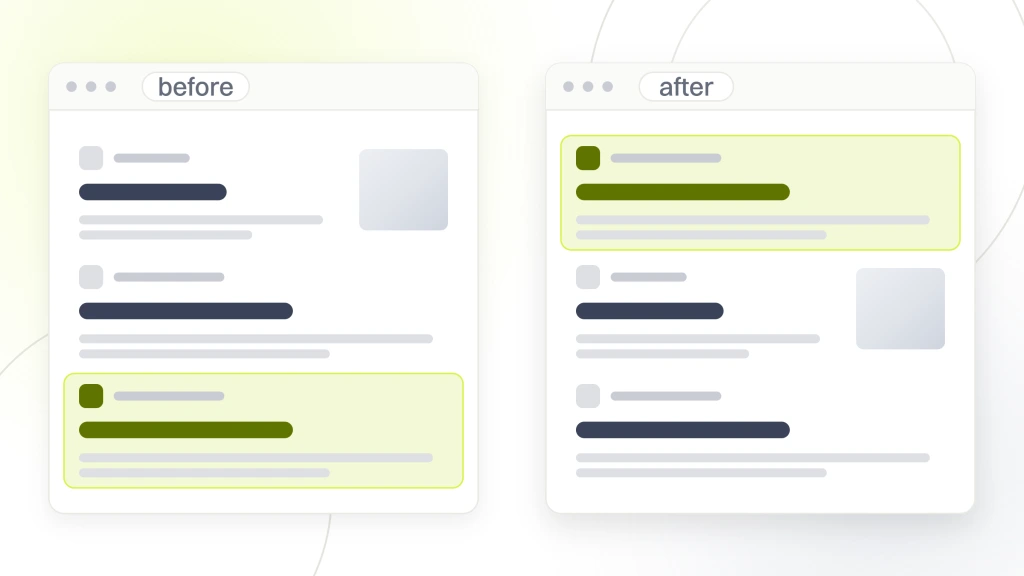
Measurement closes the loop on Woo SEO work. Numbers that never get tracked at the SKU and category level get quietly rolled into a sitewide average, and category weakness hides behind homepage strength for months and the retainer keeps billing. The right measurement stack breaks every KPI down by page template and reviews the split monthly.
The KPIs that hold the answer per page template
- Category page organic sessions. GA4 filtered to landing pages under /product-category/, split by category in a dashboard tile.
- Product page organic sessions. GA4 filtered to landing pages under /product/, split by top 100 revenue SKUs.
- Head-term keyword rankings. AccuRanker tracking the top 60 head terms across category and product SKUs.
- Category and product conversion rate on organic sessions. GA4 filtered to organic source with page template as the dimension.
- Attributed revenue per landing page. GA4 enhanced ecommerce revenue attribution filtered by landing page template.
- Structured data error trend. Search Console structured data reports checked weekly for spikes.
Real woocommerce seo services in production on a DTC brand
A mid-market DTC home-goods brand selling modular storage systems to apartment renters and small-space owners came to our team with a Woo store hitting a hard ranking ceiling. Organic revenue had held flat at roughly $84k monthly for three quarters, category pages ranked at positions 18 to 32 for their primary head terms, and Search Console showed intermittent structured data errors across the top 40 revenue SKUs. The founder wanted honest scoping on woocommerce seo services, not another dashboard demo. See the full ecommerce SEO services breakdown for a broader view.
Our team ran the Woo SEO work in a phased sequence. Weeks one through three covered a plugin conflict audit that flagged three real conflicts (RankMath versus Schema Pro on Product schema, WP Rocket versus the cart totals endpoint, Wordfence versus the Rich Results Test crawl), plus a full URL inventory pulled from Search Console and Ahrefs across 640 indexed URLs. Weeks four through eight covered a rebuild of category and product page intro copy against a wireframe that pinned 320-word intros above the fold, hand-written internal linking across the top 100 SKUs using descriptive anchor text, and a schema audit that fixed 41 broken variable product Offer clusters. Weeks nine through twelve covered hosting migration to LiteSpeed with object caching, load_separate_core_block_assets() enabled, and a Looker Studio dashboard that split organic revenue by page template weekly.
Over the following eight months, category page organic sessions grew 118%, product page organic sessions grew 84%, and structured data errors dropped from an average of 22 per week to zero. Non-brand organic revenue climbed from $28k monthly to $71k monthly by month eight, and brand-search organic held steady. The dashboard held the merchandising team accountable to per-template performance and cut argument time in weekly planning meetings by roughly half. That is the shape woocommerce seo services take when the operating layer settles first.
Case study Boogie Board and what $31 cost per sale means
Our ecommerce work with Boogie Board held cost per sale at $31 across the annual measurement window, with search and paid channels feeding a WooCommerce-adjacent catalog through the same conversion path. The unit economics matter for one reason. A $31 cost per sale on a $40 average order value means paid traffic loses money and organic search has to carry the profitable share of demand. A $31 cost per sale on a $120 average order value means paid can scale hard and organic search stacks on top of it. Woocommerce seo services live inside that math, not next to it. The plugin picks, schema work, and internal linking discipline decide how much of the catalog earns the higher-margin organic share of demand.
Woo stores that treat SEO as a separate line item from paid media routinely spend 40% to 60% more per acquired customer than they need to. Woo stores that read the two channels as one demand-capture stack keep unit economics inside a tight band across quarters. That is the framing every retainer engagement our team runs starts with.
Where woocommerce seo services fit the DTC growth stack
WooCommerce SEO services sit at the operating layer between the store product data and the search engines that rank it. The plugin architecture decision, the speed budget, the schema layer, and the internal linking discipline set the ceiling every downstream tactic operates under. Stores that budget for tactical wins without settling the operating layer end up with tactical wins and strategic drift. Stores that settle the operating layer first end up with tactical wins that compound across the whole catalog through the first two years.
Our ecommerce seo services hub covers the retainer scope for DTC founders who want the Woo scope run for them. SEO retainer tiers run $999, $1,499, $2,499, and from $4,500 per month depending on catalog size and rollout scope. Six-month contracts are standard for Woo work to hold up under load through two quarters.
Pick one SEO plugin. Hold a mobile speed budget. Fix product schema. Then hold the pace and catalog rankings compound across the next 12 months.