Chiropractor website security is the ongoing set of tasks that keep your practice site online, uninfected, and trusted by both patients and Google. A hacked chiropractor website loses bookings the same week it goes down, drops out of local map results in days, and can trigger a HIPAA breach notice if the intake form was leaking data to the wrong place. Every clinic owner should treat security as a weekly line item, not a one-time launch task.
This checklist walks through the 12 areas that actually matter for a chiropractic practice site in 2026. You’ll get the WordPress hardening steps, plugin hygiene rules, form-handling requirements for protected health information, backup cadence, staff phishing training, vendor risk audit, and the monthly monitoring checks. If you have a maintenance vendor, use this as the audit list to run against them. If you handle the site yourself, this is the weekly playbook.
Bookmark this page and treat it as your working reference through the year.
What chiropractor website security really covers
Chiropractor website security covers six layers. Hosting and server, WordPress core and plugins, login and user access, form data and patient privacy, staff training against phishing, and monitoring plus recovery. Miss any one layer and the whole site is exposed. Each layer needs weekly attention to close the doors before bots find them.
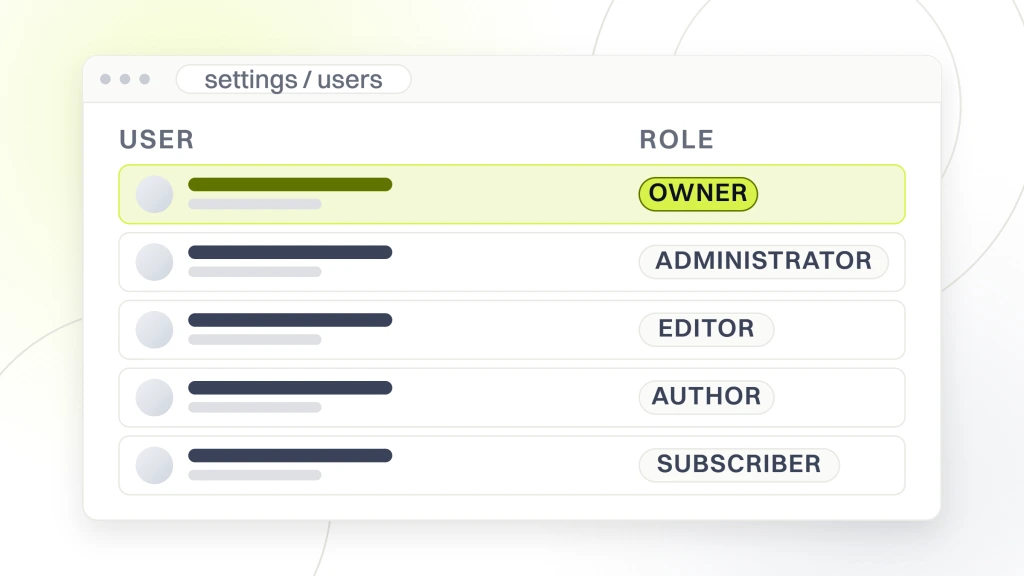
The threat model is boring on paper and expensive in practice. Bots scan every WordPress site on the internet every day looking for outdated plugins, weak admin passwords, and open XML-RPC endpoints. When a bot finds one, it drops malware, redirects your traffic to sketchy pharmacies, or holds your database for ransom. Your job as an owner is to close every door on that scan before the bot arrives.
The stakes are higher than a generic small-business site. Patient intake forms often collect date of birth, insurance details, and health complaints. That data falls under HIPAA the moment you handle it electronically. A chiropractor website security incident that exposes this data is not just a lost booking. It is a mandatory breach notification and a potential 6-figure fine. This checklist treats HIPAA-safe form handling as non-negotiable.
One recurring pattern across breached practice sites. The owner did everything right for the first 3 months after launch, then let updates slip during a busy patient stretch, and the bots found the site inside a week. Weekly cadence beats heroic monthly effort every single time. So this checklist trades depth for repeatability. You will run the same 12 checks every Monday, and that boring rhythm is the whole point.
- Hosting and server hardening (PHP version, firewall, SSL)
- WordPress core and plugin updates on a weekly cadence
- Login hardening with 2FA, strong passwords, limited attempts
- Form and data privacy including HIPAA-safe intake
- Staff training on phishing and smishing scams
- Backup, monitoring, and incident recovery playbook
Why a chiropractor website is a bigger target than you think
Bots do not care that you run a small clinic in a strip mall. They care that WordPress powers over 40% of the web and that most small-practice sites go 6 months between updates. Every unpatched plugin is a public advertisement that reads come on in.
Chiropractic clinics carry a higher payoff for attackers too. Patient intake data resells on underground forums for more than credit card numbers, since it enables long-term identity fraud. Your booking calendar reveals patient names and phone numbers. Your Google Business Profile is tied to the site domain, so a hacked site takes your local rankings down with it. That is why hardening has to be treated as ongoing work.
The recovery math punishes small practices too. A 3-day site outage during flu season costs a solo chiropractor 15 to 25 lost new-patient bookings, plus the emergency dev bill to clean the malware, plus the SEO recovery time to get Google to unflag the domain. That is easily $4,000 to $8,000 in a week that a 20-minute Monday checklist would have prevented. Compare that to what a chiropractor website cost analysis pegs as annual budget and the math is obvious.
Attackers work your Google Business Profile connection next. When your site domain gets flagged for malware, Google Maps quietly demotes the listing tied to that domain. You just see fewer directions requests and calls that week. Restoring the Maps ranking takes weeks after the site is clean, since Google needs to re-crawl and re-trust the domain. That is the invisible tax of a slow response to any breach.
Hosting and server hardening basics
Your host is layer zero of chiropractor website security. Shared hosting under $5 a month is a false economy for a practice site, since the neighbors on the shared server can drag your site down when they get infected. Managed WordPress hosting from Kinsta, WP Engine, or Rocket.net starts at around $30 a month and includes daily backups, malware scanning, and PHP version management out of the box.
Make sure your host is running PHP 8.2 or newer. PHP 7.4 hit end of life in November 2022 and PHP 8.0 in November 2023. Any site still running an end-of-life PHP version has known unpatched vulnerabilities in the interpreter itself. Log into your host dashboard, check the PHP version, and update to 8.2 or 8.3 today if you have not already. Test the site after the switch, since a few older plugins break on newer PHP.
SSL is table stakes now. Every page on your chiropractor website should serve over HTTPS with a valid certificate. Let’s Encrypt gives you free 90-day certificates that auto-renew on almost every managed host. If any page still loads over plain HTTP, Chrome shows a Not Secure warning to every visitor, and your booking form is transmitting patient data in plain text. Force HTTPS at the server level, not just through a plugin.
- Managed WordPress host, not sub-$5 shared hosting
- PHP 8.2 or 8.3 with automatic minor version updates
- Valid SSL certificate forcing HTTPS on every URL
- Web application firewall at the host or Cloudflare level
- Automatic host-level daily backups with 30-day retention
WordPress core, theme, and plugin updates
Outdated plugins are the number one entry point for hacked chiropractor websites. Wordfence reports that plugin vulnerabilities are the leading source of disclosed WordPress security issues, far ahead of themes and core. Every week you delay a plugin update, you are gambling that no attacker has scanned your site yet. That gamble ends badly for a lot of practices every quarter.
The safe update workflow runs every week. Log into a staging copy of the site first. Update WordPress core, then your theme, then plugins in small batches of 3 to 5 at a time. Click through the homepage, service pages, and booking form after each batch to catch anything that broke visually or functionally. Once staging passes, push the same updates to production and repeat the smoke test. The whole cycle takes 20 to 30 minutes if nothing breaks.
Delete plugins you no longer use instead of deactivating them. An inactive plugin still has code on the server that can be exploited if it has a known vulnerability. If you tested a plugin 6 months ago and stopped using it, remove it completely. For a deeper walkthrough of the update cadence, see our WordPress updates for chiropractor websites guide.
Auto-updates are safer than they used to be. WordPress core enables them by default for security releases as of version 5.5, and most managed hosts offer opt-in auto-updates for plugins. The trade-off is that a bad plugin update can break your site at 3 a.m. with nobody watching. The sensible middle ground is straightforward. Auto-updates on for security patches only, weekly manual review for feature releases, and a staging environment for anything with a major version jump.
Login hardening and admin access
The default WordPress login page at /wp-admin is the most attacked URL on the internet. Every hour, bots hammer it with password-guessing attempts on every WordPress site they can find. Your job is to make that attack impossible before it gets past step one. 3 changes handle 90% of brute-force traffic.
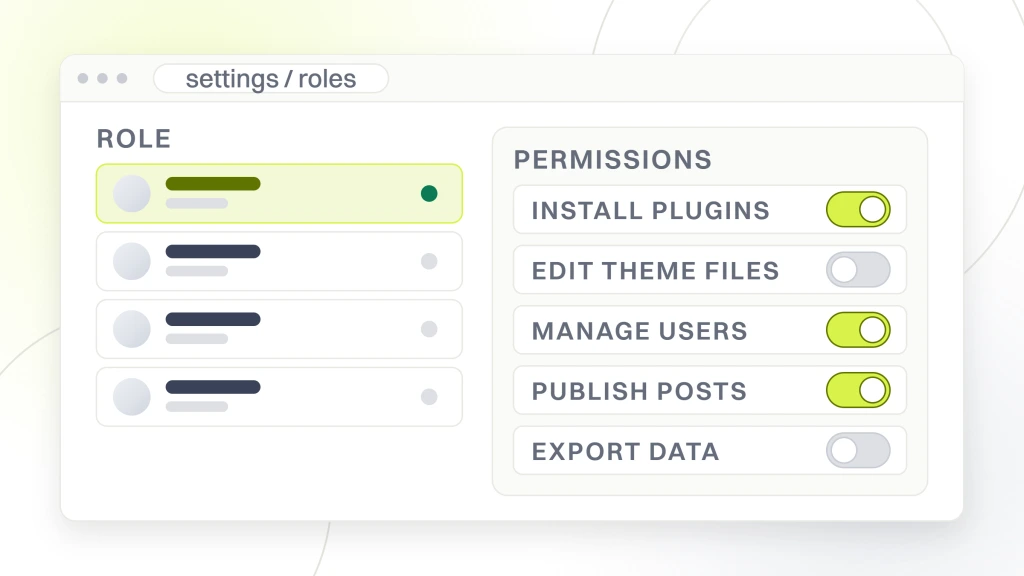
First, enforce strong passwords on every admin, editor, and author account. A 16-character random password from a password manager beats anything a human can remember. Second, turn on two-factor authentication for every admin. WP 2FA, Wordfence Login Security, and Google Authenticator all handle this for free. Third, limit login attempts with a plugin like Limit Login Attempts Reloaded so bots get locked out after 5 failures per IP.
Delete the default admin username if it still exists on your site. Rename it to something unique for every admin user. Audit the user list every quarter and remove old accounts from developers, former staff, or contractors who no longer work with your practice. Every stale account is one more door for an attacker to try. A tight user list is a core piece of hygiene that most clinics ignore until they get burned.
| Setting | Default risk | Hardened value |
|---|---|---|
| Admin username | admin / clinic name | Random, unique per user |
| Password length | 8-10 characters | 16+ characters, generated |
| 2FA on admin | Off | On, TOTP app required |
| Login URL | /wp-admin (public) | Renamed via WPS Hide Login |
| Failed attempts | No cap | 5 per IP per 15 minutes |
| XML-RPC | Enabled by default | Disabled if unused |
HIPAA-safe forms and patient data handling
The moment your chiropractor website collects a patient name, date of birth, insurance details, or health complaint, HIPAA rules apply to how you store and transmit that data. A standard contact form plugin that emails submissions to your inbox in plain text is not HIPAA-compliant. Neither is a form that stores entries in the WordPress database unencrypted.
The 3 requirements for HIPAA-safe forms are encrypted transport (HTTPS everywhere, no exceptions), a signed Business Associate Agreement (BAA) with every vendor that touches the data, and encryption at rest. Practical options for chiropractors include Jotform HIPAA, Formidable Forms with the HIPAA add-on, or purpose-built patient intake tools like Jane, ChiroTouch, or PatientPop that handle the whole intake flow inside their compliant infrastructure.
Do not email intake forms to a generic Gmail inbox. Free Gmail is not HIPAA-compliant. Google Workspace can be, but only with a signed BAA and specific configuration. The safer pattern is direct. Form submits into your practice management system via API, never touches an inbox. If you already run Jane or ChiroTouch, ask their support team for the web form embed code and use that instead of a WordPress form plugin.
One under-appreciated detail. Your third-party form vendor needs to sign a BAA too if it stores the submission. Jotform HIPAA does this by default on their HIPAA plan. Free Google Forms does not, and cannot be used for patient data no matter how careful the internal handling is. Audit every tool in the intake chain and rip out anything without a signed BAA. This is the single most-skipped compliance step at small practices.
Vendor and third-party risk audit
Vendor risk is compliance risk. The 2024 and 2025 breach alerts involving ChiroTouch and TriZetto Provider Solutions made the point in the sharpest way possible. Even when the vendor causes the breach, the practice still has to notify patients and report it to the Office for Civil Rights on time. Miss the deadline and the fine is on you, not the vendor.
Build a simple vendor register in a spreadsheet. Every tool that touches patient data goes in a row. EHR, booking software, email marketing, form builder, cloud storage, analytics, live chat, and the SMS reminder tool. For each row, note whether you have a signed BAA on file, when it was last reviewed, and what data the vendor can see. Any row without a BAA gets a same-week decision. Sign one, or replace the tool.
Review the register every 90 days. Vendors change ownership, get acquired, or spin off products, and the compliance posture changes with them. A quarterly 20-minute pass keeps the register accurate and lets you spot drift before a regulator does. This one step alone would have caught most practice breaches we have seen, since the compromised vendor was almost always a tool the owner had forgotten was still connected.
Malware scanning and firewall protection
Every chiropractor website needs a malware scanner that runs at least weekly and alerts you the same day it finds anything suspicious. Wordfence Free covers the basics well. Signature-based scans, live traffic monitoring, and login attempt tracking. Sucuri, iThemes Security Pro, and MalCare offer more automation for around $100 to $300 per year per site.
A web application firewall sits in front of your site and blocks malicious traffic before it reaches WordPress. Cloudflare free tier gives you a solid baseline WAF plus CDN plus DDoS protection at no cost. Wordfence and Sucuri include WAFs at their paid tiers. If your host is Kinsta or WP Engine, their platform-level firewall handles this for you and you can skip the plugin firewall entirely to save server resources.
Check the scan report every Monday morning. If any file is flagged, investigate before assuming it is a false positive. Compare the flagged file against a fresh copy from the plugin or theme repository. If they differ, someone modified a file that should not have been touched, and you are likely already compromised. That is the moment to pull the last clean backup and rotate every password.
Set clear escalation rules for scan alerts. A new admin login from your own IP is not a threat. A file change inside wp-content/plugins the day after an update is expected. But a file change inside wp-includes or a new PHP file in wp-content/uploads is a red flag that needs same-day action. Document the rules once, then anyone at the practice can triage alerts.
Backup strategy and recovery testing
Backups are the last line of chiropractor website security. Everything else is prevention. Backups are the plan for when prevention fails. The rule for practice sites is direct. Daily automated off-site backups, 30-day retention minimum, and a restore test at least once every quarter. Without the restore test, you do not have a backup. You have hopeful storage.
UpdraftPlus, BlogVault, and Jetpack Backup all handle daily off-site backups for $40 to $200 per year. Most managed hosts include daily backups in the plan, but those are usually stored on the same infrastructure as your site. If your host gets ransomware, the backup is gone with the site. Off-site means a separate provider. Amazon S3, Backblaze B2, Google Drive, or the plugin vendor’s own storage.
Test the restore once a quarter. Spin up a staging environment, restore yesterday’s backup into it, and verify the homepage, booking form, and admin login all work. Most practices discover during a real emergency that their backup never actually worked, or that a plugin needed for the site was somehow excluded. The 30-minute quarterly test prevents the 48-hour panic during a real breach.
- Daily automated backups to off-site storage
- Minimum 30-day retention, ideally 90 days
- Quarterly restore test into a staging environment
- Documented recovery playbook with credentials in a password manager
- One offline copy stored on an external drive per quarter
Staff phishing and smishing training
Most successful practice breaches start with a person, not a plugin. A staff member clicks a phishing email dressed up as a Google login prompt, hands over the admin password, and the bot is inside within the hour. Phishing and smishing (SMS phishing) target the front desk more often than the owner, since attackers know the front desk handles hundreds of external messages a day.
Train every staff member to spot the 4 patterns. Sender addresses that look almost right but not quite, urgent language like account will be suspended in 24 hours, unexpected links from a familiar name, and spelling or grammar mistakes that professional companies do not send. Run a 15-minute lunch-and-learn on the 4 rules the first Friday of every quarter and the click-rate on test phishing drops sharply.
Post a simple rule on every workstation. When in doubt, do not click. Instead, contact the sender through a channel you already trust. A phone number on file, or the official site typed into the address bar. That one habit prevents most credential-stealing attacks that walk past every technical control. Your site is only as strong as the least-trained person on the team.
Spam blocking and comment protection
Spam is not just annoying. It is a security signal. A chiropractor website getting hammered with spam comments or contact-form submissions is often the same site being probed for vulnerabilities. Cleaning up spam is part of the job, since it reduces attack surface and cuts through the noise so real attack attempts stand out in your logs.
Turn off comments on posts if you do not actively moderate a blog with reader engagement. Most practice sites do not need comments at all, so disable them site-wide in Settings then Discussion. Replace open contact forms with honeypot fields and a light Cloudflare Turnstile or Google reCAPTCHA v3 challenge. Turnstile is free and less intrusive than the older reCAPTCHA checkbox.
Akismet handles comment spam if you leave comments on. Antispam Bee is a free alternative that works well for small practice sites. For contact-form spam, plugin honeypot fields catch 95% of bots without adding friction for real patients. This is the invisible layer that keeps your inbox clean and your form-submission logs actually useful.
One extra pattern worth building. Block form submissions from countries you do not serve. If your practice is in Ohio, you have no legitimate patient intake coming from Russia, Vietnam, or Nigeria. Cloudflare free lets you set country-based firewall rules that block those regions from ever reaching your form. That single rule cuts contact-form spam by 70% to 90% on most practice sites and cleans up your submission log so real leads stand out clearly.
Monitoring, alerts, and uptime tracking
You cannot fix what you cannot see. Every chiropractor website needs a monitoring layer that alerts you within minutes of a real problem. UptimeRobot and BetterStack give you free tiers that ping your site every 5 minutes and text you the second it goes down. Set up alerts for the homepage, the booking page, and the admin login separately.
Google Search Console is your free early warning system for security issues from the search-engine side. If Google detects malware or a hacked page, Search Console sends you an email within hours. Log in monthly and check the Security Issues report when no email arrived, since sometimes alerts get filtered. Any manual action or security notice needs same-day response before your organic rankings collapse.
Set up a monthly log review. Your Wordfence or Sucuri dashboard, your host error log, and Search Console coverage report all need 15 minutes of eyeball time once a month. Patterns in the logs tell you what is about to break. A steady climb in failed logins from one country, a new referrer sending 500 hits to a page that does not exist, a spike in 404 errors. Those are early warnings that most owners miss, since nobody is looking.
Add a simple public status page for larger practices. BetterStack and StatusPage both offer free tiers that let you post a public URL your front desk can check when a patient calls about a broken booking form. Staff get a straight answer within 5 seconds instead of guessing.
The Redefine Web maintenance program for chiropractic practices
Most chiropractic practices do not want to run this checklist themselves, and honestly, you should not. Your time is worth more per hour billed to a patient than it is per hour spent updating plugins. That is where our chiropractor website maintenance service comes in. We handle every checklist item on a weekly and monthly schedule, and you get a monthly report of exactly what was updated, scanned, and backed up.
The program covers WordPress core updates, plugin and theme updates, weekly malware scans, daily off-site backups, quarterly restore tests, HIPAA-safe form audits, vendor BAA reviews, staff phishing drills, uptime monitoring, and monthly Search Console reviews. Retainers start at $199 per month, which is less than what a single emergency malware cleanup costs. Practices on the program have had zero successful compromises across the last 36 months.
Real results back this up. Pain Cure Clinic, a chiropractic and wellness healthcare provider, partnered with us on education-driven SEO, condition-specific content, targeted ads, and marketing automation, and drove 205% more patient appointments, 289% higher organic traffic, and 162% more reviews at 4.9 stars. Their site has stayed clean and fast, since the maintenance program caught every plugin update before it turned into an incident.
The onboarding week is where most of the value gets built. We audit the current stack, remove the plugins nobody remembers installing, migrate the site to a managed host if it is still on legacy shared hosting, tighten every login, and set the first backup snapshot as the recovery baseline. From there the weekly rhythm takes over, and reports land on Fridays. Retainers run on 6-month contracts, since security work compounds over time.
Weekly and monthly chiropractor website security checklist
This is the working checklist. Print it, tape it inside the reception desk, and run through it every Monday morning before the first patient arrives. Weekly work takes 15 to 30 minutes. Monthly work adds another 20 minutes. Quarterly work adds an hour. That is the total time investment to keep your practice site clean and your patient data intact.
Weekly tasks are the non-negotiable base layer. Miss a week and the odds of a compromise start climbing. Monthly tasks catch drift and audit the health of the setup. Quarterly tasks force you to test the recovery plan before you need it. Yearly tasks force a full audit of vendors, permissions, and setup choices that may have gone stale. For overlap with related weekly work, see tracking maintenance and marketing tools. Both round out the wider picture of marketing tools for chiropractors and website maintenance for chiropractors on a single monthly plan.
One rule for the whole checklist. If you finish a task, log it. A shared Google Sheet or a simple Notion database with rows for each week and columns for each task takes 30 seconds per row and gives you the record you need if anything ever goes wrong. When the malware finally arrives, the log tells you the exact update that let it in, which cuts the cleanup time from a full day to an hour.
- Weekly. WordPress core plus plugin updates on staging, then production
- Weekly. Malware scan review, login attempt log check
- Weekly. Verify daily backups completed and stored off-site
- Monthly. Google Search Console Security Issues plus Coverage review
- Monthly. Audit user accounts, remove inactive admins
- Monthly. PHP version and SSL certificate expiration check
- Monthly. Vendor register review, BAA freshness check
- Quarterly. Full restore test into staging environment
- Quarterly. Staff phishing and smishing lunch-and-learn
- Yearly. Third-party security audit or penetration test
Chiropractor website security is not a plugin you buy once. It is a weekly and monthly rhythm that covers updates, backups, form privacy, vendor risk, staff training, and monitoring. Work through this checklist, assign the recurring tasks to a real person, and audit the log every quarter. When you are ready to hand it off, our chiropractor website maintenance program covers the full stack. Strong chiropractor website security keeps your patient bookings, your Google Business Profile visibility, and your practice reputation intact. That is worth more than any single plugin.