
Marketing tracking maintenance for chiropractors is the recurring work that keeps your GA4 property, GTM container, ad pixels, call tracking, and form-conversion events reporting accurate booking numbers every month. Broken tracking is invisible until you audit it, and by then Google Ads (which also drives our chiropractor PPC campaigns pattern) has spent three months optimizing toward the wrong signal. Every practice site needs monthly checks on the same rhythm as WordPress updates.
This guide walks through the six tracking layers that matter for a chiropractor practice, the 25-minute monthly audit that catches silent drift, and the exact tests that prove every conversion event still fires. If you spend anything on Google Ads, Meta Ads, or paid search, this workflow is the difference between confident scaling and blind budget waste.
Bookmark it and treat it as the monthly rhythm your reporting depends on. Every layer needs a monthly test so the data driving practice ad decisions stays honest across the whole year, no silent drift.
What marketing tracking maintenance for chiropractors covers
The full scope covers six layers of measurement infrastructure, and every layer breaks silently over time. The layers are Google Analytics 4 (GA4), Google Tag Manager (GTM), ad platform pixels, call tracking numbers, form conversion events, and the CRM sync that pulls all of it together.
GA4 is your source of truth for site behavior. It tracks page views, session duration, form submits, phone clicks, and the multi-step booking journey most patients follow. GTM is the container that fires every tag on the site, including GA4, Meta Pixel, Google Ads conversion tag, and third-party trackers. When one layer breaks, everything downstream gets bad data.
Call tracking numbers swap out your main phone number on ad-driven pages so you can attribute phone bookings back to the right campaign or keyword. CallRail, WhatConverts, and CallTrackingMetrics are the three main providers for practice sites. Each needs a monthly check that the tracking number still forwards to the front desk and still records call metadata correctly.
Form conversion events fire when a patient submits an intake form or requests a callback. Every form on the site needs a matching GA4 event, Meta Pixel event, and Google Ads conversion tag. Miss one and ad platforms optimize toward the wrong signal, so you burn budget on traffic that never books.
Why tracking breaks quietly and expensively
Tracking rarely breaks with a loud error. It usually breaks silently after a plugin update, a theme change, a GTM republish, or a browser update that starts blocking third-party cookies. The site keeps running, the ads keep serving, but conversion data drifts from reality.
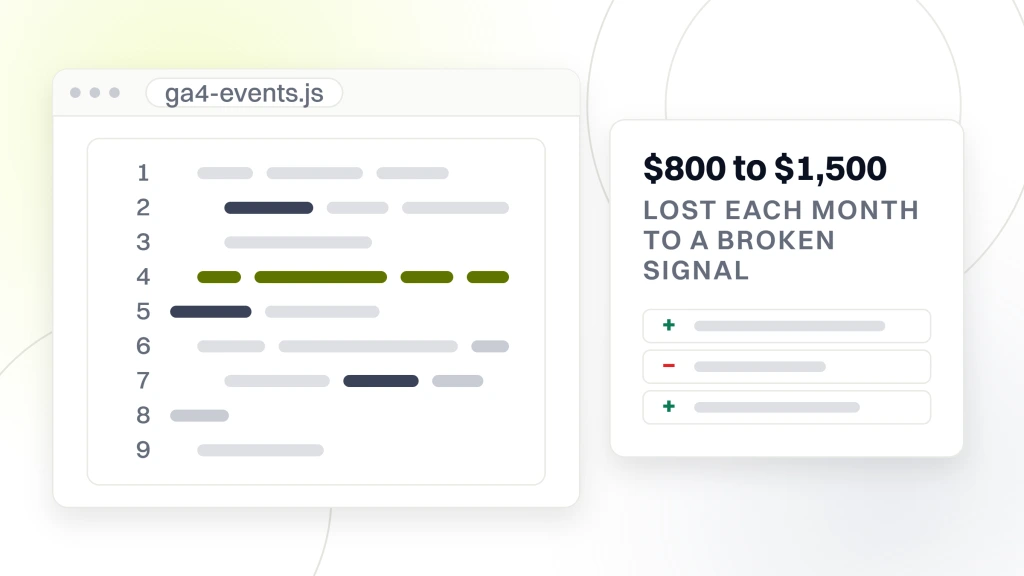
The financial cost adds up fast. If your Google Ads conversion tag stops firing but ad spend continues, Google keeps optimizing toward the last-known signal, usually clicks or page views, and neither books real patients. A practice spending $3,000 per month on ads can lose $800 to $1,500 per month on the wrong optimization signal before the tracking break gets caught in a quarterly review.
The reporting fallout is worse. Every marketing dashboard, weekly report, and quarterly review builds on numbers coming out of GA4 and the ad platforms. Bad data drives bad calls. Practices scale up a broken campaign since the dashboard looks green, or kill a working campaign after the tracking stopped counting conversions. Monthly maintenance prevents both outcomes. For the wider stack that depends on this tracking data, see marketing tools for chiropractors.
One pattern shows up across practice audits. The tracking break coincides with a theme switch or a new booking widget install, and nobody notices until the monthly agency report shows conversion volume dropping by 40 percent. By then Google Ads has been optimizing on the wrong signal for six weeks. Monthly tracking maintenance catches this drift inside the first cycle, not the third. That is a $5,000 to $12,000 difference in avoided budget waste at typical practice ad spend levels.
GA4 setup and event validation
GA4 is the analytics baseline for chiropractor practice sites and replaced Universal Analytics in July 2023. Your GA4 property needs enhanced measurement enabled (page views, scrolls, outbound clicks, video engagement, file downloads) plus custom events for form submits and phone clicks.
Verify GA4 monthly through the Realtime report and the DebugView. Open the site in an incognito window with the GA Debugger Chrome extension. Trigger a form submit, a phone-number click, and a scroll to the bottom of the homepage. Watch the DebugView stream to confirm each event lands with the correct parameters. This 5-minute test catches broken tracking within seconds instead of after a month of drift.
Set up conversion events explicitly. In GA4 Admin, go to Events, and mark form_submit, phone_click, and any custom booking events as conversions. That step is what feeds Google Ads Smart Bidding once you link GA4 to Google Ads. Miss it and Smart Bidding optimizes for page views, which is worthless for a practice trying to book patients.
One overlooked GA4 setting is user_id tracking for logged-in patient portal traffic. If your practice runs a patient portal or a booking system where returning patients log in, feed the anonymized user_id to GA4 for cross-device attribution. That’s how you attribute a returning-patient rebook back to the original ad that acquired them 90 days ago. Most practice sites skip this step and lose the multi-touch attribution needed to understand real acquisition cost.
- Enhanced measurement toggles on for all six default events
- Custom form_submit event on every intake form
- Custom phone_click event on every tel: link
- Conversion event marking for booking-related events
- GA4-Google Ads link active with conversion imports
Google Tag Manager container audits
GTM is where most tracking breaks happen, since it’s where the most changes get made. Every ad pixel install, every A/B test tag, every custom event fires through GTM. Container audits find the tags that stopped working, the ones firing on the wrong pages, and the ones installed for a test six months ago and forgotten.
Use Google Tag Assistant to load the site with GTM preview mode on. Walk through the booking funnel from homepage to service page to contact page to form submit. At each step, Tag Assistant shows exactly which tags fired and which failed. Any red or yellow indicator is a tracking bug to investigate.
Audit the tag list quarterly for stale tags. If a tag has not fired in 90 days, it’s either broken or unused. Both cases mean you should delete it. Every extra tag adds page-load time and raises the chance of a conflict. Chiropractor practices with 25 to 40 active GTM tags are common, and 30 to 40 percent are usually stale on the first audit.
Version-control your GTM changes. Every container publish gets a version notes field. Fill it in with what changed and why. When something breaks two weeks later, the version history is the audit trail that shows you exactly which change introduced the bug. This 30-second habit saves hours of debugging.
Ad platform pixels for chiropractor PPC accounts
Google Ads conversion tracking and Meta Pixel are the two most valuable and most-often-broken tracking layers. Every ad platform depends on its own pixel firing a specific conversion event to know a click turned into a booking. Break the pixel and the platform optimizes toward the wrong signal.
Test Google Ads conversions monthly through the Google Ads Tag Assistant. Click into Tools, then Conversions, and use the Troubleshoot mode. It walks you through triggering a conversion event and confirms whether Google Ads receives it. Any failure here means Google Ads Smart Bidding is running on stale or missing data.
Test Meta Pixel through the Meta Pixel Helper Chrome extension. Load the site, trigger a form submit, and watch Pixel Helper confirm the PageView and Lead events fire correctly. Meta Pixel then needs Conversions API (server-side sending) enabled through GTM or Zapier for accurate iOS 14+ tracking. Without CAPI, 30 to 50 percent of iOS bookings vanish from Meta reporting.
Match ad platform conversion counts against GA4 and against your CRM booking count. All three numbers should land within 5 to 10 percent of each other every month. Bigger gaps mean tracking drift. Investigate every gap over 15 percent, since that reconciliation gap is where invisible budget waste hides in practice ad accounts. For how these signals drive weekly optimization, see PPC for chiropractors.
Call tracking and phone attribution
Phone call attribution is a critical measurement layer for chiropractor practices. Phone bookings still drive 30 to 60 percent of new patients at most chiropractic practices, and phone conversions stay invisible to Google Ads and Meta without call tracking installed. CallRail, WhatConverts, and CallTrackingMetrics are the three main providers for practice sites, and each runs $45 to $200 per month depending on call volume.
The dynamic number insertion (DNI) approach swaps your main phone number for a tracked number on ad-driven visits. When the patient calls, the tracking number forwards to your real front-desk line and the platform records source campaign, keyword, landing page, and call recording. That’s how you attribute phone bookings back to specific ad spend.
Verify DNI monthly by loading the site through a Google Ads test click. The phone number on the page should be the tracked number, not the main line. If it shows the main number, DNI is broken and phone attribution has stopped working. Check every service page and the mobile menu, since those are the most-often-forgotten spots.
Cross-check tracked calls against front-desk records once per month. If CallRail reports 40 tracked calls but your front desk logs 25 completed calls, either patients are hanging up before answer (adjust ring time) or the front desk is missing calls. If CallRail reports 25 tracked calls but the front desk logs 40 completed calls, DNI is missing on some pages. Fix the gap same-day.
Form conversion events and lead quality
Form event tracking is where practice sites most often catch broken conversion signals. Every form on your practice site needs three tracking layers, and each fires on submit. That’s a GA4 event, a Meta Pixel event, and a Google Ads conversion tag. Missing any layer means one ad platform optimizes blind. Setup is a one-time job through GTM. Verification is the monthly work that keeps it reliable.
Trigger a test form submit once per month using a real email address and phone number. Check three things: the form email lands in the practice inbox, the GA4 form_submit event fires in Realtime, and the ad platforms show the conversion inside 24 hours. If any of the three fails, the tracking is broken and every campaign optimizing on that signal is drifting.
Lead quality tracking closes the loop. Not every form submit turns into a booking, and not every booking turns into a paying patient. Tag your CRM to record which lead source and campaign each patient came from. Feed the completed-booking data back to Google Ads through offline conversion imports so Smart Bidding optimizes for real bookings, not just form submits.
Nurture belongs in the same tracking loop. Any email marketing software for chiropractors (Mailchimp, ActiveCampaign, Klaviyo, HubSpot) should pass campaign UTM tags through to GA4 and stamp the lead record in your CRM. That way a rebooked patient who came from a reactivation email 40 days after the last visit still ties back to the acquisition campaign that first brought them in.
The advanced version imports completed-treatment revenue back to Google Ads and Meta through Enhanced Conversions. That lets Smart Bidding optimize for total revenue per patient instead of raw booking count. Practices doing this see 20 to 40 percent higher ROAS within 60 days, since the algorithm chases high-value patients, not any booking.
| Tracking layer | Monthly test | Break signal |
|---|---|---|
| GA4 form_submit | Trigger form, watch Realtime | Event missing from Realtime |
| Meta Pixel Lead | Meta Pixel Helper on submit | Lead event not firing |
| Google Ads conversion | Ads Tag Assistant troubleshoot | Conversion count zero |
| Call tracking DNI | Test-click, check phone number | Main number shows on ad pages |
| CRM sync | Compare CRM booking vs GA4 | Gap over 15 percent |
Consent mode and privacy compliance
Consent Mode v2 became mandatory from Google as of March 2024 for any site running ads to European users, and it’s increasingly enforced for state privacy laws (California CPRA, Colorado CPA, Connecticut CTDPA, Virginia VCDPA). Practice sites without proper consent handling face either legal exposure or degraded ad tracking depending on region.
Install a consent management platform like Cookiebot, OneTrust, or a lightweight WordPress option like Complianz or CookieYes. The CMP shows a banner to visitors, records their consent choice, and passes the choice through to GTM and every ad pixel. GTM then either fires the tag with full tracking, fires it with limited tracking (Consent Mode signals), or blocks it entirely.
Verify the CMP monthly. Load the site in incognito, reject consent, then check that GA4 and ad pixels either do not fire or fire with consent-limited parameters. Accept consent on a second load and verify normal tracking resumes. This 3-minute test catches CMP break during theme updates or GTM republishes.
One trap for practice sites is HIPAA. HIPAA privacy overlaps ad-tracking consent rules but does not replace them. Your intake forms must be HIPAA-compliant separately from your marketing tracking consent. Two different privacy layers, two different sets of rules. For the HIPAA-safe form side, see chiropractor website security checklist.
Practice sites in states without active privacy laws still benefit from proper Consent Mode setup. Google Ads uses the consent signals to model conversions for users who opt out. Better modeling means better bidding decisions across the whole account, not just the consented traffic segment.
The monthly 25-minute tracking audit
Here’s the working monthly audit for chiropractor practice sites. Block 25 minutes on the first Monday of every month. Run it before you look at any performance report so you know the data is trustworthy.
Minutes 0-5. Open GA4 Realtime. Trigger a form submit, phone click, and scroll event from a test tab. Verify each event lands correctly with parameters. Note any missing events.
Minutes 5-10. Load the site with GTM preview mode. Walk through the booking funnel. Note any tags failing or firing on wrong pages. Load the site with Meta Pixel Helper and Google Ads Tag Assistant. Confirm conversions fire correctly.
Minutes 10-15. Load the site with a Google Ads test click. Confirm DNI shows the tracked number, not the main line. Check every service page and mobile menu on desktop and phone. Pull the CallRail monthly call log and compare against front-desk records. Flag any gap over 15 percent.
Minutes 15-20. Test the CMP consent flow. Reject consent, verify no tracking fires. Accept consent, verify normal tracking resumes. Check that Consent Mode v2 signals reach GA4 and Google Ads.
Minutes 20-25. Cross-check GA4 monthly conversions against CRM booking count and against ad platform reported conversions. All three should land within 10 percent. Investigate any gap over 15 percent. Log everything to a shared sheet.
- Minute 0-5: GA4 Realtime event verification
- Minute 5-10: GTM preview walk plus pixel helpers
- Minute 10-15: Call tracking DNI plus volume reconciliation
- Minute 15-20: Consent Mode v2 flow test
- Minute 20-25: Cross-platform conversion reconciliation
Reporting that turns clean tracking into decisions
Clean tracking is useless without a report that turns it into weekly decisions. The report needs to answer three questions. How many patients did we book this week, what did each booking cost, and which campaigns delivered the best patients. Anything beyond those three questions is dashboard noise.
Build a simple Looker Studio dashboard pulling GA4, Google Ads, Meta Ads, and CallRail data. Show weekly totals for form submits, phone calls, ad spend, and cost per booking. Break down by source and campaign. Refresh every Monday morning as part of the same routine as the tracking audit.
Add CRM-based booking data to the dashboard once per month. That closes the loop between form submit and actual patient. Practices that only report on form submits miss the show-rate step, which is often where 30 to 50 percent of initial bookings disappear. Show rate matters more than form-submit count for revenue math.
Share the dashboard with the front desk and the marketing agency together. When everyone sees the same numbers, arguments about which channel is working end quickly. The shared dashboard surfaces show-rate drops or lead-quality issues early, so operational problems get fixed and the ad budget stays efficient.
Add year-over-year comparisons to the weekly dashboard once you have 12 months of clean tracking history. Same-week comparisons across years surface seasonal patterns that monthly numbers hide. Most chiropractor practices see predictable spring and back-to-school booking spikes, and the year-over-year view helps you budget ad spend around those windows instead of reacting after they arrive.
The Redefine Web tracking program for chiropractor practices
Most practices should not run this audit themselves, since tracking work needs both GA4 fluency and ad-platform-specific knowledge. Our chiropractor marketing retainer covers the monthly tracking audit, cross-platform reconciliation, GTM version control, and CMP maintenance. Retainers start at $1,499 per month.
The program covers GA4 configuration and monthly event validation, GTM container audits and cleanup, ad pixel maintenance across Google and Meta, call tracking setup and verification, Consent Mode v2 implementation, and monthly Looker Studio reporting delivered every Monday. When something breaks, we catch it in the monthly audit before it burns weeks of ad budget.
Real client results back this. Pain Cure Clinic, a chiropractic and wellness healthcare provider, booked 205 percent more patient appointments and grew organic traffic 289 percent after a full digital rebuild that paired education-driven SEO with clean tracking and high-intent PPC. Reviews jumped 162 percent and the Google rating climbed from 4.3 to 4.9 stars in the same window. Fixing the tracking foundation was what let paid ads scale without burning budget on the wrong signals.
The math works, since tracking is force-multiplier work. Every dollar of ad budget spent on a broken conversion signal is wasted. Reliable tracking makes every ad decision measurably better, and weekly optimization compounds. Skipping this layer is the single biggest reason paid campaigns underperform at chiropractic practices, and it is the cheapest thing to fix.
Marketing tracking maintenance for chiropractors is the invisible plumbing that decides whether your reports mean anything. Skip it and every ad decision is guessing. Run this monthly workflow, cross-check ad platform data against your CRM, and audit every pixel quarterly. When you’re ready to hand it off, our chiropractor marketing retainer program covers the full tracking stack. Reliable tracking turns invisible data into decisions that book more patients, and monthly audits are what make weekly ad optimization work.