A well-built paid search account books 20 to 40 new patients a month at a two-provider suburban practice. A default Google Ads Express setup burns $2,400 to $6,800 a month on the wrong queries, the wrong hours, and the wrong geography. Every account we audit at Redefine Web carries 4 to 8 inherited mistakes that quietly waste 25% to 45% of the monthly budget. This dental Google Ads guide walks through the working setup a two-provider clinic can copy this week, tested inside dental marketing engagements over the last four years.
Campaign structure that splits intent cleanly. Keyword strategy that pulls high-intent traffic. Bid strategy that respects account maturity. Ad copy patterns that grow click-through rate. Landing page rules that turn clicks into booked patients. Tracking that reports the truth, not vanity numbers. Every recommendation traces back to live accounts, including iSmile Dental Spa in Carmichael, CA, where the same structure drove a 900% patient growth curve over five years of paid search work. Apply the structure and cost per booked patient drops from $180 to $110 inside 45 days at the same total spend.
Key takeaways from this dental Google Ads guide
- 4 to 8 Search campaigns split by service line beat one giant campaign every time.
- Brand defense at $150 to $400 monthly stops 4 to 12 patients leaking to competitors.
- Money keywords convert 3 to 8 times more often than research queries at lower cost.
- Landing page speed under 2.5 seconds cuts cost per booked patient 12% to 22%.
- Three-layer tracking on forms, calls, and practice management reports real bookings.
The campaign structure that carries a dental Google Ads guide
Every dental Google Ads account we run uses the same base structure. 4 to 8 Search campaigns, one per major service line. One Local Services Ads campaign for direct-call intent. One brand defense campaign for the practice name and provider names. One Performance Max campaign after 60 days of Search history exists to feed it signal. That is the structure. Anything else is filler that spreads budget thin without booking more patients.
The four campaign types serve four different jobs. Search targets intent. Local Services Ads target immediate calls with pay-per-lead pricing. Brand defense protects the practice name from competitor bidding. Performance Max scales after signal exists. Practices that combined all traffic into one campaign wasted 30% to 50% of spend because the algorithm cannot optimize when intents mix. Read the dental ppc strategy guide for the sequencing framework we apply on every new engagement.
Callout. One campaign, one intent. Every time we merge service lines into a single Search campaign to save time, cost per booked patient climbs 22% to 40% inside 30 days without exception.
Service line campaigns split by treatment intent
Each service line gets a dedicated campaign. General Dentistry. Cosmetic Dentistry. Dental Implants. Invisalign. Emergency Dental. Pediatric Dentistry. Each campaign runs 2 to 4 ad groups by query type inside it. General Dentistry might split into new patient, dentist near me, and cleaning specials. Every ad group targets 5 to 15 tight keywords. That granularity gives the algorithm clean signal per intent, which drops cost per click 15% to 40% versus a broad-match single-campaign structure. It also means one weak service line does not drag the whole account down.
Brand defense against competitor bidding
Competitors bid on your practice name and your provider names. When a patient Googles Dr. Kim’s dental office, a nearby practice’s ad often appears at position one. Brand defense at $150 to $400 monthly captures those clicks and blocks the competitor. Cost per click on brand terms runs $0.50 to $2.00, well below service-line campaigns. Practices that skipped brand defense usually lost 4 to 12 patients monthly to competitor ads on their own brand name, which is the fastest waste to catch on inherited dental practice Google Ads accounts.
Performance Max timing after Search signal exists
Performance Max needs conversion signal to optimize. On a new dental account with no history, PMax burns 30% to 55% of budget in the first 60 days on broad audience targeting that never converts. Run Search campaigns first for 60 to 90 days to build 30-plus conversions monthly. Only then add PMax as a scaling layer with 20% to 30% of budget. Practices that launched PMax on day one saw cost per patient double compared to accounts running Search-first for the first quarter. Read our performance max for dentists guide for the exact launch checklist.
Google Ads for dentists keyword targeting that fits how patients search
Google Ads for dentists lives on high-intent keywords. Not every dental query converts to a booking. A person searching how to floss correctly is not booking a cleaning today. A person searching dentist near me open now is. The keyword universe splits into three buckets. Money keywords, research keywords, and defense keywords. Bid on money keywords in Search. Address research keywords in SEO content. Bid on defense keywords in brand campaigns. This split alone cuts wasted spend 20% to 35% on most inherited accounts.
Money keywords are the treatment-plus-intent and treatment-plus-location queries. Dental implants near me. Invisalign consultation. Emergency dentist open now. Teeth whitening cost Sacramento. Money keywords convert 3 to 8 times more often than research keywords at 15% to 30% lower cost per click. Focus 80% of budget on money keywords for the first 6 months. Google’s own keyword match type documentation is the reference every account manager should read once a year.
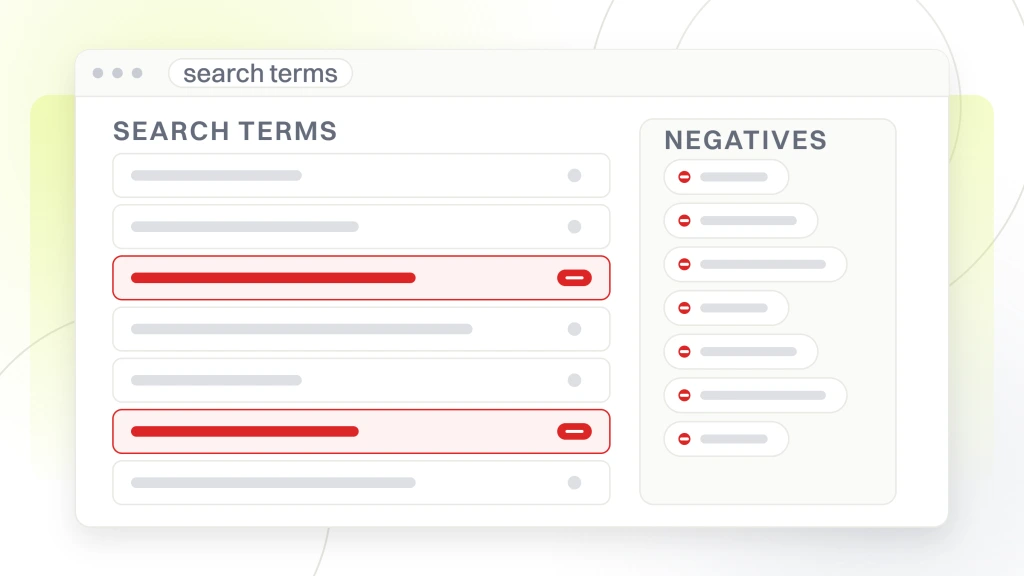
Pro tip. Build the negative keyword list before the campaign goes live. Kids, jobs, salary, school, free, DIY, and cheap pull traffic that never books. Adding these on day one saves $200 to $900 in the first month.
Money keywords that book patients
Money keywords contain treatment intent plus a modifier. The modifier can be location (dentist near me), immediacy (emergency dentist open now), cost (dental implants cost), or urgency (root canal same day). Every money keyword gets a dedicated ad group with the query in the ad headline, an ad group description matching the intent, and a landing page that answers the query in the first scroll. Practices that structured money keyword campaigns this way saw click-through rate climb 40% to 80% versus generic dental campaigns and cost per click drop 15% to 25% inside 45 days.
Match types that respect account maturity
Exact and phrase match dominate the first 60 days when the algorithm needs signal. Broad match with smart bidding works well after 30-plus monthly conversions accumulate because Google has enough data to filter the broad match noise. Practices that ran broad match from day one on a new account usually saw 50% to 70% of the first month’s budget disappear on irrelevant queries. The right approach starts tight, then loosens as data grows. This is one of the two biggest wins when we take over a stalled dental practice Google Ads account.
Bid strategy for dental practice Google Ads by stage
Bid strategy for dental practice Google Ads depends on account maturity. A new account with fewer than 30 monthly conversions should not run Target CPA or Target return on ad spend. Those algorithms need conversion history to optimize. Run Maximize Clicks or Manual CPC for the first 60 days. Switch to Maximize Conversions once the account has 30-plus monthly conversions. Only move to Target CPA after 60 to 90 days of Maximize Conversions data exists and the algorithm has enough signal to be trusted.
The bid strategy migration matters because switching too early caps the algorithm’s ability to learn. Practices that switched to Target CPA on day 15 saw ad spend drop 40% to 60% because the algorithm could not find enough sub-target conversions to bid on. That looked like a win on daily spend but produced 60% to 80% fewer bookings. Read our dental google ads management post for the monthly bid review checklist.
| Account stage | Monthly conversions | Best bid strategy | Time in stage |
|---|---|---|---|
| New launch | 0 to 15 | Maximize Clicks or Manual CPC | 0 to 30 days |
| Signal building | 15 to 30 | Maximize Conversions | 30 to 60 days |
| Steady state | 30 to 60 | Max Conversions with Target CPA | 60 to 180 days |
| Scaling | 60 plus | Target CPA or Target return on ad spend | 180 days onward |
Target CPA values by service line
Target CPA on general dentistry sits at $80 to $130 per booked patient. Cosmetic dentistry runs $120 to $250. Dental implants $180 to $450. Invisalign $150 to $320. Emergency dental $60 to $130. Set Target CPA at the lower end of the expected range once the account has 60 days of conversion data. If the algorithm cannot hit the target, ad delivery slows dramatically, which is a signal the target is too aggressive for the current auction. Raise it 10% to 20% and monitor for two weeks before adjusting again.
Budget pacing across the month
Google Ads paces budget across the month automatically, but the automatic pacing does not know about your dental practice’s peak booking days. Increase daily budget 30% to 50% on Mondays and Tuesdays when new-patient calls spike. Decrease 20% to 30% on Fridays and Saturdays when demand tapers. Practices that adjusted daily budget by weekday saw booking volume climb 12% to 22% on the same monthly budget. Small change, real payback, and one of the easier wins in this dental Google Ads guide.
Dental Google Ads copy patterns that clear Quality Score
Ad copy on dental Google Ads carries three jobs. Include the keyword in headline one. Address the search intent in headline two. State the offer or the differentiator in headline three. Descriptions expand each point. Include the practice phone number as a call extension. Include location, sitelinks to service pages, and structured snippets for insurance plans accepted. Practices that ran full ad extensions saw click-through rate climb 30% to 60% versus ads without extensions, which alone drops cost per click 15% to 25% at the same bid.
Every ad group needs 3 to 5 responsive search ads with 15 headlines and 4 descriptions. The algorithm rotates combinations and reports on the best performers. Test one variable at a time. Change all 15 headlines at once and you learn nothing about what worked. Read our converting dental ppc ads guide for ad copy examples by service line, matched to real accounts.
Callout. Turn on ad strength grading and pin nothing except the phone number. Google’s rotation model needs freedom to test combinations, and pinned headlines drop match rate 15% to 25% overnight.
Headline patterns that clear Quality Score
Headline one includes the keyword or a very close variant. Emergency Dentist Same-Day Care. Headline two addresses the intent. Open Now, Call for Immediate Appointment. Headline three states the differentiator. Serving Sacramento for 15 Years. Descriptions expand each headline with proof, offer, and CTA. Practices that structured headlines this way ran Quality Score at 8 to 10 average versus 4 to 6 for generic dental ads. Quality Score alone changes cost per click 40% to 70%, so the copy work pays back before any bid adjustment ever runs.
Ad extensions that grow click-through rate
Call extensions with the tracking number. Location extensions with the address and directions link. Sitelink extensions to service pages. Callout extensions for insurance accepted, hours, financing. Structured snippet extensions for services offered. Price extensions for exam cost or consultation. Extensions cost nothing to add and produce 20% to 45% click-through rate gains. Practices that added all six extension types saw ad rank climb enough to move average position from 3.5 to 1.8 without changing bids. That is a free ranking jump.
Landing pages that finish the dental Google Ads click
Every ad group deserves a dedicated landing page. Send dental implants ads to a dental implants page. Send Invisalign ads to an Invisalign page. Send emergency dental ads to an emergency dental page. Never send Google Ads traffic to the homepage. The homepage does not match search intent and Quality Score drops, which pushes cost per click up 30% to 80%. This is still the single most ignored rule when we audit inherited Google Ads for dentists accounts.
The landing page pattern is not exotic. Above-the-fold three-field form. Insurance strip. Sticky click-to-call header. Social proof with real reviews and photos. Trust signals with provider credentials. That is the pattern. Practices that built five service-specific landing pages saw form-fill rate climb from 3.1% to 6.8% inside 30 days. Read our dental ppc landing pages guide for the wireframe that goes live on every account.
Callout. Kill the video autoplay hero on mobile landers. It slows first paint 1.2 to 2.4 seconds, and every second past 2.5 costs 15% to 30% in click-to-book conversion.
Page load speed under 2.5 seconds
Mobile page load speed under 2.5 seconds is the ceiling for dental landing pages. Above 2.5 seconds, click-to-book conversion drops 15% to 30% because impatient mobile users bounce. Compress hero images, defer non-critical JavaScript, and cache aggressively. Practices that got landing pages under 2 seconds saw cost per booked patient drop 12% to 22% with no other changes to the campaign. Reliable speed benchmarks come from Google’s own Web Vitals documentation, which is the reference every landing page build should meet.
Form design that converts higher on mobile
Three-field form above the fold on mobile. Name. Phone. Reason for visit. Do not ask for date of birth, insurance provider, preferred appointment time, or medical history on the first form. Those fields belong on the front desk call-back. Three-field forms convert 20% to 45% higher than long forms on dental sites. Some practices worry the shorter form produces lower quality leads. Data across 40-plus dental accounts we run shows lead quality is the same or better because visitors who fill long forms are usually researchers, not bookers.
Pro tip. Add a click-to-call sticky bar on the top and bottom of the mobile lander. Two visible call buttons often produce 30% to 60% more phone bookings than one hidden in a hamburger menu.
Google Ads for dentists tracking that reports real bookings
Google Ads for dentists tracking needs three layers. Conversion tracking in Google Ads for form submissions. Call tracking in CallRail or similar for phone bookings. Booked patient status pulled from the practice management system. Without all three, the account reports either too many conversions (form-fills that never become patients) or too few (calls that never got attributed to the ad click). The gap between reported and actual conversions is usually 30% to 50%.
Set up call tracking with dynamic number insertion for every campaign. CallRail, WhatConverts, or CallTrackingMetrics handle dental use cases well. Track booked patients separately from leads in a weekly dashboard. Read our call tracking for dentists guide for the exact setup that lets attribution flow from click through booking to first appointment.
Conversion value assignment by service line
Assign a conversion value to every booking based on average first-year revenue by service line. General dentistry new patient at $600. Cosmetic dentistry consult at $2,400. Dental implant consult at $4,200. Invisalign consult at $3,800. Emergency dental at $450. The algorithm optimizes toward high-value conversions once you feed it values. Practices that added conversion values saw the algorithm shift traffic toward higher-margin service lines automatically, growing revenue per ad dollar 25% to 45% inside 90 days.
GCLID passing to the practice management system
Pass the Google Click Identifier (GCLID) from each ad click through the landing page form into the practice management system as a hidden field. That way when the patient books, cancels, no-shows, or completes treatment, you can trace the outcome back to the original ad click. Practices that added GCLID tracking discovered which campaigns produced paying patients and which produced form-fills that never converted. The gap is often 30% to 50% between reported and actual conversions.
Dental Google Ads cost benchmarks and common inherited mistakes
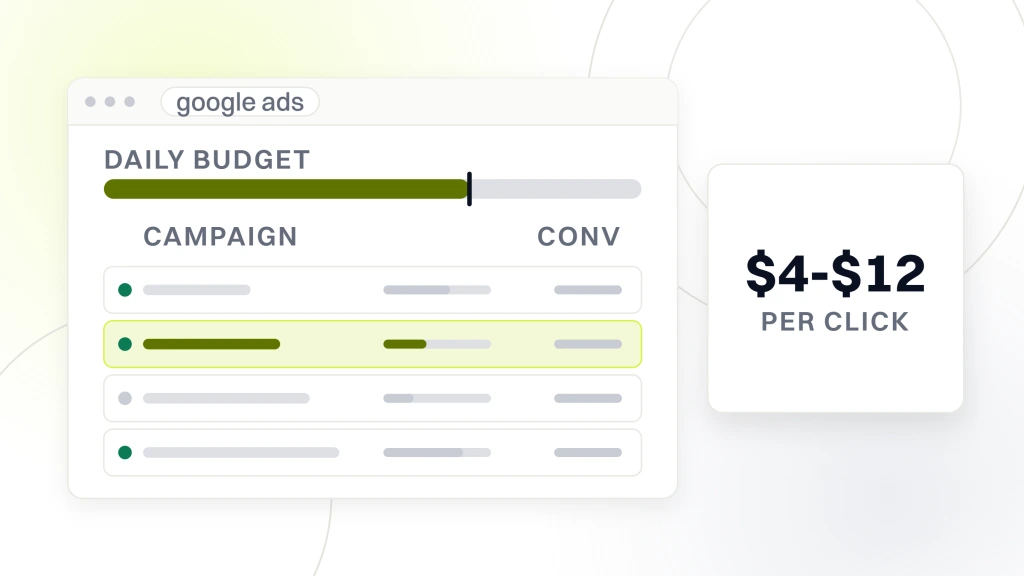
Dental Google Ads cost per click varies by service line and market density. General dentistry runs $4 to $12 per click in suburban markets. Cosmetic dentistry $8 to $22. Dental implants $18 to $65. Invisalign $12 to $38. Emergency dental $6 to $18. Dense metros run 2 to 3 times higher across every category. Small towns run 30% to 50% lower. Cost per click alone does not set budget. Cost per booked patient does, and it hinges on landing page conversion rate.
Every dental Google Ads account we take over comes with 4 to 8 inherited mistakes. The pattern is consistent. Homepage as landing page. No dayparting. Missing brand defense. Broad match without smart bidding. Performance Max on autopilot. No call tracking. No conversion value assignment. Missing negative keyword lists. Fixing three of the eight cuts cost per patient 15% to 30% inside 45 days.
Callout. Cost per booked patient looks expensive at $150. Against 6 to 12 years of $600 to $2,400 annual patient revenue, that is a 56x to 192x return. Read the math to the executive team, not just the daily spend line.
iSmile Dental Spa in Carmichael, CA scaled to 900% patient growth
iSmile Dental Spa in Carmichael, CA came to Redefine Web with a stalled Google Ads account booking 1 to 2 new patients monthly on a $3,200 budget. Over five years of paid search work paired with SEO and video, iSmile Dental Spa hit +900% patient growth, +800% organic traffic, and +500% marketing return on ad spend. The paid search restart used tight exact and phrase match for the first 60 days, brand defense at $250 monthly, dedicated landing pages for sedation and general dentistry, and CallRail call tracking wired into their practice management system. Bookings climbed to 12 to 14 monthly inside the first quarter and held there for the rest of the engagement.
Missing brand defense as the fastest fix
The single fastest fix on any inherited dental Google Ads account is adding a brand defense campaign. Bid on the practice name and provider names. $150 to $400 monthly usually captures 4 to 12 patients that were being lost to competitors bidding on your brand. Setup takes 45 minutes. Payback shows up inside the first week. Practices that added brand defense on day one at Redefine Web engagements often saw the added spend pay back before any other campaign restructure completed.
Dental Google Ads management monthly review and scaling past year one
A monthly review on a dental Google Ads account takes 3 to 4 hours and catches 90% of the drift that would otherwise pile up. The review covers search terms, negative additions, bid adjustments, ad copy performance, landing page conversion, and structural drift. Practices that ran the monthly review for four quarters held cost per patient inside a 15% band all year instead of the 40% to 80% swings that unmonitored accounts show. Read the Google Ads campaign optimization documentation for the platform-side maintenance checklist that pairs with our monthly cadence.
Once the account produces at a steady cost per patient for 6 months, scaling volume needs a structural plan. Doubling budget without changing structure usually doubles cost per patient because the extra budget spills into lower-intent queries. Add service-line campaigns first. Expand geography second. Increase budget third. Practices at $2,400 monthly ad spend usually have room to scale to $4,800 with these moves. Above $10,000 monthly, scaling requires either new geographic markets or new service verticals. Read our high roi dental google ads guide for the scaling frameworks.
Pro tip. Before adding budget, add 2 to 4 fresh service-line campaigns. New keyword pools grow booking volume 40% to 70% at the same cost per patient. Extra budget on old campaigns rarely does.
Structural audit for campaign drift
Check campaign structure against the original design. New keywords may have been added to the wrong ad groups. Google recommendations may have merged campaigns. Match types may have loosened on old keywords. Ad extensions may have expired. Practices that ran the structural audit monthly caught drift 30 to 60 days earlier than practices reviewing quarterly. That difference alone kept cost per patient 15% to 25% lower over a full year and paid for the monthly management fee twice over.
Ad copy rotation and testing cadence
Rotate one new headline or one new description into each ad group every 30 days. Do not change everything at once. Change one variable and measure. Ad copy fatigue on dental accounts shows up as gradual click-through rate decline over 60 to 90 days. Rotating fresh copy monthly holds click-through rate stable and often pushes it 10% to 20% higher as new hooks discover higher-performing angles. Most dental practice Google Ads managers skip this cadence and pay for it.
Getting the dental Google Ads account moving this week
Copy the structure from this dental Google Ads guide. 4 to 8 Search campaigns split by service line. Brand defense on the practice name. Performance Max only after 60 days of Search history. Money keywords in exact and phrase match. Bid strategy set to the account’s maturity stage. Ad copy with 15 headlines, 4 descriptions, and every extension turned on. Dedicated landing pages under 2.5 seconds with three-field forms. Three-layer tracking on forms, calls, and the practice management system. If the account is inherited, run the 4-to-8-mistake checklist first and fix the top three inside 45 days. If Redefine Web can help wire this up, our PPC service handles builds and monthly management at fixed retainers.