
Optometrist PPC Management Playbook for Independent Practices
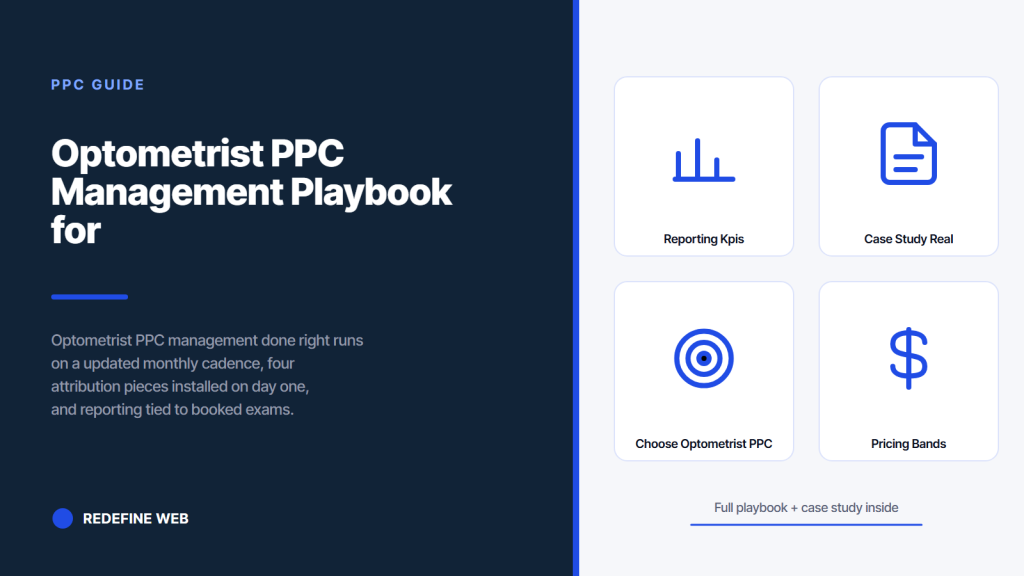
- Weekly cadence beats setup by month three.
- Report four KPIs, lead with cost per booked exam.
- Scale by 30 percent every four weeks, not double.
- Management fees of $600 to $1,200 fit most practices.
- Vision Express hit $28 per booked exam in six months.
- Why optometrist PPC management matters more than the setup
- Weekly cadence for optometrist ppc management
- Monthly cadence for optometrist ppc services
- The reporting KPIs for optometrist ppc ads that matter
- Scaling rules for optometrist ppc that keep cost per exam falling
- Case study on real optometrist ppc management
- How to choose an optometrist ppc management vendor
- Optometrist PPC management pricing bands
- In-house vs agency for ppc for optometrist accounts
- Where to start with optometrist ppc management
Optometrist PPC management is not a monthly activity report. It is a weekly loop of search terms review, bid adjustments, ad copy rotation, and landing page tweaks that keeps cost per booked exam falling for eight to twelve months straight. Every account we take over from another vendor has the same problem. The vendor logs in once a month, exports a screenshot of impressions and clicks, and calls it a report. The account drifts. Cost per exam creeps up. The practice owner cancels in month seven.
This guide is the exact optometrist PPC management cadence that runs a paid account profitable for years. You get the weekly, monthly, and quarterly task list, the reporting KPIs that matter, the scaling rules that keep cost per exam falling, the vendor-selection filters, and a Vision Express case study on 47 booked exams per month at $28 per exam. Read straight through in about eleven minutes.
Why optometrist PPC management matters more than the setup
The account setup takes 40 hours and defines the ceiling. Ongoing management takes 8 hours a month and decides whether you actually reach that ceiling or drift 30 percent below it. Every account we manage has the same shape after month six. The setup was fine. Management is where the retainer pays back three or five times over.
The optometrist ppc account under active management sees cost per booked exam fall 20 to 40 percent between month one and month six. Same budget, same keywords, same landing pages, just weekly attention. The account under passive management sees cost per booked exam rise 10 to 20 percent in the same window as Google’s algorithm drifts, competitor bids climb, and search terms turn stale. The gap between managed and unmanaged is the entire retainer value.
The cost of an unmanaged optometrist ppc account
An unmanaged $2,400 per month optometrist ppc account wastes $600 to $900 per month on drift. Search terms nobody wants to answer. Bids stuck at last quarter’s competitive rate. Ad copy that stopped converting three months ago. Landing pages built for a different campaign. The math is $7,200 to $10,800 per year evaporating on autopilot. That is a full-year retainer paid out for less than a full-year of actual bookings. Practice owners see the trend in month four and cancel in month seven.
The return on managed optometrist ppc services
Managed optometrist ppc services on the same $2,400 budget cut cost per booked exam from $58 to $28 over six months on the Vision Express account. That is not a doubling of budget. That is the same spend booking three times as many exams. The return on the retainer fee sits at four to six times over year one for a well-managed account. The retainer pays for itself inside the first 45 days on booked-exam revenue alone once the tracking loop is running clean.
Weekly cadence for optometrist ppc management
The weekly cadence for optometrist ppc management is the difference between a live account and a dead one. Every account we manage runs the same weekly checklist. Two hours per account. Every Monday morning. Zero exceptions.
- Pull the search terms report for the prior 7 days, sort by cost, add negatives from the top 30
- Review ad copy performance and pause any ad with fewer than 3 conversions after 200 clicks
- Check the pacing on each campaign and adjust daily budget if pacing is off by more than 15 percent
- Review the call tracking log and mark each call as booked or not booked in the CRM
- Check landing page conversion rate and flag any page below 8 percent for A/B testing
- Push offline conversions to Google Ads if the account uses the feedback loop
- Note any anomaly for the Monday client email so nothing surprises the practice owner
The Monday search terms sweep
The Monday search terms sweep catches 80 percent of the wasted spend before it compounds. Open the search terms report inside Google Ads. Filter to the last 7 days. Sort by cost descending. Read the top 30 rows. Anything not on your target list gets added to the negative list at the account level immediately. That single 15-minute exercise saves $200 to $400 per month on a $2,400 budget and keeps saving as competitors introduce new terms into the ecosystem.
The pacing check that prevents overspend
Google Ads paces the daily budget across the month. If a big traffic day spikes on Wednesday, the algorithm slows delivery for the rest of the week to stay on target. That is fine except when the practice needs steady booking flow for staffing. The Monday pacing check catches the imbalance early and lets you smooth spend across the whole week instead of a Monday-Tuesday spike. Fifteen minutes of pacing review each week is what keeps the front desk staffed evenly and the schedule filled without cancellation churn.
Monthly cadence for optometrist ppc services
The monthly cadence for optometrist ppc services runs on the first business day of every month. Six to eight hours of work per account. The deliverables list is fixed and shows up in every client contract we write.
| Monthly task | Time | Outcome |
|---|---|---|
| Cost per booked exam trend report | 1 hour | 30-day trend line delivered by Monday of week 1 |
| Ad copy rotation and refresh | 2 hours | 3 new ads per ad group replacing lowest performers |
| Landing page A/B test setup | 2 hours | One variant test running on the highest-traffic page |
| Bid strategy review and adjustment | 1 hour | Target CPA adjusted if 4-week trend justifies |
| Competitor bid intelligence check | 1 hour | Auction insights report reviewed and flagged |
| Client written report and call | 1 hour | PDF plus 30-minute review call with practice owner |
The monthly ad copy refresh
The monthly ad copy refresh is what keeps click-through rates from decaying. Every ad group runs three ads at once. On the first business day of each month, the lowest-performing ad by conversion rate gets paused and replaced with a new variant that tests a different headline formula. Over 12 months, that produces 36 new ads per ad group, of which 6 to 10 become long-term winners that drive the account’s CTR baseline steadily higher. Vendors who set ad copy once and never rotate leave 15 to 25 percent of performance on the table.
Landing page A/B testing cadence
One landing page test runs at any given time. Two tests running at once produces overlapping data and neither reads clean. The right cadence is 30 days per test, one primary variable at a time (headline, form length, hero image, CTA copy), and a minimum of 200 form fills per variant before calling a winner. That produces 12 landing page tests per year, of which 4 to 6 become permanent wins that push account conversion rate 40 to 80 percent higher by year end.
Open Google Ads change history. If the last change from your agency was more than 10 days ago, you're paying for a monthly screenshot, not management. That's the whole audit.
The reporting KPIs for optometrist ppc ads that matter
Real optometrist ppc ads reporting runs on four KPIs and nothing else. Cost per booked exam. Total booked exams per month. Landing page conversion rate. Ad copy click-through rate. Every other number is context. If the four KPIs are moving the right direction, the account is healthy. If any one of them is moving the wrong direction for three months, the retainer is under review.
Vendors who report on impressions and clicks and search visibility are hiding the fact that the account is not booking exams. Impressions are vanity. Clicks are half a metric. Booked exams are the whole game. Any candidate vendor whose sample report leads with impressions is a vendor who has never had to renew a retainer on results. See our PPC services for optometrists for the standard four-KPI report we deliver every month.
Cost per booked exam is the single number that matters
Cost per booked exam is the retainer’s report card. It is the number the practice owner shows the accountant at the end of the year. It is the number that decides whether the paid ads channel scales in year two or gets cut. Every other metric feeds into this one number. Vendors who deliver a monthly report without cost per booked exam prominent at the top of the first page are vendors who have not defined the goal of the engagement clearly enough for anyone to grade the work.
Landing page conversion rate targets
Landing page conversion rate for optometry sits at 8 to 18 percent on a paid traffic click depending on landing page quality and offer. Below 8 percent means the page needs a rebuild. 8 to 12 percent is average. 12 to 18 percent is excellent. Above 18 percent usually means the tracking is double-counting or the page is only receiving high-intent traffic (which is fine but not scalable). Track this weekly and treat any three-month trend below 8 percent as a page-rebuild trigger, not a bid-adjustment problem.
Scaling rules for optometrist ppc that keep cost per exam falling
Scaling an optometrist ppc account without wrecking cost per exam is the hardest part of the whole retainer. Every practice owner wants to scale in month four. The account is booking well. Cost per exam is stable. The temptation is to double the budget and expect to double the bookings. That is not how paid ads scale. Every scaling event triggers a two-week recalibration period where Google Ads explores new placements and cost per exam bounces 20 to 40 percent higher before settling. Ignore that math and you burn six months of gains in a single budget doubling.
The right scaling cadence is 30 percent every four weeks once the four-week cost per exam trend has been stable within 10 percent of the target. Scale in one lever at a time. Add budget in month one. Add a new campaign in month two. Add a new geographic market in month three. Never combine two levers in the same month because you will never know which change caused the cost per exam movement. Slow scaling doubles the account inside three to four months without breaking the cost curve.
The budget lever
Adding budget is the safest scaling lever because it triggers the smallest algorithm shift. A 30 percent budget bump on an account with 60 conversions over the prior 30 days causes a 5 to 10 percent temporary rise in cost per exam that resolves inside two weeks. Bigger budget jumps trigger Google to explore new keywords, new times of day, and new device targeting. That exploration costs 20 to 40 percent extra during the two-week window. Small, patient scaling wins over aggressive scaling every time.
The geographic lever
Adding a new geographic market is the most impactful scaling lever after the account has hit its target cost per exam in the original market. Add one adjacent city or ZIP code at a time. Give it 30 days to build conversions. Confirm cost per exam sits within 20 percent of your original market’s number. Then add the next. Six new geographies over six months doubles the account footprint cleanly. Adding three geographies in the same month scrambles the reporting and blows the cost curve. See our optometrist marketing agency hub for the geographic expansion sequence we run.
The classic wrong scaling move goes like this. Month four, cost per exam is $32, the account is booking 40 exams a month, and the practice owner emails the vendor: “Let’s triple the budget starting Monday.” The vendor triples the budget. Cost per exam jumps to $71 in week one. The practice owner emails back: “What happened.” The vendor sends a 12-slide deck about algorithm learning phase. The practice owner cancels in month six. The correct answer is $2,400 to $3,120 in month five, $3,120 to $4,050 in month six, and the tripling arrives cleanly by month seven with cost per exam still at $32. Patience is the strategy.
Case study on real optometrist ppc management
Vision Express, the independent optometry practice referenced earlier in this cluster, came to us with a Google Ads account that had been under passive management for two years. Monthly spend was $2,400. Cost per booked exam was untracked (no call tracking). The account had one campaign, one ad group, 187 keywords, and zero negatives added since launch. The prior vendor logged in monthly to export an impressions chart and email it as the report. Booked exams from paid were estimated at 4 to 6 per month.
We rebuilt the account in month one, installed the four attribution pieces on day one, and started the weekly cadence in week two. Month one cost per booked exam settled at $58. Month three hit $34. Month six hit $28. Booked exams per month climbed from 6 to 47 on the same $2,400 budget. The overall practice growth number of 71 percent for Vision Express includes both the paid and organic contributions, with paid ads carrying about 40 percent of the total new-patient flow after six months of active management.
The Vision Express six-month numbers
Twenty-eight dollars per booked eye exam by month six on a $2,400 monthly budget. Forty-seven booked exams per month at steady state, up from an estimated 6 per month under the prior vendor. Landing page conversion rate up from 4.2 percent to 14.8 percent after two rounds of A/B testing on the primary paid landing page. Ad copy CTR up 62 percent on the local high-intent campaign after four rounds of monthly copy rotation. Every result compounded through active management, not through a single big-bang setup.
Lessons for your own account management
Two lessons from the Vision Express engagement apply to almost every optometrist ppc management retainer. First, the four attribution pieces on day one are not optional. Every optimization decision downstream depends on them. Skip them and you are guessing for the first three months while spend goes out the door. Second, the weekly cadence is the retainer. If your vendor cannot describe what happens every Monday morning on your account, they are logging in monthly at best and your cost per exam is drifting up right now while you read this.
How to choose an optometrist ppc management vendor
Choosing an optometrist ppc management vendor is a filter exercise. The filter is what they do the moment they get access to your account. The right vendor rebuilds structure in month one and reports cost per booked exam by month two. The wrong vendor emails an impressions chart at the end of the month.
Ask three questions on the first call. Question one: what do you do the first Monday you have access to my account. Question two: which four KPIs land on the top of every monthly report you send. Question three: what is your weekly cadence. Vendors who answer with specifics that match this article’s cadence are vendors worth a full scope conversation. Vendors who talk about strategy without naming a weekly task list are vendors who log in monthly at best. See the Search Engine Land PPC library and the WordStream Google Ads tips for the industry reference on account management cadence.
Vendor red flags on the first call
Watch for six red flags on the first vendor call. Guaranteed rankings or guaranteed cost per lead. Refusal to name the account manager who will run your file. Sample reports that lead with impressions instead of booked exams. A monthly management fee below $600 (that is a virtual assistant tier). Contracts longer than 12 months without a fair 60-day exit. Zero mention of call tracking in the standard scope. Any single one of those is a fire signal. Two of them together and you leave the call before the second half of the pitch.
Two reference calls per vendor
Pick two current or recent clients from the vendor and email each owner. Two sentences. Would you renew this vendor’s retainer, and what would you change about the reporting. Most owners respond inside 48 hours because they either want to warn you or want to brag. Both responses help. Vendors whose past clients quietly warn strangers off are vendors you fire from the shortlist. Vendors whose past clients respond with a same-day yes and a specific compliment about cost per exam are vendors worth the full scope call.
Optometrist PPC management pricing bands
Optometrist PPC management pricing sits in four bands. Under $500 per month management fee: virtual assistant tier, avoid. $600 to $1,200 per month: entry tier for accounts spending $1,500 to $3,000 monthly on ads. $1,200 to $2,400 per month: standard tier for accounts spending $3,000 to $8,000 monthly on ads. $2,400 and up: enterprise tier for multi-location practices or accounts spending $8,000 and up monthly on ads. The management fee typically runs 12 to 20 percent of ad spend.
Below $600 per month, the vendor cannot afford to run the weekly cadence described above. Above $2,400 per month on a single-location practice, you are paying for enterprise process a small account does not need. For most solo and two-provider practices, the $600 to $1,200 per month band is where the math works. See our Optometrist marketing retainer plans starting at $599 per month for the fixed-scope version of this pricing.
The percent-of-spend pricing model
Percent-of-spend management runs 12 to 20 percent of monthly ad budget with a floor. That model works cleanly for accounts spending $3,000 to $15,000 per month because the fee scales with the work required to manage a bigger account. Below $2,000 in ad spend, percent-of-spend produces a management fee too low to fund the weekly cadence. Flat monthly management fees work better for smaller accounts because the vendor has a fixed minimum viable retainer that covers the actual work required regardless of ad budget.
Performance-based fees
Some vendors offer performance-based fees tied to cost per booked exam or number of booked exams. That model sounds good until you read the contract. The fee floor is usually $800 to $1,500 per month even when the performance target is missed. The performance bonus caps at 20 to 30 percent above the floor. In practice, performance-based fees are a marketing angle for a slightly higher flat fee. The right pricing model is a fixed flat monthly management fee with a clear scope of work, a clear reporting cadence, and a clear exit clause.
In-house vs agency for ppc for optometrist accounts
In-house PPC management for a single-location optometry practice almost never pencils out. A qualified Google Ads specialist earns $75,000 to $110,000 per year fully loaded. That is $6,250 to $9,200 per month for one person who also needs benefits, training, tools, and coverage during vacation. Agency management on the same account costs $600 to $2,400 per month for a team of specialists with 20 or 30 optometry accounts of pattern-matching experience. The agency math wins for every practice under three locations.
In-house makes sense at four locations or more, or at a monthly ad spend above $30,000 where the percent-of-spend fee for an agency starts pushing $6,000 per month and an in-house specialist becomes cost-comparable. Below that threshold, agency wins on cost, pattern-matching experience, and coverage. Every optometrist ppc management vendor we compete with has the same math on the sales call, which is why the good ones talk about it openly and the bad ones dodge the question.
Agency pattern-matching advantages
An agency managing 20 optometry accounts sees keyword performance patterns, landing page test results, and ad copy winners across the entire vertical inside a single week. That pattern library beats any in-house specialist’s ability to learn from one account. When a new ad copy formula wins on one account, we test it on the next three within the same month. In-house specialists have to invent from scratch and test on a single account, which produces the same learnings 10 to 20 months slower.
Coverage and continuity
An agency team of three has zero single-point-of-failure risk. Someone answers the Monday morning cadence every week regardless of vacation, illness, or turnover. An in-house specialist who goes on parental leave for 12 weeks leaves the account unmanaged for a quarter. That drift costs 15 to 25 percent of the quarterly bookings on top of the salary you keep paying. The coverage math alone justifies the agency choice for any practice that cannot afford a full backup specialist.
Where to start with optometrist ppc management
Start with an audit of your current account, or start fresh with the three-campaign structure and the four-piece attribution setup. Either path budget $1,500 to $3,000 per month for ad spend plus $600 to $1,200 per month for management. Expect cost per booked exam to settle around $30 to $55 by month three on a well-managed account, and 47 booked exams per month at steady state on a $2,400 budget. Anything materially outside those numbers means the account or the management is under-delivering.
Ready to run optometrist PPC management on a weekly cadence that reports to booked exams. Our PPC services for optometrists covers the full engagement. For the SEO side that compounds alongside paid, see our SEO for Optometrists. For the bundle at $599 per month, see our Optometrist marketing retainer. For an outside reference on smart bidding, see the Google Ads bid strategy documentation.
Frequently asked questions
How much does optometrist PPC management cost per month?
Optometrist PPC management pricing sits in four bands. Under $500 per month is a virtual assistant tier and worth avoiding. $600 to $1,200 per month is the entry tier for accounts spending $1,500 to $3,000 monthly on ads. $1,200 to $2,400 per month is the standard tier for accounts spending $3,000 to $8,000 monthly. $2,400 per month and up is enterprise tier for multi-location practices or accounts spending $8,000-plus monthly on ads. The management fee typically runs 12 to 20 percent of monthly ad spend with a floor. For most solo and two-provider practices, the $600 to $1,200 band covers the weekly management cadence that actually pays back.
What does an optometrist PPC management vendor do every week?
A real optometrist PPC management vendor runs a weekly cadence of about two hours per account every Monday. Pull the search terms report for the prior 7 days and add negatives from the top 30 cost rows. Review ad copy and pause anything with fewer than 3 conversions after 200 clicks. Check pacing on each campaign and adjust budgets if pacing is off by more than 15 percent. Review the call tracking log and mark each call as booked or not booked. Check landing page conversion rate and flag anything below 8 percent. Push offline conversions to Google Ads and send the client a Monday note flagging anything unusual for the week ahead.
What are the four KPIs that matter for optometrist PPC ads?
The four KPIs that matter for optometrist PPC ads are cost per booked exam, total booked exams per month, landing page conversion rate, and ad copy click-through rate. Every other number is context. Cost per booked exam is the retainer's report card. Total booked exams is the volume metric that lets you plan staffing. Landing page conversion rate is the engineering metric that tells you when to rebuild the page. Ad copy CTR is the leading indicator that tells you when to rotate creative. Vendors who lead reports with impressions or search visibility are hiding the fact that the account is not booking exams.
How do you scale an optometrist PPC account without breaking performance?
Scale an optometrist PPC account in 30 percent increments every four weeks once the four-week cost per exam trend has been stable within 10 percent of the target. Scale in one lever at a time. Add budget in month one. Add a new campaign in month two. Add a new geographic market in month three. Never combine two levers in the same month because you will never know which change caused a cost per exam movement. Aggressive scaling triggers Google's algorithm to explore new placements and cost per exam bounces 20 to 40 percent higher for two weeks before settling. Slow, steady scaling doubles the account inside three to four months without breaking the cost curve.
In-house vs agency for optometrist PPC management which is better?
Agency wins for every practice under three locations or under $30,000 in monthly ad spend. A qualified Google Ads specialist earns $75,000 to $110,000 per year fully loaded, which is $6,250 to $9,200 per month for one person plus benefits, training, tools, and vacation coverage. Agency management on the same account costs $600 to $2,400 per month for a team with 20 to 30 optometry accounts of pattern-matching experience. In-house makes sense at four locations or more, or at monthly ad spend above $30,000 where the percent-of-spend fee approaches an in-house salary. Below that threshold, agency wins on cost, pattern-matching experience, and coverage.
How long before optometrist PPC management starts producing results?
Optometrist PPC management starts producing results inside week one on a well-structured account rebuild. Booked exams show up in the tracking dashboard by week two if the four-piece attribution setup was installed on day one. Cost per booked exam typically settles from a starting point of $50 to $70 down to $30 to $45 by month three on a competitive metro. The Vision Express case study hit $28 per booked exam by month six on a $2,400 monthly budget with 47 booked exams per month at steady state. Any account not showing measurable movement by month two has broken tracking, a bad landing page, or wrong account structure.
Book your free 30-minute strategy call.
No spam, no sales rep. We use your email to schedule your call with a senior strategist. That is it.
More from the blog
View all articles → PPC
PPC Healthcare PPC Advertising Channels Compliance and Targeting
Read article PPC
PPC Dental Facebook Ads Guide for Practices That Book Patients
Read article PPC
PPC