A Shopify founder in Austin spent 11 weeks building a 240-SKU store, launched to 90 sessions the first month, 60 the second, and 40 the third. Month four she paid $8,400 for an agency diagnostic and got a 47-page audit that boiled down to one line. The store had never been configured for search. Nothing was broken. Nothing had regressed. The store just launched without an ecommerce seo checklist, so every Shopify default stayed exactly as Shopify shipped it, and Google treated the domain the way it treats every unremarkable new store on the internet.
This ecommerce seo checklist is the exact build order Redefine Web runs on new DTC stores between $0 and $500k in first-year revenue, plus the ongoing hygiene routine that keeps rankings compounding after year one. Domain and hosting setup. Site architecture and URL structure. Product and category page templates. Content, schema, tracking, and links. The 30-minute monthly loop that catches problems before they cost hours instead of quarters. Every step below traces back to stores we launched or rebuilt across 2024 and 2025, and every range in this piece is grounded in numbers we can point at.
Site architecture inside the ecommerce seo checklist
Architecture is phase two and the most under-appreciated block in any ecommerce seo checklist. The category tree, URL depth, and internal linking pattern you lock in during week two dictate how Google crawls the store for the next 24 months. Sloppy architecture pins your ranking ceiling at position 8 on head terms no matter how sharp the content work gets downstream.
Category tree depth and URL shape
Every category page should sit no more than three clicks from the homepage. A store selling snowboards has homepage, /snowboards/, /snowboards/all-mountain/, and product. That is three clicks. Adding a fourth level (/snowboards/all-mountain/mens/) usually splits ranking signal and adds no discovery value. URL shape stays lowercase, hyphen-separated, no dates, no session IDs, no query strings in the canonical version. Faceted filters (color, size, price) produce parameterized URLs Google should not index. Set rel=canonical on every faceted URL pointing back to the parent category page. Missing this step lets Google index 8,000 near-duplicate PLPs per category and dilutes ranking signal across all of them.
Internal linking pattern for launch
Homepage links to every top-level category. Every category page links to its top 8 to 12 products plus its sibling categories. Every product page links to related products in the same category using descriptive anchor text (not generic phrases like “related products”). The footer carries a curated site map linking to categories, key blog pillars, and the about, contact, and delivery pages. Breadcrumbs render on every category and product page with Breadcrumb schema attached. Skipping the breadcrumb layer costs featured snippet eligibility on 100% of the catalog and confuses AI Overviews about which page belongs to which category. Founders auditing a site that missed architecture work at launch can start with our ecommerce seo audit services writeup for the diagnostic-first workflow.
Product page template in the launch checklist
Product detail pages carry 40 to 65% of organic revenue on a healthy DTC store. Fix the product page template once and you fix every SKU in the catalog. This is the single highest-return hour of work in the checklist. Every element below sits at the template layer, not the per-SKU layer.
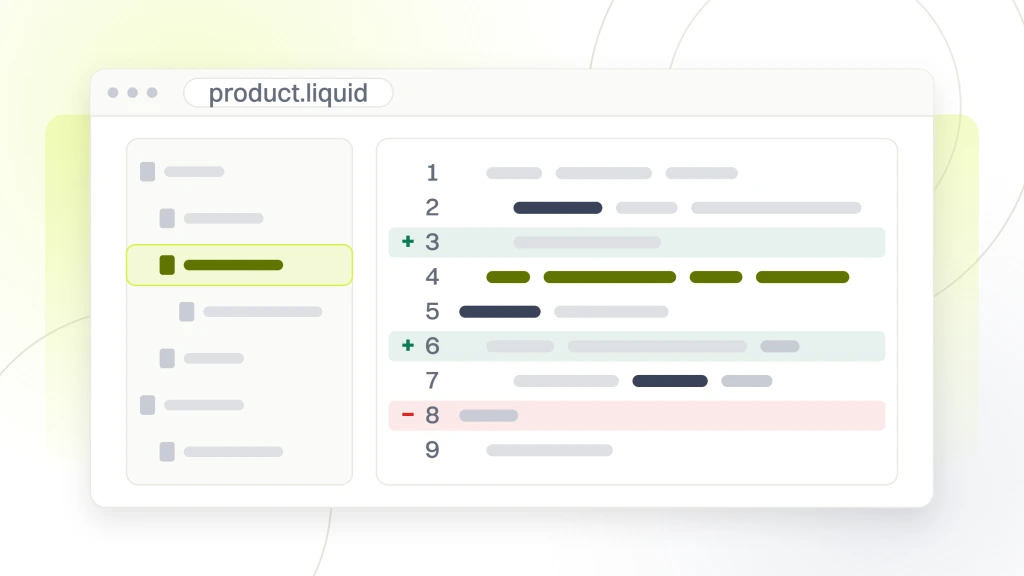
| Element | Default | Checklist requirement | Ranking impact |
|---|---|---|---|
| H1 | Product name only | Product name plus primary keyword modifier | Stronger relevance signal on the SKU term |
| Meta title | Product name plus store name | Keyword frontloaded, brand removed or moved right | Better click-through from the results page |
| URL slug | Product name kebab-cased | Category prefix only when platform demands, no dates | Cleaner canonical, no dilution |
| Description | Manufacturer copy syndicated | Original 220 to 350 word body per SKU | Ranks above syndicated copy |
| Image alt text | Filename or empty | Descriptive with keyword variant on primary image | Image search discovery |
| Schema | Offer only or none | Product plus Offer plus Review plus Breadcrumb | Rich result eligibility |
| FAQ block | None | 4 to 6 real buyer questions with FAQPage schema | Featured snippet eligibility |
Description depth against feed syndication
Most smaller DTC stores paste manufacturer copy into every product description. Google reads this as duplicate content across every retailer selling the same SKU and gives ranking preference to whoever wrote original copy. A 220 to 350 word description covering use cases, sizing detail, materials, comparison points, and 3 real buyer questions ranks above syndicated copy in 8 to 14 weeks. Writing original PDP copy for 400 SKUs takes about 3 months of writer time at 6 SKUs per hour. Skipping this step is the single most expensive decision new DTC stores make in the first year of the build. Do it once, correctly, at launch.
Category page work in the launch checklist
Product listing pages capture the category-level buying query, which is where 60 to 75% of comparison-stage traffic lands. Most launch stores treat category pages as filtered grids and skip the ranking signal entirely. Fixing this at launch means less rework at month twelve when you realize the head terms rank on position 22 instead of position 6.
Where the copy block belongs
Category page copy belongs above the product grid, directly below the H1, in a 180 to 260 word block that answers the category-level buying question head-on. Copy dumped at the bottom of the page (the default on most Shopify themes) still passes some ranking signal but bounces at 60%, since buyers scroll past the grid and stop before they reach it. Cover what the category is, who it fits, and the top 3 questions buyers ask. Pull those questions straight from Google’s People Also Ask block or from customer support ticket data. Category page rankings on stores that add this block gain 4 to 9 positions in the first 90 days on average, per the DTC accounts we measured across 2024. Our writeup on ecommerce category page seo covers the template pattern at greater depth.
Filter and pagination handling
Every faceted URL points its canonical tag back at the parent category page. Pagination uses standard rel=next and rel=prev alternatives (link headers or in-page anchors) or a view-all fallback that Google indexes as the canonical version. Product ordering options (sort by price, popularity, newest) share the canonical parent URL. Skipping these rules lets Google index thousands of near-duplicate PLPs per category and spreads ranking signal across all of them. Getting this right at launch is 30 minutes of template work. Fixing it later is 20 hours of migration plus a search visibility dip during the time Google re-processes the canonical set.
Content planning inside the launch checklist
Content is phase three. Do not start writing blog posts until phase one and two are done. Content plants trees. Foundation and architecture are the soil. Trees on bad soil still die. The content plan you build in phase three sets the topical authority arc for the next 24 months of ranking growth.
The pillar and cluster model
Every category gets a content pillar cluster of 6 to 12 blog posts. Each cluster points at a commercial-intent hub (usually the category page or top-selling SKU) with descriptive anchors. Split 60% informational (how, why, when questions) and 40% commercial (best of, versus, buying guide) in the first year. This mix produces topical authority that raises rankings across every URL in the cluster together rather than one page at a time. A store with 8 categories needs 48 to 96 posts in the first year, published at a cadence of 4 to 8 per month depending on writer capacity.
Keyword mapping at the URL level
Every planned page (product, category, blog) gets a primary keyword, three to five secondary keywords, and an intent classification (informational, commercial, transactional). Our ecommerce marketing agency runs this mapping as part of every DTC retainer engagement. The keywords come from Semrush, Ahrefs, or Google Search Console for existing content. Store this in a spreadsheet indexed by URL. Two months into publishing, this spreadsheet is what prevents cannibalization when writers accidentally target the same query twice. Stores that skip this step run into ranking regression on their best-performing posts inside year one when a newer post steals the ranking signal from the older one. Prevent this at planning time by assigning one query to one URL, period. Our writeup on ecommerce seo packages priced by tier covers the tier pricing math for DTC founders scoping this work.
Schema markup inside the launch checklist
Schema tells Google what your pages are about at the entity level, cleanly. Ecommerce sites without schema forfeit rich result eligibility across 100% of the catalog and lose citation signal inside AI Overviews and Perplexity answers. Every schema block below lives in the template layer, not the per-page layer.
Schema types by page type
- Homepage. Organization, WebSite (with SearchAction sitelinks), plus BreadcrumbList on nested navigation.
- Category pages. BreadcrumbList, plus CollectionPage referencing the ItemList of products with position and offer data.
- Product pages. Product (with brand, sku, gtin13, mpn), Offer (with price, priceCurrency, availability, priceValidUntil), AggregateRating (once you have real reviews), Review, BreadcrumbList, and FAQPage on the FAQ block.
- Blog posts. Article (with author, datePublished, dateModified, image), Person for the author, Organization for the publisher, FAQPage on the FAQ block.
- Cart and checkout. No schema. These pages should not rank and should carry noindex tags.
- About and contact. Organization plus ContactPoint for phone, email, and address.
- Search results page. noindex tag, no schema.
Validation and the pitfall of plugin schema
Plugin-driven schema stacks on WooCommerce serve broken JSON-LD roughly 30% of the time in our audit sample. Validate every schema block with Google’s Rich Results Test and the Schema Markup Validator at schema.org. Fix errors before launch, not after. Broken schema costs rich result eligibility and confuses AI Overviews about product entities. On Shopify, schema comes from the theme or a Shopify app. Same rule applies. Test every template variant (product with reviews, product without reviews, category, homepage) before opening the store to search engines. Google’s guidance on structured data is the correct outside read for engineers implementing the schema stack.
Technical hygiene inside the launch checklist
Technical hygiene is the unglamorous phase that decides whether Google indexes your catalog in full or in fragments. Skip any item below and rankings cap out no matter how sharp the on-page work gets. Every item runs once at launch, then rolls into the monthly hygiene loop.
Every launch week meeting eventually reaches the moment where the developer says the XML sitemap is submitted, the marketing lead says great, and the founder asks whether Google has crawled anything yet. Silence. A quick check reveals the robots.txt file inherited from staging is still blocking the entire site. Nobody remembers who set it. Nobody has looked at it. The site has been live for four days generating zero organic sessions. The polite move is to fix the robots.txt file. The louder move is to send a screenshot to the group chat. Somewhere in the git history of every launched DTC store, a stray Disallow rule is quietly explaining why the traffic curve looks like a heart monitor at closing time.
The pre-launch technical checklist
- robots.txt. Allows crawling of everything you want indexed, blocks /cart/, /checkout/, /account/, /search results, and any staging paths.
- XML sitemap. Segmented by content type (products, categories, blog, static pages). Submitted to Search Console and Bing Webmaster.
- Core Web Vitals. Largest Contentful Paint under 2.5 seconds on mobile PDP and PLP. Cumulative Layout Shift under 0.1. Interaction to Next Paint under 200 milliseconds.
- Mobile-first rendering. Server-side rendering on any headless stack. Client-side only stacks delay Google’s content parse by 30 to 90 seconds per URL.
- 404 and 5xx monitoring. Uptime monitoring plus weekly Search Console coverage report review.
- Redirect chain audit. Every redirect is a single 301 hop. No chains of 3 or more.
- hreflang setup. Only if selling in multiple regions. Get this right at launch or lose 40 to 60% of potential international traffic.
Speed as a ranking foundation
Vodafone found that a 31% improvement in LCP increased sales by 8%. On Shopify that usually means picking a fast theme (Dawn, Sense, Craft) and auditing every installed app for third-party script weight. On WooCommerce that means WP Rocket or FlyingPress for cache, under 15 active plugins, and a move to managed WordPress hosting. Launching with LCP over 4 seconds is a self-imposed ranking penalty across the entire catalog. Fixing it post-launch costs 60 to 120 developer hours plus a visibility recovery lag Google forces you to sit through. Get it right at launch.
Tracking and measurement inside the launch checklist
You cannot manage what you do not measure. Every version of this checklist ends at tracking, since the numbers are what tell you whether the checklist paid off. Launch stores that skip proper tracking usually fly blind for six months, then realize they cannot answer basic questions about which pages drive organic revenue.
The five tools every DTC store needs at launch
- Google Search Console. Verified on the canonical domain. Sitemap submitted. Coverage report reviewed weekly.
- GA4. Standard property plus enhanced ecommerce events wired to Purchase, Add to Cart, Begin Checkout, and View Item.
- Server-side tagging container. Reduces client-side script weight and improves attribution durability against browser tracking prevention.
- Rank tracker. AccuRanker, Nightwatch, or SEMrush Position Tracking for daily category and product page rank monitoring on your top 40 to 80 target keywords.
- Log file analyzer. Screaming Frog Log File Analyzer or Botify for monthly crawl budget review. Reveals which pages Googlebot spends time on versus what marketing dashboards report.
The metrics that matter monthly
Rankings on your top 40 category head terms and 100 product long-tail terms. Organic sessions per page cluster (category, blog pillar, product). Organic revenue per cluster attributed via GA4 enhanced ecommerce. Cart-add rate from organic sessions on their own. Cost per organic order calculated as SEO spend divided by attributed order count. Search Console impressions and click-through rate on category head terms. Six numbers, reviewed monthly, in a Looker Studio dashboard the strategy owner opens without begging three tool owners for data. WooCommerce-specific tracking notes live in our woocommerce seo best practices guide for stores on that platform.
Link acquisition plays inside the launch checklist
Links raise the domain authority every page in your catalog gets to operate under. New DTC stores start at domain rating zero and need editorial links to break past position 20 for competitive category head terms inside year one. This is not about volume. It is about editorial coverage on outlets your buyers already trust.
Real link plays for launch stores
- Product review outreach. Send free product to 40 to 80 category-specific reviewers per quarter. Coverage rate lands around 15% when the pitch matches the reviewer’s audience.
- Buying-guide inclusion. Pitch category-relevant best-of lists on publications that already rank for your category head terms. Inclusion earns dofollow editorial links from high-authority domains.
- HARO and Qwoted. Answer 3 to 5 journalist queries per week where the founder or product manager has real expertise. Coverage rate lands around 8% with a major-outlet placement every 2 to 3 months.
- Digital PR. Publish original research or usage data pitched to trade publications. One good campaign per quarter earns 20 to 60 editorial links.
- Partnership content. Co-create guides with non-competing DTC brands in adjacent categories. Cross-promotion earns links from both audiences without paid placement.
- Podcast guest appearances. Founder appears on 8 to 15 category-relevant podcasts per year. Show notes carry a dofollow link back in most cases.
Link plays worth avoiding
Paid guest post schemes, private blog networks, expired-domain redirects, and comment spam are still everywhere in the launch-store market. All four carry algorithmic and manual action risk. Stores running paid link networks usually clock 6 months of ranking gain and then give back 40 to 80% of organic traffic in the next algorithm update. The math almost never works across a 24-month engagement window. Founders who cannot name the specific outlets their agency is pitching are usually paying for a link network under a rebrand.
Ongoing hygiene after the ecommerce seo checklist launches
Launch is not the end of the ecommerce seo checklist. It is the start. The ongoing hygiene routine below runs monthly, quarterly, and annually to keep the ranking foundation solid as the catalog grows and the platform pushes updates that break defaults you already set.
The 30-minute monthly loop
- Search Console coverage report. Fix any new indexation errors within 7 days.
- Sitemap health. Confirm submission status and check for orphan URLs.
- Core Web Vitals trend. Review 28-day mobile field data and address any regression over 200 milliseconds.
- Top 40 keyword rank movement. Flag anything moving more than 5 positions in either direction.
- Broken link scan. Screaming Frog crawl on the top 500 URLs. Fix 404s the same day.
- Schema validation spot check. Test 5 random product pages and 3 category pages with the Rich Results Test.
Quarterly and annual work
Quarterly work covers a full technical audit against the launch checklist, a keyword-to-URL cannibalization review, an internal link opportunity scan for fresh content, and a competitor SERP review on the top 20 category head terms. Annual work covers a content refresh on the top 25 pages by traffic (updates, expanded sections, refreshed dates), a link profile audit against toxic-link risk, and a platform, theme, and plugin stack review against LCP and security updates. Stores that skip the ongoing hygiene loop bleed 15 to 30% of organic revenue by year two as small issues compound quietly. Stores that run it keep compounding for as long as the founder stays disciplined. Founders replatforming during a rebuild can pressure-test their pick against our best ecommerce platforms for seo guide before locking the new stack.
A real ecommerce seo checklist in production
ExpressColour, a 25-year Singapore commercial print company, came to our team after Singapore’s property-market downturn collapsed their largest client segment. Their first attempt at paid search hit $2 CPCs against budget printers with weak conversions. Cost-per-conversion averaged $150.92. The website ranked inconsistently and missed organic traffic from 1,600-plus monthly searches across 4 key terms. The founder needed the paid channel to survive and an organic base to diversify off referrals. Our team ran the ecommerce seo checklist against the site scope. Domain and hosting on managed WordPress. Category tree architecture for the product marketing pages. Template-level H1 and meta title patterns. Original 260 to 340 word copy on every commercial page. Product plus Organization plus FAQPage schema stacks. GA4 with server-side tagging. A keyword-to-URL map covering the launch content pillars.
Technical foundation took the first week. Site architecture and template work ran through weeks two and three. Content plan and initial pillar publishing kicked off week four and ran through month six at a cadence of 8 posts monthly. Off-site outreach ran in parallel from month two, targeting print and design category publications. The full engagement ran at a single monthly retainer rate covering SEO, content, and off-site work.
Over the post-restructure curve, ExpressColour cut CPA 4.5-fold from $150.92 down to a fraction of the launch cost, grew sales 30% year over year off a diversified retail and F&B client base, and ranked on 1.65K monthly searches across the 4 key print terms they had missed at launch. The site never went through a rescue-mode audit, since the launch checklist prevented the technical debt an audit would have flagged. Founders launching new DTC stores in 2026 can copy this build order and get to a similar ranking baseline inside 12 to 18 months on standard writer capacity.
Where the ecommerce seo checklist fits the growth stack
The ecommerce seo checklist sits at the base of every DTC growth stack. Paid media, email and SMS, retention, and CRO all compound faster when the seo foundation was done right at launch. Skipping the checklist means every downstream tactic runs on a store that underperforms on ranking signal, wastes crawl budget, and confuses AI systems about product entities. Fixing it later costs 3 to 6 times what fixing it at launch would have cost. That math never works in favor of skipping.
Our ecommerce seo hub covers the retainer scope for founders who want the checklist run for them across the launch window. SEO retainers on DTC ecommerce start at $999 per month for stores under 100 SKUs, $1,499 per month for mid-size stores under 400 SKUs, $2,499 per month for scale-tier catalogs, and from $4,500 per month for enterprise catalogs past 1,000 SKUs. Six-month contracts are standard since the ranking foundation takes at least two quarters to hold up under load. The full-stack retainer includes SEO alongside paid media and email at the same monthly rate for founders who want one team running everything.
Search Central covers the seo starter guide for teams pressure-testing this checklist against Google’s own guidance before signing off on a launch. Run the checklist. Print it. Tape it to the wall. Then keep running the ongoing hygiene loop every month as the store compounds. Founders who copy this build order at launch usually avoid the rescue-mode audit at month twelve that most new DTC stores end up paying for during their first crawl through organic search work.