
A sem checker is a free tool that scores your search marketing, and almost every tool carrying that name scores the organic half of it. SEM covers both sides of the results page, the listings you earn and the ads you buy, so the same two words describe two different reports. The one you got back grades your pages. The one you wanted grades the money leaving your ad account every day.
That gap has a price on it and you have already paid some of it. While a page checker told you to rewrite a meta description, your account kept buying search terms that never convert, kept bidding toward a conversion action nobody has checked in a year, and kept paying for clicks to a page that stalls on a phone. None of that appears in a page score. It appears on your card statement. A Google Ads audit reads your account instead of your HTML, and this is what belongs inside one.
What a sem checker actually checks
SEM stands for search engine marketing and covers organic and paid together. The free tools took the name for the organic side. You did not misuse the word. The product category did, and you inherited the confusion.
So when you paste a URL into a free sem checker tool, here is the shape of what it reads. Title tags and meta descriptions, whether each page has one and whether the length is sensible. Heading structure, usually whether an H1 exists and whether the H2s sit under it. Image alt text. Internal and external link counts. Whether your robots file and your XML sitemap resolve. Page weight and Core Web Vitals, pulled from public speed data rather than from anything you connect. Broken links and redirect chains.
Every one of those is real and worth fixing. Not one of them touches an advertising account. The tool never asks you to connect Google Ads, because it was not built to read it. It reads your HTML, which is public, and stops at the edge of your website.
Why an SEO checker will not find your wasted ad spend
A site audit grades pages. A paid audit grades money moving out of your account, and the two run on different inputs entirely. A sem audit tool built for organic reads public HTML and needs nothing but a URL. An audit of your ads has to read data only you can grant access to, your search terms, your match types, your conversion actions, your bid strategy settings and your daily spend by campaign.
Run the wrong one and the report comes back reassuring while the leak keeps running. A page can pass every on page check and still be the landing page a broad match keyword has fed the wrong people for eight months. The checker had no way to know, because nobody showed it the account.
If your real problem does turn out to be organic, none of this was wasted. The move there is watching page level numbers over time rather than scoring them once, which is what an SEO report dashboard is built to do. Come back when the ad account is what keeps you up.
What goes in a Google Ads audit report
Here is the part almost nobody publishes. An audit is a deliverable, not an activity. Whether you run it or somebody hands it over, you should open the file and find these sections. Adalysis publishes the contents of its own free PPC audit report and names four parts, a performance audit, a quality score audit, an account structure audit and account insights. That is a fair public reference and it is also the floor. A google ads audit report worth the time goes further than four headings.
| Section | What it has to contain | What a missing section tells you |
|---|---|---|
| Account snapshot | Spend, conversions, cost per conversion and the exact date range, against the same period before it | No baseline, so nothing here can be proved or disproved later |
| Conversion tracking review | Every conversion action, its counting setting, primary or secondary status, and which ones bidding uses | Every other number in the report is unverified |
| Account and campaign structure | Campaign types, drifted settings, network opt ins, geo and language targeting | Performance was read without reading the container it came from |
| Search terms and negatives | What you actually paid for, by match type, with the waste named rather than summarized | The most common source of leaked budget was skipped |
| Ads and assets | Ad strength, asset coverage per ad group, what has been tested and what never has | Creative was assumed fine because it is harder to quantify than a bid |
| Landing pages and quality score | Landing page experience, ad to page message match, speed on a phone | The audit stopped at the click and never followed the visitor |
| Budget and bid strategy | Campaigns limited by budget, bid strategy against real conversion volume, pacing, dayparting, geo | Symptoms without the lever that moves them |
| Prioritized recommendations | Each finding with an expected direction, an effort level and a named owner | A list, not a plan, and it will still be a list next quarter |
Notice how little of that overlaps with an on page report. The equivalent for your site’s organic performance is a separate document, and our breakdown of what goes in an SEO report covers what belongs in it. Neither substitutes for the other.
Is your conversion tracking telling you the truth
This goes first in a google ads performance audit for one reason. Every number downstream inherits its error. If a conversion fires twice, your cost per conversion is half what you think and your bid strategy chases a target that does not exist. If one never fires, the campaign that was working looks like the one to pause.
Start with the counting setting, because it is the single most common miss. Google’s own guidance is that “Every conversion” suits sales, since every sale likely adds value, and “One conversion” suits leads, because usually only one unique lead per ad click adds value. A lead generation account counting every submission inflates itself every time one person fills in two forms.
Then work down the rest. Which actions are marked primary, so bidding optimizes toward them, and which are secondary and along for the ride. Whether the thank you page fires the tag or the form submit does, because a submit fires before validation. Whether phone calls are tracked at all. Then read the last recorded date on each action. Anything months old is either broken or should not be there.
Does your account structure still match your business
Accounts drift. The structure that made sense when you had four services is still there after you dropped two of them and added a location. An audit reads the container before it reads the contents.
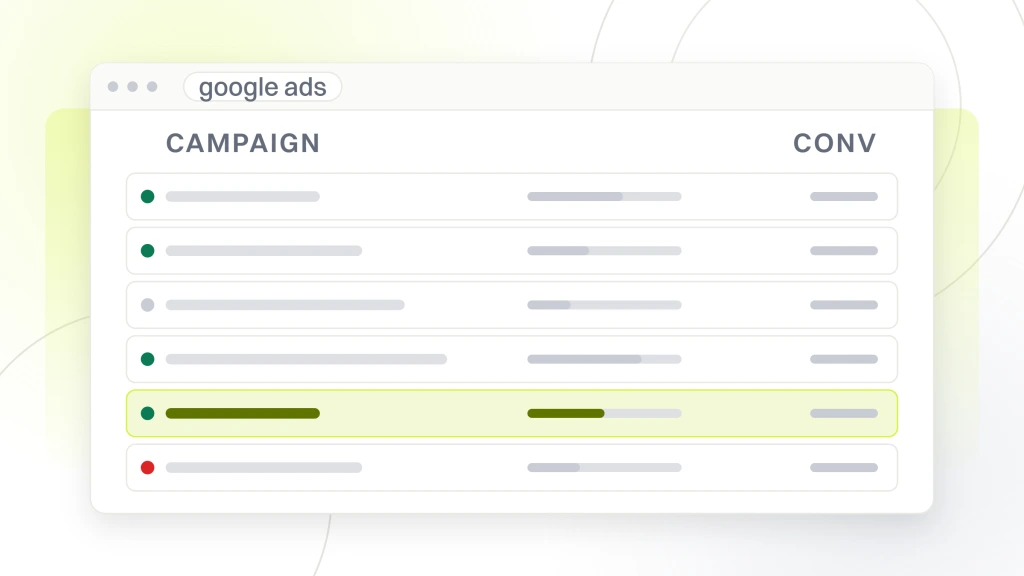
Check campaign settings first, one campaign at a time, because settings are where the quiet money goes. Search campaigns opted into display partners. Location targeting set to presence or interest rather than presence, so you are paying for people who merely searched about your city. Language targeting that never matched your ads. Ad rotation left on a setting nobody chose. Automatically created assets turned on without anyone reading what they created.
Then look at the shape. Campaigns that exist because someone duplicated one two years ago and renamed it. Ad groups holding forty loosely related keywords, which makes a single relevant ad impossible to write. The same keyword in three ad groups competing with itself. Budget split so thin across campaigns that none gathers enough data for a bid strategy to learn from. Structure is not a beauty contest. It decides what your data can tell you.
Where your keywords and search terms are leaking budget
This is where most accounts lose money, and it is the easiest thing to check yourself. Google describes the search terms report as showing how your ads performed when triggered by actual searches on the Search Network, and draws the distinction plainly. A keyword is a word or set of words an advertiser adds to an ad group. A search term is what a person actually typed.
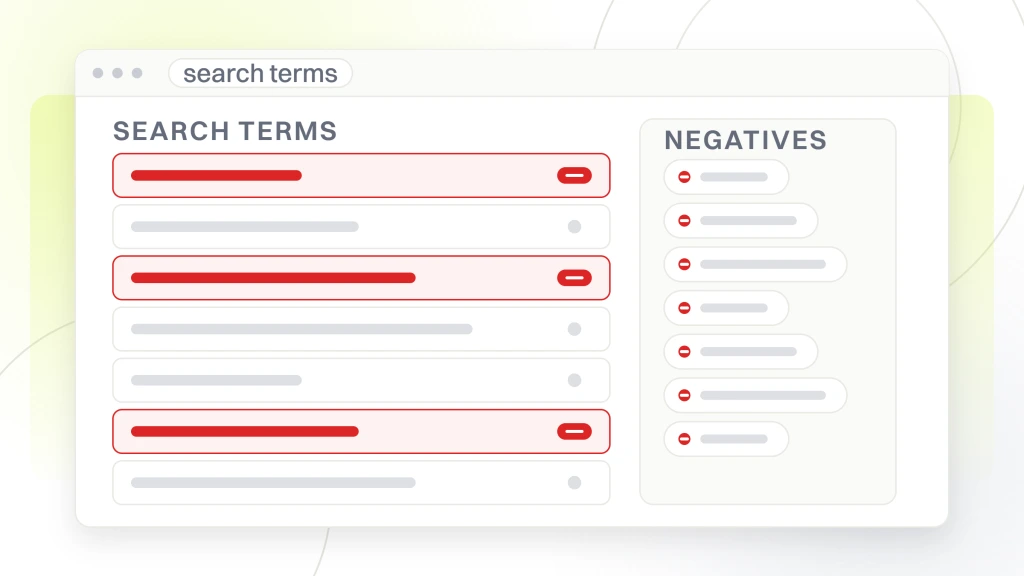
Those two lists diverge, and the gap between them is your waste. Pull the last ninety days of search terms, sort by cost descending, and read down. You are looking for four things. Terms with spend and zero conversions. Terms describing a free version of what you sell, a job at a company like yours, or a competitor’s brand you never meant to bid on. Terms in the wrong city. Terms matching a keyword you thought was phrase match and clearly is not.
Then check the negative side. Lists built once and never revisited. Negatives applied at ad group level that should be account wide. And the opposite failure, a negative so broad it blocks terms that used to convert. Both show up in the same report.
Are your ads and assets doing any work
Creative is the part of the account that gets set up once and then quietly runs for years. An audit asks a blunt question about it. If you removed this ad tomorrow, would anything change.
Work through it per ad group. How many responsive search ads are running, and whether each has enough headlines and descriptions for the system to have anything to combine. Whether the headlines say different things or the same thing five ways, which looks full and tests nothing. Whether any headline is pinned, and whether whoever pinned it knew pinning limits the combinations available.
Then the assets. Sitelinks pointing at pages you have since changed. Callouts written for a promotion that ended. A call asset ringing a phone nobody answers after five. Image and location assets missing entirely where they would qualify. None of this needs a creative brief. It needs somebody to open the asset report and compare what is live against what your business currently sells.
What your landing pages cost you in quality score
People search for an adwords landing page grader because they suspect the page is the problem and want a number that proves it. That number already exists inside your account, and Google publishes what goes into it. Quality Score has three components. Expected clickthrough rate, the likelihood that your ad will be clicked when shown. Ad relevance, how closely your ad matches the intent behind a search. And landing page experience, how relevant and useful your landing page is to people who click your ad.
Google goes further on that third one. It says landing page experience is represented by “things like the usefulness and relevance of information provided on the page, ease of navigation for the user, the number of links on the page, and the expectations users have based on the ad they clicked.” Read that as an audit checklist, because that is what it is. Does the page answer what the ad promised, above the fold. Is the path to the one action you want obvious. Is it cluttered with links leading away.
Speed belongs here too, measured on a phone rather than the desktop you built the page on. If you want the load number itself, our guide to analyzing a website covers measuring it on real devices rather than on your own machine, which is the figure worth handing a developer. Then take your ten most expensive keywords and open the page each one sends to. They do not all go where you assumed.
Where your budget and bid strategy go wrong
Two failures live here and look identical in a performance chart. One is a campaign held back by its daily budget. The other is a bid strategy aimed at something the account cannot reach. Your google ads audit checklist separates them before anyone changes a number.
Start with the budget column and find every campaign flagged as limited. That is not automatically a problem. It is a problem when the campaign being starved is the one converting and the budget sits in one that is not. Then check pacing, because a campaign that spends out by the twentieth is not running on the days you may care about most.
Then the strategy. Google describes Smart Bidding as using its AI to optimize for conversions or conversion value in every auction, across Target CPA, Target ROAS, Maximize conversions and Maximize conversion value. That machinery needs conversion data, so a Target CPA on a campaign producing a trickle of conversions is being asked to hit a number it has no evidence for. Check the target too. One typed in by somebody two managers ago, against a product whose price has since changed, is a constraint nobody chose on purpose. Finish with dayparting and geo, where the same question applies, is this spend concentrated where the conversions are or where they were.
What a Google Ads grader score actually means
A google ads performance grader gives you a score, usually out of one hundred, and it feels like a verdict. Here is what to understand first. A grader benchmarks you against an aggregate of other advertisers, or against a fixed rule set the vendor wrote, and neither of those is your business. A good score and a failing account are entirely compatible, because nobody asked the grader what a customer is worth to you.
The clearest way to see this is the grader built into your own account. Google describes optimization score as “an estimate of how well your Google Ads account is set to perform”, running from 0 to 100 percent, calculated in real time from the statistics, settings and status of your account and campaigns, the impact of available recommendations, and recent recommendations history. Google also states that its recommendations are based on performance history, campaign settings, and Google search volume and trends.
Read that carefully, because it is honest and specific. Nothing in that list is your margin, your close rate, your capacity to serve the work, or the fact that half your leads come from one city you can reach. A google ads grader score measures conformity to a pattern. Treat it as a list of things to look at, then rank that list against what a customer is worth to you. That is the step no grader performs, and it is why an audit is a document rather than a number.
Which Google Ads audit tools are worth your time
A google ads audit tool earns its place by finding things faster than you can, not by deciding anything. Below are tools whose own pages we opened, described only in the terms those pages use. Where a vendor blocks us from reading their page we leave them out rather than describe a product from memory. This is a shortlist, not a field guide. The organic side has its own crowded tool field, covered in a separate comparison of free SEO tools.
| Tool | What its own page says it does | What it still will not do |
|---|---|---|
| Adalysis free PPC audit | Names four report parts, a performance audit, a quality score audit, an account structure audit and account insights | Flags what changed, not whether it suited your margins |
| TrueClicks | Reports a TrueClicks Score built from more than 100 best practices, which it says reflects how well accounts are managed | A count of rules is not a priority order, and will not say which issue costs most |
| Optmyzr | Offers what it calls audits for a bird’s eye view of account health, promising detailed insights faster than you can mine them manually | A starting point. Which finding matters to your business is still your call |
| Seiso | Says its free audit runs to more than 50 pages, delivered by email, covering impressions, quality score, targeting, keywords and ads. Interface is in French | Report length is not finding count. Somebody still has to act on it |
| Google Ads optimization score | Built into your account. Google calls it an estimate of how well your account is set to perform, scored 0 to 100 percent | Its recommendations come from performance history, campaign settings and search trends, not your profit targets |
Two patterns run across all of them. Every one reads data already in your account, so anything it finds you could find, given the time. And every one stops where somebody weighs a finding against what your business needs. That is the boundary of the category.
How to run a Google Ads audit yourself
If you want to know how to run a google ads audit without hiring anyone, the sequence matters more than thoroughness. Do it in this order, because each step makes the next readable.
- Set your window. Last 90 days against the 90 before it, and write down spend, conversions and cost per conversion before touching anything.
- Verify conversion tracking. Counting setting, primary and secondary status, last recorded date on every action. Fix this before reading a single performance number.
- Read campaign settings, one campaign at a time. Networks, locations, languages, rotation, automatically created assets.
- Pull 90 days of search terms sorted by cost and mark the waste. Build negatives from what you find, not from a generic list.
- Open the ads and asset reports and note what is stale, untested or pointing somewhere that no longer exists.
- Take your ten most expensive keywords and measure the page each lands on, on a phone, on a connection that resembles your customers rather than your office.
- Check budget limits and pacing, then bid strategies and their targets against real conversion volume.
- Write it down. One line per finding, an expected direction, an effort level and who does it.
On cadence, split it in two. A light monthly check covering search terms, budget pacing and anything broken takes under an hour once you know the screens. The full pass belongs on a quarterly rhythm, or right after anything structural changes, a new website, a new offer, a new person on the account. Monthly deep audits mostly produce changes made too soon to have learned from the last ones.
How to tell a real free audit from a sales pitch
The disclosure first, because you should be able to weigh who is telling you this. Redefine Web is an SEO and web design agency and we give away a free website audit. Our own page states the honest reason, some of the sites we audit hire us afterward. That is a commercial incentive, and it belongs on the table before you read our criteria. Apply every test below to us.
Here is what separates a diagnostic from a pitch. The same logic runs through picking an agency for any other service.
- It reads your own account data. An audit of paid spend that never opens your Google Ads account is guessing. Ask what access they need and be suspicious if the answer is none.
- You keep the document. A written report you own works whether or not you hire them. A deck that only makes sense while somebody presents it is a meeting.
- The findings are specific to you. Named campaigns, named search terms, your numbers. If the same three recommendations fit any account in your industry, that is a template.
- It tells you what is working. An audit finding only problems is a sales narrative. Real accounts have parts worth leaving alone.
- Findings are prioritized and honest about effort. Anything ranked by impact, that admits when a fix is a week of developer time, was written to be used.
- You can act on it without them. The test of a free audit is whether it still has value if you say no.
Now the first criterion, applied to us, because it is the one our own offer fails. What we give away is a free SEO audit, a human reviewed report on the website itself, delivered as a written PDF with a 30 minute walkthrough. Nobody on our side logs into your Google Ads account as part of it, and our page does not offer to. So if what worries you is where your ad budget goes, our free audit is not the audit for that problem. It reviews the page the ad lands on, not the account buying the click.
One more thing to watch. A free audit is where the relationship starts, so ask early what the paid version costs and includes, in writing rather than on the call. Vagueness at that stage rarely improves later, which is why we published what SEO pricing packages really run.
What we would do first in your account
Two things, in this order, before anything else gets touched. Open the conversion actions screen and confirm that what the account bids toward is something you would be happy to pay for, counted the way Google says that kind of action should be counted. Then pull 90 days of search terms sorted by cost and read the top of the list out loud. Those two screens take an afternoon and they settle most accounts we see, either by explaining the bad numbers or by proving they were never real.
Everything else here is downstream of those two. Structure, ads, landing pages, bid strategy, all easier to judge once you trust what a conversion means in your account and you know what you are buying. If you get through both and would rather hand this to somebody, the criteria above work just as well for choosing a consultant as for choosing an agency.
Start with the conversion actions screen this week. It is free, it takes twenty minutes, and it decides whether any other number in your account is worth reading. If the website side turns out to be the weak link, the page your ads pay to reach, our free website audit covers that part, the website itself, read by a person rather than scored by a tool. That is the site side, not your ad account.