
An SEO reporting tool for SEO companies is bought for a reason that has very little to do with SEO. You are not buying analysis. You are buying the ability to produce forty defensible documents on the same Monday, with your name on them rather than the vendor’s, without anybody on your team opening a spreadsheet. That is an operations purchase, and it deserves operations criteria. Most comparison posts in this category review the charts instead, which is how agencies end up on a platform that is pleasant to demo and expensive to run.
This is about choosing and running the software, at scale, across a client roster. Two neighboring questions are answered elsewhere and are not repeated here. What actually belongs inside the document is covered in our breakdown of what goes in an SEO report, and the live screen as its own artifact is covered in what goes on an SEO report dashboard. Read those for the artifacts. Read this one for the machinery that produces them. If you want the underlying work described first, start with what an SEO audit covers.
One disclosure before the argument, because it changes how you should read everything below. We are an agency. We report to our own clients, we have made these purchases with our own money, and you are a peer rather than a prospect. That gives this article a bias worth naming, which is that we have opinions formed by our own roster shape and yours may be different.
What an SEO reporting tool for SEO companies has to do that a single site tool does not
The difference is not scale in the sense of bigger numbers. It is multiplication, and multiplication changes which failures matter.
With one site, the question a tool has to answer is whether the report is correct. With forty, correctness is assumed and the question becomes whether the report is repeatable without supervision. Those are different products. A tool that produces a beautiful one-off and needs a person to assemble it is worse than useless at forty clients, because the labor it demands scales linearly with the roster while the fee you charge does not.
The failure modes also invert. On one site, the thing that goes wrong is a metric being misread. On a roster, the thing that goes wrong is a single broken connector silently emptying a section in thirty reports that then send themselves on schedule. Nobody notices until a client asks why their backlink table is blank, and by then it has gone out three times. The tool’s job at that point is not charting. It is telling you that something stopped arriving before the client finds out.
So the evaluation order is roughly the reverse of the one most demos follow. Start with what happens when a data source fails, then how a change to one template reaches every client using it, then who can log in and see what, and only then look at whether the charts are attractive. Attractive charts are table stakes across every product in this category and they will never be the thing that costs you an account.
White label, and what it actually costs to put your own name on it
This is the one question in the category that only agencies ask, and it is priced very differently across vendors. Whose brand appears on the document your client opens is a commercial decision, not a cosmetic one, and two vendors with similar sticker prices can sit far apart on it.
Both figures below were read from the vendor’s own pricing page on 16 September 2026 and the contrast is the useful part.
| Vendor | Where white label sits | Published price |
|---|---|---|
| AgencyAnalytics | Inside the single plan, listed under key features as “White-label branding”, alongside “Custom domain & email” | $20 USD per client a month, billed annually |
| SE Ranking | A separate Agency Pack add-on, described as “White-label reporting and client-facing tools built for agencies” | Plus $69.00 a month on top of a plan, annual billing only |
Read the second row carefully, because it carries two commitments rather than one. The white label capability is an add-on, and that add-on is annual billing only, so the decision to put your own name on your reporting is also a decision to lock a year of spend at a vendor you may still be trialing. That is a reasonable thing for a vendor to do. It is an unreasonable thing to discover in month two.
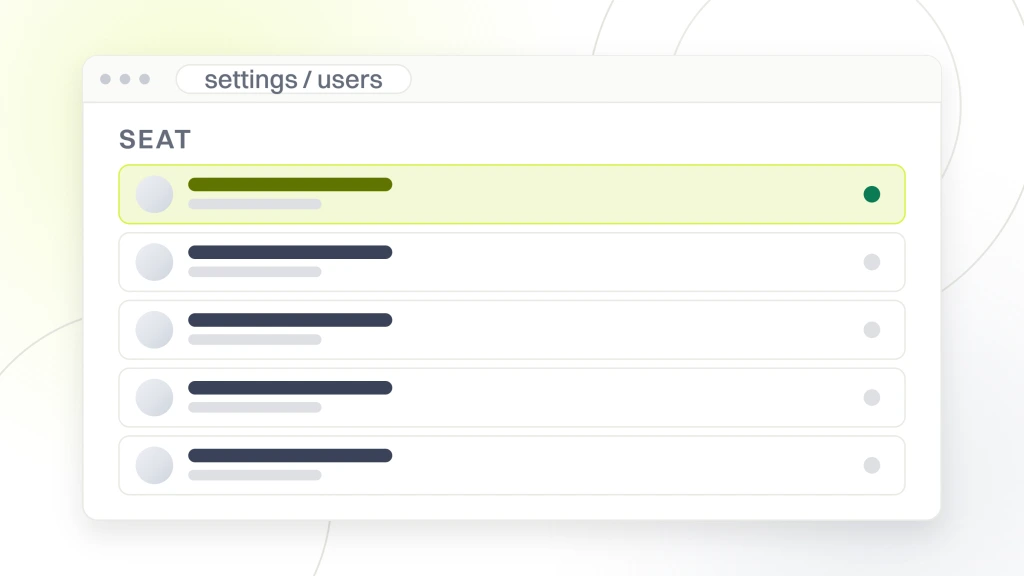
The wider point is that white label is not one feature. It is at least four, and vendors bundle them differently. There is removing the vendor’s logo, there is putting yours in its place, there is serving the report from your own domain, and there is the email it arrives in coming from your address rather than theirs. A plan can include the first two and charge for the second two, and a client who receives a branded report from an unfamiliar sending domain has been told exactly as much as an unbranded one would have told them.
How the vendors meter you, and why the unit decides your margin
Every vendor in this category sells the same broad capability and meters it differently, and the unit matters far more than the headline number, because the unit decides what happens to your cost as you grow.
All the figures below were read from each vendor’s own pricing page on 16 September 2026. Treat them as a dated snapshot, because this category moves.
| Vendor | What you are metered on | Published entry figure | Currency on the page |
|---|---|---|---|
| AgencyAnalytics | Clients, with unlimited data sources, reports and dashboards | $20 USD per client a month, billed annually | “USD” printed beside the figure, plus a selector |
| DashThis | Dashboards and sources, where a dashboard is one report | $44 a month paid yearly, $54 monthly, 3 dashboards, 15 sources | “All prices shown are in USD” |
| Geckoboard | Dashboards, editors and screens | From $79 a month billed annually, 2 dashboards, 1 editor | “All prices are in USD. VAT is not included” |
| Klipfolio | Dashboards, with unlimited users | $120 USD a month billed annually, 3 dashboards | “USD” printed beside the figure |
| SE Ranking | Projects, keywords and seats, with white label sold separately | $129.00 a month, or $103.20 billed annually | A dollar sign, with no currency code stated |
Line those units up against how your agency actually grows and one of them will obviously fit. If you add clients steadily and each needs a handful of sources, per client pricing is predictable and you can put it straight into a proposal as a cost of sale. If you have few clients but each is sprawling, per client pricing is a bargain and per source pricing will punish you.
The unit to be most careful with is the dashboard, because three vendors above meter it and a dashboard means one saved arrangement rather than a quantity of work. An entry allowance of two or three arrangements is a single client each. Those plans are not built for a roster and pricing a roster against them will produce a number that looks competitive and is not available to you.
What breaks when a client asks a question the report cannot answer
Here is the failure that reporting software creates rather than solves, and it gets worse as the software gets better.
A good tool makes producing the document nearly free. Producing the document was never the expensive part. The expensive part is the reply when a client reads it and asks why organic traffic fell in the third week. That reply needs somebody who knows what was shipped that week, what the client’s competitors did, and what changed in search. No reporting platform holds any of that.
So automation moves your cost rather than removing it. Before the tool, the cost was assembly and the answer came bundled because the same person built the report and knew the story. After the tool, assembly is free, and the answer has become a separate piece of work that nobody scheduled and nobody priced. Agencies feel this as a reporting week that somehow got busier after they automated reporting.
The fix is structural rather than technical. Decide, per client tier, whether the document goes out alone or goes out attached to a written read, and price the two differently. A report that ships with three sentences of interpretation from somebody who knows the account is worth several times a report that ships alone, and it costs you roughly fifteen minutes. A report that ships alone to a client who expected interpretation is how an account starts to feel neglected while every deliverable is technically being met.
The features that matter at ten clients and are invisible at one
Demos are built around the first client. These are the things that only start mattering somewhere around the tenth, and they are the reason agencies migrate.
- Template inheritance. When you improve your standard report, does the improvement reach every client using it, or do you open forty reports and make the same edit forty times. This single behavior is the difference between a template and a starting point.
- Connector health alerts. Something tells you an integration stopped returning data before the scheduled send, not after. Without it, your quality control is a client email.
- Client seats and permissions. Whether a client can log in and look without being able to see another client, and whether that costs extra. Vendors differ sharply here and it is rarely on the pricing tile.
- Scheduling that survives an exception. One client wants theirs on the fourth, not the first. Whether that is a checkbox or a manual send every month decides whether you can honor requests like it.
- Bulk operations. Adding a section to every report in one action. At one client this is a curiosity. At forty it is most of a working day, every time you change your mind.
None of these photograph well, which is why they are absent from most comparison posts and from most sales calls. They are also, in our experience, the entire reason an agency leaves one platform for another, and the reason is always the same sentence, which is that the tool made us do the same thing many times.
What the cheap end actually covers
There is a real free tier in this category and it is worth knowing its shape before you assume you have to spend. Databox publishes a plan at $0 a month, described on its pricing page as “free forever”, carrying 1 user, 3 data sources and 50 AI credits a month, read 16 September 2026.
Look at the units rather than the zero. One user means nobody else at your agency can log in. Three data sources is roughly one client with search console, analytics and one rank source connected. So the free tier is a genuine product for a freelancer with a single account, and it expires as a serious option the moment you hire anybody or sign a second client.
That is not a trick. It is the normal shape of a free tier in software sold to teams, and it is worth stating plainly because the cheap end of this category is frequently recommended to agencies by posts that never checked the seat count. If you want the wider picture of where free tooling stops being enough, our comparison of free SEO tools covers what each free tier holds back.
One more caution at this end of the market, and it is about currency rather than value. At least two vendors in this category serve prices in euros to some visitors and dollars to others, and one of them prints the same numeral against both symbols in different places on the same page. Confirm the currency and the amount from the checkout rather than the marketing tile before you put a figure in a proposal, because a per client cost that is wrong by the euro to dollar gap is wrong in your margin on every client you have.
The switching cost nobody prices in
Reporting platforms are unusually sticky, and the stickiness is not loyalty. It is that three things do not move when you do.
The first is history. Your comparisons against the same period last year live in the platform’s own store, and a new vendor starts with an empty one. You can usually export raw numbers, but the assembled view that made a client comfortable does not come with them, and for a year you are either explaining a gap or maintaining two subscriptions.
The second is the templates, which are the actual asset you built. Every judgment your agency has made about what a client should see is encoded in them, and none of it is portable. Rebuilding is not merely retyping, because the decisions have to be made again by whoever rebuilds, and they will not make all of them the same way.
The third is the clients themselves. Every client who has a login has to be told, re-onboarded and given a new link, and that conversation costs you a small amount of standing with each of them because it is your inconvenience arriving in their inbox. Multiply by the roster.
Add annual billing on top, which several vendors require for exactly the capabilities agencies need, and a decision you made in a two weeks is a decision you live with for a year and pay to reverse. None of that argues for never switching. It argues for trialing properly the first time, which is the next section.
How to run a trial that tells you something
Most trials are run in a way that guarantees a false positive, because they are run on the easy case by the person who wants it to work.
Do not build a fresh dashboard for your simplest client. Rebuild the report your team most dreads producing, for the client with the messiest data, including the one source that is always awkward. That report is the real specification. If the platform handles it in an afternoon, it will handle the rest of your roster. If it cannot handle it at all, you have learned the only thing worth learning and you have learned it inside the trial window.
Then time it honestly, with a clock, and write the number down. The comparison that matters is not against the vendor’s claim, it is against what that report costs you today. An agency that cannot say what its current reporting costs in hours cannot tell whether any of these products is worth buying, and most cannot say.
Finally, have somebody who did not choose it do the second report from your template, without help. That tests the only thing that decides whether the purchase survives, which is whether the tool works in the hands of whoever is doing reporting next quarter rather than in the hands of its advocate. Plenty of platforms pass the first test and fail the second, and the failure only shows up months later as a quiet return to manual work.
What to check before you move your whole client base
A short list, each item answerable with a number or a yes, and each one something agencies have been caught by.
- What is the metering unit, exactly. Clients, dashboards, data sources, seats or keywords. Then model it at twice your current roster rather than at today’s.
- Which parts of white label are included and which are add-ons. Logo, domain, sending address and the login screen are four separate things and are priced as such.
- Is any capability you need annual billing only. If so, your trial is the entire evaluation, because month two is not a decision point.
- What happens when a connector fails. Does the scheduled report still send with an empty section, and does anybody get told.
- Do client logins cost extra, and can a client see only their own account. Ask for this in writing rather than inferring it from a feature list.
- What leaves with you. History, templates and the client links, specifically, and in what format.
Which rank tracking source feeds the positions section is a separate decision from the reporting layer, and one that several of these platforms take out of your hands by bundling their own. Our comparison of website ranking software covers the products that do it, and it is worth settling before you commit, because a platform whose bundled rank data you do not trust is a platform you will end up pasting numbers into.
What we would do, and what to ask us
With a roster under about five clients, we would not buy a reporting platform at all. We would connect the free sources, accept that assembly takes an hour a client, and spend the money on the interpretation instead, because at that size the assembly cost is smaller than the subscription and the interpretation is what the client is actually paying for.
Past roughly ten, we would buy on the metering unit and the white label terms and treat the charts as irrelevant, then run the trial described above on the worst client rather than the best. Whether the underlying work justifies any of it is a separate question, and our piece on why an SEO audit is important covers the review that should sit under the reporting in the first place.
Now the awkward part, since you are a peer. If you are an agency reading this, we compete with you, and you should weigh the advice accordingly. If you are a business owner who ended up here while checking what your provider uses, the useful question is not which platform they bought. It is whether the report arrives with somebody’s judgment attached to it, which no platform supplies and every platform makes easier to skip. Our guides on how to pick an SEO agency and on what search engine optimization companies actually do are written for you rather than for them.
The test this article sets is that the metering unit matches how you grow, that the white label terms are known before the annual commitment, and that somebody is paid to answer the question the report provokes. Ask us the same three about how we report, and if our answer is longer than yours, we have failed our own test. If you would rather start with the site underneath the reporting, our free website audit is where to begin.