A three-chair dental office in Tulsa books 22 new patients a month from a $1,400 Google Ads budget. A four-tech HVAC shop in Toledo runs a $2,100 monthly account and books 40 service calls. A specialty ecommerce brand runs Google Ads at a $31 cost per sale on a $650,000 managed budget. None of these accounts use enterprise tactics. They win on tight campaign structure, real conversion tracking, and a weekly review cadence the owner actually looks at. That is the shape of Google Ads management for small businesses when it works. It is not a scaled-down version of a mid-market playbook. It is a different operating model with different math, different account structure, different reporting, and different agency economics.
This guide walks the exact budget rules, campaign structure, keyword strategy, ad copy patterns, landing page requirements, conversion tracking setup, agency-versus-in-house math, a real client case study, common mistakes, and a 90-day plan. Every section is written for owners running a $600 to $3,500 monthly ad spend, where every click has a cost the business owner can name. You’ll leave this page with a workable checklist for the next 90 days and a clean framework for judging whether your current account or your current partner is set up to book real customers.
Budget rules for small business Google Ads
Small-business Google Ads budgets fall into three brackets and each bracket runs on different rules. Under $600 a month, Google Ads is usually the wrong channel. You cannot buy enough clicks to statistically decide which keyword, ad, or landing page is working, and you end up spending three months paying for education without ever reaching decision-grade data. Local Service Ads or organic search fits better at that spend level. Between $600 and $1,500 a month, Google Ads works for local service businesses with a $300+ average customer value, but only on a tightly scoped single-service focus with one or two campaigns and one geo. Between $1,500 and $3,500 a month, the account graduates to two or three campaigns, a proper negative-keyword hygiene routine, and weekly optimization.
The number that matters more than budget is target cost per booked customer. A plumber with a $650 average job can pay $75 per booked call and still net $400 gross. A dentist with a $1,200 average new-patient value can pay $180 per new-patient booking. A window cleaner at $200 per job needs cost per booked call under $40. Write your target cost per booked customer on the top of every reporting doc. Every campaign decision flows from that single number, not from click cost or impression share.
Campaign structure that fits a small business PPC account
The default enterprise structure of 15 campaigns, 60 ad groups, and 400 keywords fails at small-business spend. There is not enough click volume in a $2,000 monthly account to feed that many buckets, so you end up with sparse data everywhere and confident decisions nowhere. The right structure for a $1,500 to $3,000 monthly account is 1 to 3 Search campaigns, 1 optional Performance Max campaign for late-stage retargeting, and zero Display Network exposure until Search is producing predictable weekly booked calls.
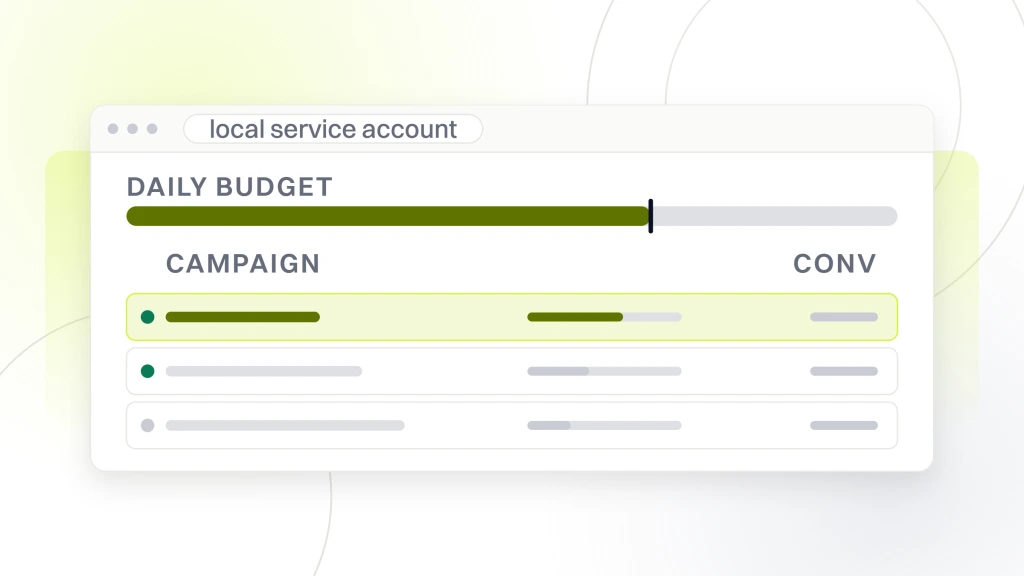
A workable starting structure for a local service business at $2,000 a month looks like this. One Search campaign for the money keyword group (the exact-match commercial-intent phrases the business owner would spend $200 to close). One Search campaign for the general commercial group (phrase-match variations, broader terms, a wider net). Both campaigns geo-targeted tightly to the actual service area, not the metro. Bid strategy on Maximize Conversions with a clear conversion action tied to the real revenue event, not a page view. Google’s official campaign structure guidance is a good starting reference, though its examples target larger accounts and need trimming down for this budget range.
- 1 or 2 Search campaigns, not 5+
- 3 to 6 ad groups per campaign, each with 5 to 15 keywords
- Geo radius scoped to actual service coverage, not city name
- Ad schedule set to business hours if lead form is call-based
- Device bid modifiers on mobile if calls close and desktop if forms close
- Conversion action pointing to the booked event, not the click
- Negative keyword list seeded before launch, not after wasted spend
Keyword strategy for small business Google Ads
At small-business budgets, keyword strategy is more about ruthless exclusion than aggressive expansion. Every irrelevant click at $8 to $22 costs a full day of ad budget and pushes the account toward a cost per booked customer the business cannot sustain. Start narrow. Build the initial keyword list from the exact phrases a customer would search 15 minutes before calling, then earn the right to expand.
Group keywords into three tiers. Tier one is money-intent phrases with clear commercial signal like “emergency plumber Toledo” or “invisalign consultation Tulsa.” These are your exact-match keywords with the highest bids and the tightest landing pages. Tier two is phrase-match variations that catch the same intent with different wording. Tier three is discovery, where you learn what people actually search by mining the search terms report weekly. Discovery adds negatives more often than it adds keywords for the first 60 days.
Negative keywords are half of the job. Every account we open drops 20 to 40 percent of wasted spend in the first two weeks purely through negative-keyword additions, and that stays true whether the vertical is dental, HVAC, legal, or ecommerce. If your account has fewer than 100 negative keywords after 60 days of running Search campaigns, the search terms report has not been read. Read it weekly. Add negatives every time. That habit alone separates competent google ads management for small businesses from the accounts that quietly burn budget on informational queries the client never wanted to pay for. In dental practice accounts, the negative-keyword discipline is where our dental PPC services teams spend the majority of their weekly review time.
Ad copy that books customers on tight budgets
Small-business ad copy has one job. Book the click that a ready-to-buy customer will make right now, and repel the click a browser would have made. That means writing headlines that name a specific service, a specific place, and a specific reason to click, and skipping the generic benefit statements that read the same across every vertical.
Every campaign gets 3 responsive search ads per ad group with 12 to 15 headline variants per ad. Pin the money keyword phrase to headline position 1 so it always appears. Pin a proof point or specific offer to headline position 2 (real numbers, not adjectives). Rotate the third and fourth headline slots freely so Google’s system can learn which combinations perform. Descriptions are 2 per ad, hand-written, no character-count padding. Sitelinks point to the 4 highest-intent supporting pages, not the homepage and About page.
Trust signals inside ad copy pay for themselves at small-business budgets. Years in business, membership badges, service area coverage, licensed-and-insured claims, real customer counts. A dental practice ad that reads “Family Dentistry in Tulsa. 4,200 Patients Since 2011” outbooks the generic “Trusted Local Dentist” ad on identical spend, every time.
Landing pages that book small business customers
Sending Google Ads traffic to a homepage is the single most common failure mode of small-business PPC. The homepage is built to serve every visitor. A paid-search landing page is built to convert one visitor with one intent right now. That means one message, one primary action, one form or click-to-call button above the fold, and zero navigation menu links pulling the click away.
The landing page has to load in under 2 seconds on mobile, because 53 percent of mobile visitors abandon a page that takes over 3 seconds. That eliminates most WordPress themes running unoptimized images and page builders with 40 kilobytes of unused CSS. Build lightweight, single-purpose landing pages that inherit your Google Ads management services engagement, not stock templates.
- One clear H1 that names the service and the location
- Above-fold trust signal (years, patient count, review score, licensing)
- Click-to-call button visible without scrolling on mobile
- Short form (name, phone, service needed, 3 fields max on first contact)
- Real photos of the team, not stock imagery
- Testimonials with full names and specific outcomes
- No top navigation, no footer sitemap, no “explore more” distractions
- Fast mobile load time verified in Google PageSpeed
One page per service line, one page per top geo. A plumber running Google Ads in three suburbs has three landing pages, one per suburb, with local trust signals baked in. That’s how you win the Quality Score bump that lowers cost per click 15 to 30 percent inside 45 days.
Conversion tracking for small business PPC accounts
An account without accurate conversion tracking is not a Google Ads account. It’s a budget disposal service. Roughly 40 percent of small-business accounts we audit have conversion tracking that fires on wrong events, double-counts, or was set up 3 years ago and never checked when a form vendor changed. Fix this first, before touching campaigns. If your setup runs through Google Tag Manager, the Google Ads Tag Manager conversion tracking setup guide walks the exact events to fire.
The right conversion setup tracks the real revenue event. A booked appointment. A qualified phone call over 60 seconds. A form submission that went into the client’s CRM. A completed ecommerce transaction with revenue value. Not a thank-you page view, not a button click, not a scroll depth. When the conversion action reports a booked customer, Google’s smart bidding can optimize toward the metric that matches business revenue. When the conversion action reports a click on the phone number, the account learns to buy phone-number clicks, which is not the same as booking anyone.
Call tracking is mandatory for service businesses. Use Google’s free call-tracking conversion action for the click-to-call button, and layer a dedicated call-tracking number on the landing page and website. Set the minimum call duration at 60 seconds (the point at which a real conversation is happening, not a hang-up). Import offline conversions from the CRM when appointments are confirmed, so smart bidding can learn from show-up rate, not just form-fill rate. This is the discipline that separates accounts that scale from accounts that stall.
In-house versus agency for a small business PPC account
Owners running $600 to $3,500 monthly ad spend have three paths (the tradeoffs are laid out in what PPC management actually covers) and the right answer depends on how much time the owner can protect for the account weekly. Doing it in-house takes about 4 to 6 hours a week once the account is stable, less than an hour if the account has been on autopilot too long (which is usually why the results have flattened). Hiring an agency retainer runs $999 to $2,499 a month depending on account complexity, and affordable Google Ads management pricing with flat fees breaks down what each tier actually buys. Hiring a freelancer runs $30 to $80 an hour, with the risk that a $60/hr freelancer running the account 3 hours a month is not delivering meaningful attention.
| Option | Typical monthly cost | Time on account weekly | Fit |
|---|---|---|---|
| Owner runs it in-house | $0 in fees | 4 to 6 hours | Owners with time and PPC comfort |
| Freelancer | $150 to $500 | 2 to 4 hours | Simple 1-campaign accounts |
| Small agency | $499 to $999 | 4 to 8 hours | Local service businesses under $2,500 spend |
| Full agency retainer | $999 to $1,999 | 8 to 12 hours | Multi-location or ecommerce accounts |
The math that matters is total cost per booked customer, not agency fee. A $999 retainer that delivers $75 cost per booked call on a $2,000 ad spend produces a better business outcome than a free-in-house account that produces $190 cost per booked call because the owner runs it Sunday nights. Judge the arrangement on the outcome, not the fee.
Case study on google ads management for small businesses in ecommerce
Boogie Board, a reusable writing tablet ecommerce brand, worked with Redefine Web on a Google Ads engagement targeting cost per sale in an under-$50 average order value category. The account was competing against Amazon third-party sellers and the challenge was scaling paid traffic without watching cost per sale drift above the point of unit profitability.
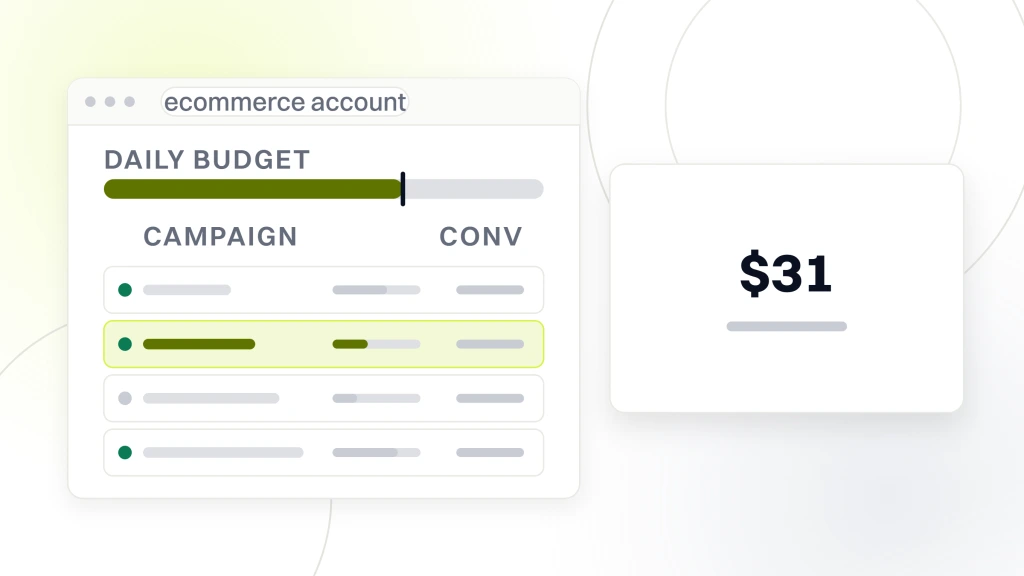
Redefine Web restructured the Google Ads account with Search campaigns focused on product-name queries, category queries, and a competitor-conquest campaign. LinkedIn Ads were added for the B2B education segment (school and district buyers). Landing pages were rebuilt around single-product intent instead of pushing every visitor to a category page. Campaign buildout, ongoing optimization, and offer development were run in tight cycles based on weekly search-terms review.
The account delivered a $31 cost per sale on a $650,000 managed budget with an 11 percent conversion rate on paid traffic. Cost per sale held steady while budget scaled 3x through the engagement, meaning the account was not paying more to acquire the same customer at higher volume, which is the failure mode most ecommerce PPC accounts hit around 2x scaling. The takeaway for other small-business accounts is that the discipline that produced these numbers was not fancy bid strategy or exotic tactics. It was tight campaign structure, aggressive negative-keyword hygiene, single-product landing pages, and weekly review with real conversion data pointing at real revenue events.
Common mistakes in small business Google Ads accounts
The pattern of small-business PPC failure is remarkably consistent. We’ve audited hundreds of accounts in the $600 to $3,500 spend range and the same six mistakes account for the majority of underperforming spend across every vertical. Fixing these six is usually enough to cut cost per booked customer 30 to 50 percent inside 60 days without adding a dollar to the media budget.
- Broad match keywords on default settings. Google’s broad match has improved but at small budgets it still spends 25 to 40 percent of daily budget on irrelevant queries. Use phrase and exact match on money keywords.
- No negative keyword hygiene. If your search terms report has not been read in the last 14 days, you’re paying for questions no customer asked.
- Sending traffic to the homepage. Homepage sends visitors to explore. A paid-search landing page sends them to convert. These are different jobs.
- Conversion tracking on the wrong event. Tracking phone-number clicks instead of 60-second calls, or thank-you page views instead of CRM-confirmed leads.
- Display Network turned on with Search. Search Partners fine. Display Network eats $200 to $400 a month on unrelated impressions until manually disabled.
- Bid strategy set to Maximize Clicks. At small-business budgets this buys traffic quantity, not customers. Switch to Maximize Conversions once you have 30+ conversion data points.
The seventh mistake worth naming is chasing PMax at low budgets. Performance Max needs conversion volume to learn, and at $1,500 monthly ad spend it usually cannibalizes Search brand traffic while producing sparse learning signal. Wait until Search is stable and hitting target cost per booked customer before adding PMax. Independent reporting from Wordstream and Search Engine Land both back this pattern, and it’s borne out in the accounts we run.
90-day plan for google ads management for small businesses
The first 90 days set the pattern for the next 3 years of the account. Rushing setup to launch campaigns in week one produces the same result as never setting them up. Slow the launch, protect the data foundation, and the compounding returns show up in month 3 and stay there.
Days 1 to 14: foundation. Audit any existing account. Verify or install proper conversion tracking on the real revenue event. Build the negative-keyword seed list. Write and design the landing pages, one per service line or geo. Build call tracking. Confirm target cost per booked customer with the owner in writing. Draft the first campaign structure.
Days 15 to 45: launch and stabilize. Launch 1 to 2 Search campaigns on manual bidding to control cost per click while learning. Review search-terms report every 3 days. Add 5 to 15 negative keywords weekly. Watch cost per booked customer and adjust bids by ad group. Optimize ad copy based on which pinned headlines drive the highest click-through rate.
Days 46 to 90: scale and refine. Once daily conversion count is stable at 1+ conversions per day, switch bid strategy to Maximize Conversions. Introduce a second Search campaign for expansion keywords. Consider a small Performance Max campaign only if Search is fully saturated on the money keyword group. Layer offline conversion imports from the CRM so bidding learns from show-up rate, not just form-fill rate. Review the account on a weekly rhythm the owner reads.
By day 90, the account should be producing predictable weekly booked customer counts at or below the target cost per booked customer. If it is not, revisit the conversion setup and the landing pages first. Fixing those two before touching bid strategy resolves 80 percent of stalled accounts. If you inherited an underperforming account and want a diagnostic before committing to a rebuild, a free Google Ads audit maps the highest-value fixes first. And if you’d rather hand this off entirely, that’s exactly what PPC management services at a small-business retainer rate is built to deliver.