Dental PPC mistakes almost never look like disasters. The account runs. The budget spends. Reports show some conversions. Nobody notices that 20 to 40% of the monthly ad budget is buying zero incremental new patients until someone runs a careful audit and finds 12 specific patterns quietly draining the account. This guide walks the 12 patterns we find on nearly every audit, the exact waste each one causes, and the fix that stops the drain within a week of the change going live.
The short version. Broad match keywords without a strong negative list burn budget on wrong-intent clicks. Broken conversion tracking makes every optimization decision a guess. Untested landing pages lose intent. Auto-applied recommendations from Google slowly reshape the account into Google’s default preferences. Skipping brand exclusions on Performance Max lets the algorithm take credit for free brand traffic. Fix these patterns and the same monthly budget produces 20 to 35% more booked patients within a month.
What Dental PPC Mistakes Actually Cost
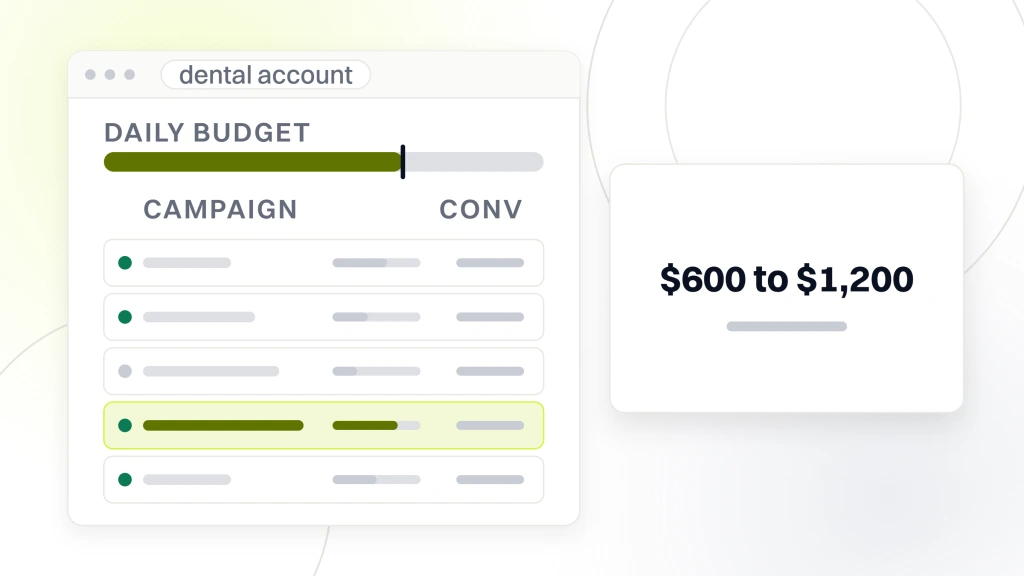
Dental PPC mistakes cost the average practice 20 to 40% of monthly ad budget in wasted spend that books no incremental new patients. On a $3,000 monthly budget, that’s $600 to $1,200 buying nothing. Across a year, that’s $7,000 to $14,000 the practice could have kept or reinvested somewhere that actually books patients. On a $10,000 budget the math is uglier still.
Why the waste hides in plain sight
The waste hides because dental Google Ads mistakes rarely produce a zero. They produce a lower-than-possible number that looks acceptable in isolation. The account books 22 patients this month. Without the waste it would have booked 32. Nobody sees the 10 patients that did not happen. Reporting only shows what did happen. That gap is where every dental PPC audit lives.
How the waste compounds
Untracked waste compounds. Google’s automated bidding learns from the conversion data flowing back to it. If the account fires conversions on unqualified form fills, the algorithm learns to find more unqualified visitors. Over 3 to 6 months, the account drifts toward serving more wasted impressions to progressively worse-fit audiences. The fix requires resetting the conversion signal and letting the algorithm relearn on cleaner data.
Where dental PPC audits typically start
A dental PPC audit usually starts with the search terms report. That single report exposes broad match keyword waste, competitor bidding gone wrong, and irrelevant queries the account is paying for. About 90% of first audits find at least three of the 12 common patterns in the search terms report alone. The rest of the audit fills in the remaining patterns across conversion tracking, landing pages, and campaign structure.
Broad Match and Negative Keyword Dental Google Ads Mistakes
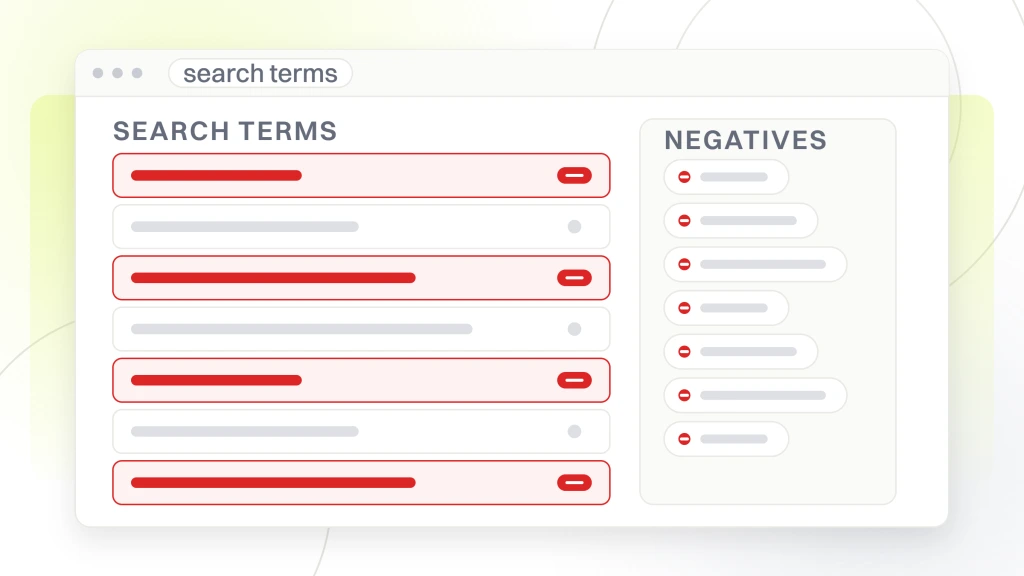
Broad match keywords with a thin negative list are the single biggest source of dental Google Ads mistakes we find. Google matches the broad match term to any query it considers related. For a dental account, that often means hygiene school queries, dental insurance questions, competitor brand searches, and job seekers. Every unqualified click charges the account.
- Broad match “dental implants” matching to “dental implants job description” or “dental implants training.”
- Broad match “family dentist” matching to “family dentist school programs” or “family dentistry residency.”
- Broad match “cosmetic dentist” matching to “cosmetic dentist salary” or “cosmetic dentistry cost breakdown by state.”
- Broad match “emergency dentist” matching to “emergency dentist definition” or “emergency dental license verification.”
The starter negative list
Every dental Google Ads account should launch with a starter negative keyword list covering common mismatch terms. Free, cheap, jobs, school, license, student, hygienist, salary, training, residency, definition, meaning, wiki, images, video, YouTube, movie. Add competitor brand names the practice does not want to bid on, plus any query themes that produced unqualified clicks in the last 90 days. See our dental google ads keywords guide for the expanded starter list.
Monthly search terms review
Review the search terms report monthly and add negatives for any query theme that produced clicks without conversions. Twenty minutes a month usually adds 8 to 15 negatives and reduces the account’s wasted click rate by 3 to 6 points. That cadence compounds. Every month builds on the previous month’s list rather than repeating the same audit finding.
Match type migration
Google has been pushing broad match aggressively since 2022. Practices that migrated from phrase match to broad match without adjusting the negative list saw waste rates climb 8 to 15 points overnight. If the account still runs some phrase match keywords, keep them. If Google’s recommendation dashboard pushes broad match, decline it until the negative list is strong enough to cage the wider matching.
Conversion Tracking Dental PPC Mistakes
Broken conversion tracking is the second most expensive category of waste we see. If the account fires conversions on any form submission, any click on a phone number, or any visit to a thank-you page, the algorithm learns from noisy data. The fix requires firing conversions only on qualified events. That means tighter tag setup and a review of the tracking layer.
What counts as a qualified conversion
Qualified conversions for dental PPC include booked appointment forms that reached a specific confirmation page, phone calls over 60 seconds tracked through CallRail, and offline conversion imports from the practice management system. Do not fire on newsletter signups, contact-us form fills without appointment intent, or the raw click on a phone number. Firing on unqualified events teaches Google to find more unqualified visitors. That’s the exact opposite of the intended outcome.
Offline conversion imports
Offline conversion imports connect the practice management system’s booked-appointment data back to Google Ads. This tells Google which ad-driven form fills actually turned into booked appointments. Practices that skip offline imports leave the algorithm optimizing on form-fill volume rather than booked patient volume. That produces cheaper unqualified conversions instead of fewer higher-quality booked patients. See Google’s offline conversion import documentation for the setup path.
Call tracking configuration
Call tracking through CallRail or a similar tool needs the right thresholds. Fire the conversion only on calls over 60 seconds. Shorter calls are usually wrong numbers or hang-ups. Route different ad campaigns to different tracking numbers so the attribution shows which campaign drove which call. That single move usually reveals 15 to 30% of ad-driven calls that were credited to the wrong campaign or missed entirely in the reporting.
Landing Page Dental PPC Mistakes
Landing page mistakes waste ad budget by turning clicks into bounces. If the ad promises “same-day implant consult” and the landing page opens with practice history and staff bios, the patient bounces before they see the offer. Every wasted click charges the account without producing a booked patient.
| Mistake | Waste caused | Fix time | Recovery |
|---|---|---|---|
| Homepage as landing page | 25 to 40% of ad spend | 1 to 2 weeks per service | Booking rate up 40 to 80% |
| Missing phone number in hero | 10 to 20% of intent | 15 minutes | Phone conversions up 15 to 30% |
| Slow mobile page load | 15 to 30% of mobile clicks | 1 to 3 days | Booking rate up 10 to 25% |
| Seven-field forms | 15 to 25% of form intent | 1 hour | Form completion up 30 to 45% |
Homepage as landing page
Sending PPC traffic to the homepage is one of the most common findings on new audits. The homepage tells a general story about the practice. PPC traffic came looking for a specific service. The mismatch bounces the patient before they find what they came for. Build service-specific landing pages for the top three to five PPC-driven services and route each ad group to its matching page. See dental ppc landing pages for the page structure that converts.
Missing mobile phone number
Dental PPC traffic runs 70 to 85% mobile. Landing pages without a click-to-call phone number in the hero lose 10 to 20% of the intent that reached the page. Add a click-to-call button next to the book-appointment button, roughly equal weight, and track both actions separately in analytics. Some patients prefer the call. Some prefer the form. Force either and both lose.
Slow mobile load times
Landing pages that take more than 3 seconds to load on mobile lose 15 to 30% of clicks before the page paints. Compress hero images, defer third-party scripts, and remove unused CSS. Run Lighthouse against the landing page monthly and keep the mobile score above 85. That single habit prevents the slow-speed drift that costs a booking every day of every month it goes unaddressed.
Auto-Recommendations Dental Google Ads Mistakes
Google Ads auto-applied recommendations quietly reshape the account into Google’s default preferences over time. Broad match everything. Enable Search Partners. Turn on Display Network expansion. Increase daily budget by 20%. Each recommendation looks reasonable in isolation. Applied together over 6 months, they turn a tightly controlled dental account into a wide broadcast that spends more without booking more.
Turning off auto-apply
Navigate to Recommendations, then Auto-apply, and turn off every category that changes campaign structure. Keep on only the low-risk cosmetic categories like grammar fixes on ad copy. That single configuration change usually stops 8 to 15% of monthly waste from cascading changes the practice never explicitly approved. Do it once and check the setting quarterly to confirm Google has not silently re-enabled anything.
Reviewing recommendations manually
Review the Recommendations tab monthly and decide each one on its own merits. Some are useful. Expand ad copy variety. Add responsive search ad assets. Some are traps. Enable broad match on high-volume keywords. Enable Display Network expansion. Approve the useful ones. Decline the traps. That 30-minute monthly session usually saves 10 to 20% of the monthly waste that auto-apply would have caused.
Search Partners and Display Network expansion
Google’s Search Partners and Display Network expansion checkboxes are on by default on new campaigns. Both spread the ad to lower-quality inventory beyond Google’s main properties. For most dental PPC campaigns, turn both off. Search on Google properties only. Display through Performance Max or dedicated remarketing campaigns rather than expansion checkboxes on Search campaigns. See Google’s Core Web Vitals guide for why landing page speed feeds the Search Ads quality score too.
Location Targeting and Ad Asset Dental PPC Mistakes
Two smaller drains cost more than most practices realize. Loose geographic targeting spends budget on patients too far away to book. Missing ad assets, formerly called extensions, cost impression share and click-through rate on every ad the account serves. Both fixes take under an hour and both usually pay back in the first billing cycle.
Loose geo-targeting
Most dental accounts set the location target to the metro or a 25-mile radius and never revisit it. Pull the geo-report and check which ZIP codes actually booked patients in the last 6 months. Trim the target to those ZIPs plus a small buffer. Practices in Phoenix and Cleveland routinely find 20 to 30% of paid clicks came from ZIPs that never booked a single appointment. Excluding those ZIPs recovered 12 to 18% of the budget without losing a booked patient.
Missing call, location, and sitelink assets
Call assets, location assets, sitelinks, callouts, and structured snippets each add a small gain to click-through rate. Together they usually raise CTR (click-through rate) 10 to 20% on Search Ads. That means the same monthly budget earns more clicks at the same cost per click. Dental accounts that launch without a full asset set leave that gain on the table every day the ads run.
Weekend and after-hours schedules
Ad schedules that run 24 hours 7 days a week burn clicks after the phones stop answering. For most single-location practices, pause or bid down between 8 pm and 7 am on weekdays, and adjust the weekend window to the practice’s actual staffed hours. Emergency dental campaigns are the one exception. Everything else typically recovers 5 to 10% of monthly spend that was buying clicks nobody could answer.
Real Numbers From a Dental PPC Audit
Smile Design Dentistry, a 50-plus location dental group, ran a full PPC audit across the network after cost per call drifted up quarter over quarter. The audit found seven of the 12 common patterns across the network. The fixes recovered a lot of budget fast. Cost per call dropped 30% and PPC conversion rate rose 20% over the 12-month curve. The Smile Design Dentistry team ran the full workflow across all 50-plus offices.
Negative keyword sweep
The negative keyword sweep added 340 negatives across the network. Wasted click rate dropped from 28 to 12 within 4 weeks. Booked patient volume held steady and ad spend dropped 18%. That single sweep recovered roughly $52,000 a month across the network in wasted ad spend that had been accumulating for two years without an audit.
Conversion tracking cleanup
The conversion tracking cleanup removed unqualified conversion events firing on newsletter signups and general contact forms. Offline conversion imports fed booked-appointment data from Dentrix back to Google Ads. Cost per booked patient dropped 24% over the next quarter. The algorithm learned from booked patients rather than form fills. See dental marketing attribution for the tracking workflow.
Landing page rebuild
The landing page rebuild replaced the homepage-as-landing-page pattern with five service-specific landers per location. Booking rate on paid traffic rose 41% across the network within 8 weeks of full rollout. Cost per booked patient dropped 30% because the same ad spend now bought a higher-converting landing experience.
Campaign Structure Dental PPC Mistakes
Most dental accounts grew by accretion rather than design. A campaign for the launch push. Another one when a new service came online. A duplicate for a test that never got cleaned up. The audit is where the accretion gets confronted. Three structural mistakes show up in nearly every account we review.
One giant catch-all campaign
Accounts with one big campaign mixing implants, cosmetic, general, and emergency keywords cannot allocate budget properly. The algorithm cannot separate the intent. Split into service-line campaigns with individual budgets and target CPAs. That structural change usually improves cost per booked patient 12 to 20% within 6 weeks. The algorithm can now optimize each service independently.
Duplicate keywords across campaigns
Duplicate keywords across campaigns compete with themselves in the auction. That drives up cost per click without adding coverage. Run a duplicate keyword audit quarterly and consolidate duplicates into the campaign that has the strongest historical conversion rate on that term. That housekeeping usually improves account efficiency 5 to 10% within a month.
Wrong campaign type for the service
High-intent generic searches like “emergency dentist near me” belong on LSAs (Local Services Ads). Service-specific searches like “invisalign consultation” belong on Search Ads with matched landing pages. Broad awareness belongs on Performance Max with strong guardrails. Running everything through Search Ads out of habit is a structural error that keeps the account from using the right tool for each service.
Budget and Bidding Dental Ads Wasted Spend
Budget allocation and bidding strategy choices produce dental ads wasted spend when they do not match the campaign’s maturity and conversion volume. A brand-new campaign on target CPA bidding cannot optimize. The algorithm has no conversion history to learn from. A mature campaign on manual bidding wastes budget too. Manual bids cannot respond to auction-time signals.
Bidding strategy transitions
Launch new dental campaigns on manual CPC or maximize clicks until 30 monthly conversions accumulate. Then transition to target CPA or maximize conversions. Transition to target ROAS (return on ad spend) when conversion values are configured and offline import is running. Skipping steps in this transition usually costs 15 to 25% of monthly budget in wasted spend during the algorithm’s learning phase. Smart bidding cannot optimize without enough data.
Daily budget spikes
Google can spend up to 2x the daily budget on any given day. That means a $100 daily budget can spike to $200 on high-traffic days. Set a monthly campaign budget cap and let the daily budget flex within it. That protects the account from surprise overspend during high-competition days that would otherwise drain the month’s budget in the first week.
Bidding on broad awareness terms
Bidding on high-volume broad awareness terms like “dentist” or “dental care” burns budget on top-of-funnel curiosity clicks that rarely book. Focus paid budget on high-intent commercial queries like “emergency dentist near me” or “cosmetic dentist consultation.” See high roi dental google ads for the intent-tier framework that separates efficient bids from wasted ones.
Performance Max Dental PPC Mistakes
Performance Max errors are their own category of dental PPC mistakes. The campaign type has specific failure modes. Running PMax without brand exclusion. Running PMax below the 30 monthly conversion threshold. Ignoring placement reports. Missing offline conversion imports. Each mistake amplifies waste. PMax spends across every Google surface, so the waste hits YouTube, Display, Gmail, and Search all at once.
Missing brand exclusion on PMax
Without brand keyword exclusion, PMax bids on the practice’s own brand searches and takes credit for conversions that would have happened organically. That inflates PMax reporting by 20 to 40% and drains budget on free brand-search traffic. Add brand exclusion at the account level through Content Suitability the same day PMax launches. See performance max for dentists for the full PMax setup checklist.
Ignoring PMax placement reports
PMax placement reports show which apps and domains received impressions and which produced conversions. Ignoring these reports lets PMax spend on kid apps, gaming apps, and irrelevant Display placements. Review monthly and add exclusions for any placement that generated impressions without conversions during the prior 30 days. That habit usually improves PMax cost per booked patient 15 to 25% within a quarter.
PMax on under-fed accounts
Running PMax on accounts with fewer than 30 monthly conversions produces higher cost per booked patient than the existing Search and LSA campaigns. PMax spends the budget on placements it has not yet learned to filter. Grow the account with Search and LSAs first. Add PMax only after the conversion floor is reliably met each month.
Fixing Dental PPC Mistakes With a Monthly Workflow
Fixing these patterns is not a one-time project. New patterns appear as the account grows, Google changes its recommendation surfaces, and market conditions shift. A monthly workflow catches drift before it compounds into another audit finding 6 months later.
Monthly negative keyword sweep
Twenty minutes a month reviewing the search terms report and adding negatives. That single session usually adds 8 to 15 negatives and reduces wasted click rate by 3 to 6 points. Log the negatives added and the query themes so patterns become obvious over quarters. See Google’s GA4 developer documentation for the tracking side that supports the sweep.
Monthly recommendation review
Thirty minutes reviewing the Recommendations tab and deciding each one manually. Approve useful expansions. Decline traps like broad match everywhere or Display Network expansion. That habit prevents the account from drifting toward Google’s defaults without the practice noticing.
Where the retainer fits
Fixing these patterns and preventing new ones takes 4 to 8 hours a month for a single-location practice. Multi-location groups need 10 to 20 hours a month. Most practices bundle this workload inside a dental PPC management retainer, since the specialist time is hard to hire in-house. See dental ppc management for the monthly scope. Retainer tiers start at $999 a month, with Growth at $1,499, Scale at $2,499, and Enterprise starting at $4,500 a month.
Ready to Audit Your Dental PPC Account
These patterns are cheap to spot and cheaper to fix once you know where to look. Run the audit checklist above quarterly and the monthly workflow monthly. Watch the wasted click rate drop, cost per booked patient stabilize, and the same monthly budget produce 20 to 35% more booked patients within a quarter. The account was already close. It was just carrying 12 small drains nobody had bothered to plug.