
SEO Web Design and Development How to Build a Website That Ranks
- SEO built in at design time beats bolted-on SEO every time.
- Core Web Vitals in the green move rankings without new content.
- Schema, internal links, and NAP consistency compound quarterly.
- CRO turns ranking traffic into signed revenue.
- Monthly retainer at 15 to 25 percent of build keeps the graph clean.
- Internal link map inside the SEO web design and development scope
- Content templates on a ranking-first web design and development seo scope
- Conversion rate optimization web development and design layer
- A real SEO web design and development case study
- Reporting cadence a web design development and seo services retainer runs
- One team or three teams on a web design development and seo services engagement
- Ownership on the web design and development seo company contract
- Where to start on SEO web design and development for your site
SEO web design and development is the scope where ranking gets designed in before any content gets written. Not a keyword report handed to a developer at week eight. The site structure, URL patterns, heading hierarchy, schema markup, image handling, Core Web Vitals targets, internal link maps, and content templates all get scoped to rank from the first design review. Retrofit SEO projects lose 6 to 12 months of runway. SEO web design and development scoped right compounds from launch week.
This guide walks through the 10 pieces that a real SEO web design and development engagement covers. Keyword and cluster mapping. Sitemap architecture that follows intent. URL patterns that scale. Schema markup baked into templates. Core Web Vitals as a design constraint. Internal link map at kickoff. Content templates that answer intent in 100 words. Conversion rate optimization on the same site. Reporting cadence that names what changed. And the retainer scope that keeps the graph moving up for 24 months and beyond.
Internal link map inside the SEO web design and development scope
Internal links are the highest-value SEO tool the design team controls. Every hub links to every spoke. Every spoke links back to its hub. Every service page links to at least 2 related service pages and 2 related blog spokes. Every location page links to the parent service page and 2 sibling locations. The internal link map at kickoff is a spreadsheet with 200 to 800 links depending on scope. Build the spreadsheet before writing content. Every real SEO web design and development scope has this artifact.
Anchor text on internal links stays descriptive. Never “click here.” Never a bare URL. The anchor text is the target page’s focus keyword or a close morphological variant. A blog post about “dental SEO keywords” links to the dental SEO service page with anchor text like “dental SEO services” or “SEO for dental practices”, not “our services.” Descriptive anchors compound. Generic anchors do nothing. Real SEO web design and development scopes force anchor discipline into the content templates.
- Hub to spoke: Every hub page links to every spoke it owns.
- Spoke to hub: Every spoke links back to its hub in the first 2 paragraphs.
- Sibling to sibling: Every spoke links to 2 to 4 sibling spokes.
- Money pages: Every blog post links to at least 1 service or retainer page.
- Anchor text: Descriptive, target keyword or variant, no “click here.”
- Density: 3 to 8 internal links per 1,000 words of blog content.
Internal link density per template
Blog posts run 3 to 8 internal links per 1,000 words. Service pages run 4 to 10 internal links (to sibling services, related blog spokes, and the money CTA). Location pages run 2 to 6 links (to parent service, sibling locations, and case studies for the market). Home page carries 12 to 30 internal links to the top hubs. Any template that runs below the density minimum is under-utilizing its ranking authority. Any template that runs 3x the maximum is spamming and gets discounted.
Quarterly link audit inside the retainer
Every quarter the retainer runs an internal link audit. Broken links get fixed. New content gets linked from the 3 to 5 most relevant existing pages. Orphan pages get parented into a hub. Stale hubs get refreshed with links to the newest spokes. This quarterly cadence is where 20 to 40 percent of ranking growth in year 2 comes from on any real SEO web design and development retainer. Skip the audit and the graph stagnates by month 12.
Content templates on a ranking-first web design and development seo scope
Content templates decide whether the site converts ranking traffic or bounces it. Every template answers the primary intent in the first 100 words. Service pages open with the offer and the outcome. Blog posts open with the answer, not the setup. Location pages open with the local proof point (years in market, count of clients served, named local landmarks). Any template that opens with a fluff phrase like a “digital age” throat-clear burns the reader’s attention inside 10 seconds.
Real web design development and seo services templates include a hero with H1 plus intent-matched subhead, a benefits row (3 to 5 outcomes), a proof block (real numbers from real clients), a features or process section, a comparison table where the scope allows, a testimonial pull-quote, an FAQ block, and a closing CTA. Every one of these blocks earns its place. Blocks that do not earn their place get cut. Ranking-first templates run lean, not padded.
Answer-first paragraphs on every template
Question-style H2s get 40 to 60 word answer-first paragraphs directly below them. That format wins featured snippets and AI Overview citations in 2026. The full deep explanation follows the answer paragraph, not before it. Every real SEO web design and development scope enforces this pattern in the content templates. Writers who default to the setup-then-answer pattern get retrained. AI extraction cannot pull a paragraph that has not been written to be pulled.
Comparison tables in the AI extraction era
Pages with clean comparison tables earn about 25 percent more AI citations than pages without. Every blog post covering a comparison topic gets 1 to 3 tables. Every service page gets a comparison table on tier options or feature scope. Every location page gets a table on service offerings by area. See Search Engine Land on Google AI Mode for the current state of AI-driven search behavior. Tables extract cleaner than paragraphs. Design the tables in the templates from day one.
Conversion rate optimization web development and design layer
Ranking traffic without a converting site is a bounce loop. Conversion rate optimization web development and design work turns the ranking into revenue. A/B testing on hero copy. Primary CTA placement above the fold on every service page. Form-length testing (shorter forms convert 20 to 40 percent higher on service intent). Testimonial placement near the CTA. Heatmap-driven layout refinement. Page-speed tuning on the top 10 conversion pages. Every CRO win compounds on top of every SEO win.
Real conversion rate optimization web development and design work moves conversion rates from 1.2 percent to 2.5 percent or higher on well-scoped sites. That doubles revenue from the same traffic. A site ranking on 300 keywords with a 1.2 percent conversion rate turns into a site ranking on 300 keywords with a 2.5 percent conversion rate for the same monthly retainer spend. Every SEO web design and development retainer should include a CRO layer starting at month 3 or 4 when there is enough traffic to A/B test cleanly.
Every founder who has ever hired an SEO agency and a design agency separately spends the first three months of the retainer refereeing between two teams who both blame each other for the bounce rate. The SEO team says the design confuses the user. The design team says the SEO team stuffed keywords into the H1. Both teams are right about 30 percent of the time, wrong about 70 percent, and neither team is looking at the real problem: the form is 14 fields long.
A/B testing cadence per month
Run one A/B test per month on the highest-traffic page. Hero copy variants. CTA button color and text. Form length. Trust-signal placement. Each test runs 2 to 4 weeks depending on traffic volume. Winners get shipped to the primary layout. Losers get archived. Any conversion rate optimization web development and design cadence that runs fewer than one test per month is not testing at scale. Any cadence that runs three tests simultaneously on the same page pollutes the data.
Heatmap review quarterly
Every quarter, review heatmaps on the top 10 conversion pages. Look for scroll depth drop-offs. Look for CTA click rates below 3 percent. Look for form-field abandonment above 40 percent on any field. Every one of these signals reshapes the layout in the next A/B test. Hotjar or Microsoft Clarity handles the heatmap side cleanly. Any CRO retainer that skips the quarterly heatmap review is guessing at test hypotheses.
Open your sitemap. If pages aren't grouped into hub and spoke, you have a keyword list, not a rank plan. Draw the graph in 15 minutes on paper first.
A real SEO web design and development case study
Tilghman Builders came in with $1.5 million in annual revenue, referral-only lead flow, and almost no web presence. We scoped a full SEO web design and development engagement across nine years of compounding site work, content investment, technical SEO, and internal link building. The build alone ran mid-tier scope. The compounding retainer ran a full-service digital investment across content, technical audit, and monthly optimization.
Nine years in, Tilghman Builders reached $6.8 million in annual revenue, a 353 percent revenue climb. Website traffic climbed 784 percent. Qualified leads climbed 637 percent. Same business. Same team. Same trades. Different site, different SEO web design and development strategy, different content compounding. Every year of retainer compounded on the last one. That is the payoff on a scope that treats SEO web design and development as a design constraint, not a post-launch retrofit.
Payback timeline on the build plus retainer spend
Take current monthly revenue attributable to the site. Multiply by the projected 2x to 4x growth over 24 to 36 months on a real SEO web design and development retainer. Subtract the total build plus retainer investment. That number is the compounding revenue delta. On the Tilghman case study math, the total 9-year investment paid back in the first 18 months and every subsequent year of revenue growth was pure margin above the retainer cost.
Proof cadence in the monthly report
Every monthly report names the specific keyword rankings that moved, the specific pages that gained or lost traffic, the specific content shipped that month, and the specific A/B test results if the CRO layer is running. Reports run 3 to 6 pages with commentary. Any retainer that reports “we did SEO this month” without naming the moves is going to get canceled inside 6 months. Real SEO web design and development retainers name what changed.
Reporting cadence a web design development and seo services retainer runs
A real web design development and seo services retainer reports monthly on rankings, organic traffic, conversion rate, top landing pages, backlink profile, Core Web Vitals, indexed page count, and top-of-funnel keyword growth. The report runs 3 to 6 pages with human commentary, not 40 pages of dashboard screenshots. The commentary names what changed and why. Any retainer that hides behind a Looker Studio dashboard without commentary is running a screen, not a service.
The report ends with a plan for the next 30 days. Which pages get content updates. Which keywords get new supporting spokes. Which backlink opportunities get pursued. Which A/B tests get run. Any retainer that reports the past without planning the future is going to run out of momentum inside 6 months. Real digital marketing agency web design and development retainers close every monthly report with a 30-day roadmap the client can push back on.
Top landing pages by conversion
Report the top 10 landing pages by organic traffic every month. Report the top 10 landing pages by conversion rate. The overlap between the two lists tells you where SEO is doing work and where CRO is doing work. Pages in the traffic list but not the conversion list need CRO help. Pages in the conversion list but not the traffic list need SEO help. This overlap analysis is the single most actionable data point in any monthly report.
Backlink profile monthly
Report new referring domains, lost referring domains, and top new backlinks by domain authority. Real SEO web design and development retainers build 3 to 12 new referring domains per month on a small business scope. Anything below 3 means the outreach is not running. Anything above 12 usually means the outreach is going after low-quality directories. Fair growth is boring, sustainable, and compounds. Every month.
One team or three teams on a web design development and seo services engagement
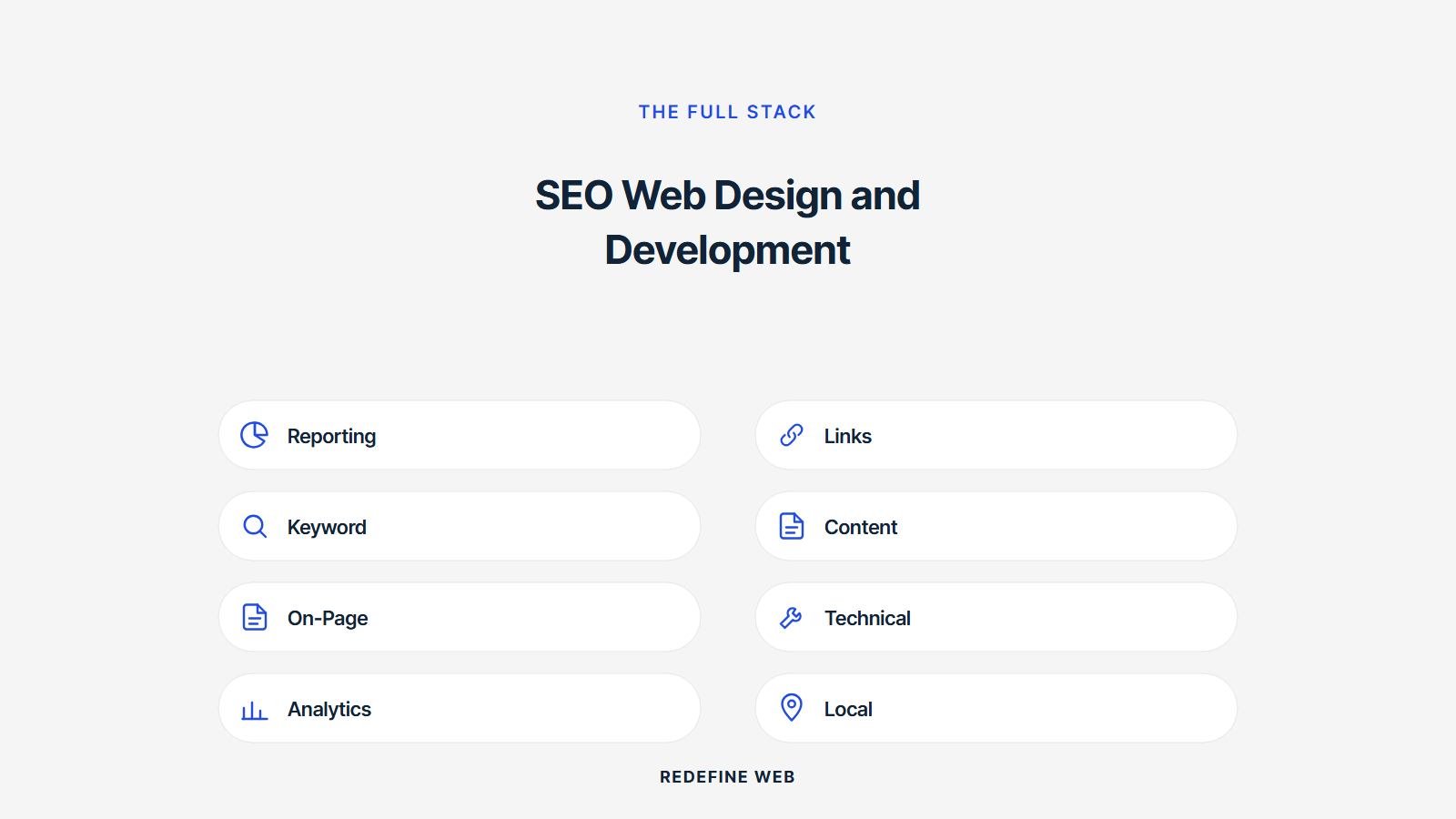
Some founders run web design, web development, and SEO as three separate vendors. That model works when the founder has in-house ops discipline to coordinate three teams. Most small business scopes do not. One team owning the outcome ships faster, coordinates internally, and takes accountability for rankings and revenue outcomes without blame loops between vendors at month six.
A real web design development and seo services company runs a designer, a developer, and an SEO specialist on the same account under one project manager. Weekly stand-ups. Shared roadmap. One monthly report. One retainer invoice. That model wins on small business and mid-market scope. Enterprise scope with a mature in-house content team can win on three separate teams. Ask honestly which model fits your ops before signing anything on either side.
Coordination cost across three vendors
Three vendors add roughly 15 to 25 percent coordination overhead on any project. Weekly triple-meetings. Duplicate discovery. Overlapping scope. Blame loops when rankings stall. Each vendor optimizes for its own SLA, not the shared outcome. Any three-vendor engagement that does not have a dedicated in-house program manager eating 5 to 10 hours per week ends up as a two-vendor engagement inside 6 months by the founder firing the weakest one.
Accountability under one team
One team owns the outcome. Rankings stalled. Whose problem is it. On a one-team engagement, the answer is “ours” and the team fixes it. On a three-vendor engagement, the answer becomes a meeting where each vendor points at the other two. The founder pays for the meeting. Nobody fixes the ranking. Any founder who has run both models will vote for the one-team scope on any project under $500K annual retainer.
Ownership on the web design and development seo company contract
You own the site. You own the code repository. You own the CMS credentials. You own the analytics accounts (GA4, Search Console). You own the backlink outreach tools if the retainer uses them. You own the ranking-tracking account. You own every third-party account that touches the SEO stack. Any web design and development seo company that hedges on any one of these ownership lines is planning a lock-in, not a service.
Backlink outreach is the sneaky lock-in trap on the SEO side. Some agencies build the backlink profile on their own outreach tool, keep the relationships in their CRM, and structure the retainer so the backlink work stops the day the retainer stops. That is a service masquerading as a partnership. Force the outreach tools and the relationship list into your CRM from day one. Any team that pushes back is telling you what the year-two conversation will look like.
Analytics ownership from day one
You own GA4. You own Search Console. You own the tag manager container. You own the rank-tracking account. The agency gets user-level access as a paid contractor. Any team that installs analytics on their account with your site as a property is going to make your data hostage to the retainer. Own the analytics from day one. Force the conversation now, before the proposal gets signed.
Content ownership on every asset
You own every blog post, service page, landing page, and image. Written or commissioned by the agency, licensed to you in perpetuity. Not licensed for the term of the retainer. Not licensed with a clawback clause. Not licensed with a “remove on cancellation” clause. Any web design and development seo company that hedges on content ownership is planning to hold the content library hostage. Force perpetual, transferable content ownership into every contract.
Where to start on SEO web design and development for your site
Start with a site audit against the 12 items in this guide. Where is the current site scoring on Core Web Vitals. Where is the schema markup on template-level or page-level or missing entirely. Where does the internal link map break. Where do the content templates open with fluff instead of answer-first paragraphs. That audit sets the priority list for the rebuild or retrofit conversation. A rebuild fixes everything at once. A retrofit fixes one item per month over 12 months.
Ready to scope the real thing. For a full SEO retainer conversation, see our search engine optimization services. If the scope calls for a rebuild plus SEO, our web design and development services covers the joined path. For the WordPress-specific build, see WordPress website development services. And for ongoing site care that keeps the graph moving, our monthly website maintenance packages map the retainer scope.
Frequently asked questions
What is SEO web design and development in 2026?
SEO web design and development builds a website with search engine optimization baked into the architecture from day one. Site structure, URL patterns, heading hierarchy, schema markup, image handling, Core Web Vitals, internal link maps, and content templates all get designed to rank before any content gets written. A retrofit SEO project loses 6 to 12 months of ranking runway compared to a site scoped this way from kickoff. Every real SEO web design and development scope treats ranking as a design constraint, not a post-launch project.
How do you do SEO web design and development on a new site?
Start with keyword research and a topical cluster map before any design work. Build the sitemap from the cluster map, not the org chart. Design URL patterns for hub plus spoke architecture. Bake schema markup into every template (Article, LocalBusiness, FAQPage, Product, Service). Ship Core Web Vitals in the green at launch, not "after launch fixes." Write intro copy for every template that answers the primary intent in the first 100 words. Any SEO web design and development scope that skips these six steps ends up as a redesign inside 18 months.
Should web design development and seo be one team or three teams?
One team when possible. Three teams when you have the ops maturity to run them tight. Web design development and seo split across three vendors adds coordination friction, blame loops when rankings stall, and 20 to 30 percent redundant scoping. One team owns the outcome. Three teams own their piece. Small business scope wins on one team. Enterprise scope with a full in-house content team can win on three teams if the ops discipline is there. Ask honestly which side your ops maturity sits on before signing anything.
What do web design development and seo services actually cost in 2026?
Web design development and seo services run $18K to $80K on the build plus $1,500 to $5,000 per month on the SEO retainer. Small business scope lands at $18K to $32K build plus $1,500 to $2,500 per month retainer. Local business scope with 3 to 6 service areas lands at $32K to $55K build plus $2,000 to $3,500 per month. Multi-location scope lands at $55K to $80K build plus $3,000 to $5,000 per month. Any bundled quote below $18K plus $1,500 per month is skipping either the build or the retainer.
How does a web design and development seo company report on progress?
A real web design and development seo company reports monthly on rankings for the target keyword set, organic traffic, click-through rate from search, page-1 keyword count, backlink profile, Core Web Vitals, indexed page count, and top landing pages by conversion. Reports run 3 to 6 pages with commentary, not 40 pages of dashboards. Any agency that hides behind a Looker Studio dashboard with no commentary is running a screen. Real reports name what happened, what changed, and what the next month covers.
How long does SEO from a web design and development seo company take to work?
New sites see initial ranking movement in weeks 6 to 12 on low-competition long-tail keywords. Mid-tier terms move in months 4 to 8. Head terms move in months 8 to 18. Any web design and development seo company that promises page one on head terms inside 90 days is either lying or targeting terms so low-volume they do not move revenue. Real SEO on a new site is a 12 to 24 month compounding investment. Every month of retainer keeps the graph moving up if the underlying build was scoped right.
What does conversion rate optimization web development and design add on top of SEO?
Ranking traffic without a converting site is a bounce loop. Conversion rate optimization web development and design work adds A/B testing on hero copy, primary CTA placement, form-length testing, testimonial placement, page-speed tuning on conversion pages, and heatmap-driven layout refinement. Real CRO work moves conversion rates from 1.2 percent to 2.5 percent or higher on well-scoped sites. That doubles revenue from the same traffic. Every SEO project deserves a CRO layer bolted onto the retainer at month three or four.
Book your free 30-minute strategy call.
No spam, no sales rep. We use your email to schedule your call with a senior strategist. That is it.
More from the blog
View all articles → SEO
SEO Organic Search Engine Optimization Services That Grow Real Traffic
Read article SEO
SEO SEO for Pet Groomers That Fills the Appointment Book Weekly
Read article SEO
SEO