
Web Design and Development Tools for Agencies and Marketing Teams
- Figma plus VS Code plus GitHub covers 80% of small agency work.
- Web annotation tools cut revision cycles in half.
- One collaboration tool beats three that overlap.
- Own the licenses, not the agency's login.
- Free tiers hit real limits by team size 4.
- Collaborative web design tools for marketing and development teams
- Tools for simultaneous editing for web developers and designers
- Testing web design and development tools every launch depends on
- Analytics and reporting web design and development tools
- Open-source software for web design and development worth the switch
- Total cost of a real web design and development tools stack
- A real story of a web design and development tools stack in production
- Where to start picking web design and development tools for your team
The web design and development tools you pick decide how fast your team ships work. Not by a small margin. By a factor of 2x to 4x on real projects. A tight seven-tool stack ships more work in a month than a bloated fifteen-tool stack in a quarter. The wrong picks add coordination overhead, license bills, and integration friction that eats hours every week. The right picks disappear into the workflow and let your designers and developers do the thing they were hired to do.
This guide walks through the web design and development tools we actually use to ship work at Redefine Web in 2026. Design tools. Code tools. Collaboration tools. Annotation tools. Testing tools. Analytics tools. What each category needs. What the top web annotation tools for developers and designers look like. Which collaborative web design tools for marketing and development teams pay for themselves. And where the free tiers stop being enough. No sponsored picks. No affiliate links. Just what works.
Collaborative web design tools for marketing and development teams
Marketing teams and development teams collaborate every day on the same site. Copy revisions. Layout tweaks. Campaign landing pages. SEO updates. The collaborative web design tools for marketing and development teams that actually work share one property: they support asynchronous work. Nobody blocks anyone on a meeting. Figma for design. Notion for briefs and content. GitHub Projects for engineering tickets. Slack for real-time chat when async fails.
The collaboration stack fails when two tools overlap. Notion plus Confluence covers the same job. Slack plus Microsoft Teams covers the same job. Jira plus GitHub Projects covers the same job. Any collaborative web design tools for marketing and development teams stack that runs two tools per category is wasting money and confusing the team. Pick one per category. Enforce it in the onboarding doc.
- Design collaboration: Figma with viewer seats for stakeholders.
- Content collaboration: Notion or Google Docs, one only.
- Ticket collaboration: GitHub Projects for dev, Notion for marketing.
- Chat collaboration: Slack for internal, email for external.
- Async video: Loom for status updates and demos.
- Whiteboarding: FigJam or Miro for kickoffs.
Async video with Loom saves meetings
Every internal status meeting that runs 30 minutes on Zoom can be a 6-minute Loom recording. Recipients watch at 1.5x speed and reply asynchronously. That is 20 minutes saved per meeting, times 5 meetings per week, times 8 people. Loom pays for itself in one week per team member. Best software for web design and development on the async side starts with Loom for any agency running more than 3 people.
Notion role across marketing and dev
Notion holds the briefs, the content calendar, the SEO keyword map, the client roster, the SOP library, and the retrospective notes. Marketing writes in it. Developers reference it. Clients view portions of it through shared links. Notion at $10 to $20 per user per month replaces 3 to 5 tools per team. Any marketing team still running content briefs in Google Docs plus tasks in Asana plus SEO in a spreadsheet is spending time on tool switching that Notion would eliminate.
Tools for simultaneous editing for web developers and designers
Real 2026 tools assume multi-cursor real-time collaboration by default. Figma for design. VS Code Live Share for code. GitHub Codespaces for cloud environments. Notion for docs. FigJam or Miro for whiteboarding. Every tool listed as tools for simultaneous editing for web developers and designers shares one property: two or more people can edit the same file at the same time without stepping on each other.
Skip anything that still uses check-out or check-in patterns. Skip anything that requires a save-and-refresh loop. Skip anything that produces merge conflicts on prose or design files. Real tools for simultaneous editing for web developers and designers make the file the shared space. Every cursor lives there. Every change syncs in under a second. That is the modern default. Anything less is a 2010 workflow at 2026 prices.
VS Code Live Share for pair programming
VS Code Live Share lets two developers edit the same file, share the terminal, and pair-debug across the internet. Free. Included in the free VS Code editor. Any pair programming session that used to require screen sharing plus a separate Zoom now runs entirely inside VS Code with two cursors on the same file. Junior developers ramp up 2x to 3x faster with Live Share on complex refactoring sessions. Free tool. Real value.
GitHub Codespaces for onboarding
GitHub Codespaces spins up a cloud dev environment in 30 seconds from any repo. New developer onboarding drops from 4 to 8 hours of local setup to 5 minutes of “click the button.” That is a 40x to 90x speedup on the day-one experience. Codespaces runs $0.18 per hour on a 2-core machine. A five-person team using Codespaces on-demand for onboarding and quick fixes runs $30 to $80 per month total. Modern default on any web design and development tools stack that touches code.
Testing web design and development tools every launch depends on
Every launch needs 4 categories of testing tools. Performance testing (Lighthouse, WebPageTest). Accessibility testing (axe DevTools, WAVE). Cross-browser testing (BrowserStack, LambdaTest). Visual regression testing (Percy, Chromatic). Skip any category and something slips at launch. See web.dev on Lighthouse performance auditing for the specific metrics every launch needs to hit before shipping.
The testing tool stack runs $50 to $300 per month total for a small agency. Lighthouse is free and runs in Chrome DevTools. axe DevTools has a free tier that covers most small agency work. BrowserStack runs $29 to $199 per user per month. Percy runs $149 to $499 per month for visual regression on a small team. Skipping the testing stack to save $200 per month costs 4 to 12 hours of post-launch fixes per project. The math is not close.
Every agency owner who has ever asked “do we really need BrowserStack” has ended up on a Friday at 5:30 PM debugging a Safari-on-iPhone-12-Pro rendering bug that only the client can reproduce. There is a rule about this: whichever browser you decided to skip testing on is the browser your client’s biggest customer uses to place their orders. Pay the $99. Sleep on Friday.
Lighthouse role in every launch
Every page ships with a Lighthouse score above 90 on Performance, above 95 on Accessibility, above 90 on Best Practices, and above 90 on SEO. That baseline is the launch checklist. Any page scoring below the baseline gets a fix ticket before ship. Lighthouse is free, runs in DevTools, and takes 30 seconds per page. Not running it is choosing not to know. Best software for web design and development on the testing side starts with Lighthouse for zero dollars.
axe DevTools for accessibility
axe DevTools catches 40 to 60 percent of accessibility issues automatically. Missing alt text. Color contrast failures. Missing form labels. Keyboard trap detection. The remaining 40 to 60 percent needs manual keyboard-only testing plus screen reader spot checks. Any launch checklist that runs axe automatic scans without manual review is going to ship inaccessible pages. Pair the tool with the manual test cycle. Every launch. Not optional.
Any tool nobody launched in 7 days gets cut. Run that check before you add a new one. Most agencies pay for 4 tools their team stopped using six months ago.
Analytics and reporting web design and development tools
Every launched site needs analytics from day one. GA4 for traffic. Search Console for search performance. Hotjar or Microsoft Clarity for heatmaps and session recordings. CallRail for phone tracking. HubSpot or a similar CRM for lead capture. That five-tool analytics stack covers 90 percent of the reporting needs on a small business site. Enterprise scope adds server-side tagging, a data warehouse, and BI dashboards on top.
Skip Google Analytics 4 setup at your own reporting cost. Every real launch installs GA4 in the first 2 hours with server-side tagging on any site above small business scope. Search Console gets verified inside the same day. Hotjar or Clarity starts recording sessions inside week one. Any launched site running without analytics for the first 30 days is throwing away baseline data that can never be recovered. The tool set is free or cheap. The insight is priceless.
Heatmap tools that pay for themselves
Hotjar and Microsoft Clarity both record session replays and generate heatmaps. Clarity is completely free. Hotjar runs $32 to $171 per month depending on session volume. On a small business scope, Clarity is enough. On a mid-market scope with A/B testing, Hotjar’s funnel analysis tools justify the upgrade. Any web design and development tools stack that skips heatmap tools is guessing at CRO hypotheses instead of measuring them.
Call tracking on any lead-gen site
CallRail at $45 per month covers the entry point on call tracking. Dynamic number insertion swaps the phone number based on the visitor’s source (organic, paid, direct, referral). Every call attributes cleanly to the marketing channel that produced it. Any lead-gen site running without call tracking for 30+ days is guessing which channel produces phone calls. Guessing is expensive on paid channels. Measure from day one.
Open-source software for web design and development worth the switch
Some open-source alternatives beat the paid tools on small agency scope. Penpot instead of Figma (free, self-hostable). Excalidraw instead of Miro (free, self-hostable). Plausible instead of Google Analytics (privacy-first). Umami instead of Hotjar (self-hosted analytics). Every open-source pick trades convenience for control. On a five-person agency, the trade is worth it about 30 percent of the time.
The convenience side matters more than most agencies admit. Penpot ships new features slower than Figma. Excalidraw has fewer templates than Miro. Plausible skips some of the deep funnel analysis GA4 handles for free. Open-source software for web design and development picks fit best when the agency has strong ops discipline and the tool sits in a spot where control matters more than polish. For most agencies, Figma plus GA4 plus Hotjar wins on delivered value. For agencies with strong opinions on data privacy, the open-source stack wins.
Self-hosting cost math
Self-hosting Penpot on a $20 per month DigitalOcean droplet replaces a $75 per user per month Figma bill. On a five-person team, that saves $355 per month or $4,260 per year. The tradeoff: 4 to 8 hours per year of server maintenance. Worth it when server admin is already a team skill. Not worth it when the team is 100 percent designers who have never touched Docker. Match the tool choice to the team skill set honestly.
Privacy-focused analytics picks
Plausible and Fathom offer cookie-free analytics at $9 to $19 per month for the entry tier. GDPR-friendly by default. Data lives in EU or US servers depending on plan. Any client operating in the EU healthcare, finance, or legal sectors benefits from moving off GA4 to a privacy-first pick. Small agencies serving these verticals should default to Plausible on new builds and offer GA4 as an option only when the client explicitly asks for it.
Total cost of a real web design and development tools stack
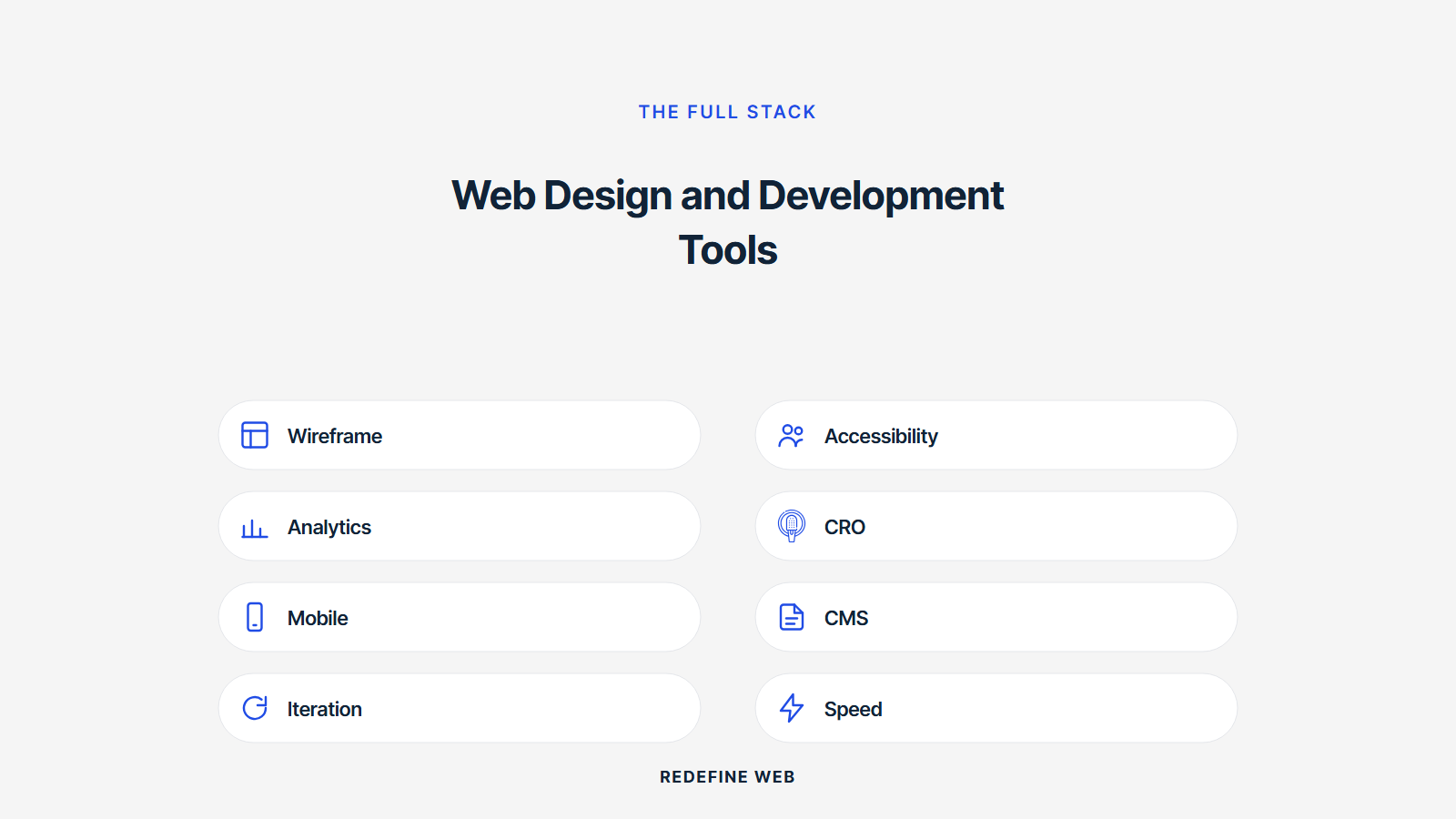
A five-person agency stack in 2026 lands at $250 to $550 per month total. Figma ($75 to $225). GitHub Team plus Copilot ($115). Notion ($50 to $100). Slack ($40 to $75). Loom ($60 to $110). Vercel or Netlify ($20 to $99). That covers the core stack. Add annotation tools ($60 to $200), testing tools ($50 to $300), and analytics tools ($0 to $200) and the total lands at $360 to $1,250 per month for a full agency stack.
Any stack above $1,500 per month for a five-person team is overtooled. Every tool needs to earn its place in the monthly review. If the team has not opened a tool in the past 30 days, cancel the subscription. If two tools cover the same job, keep the one your team actually uses. Best software for web design and development on the cost side stays lean, focused, and boring. Fancy tools that get opened once a quarter are a subscription tax on the agency margin.
License ownership stays with the agency
Every license runs under the agency’s billing account. Never let a client route the Figma seat, the Notion workspace, or the GitHub team through the client’s billing. When the client leaves, you keep the workflow. Every agency that has ever routed a tool through a client’s billing has spent a weekend migrating access when the retainer ended. Own the licenses. Own the workflow. Own the compounding value.
Quarterly stack review
Every quarter, review the stack. Which tools got opened daily. Which got opened weekly. Which got opened monthly. Which got opened once. Kill anything opened less than monthly. Consolidate anything that overlaps. Every quarter I run this review at Redefine Web and cut 1 to 3 tools we forgot we were paying for. That is $50 to $300 per month of margin recovered every quarter. Compounds over the year.
A real story of a web design and development tools stack in production
Passion Built, a Sydney home renovation specialist, came in with two underperforming websites and a scattered tool stack: three project management tools, two chat platforms, and no version control on the marketing site. We rebuilt the site on a paired designer plus developer team using the seven-tool core stack: Figma, VS Code, GitHub, Notion, Slack, Loom, and Vercel. Total tool spend during the rebuild landed at $410 per month for the entire team of six.
Inside 12 months the site generated more than $60,000 in booked renovation work, climbed to 800+ monthly visitors, and ranked for 300+ keywords. Every asset lives in Figma. Every code change lives in GitHub. Every content piece lives in Notion. When Passion Built took over the retainer in-house at month 14, the entire workflow migrated in 90 minutes because every license and every file lived on their side of the account. A portable web design and development tools stack produces exactly that outcome on the exit.
Migration in 90 minutes on a portable stack
The 90-minute exit migration is the boring proof of a well-scoped tool stack. Figma files transferred to the client Figma organization. GitHub repository transferred with all commit history and issue log. Notion workspace exported to the client’s Notion account. Vercel project transferred with all environment variables and deployment history. No emergency “where is the code” scramble. No 3-week re-onboarding. The exit felt boring, which is exactly what a real handoff should feel like.
Outcome cadence inside the retainer
Weekly Loom updates from the paired team. Monthly Notion report with rankings, traffic, and lead flow. Quarterly Figma review of new landing page variants. Annual GitHub audit of dependency versions and security patches. Every one of those cadence items ran through the seven-tool core stack. No specialty tool added. No custom integration bill. Boring, stable, portable. See Search Engine Land on Google AI Mode for the current SERP context every reporting cadence should account for.
Where to start picking web design and development tools for your team
Start with the seven-tool core stack. Figma, VS Code, GitHub, Notion, Slack, Loom, and Vercel or Netlify. Ship 3 to 5 projects on that stack before adding anything. Every additional tool has to solve a real pain point that the core stack cannot handle. That discipline keeps the stack tight and the team focused on shipping instead of tool switching.
Ready to run this on real projects. For the full build side of the conversation, see our web design and development services. If the scope calls for a custom application, our custom web development services covers the deeper stack picks. For WordPress-specific tools, see WordPress website development services. And for ongoing site care, our monthly website maintenance packages map the retainer scope.
Frequently asked questions
What web design and development tools do agencies actually use in 2026?
Figma for design. VS Code for coding. GitHub for version control. Notion or Basecamp for project management. Loom for async video. Vercel or Netlify for staging deployments. Google Analytics 4 plus Search Console for reporting. That seven-tool stack covers 80 percent of small agency work. Agencies that add a 12-tool stack usually spend more time managing tools than shipping work. Best web design and development software picks stay boring, stable, and integrate cleanly with each other.
What are the top web annotation tools for developers and designers in 2026?
Pastel for design annotation on live URLs. Marker.io for bug annotation with browser context. BugHerd for client-side feedback pinned to the page. Loom for video annotation. Figma Comments for design-file annotation. Each tool serves a different revision cycle. Pastel and BugHerd win on client feedback. Marker.io wins on developer bug reports. Loom wins on nuanced explanation. Figma Comments wins during design review. The best web annotation tools for developers and designers are the ones your team actually opens every day.
What are the best collaborative web design tools for marketing and development teams?
Figma for design collaboration. Notion for content and briefs. Slack for real-time chat. GitHub Projects for engineering tickets. Google Docs for long-form content review. Loom for async status updates. Miro or FigJam for whiteboarding. That stack lets a marketing team and a development team collaborate without stepping on each other. Real collaborative web design tools for marketing and development teams share one property: they work asynchronously, so nobody blocks anyone else on a meeting.
What tools for simultaneous editing for web developers and designers actually work?
Figma for simultaneous design editing. VS Code Live Share for simultaneous code editing. GitHub Codespaces for simultaneous cloud dev environments. Notion for simultaneous document editing. Miro for simultaneous whiteboarding. Every tool listed here supports multiple cursors on the same file with real-time sync. Skip anything that requires a "check out and check in" pattern. Real tools for simultaneous editing for web developers and designers assume the modern default: everyone in the file at the same time.
How much do web design and development tools cost per seat in 2026?
Figma runs $15 to $75 per editor per month depending on tier. VS Code is free. GitHub Team runs $4 per user per month. GitHub Copilot adds $19 per user per month. Notion Team runs $10 to $20 per user per month. Slack runs $8 to $15 per user per month. Loom runs $12 to $22 per user per month. A five-person agency stack lands at $250 to $550 per month total. Any stack above $800 per month for five users is overtooled and probably underused.
What software for web design and development covers accessibility testing?
axe DevTools for automated accessibility scans in the browser. WAVE for visual accessibility review. Lighthouse for combined performance plus accessibility scoring. Screen reader testing on NVDA (Windows), VoiceOver (Mac), and JAWS (enterprise). Contrast checker in Figma or Stark. Manual keyboard-only testing on every page. Automated tools catch 40 to 60 percent of accessibility issues. Manual testing catches the rest. Best software for web design and development on the accessibility side pairs automated scans with real manual review every launch cycle.
How do agencies pick tools for web design and development without lock-in?
Own every license under your own billing. Never let a vendor route logins through the agency's account. Standardize on open-standard formats (Figma files export cleanly, GitHub repos are portable, Notion pages export to Markdown). Avoid proprietary CMS platforms where the site cannot migrate. Any tools for web design and development stack that traps data in a single vendor is planning to hold you hostage. Portability is the single most underrated buying criterion on any tool decision.
Book your free 30-minute strategy call.
No spam, no sales rep. We use your email to schedule your call with a senior strategist. That is it.
More from the blog
View all articles → Web Design
 Core Web Vitals Healthcare Websites Actually Need to Book Patients
Read article Web Design
 Professional Services Website Design Best Practices for 2026
Read article Web Design