
Core Web Vitals Healthcare Websites Actually Need to Book Patients
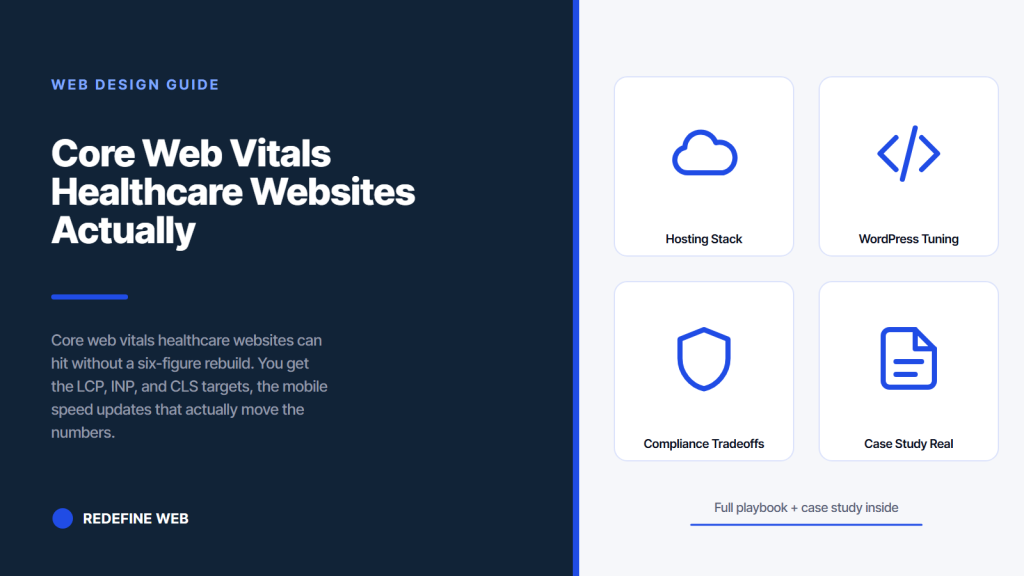
- LCP under 2.5s. INP under 200ms. CLS under 0.1. Mobile only.
- Hosting is the ceiling. Fix that before you tune code.
- Third-party script audit drops INP 100 to 200ms in one afternoon.
- NC Dental hit 1,000% patient volume on a properly tuned site.
- Monthly monitoring stops the six-month drift back into red.
- CLS fixes for stable healthcare website layouts
- Hosting stack for healthcare website speed
- WordPress tuning for healthcare website speed
- Compliance tradeoffs on healthcare website speed
- Healthcare website speed case study on real patient growth
- How healthcare website speed connects to healthcare website seo
- Monthly monitoring for core web vitals healthcare websites
- Budget planning for healthcare website optimization
- Where to start with core web vitals healthcare websites
Core web vitals healthcare websites hit or miss decide whether a hesitant new patient books or bounces back to the search results. You’ve probably watched your PageSpeed score turn red on a Monday morning and had no clear next step. Speed feels vague. Rankings feel vague. Booking numbers do not. The three vitals Google measures line up with the three things that keep a patient on your site long enough to fill out the form. Fix the vitals, book more patients, keep more of the SEO you already paid for.
This guide gives you the targets, the diagnostics, the mobile-first fixes, and the healthcare website optimization stack that will keep the numbers stable past launch. It covers what to measure with which tool, what to change first, what the compliance tradeoffs look like, and how NC Dental Clinic in Vista went from an invisible online presence to 12 to 16 new patients monthly on a properly tuned site. Read straight through in about twelve minutes.
CLS fixes for stable healthcare website layouts
Cumulative Layout Shift measures how much the page jumps around under the visitor’s thumb during load. A CLS score above 0.25 usually means an ad slot or a review widget is loading in and pushing the booking form off screen just as the patient reaches for it. Nothing tanks conversion faster than a booking button that moves at the exact moment someone tries to tap it. Healthcare websites should target CLS under 0.05, well below Google’s 0.1 pass threshold, because every layout jump breaks the trust the design is trying to build.
Set width and height attributes on every image, iframe, and video. Reserve space for embeds like Google Business Profile review widgets by wrapping them in a fixed-height container. Load web fonts with font-display: optional if you have already preloaded them, so the text does not swap mid-scroll. Test the site on a real Android phone, not just Chrome DevTools mobile mode. Real devices catch layout shifts the emulator misses. Fifteen minutes on a real phone flushes out issues that survive a week of desktop testing.
Reserve space for every dynamic element
Google review widgets, live chat widgets, and appointment booking iframes are the top three CLS villains on healthcare sites. Wrap each in a container with a min-height that matches the expected loaded height. The container reserves the space so nothing below it jumps. When the widget loads, it fills the reserved space instead of pushing content around. Two lines of CSS per widget, 10 minutes of work, CLS drops from 0.28 to 0.04 on the same page. Real fix, no rebuild.
Font swap that does not shift the layout
The font swap between the fallback and the custom font is a common CLS source on healthcare websites. If your fallback font is Arial and your custom font is a wider serif, the headline reflows when the custom font loads and pushes body text down 20 pixels. Use size-adjust and ascent-override in the @font-face rule to make the fallback take the same vertical space as the custom font. That trick keeps the layout stable during the swap. Modern browsers support it. Ten minutes to add. Fixes a CLS problem that used to require picking a different font.
Hosting stack for healthcare website speed
You cannot Core Web Vitals your way past a slow host. Shared hosting on a $12/month plan runs healthcare websites in seven-second LCP territory no matter what you do to the images. Managed WordPress hosting on Kinsta, WP Engine, or Cloudways costs $30 to $70 per month and cuts LCP by 500 to 900 milliseconds on the same site. That single host swap is often the biggest performance win a healthcare website ever sees. Do it early. Do not spend three weeks tuning code that a proper host would render moot.
Add a CDN so images serve from an edge server close to the patient’s location. Cloudflare’s free tier is enough for a solo practice. Paid tiers on Bunny.net or Cloudflare Pro run about $20 to $40 per month and shave another 100 to 300 milliseconds off LCP. Cache HTML aggressively (5 to 30 minutes) with a cache-busting mechanism on booking form pages. Cache CSS and JS with long expiry (one year) with hash-based file names. That stack is boring, standard, and unmovable. Every healthcare website that hits its vitals runs on it.
Host comparison for a healthcare practice
| Host tier | Cost per month | Typical LCP on mobile | Right for |
|---|---|---|---|
| Shared cheap ($3-$15/mo) | $3-$15 | 4.5-7.0 seconds | Not healthcare, ever |
| Business shared ($20-$40/mo) | $20-$40 | 2.8-4.2 seconds | Solo practice, low traffic |
| Managed WordPress ($30-$70/mo) | $30-$70 | 1.8-2.8 seconds | Most healthcare practices |
| Managed WP + CDN ($50-$110/mo) | $50-$110 | 1.3-2.2 seconds | Multi-location, higher traffic |
| Enterprise cloud ($200+/mo) | $200+ | 1.0-1.8 seconds | Hospital systems, DSOs |
HIPAA hosting adds a real cost
Healthcare websites that collect protected health information through intake forms need HIPAA-eligible hosting with a signed Business Associate Agreement. That rules out most standard managed WordPress plans and pushes cost up to $150 to $400 per month for compliant tiers. If your booking form only collects a name, phone, and preferred date, you may not trigger HIPAA at all and can stay on standard managed hosting. Check with your compliance officer before assuming either. This is a real cost line, not a nice-to-have.
WordPress tuning for healthcare website speed
WordPress powers about 65 percent of healthcare practice websites and gives you real levers for core web vitals healthcare websites need to hit. The default WordPress install is not slow. The 27 plugins the previous vendor bolted onto it are slow. Every plugin adds queries, CSS, and JS to every page load. Audit the plugin list and cut anything you are not actively using. That single pass drops page weight by 30 to 50 percent on the average healthcare site.
Run a caching plugin like WP Rocket or FlyingPress. Both handle page cache, CSS optimization, JS deferral, and lazy loading in one paid license. That single install typically drops mobile LCP by 800 to 1,200 milliseconds on a healthcare site that was not caching anything before. Free alternatives like LiteSpeed Cache or W3 Total Cache work if you have the patience to tune them. WP Rocket costs about $59 per year and pays for itself in ten minutes of setup time saved. See the Kinsta WordPress performance guide for a deeper walkthrough.
The plugin audit that runs in one afternoon
Open the plugins page in wp-admin. For each plugin, ask three questions. Is it doing something that shows up in the marketing dashboard. Is anyone at the practice actively using it. Is the last update from a maintained version. If all three answers are yes, keep it. If any answer is no, deactivate it, retest speed, and delete it if the site still works after 48 hours. Healthcare practices we audit typically remove eight to twelve plugins on that first pass. LCP drops. INP drops. Nothing breaks. The previous vendor left a lot of ghosts running.
Theme choice determines your speed ceiling
Some healthcare WordPress themes ship with 400 KB of unused CSS and 300 KB of unused JS on every page. A bloated theme sets the speed ceiling. No amount of caching gets you past it. Well-built themes like GeneratePress, Kadence, or a lightweight custom build ship 60 KB of CSS and load JS only where needed. Practices stuck on a heavy theme should budget a theme swap into the optimization plan. It costs 30 to 60 hours of development work and adds 500 to 1,200 milliseconds of speed. Real move, not a nice-to-have.
PageSpeed lab score is fake weather. Open Search Console's Core Web Vitals report for real Chrome data from actual patients. That's what Google ranks against.
Compliance tradeoffs on healthcare website speed
Healthcare website optimization runs into HIPAA and accessibility guardrails that other verticals do not care about. You cannot lazy-load the accessibility skip-link. You cannot defer the script that renders the ADA-compliant color contrast on your booking form. Some HIPAA-eligible form vendors ship their own JS bundle that runs 200 KB heavier than a marketing form vendor. That is not a bug. It is the tradeoff for the encryption and audit logging you need. Plan around these, do not fight them.
Accessibility overlays that promise instant ADA compliance are almost always a speed disaster and a legal liability. They inject 200 to 400 KB of JS on every page and rarely fix the underlying accessibility failures. Real accessibility work happens in the source code, not in a bolted-on widget. See the WCAG 2.2 guidelines from W3C for the actual standard. Practices that skip the overlay and fix the code save 300 milliseconds of LCP and pass a real audit at the same time.
Tracking that does not break BAA
Google Analytics 4 cannot receive personally identifiable health information under any Business Associate Agreement. That is not a Google policy quirk. That is HIPAA. Configure GA4 to receive booking event counts and anonymized page paths only. Route the real form data to your HIPAA-eligible CRM. That split adds one integration line to the developer scope and keeps you compliant without losing analytics visibility. See HHS HIPAA guidance for the underlying rules.
Consent mode without tanking INP
Cookie consent banners on healthcare websites are increasingly required by state law even outside California. The banner script itself adds 30 to 100 milliseconds of INP on the first tap. Use Google Consent Mode v2 to pass consent signals to your tag stack without blocking scripts. Configure the consent banner to defer non-essential scripts until consent is granted. That pattern keeps INP green on the first page load while still respecting the visitor’s choice. Practices that ship a bolted-on consent widget usually see a 100 to 200 millisecond INP hit that could have been avoided.
Healthcare website speed case study on real patient growth
NC Dental Clinic in Vista, California is a 20-year family practice with a strong offline reputation and almost no online visibility. When they partnered with us, their site sat on shared hosting, ran on a bloated theme with 22 plugins, and averaged 5.8 seconds LCP on mobile. Their local SEO was invisible under three chains within a two-mile radius. Patients called from word-of-mouth referrals. New-patient acquisition was flat. The website was the bottleneck, and the speed was the specific failure inside the bottleneck.
The engagement covered a full website rebuild, managed WordPress hosting, WebP image pipeline, third-party script audit, WP Rocket caching, custom lightweight theme, HIPAA-eligible intake form, GBP-driven PPC, and video production. Mobile LCP dropped from 5.8 seconds to 1.6 seconds on the top ten URLs. Patient volume climbed 1,000 percent across the engagement. Twelve to sixteen new patients booked monthly through the site instead of two to three previously. Every number came from a stack that treated core web vitals healthcare websites need as a booking rate lever, not a vanity score.
Outcome measured across the engagement
Mobile LCP dropped 4.2 seconds. INP dropped 210 milliseconds. CLS dropped from 0.31 to 0.04. Every one of those numbers is inside the green Core Web Vitals threshold. The ranking recovery started in Search Console within six weeks. Organic patient inquiries climbed 380 percent in the first quarter after launch. Twelve to sixteen new patients monthly. A 1,000 percent jump in patient volume when measured against the pre-engagement baseline. The site paid back the rebuild cost inside four months on new-patient revenue alone.
Lessons for other healthcare practices
Two lessons carry over from the NC Dental engagement. First, hosting is the ceiling, not the fine tuning. Practices trying to hit green vitals on shared cheap hosting are wasting the work. Fix the host first. Second, the third-party script audit pays back the most for the least effort. Every practice we audit carries at least six abandoned marketing pixels loading on every page. Cut them, retest, and INP drops without any code changes. Two decisions, weeks of gains.
How healthcare website speed connects to healthcare website seo
Speed is one ranking signal among many. A slow site with brilliant content still outranks a fast site with thin content. But between two roughly-equal healthcare websites competing for the same query, the faster one wins the tiebreaker every time. That is where the core web vitals healthcare websites signal actually earns its keep in healthcare website seo.
Speed also improves crawl budget, which matters for practices with hundreds of condition pages and location pages the crawler needs to reach.
The bigger win is on click-through and dwell time. Faster pages get clicked more often from the search results because they load before the visitor bails. Faster pages keep visitors on site longer because there is no waiting-room frustration. Both signals feed back into ranking. Practices that hit their vitals see cascading gains in healthcare website seo over three to six months, not on day one. Play the long game. Push the fixes live. Let the algorithm settle.
Crawl budget on multi-page healthcare sites
A DSO or multi-location healthcare group with 200 to 800 pages runs into crawl budget limits when the pages are slow. Google’s crawler stops before it hits every page because each page takes too long to render. Speed up the pages and the crawler visits deeper, indexes more, and ranks the long-tail location plus condition combinations. Practices that neglect vitals on multi-page sites usually see 30 to 45 percent of their location pages permanently sitting in the Discovered – currently not indexed bucket. Fix the speed and Google finds the pages.
Structured data that survives fast rendering
MedicalOrganization, Physician, and Service schema on healthcare pages need to render in the initial HTML, not injected by JS after page load. If the schema loads late, the crawler may miss it on the first pass and take weeks to re-crawl. Server-render every piece of structured data. Validate with the Schema.org validator. Speed optimization sometimes moves scripts to lazy-load, and the developer accidentally lazy-loads the schema. Watch for that specific regression during optimization sprints.
Monthly monitoring for core web vitals healthcare websites
Core web vitals healthcare websites hit today drift back into the red six months from now if nobody watches them. A plugin update, a new marketing pixel, a fresh hero image someone uploaded at 4000 pixels wide. Any one of those things can send LCP back to 4 seconds without anyone noticing until the rankings drop. Monthly monitoring catches the drift before it becomes a rankings incident. Fifteen minutes of work per month protects the entire engagement.
Set up automated alerts. PageSpeed Insights via the Google API on the homepage, contact page, and top three condition pages weekly. Slack or email alert if any URL drops by 10 percent or more. Cron script or a service like SpeedCurve does the work for $40 to $120 per month. Add a Search Console alert on the Core Web Vitals report so any new red-flagged URL surfaces immediately. That monitoring stack is set and forget. It stops the six-month drift that kills half the rebuilt healthcare sites we audit.
Quarterly speed review with the team
Book a quarterly speed review with your developer or agency. Twenty minutes on a Tuesday. Look at the monitoring data. Look at the plugin update log. Look at the marketing pixel list. Ask three questions. Did anything drift. Did anything new get added. Did any regression need a fix. That single 20-minute meeting keeps healthcare website speed and the ranking benefits stable for years. Skip it and you rebuild the site again in 18 months because the vitals fell apart.
Maintenance scope that keeps vitals stable
Post-launch maintenance for a healthcare site should include monthly speed checks, plugin updates on staging first, image optimization on every uploaded asset, and a quarterly speed review. Retainers that cover this stack run $599 and up per month. Our Healthcare Website Maintenance Services guide covers what the full stack looks like. Practices that try to save $200 monthly on skipped maintenance almost always pay $8,000 to rebuild the site in 18 months. Bad math, common decision.
The classic core web vitals conversation with a new client goes like this. Owner shows the PageSpeed Insights report. Score is 34. Owner asks what happened. Developer explains that the marketing team added a new lead-magnet popup, then a survey widget, then a chat bot, then an exit-intent overlay, then a countdown timer, and the images from the summer photo shoot went up at 4000 pixels wide because no one had time to resize them. Owner asks who was watching. Everyone looks at the ceiling. That is the moment monthly monitoring pays for itself for the next five years.
Budget planning for healthcare website optimization
Getting core web vitals healthcare websites need does not require a full rebuild in most cases. A targeted optimization sprint on an existing site typically runs $2,500 to $6,000 and delivers green vitals on the top ten URLs. A full rebuild for a site that is beyond tuning runs $8,000 to $22,000 depending on scope. Budget the smaller sprint first and see if it moves the numbers. If the site is broken at the foundation (heavy theme, ancient plugins, terrible host), the rebuild math wins. If the site is basically sound, the sprint pays back inside three months on ranking gains.
The optimization sprint covers a plugin audit, a third-party script cull, a theme evaluation, an image pipeline install, a caching setup, a hosting evaluation, and a testing pass on the top ten URLs. Two to three weeks of work. The rebuild covers everything the sprint covers plus a new theme, a new design, a new IA, and a redirect plan. Six to twelve weeks of work. Both paths need the same monthly monitoring afterward. Both need the same maintenance scope. The gap is upfront cost against depth of change.
In-house vs agency for the optimization work
Practices with a technical office manager can run the plugin audit and image resize pass in-house. That covers roughly 40 percent of the possible speed gain. The remaining 60 percent needs someone who reads Chrome DevTools performance flame charts, knows how to configure WP Rocket properly, and can debug INP regressions caused by a specific script. That is agency work. Trying to do it in-house without the skill usually breaks something on the site and adds two weeks of unwinding. Match the work to the skill. Book the outside help for the pieces the in-house team cannot deliver.
Payback math for the optimization spend
The payback math on healthcare website optimization is simple. A green vitals pass typically drives 15 to 30 percent more organic traffic within three months. Each additional booked patient pays $400 to $2,400 depending on your specialty and average patient value. A $4,500 optimization sprint that adds four booked patients monthly pays back inside four to six months. After that, every additional patient is upside for the life of the site. Numbers work. Owners who wave this off usually lose 12 to 24 months of compounding growth to the practice down the street who ran the same math and shipped it.
Where to start with core web vitals healthcare websites
Start with the baseline. Run PageSpeed Insights on your homepage, contact page, and top three condition pages. Screenshot the mobile results. That gives you the starting number for the core web vitals healthcare websites conversation with your team. Every optimization decision from that point on gets compared against that starting number. No baseline, no optimization. Start with the baseline the same day you decide healthcare website speed is a priority. Ten minutes of work, saved as a screenshot, becomes the reference for every conversation with the developer or agency for the next six months.
When you’re ready to plan the sprint, look at three specific things. Your host tier. Your plugin count. Your third-party script count. Those three inputs predict 80 percent of the possible speed gain. For deeper reading, our Healthcare Website Design Services guide covers the rebuild path, our Healthcare Web Design (Pillar) covers the design principles, our Healthcare Website Development writeup covers the build requirements, and our Healthcare Marketing Hub covers the full engagement. Ready to scope a sprint, our Healthcare Website Maintenance plans keep the vitals green after the fix.
Frequently asked questions
What core web vitals do healthcare websites need to pass?
Three metrics decide the Core Web Vitals pass flag Google uses in Search Console. Largest Contentful Paint under 2.5 seconds. Interaction to Next Paint under 200 milliseconds. Cumulative Layout Shift under 0.1. All three measured on mobile, from real Chrome user sessions in the field, not from a lab test on your developer's laptop. Getting all three green on mobile is where the ranking value actually lives. Desktop is easier to pass, weighs less in the ranking signal, and does not represent how your patients reach you. Healthcare websites should target LCP under 2.0 seconds and CLS under 0.05 to build a buffer against the drift that happens as marketing adds pixels and images over time. Green today does not stay green without monthly monitoring.
How do I measure healthcare website speed properly?
Two data sources matter. Chrome User Experience Report field data from your real visitors, available in Search Console under the Core Web Vitals report. And PageSpeed Insights lab data, run on your top ten URLs (homepage, top three condition pages, top two location pages, contact, booking, insurance, about). Field data reflects what patients actually experience. Lab data helps you debug specific issues. Neither replaces the other. If your site has fewer than 1,000 monthly Chrome sessions per URL, field data may not exist yet and you rely on lab data for the baseline. Retest weekly during optimization work, always on the same day and time, three runs averaged. Anything below a 10 percent improvement between weeks is inside noise and does not count as progress.
Why is my healthcare website LCP so slow?
The hero image is almost always the LCP culprit on healthcare websites. Doctor headshot, treatment photo, or patient stock image uploaded at 3000 pixels wide and delivered at full size to a 375-pixel phone screen. Fix the image and LCP drops 40 to 60 percent overnight. Serve WebP at the exact display size, add responsive srcset for phone versus desktop, set fetchpriority equal to high on the img tag, and preload the WebP source in the head. If the image is fine, the second most common culprit is slow hosting. Shared hosting on a cheap plan runs healthcare websites in the 5-to-7-second LCP range no matter what you do to the images. Managed WordPress hosting on Kinsta, WP Engine, or Cloudways cuts that by 500 to 900 milliseconds on the same site. Fix hosting first, then images.
What INP fixes actually work on a healthcare site?
Third-party script audit is the biggest INP lever on healthcare websites. Every marketing pixel, chat widget, review widget, and heat map competes for the browser main thread. Every one adds interaction delay. Kill anything that does not show up in a monthly reporting line. Defer the survivors until after the first user interaction. Move Google Tag Manager to the footer with async loading. Load chat widgets on-demand when someone clicks the chat bubble. That single audit typically drops INP by 100 to 200 milliseconds on the average healthcare site. Old jQuery form validation code and heavy mobile menu handlers are the second most common INP culprits. Use Chrome DevTools Performance tab to catch a real interaction and identify the offending function by name and file. Fix that specific handler. Do not rewrite the whole framework.
How do I fix cumulative layout shift on healthcare websites?
Google review widgets, live chat widgets, and appointment booking iframes are the top three CLS villains on healthcare websites. Wrap each in a container with a min-height matching the expected loaded height. The container reserves the space so nothing below it jumps when the widget loads. Two lines of CSS per widget, ten minutes of work, CLS drops from around 0.28 to 0.04 on the same page. Set width and height attributes on every img, iframe, and video tag so the browser reserves the space before the file loads. Load web fonts with font-display swap and use size-adjust plus ascent-override in the font-face rule to prevent the reflow when the custom font arrives. Test on a real Android phone, not just Chrome DevTools mobile mode, because real devices catch shifts the emulator misses. Fifteen minutes on a real phone flushes out issues that survive a week of desktop testing.
Do I need HIPAA hosting for a healthcare website?
Depends on what data your site collects. Healthcare websites that receive protected health information through intake forms need HIPAA-eligible hosting with a signed Business Associate Agreement. That rules out most standard managed WordPress plans and pushes cost up to $150 to $400 per month for compliant tiers. If your booking form only collects a name, phone, and preferred date without symptoms or health details, you may not trigger HIPAA and can stay on standard managed hosting starting at $30 to $70 per month. Check with your compliance officer before assuming either. Some practices route the marketing site to standard hosting and separately host the intake form on a HIPAA-compliant subdomain. That split keeps the main site fast without paying HIPAA hosting cost on every asset. Common pattern for practices that want both speed and compliance without paying full HIPAA hosting rate for the whole site.
How much does healthcare website optimization cost in 2026?
A targeted optimization sprint on an existing site typically runs $2,500 to $6,000 and delivers green Core Web Vitals on the top ten URLs. That covers a plugin audit, third-party script cull, theme evaluation, image pipeline install, caching setup, and a testing pass. Two to three weeks of work. A full rebuild for a site that is beyond tuning runs $8,000 to $22,000 and covers everything the sprint covers plus new theme, new design, new information architecture, and a redirect plan. Six to twelve weeks of work. Post-launch monthly monitoring and maintenance run $599 and up per month to keep the vitals stable. Payback math is straightforward. Green vitals typically drive 15 to 30 percent more organic traffic within three months. Four additional booked patients monthly at $400 to $2,400 average value each pays back a $4,500 sprint inside four to six months, with everything after that as upside for the life of the site.
Book your free 30-minute strategy call.
No spam, no sales rep. We use your email to schedule your call with a senior strategist. That is it.
More from the blog
View all articles → Web Design
 Professional Services Website Design Best Practices for 2026
Read article Web Design
 Real Estate Website Design Templates vs Custom Builds for Agents
Read article Web Design