
Email Marketing Software for Chiropractors That Books Real Patients
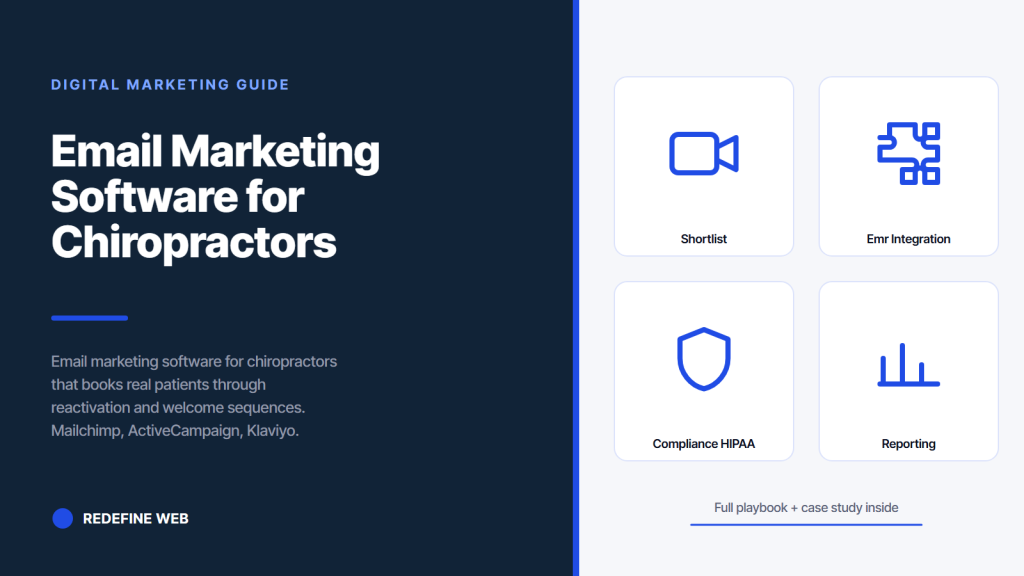
- Mailchimp fits solo DCs under 5,000 records.
- ActiveCampaign fits multi-location groups with tag logic.
- Klaviyo fits practices selling supplements.
- Set SPF, DKIM, DMARC before the first send.
- Six sequences carry 80 percent of the revenue.
- Why email marketing software for chiropractors matters more than the DC thinks
- The email marketing software for chiropractors shortlist
- The six core sequences every email marketing software for chiropractors must support
- EMR integration decides the email marketing software for chiropractors choice
- Deliverability and domain setup for email marketing software for chiropractors
- Compliance and HIPAA considerations for email marketing software for chiropractors
- Reporting and optimization for email marketing software for chiropractors
- Real practice numbers behind the software choice
- Migrating from a bad email marketing software for chiropractors setup
- How email marketing software for chiropractors fits the broader stack
- Getting help picking and setting up email marketing software for chiropractors
Email marketing software for chiropractors is the piece of the tech stack most practices install wrong and then blame the channel when reactivation emails do not bring patients back. The right platform costs $30 to $180 a month, integrates directly with the EMR, sends from a domain the practice controls, and automates the six sequences that carry 80 percent of the revenue. The wrong platform sends from a shared domain, breaks the EMR sync every three months, and turns a 5 to 10 percent open rate into a 1.2 percent open rate.
This guide walks through the tools that fit a solo DC, a two-location group, and a growing multi-clinic network. Every recommendation came out of accounts we run or accounts we onboarded after a bad prior setup. Nothing theoretical. The email marketing software for chiropractors decision matters because it decides whether reactivation, birthday, and post-visit sequences run for years without breaking or die inside 90 days.

Why email marketing software for chiropractors matters more than the DC thinks
Email marketing software for chiropractors matters because reactivation of past patients returns 3 to 7 times the paid acquisition rate on the same monthly spend. A patient who visited two years ago books at 12 to 18 percent conversion on a well-timed reactivation email. A cold Google Ads click books at 2 to 5 percent.
The list belongs to the practice. The paid channels are rented from platforms that change their rules every quarter. A patient who visited two years ago and gets a well-timed reactivation email books at high conversion rates that no cold channel matches.
Beyond the reactivation math, the software matters because it decides whether every other lever compounds or breaks. Post-visit review requests, birthday offers, first-visit welcome sequences, no-show recovery, and monthly newsletter all live in the same tool. A tool that syncs cleanly with the EMR runs all six for years. A tool that requires manual CSV uploads every Monday gets abandoned inside six weeks. The choice is not cosmetic. It is the difference between a channel that produces booked exams and a channel that sits idle.
The reactivation math that justifies the monthly spend
Assume a practice with 3,000 patient records and a $80 monthly software cost. A single reactivation sequence to lapsed patients (visited 12 to 30 months ago) books 30 to 60 exams per send at typical response rates. At an average patient value of $600, that lands at $18,000 to $36,000 in closed revenue from a $80 tool. The payback ratio dwarfs any paid channel. Practices that skip the software either miss the reactivation revenue entirely or spend front-desk time doing it by hand at three times the cost.
List ownership versus rented audience on paid channels
The list belongs to the practice. Facebook can change its algorithm on Tuesday and drop organic reach by 60 percent. Google Ads can raise CPCs 40 percent inside a quarter. TikTok can shift its distribution rules any weekend. The email list stays the same size, in the same tool, delivering at the same rate the practice controls. Practices that treat email as the primary owned channel and paid ads as the boost layer build durable revenue. Practices that flip the priority never recover when the paid channel gets expensive.
The email marketing software for chiropractors shortlist
Four platforms cover 90 percent of chiropractic use cases. Mailchimp for small practices getting started. Klaviyo for practices with an ecommerce arm selling supplements or pillows. ActiveCampaign for practices with complex automation needs. Constant Contact for older practices already inside a Constant Contact ecosystem. Everything else (Sendinblue, ConvertKit, HubSpot, Drip) fits a narrower use case and pulls harder against the EMR integration reality most DCs deal with.
The choice depends on three variables: list size, EMR integration availability, and whether the practice sells physical products alongside services. Practices with under 5,000 records and no ecommerce fit Mailchimp cleanly. Practices with 5,000 to 20,000 records and complex automation fit ActiveCampaign. Practices selling supplements or wellness products fit Klaviyo. Practices already invested in Constant Contact stay there unless a specific integration forces the switch.
| Platform | Starting monthly cost | Best fit for chiropractors | EMR integration | Automation strength |
|---|---|---|---|---|
| Mailchimp | $0 to $80 | Solo DC under 5,000 records | Via Zapier or manual sync | Basic sequences, sufficient for six core flows |
| ActiveCampaign | $29 to $149 | Multi-location groups with complex flows | Direct via API and Zapier | Strong, tag-based logic |
| Klaviyo | $45 to $150 | Practices selling supplements or products | Shopify, WooCommerce native | Strong, ecommerce-focused |
| Constant Contact | $12 to $80 | Older practices already using it | Limited native, Zapier bridge | Basic, dated interface |
| HubSpot | $50 to $890 | Practices needing a full CRM | Wide via API | Strong but expensive at scale |
Mailchimp for solo DCs under 5,000 records
Mailchimp fits a solo DC because the free tier covers up to 500 contacts and the paid tier at $13 to $80 a month handles 5,000 records with room to grow. The interface is beginner-friendly, the email templates render cleanly, and the automation builder supports the six core sequences without additional plugins. EMR integration runs through Zapier, which costs another $20 to $50 a month depending on volume. Total stack cost lands at $35 to $130 a month for a solo practice. The one downside: Mailchimp’s tag-based segmentation is weaker than ActiveCampaign, so complex logic requires workarounds.
ActiveCampaign for multi-location groups
ActiveCampaign fits a two to five location group because the tag-based automation handles per-location segmentation cleanly. Emails can trigger based on which clinic a patient last visited, which condition brought them in, and how long since the last visit. The Lite plan at $29 a month handles 1,000 contacts. The Plus plan at $49 to $149 handles up to 5,000 records with CRM features. Direct API integration with common chiropractic EMRs (ChiroTouch, Jane, Genesis) is available, cutting the Zapier dependency for most workflows.
The six core sequences every email marketing software for chiropractors must support
The tool is only useful if it runs the six sequences that carry the reactivation revenue. Any tool missing one of the six leaves money on the table. The six are: first-visit welcome, post-visit review request, birthday offer, lapsed patient reactivation, no-show recovery, and monthly newsletter. Every one of them can run inside the tools on the shortlist. Practices that install a tool and only send the monthly newsletter are running at 15 to 20 percent of the channel’s potential.
The sequences do not need to be complex. Most run three to five emails spaced 3 to 14 days apart. The welcome sequence sets expectations and books the second visit. The review sequence asks for a Google review 48 hours after the visit. The birthday sequence sends a $20 to $40 gift card or a free service upgrade. The reactivation sequence targets patients dormant 12 to 30 months. The no-show recovery sends the same day and again 48 hours later. The newsletter goes out on the first Tuesday of every month with local content and a soft offer.
- First-visit welcome: 3 emails over 10 days, sets expectations for the treatment plan.
- Post-visit review request: 1 email at 48 hours, 1 follow-up at 7 days for non-responders.
- Birthday offer: 1 email on the birthday, 1 reminder 5 days before it expires.
- Lapsed patient reactivation: 4 emails over 21 days with escalating offers.
- No-show recovery: 1 same-day email, 1 email at 48 hours with 2 reschedule options.
- Monthly newsletter: 1 email on the first Tuesday, local content plus soft offer.
Welcome sequence details
Day 0: welcome email with the DC’s photo, a short bio, and the treatment plan overview. Day 3: what to expect at visit two, plus the “how did you hear about us” question. Day 10: request a Google review if the second visit is complete. This sequence sets the tone for the entire patient relationship and drives 40 to 60 percent of first-year reviews. Skipping it means the patient’s second visit becomes a cold outreach conversation instead of a continuation of the welcome relationship.
Reactivation sequence details
Day 0: “we miss you” email with a $30 to $50 gift card toward the next visit. Day 7: an educational email on a common condition (back pain, sciatica, or headaches) with the same offer softly restated. Day 14: a limited-time offer with 7 days to book. Day 21: a final “last chance” email. Non-responders get segmented into a dormant list and re-engaged quarterly. Practices running this sequence book 30 to 60 exams per send at a 12 to 18 percent response rate on lapsed lists of 500 to 1,500 records.
Pretty templates matter less than whether Mailchimp actually talks to your EMR. Ask the vendor for a live sync demo, not a screenshot in the sales deck.
EMR integration decides the email marketing software for chiropractors choice
The EMR integration is the load-bearing wall of the whole setup. If patients get added to the EMR but not the email tool, the reactivation sequences never trigger. If the integration breaks every three months, the front desk has to remember to sync manually, which never happens consistently. The three EMRs most chiropractors use (ChiroTouch, Genesis, Jane) each have different integration options with the shortlist tools. Understanding which platform integrates cleanly with the current EMR saves months of manual workarounds.
ChiroTouch integrates via Zapier and direct API depending on the plan. Jane integrates natively with several email tools including Mailchimp and ActiveCampaign. Genesis integrates via Zapier only. Cliniko has a direct Mailchimp app. Practices without an EMR yet (which is rare) can run the email tool as the temporary CRM until an EMR gets installed. The Mailchimp automation docs cover the workflow-builder setup. The ActiveCampaign automation guide covers the tag-based approach.
Zapier bridge versus native API integration
Zapier bridges are fine for practices under 200 new patients a month. The $30 to $60 monthly Zapier cost stays reasonable, and the workflow is straightforward: new EMR record triggers a Zap, Zap adds contact to email tool with tags. Native API integration matters when the practice is doing 300 plus new patients a month or running complex per-location segmentation. The native path is faster (records sync within minutes instead of hours), more reliable (no Zapier outages breaking the flow), and cheaper at scale (no per-task charges).
Integration testing checklist before going live
Test the integration with 5 to 10 real records before flipping the switch. Add a new patient in the EMR, verify they appear in the email tool inside the expected window, verify the tags are applied correctly, verify the welcome sequence triggers. Break the flow intentionally (change a name, delete a field) and see whether the tool handles errors cleanly or silently drops the record. Practices that skip the testing step find out about the broken integration when the reactivation revenue does not arrive.
Deliverability and domain setup for email marketing software for chiropractors
Deliverability is the invisible layer that decides whether the emails land in the inbox or the promotions tab. Sending from a shared domain (like a Gmail address or the tool’s default domain) tanks open rates to 12 to 20 percent. Sending from a domain the practice owns (mail@practicename.com) pushes open rates to 28 to 45 percent. The setup takes 15 minutes with the tool’s onboarding wizard. Almost every practice skips this step and then complains about weak email results.
The three DNS records that need to be set: SPF (authorizes the sending service to send on the domain’s behalf), DKIM (signs the emails cryptographically), and DMARC (tells receiving mail servers what to do with unauthenticated emails). All three tools on the shortlist walk through the DNS setup in the onboarding flow. The practice’s website host handles the actual DNS record additions. Once set, the records do not need to change unless the sending tool changes.
The DC could keep sending reactivation emails from a Gmail address and blame the platform when the open rate lands at 8 percent. Or the DC could spend 15 minutes with a hosting company support chat and get the SPF, DKIM, and DMARC records set. The plan on Monday: launch a $2,000 monthly Google Ads campaign. The plan on Friday: figure out why nobody opens the reactivation email that could have booked 40 exams for zero paid spend.
SPF, DKIM, DMARC in plain English
SPF is a public list of servers allowed to send email from the practice domain. DKIM is a digital signature attached to every email that proves it was not tampered with. DMARC tells receiving mail servers (Gmail, Outlook, Yahoo) what to do when an email arrives without SPF or DKIM alignment. All three combined push emails into the inbox instead of the spam folder or the promotions tab. Missing any one of the three cuts open rates by 15 to 30 percent.
Warming up a new sending domain
A brand-new sending domain needs warming up over 2 to 4 weeks before large sends. Start with 200 to 500 email sends per day for the first week, ramp to 1,000 to 2,000 the second week, then scale to full list volume by week four. Sending 5,000 emails on day one from a cold domain will land 40 to 60 percent of them in spam. Every tool on the shortlist has a warm-up guide in the docs. Practices migrating from a previous tool skip warming and lose deliverability for 30 to 60 days while the reputation rebuilds.
Compliance and HIPAA considerations for email marketing software for chiropractors
HIPAA applies to protected health information in emails but not to general marketing sends that do not reference specific conditions or treatments. A monthly newsletter about back pain tips does not trigger HIPAA. A reactivation email that says “we noticed your last adjustment was 14 months ago” gets closer to the line. Emails that reference specific diagnoses, treatment codes, or clinical notes clearly cross into HIPAA-protected territory and require a Business Associate Agreement with the email tool.
Mailchimp, ActiveCampaign, and Klaviyo do not sign BAAs. HubSpot, Paubox, and LuxSci do. Practices that need HIPAA-compliant email should route clinical messages through the EMR (which usually has an internal messaging system that is already HIPAA-compliant) and keep marketing sends on the non-HIPAA tool. Trying to run everything through a HIPAA-compliant email tool typically costs 3 to 5 times more and cuts the automation features. Two-tool split works best for most practices.
CAN-SPAM and consent basics
Every marketing email needs a physical postal address in the footer, a clear unsubscribe link, and a truthful subject line. The consent to email marketing is captured at the intake form (“I agree to receive marketing emails from [practice name]”). Every tool on the shortlist handles the unsubscribe link and physical address requirements natively. The intake form update is a one-time task at the front desk. Practices that skip the consent capture face fines that dwarf the tool cost. The FTC’s CAN-SPAM guide covers the specific requirements.
TCPA adjacency for SMS reactivation
Text message reactivation runs under TCPA, which is stricter than CAN-SPAM. Written consent is required. Most email marketing software for chiropractors also runs SMS these days (Mailchimp, ActiveCampaign, Klaviyo all support SMS on higher plans). Keep the SMS consent language separate from the email consent language at the intake form. Two checkboxes, not one. The compliance overhead is small but the fines for violations run $500 to $1,500 per unsolicited text.
Reporting and optimization for email marketing software for chiropractors
The four metrics the practice tracks weekly are open rate, click rate, booking form fills from email, and unsubscribe rate. Open rate above 28 percent means the domain reputation is healthy. Click rate above 3.5 percent means the copy is doing its job. Booking form fills per 100 clicks above 8 percent means the landing page matches the email promise. Unsubscribe rate under 0.5 percent means the send frequency and content mix are right. Miss any of the four and the fix lives in that specific metric.
Every tool on the shortlist offers native reporting dashboards. Mailchimp’s dashboard is beginner-friendly and covers the basics. ActiveCampaign’s dashboard adds attribution and funnel views. Klaviyo’s dashboard leans ecommerce-heavy. Practices should pull the four metrics into a shared Google Sheet weekly for trend tracking. Twelve weeks of data reveals which subject lines, send times, and content types work for the specific list.
A/B testing basics on subject lines
Subject line tests are the single highest-return optimization for email. Every tool on the shortlist supports built-in A/B testing. Split a send 50/50 between two subject line variants, let the tool pick the winner after 4 hours, send the winner to the remaining 90 percent of the list. Practices running weekly subject line tests see open rate improvements of 4 to 12 percent over 12 weeks. Content tests matter less than subject line tests until the subject line already averages 30 percent open rate.
Segment and send time testing
Send time testing is the second lever. Tuesday and Wednesday mornings (7 AM to 10 AM local time) outperform other windows for most chiropractic lists. Friday afternoons and weekends underperform. The tool’s “best time” feature usually picks the right window inside 4 to 6 weeks. Segment testing (e.g., send different content to new patients versus returning patients) grows revenue per send by 20 to 40 percent once the segments have 500 plus records each.
Real practice numbers behind the software choice
NC Dental Clinic in Vista, CA (close-adjacent to chiropractic in the local-service playbook) grew patient volume 1,000 percent over six years by pairing a fast website with local SEO, GMB, and structured email sequences. Marketing ROI hit 500 percent. Organic traffic climbed 385 percent. A chiropractor running the same discipline with email as the reactivation backbone produces the same compounding curve. The software choice is a lever inside that broader stack, not the whole game, but the wrong choice slows the entire compounding rate.
Delicate Dental Group used automated post-visit review requests via SMS and email to build 700 plus Google reviews and triple Map Pack visibility inside months. The email tool ran the request sequence. The SMS layer amplified it. Combined, the reputation build fed straight into the paid channels and the local SEO ranking. Practices treating email as an isolated channel miss the compounding pattern. Practices treating it as the connective tissue between the EMR, the reputation build, and the reactivation revenue capture the full return.
The NC Dental Clinic parallel for chiropractors
NC Dental was invisible online for 20 years despite strong offline reputation. Once one team replaced the fragmented agencies and installed structured sequences across web, email, GMB, and PPC, patient volume grew 1,000 percent, organic traffic 385 percent, and marketing ROI hit 500 percent. A chiropractor with a comparable baseline (established practice, no digital discipline) can produce the same six-year curve. The email marketing software for chiropractors decision sits inside that broader integration.
The Delicate Dental review loop
Delicate Dental hit 700 plus reviews inside months via automated post-visit requests. Email drove the requests. SMS reinforced them. The email tool tracked which patients had already been asked and which needed a follow-up nudge. A chiropractor can hit 200 to 400 reviews inside 12 months on the same setup. The reputation feeds back into every other channel. The right email marketing software for chiropractors makes the automation possible without daily manual work.
Migrating from a bad email marketing software for chiropractors setup
Most practices we onboard already have some email tool in place. Constant Contact from 2015, a Mailchimp free tier with no automation running, or a shared Gmail address blasting newsletters manually. The migration takes 3 to 6 weeks depending on the old tool and the record count. The steps are ordered to protect deliverability, preserve the list, and avoid duplicate sends during the transition. Rushing the migration risks 30 to 60 days of degraded open rates while the new domain reputation rebuilds.
Week one: audit the current list, export contacts with tags and history, clean out inactive addresses (bounced, unsubscribed, never opened in 12 months). Week two: set up the new tool, configure SPF/DKIM/DMARC, import the cleaned list, warm the domain with small sends. Week three: rebuild the six core sequences inside the new tool, test with 5 to 10 records, verify EMR integration. Week four: run the first newsletter through the new tool, then progressively migrate each sequence. By week six the old tool can be paused.
List cleaning before migration
Bring only the healthy records into the new tool. Bounced addresses stay behind. Unsubscribes stay suppressed. Addresses that have not opened an email in 12 months get placed in a “sunset” segment and re-engaged through one final send. Non-responders to the sunset send stay off the new list. Importing a dirty list into the new tool tanks the new domain’s reputation on day one. The 2 to 4 hours of list cleaning save 30 to 60 days of deliverability recovery.
Parallel running during the cutover window
During weeks two and three, both tools run in parallel. The old tool sends the existing newsletter and sequences. The new tool tests with a subset. This avoids the “black-out week” where no emails go out because the migration is mid-flight. Once the new tool proves stable, the sequences flip one at a time. Newsletter first, then reactivation, then welcome, then birthday, then no-show recovery, then review requests. Ordered migration prevents the whole email program from collapsing during the transition.
How email marketing software for chiropractors fits the broader stack
Email marketing software for chiropractors sits inside a six-channel stack. Google Ads catches intent search. TikTok drives discovery. Google Business Profile plus local SEO owns the map pack. SMS handles time-sensitive reminders. A fast website closes the conversion. Email connects the layers with reactivation and welcome flows.
The email marketing for chiropractors playbook covers the strategy layer. This guide covers the tool selection. The two together form the complete picture.
The channels feed each other. TikTok discovery brings new patients who become email subscribers. Email nurture keeps them booking. SMS handles same-day appointment reminders. Google Ads catches active searchers. The local seo for chiropractors layer catches map pack traffic. All six run together in a mature practice. The digital marketing for chiropractors guide covers how the layers coordinate. The point is: email marketing software for chiropractors is not a standalone decision. It is part of an integrated system that compounds when every layer runs cleanly. Growing a brand across many locations creates the additional coordination need, and the multi-location marketing agencies reference covers the operational side.
Email plus SMS coordination flow
Email handles reactivation, welcome, and newsletter. SMS handles appointment reminders 24 hours out, same-day booking confirmations, and no-show recovery inside 30 minutes of the missed slot. The two channels never send the same message on the same day. The tools that support both natively (ActiveCampaign, Klaviyo, Mailchimp on higher plans) make the coordination simple. Practices using separate email and SMS tools need Zapier to prevent overlap.
Email plus website conversion flow
Every email links to a specific landing page on the website, not the homepage. A reactivation email links to a “welcome back” page with the offer restated and a booking calendar. A birthday email links to a “your gift” page. A newsletter links to the specific article. The landing page match rate grows booking conversion 25 to 40 percent versus sending all traffic to the homepage. Fast pages under 2.5 seconds matter here as much as anywhere else.
Getting help picking and setting up email marketing software for chiropractors
A practice manager can pick the tool, configure the domain, and build the six sequences internally with about 20 to 30 hours of focused work. An agency handling the setup finishes in 3 to 4 weeks with weekly ongoing management. The trade-off is the monthly retainer, which typically runs $500 to $2,000 depending on send volume and integration complexity. Redefine Web offers email marketing setup and ongoing management inside the chiropractor marketing retainer starting at $599 a month.
Whether the practice runs the setup internally or hires help, the decision framework in this guide applies the same way. Mailchimp for solo. ActiveCampaign for multi-location. Klaviyo for ecommerce. Constant Contact for legacy. HubSpot for CRM depth. The six sequences are the same across all tools. The domain setup is the same. The reactivation math is the same. For a practice ready to build the full local playbook, our chiropractor marketing team runs the tool selection, the setup, and the ongoing optimization inside a monthly retainer. The chiropractor SEO services and chiropractor PPC services layers coordinate with email so every channel amplifies the others.
When to hire help versus staying internal
Hire help when the practice manager has less than 5 hours a month to run the email program. Stay internal when the manager has 10 to 15 hours a month and enjoys the analytics work. Break-even math on a $1,500 monthly retainer: needs to add 8 to 15 booked exams a month over what the internal setup produces. Most practices hit that math within the first 90 days because agency-managed lists send more often, test more variables, and clean the list more aggressively.
What to expect from an agency
The agency picks the tool, sets up the domain records, imports and cleans the list, builds the six sequences, and reports weekly. The practice provides the offers, approves the copy, and monitors the front desk callbacks. Weekly reports cover open rate, click rate, booking form fills, and unsubscribe rate. Monthly strategy call reviews which sequences to iterate. Front desk gets a phone or shared-inbox alert every time an email drives a booking form fill.
Email marketing software for chiropractors is not glamorous. It is the workhorse channel that produces reactivation revenue every month while the paid channels swing up and down. The tool selection matters. The domain setup matters. The six sequences matter. The EMR integration matters most of all. Practices that treat email as the connective tissue of the whole marketing stack compound their revenue year over year. Practices that treat it as a monthly newsletter obligation leave 30 to 50 percent of the channel’s return on the table. Pick a tool this month, set the domain, build the six sequences, and let the reactivation math work in the background while the paid channels handle acquisition.
Frequently asked questions
What email marketing software for chiropractors is best?
The best email marketing software for chiropractors depends on list size and use case. Mailchimp fits solo practices under 5,000 records with a $0 to $80 monthly cost. ActiveCampaign fits multi-location groups needing tag-based automation at $29 to $149 a month. Klaviyo fits practices selling supplements or wellness products at $45 to $150 a month. Constant Contact fits legacy practices already inside the ecosystem. HubSpot fits practices needing a full CRM at $50 to $890 a month. All four tools support the six core sequences that carry 80 percent of the reactivation revenue.
How much does email marketing software for chiropractors cost?
Email marketing software for chiropractors ranges from $0 to $890 a month. Free tiers on Mailchimp cover up to 500 contacts. Paid tiers on Mailchimp run $13 to $80 for 5,000 records. ActiveCampaign runs $29 to $149. Klaviyo runs $45 to $150. HubSpot Starter runs $50, Professional runs $890. Zapier bridge integration adds $30 to $60 a month for practices without a native EMR connector. Total monthly cost for a solo practice with EMR sync typically lands at $35 to $130. Multi-location groups run $80 to $250. The reactivation return dwarfs the tool cost inside 30 days for any decent list.
Do I need HIPAA-compliant email marketing software?
Only for messages that reference specific diagnoses, treatment codes, or clinical notes. General marketing emails (newsletters, birthday offers, generic reactivation) do not trigger HIPAA. Mailchimp, ActiveCampaign, and Klaviyo do not sign BAAs and are fine for marketing sends. HIPAA-compliant tools (Paubox, LuxSci, HubSpot on higher plans) cost 3 to 5 times more and cut automation features. Most practices route clinical messages through the EMR's internal messaging (already HIPAA-compliant) and keep marketing sends on the non-HIPAA tool. Two-tool split works best.
How many email sequences should a chiropractor set up?
Six sequences carry 80 percent of the reactivation revenue. First-visit welcome runs 3 emails over 10 days. Post-visit review request runs 1 email at 48 hours plus 1 follow-up at 7 days. Birthday offer runs 1 email on the birthday plus 1 reminder 5 days before expiration. Lapsed patient reactivation runs 4 emails over 21 days with escalating offers. No-show recovery runs 1 same-day email plus 1 at 48 hours. Monthly newsletter goes out on the first Tuesday. Any tool missing support for one of these six leaves money on the table.
How does email marketing software integrate with the chiropractic EMR?
ChiroTouch integrates via Zapier and direct API on higher plans. Jane integrates natively with Mailchimp and ActiveCampaign. Genesis integrates via Zapier only. Cliniko has a direct Mailchimp app. Zapier bridges cost $30 to $60 a month and work fine for practices under 200 new patients monthly. Direct API integration matters for practices doing 300 plus new patients a month or running complex per-location segmentation. Native integration is faster (minutes versus hours), more reliable (no Zapier outages), and cheaper at scale. Test with 5 to 10 records before going live.
How do I improve email open rates for a chiropractic practice?
Four levers move open rates from 15 percent to 35 percent. First: send from a domain the practice owns (mail@practicename.com), not a Gmail or shared address. Set SPF, DKIM, and DMARC DNS records during onboarding. Second: A/B test subject lines every week. Third: send Tuesday or Wednesday morning between 7 AM and 10 AM local time. Fourth: clean the list quarterly by removing addresses that have not opened an email in 12 months. Every one percent of unengaged records left on the list drags the whole domain's reputation down.
Can I migrate from Constant Contact to a new email tool?
Yes. Migration takes 3 to 6 weeks. Week one: audit and clean the current list, export contacts with tags. Week two: set up the new tool, configure SPF/DKIM/DMARC, import cleaned list, warm the domain with small sends. Week three: rebuild the six core sequences inside the new tool. Week four: run the first newsletter through the new tool. Weeks five and six: progressively migrate each sequence with parallel running to avoid a black-out window. Ordered migration prevents 30 to 60 days of degraded open rates during the transition.
Book your free 30-minute strategy call.
No spam, no sales rep. We use your email to schedule your call with a senior strategist. That is it.
More from the blog
View all articles → Digital Marketing
 Dental Marketing Tips That Compound Into New Patients
Read article Digital Marketing
 Ecommerce Marketing Strategies That Drive Real DTC Revenue
Read article Digital Marketing