
Most Dental Google Ads Management Skips the One Step That Compounds
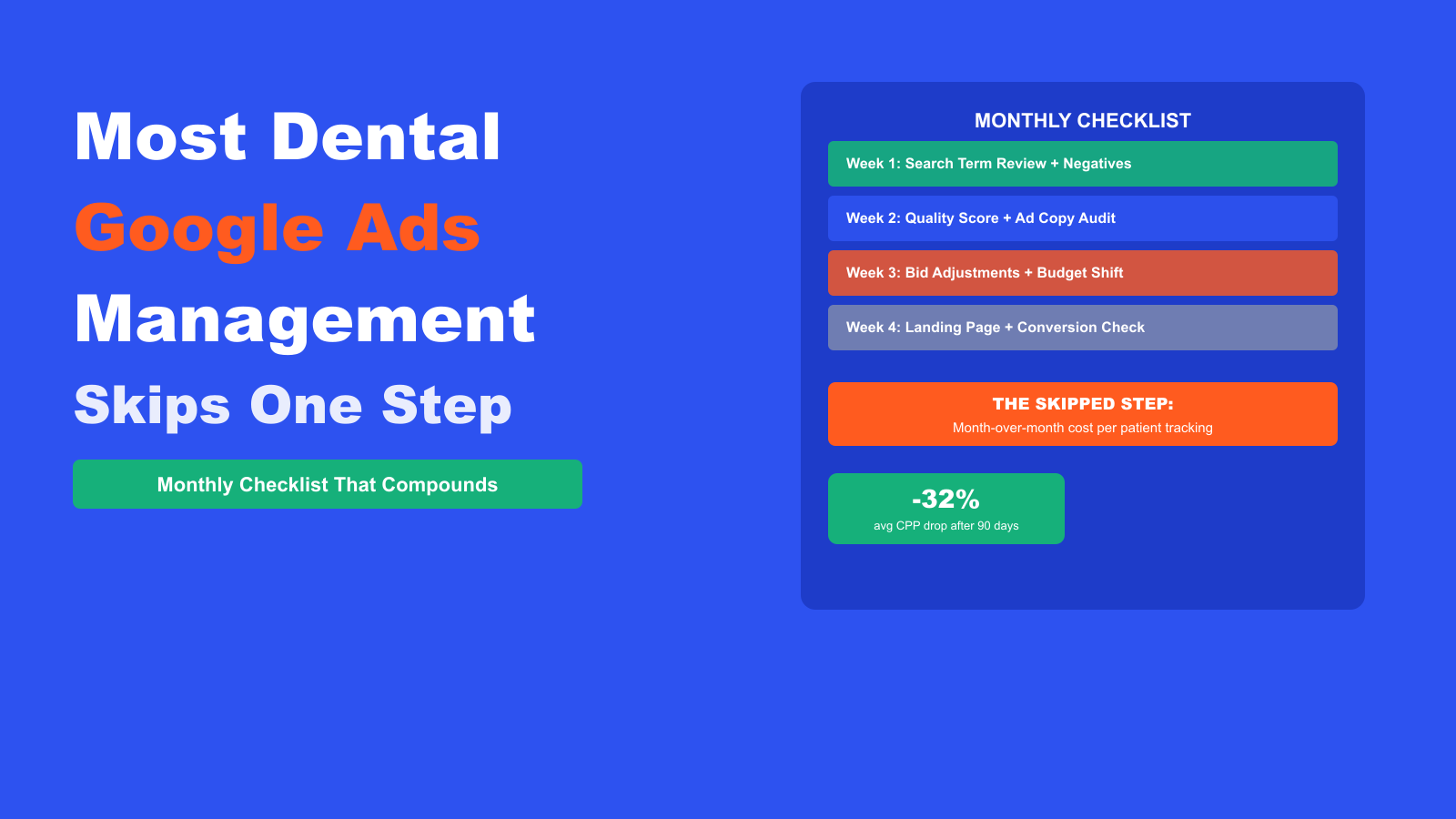
Most dental Google Ads management looks like activity: weekly login, a few bid changes, a glance at the dashboard. What’s missing is the one habit that separates accounts that compound versus accounts that plateau. This guide covers the complete monthly management checklist for dental Google Ads, including the tracking step that almost every set-it-and-forget-it account skips.
Why Most Dental Google Ads Management Stalls
The most common pattern we see when we take over dental Google Ads accounts: the agency or practice launched the campaign well, saw some initial results, and then stopped actively managing it. The campaigns ran on autopilot for 6 to 18 months. Costs crept up. Conversion rates dropped. The practice increased the budget trying to get the same patient volume, which made the account even less efficient.
Dental Google Ads is not a machine you set and walk away from. Google’s algorithm, competition levels, search behavior, and your own Quality Scores all shift month to month. An account managed with a structured checklist drops its cost per patient by 25 to 40% over the first 90 days. An account managed with occasional logins drifts toward the expensive end of the market and stays there.
For the structural foundation that makes management effective, the dental Google Ads structure guide covers how to set up campaigns and ad groups before you begin managing them month to month. The full dental PPC campaign structure breakdown covers budget prioritization across campaigns and the ad group setup that keeps Quality Scores high.
The Missed Step: Cost Per Patient Tracking
Most dental Google Ads accounts track cost per click and cost per conversion. The problem: conversions in Google Ads include form views, button clicks, and phone calls that did not result in a booked appointment. Cost per conversion looks good on the dashboard. Cost per actual new patient looks worse and is the only number that matters.
The step that compounds: every month, pull your front desk report for new patients acquired from Google Ads (ask staff to log the source of first contact), divide your total ad spend by the number of actual booked new patients, and record that cost per patient in a simple spreadsheet. Track it month over month.
When you have cost per patient as a monthly data point, every optimization decision you make has a clear success metric. Did adding 40 new negatives this month lower the cost per patient? Did switching the emergency campaign to Target CPA improve it? Without this number, you’re making changes without knowing if they work.
Week 1: Search Term Review and Negative Keyword Expansion
The search term report is the most valuable optimization tool in any dental Google Ads account and the most ignored. Check it during the first week of every month, covering the previous month’s full search term data.
What to look for:
- New irrelevant searches: add them as broad match negatives immediately. Even accounts with strong existing negative lists generate 5 to 15 new irrelevant search terms per month as Google expands matching.
- High-click, zero-conversion searches: these keywords or search terms are spending your budget without producing leads. If a search term has generated more than 10 clicks and zero conversions, add it as a negative.
- New converting searches: searches you haven’t thought of that generated phone calls or form submissions. Add these as keywords in the appropriate ad group at phrase match.
Budget 45 to 60 minutes for the search term review each month. In active dental markets, this one task saves $150 to $400 in monthly wasted spend and finds 2 to 5 new converting keyword opportunities. The dental Google Ads keywords guide covers the full negative keyword category list if you’re building out a new account’s negative list alongside the monthly review.
Week 2: Quality Score Audit and Ad Copy Testing
Pull a Quality Score report for your top 20 keywords by spend. Any keyword scoring below 6/10 costs you a premium on every click and deserves immediate attention.
| Quality Score Range | Action Required | Priority |
|---|---|---|
| 8-10/10 | Monitor, do not change what’s working | Maintain |
| 6-7/10 | Minor ad copy or landing page refinement | Low |
| 4-5/10 | Ad copy rewrite + landing page review | Medium |
| 1-3/10 | Restructure ad group or pause keyword | High – act now |
For Responsive Search Ads, check the headline and description combination ratings. Headlines rated “Low” by Google are not generating enough clicks relative to impressions. Replace them with variants that include the exact keyword phrase or a clear patient benefit. Every dental Google Ads account should have at least one ad per ad group rated “Good” or “Best” by Google’s RSA strength indicator.
Ad copy testing tip: never change multiple elements of an ad at once. Change one headline at a time so you know which change produced an improvement. Google needs at least 3,000 impressions on an RSA before the combination ratings stabilize. Don’t make major changes to high-impression ads more than once per month.
Week 3: Bid Adjustments and Budget Reallocation
Bid management for dental Google Ads is not set-and-forget. Google’s competition levels shift monthly, seasonal demand changes, and your own Quality Scores improve as you optimize. Monthly bid review keeps your cost per patient from drifting upward.
What to review each month:
- Device bid adjustments: compare mobile versus desktop conversion rates. If mobile converts at 60% of desktop, reduce mobile bids by 20 to 30%. If mobile converts better (common for emergency dental), raise mobile bids by 15 to 25%.
- Time-of-day adjustments: check which hours produce the best cost per conversion. Reduce bids by 30 to 50% during hours with zero conversions and consistent clicks.
- Location bid adjustments: searches from within 2 miles of the practice convert at the highest rate. Raise bids for the tightest radius. Pull back on the furthest edge of your targeting area if conversion rates are below average there.
- Campaign budget reallocation: shift daily budget toward campaigns with lower cost per conversion and away from those with improving impressions but declining bookings.
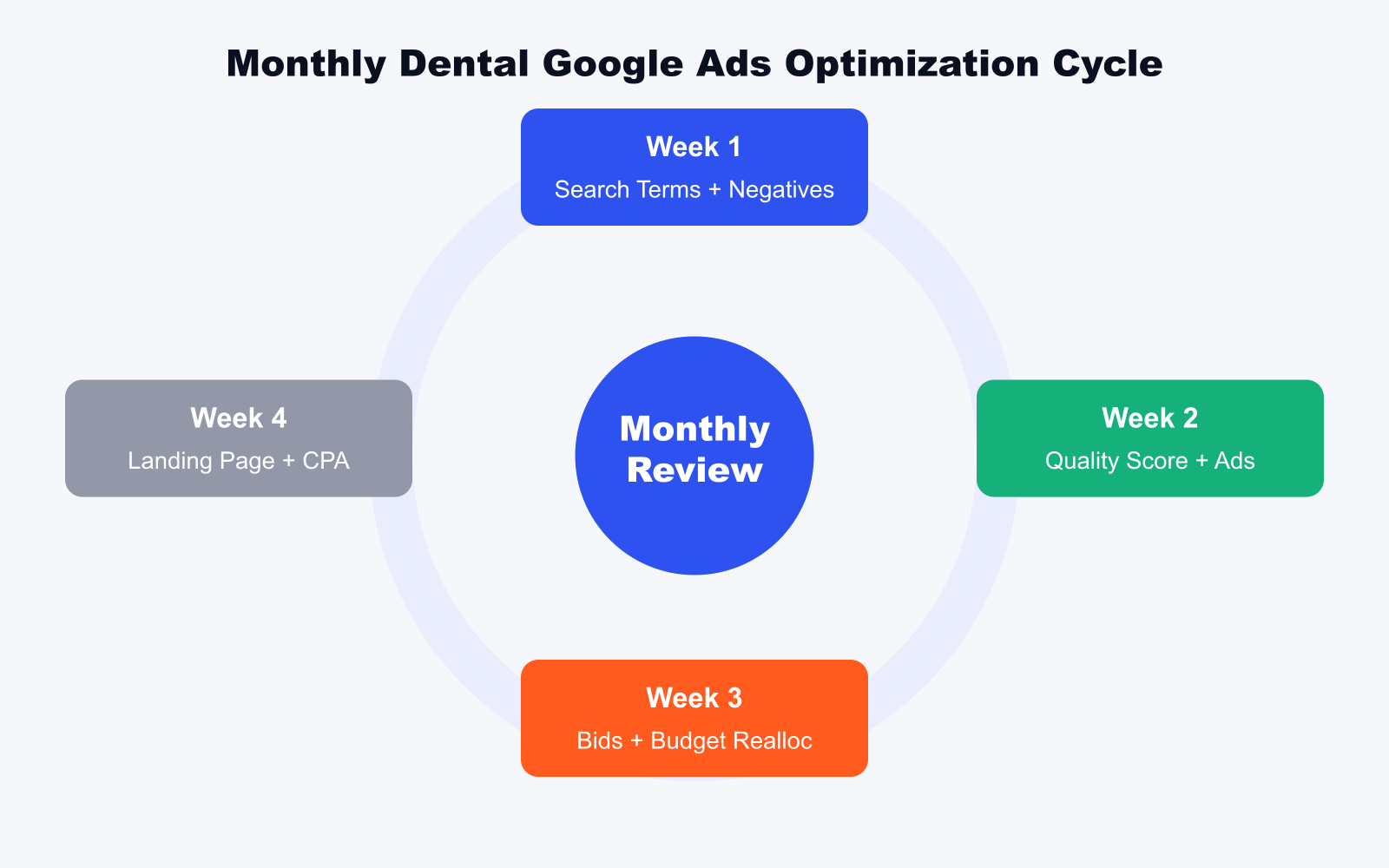
Week 4: Landing Page and Conversion Rate Review
Your ad sends the patient to a landing page. Your landing page converts the visit into a call or form submission. If your click-through rate is strong but your conversion rate is weak, the landing page is the bottleneck and no amount of bid management will fix it.
Monthly landing page review checklist:
- Check page load speed (Google PageSpeed Insights). A dental PPC landing page that loads in more than 3 seconds loses roughly 30% of visitors before they see your CTA.
- Check mobile layout. More than 70% of emergency dental searches come from a mobile device. If your CTA and phone number are not visible above the fold on a 375px screen, you’re losing calls.
- Check your form completion rate. If 8% of visitors click on your form but only 2% submit it, the form is too long or the fields are unclear. Reduce friction: name, phone number, and preferred appointment date is enough for a first-contact dental form.
- Check if the landing page headline still matches the primary ad copy for each campaign. If you’ve updated your ads but not your landing pages, the misalignment hurts Quality Score and conversion rate simultaneously.
This week, also pull your Google Ads conversion report filtered by conversion type. Are phone calls decreasing while form submissions increase? That shift often means a mobile usability problem. Are all conversions coming from one campaign while others produce none? That could mean a landing page broken state or a bidding issue.
The Quarterly Dental Google Ads Audit
Monthly management keeps the account running efficiently. A quarterly audit looks at the bigger picture: which keywords to cut, which campaigns to expand, and whether your account structure still matches your practice’s service priorities.
Quarterly audit tasks:
- Pause any keyword with more than 50 clicks and zero conversions over the past 90 days. A keyword that has had that many clicks without producing a lead is not a match for your practice’s offer, even if it sounds right.
- Review ad group keyword counts. If any ad group has grown to more than 25 keywords through monthly additions, it needs splitting to maintain Quality Score.
- Check competitor activity. Use the Auction Insights report to see which competitors are showing up alongside your ads and how their impression share has changed. For a structured look at competitor ad copy and keyword intelligence beyond the Auction Insights view, see the full dental competitor analysis guide.
- Review your Target CPA goals. If your actual cost per patient has dropped 30% over the quarter, lower your Target CPA to reflect the real performance and push the algorithm to find even more efficient conversions.
VP Dental’s account turnaround came from exactly this kind of structured review cycle. When we took over management, their cost per new patient was sitting above $300. After rebuilding the account structure and running consistent monthly optimization, monthly new patients doubled and additional monthly recurring revenue hit $8,100. Read the full VP Dental case study for the specific changes that moved those numbers.
Reporting That Informs Decisions
Monthly reporting for dental Google Ads should answer one question clearly: is the cost per new patient improving? Every other metric is secondary to that number.
Build a simple monthly report template with these six numbers:
- Total ad spend this month
- Total clicks
- Total Google Ads conversions (calls + forms)
- Total actual new patients booked from paid search (from front desk log)
- Cost per Google Ads conversion
- Cost per actual new patient booked
Track these six numbers month over month in a spreadsheet. A well-managed dental Google Ads account should show cost per patient declining for the first 3 to 6 months as optimizations compound, then stabilizing at a level the practice can sustain.
For a full look at how dental PPC management works as a managed service, that page outlines what monthly management includes when handled by a team tracking actual booked patients rather than dashboard conversions.
Dental Google Ads Management FAQ
How often should dental Google Ads accounts be managed?
Dental Google Ads accounts need active management every week for the first 60 days after launch, then monthly structured reviews for ongoing optimization. Weekly management during the launch phase catches irrelevant search terms before they spend significant budget and identifies landing page or Quality Score issues before they compound. Monthly management thereafter covers search term review, bid adjustments, ad copy testing, and conversion tracking verification. Accounts checked only quarterly or less frequently lose 20 to 40% of potential efficiency to drift.
What is a realistic cost per new patient from dental Google Ads management?
A well-managed dental Google Ads account in a mid-competition market should produce new patients at $80 to $150 per booking. High-competition metros like New York, Los Angeles, or Chicago push that range to $120 to $200. Practices paying more than $250 per new patient from Google Ads are either in an extremely competitive market or have management issues that a structured monthly checklist can fix. Cost per patient should decrease over the first 90 days as the account accumulates conversion data and monthly optimizations compound.
Should dental practices manage Google Ads in-house or hire an agency?
The choice depends on whether your in-house person can commit 4 to 6 hours per month to the structured management tasks: search term review, Quality Score monitoring, bid adjustments, and landing page review. If that time is available and the person has Google Ads experience, in-house management is viable. If not, the account will drift toward inefficiency. Agencies managing dental accounts typically bring pattern recognition from multiple accounts that speeds up optimization decisions, but the monthly tracking of actual booked patients versus dashboard conversions is something the practice must supply regardless of who manages the account.
What metrics should dentists track for Google Ads performance?
The primary metric for dental Google Ads management is cost per actual new patient booked, tracked monthly. Secondary metrics include cost per Google Ads conversion (calls and forms), click-through rate on your primary keywords, Quality Score on the top 10 keywords by spend, and conversion rate by landing page. Do not optimize primarily toward click-through rate or impression share. Those metrics do not translate directly to booked patients. Track the cost per patient number monthly and let that guide every optimization decision.
How long does it take for dental Google Ads management to show improvement?
Structured dental Google Ads management typically shows measurable improvement in cost per patient within 30 to 45 days of the first full monthly optimization cycle. The largest drops come in the first 90 days as negative keywords remove wasted spend, Quality Score improvements lower cost per click, and bid adjustments reallocate budget toward the highest-converting time slots and locations. After 90 days, improvement continues but at a slower compounding rate. A well-managed account reaches its efficient range at roughly the 6-month mark.
See how we manage dental marketing campaigns with monthly tracking of actual booked patients, not just dashboard conversions, across PPC, SEO, and web design.
Book your free 30-minute strategy call.
No spam, no sales rep. We use your email to schedule your call with a senior strategist. That is it.
More from the blog
View all articles → PPC
PPC Home Services PPC Marketing: What a Strong Campaign Looks Like
Read article PPC
PPC PPC for Home Service Businesses: How to Lower Cost Per Lead
Read article PPC
PPC