
Google Business Profile Marketing for Chiropractors (Posts, Reviews, Services)
- Complete every profile field before touching anything else.
- Post weekly on a rotating four-week content cycle.
- SMS reviews convert 4x better than email reviews.
- List 25 to 50 specific services with descriptions and pricing.
- Audit the full profile every 90 days without fail.
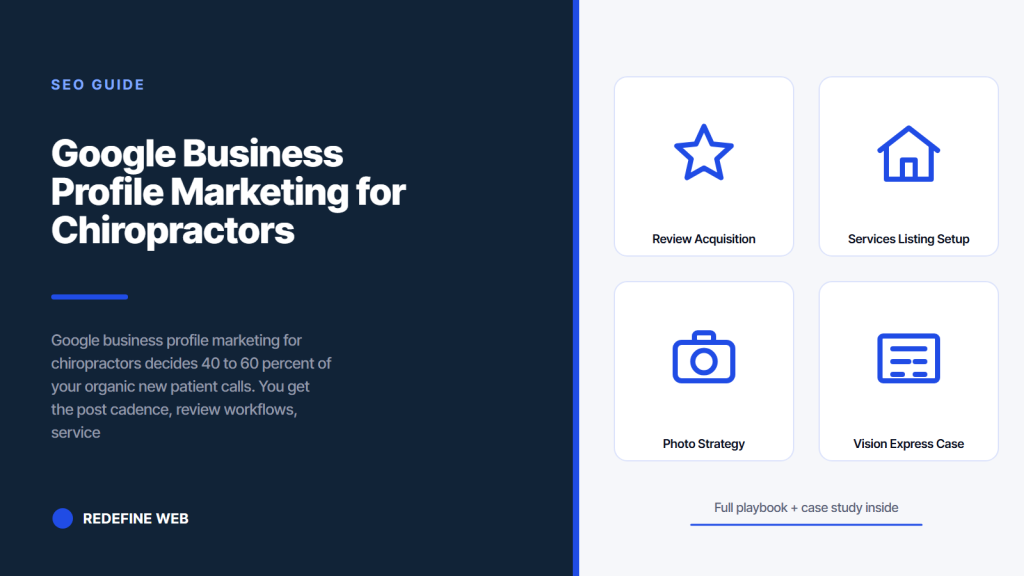
- Review acquisition workflows that separate ranked clinics from unranked
- Services listing setup for chiropractor local seo visibility
- Photo strategy for freshness signals Google rewards
- Vision Express case study on Google Business Profile marketing done right
- Q&A management for seo google maps chiropractors rankings
- Messaging and booking integration for online marketing for chiropractors
- Measurement setup for google business profile marketing for chiropractors performance
- Where to start on Google Business Profile marketing this Monday
Google business profile marketing for chiropractors is where the map pack ranking gets won. That single Google asset drives 40 to 60 percent of all organic new patient calls for a typical chiropractic clinic. Most clinic owners set the profile up during opening week, complete about 60 percent of the fields, publish two posts in the first month, then forget it exists. The competing clinic down the street with a fully populated profile and a weekly posting cadence quietly captures the calls you should have gotten.
This guide walks through the full Google Business Profile marketing playbook. Setup done right. Weekly post cadence. Review acquisition workflows that add 5 to 15 reviews per month reliably. Service listings that surface in local searches. Photo strategy that signals freshness to Google. Q&A management that captures long-tail queries. Messaging and booking integration. Then measurement and iteration. Read straight through in eleven minutes. Then run the setup checklist against your own profile.
Review acquisition workflows that separate ranked clinics from unranked
Review count and quality is the second-strongest ranking signal for Google Business Profile after category-keyword relevance. Clinics with 200-plus reviews at a 4.8-plus star average dominate their map pack. Clinics with 40 reviews at a 4.5 average sit below them regardless of any other tactic. Building the review count is a workflow problem, not a marketing problem, and google business profile marketing for chiropractors depends on getting the workflow right. Solve the workflow and the reviews come.
Build the review workflow into your patient checkout process. After every completed appointment, the front desk asks the patient two questions. First, how was your experience today. Second, would you be willing to share that on Google. Ninety percent of patients say yes when asked directly by a human who just helped them. Send the review request via SMS within 30 minutes of the appointment ending. Include a direct link to your Google Business Profile review form. This workflow adds 5 to 15 new reviews per month reliably in most chiropractic clinics with 200-plus monthly patient visits.
SMS review request workflow
SMS review requests convert at 15 to 30 percent versus email at 3 to 8 percent. Use a tool like Podium, Birdeye, or your practice management system’s built-in review request feature. Send the SMS within 30 minutes of appointment completion when the experience is fresh. Include the patient’s first name. Include a direct link to your Google Business Profile review form so they do not need to search for it. Include an option to reply to the SMS if their experience was less than great, so complaints get captured privately rather than posted publicly. That single option redirects 60 to 80 percent of would-be one-star reviews into private feedback conversations.
Responding to every review
Respond to every review within 48 hours. Positive reviews get thanks and a specific detail from the review echoed back. Negative reviews get a professional response acknowledging the concern and offering to resolve offline. Never argue with a reviewer in public. Never share protected health information in a response. Google reads response rate as an engagement signal. Patients read responses as a signal about clinic professionalism. Both audiences reward consistent, prompt responses. Both audiences penalize silence or defensive responses.
Services listing setup for chiropractor local seo visibility
The services section of your Google Business Profile is often the most underused for chiropractor local seo. Most clinics list five to ten generic services. Top-ranked clinics list 25 to 50 specific services with descriptions and pricing where compliant. That specificity captures long-tail search queries that would otherwise miss the profile entirely.
List every service, treatment, and condition you address. Chiropractic adjustment. Spinal decompression. Sports injury rehab. Sciatica treatment. Prenatal chiropractic. Pediatric chiropractic. Auto injury rehabilitation. Massage therapy if offered. Physical therapy if offered. Nutritional counseling if offered. Cold laser therapy if offered. Each service gets a name, a 300-character description, and pricing when your local regulations allow health-service pricing display. The services section is a treasure trove for capturing precise patient queries. Fill it completely.
Long-tail queries the services section captures
Long-tail queries like “prenatal chiropractor near me” or “cold laser therapy for knee pain [city]” often trigger the services section directly in local search results. Clinics that list these specific services rank in the map pack for those queries. Clinics that do not list them do not rank. This is the fastest, easiest local SEO win most clinics never take. Add every service you offer. Match service names to how patients search. Update quarterly as you add new treatments or discontinue old ones.
Pricing display where compliant
Some states allow public pricing display for health services. Others restrict it. Check your state chiropractic board guidance before publishing prices. Where allowed, published pricing on your services section improves both ranking (Google rewards completeness) and conversion (patients preferring price transparency). Where restricted, use price ranges or “starting at” language that stays compliant. Never fabricate pricing. Never bait-and-switch with published prices that do not match your actual fee schedule. Both practices damage patient trust and can trigger board complaints in some states.
Photo strategy for freshness signals Google rewards
Photos are central to google business profile marketing for chiropractors. They signal to both patients and Google that the clinic is active. Clinics that update photos weekly rank higher than clinics that never update photos. Photo count matters. Photo diversity matters. Photo freshness matters. Every one of these variables is trivial to improve if you set the calendar reminder and follow through.
Upload 20 to 30 initial photos covering exterior, interior, treatment rooms, equipment, staff, and general clinic operations. Add 3 to 5 new photos per week thereafter. Rotate through categories to keep the profile visually fresh. Photos of adjustments in progress. Photos of the waiting area. Photos of staff at community events. Photos of your equipment. Photos of testimonial cards from happy patients (with permission). Every photo gets alt text descriptive of the content. Every photo gets tagged with the clinic name and location in the EXIF data. Both metadata layers reinforce the freshness signal.
Photo types that produce ranking value
Exterior photos help patients recognize your clinic when they arrive. Interior photos build trust before the first visit. Team photos humanize the clinic. Equipment photos communicate professionalism. Action photos of treatment demonstrate expertise. Event photos show community involvement. Rotate all six types across the month. Google rewards diversity in photo types with ranking bumps. Patients reward diversity with higher click-through rates from search results.
Video content in the profile
Google Business Profile supports short videos up to 30 seconds. Upload a video every 2 to 4 weeks. Options include clinic tours, treatment explanations, staff introductions, patient testimonials with permission, and educational tips. Videos often rank higher than photos in image search and generate more clicks in local search results. Keep videos short, vertical for mobile viewing, and captioned for silent playback. Every video contributes to freshness signals and gives patients a preview of the clinic experience before booking.
The 3 posts a week aren't for readers. They tell Google you're active. Skip them and map pack drops. Batch 4 weeks on Sunday, schedule and forget.
Vision Express case study on Google Business Profile marketing done right
Vision Express, an independent optometry practice competing against corporate chain optical retailers, came to us with a Google Business Profile that had been on autopilot for two years. Profile completion sat at 40 percent. Photos had not been updated in 18 months. Review count sat at 42 with a 4.2 star average. Weekly posts did not exist. Rankings in the local map pack had slipped to positions 8 and 9. New patient bookings from Google had dropped 22 percent year over year.
We ran a full Google Business Profile rebuild. Complete field population. New photo upload of 45 images covering every category. Weekly post cadence with rotating content types. SMS review workflow via the practice management system. Full services listing with 32 specific services. Q&A seeding with 15 seed questions. Monthly video uploads. Response cadence on every review within 24 hours. Results at six months. Practice growth 71 percent above baseline. Organic traffic up 135.9 percent. Booked appointments up 62 percent. Every gain came from disciplined Google Business Profile work, not from paid ads or website redesign.
What worked in the rebuild
The full rebuild worked because every layer was rebuilt at the same time. Categories set correctly. Services listed completely. Photos refreshed weekly. Posts published weekly. Reviews acquired through SMS workflow. Q&A seeded and monitored. Response cadence maintained on every interaction. No single layer would have produced 71 percent growth on its own. The combination produced compounding returns. Google Business Profile marketing rewards operators who work every layer together, not owners who cherry-pick two or three tactics.
Transferable plays for chiropractic clinics
Every tactic transfers to a chiropractic clinic. Complete field population is universal. Photo cadence is universal. Post cadence is universal. SMS review workflow works for any health service. Services listing is universal. Q&A management is universal. Video content is universal. Response cadence is universal. Apply the same discipline to a chiropractic clinic profile and the same results follow within 6 to 9 months. Consistency compounds. Tactic mix stays largely the same across health service industries.
Every chiropractic clinic owner has the same relationship with Google Business Profile. They set it up in a rush during opening week. They forget the password within a month. They rediscover the profile eighteen months later while searching for their own clinic name. They log in. They see 3 unanswered questions, 6 unresponded reviews, and a photo of the parking lot from 2022. They vow to update it every week. They update it once. Three months later they log back in. The parking lot photo is still there. It is now their oldest child.
Q&A management for seo google maps chiropractors rankings
The Q&A section of your Google Business Profile is another underused ranking lever. Seo google maps chiropractors work often skips Q&A entirely, focusing on posts and reviews instead. That is a mistake. Q&A drives long-tail query capture and demonstrates responsiveness to prospective patients.
Seed your Q&A with 10 to 20 questions covering the top questions your front desk answers every week. Do you accept my insurance. What is your first visit process. Do you treat sciatica. How long is a typical appointment. Do you offer sports rehabilitation. Do you have parking. Do you treat pregnant patients. Do you take kids. Answer each seed question yourself as a helpful clinic response. Add the primary keyword naturally where it fits. Update quarterly as new questions come in from real patients. Monitor for new submissions weekly and respond within 24 hours.
Insurance questions are the highest-volume
Insurance-related questions dominate real patient submissions in most chiropractic clinics. List every insurance carrier you accept in a seed Q&A. Update immediately when carrier acceptance changes. Some clinics list acceptance by plan type (PPO, HMO, self-pay). Others list by carrier name (BCBS, Aetna, Cigna). Both approaches work. Match the format to how your patients ask. This one Q&A alone captures 20 to 40 percent of all long-tail insurance queries in most markets.
Process questions build trust before booking
Process questions like “what happens at my first visit” build patient trust before they book. Answer in 100 to 200 words with specific details. Duration. Steps. Cost. Follow-up. Prospective patients who read process explanations book at higher rates than patients who cannot find the information. Google reads answered process questions as engagement signals. Both audiences reward the seeded Q&A. Neither audience penalizes it. This is one of the cleanest wins in google business profile marketing for chiropractors.
Messaging and booking integration for online marketing for chiropractors
The messaging and booking layers of Google Business Profile close the gap between search result and booked appointment. Online marketing for chiropractors that skips these integrations forces every prospective patient to pick up the phone. That works for some patients but loses others who prefer text or self-service booking flows.
Enable Google Business Profile messaging. Route messages to a phone or team member who responds within 30 minutes during business hours. Late responses damage rankings and lose patients. Enable the booking button integration if your practice management system supports it. Common integrations include Weave, Practice Better, ChiroTouch, Genbook, and PatientPop. If your system does not integrate, use a booking link to your website’s booking page. The button click still counts as a conversion in the local marketing dashboard, and it still routes patients to book directly instead of picking up the phone.
Response time as a ranking signal
Google displays your average message response time on your profile. Slow response times (24 hours or longer) hurt both rankings and click-through rate. Patients see slow response times and pick a competitor who responds faster. Aim for under 60 minutes during business hours. Under 30 minutes is stronger. Assign a specific team member to monitor messages in real time or use an automated first-response chatbot that acknowledges receipt and promises a human reply within 30 minutes.
Booking integration reduces phone friction
Every friction point between search result and booked appointment loses some percentage of prospective patients. Phone calls have friction. Self-service booking removes that friction for the patients who prefer it. The Book button on your Google Business Profile is the shortest path from Google search to a scheduled appointment. Enable it. Test the flow weekly to confirm it still works. Measure booking rate from Google Business Profile clicks separately from other sources. See what works and iterate. Reference the Google Search Central structured data guide for how the booking schema layer connects to the ranking side.
Measurement setup for google business profile marketing for chiropractors performance
Measure what matters in google business profile marketing for chiropractors. Not everything. The metrics that matter fall into four buckets. Visibility metrics. Engagement metrics. Conversion metrics. Ranking metrics. Track each bucket weekly. Ignore the metrics Google shows that do not map to patient acquisition.
Visibility metrics include profile views, search impressions, and photo views. Engagement metrics include post clicks, direction requests, and phone calls initiated from the profile. Conversion metrics include booking button clicks, message conversations initiated, and website visits. Ranking metrics include map pack rank on your top 25 service keywords in your primary service area. Free tools like BrightLocal’s rank tracker or Local Falcon give you the ranking dashboard. Google Business Profile’s built-in insights give you the visibility and engagement data. Combine both weekly.
Weekly dashboard structure
Build a weekly dashboard in a spreadsheet or a dedicated tool. Five columns. Metric name. This week value. Last week value. Week over week change. Four-week trend. Update every Friday morning in 15 minutes. Review during a Monday planning session. Adjust tactics based on trends. Increase what is working. Test alternatives on what is not. That weekly rhythm produces continuous improvement over 12 and 24 months. Owners who skip the weekly review usually miss slowdowns until they become significant declines.
Quarterly profile audit
Every 90 days run a full audit. Verify NAP consistency across the profile and every citation. Confirm all services still current. Update pricing if it changed. Verify categories still match your service mix. Check for stale photos and refresh the oldest. Review the past 90 days of Q&A submissions and answers. Review the past 90 days of reviews and responses. Audit any drift in response cadence. This quarterly audit takes 90 minutes and catches problems before they hurt rankings. Owners who audit quarterly rank higher than owners who audit annually.
Where to start on Google Business Profile marketing this Monday
Start Monday morning with the complete field audit. Log into your profile. Work through every field. Note what is missing. Fix the top 10 missing items that day. Set a calendar reminder for Wednesday to fix the next 10. Set another for Friday to fix the last 10. Complete the entire field audit inside one week. That single week produces measurable ranking movement inside four weeks. It also builds the discipline for the weekly post cadence that follows.
Then set the weekly post schedule. Every Monday at 9 am. Set the SMS review workflow to fire 30 minutes after every appointment. Set a monthly reminder to upload 3 to 5 new photos. Set a quarterly reminder to run the full audit. That rhythm produces top-3 map pack results in most chiropractic markets inside 6 to 9 months. When you’re ready to see the full local ranking stack, our Local SEO writeup covers the citation and map pack work. For the technical website side, our Chiropractor website SEO guide walks through the technical stack. For the content cadence that pairs with the profile, our Content marketing post covers the blog side. For a review of what a full SEO program looks like, our SEO for chiropractors guide walks through every layer. For the fully integrated program that pairs organic with paid, our Chiropractor marketing services page shows the full stack. Also review the Ahrefs local SEO guide for benchmark data across service industries.
Frequently asked questions
What is Google business profile marketing for chiropractors and why does it matter
Google business profile marketing for chiropractors is the set of activities that keep your Google Business Profile complete, active, and ranking well in the local map pack. It matters because the profile drives 40 to 60 percent of all organic new patient calls for most chiropractic clinics under $3M in annual revenue. The activities include complete field population, weekly posts, SMS review workflow, services listing with 25 to 50 specific services, photo cadence of 3 to 5 new per week, Q&A management, messaging and booking integration, and response cadence within 48 hours on every interaction. Every one of these activities is trivial to execute but few clinics actually run them all consistently.
How often should chiropractors post on Google Business Profile
Post weekly at minimum. Two per week is stronger. Google rewards consistency more than volume, so publishing every Monday morning for 52 weeks straight outranks publishing three times in January and nothing for the next four months. Rotate through four content types on a monthly cycle. Week one is a treatment spotlight. Week two is a new patient promotion or seasonal offer. Week three is a staff introduction or clinic update. Week four is an educational tip or infographic. Each post 300 to 800 characters with a photo, a call to action button, and a link to your booking flow. Schedule posts in advance using Publer, Loomly, or Buffer to protect the cadence during busy weeks.
How many reviews should I have for Google business profile marketing to work
Target 200-plus reviews at a 4.8-plus average for top-tier map pack ranking. Clinics at that threshold dominate their local pack. Clinics at 40 reviews and 4.5 average sit below them regardless of other tactics. Build to the threshold through workflow, not marketing. Every completed appointment triggers an SMS review request within 30 minutes. Front desk asks the two-question sequence before the patient leaves. Ninety percent of patients say yes when asked directly. That workflow adds 5 to 15 reviews per month reliably. Reaching 200 reviews from a starting point of 40 usually takes 12 to 18 months. Maintain the same cadence forever. Reviews never stop mattering.
What services should chiropractors list on Google Business Profile
List every service, treatment, and condition you address. Aim for 25 to 50 specific services. Chiropractic adjustment. Spinal decompression. Sports injury rehab. Sciatica treatment. Prenatal chiropractic. Pediatric chiropractic. Auto injury rehabilitation. Cold laser therapy. Massage therapy if offered. Physical therapy if offered. Nutritional counseling if offered. Every service gets a name, a 300-character description, and pricing when your local regulations allow health-service pricing display. The services section captures long-tail queries like "prenatal chiropractor near me" or "cold laser therapy [city]" that would miss a generic services list entirely. Update quarterly as you add new treatments or discontinue old ones.
How do I improve response time on Google Business Profile messages
Google displays average message response time on your profile. Slow response times hurt rankings and click-through rate. Aim for under 60 minutes during business hours. Under 30 minutes is stronger. Assign a specific team member to monitor messages in real time. Or use an automated first-response chatbot that acknowledges receipt within 5 minutes and promises a human reply within 30 minutes. That two-tier approach protects both the response time metric and the quality of the actual conversation. Never let messages sit longer than 4 hours during business hours. Never leave messages unanswered overnight without at least an automated acknowledgment.
How do I measure Google business profile marketing results
Measure four buckets of metrics weekly. Visibility metrics including profile views, search impressions, and photo views. Engagement metrics including post clicks, direction requests, and phone calls initiated from the profile. Conversion metrics including booking button clicks, message conversations initiated, and website visits. Ranking metrics including map pack rank on your top 25 service keywords in your primary service area. Use Google Business Profile insights for visibility and engagement data. Use BrightLocal or Local Falcon for map pack rank tracking. Combine both into a weekly dashboard with five columns per metric. Metric name. This week. Last week. Week over week change. Four-week trend. Review every Monday morning to identify trends.
Book your free 30-minute strategy call.
No spam, no sales rep. We use your email to schedule your call with a senior strategist. That is it.
More from the blog
View all articles → SEO
SEO Organic Search Engine Optimization Services That Grow Real Traffic
Read article SEO
SEO SEO for Pet Groomers That Fills the Appointment Book Weekly
Read article SEO
SEO