
Chiropractor Website SEO (Technical SEO + On-Page Priorities)
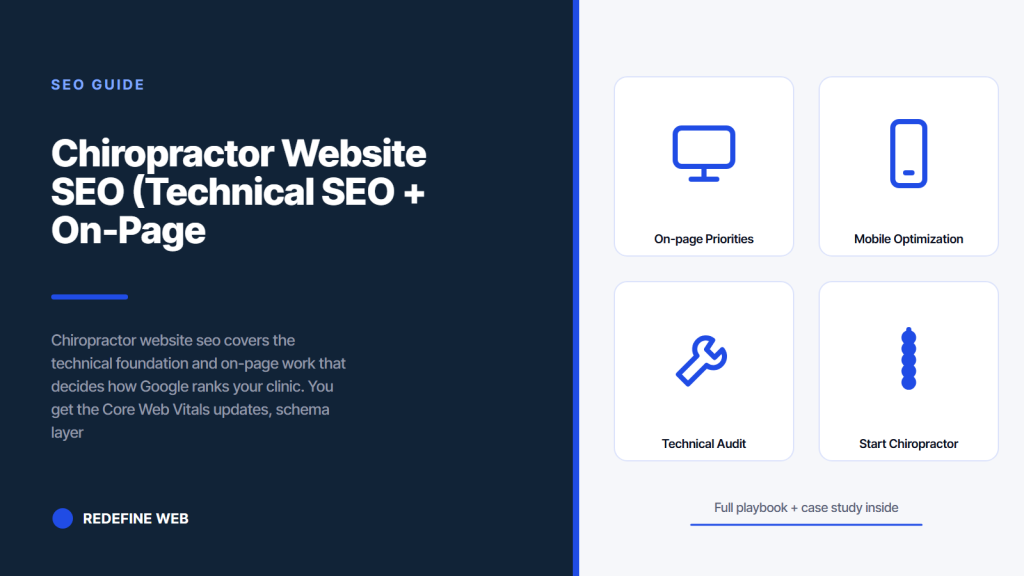
- Core Web Vitals is a confirmed ranking signal. Fix mobile first.
- Schema markup unlocks rich search results in 2 to 6 weeks.
- Titles and meta descriptions are the highest-return quick fix.
- Internal linking spreads authority across the site.
- Mobile-first is required. Google indexes the mobile version.
- On-page priorities every chiropractor website seo audit should cover
- Site architecture that spreads chiropractor website authority correctly
- Internal linking as the underused chiropractor website seo lever
- Mobile optimization for how page speed impacts chiropractor website ranking
- Abigail Ahern case study on chiropractor website seo and conversion optimization
- Conversion optimization that pairs with chiropractor website seo
- Technical audit workflow every chiropractor website seo project needs
- Where to start on chiropractor website seo this weekend
Chiropractor website seo is where most clinic marketing programs quietly break. The Google Business Profile might be pristine. The content calendar might be running. The map pack might be climbing. Then a prospective patient clicks through to the website, waits 6 seconds for the home page to load, sees a layout that breaks on mobile, cannot find the booking button, and closes the tab. Every one of those failures happens on the website. Fixing them is the highest-return work in the entire SEO stack.
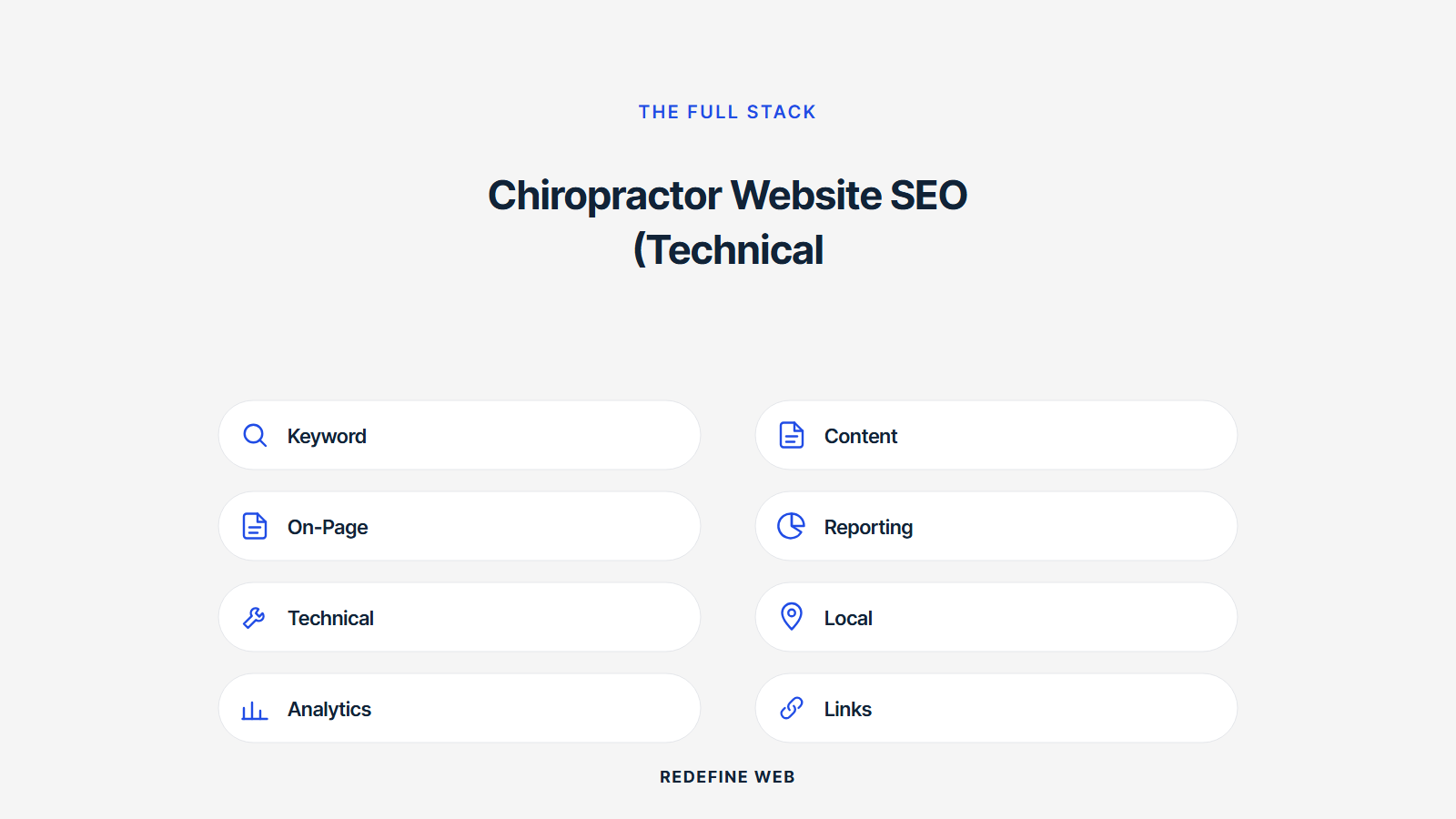
This guide walks you through the full technical and on-page SEO priorities that matter for a chiropractic website. Core Web Vitals fixes that Google now uses as a ranking factor. Schema markup that unlocks rich search results. On-page SEO priorities on your top ten pages. Site architecture that spreads authority correctly. Internal linking. Mobile optimization. And the conversion optimization work that turns organic traffic into booked patients. Read straight through in eleven minutes. Then run the fix list against your actual site.
On-page priorities every chiropractor website seo audit should cover
Every chiropractor website seo audit should cover on-page elements across the top ten priority pages. Home page. About page. Every service page. Every location page. Every provider page. Top blog posts by traffic. Each page gets systematic optimization across seven elements. Title tag. Meta description. H1. H2s. Body copy. Image alt text. Internal links.
| Element | Target | Common failure |
|---|---|---|
| Title tag | 50-60 chars, primary keyword front | Brand-first titles that hide the keyword |
| Meta description | 145-160 chars, keyword in first 60 | Duplicate meta descriptions across pages |
| H1 | Primary keyword, no colon, no number | Multiple H1s per page or missing H1 |
| H2s | 4-8 per page, secondary keywords | Generic H2s without keyword coverage |
| Body copy | 700-1500 words, original content | Stock content copied from vendor templates |
| Image alt text | Descriptive, keyword when natural | Missing alt or filename-as-alt |
| Internal links | 3-8 per page, descriptive anchor | Generic anchor text like “click here” |
Titles are the highest-return fix
Title tags are the highest-return single change on any chiropractic website. Rewrite every priority page title with the primary keyword at the front, a differentiator in the middle, and your brand at the end. Example. Sports Chiropractor Denver | Injury Rehab | Redefine Chiropractic. 50 to 60 characters. Include the location because chiropractic is a local service. Ranking movement usually appears inside 4 to 8 weeks. Click-through rate from search results improves within days of Google recrawling. This is the single change every clinic can make in a Saturday afternoon that produces measurable results within a month.
H1 and H2 structure that ranks
Every page needs exactly one H1 containing the primary keyword. Not two. Not zero. Exactly one. H2s come next, 4 to 8 per page, covering the subtopics your competitors cover. Include secondary keywords in H2 phrasing naturally. Never stuff keywords. H3s sit under H2s where the topic needs breakdown. Never skip heading levels. Never use H1 for anything other than the page title. Never use H2 for a section that is only two sentences long. Heading structure is one of the easier ranking signals to get right and one of the more common ones clinics get wrong.
Site architecture that spreads chiropractor website authority correctly
Site architecture decides how link equity flows across your chiropractor website. Poorly organized sites concentrate all the authority on the home page and starve the service pages that need to rank. Well organized sites distribute authority intentionally to the pages that should rank for commercial queries.
Build a clean hierarchy. Home page. Services parent. Individual service child pages. Locations parent if you have multiple. Individual location child pages. Providers parent. Individual provider pages. Blog parent. Individual blog posts. About page. Contact page. Every service page should be one click from the home page via the main navigation. Every blog post should be two clicks from the home page. Every location should be one click. Depth beyond three levels dilutes authority and hurts ranking. Flatten the site as much as possible without losing organization.
Navigation structure best practices
Main navigation should include Home, Services, About, Providers, Locations if multiple, Blog, Contact, and a booking button. Nothing else at the top level. Dropdown menus expose individual services under Services. Individual providers under Providers. Individual locations under Locations. Never bury important pages three levels deep in dropdowns. Never force patients to search for the booking button. The booking button is your highest-converting element. Give it prime real estate in the header and repeat it in the footer.
Breadcrumb trails for hierarchy signals
Breadcrumb trails show visitors and search engines where a page sits in your site hierarchy. Home > Services > Sports Chiropractic. Home > Locations > Denver Downtown. Home > Blog > How Long Does an Adjustment Take. Breadcrumbs improve user experience and communicate site structure to Google. Add BreadcrumbList schema to reinforce the hierarchy signal. Every page below the top level gets breadcrumbs. Every breadcrumb link is clickable. This small touch consistently earns ranking improvements across 4 to 8 weeks after deployment.
Internal linking as the underused chiropractor website seo lever
Internal linking is where most chiropractor website seo audits find the biggest room for improvement. Clinics publish blog posts, service pages, and location pages without connecting them through intentional internal links. That leaves ranking authority isolated on individual pages instead of flowing across the site.
Add 3 to 8 internal links per page. Every service page links to related services, the location where it is offered, the provider who delivers it, relevant blog posts, and the booking page. Every blog post links to the relevant service page, the provider who authored or reviewed it, related blog posts, and the booking page. Every location page links to the services offered at that location, the providers at that location, and the booking page. Descriptive anchor text every time. Never “click here” or “learn more” alone. Always describe what the link points to.
- Service pages link to related services and providers
- Blog posts link to service pages and the booking page
- Location pages link to services and providers at that location
- Provider pages link to services delivered and their reviewed blog posts
- FAQ page links to related service pages and blog posts
- Blog category pages link to top posts in that category
Anchor text signals target keywords
Every internal link anchor text signals to Google what the destination page is about. Use specific, keyword-relevant phrases as anchor text. Instead of “learn more,” write “learn more about our sports chiropractor services.” Instead of “click here,” write “see our downtown Denver location.” Descriptive anchors reinforce the target page’s ranking on relevant queries. Generic anchors waste ranking signals. Every internal link is a signal. Every signal should be intentional.
Hub and spoke model for content authority
Organize content into hub and spoke clusters. A hub page covers a broad topic like sciatica treatment. Spoke pages cover related subtopics like sciatica exercises, sciatica prevention, sciatica recovery time, and sciatica versus piriformis syndrome. Each spoke links to the hub. The hub links to every spoke. This structure concentrates ranking authority on the hub while spreading traffic across long-tail queries via the spokes. Every hub topic should have 5 to 10 spoke pages. Build one cluster per quarter. In 12 months you have 4 fully built topic clusters that dominate ranking for their subject areas.
Turn off wifi, load your homepage on cellular. If it takes over 3 seconds, mobile users are gone before your ad tracker fires. Fix speed before you touch content.
Mobile optimization for how page speed impacts chiropractor website ranking
Understanding how page speed impacts chiropractor website ranking starts with mobile. Google uses mobile-first indexing. That means the mobile version of your site is the version Google evaluates for ranking. A site that works perfectly on desktop but poorly on mobile ranks based on the mobile version, not the desktop version. Mobile optimization is not a nice-to-have. It is the ranking foundation.
Test every priority page on a real mobile device, not just the responsive preview in your desktop browser. Load speed. Touch target size. Font readability. Form input flow. Booking button placement. Navigation ease. Fix any page that fails the mobile experience test. Common failures include unreadable font sizes below 14 pixels, touch targets below 44 pixels, forms that require zooming to complete, and booking buttons hidden below three scrolls of content. Every one of these failures loses patients and drops rankings. Fix each systematically across the top ten pages.
Mobile form optimization for booking flow
Your booking form is the highest-value element on the site. Optimize it for mobile input. Use the correct HTML input types so phone keyboards show up for phone number fields and email keyboards show up for email fields. Enable autocomplete on every field. Support the browser autofill. Keep the form to 5 fields or fewer for the initial booking. Name, phone, email, preferred appointment day, and a text field for concerns. Additional fields can be collected during the appointment confirmation flow. Every extra field on the mobile form drops conversion by 3 to 8 percent.
Tap targets and thumb zones
Buttons and links on mobile need to be tappable without magnification. Google requires tap targets of at least 44 by 44 pixels for accessibility compliance. Place primary buttons in the thumb zone, the area of the screen users can reach with their thumb while holding the phone one-handed. That zone sits in the lower center of the screen for right-handed users on average. Put the booking button there. Repeat the booking button in the header for users who scroll up. Duplicate it in the footer for users who scroll to the bottom. Multiple placements produce higher conversion than single placement.
Abigail Ahern case study on chiropractor website seo and conversion optimization
Abigail Ahern, a global luxury home decor brand, provides a case study on integrated technical SEO and conversion optimization that mirrors what a chiropractic website needs. The brand had strong recognition but a weak digital marketing footprint. SEO was underperforming. Category pages were thin. Paid campaigns lacked segmentation. Ad messaging leaned on discounts that damaged the brand’s premium positioning.
We restructured SEO around intent-driven traffic and premium creative. Category and product pages got enriched content targeting non-branded queries. Paid campaigns got segmented by product category with margin-aware budget allocation. Ad messaging aligned with brand quality instead of discount-first messaging. Results across 12 months. Ecommerce revenue up 179 percent. Paid search ROAS grew to 1,588 percent. Paid social ROAS hit 3,000 percent. Every gain came from disciplined technical SEO paired with disciplined conversion optimization on the pages traffic actually landed on.
Transferable plays for chiropractic websites
Every tactic transfers. Enrich thin service pages with 800-plus words of original content. Target non-branded queries with dedicated pages instead of relying on branded searches alone. Align messaging on landing pages with the intent of the searcher who clicked through. Segment traffic sources and match each to the right landing page. Optimize the booking flow like a checkout funnel. Every incremental improvement on the website compounds across the traffic already coming in from SEO. Fixing the site is often higher-return than driving more traffic to a broken site.
Integrated approach beats siloed optimization
Abigail Ahern’s results came from treating SEO and CRO as one system. Same for chiropractic websites. Technical SEO gets more traffic. On-page optimization converts more of that traffic into leads. Booking flow converts more leads into scheduled appointments. Every layer feeds the next. Optimizing one layer while ignoring the others produces small gains. Optimizing all layers together produces the compounding results the case study shows. Chiropractic clinics running integrated programs report similar magnitudes of improvement inside 12 months.
Every clinic owner has the same conversation with their web developer once a year. The developer says the site is fine. The owner says the site is slow. The developer runs a speed test on a desktop with fiber internet at 3 am. Score is 92. Owner runs the same test on their phone at the coffee shop during lunch rush. Score is 34. Developer says the test result depends on network conditions. Owner says patients search on phones at coffee shops during lunch. Developer says they will fix it next quarter. Next quarter arrives. Nothing changes.
Conversion optimization that pairs with chiropractor website seo
Chiropractor website conversion rate optimization is the layer that turns organic traffic into booked patients. SEO drives clicks. CRO drives bookings. Most clinics obsess over SEO metrics and ignore CRO metrics. That mismatch is why some clinics rank well and still struggle to grow the calendar. Traffic without conversion is vanity.
Focus CRO work on six pages that matter most. Home page. Service pages. Location pages. Provider pages. Contact page. Booking page. Each page needs a clear primary call to action, a supporting visual, social proof through reviews or testimonials, and a friction-reduced booking path. Home page CTA: Book Your Consultation. Service page CTA: Book Sports Chiropractic Now. Location page CTA: Book at Downtown Denver. Provider page CTA: Book with Dr. Ramirez. Every page has one primary action. Reduce cognitive load. Increase conversion rate.
Trust signals every page needs
Trust signals on every page reduce booking friction. Display Google review rating with count near the top. Add licensing and credentials on provider pages. Include HIPAA compliance language on booking pages. Show insurance carriers accepted. Add photos of the actual clinic and team. Include a specific phone number for questions. Every trust signal removes a small barrier between the click and the booking. Stack multiple signals per page. Multi-signal pages convert 20 to 40 percent higher than single-signal pages in most chiropractic markets.
Booking flow friction drops conversion
The booking flow is where prospective patients drop off in the largest numbers. Every extra step, every additional field, every unclear button reduces conversion. Simplify the flow to three steps. Pick a time. Enter contact info. Confirm. Nothing else. Everything else can happen during the intake process. Test the flow on a real phone weekly. Time yourself. Every second of friction loses patients. Every friction point removed is money on the calendar. Reference our chiropractor website CRO guide for the full conversion optimization playbook. Also see the Nielsen Norman form design guide for the underlying UX research.
Technical audit workflow every chiropractor website seo project needs
A technical audit surfaces the specific problems slowing your chiropractor website seo work. Run one before starting optimization. Run another every 90 days as maintenance. Every audit produces a list of specific fixes to ship in the following 30 days. Skip the audit and you optimize the wrong things.
The audit workflow runs across five tools. Screaming Frog crawls the site and lists broken links, missing meta tags, and duplicate content. Google Search Console shows current impression and click data, indexing status, and manual actions. Google PageSpeed Insights runs on every priority page. Google’s Rich Results Test verifies schema deployment. Ahrefs or SEMRush surfaces backlink profile and competitor ranking gaps. Each tool takes 20 to 45 minutes to run. Together they produce a full fix list. Assign each fix an owner and a due date. Apply the fixes in the following 30 days. Then run the next audit at day 90.
Screaming Frog crawl basics
Screaming Frog is free for up to 500 URLs, which covers most single-location chiropractic websites. Run a full crawl. Export the results. Filter for broken links (404s and 5xxs). Filter for missing meta descriptions. Filter for duplicate title tags. Filter for pages missing H1 tags. Filter for images missing alt text. Each filter produces a fix list. Assign each list to a specific weekly time block. Apply the fixes systematically over 30 days. This process alone often surfaces 40 to 80 specific optimizations most clinics never notice.
Search Console diagnostics
Google Search Console is free and provides direct diagnostic data from Google itself. Review the coverage report for indexing errors. Review the mobile usability report for mobile issues. Review the Core Web Vitals report for pages failing the ranking signals. Review the manual actions report for any Google penalties. Review the performance report for queries you rank on that you did not know you ranked on. This data guides prioritization better than any third-party tool because it comes directly from the algorithm that ranks your pages.
Where to start on chiropractor website seo this weekend
Start Saturday morning with Core Web Vitals. Run every priority page through Google PageSpeed Insights. Note current scores. Fix the pages scoring under 80 on mobile first. Common quick wins take 2 to 4 hours per page and produce measurable ranking movement inside 4 to 8 weeks. That is the highest-return single Saturday you can spend on your chiropractor website seo work.
Then move to titles and meta descriptions on Sunday. Rewrite the top ten priority pages. Add primary keyword at the front. Include location. Include brand. 50 to 60 characters. Meta descriptions 145 to 160 with keyword in the first 60. Deploy schema markup the following weekend. Rebuild internal linking the weekend after that. Full site audit and cleanup by month two. That schedule produces top-3 rankings on most target keywords by month six in most chiropractic markets. When you’re ready to see the full ranking stack, our SEO for chiropractors guide walks through every layer. For map pack work specifically, our Local SEO writeup covers Google Business Profile. For the on-page checklist by phase, our SEO checklist lists every task. For page speed detail, our Page speed guide walks through the fixes. For website maintenance ongoing, our Website maintenance post covers the workflow. And for the integrated program that pairs SEO with paid and content, our Chiropractor marketing services page shows the full stack. Also review web.dev performance guide for the Core Web Vitals reference.
Frequently asked questions
What is chiropractor website seo and why does it matter
Chiropractor website seo is the technical and on-page work that decides how Google ranks your chiropractic website. It covers Core Web Vitals, schema markup, on-page optimization, site architecture, internal linking, mobile optimization, and conversion rate optimization. It matters because the website is where organic search traffic actually lands and either books an appointment or leaves. Even the best Google Business Profile ranking wastes 40 to 60 percent of its click traffic if the website is slow, poorly organized, or hard to navigate on mobile. Fixing chiropractor website seo is often the highest-return single investment a clinic can make in its digital marketing program.
How does page speed impact chiropractor website ranking
Page speed is a confirmed Google ranking signal for both desktop and mobile results. Slow sites rank lower on organic search. Slow sites also convert worse. Every one-second delay in mobile page load time reduces conversion by approximately 20 percent. Fixing page speed is a double win. It improves rankings and it improves booking rates on the traffic you already get. The three Core Web Vitals metrics that matter are Largest Contentful Paint (under 2.5 seconds), Interaction to Next Paint (under 200 milliseconds), and Cumulative Layout Shift (under 0.1). Run every priority page through Google PageSpeed Insights, fix the pages scoring under 80 on mobile first, and expect ranking improvements within 4 to 8 weeks.
What schema markup should chiropractor websites use
Chiropractor websites should carry five schema types across the site. LocalBusiness or MedicalClinic schema on the home page with NAP, hours, geo coordinates, and image. MedicalOrganization as an overlay for multi-location practices. Physician schema on each provider page with name, specialty, credentials, and image. Service schema on each service page describing the treatment offered. FAQPage schema on the FAQ page for the top questions. Review or AggregateRating wherever you display reviews. Use Google's Structured Data Markup Helper to generate the JSON-LD, test with Google's Rich Results Test, and deploy in the head or footer. Rich search results appear within 2 to 6 weeks of correct deployment.
How many internal links should each chiropractor website page have
Each page should have 3 to 8 internal links to related pages within your site. Every service page links to related services, the location where it is offered, the provider who delivers it, relevant blog posts, and the booking page. Every blog post links to the relevant service page, the provider who authored or reviewed it, related blog posts, and the booking page. Every location page links to the services offered at that location, the providers at that location, and the booking page. Use descriptive anchor text every time. Never generic phrases like "click here" or "learn more" alone. Descriptive anchors reinforce the target page's ranking on relevant queries and pass ranking authority intentionally.
What on-page SEO priorities matter most for chiropractor websites
The top on-page priorities on a chiropractor website are title tags, meta descriptions, H1 tags, H2 structure, body copy quality, image alt text, and internal linking. Title tags are the single highest-return change. Rewrite every priority page title with the primary keyword at the front, a differentiator in the middle, and your brand at the end. 50 to 60 characters. Include the location because chiropractic is a local service. Meta descriptions 145 to 160 characters with the keyword in the first 60. Exactly one H1 per page containing the primary keyword. 4 to 8 H2s covering subtopics with secondary keywords woven naturally. 700 to 1500 words of original content per page. Every one of these takes 45 to 90 minutes per page to get right.
How does chiropractor website conversion rate optimization pair with SEO
Chiropractor website conversion rate optimization pairs with SEO by turning the traffic that SEO drives into booked appointments. SEO drives clicks. CRO drives bookings. Most clinics obsess over SEO metrics and ignore CRO metrics. That mismatch is why some clinics rank well and still struggle to grow the calendar. Focus CRO work on six pages that matter most. Home page. Service pages. Location pages. Provider pages. Contact page. Booking page. Each page needs a clear primary call to action, a supporting visual, social proof through reviews or testimonials, and a friction-reduced booking path. Every friction point removed increases conversion. Fixing the site is often higher-return than driving more traffic to a broken site.
Book your free 30-minute strategy call.
No spam, no sales rep. We use your email to schedule your call with a senior strategist. That is it.
More from the blog
View all articles → SEO
SEO Organic Search Engine Optimization Services That Grow Real Traffic
Read article SEO
SEO SEO for Pet Groomers That Fills the Appointment Book Weekly
Read article SEO
SEO