Healthcare website development is the working stack behind the design, the CMS, the HIPAA hosting, the forms, the integrations, the analytics, and the security work that decides whether a healthcare site launches on time and stays out of a state audit report. Skip a requirement and you either pay to rebuild in 6 months or you accept a legal exposure the practice can’t afford.
Roughly 83% of adult patients search online for medical information before they call a practice, so the site is the first clinical interaction the practice ever has with them. This guide walks through what gets built during the development phase, what the common requirements look like on a real project, where the hidden costs live, and how the choices in this phase constrain everything design has already committed to. If you’re the practice owner, the marketing lead, or the office manager who signs the invoices, read this before the developer writes any code. Most of the expensive mistakes get made here.
What Healthcare Website Development Actually Covers
Healthcare website development covers the working stack behind the design. CMS setup, form architecture, hosting configuration, security hardening, and third-party integrations. It covers accessibility implementation too, performance budgets, analytics setup, and the QA passes that decide whether the site launches on time.
Every one of those items is a design constraint in disguise, and every skipped item shows up as a bug 3 months after launch. The practice doesn’t have to become an expert. It does have to understand which decisions live in this layer.
Why healthcare website development scope creeps
Healthcare projects creep for one reason. The practice discovers integration and compliance requirements the discovery call missed. The insurance portal that has to embed. The EHR system that has to talk to the booking form. The pharmacy tie-in that nobody mentioned until the doctor asked. Each of those adds days to the estimate. A working discovery process catches most of them up front, but no discovery catches all of them, so a healthy contingency line belongs in every quote.
Why development is where healthcare compliance lives
Design produces the layouts. Development produces the compliance. HIPAA, ADA, WCAG 2.1 AA, and every state privacy rule get enforced or ignored in the code, not in the wireframe. Practices that treat this phase as a commodity end up with beautiful designs riding on non-compliant plumbing. That’s the fastest path from launch celebration to legal letter.
Why scope decides the maintenance retainer
The complexity of the development phase decides how much ongoing maintenance the site needs. A custom-coded booking flow with 3 third-party integrations needs monthly attention. A well-configured off-the-shelf stack needs quarterly attention. Neither is inherently better, but the call made during development commits the practice to a retainer shape for years.
The 10 Common Requirements in Every Healthcare Web Development Quote
Healthcare web development has a common requirements list that repeats across almost every practice we work with. Solo primary care, multi-provider clinic, multi-location network, specialty group, telehealth-first. The details change. The requirements don’t. Here’s the working list every quote should cover, and if it’s not in the scope document, it’s not in the build.
- CMS the practice can update without a developer for basic content changes.
- Form stack with encrypted submission and a signed BAA with the vendor.
- HIPAA-compliant hosting environment with signed BAA and enforced HTTPS.
- Analytics implementation that doesn’t capture protected health information.
- Booking flow that integrates with the practice’s actual scheduling system.
- Accessibility features built to WCAG 2.1 AA baseline across every template.
- Core Web Vitals passing at the 75th percentile of mobile traffic.
- Backup and disaster recovery with off-site copies and tested restores.
- Security hardening including WAF, rate limiting, and CMS user role audits.
- Third-party integrations documented so future developers can maintain them.
The item most healthcare quotes silently skip
Backup and disaster recovery is the item that gets skipped or hand-waved in most healthcare development quotes. Agencies tend to assume the host handles it. Hosts tend to assume the agency handles it. Neither configures it end-to-end unless the practice asks. The first time the site has a database issue, everyone learns whose responsibility it was. The practice pays for the education.
Why the CMS choice locks the next 5 years
The CMS decision is one of the highest-impact choices in the whole project. WordPress with a HIPAA-compatible host, a headless setup with Next.js, or a specialty platform like Weebly Health each carry different maintenance profiles, plugin ecosystems, and developer availability. Careful development picks the CMS that matches the practice’s internal capacity for updates, not the CMS the developer prefers to work in.
Why integrations dominate the timeline
Every healthcare site has integrations. Scheduling systems, insurance verification, EHR platforms, pharmacy tie-ins, review aggregators, patient portals. Each integration adds a discovery step, an authentication flow, a data mapping exercise, and a QA loop. The design might finish in 4 weeks. The integrations often take 6.
Web Development for Healthcare and the CMS Decision
Web development for healthcare has to start with a CMS decision that survives the next 5 years. Practices routinely make this call based on what the current developer prefers, and that’s almost always the wrong reason. The right reason is a match between the practice’s internal capacity, the site’s integration needs, and the plugin or module ecosystem available for healthcare-specific requirements.
WordPress in healthcare
WordPress runs about 40% of the healthcare sites we audit. It has the widest plugin ecosystem, the largest developer pool, and the deepest history of accessibility and security modules. It carries the widest surface area for security vulnerabilities if it’s not maintained. Well-run WordPress healthcare setups run a managed HIPAA host, a hardened admin, monthly plugin updates, and a limited plugin roster. Slap-together setups are the source of most healthcare breach headlines.
Headless and JAMstack
Headless setups with a decoupled CMS and a Next.js or Astro front end offer performance and security advantages, but they require ongoing developer availability. Practices that pick headless without securing a long-term developer relationship end up stuck when even minor content changes need code deploys. Headless is the right call when the practice has budget for a monthly retainer with a specialist team and the site needs advanced integrations.
Specialty healthcare platforms
Specialty platforms like Officite, MyAdvice, and Weebly Health offer pre-built compliance and integration features specific to healthcare. They cost more per month than open-source options and lock the practice into the vendor’s roadmap. They remove the compliance guesswork too for smaller practices that lack internal technical staff. The trade-off is flexibility versus overhead. Neither is universally right.
Healthcare Web Application Development and Custom Portals
Healthcare web application development is a different category from marketing site work. Custom patient portals, appointment reminders, telehealth waiting rooms, and provider dashboards all involve custom application work with different compliance, security, and maintenance obligations. Practices asking for a website often need parts of an application, and the confusion between the two categories drives most of the budget overruns we see.
When a marketing site is enough
A marketing site is enough when the practice needs a public-facing presence with service information, provider bios, and a booking form that hands off to an external scheduling system. That’s 80% of what most single-provider and small multi-provider practices need. Adding custom application logic to a marketing site scope is where budgets triple without a matching gain in patient outcomes.
When custom application logic is required
Custom application development becomes necessary when the practice runs multi-step patient intake, custom insurance verification, provider-facing dashboards, or telehealth features that off-the-shelf tools don’t support. Multi-location networks, specialty groups with custom clinical workflows, and DSO-scale operators typically need application development. Solo practices rarely do. The honest scoping conversation separates the two before the quote lands.
The hybrid pattern that works
Most mid-size healthcare projects land on a hybrid. WordPress or a headless CMS handles the marketing content. A separate custom-built application handles patient portal features. The two are connected through an authenticated hand-off. This pattern separates the maintenance responsibilities and keeps the marketing site fast without inheriting the compliance burden of the full application layer.
Comparing Healthcare Website Development Stacks
Different practice sizes fit different development stacks. The table below shows the pattern that usually matches each practice type and the trade-off it accepts. Every stack has an honest downside. There’s no universally best answer, only a best answer for a specific practice at a specific stage of growth.
| Practice size | Recommended stack | Monthly cost | Trade-off |
|---|---|---|---|
| Solo provider | WordPress on HIPAA host + booking widget | $50 to $150 hosting | Manual plugin updates |
| Small clinic (2 to 5 providers) | WordPress on managed HIPAA host | $150 to $400 | Plugin drift over time |
| Multi-location clinic | WordPress or specialty platform | $400 to $1,200 | Location-page maintenance |
| Specialty group (10+ sites) | Headless CMS + Next.js | $1,200 to $3,000 | Needs ongoing developer |
| DSO or hospital network | Custom stack with EHR integration | $3,000 plus | Long build, high compliance cost |
Reading the table honestly
The monthly cost column is hosting plus core managed services. It doesn’t include the marketing retainer, the ongoing content work, or the paid campaigns. Practices that see the hosting number and assume it’s the total cost end up under-budgeted for the site’s real operational envelope. Honest scoping separates the build cost, the hosting cost, and the marketing retainer into 3 transparent line items so the practice can plan for the actual year-one number, not the launch-week number.
The build cost is a one-time investment. Hosting is monthly. The marketing retainer is monthly and grows with the site. When those 3 numbers get stacked honestly at the scoping meeting, the practice can decide which stack fits the budget without discovering the total cost the hard way in month 4.
Security, Forms, and Analytics in Healthcare Development
Security in healthcare development is not a checklist you tick after launch. It’s a set of decisions embedded in the form stack, the analytics stack, the hosting configuration, and every third-party integration. Practices that miss any of them create the risk that shows up in state audit reports and news headlines. The 3 fastest-moving risk categories on healthcare sites are forms, analytics, and unpatched CMS installs.
Forms and the BAA question
Every form that collects protected health information needs an encrypted submission path, HIPAA-compatible storage, and a signed Business Associate Agreement with the vendor. Standard form plugins on default configurations don’t qualify. Compliant options exist. They just have to be specified in the scope so the developer builds against the right stack. For a fuller view of the form security question, see our related Security Features for Healthcare Websites reference.
Analytics without capturing PHI
Standard analytics setups on healthcare sites routinely capture URL parameters, form field content, or user identifiers that qualify as protected health information. The development side has to strip those signals at the tag manager, prefer server-side tagging where feasible, and audit the data layer regularly. A quarterly analytics audit that catches new exposure is a required part of the ongoing retainer, not a nice-to-have.
Patching cadence and unattended CMS installs
An unpatched WordPress install running out-of-date plugins is the single biggest source of healthcare site compromises. Every developer already knows this. Every practice still lets it happen, and the reason is simple. Nobody was assigned the patching responsibility explicitly. The fix is boring. Assign the patching. Schedule it monthly. Log it.
Healthcare Web App Development and Real Integrations
Healthcare web app development lives at the intersection of scheduling systems, insurance platforms, EHR integrations, telehealth stacks, and payment processors. Each of those integrations has its own authentication model, data mapping, and compliance obligation. Most practices need only a subset. Getting the subset right at scoping saves months of rework at launch.
Scheduling integrations
Scheduling is the integration every practice needs. Options range from lightweight embed widgets like NexHealth or Zocdoc to deep API integrations with Epic MyChart or Cerner. The lightweight embeds cost less to build and less to maintain. The deep integrations offer better patient experience and lock the practice into the EHR vendor. Neither is universally right. The practice that already committed to an EHR usually needs the deep integration.
Insurance verification
Insurance verification on the public site removes the largest friction point in the booking flow. Real-time eligibility checks can be embedded via specialty vendors, but they need careful compliance work given the results are protected health information. Most solo practices use a simpler pattern that surfaces the accepted payers and defers verification to the intake call. That’s fine, and it avoids the compliance overhead.
Patient portal hand-offs
The public site rarely runs the patient portal. The public site hands off to the patient portal. That hand-off has to be smooth, authenticated, and clearly signposted. Patients who can’t find the portal login end up calling the office, which turns a self-serve interaction into a staff cost. Solid development treats the portal hand-off as a first-class part of the site, not an afterthought footer link.
Healthcare Website Development Case Study From a Real Client
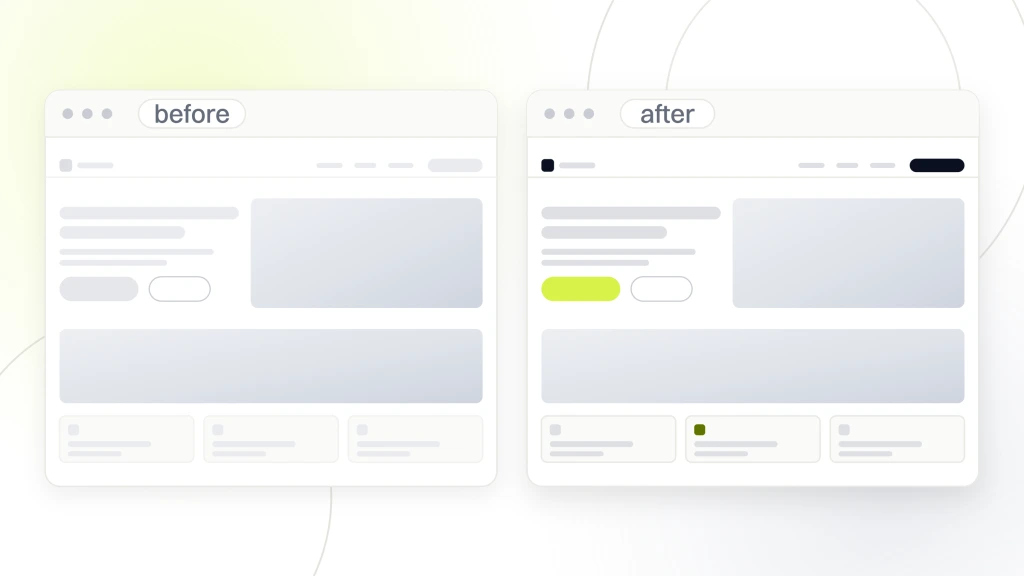
Pelvic Rehabilitation Medicine, a specialty medical group with 14 locations across 10 states, engaged Redefine Web on a development project that had to scale a fragmented site into a working platform across a growing footprint. The development side handled a WordPress rebuild on a HIPAA-compliant host, a restructured URL architecture for location and condition pages, an accessibility remediation pass, and the launch of a dedicated patient community platform. Over the 2023 to 2024 engagement, organic keyword rankings expanded 174% year over year and organic traffic grew 166%, which validated the development-side choices as much as the design ones.
Why the URL architecture change moved the number
The pre-project URLs mixed location and condition information in an inconsistent structure that search engines couldn’t cleanly index. The development team restructured to a predictable pattern with condition-first URLs and location-first URLs handled by separate templates. That change alone let organic search finally surface the right pages for the right queries, without the copy having to change.
Why the community platform belongs in development scope
The patient community platform is a discrete piece of custom development that lives inside the broader site. Practices that want a community feature often assume it’s a plugin. It rarely is. It usually needs custom moderation tools, spam mitigation, and privacy-aware user profile handling. Scoping it as a development project rather than a plugin decision was the reason it launched cleanly.
Hosting, Backups, and Ongoing Healthcare Website Development
Hosting decisions get made once and pay recurring costs forever. Healthcare hosting is not the place to save money on the launch quote. The savings almost always come back as unexpected performance issues, uncovered PHI incidents, or plugin conflicts that a properly managed HIPAA host would have caught. For the deeper hosting-side discussion, see our related Healthcare Web Hosting reference.
What HIPAA-compliant hosting means
HIPAA-compliant hosting means the host signs a Business Associate Agreement, provides encryption at rest and in transit, offers audit logs, and runs the environment in a way that supports the practice’s own HIPAA obligations. Cheap shared hosting doesn’t qualify. Managed HIPAA hosting with a signed BAA is a baseline expense, not a premium one, and it typically runs $150 to $500 a month for a small practice.
Backups nobody checks
Backups run automatically at most hosts. They fail silently at most hosts too. A backup that has never been restored is not a backup. Every healthcare site should run at least a quarterly restore test to a staging environment to confirm the backup works and the restore procedure completes. This is boring work. It’s the difference between a bad afternoon and a bad year.
The one hosting joke every developer tells
The best-performing website is the one that stayed up during a state audit. Nobody wants to admire the uptime graph on a Monday, and everyone wants it on a Friday afternoon. Good hosting is invisible until it’s not. That’s the correct order for the invisibility to run in.
Performance Budgets and Core Web Vitals in Healthcare Development
Performance during a healthcare build is not something the developer optimizes after launch. It’s a budget locked at the start of the build. Every asset the site loads has to fit inside a performance budget that keeps Largest Contentful Paint under 2.5 seconds on mobile at the 75th percentile of the practice’s real traffic. Development teams that lock this budget on day one hit the target. Teams that plan to optimize later almost never catch up. For the deeper Vitals view, see our related Core Web Vitals reference.
The image budget
Image weight is the largest single factor in healthcare site performance. A working budget sets a per-image ceiling of about 80 kilobytes for content images and 150 kilobytes for hero images, all served in WebP with responsive sizes. Practices that launch a site with 3-megabyte hero backgrounds inherit a permanent LCP problem that requires ongoing engineering to fix.
The third-party script budget
Every third-party script the practice adds costs a fraction of the performance budget. Chat widgets, review widgets, insurance verification embeds, and analytics tags all compound. A working budget caps the number of blocking third-party scripts at 3, defers everything else, and reviews the list quarterly.
The font budget
Custom fonts eat performance budget. Disciplined development limits the site to at most 2 custom font families, uses variable fonts where possible, preloads the critical fonts, and specifies matched fallback metrics to keep Cumulative Layout Shift below 0.1. Font choices made in design without a matching development budget are the number one Vitals killer we see at launch.
How to Scope Healthcare Website Development Correctly
Scoping healthcare website development correctly is a project management skill more than a technical one. The developer has to ask the questions that reveal the integrations, the compliance obligations, and the maintenance model before the quote goes out. If those questions don’t appear in the discovery call, the quote will be wrong.
- Which scheduling system, EHR, and patient portal does the practice already use.
- How many locations and providers are on the site today, and 24 months out.
- Who owns HIPAA compliance internally, and which vendors already have signed BAAs.
- What’s the practice’s internal capacity for content updates without a developer.
- What’s the current site’s performance baseline and what did the last audit find.
- What accessibility issues has the practice already had flagged.
- What’s the year-one budget for hosting, maintenance, and ongoing development.
Why these questions shape the quote
Every answer changes the scope. A practice on Epic MyChart needs a different integration story than a practice on Zocdoc. A practice with no internal content capacity needs a CMS non-technical staff can update. A practice with a bad accessibility audit history needs remediation baked into the build rather than tacked on later. The quote isn’t one number. It’s a stack of decisions, each of which shifts the total.
Timelines that hold up
A realistic development-phase timeline for a mid-size healthcare site runs 10 to 16 weeks after design finalizes. Solo practice refreshes can finish in 6 weeks. Multi-location networks or specialty groups with EHR integrations take 4 to 6 months. Timelines under 4 weeks are either tiny scopes or missed compliance work. Timelines over 8 months without staged deliverables usually indicate scope drift that will keep growing.
What happens after launch
Launch is halftime, not the finish. The first 30 days after launch are when analytics reveal the highest-friction points in the booking flow, when performance regressions show up under real traffic, and when the plugin and CMS ecosystem gives out its first updates. A working development contract includes at least 30 days of post-launch iteration bundled in the scope. Practices that treat launch as the finish line inherit a slowly degrading site.
Make Healthcare Website Development Work for Your Practice
Healthcare website development is where the site earns its long-term viability. For deeper reading, see the HHS HIPAA Security Rule, the Google Core Web Vitals documentation, and the WordPress developer security handbook. If your development quote has skipped any of the 10 common requirements above, ask for a revised scope before you sign. If your team wants a working audit of a current healthcare site’s development quality against the standards in this piece, our team runs paid diagnostics that end in a prioritized fix list. For the design-side companion reference, see our Healthcare Web Design (Pillar).