Skip to content
NOW BOOKING NEW ENGAGEMENTS GET A FREE STRATEGY SESSION ↗
HOME / BLOG / WEBSITE MAINTENANCE / PROVEN ECOMMERCE WEBSITE MAINTENANCE CHECKLIST FOR
WEBSITE MAINTENANCE

Proven Ecommerce Website Maintenance Checklist for DTC

This ecommerce website maintenance checklist walks DTC founders through the monthly, quarterly, and annual tasks that keep a store fast, secure, and ranking. Real cadences by platform, priority order, and the costs of skipping any one of them.

Proven Ecommerce Website Maintenance Checklist for DTC
On this page+
KEY TAKEAWAYS
Monthly cadence runs 4 to 6 hours on a mid-sized DTC store.
Quarterly audit runs 8 to 14 hours and catches speed regressions.
Annual pass runs 20 to 60 hours and hardens the platform.
Cap WooCommerce plugins at 25, Shopify apps at 15.
Named ownership prevents 90-day checklist drift.

A DTC skincare brand doing $4.1M in annual revenue rang us last October. Checkout stopped accepting Apple Pay two days into their fall campaign. We fixed it in 18 minutes once the site was in front of us. The plugin conflict behind the outage had been sitting inside a WooCommerce update from six weeks earlier. Nobody caught it. The store had no ecommerce website maintenance checklist on any calendar. Lost revenue across those 48 hours ran to $47,000. The retainer that would have caught the conflict inside a routine Tuesday scan runs $299 per month. Founders read that math once and start asking for the list we run on our own client stores.

This guide walks the exact list our team runs across DTC Shopify, WooCommerce, and BigCommerce stores. Monthly work that catches small issues before peak season. Quarterly audits that surface plugin bloat and speed drift. Annual passes for backups, platform version upgrades, and dead-link sweeps. Real cadences by platform, priority order when budget is tight, and every recommendation running on the ecommerce maintenance hub we operate for retainer clients.

Strategies for a successful maintenance program across the year

Strategies for a successful maintenance program are the operating patterns that keep the list running month after month instead of sitting on a Notion page nobody opens. Named ownership. Staging discipline. Documented rollback. Blameless post-incident reviews. These patterns come from watching 100-plus DTC stores keep the same list alive across three years, whereas others let theirs decay inside six months.

Named ownership beats every other pattern

Named ownership is the single strongest predictor of maintenance quality on a DTC store. When the list lives under a specific person (in-house ops manager, freelance operator, agency lead), it runs on schedule and the store holds its technical baseline. When the list lives under a shared team without named ownership, it drifts inside 90 days. Everyone assumes someone else caught last Tuesday’s plugin update. The named owner does not have to do the work. The named owner has to confirm the work happened. Our writeup on the ecommerce seo audit checklist covers a parallel ownership pattern on the SEO side of the maintenance load.

Staging discipline and documented rollback

Staging discipline means every plugin update, theme change, and platform version upgrade runs on a staging environment first. Each change gets tested against a defined smoke test (checkout, search, category browse, login) and only goes live once that test passes. Documented rollback means every deployment carries a written procedure to revert inside 15 minutes if something breaks. Stores with both patterns push updates weekly without incidents. Stores without them push monthly and still cause 2 to 4 outages per year. The investment is one afternoon of writing the staging workflow and rollback playbook. The payback runs 12 months of stress-free deployments across the maintenance cadence.

Tips for ecommerce store maintenance from day one

Tips for ecommerce store maintenance are the small operational decisions that compound across years into either a clean store or a mess. Log every change. Test the checkout weekly. Watch page speed continuously. Keep plugin counts under a hard ceiling. Never install a plugin without an owner attached to it.

The change log that saves the founder

Every deployment, plugin update, theme change, and content push gets logged in a shared change log with the date, the person who pushed it, and the reason. When something breaks two weeks later, the change log tells the operator which of the last 40 changes to look at first. Stores without a change log spend 3 to 8 hours diagnosing what broke. Stores with a change log fix issues inside 30 minutes since the culprit change is obvious. The log takes 30 seconds per entry and saves 8 hours per year on average. WP Rocket published a solid maintenance overview that covers the operational side of running WordPress at scale.

Plugin count ceiling and the owner rule

WooCommerce stores should hold plugin counts under 25 across the whole install. Shopify stores should hold app counts under 15. Each additional plugin adds 30 to 120 milliseconds of load time and one more update surface that can break during a routine deployment. The owner rule requires every installed plugin to have a named person who decided to install it, wrote down why it exists, and agreed to remove it when the reason disappears. Stores that run the owner rule from launch usually stay under the plugin count ceiling permanently. Stores that skip the rule accumulate 40 to 60 plugins across two years, half of which nobody remembers approving. Our writeup on ecommerce maintenance and support SLA covers the operating workflow behind the retainer.

The monthly cadence of the ecommerce website maintenance checklist

The monthly cadence is the heartbeat of the whole program. It runs 4 to 6 hours on a mid-sized DTC store and catches 80% of the issues that would break checkout during peak season. Miss a month and small drift compounds into a real outage inside 90 days.
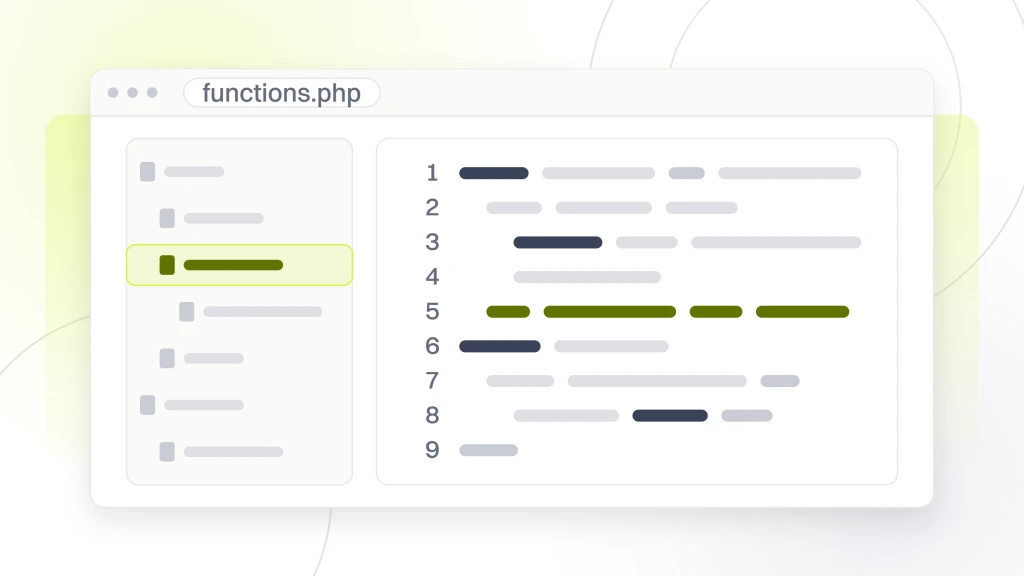
  • Apply plugin, theme, and platform patches on staging first, run the smoke test, then push live.
  • Run malware and integrity scans across the file system and the WooCommerce or Shopify admin.
  • Test the full checkout on desktop and mobile across every payment method the store accepts.
  • Verify offsite backups completed and can restore to staging inside the SLA window.
  • Sweep broken links using Screaming Frog or Ahrefs, then fix 404s and repoint dead redirects.
  • Review uptime logs and any 5xx errors from the last 30 days.
  • Check SSL certificate expiry and renew if inside 45 days of lapse.

Named Boogie Board, one of our ecommerce retainer clients, holds its monthly cadence at 5 hours and books a $31 cost per sale on the annual curve after we cleaned the store baseline. That is the retainer working, not a rebuild. The list runs, the numbers hold, and the founder stops worrying about Wednesday morning outages.

Quarterly audit inside the maintenance program

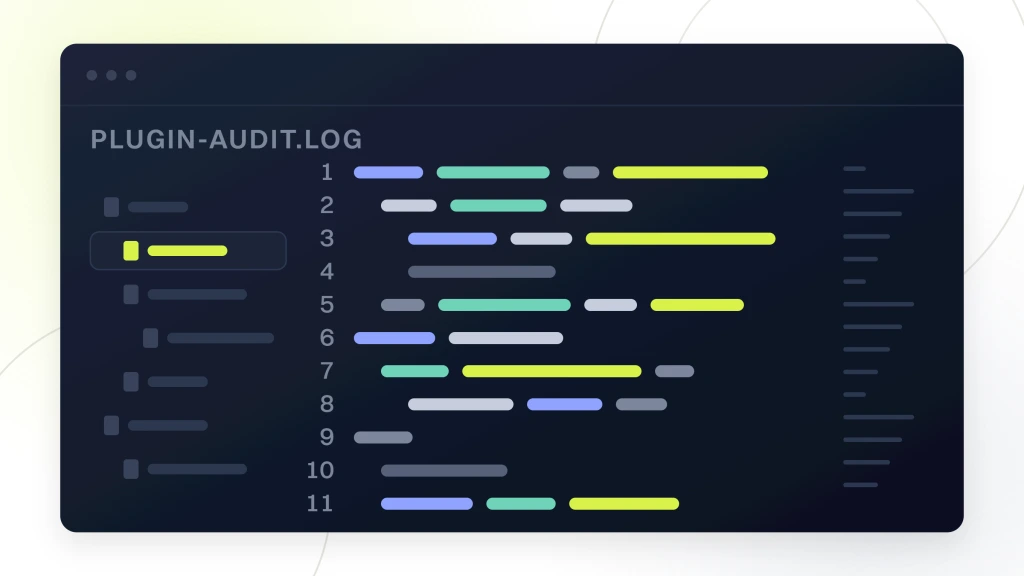
The quarterly audit is where the program earns its keep on longer horizons. It runs 8 to 14 hours per quarter and covers the drift that a monthly cadence can not catch on its own. Speed regressions, plugin bloat, schema breakage, image library sprawl, and stale content all surface here.
Lighthouse audits on the top 20 pages

Every quarter, run Lighthouse against the top 20 pages by revenue (homepage, top 10 category pages, top 8 product pages, plus the cart). Track Largest Contentful Paint, Cumulative Layout Shift, and Interaction to Next Paint. Regressions above 15% from the last quarter get flagged for the next monthly cycle. Stores that skip quarterly Lighthouse work drift 30 to 60% slower over 18 months without a single dramatic event, and nobody notices until the conversion rate quietly falls off.

Plugin utility review and database cleanup

Every quarter, list every installed plugin against the owner rule. Any plugin without a named owner or a live use case gets pulled after a staging smoke test. Then run database cleanup to remove old post revisions, expired transients, and abandoned cart sessions older than 90 days. WooCommerce stores accumulate 15 to 30% database bloat per quarter. Cleanup recovers 200 to 800 MB on a typical store and cuts query time on category pages by 12 to 25%.

Annual pass on the maintenance program

The annual pass is the deep work that a monthly and quarterly cadence can not cover on their own. It runs 20 to 60 hours on a mid-sized DTC store and hardens the platform for the next 12 months. Skipping this pass is the single most common reason stores hit a major outage in year three or four.

  • Platform core version upgrade on WooCommerce, Shopify, or BigCommerce with a full staging pass and smoke test.
  • Full backup restore drill to a fresh staging environment to confirm the backups actually work.
  • SSL and DNS review across every subdomain and third-party integration.
  • PCI compliance audit against the current PCI-DSS version, including the SAQ questionnaire.
  • 12-month content sweep to prune outdated product descriptions, retire dead category pages, and refresh evergreen landing pages.
  • Theme refactor to remove unused CSS, JS, and template partials accumulated across the year.
  • Hosting review to right-size the plan against actual peak traffic patterns, not the plan sold at launch.

Ecommerce business preventative maintenance checklist for peak season

An ecommerce business preventative maintenance checklist is the seasonal pass that hardens the store 45 to 60 days before Black Friday, Mother’s Day, back-to-school, or whatever peak the brand runs into. Preventative work catches the issues that would break checkout on the highest-traffic day of the year. Skipping the preventative pass is the single most common cause of Cyber Monday outages.

The preventative pass 45 days before peak

  • Load-test the store at 3x expected peak concurrent sessions using Loader.io or a similar service.
  • Freeze the plugin and theme stack 30 days before peak (no updates outside a security patch).
  • Pre-scale hosting to peak-capacity tier 21 days before peak, not the day of.
  • Verify inventory sync between the store, ERP, and warehouse to prevent overselling on out-of-stock SKUs.
  • Test payment gateway failover against Stripe, Braintree, PayPal, and Apple Pay under load.
  • Pre-warm the CDN cache for landing pages, category pages, and hero product pages.
  • Set up a peak-day war room with a defined incident commander, communication channel, and rollback authority.

The preventative pass costs $3,500 to $8,000 for a DTC store doing $5M to $30M in annual revenue. Stores that run it rarely see a peak-day outage. Stores that skip it hit a checkout break on peak day 3 out of 5 years and lose $40,000 to $250,000 in each incident. The math on preventative work is the cleanest math in the entire maintenance category, and every retainer that touches peak season includes it by default. Preventative work is also where the operator earns the trust that carries the retainer into year two.

See our companion piece on pet products website maintenance for subscription DTC brands for the subscription DTC angle on the same maintenance framework.

A real ecommerce website maintenance program in production

RAFZ Cirkulära Interiörer, a Swedish sustainable furniture brand, came to us with a WooCommerce store loading in 15-plus seconds, weekly downtime events, and a plugin count of 47. The site pushed customers away before they reached the cart. Cart abandonment sat near 88%. The founder had assumed the slow site was a design problem when it was really an accumulated maintenance debt problem across three years of unmanaged plugin sprawl. Our custom ecommerce platform maintenance costs vs Shopify TCO guide covers the TCO math in more depth.

Our team ran the full maintenance program across a 45-day rebuild. Plugin count dropped from 47 to 14 by replacing generic plugins with custom code for the WooCommerce features RAFZ relied on. The theme moved to a lightweight custom build. Database cleanup recovered 340 MB of old revisions and expired transient data. Image compression cut media library size by 62%. Backups moved to an offsite daily schedule with monthly restore drills. Change logging started on day one. A custom repaint feature aligned with the sustainability brand, and a place2place API integration handled automatic listings.

Page load dropped from over 15 seconds to 2 seconds. Server requests fell 82%. Conversion rate rose 28% inside the first quarter after the rebuild. Cart abandonment fell 34 points. The maintenance program continues on a monthly cadence with quarterly audits and an annual full pass. Two years later the store still holds its speed baseline since the list runs every month instead of sitting on a wiki. That is the difference a real maintenance program makes over three years compared to the alternative. Source numbers pulled from case study row 304 in our published portfolio.

Where this maintenance program fits the growth stack

The list sits at the foundation of the growth stack. Every marketing dollar, every paid campaign, every SEO investment either compounds through a stable store or drains into a broken one. Founders that budget for marketing without budgeting for maintenance usually rebuild the store inside 24 months at a cost that eats a full year of the marketing budget.

How the checklist ties into the retainer

Our maintenance retainers hold at $199, $299, and $499 per month across Starter, Growth, and Scale tiers, and every tier includes hosting. The monthly list is a fixed scope item on all three. The quarterly audit rolls in on Growth and Scale. The annual full pass goes live as a distinct yearly line for Scale. Growth and Scale tiers add more engineering hours per month, a dedicated staging environment, and priority incident response with a 15-minute response window during peak season. The ecommerce marketing retainer covers the full scope for founders who want the maintenance and the marketing running together under one team.

RAFZ Cirkulara Interiorer ecommerce maintenance rebuild results

Put your maintenance program into rotation this quarter

An ecommerce website maintenance checklist stops being theory the day it lands on a calendar with a named owner. Pick the monthly slot first. Add the quarterly audit next. Book the annual pass 60 days before your next peak season. If your team does not have the hours, a $199 to $499 per month maintenance retainer covers the same scope with a 15-minute incident SLA. Book a call and we will map the exact list to your platform, your peak season, and your revenue tier.
Frequently Asked Questions

What maintenance do websites need?+

Websites need four buckets of maintenance on a schedule. Security handles plugin and theme updates, malware scans, and SSL renewals. Performance covers Core Web Vitals audits, image compression, database cleanup, and cache pruning. Content hygiene sweeps dead links, monitors 404s, regenerates sitemaps, and validates schema. Continuity runs offsite backups, restore drills, staging syncs, and change logging. Ecommerce stores add checkout testing, inventory sync verification, and payment gateway failover checks on top of the base. Stores running all four buckets on a monthly, quarterly, and annual cadence catch problems in the same week they appear. Stores skipping any bucket usually discover the miss during a checkout outage that costs 6 to 40 times the retainer.

How to make a website checklist?+

Start by listing every recurring task the site needs across security, performance, content, and continuity. Assign each task a cadence of monthly, quarterly, or annual based on how often it drifts. Attach a named owner to every line. Add estimated hours next to the task so the total load is visible. Store the list in a shared workspace like Notion or ClickUp with a linked change log. Bake a smoke test into the deployment side (checkout, search, category browse, login) and a rollback procedure under 15 minutes into the update side. Test the list once, refine after the first pass, and lock it. A DTC store list runs 30 to 45 lines total once mature.

What is the ecommerce SEO checklist 2026?+

An ecommerce SEO list for 2026 covers six layers in priority order. Keyword research on category and product intent. Technical SEO on crawl, speed, schema, and canonicals. Category page optimization on titles, headings, filter facets, and internal links. Product page optimization on descriptions, images, reviews, and structured data. Content and internal linking through guides, buyer FAQs, and hub pages. Off-page authority through digital PR and vendor listings. The 2026 update leans harder on Core Web Vitals, AI Overview coverage, and product review depth. Our ecommerce SEO audit checklist walks the priority order in detail.

How to do ecommerce website maintenance checklist template+

Start with a shared template that lists every monthly, quarterly, and annual task in one table. Columns should read task, cadence, owner, estimated hours, last run, next due, and status. Populate the monthly rows with plugin patching, malware scans, checkout tests, backup verification, broken link sweep, uptime review, and SSL check. Quarterly rows cover Lighthouse audits, plugin utility review, database cleanup, image compression, and schema validation. Annual rows cover platform version upgrade, restore drill, PCI audit, content sweep, theme refactor, and hosting review. Add a change log tab and a smoke test tab. The template runs in Google Sheets or Notion and stays under 45 lines total.

How to do ecommerce website maintenance checklist free+

A free maintenance program runs on three tools most stores already have. Google Sheets for the task table and cadence tracker. UptimeRobot free tier for the uptime and 5xx alert layer. Google Search Console and PageSpeed Insights for the speed and coverage data. Add ManageWP free tier for WooCommerce sites to consolidate plugin and theme updates across stores. Assign a named owner per task, block 4 to 6 hours on the calendar for the monthly pass, and log every deployment in a shared change log. The free stack covers 85% of what a paid retainer covers. The remaining 15% is engineering muscle on outages, which is what the $199 to $499 per month tiers exist for.

How to do website maintenance+

Website maintenance runs on a fixed cadence with a named owner and a written playbook. Monthly work covers plugin and theme patches on staging, malware scans, checkout or contact form tests, offsite backup verification, broken link sweeps, and uptime log review. Quarterly work adds Lighthouse audits on top pages, plugin utility reviews, database cleanup, and schema validation. Annual work covers platform version upgrades, full restore drills, SSL and DNS review, and a content sweep. Every deployment gets logged in a change log with date, person, and reason. Every plugin gets a named owner. Every peak season triggers a preventative pass 45 to 60 days before the traffic surge. That is the whole practice in one paragraph.

What does an ecommerce website maintenance checklist cover for a DTC store?+

The list for a DTC store covers four operational buckets across monthly, quarterly, and annual cadences. Security handles plugin updates, theme updates (covered in our wordpress ecommerce maintenance writeup), platform core updates, malware scans, and SSL renewals. Performance runs Core Web Vitals audits, image compression, database cleanup, and cache pruning. Content hygiene sweeps dead links, monitors 404s, regenerates sitemaps, and validates schema. Continuity runs offsite backups, restore drills, staging syncs, and change logging. Stores running all four buckets on a schedule catch problems in the same week they appear. Stores skipping any bucket usually discover the miss during a checkout outage that costs 6 to 40 times what the retainer costs.

How often should a store run each part of the maintenance program?+

The monthly cadence covers plugin and theme updates, malware scans, checkout flow tests, backup verification, broken link sweeps, and uptime log reviews, running 4 to 6 hours across a mid-sized DTC store. The quarterly cadence adds Lighthouse audits on top pages, plugin utility reviews, database cleanup, image compression sweeps, and schema validation, running 8 to 14 hours. The annual pass covers platform core upgrades, full backup restore drills, SSL and DNS review, PCI compliance audit, and a 12-month content sweep, running 20 to 60 hours. Preventative work runs 45 to 60 days before peak season with load testing, plugin freeze, hosting pre-scale, and payment gateway failover testing.

What are the biggest maintenance items founders skip?+

The items most often skipped are offsite backup restore drills, database cleanup, plugin utility reviews, and change logging. Backup restore drills matter since 40% of nightly backups fail without any alert, and the failure only surfaces during a real restore attempt. Database cleanup matters since WooCommerce stores accumulate 15 to 30% per quarter in old revisions, expired transients, and abandoned cart sessions. Plugin utility reviews matter since stores carry 8 to 15 plugins they no longer use, adding load time and update risk. Change logging matters since it cuts average incident diagnosis time from 3 to 8 hours down to 30 minutes when something breaks two weeks after a deployment.

{“@context”:”https://schema.org”,”@type”:”FAQPage”,”mainEntity”:[{“@type”:”Question”,”name”:”What maintenance do websites need?”,”acceptedAnswer”:{“@type”:”Answer”,”text”:”Websites need four buckets of maintenance on a schedule. Security handles plugin and theme updates, malware scans, and SSL renewals. Performance covers Core Web Vitals audits, image compression, database cleanup, and cache pruning. Content hygiene sweeps dead links, monitors 404s, regenerates sitemaps, and validates schema. Continuity runs offsite backups, restore drills, staging syncs, and change logging. Ecommerce stores add checkout testing, inventory sync verification, and payment gateway failover checks on top of the base.”}},{“@type”:”Question”,”name”:”How to make a website checklist?”,”acceptedAnswer”:{“@type”:”Answer”,”text”:”Start by listing every recurring task the site needs across security, performance, content, and continuity. Assign each task a cadence of monthly, quarterly, or annual based on how often it drifts. Attach a named owner to every line. Add estimated hours next to the task so the total load is visible. Store the list in a shared workspace like Notion or ClickUp with a linked change log.”}},{“@type”:”Question”,”name”:”What is the ecommerce SEO checklist 2026?”,”acceptedAnswer”:{“@type”:”Answer”,”text”:”An ecommerce SEO list for 2026 covers six layers in priority order. Keyword research on category and product intent. Technical SEO on crawl, speed, schema, and canonicals. Category page optimization on titles, headings, filter facets, and internal links. Product page optimization on descriptions, images, reviews, and structured data. Content and internal linking through guides, buyer FAQs, and hub pages. Off-page authority through digital PR and vendor listings.”}},{“@type”:”Question”,”name”:”How to do ecommerce website maintenance checklist template”,”acceptedAnswer”:{“@type”:”Answer”,”text”:”Start with a shared template that lists every monthly, quarterly, and annual task in one table. Columns should read task, cadence, owner, estimated hours, last run, next due, and status. Populate the monthly rows with plugin patching, malware scans, checkout tests, backup verification, broken link sweep, uptime review, and SSL check. Quarterly rows cover Lighthouse audits, plugin utility review, database cleanup, image compression, and schema validation.”}},{“@type”:”Question”,”name”:”How to do ecommerce website maintenance checklist free”,”acceptedAnswer”:{“@type”:”Answer”,”text”:”A free maintenance program runs on three tools most stores already have. Google Sheets for the task table and cadence tracker. UptimeRobot free tier for the uptime and 5xx alert layer. Google Search Console and PageSpeed Insights for the speed and coverage data. Add ManageWP free tier for WooCommerce sites to consolidate plugin and theme updates across stores.”}},{“@type”:”Question”,”name”:”How to do website maintenance”,”acceptedAnswer”:{“@type”:”Answer”,”text”:”Website maintenance runs on a fixed cadence with a named owner and a written playbook. Monthly work covers plugin and theme patches on staging, malware scans, checkout or contact form tests, offsite backup verification, broken link sweeps, and uptime log review. Quarterly work adds Lighthouse audits on top pages, plugin utility reviews, database cleanup, and schema validation. Annual work covers platform version upgrades, full restore drills, SSL and DNS review, and a content sweep.”}},{“@type”:”Question”,”name”:”What does an ecommerce website maintenance checklist cover for a DTC store?”,”acceptedAnswer”:{“@type”:”Answer”,”text”:”The list for a DTC store covers four operational buckets across monthly, quarterly, and annual cadences. Security handles plugin updates, theme updates (covered in our wordpress ecommerce maintenance writeup), platform core updates, malware scans, and SSL renewals. Performance runs Core Web Vitals audits, image compression, database cleanup, and cache pruning. Content hygiene sweeps dead links, monitors 404s, regenerates sitemaps, and validates schema. Continuity runs offsite backups, restore drills, staging syncs, and change logging.”}},{“@type”:”Question”,”name”:”How often should a store run each part of the maintenance program?”,”acceptedAnswer”:{“@type”:”Answer”,”text”:”The monthly cadence covers plugin and theme updates, malware scans, checkout flow tests, backup verification, broken link sweeps, and uptime log reviews, running 4 to 6 hours across a mid-sized DTC store. The quarterly cadence adds Lighthouse audits on top pages, plugin utility reviews, database cleanup, image compression sweeps, and schema validation, running 8 to 14 hours. The annual pass covers platform core upgrades, full backup restore drills, SSL and DNS review, PCI compliance audit, and a 12-month content sweep.”}},{“@type”:”Question”,”name”:”What are the biggest maintenance items founders skip?”,”acceptedAnswer”:{“@type”:”Answer”,”text”:”The items most often skipped are offsite backup restore drills, database cleanup, plugin utility reviews, and change logging. Backup restore drills matter since 40% of nightly backups fail without any alert, and the failure only surfaces during a real restore attempt. Database cleanup matters since WooCommerce stores accumulate 15 to 30% per quarter in old revisions, expired transients, and abandoned cart sessions.”}}]}

Frequently asked questions

What maintenance do websites need?

Websites need four buckets of maintenance on a schedule. Security handles plugin and theme updates, malware scans, and SSL renewals. Performance covers Core Web Vitals audits, image compression, database cleanup, and cache pruning. Content hygiene sweeps dead links, monitors 404s, regenerates sitemaps, and validates schema. Continuity runs offsite backups, restore drills, staging syncs, and change logging. Ecommerce stores add checkout testing, inventory sync verification, and payment gateway failover checks on top of the base. Stores running all four buckets on a monthly, quarterly, and annual cadence catch problems in the same week they appear. Stores skipping any bucket usually discover the miss during a checkout outage that costs 6 to 40 times the retainer.

How to make a website checklist?

Start by listing every recurring task the site needs across security, performance, content, and continuity. Assign each task a cadence of monthly, quarterly, or annual based on how often it drifts. Attach a named owner to every line. Add estimated hours next to the task so the total load is visible. Store the list in a shared workspace like Notion or ClickUp with a linked change log. Bake a smoke test into the deployment side (checkout, search, category browse, login) and a rollback procedure under 15 minutes into the update side. Test the list once, refine after the first pass, and lock it. A DTC store list runs 30 to 45 lines total once mature.

What is the ecommerce SEO checklist 2026?

An ecommerce SEO list for 2026 covers six layers in priority order. Keyword research on category and product intent. Technical SEO on crawl, speed, schema, and canonicals. Category page optimization on titles, headings, filter facets, and internal links. Product page optimization on descriptions, images, reviews, and structured data. Content and internal linking through guides, buyer FAQs, and hub pages. Off-page authority through digital PR and vendor listings. The 2026 update leans harder on Core Web Vitals, AI Overview coverage, and product review depth.

How to do ecommerce website maintenance checklist template

Start with a shared template that lists every monthly, quarterly, and annual task in one table. Columns should read task, cadence, owner, estimated hours, last run, next due, and status. Populate the monthly rows with plugin patching, malware scans, checkout tests, backup verification, broken link sweep, uptime review, and SSL check. Quarterly rows cover Lighthouse audits, plugin utility review, database cleanup, image compression, and schema validation. Annual rows cover platform version upgrade, restore drill, PCI audit, content sweep, theme refactor, and hosting review. Add a change log tab and a smoke test tab. The template runs in Google Sheets or Notion and stays under 45 lines total.

How to do ecommerce website maintenance checklist free

A free maintenance program runs on three tools most stores already have. Google Sheets for the task table and cadence tracker. UptimeRobot free tier for the uptime and 5xx alert layer. Google Search Console and PageSpeed Insights for the speed and coverage data. Add ManageWP free tier for WooCommerce sites to consolidate plugin and theme updates across stores. Assign a named owner per task, block 4 to 6 hours on the calendar for the monthly pass, and log every deployment in a shared change log. The free stack covers 85% of what a paid retainer covers. The remaining 15% is engineering muscle on outages, which is what the $199 to $499 per month tiers exist for.

How to do website maintenance

Website maintenance runs on a fixed cadence with a named owner and a written playbook. Monthly work covers plugin and theme patches on staging, malware scans, checkout or contact form tests, offsite backup verification, broken link sweeps, and uptime log review. Quarterly work adds Lighthouse audits on top pages, plugin utility reviews, database cleanup, and schema validation. Annual work covers platform version upgrades, full restore drills, SSL and DNS review, and a content sweep. Every deployment gets logged in a change log with date, person, and reason. Every plugin gets a named owner. Every peak season triggers a preventative pass 45 to 60 days before the traffic surge.

What does an ecommerce website maintenance checklist cover for a DTC store?

The list for a DTC store covers four operational buckets across monthly, quarterly, and annual cadences. Security handles plugin updates, theme updates, platform core updates, malware scans, and SSL renewals. Performance runs Core Web Vitals audits, image compression, database cleanup, and cache pruning. Content hygiene sweeps dead links, monitors 404s, regenerates sitemaps, and validates schema. Continuity runs offsite backups, restore drills, staging syncs, and change logging. Stores running all four buckets on a schedule catch problems in the same week they appear. Stores skipping any bucket usually discover the miss during a checkout outage that costs 6 to 40 times what the retainer costs.

How often should a store run each part of the maintenance program?

The monthly cadence covers plugin and theme updates, malware scans, checkout flow tests, backup verification, broken link sweeps, and uptime log reviews, running 4 to 6 hours across a mid-sized DTC store. The quarterly cadence adds Lighthouse audits on top pages, plugin utility reviews, database cleanup, image compression sweeps, and schema validation, running 8 to 14 hours. The annual pass covers platform core upgrades, full backup restore drills, SSL and DNS review, PCI compliance audit, and a 12-month content sweep, running 20 to 60 hours. Preventative work runs 45 to 60 days before peak season with load testing, plugin freeze, hosting pre-scale, and payment gateway failover testing.

What are the biggest maintenance items founders skip?

The items most often skipped are offsite backup restore drills, database cleanup, plugin utility reviews, and change logging. Backup restore drills matter since 40% of nightly backups fail without any alert, and the failure only surfaces during a real restore attempt. Database cleanup matters since WooCommerce stores accumulate 15 to 30% per quarter in old revisions, expired transients, and abandoned cart sessions. Plugin utility reviews matter since stores carry 8 to 15 plugins they no longer use, adding load time and update risk. Change logging matters since it cuts average incident diagnosis time from 3 to 8 hours down to 30 minutes when something breaks two weeks after a deployment.

Keep reading

All articles →
Best Pet Website Maintenance Checklist for DTC Ecommerce
WEBSITE MAINTENANCE
Best Pet Website Maintenance Checklist for DTC Ecommerce
Healthcare Website Maintenance Checklist for Fewer Outages
WEBSITE MAINTENANCE
Healthcare Website Maintenance Checklist for Fewer Outages
Best Fast Hosting for Fashion Ecommerce Brands
WEBSITE MAINTENANCE
Best Fast Hosting for Fashion Ecommerce Brands
FREE — 30 MINUTES — NO PITCH

Book a free growth audit.

Walk away with three fixes you can ship the same week — whether or not you hire us.

24-HOUR RESPONSE 300+ AUDITS RUN ZERO OBLIGATION