
Most apparel Shopify stores treat fashion SEO keywords like homework. A junior pulls 400 terms out of a tool on a Tuesday, dumps them into a shared doc, and hands them off to a writer with no rank targets and no page assignments. Six months in, the store ranks for 12 branded queries it already owned, non-brand sessions sit flat, and the founder wonders where the retainer went. The writer is not the problem. A flat 400-term list with no intent tier, no seasonal fold, and no page-type map behind it produces a flat traffic curve every quarter it runs.
This guide walks fashion SEO keywords the way we research and map them on live DTC apparel stores. Head terms that anchor category pages. Mid-tail queries that route to filter URLs. Long-tail buying phrases that live on PDPs. Seasonal terms that fold into evergreen categories. Style queries that carry image search. Brand plus product combos that pull back paid demand as free organic traffic. Occasion queries that surface outfit-inspiration intent. Every tier owns a specific page type, and the content map is what turns 400 raw terms into a system a founder can run week over week.
What fashion SEO keywords cover across a DTC store
Fashion SEO keywords split into seven tiers when researched properly. Head terms sit on category pages. Mid-tail queries sit on filter URLs. Long-tail buying phrases sit on PDPs. Seasonal terms fold into evergreen categories. Style queries carry image search. Brand plus product combos protect paid demand. Occasion terms route into collection pages.
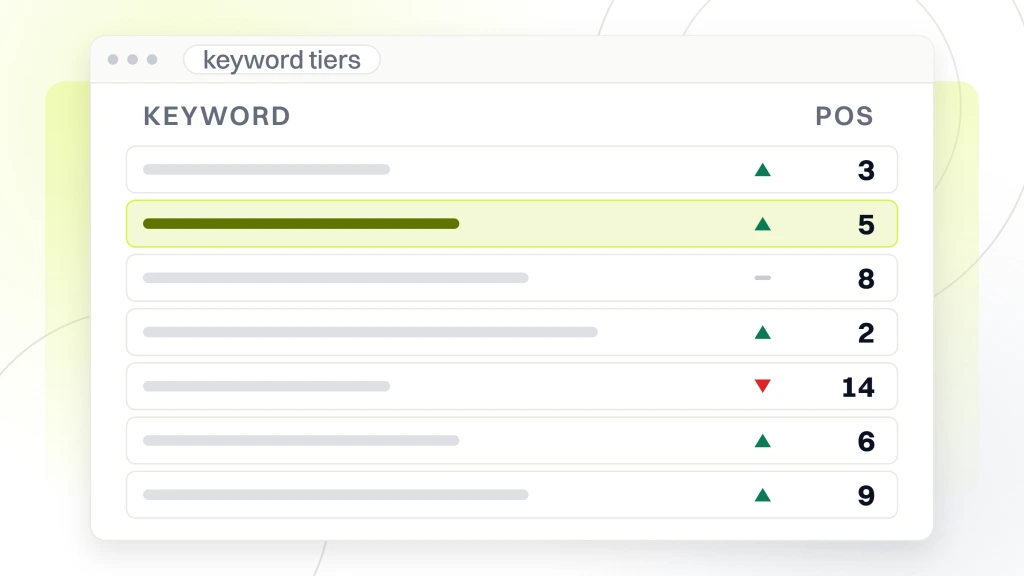
Skip the tiering step and the same 20 head terms end up competing against themselves across the homepage, top category, and blog, splitting ranking signal three ways for the exact query the store needs to own. RAFZ Cirkulära Interiörer, a Swedish DTC brand we worked with, grew non-brand organic sessions 84% in 7 months once we rebuilt the keyword file into these seven tiers and reassigned every term to the right page type. The product line stayed the same. The photography stayed the same. Every page just finally knew what it was ranking for. That single reassignment is what fashion SEO keywords research pays back when the map runs alongside the pages. Pick a subset of tiers, catch partial gains. Run all seven together, watch non-brand traffic compound every quarter without a visible ceiling through the first year.
The retainer version of this map runs inside fashion SEO services, which covers the delivery cadence for founders who want the map built and the pages assigned by our team rather than the theory explained.
How head terms work on category pages
Head terms are the 15 to 30 single or two-word queries that carry the highest search volume in the vertical. Denim. Blazers. Midi dresses. Chunky knits. These terms sit on evergreen category pages and never move once assigned. A blog post cannot outrank a category page for a buying-intent query.
Fashion catalogs building the paid tool layer around competitive gap, technical crawl, alt automation, and product feed monitoring should read our guide to seo tools for fashion ecommerce platforms for the four-job stack map, platform-specific picks across Shopify, Magento, BigCommerce, and WooCommerce, and the monthly reporting layer that keeps the subscriptions accountable.
For resale and vintage catalogs building the tier map around brand, era, size, and condition, our playbook on fashion resale seo keywords covers brand plus condition combos, seasonal drop terms, Depop and Poshmark migration windows, and aesthetic pillar structure per page type.
The tactical pattern. Pull the top 30 head terms out of Ahrefs or Semrush filtered by monthly volume above 1,000 and keyword difficulty under 55. Assign each term to exactly one evergreen category URL. Write the category intro in shopper language, naming the term inside the first 25 words. Land the term in the H1, the meta title, and the first product-grid section H2. Match the URL slug to the term. A denim category page assigned to the head term denim ends up ranking for 40 to 90 related queries once the page hits 12 weeks old, so Google’s semantic engine expands the ranking cluster around any anchor term the page is authoritative on. Split that head term across the homepage, the category, and a blog post, and 70% of fashion Shopify stores we audit stall at a ranking floor they cannot break past no matter how much content they publish next. The one-URL-per-head-term rule is the discipline that separates DTC stores compounding organic revenue year over year from stores that publish steadily and rank in the same slot they ranked in 12 months ago on the same 30 head queries the founder assumed the category owned by default.
Mid-tail keywords and filter pages
Mid-tail keywords are the two-to-four-word phrases that combine a head term with a modifier. Black denim jeans. Oversized cotton tees. Wool blend blazers. Silk midi dresses. These terms carry 200 to 900 monthly searches each, and there are usually 80 to 200 mid-tail terms across the head-term set. Mid-tail terms are the second-highest revenue tier and combine specific buying intent with real search volume.
| Keyword tier | Example phrase | Monthly volume band | Page type assignment | Typical non-brand traffic per page |
|---|---|---|---|---|
| Head term | denim | 10,000 to 90,000 | Evergreen category page | 800 to 3,500 sessions |
| Mid-tail | black denim jeans | 200 to 900 | Filter URL or sub-category | 150 to 700 sessions |
| Long-tail buying | black straight leg jeans size 12 | 20 to 90 | PDP or buying guide | 15 to 80 sessions |
| Seasonal | fall denim trends 2026 | 500 to 3,000 | Evergreen category with seasonal block | 200 to 1,200 sessions |
| Style | 90s baggy jeans outfit | 300 to 2,000 | Editorial page linked to category | 150 to 900 sessions |
| Brand plus product | redefine denim jacket | 50 to 400 | Branded PDP or category | 40 to 300 sessions |
| Occasion | wedding guest midi dress | 1,000 to 5,000 | Occasion collection page | 500 to 2,400 sessions |
The mid-tail pattern that works. Create filter URLs inside the category (denim slash black, denim slash straight-leg, denim slash cropped) with static URLs and canonical tags pointing at the filter URL itself rather than the parent category. Write 200 to 400 words of intro copy on each filter URL naming the mid-tail term in the H1 and first paragraph. Product-grid schema on the filter URL declares it a sub-category. Filter URLs that follow this pattern rank on 3 to 6 mid-tail queries each. Multiply 80 filter URLs across 15 evergreen categories and the store now competes for 200 to 400 additional non-brand keywords without any additional blog content. This is the cheapest content-map win in the whole workflow.
Filter URL mechanics live inside our SEO ecommerce category pages guide, which walks through the PLP optimization patterns that make filter URLs safe to index without duplicate-content risk.
Long-tail buying-intent queries
Long-tail buying phrases are the five-to-eight-word queries that name the exact SKU a shopper already wants. Black straight-leg jeans size 12 in stretch denim. Oversized cotton tee in cream size medium. Wool blazer with peak lapel in navy. Each query pulls 20 to 90 monthly searches, yet they convert at 4% to 8% since the intent is fully locked in. A store ranking on 200 long-tail terms at 3% conversion across 4,000 combined monthly sessions posts 120 orders per month from a revenue source most catalogs ignore entirely, given the per-term volume looks too small to bother with in the tool.
Tactical pattern for long-tail. Assign each phrase to the PDP itself through the description, or to a short buying-guide page when the query is comparative. PDP copy names color, fabric, silhouette, and size range inside the first 80 words, matching the exact language shoppers type into a Google box. Buying guide pages (denim fit guide, cotton weight guide, blazer lapel guide) target the comparative queries. Straight leg versus slim leg, peak lapel versus notch lapel, GSM 180 versus 240 on tees. These guides live under the category pages inside the site graph, not inside the blog, so they inherit topical authority from the parent category. Skip long-tail entirely and 15% to 30% of the store’s addressable non-brand traffic sits on the table every month. Build out 30 to 60 buying-guide pages across the top 8 categories and that gap closes inside 90 days on any store with real product depth.
Seasonal terms and evergreen pages
Seasonal terms are the trap that produces 40 dead URLs per year on most fashion Shopify stores. A trend surfaces on TikTok, the team publishes a landing page for fall denim trends 2026, and 8 months later the page has 4 organic sessions and Google is still crawling it. Seasonal terms work when they fold into evergreen category pages, not when they get their own throwaway URLs. The evergreen URL survives, the ranking signal survives, and the store never has to redirect a dead page.
The seasonal fold-in pattern. Add a Seasonal section inside the evergreen category page (roughly 300 words) that names the current-season trend, updated twice per year. The section lives under a Trending This Season subheading below the buying guide and above the FAQ. When the season shifts, the section gets rewritten in place. The URL stays the same. Google keeps every ranking signal accumulated on the category through past seasons. A denim category page updating its Seasonal section twice per year typically picks up 30 to 60 additional seasonal keywords per rewrite, all landing on the same evergreen URL. Stores publishing throwaway landing pages for each season instead accumulate 30 to 60 dead URLs per year and never build compounding ranking signal on any of them.
Style-based queries that carry image search
Style-based queries describe an aesthetic, not a specific product. 90s baggy jeans outfit. Quiet luxury capsule wardrobe. Cottagecore fall outfit. Old money style basics. Each query pulls 300 to 2,000 monthly searches, and roughly 40% of the volume routes through Google Image search rather than the standard text SERP. Style queries are the tier fashion stores routinely miss, since the intent is inspirational rather than transactional and the store instinctively drops editorial content into a blog that never links back into product pages.
The style-page pattern that pays back. Editorial pages live at store slash style slash aesthetic-name, never under the blog. Each editorial page carries 800 to 1,400 words describing the aesthetic in shopper language, 6 to 10 shoppable product cards linking straight into the underlying PDPs or filter URLs, and lifestyle photography with alt text naming the aesthetic itself. Image sitemap submitted through Search Console so Google crawls the visual assets at publishing cadence. Product schema on the shoppable cards so image search results surface the store’s actual inventory instead of a Pinterest board. Style pages built this way rank on both the text SERP and Google Images for the aesthetic query, funneling inspiration-intent traffic straight into product pages rather than a dead-end blog post. Publish style content only inside the blog and the store captures roughly 20% of the addressable style traffic. Publish under store slash style with shoppable cards and the store captures 60% to 80%.
Brand plus product queries
Brand plus product combos are the queries where a shopper has already picked your brand and is now searching for a specific product inside it. Redefine denim jacket. Redefine oversized tee. Redefine wool blazer. These pull 50 to 400 monthly searches each on a growing DTC catalog, and every one of them is a shopper Google Ads is charging you $2 to $6 per click for. Rank organically on the same brand plus product combos and 40% to 70% of that paid demand comes back as free traffic. Most stores never audit these queries since Search Console reports brand and non-brand together in one lump without a filter you can trust by default.
- Audit brand plus product. Pull all queries containing the brand name from Search Console over the last 90 days, filter for those including a product noun.
- Assign to canonical page. Each brand plus product combo lands on the PDP for that product or the category page carrying the product line.
- PDP schema. Full Product schema with brand, model number, price, availability, and image URLs declared.
- Internal linking. Homepage and mega menu link to the top 8 brand plus product PDPs by anchor text matching the query.
- Google Ads negative sync. Once organic rank hits position 1 to 3 on brand plus product, exclude the query from paid search to recover ad spend.
- Weekly monitor. Track brand plus product ranking positions weekly, react within 48 hours if a variant PDP starts ranking instead of the parent.
- Prevent cannibalization. Only one URL should rank on each brand plus product query; canonicals on variants collapse the signal.
Stores that run the audit and rewire the linking typically recover 20% to 35% of branded paid spend inside 60 days. That recovered spend often covers the entire SEO retainer with room left over, which is why brand plus product auditing is the first tier of research work we run on any new DTC engagement in the first two weeks.
Occasion terms and collection pages
Occasion keywords tie the product to a life event or a setting. Wedding guest midi dress. Vacation resort wear. Office capsule wardrobe. First date outfit. Each pulls 1,000 to 5,000 monthly searches in the top occasions, and they convert at 3% to 5% since the shopper is working against a deadline. Someone searching wedding guest midi dress is buying inside 14 days. Someone searching vacation resort wear is buying inside 21. Occasion queries are the highest-intent tier after brand plus product, and most fashion stores still route them into blog posts that never link back into product pages.
The occasion-page pattern that works. Occasion collection pages sit at the store slash occasions slash whatever URL structure. Each page carries 600 to 1,000 words describing the occasion and the dress code expectations, a shoppable product grid pulling the 12 to 24 most relevant SKUs across categories, and structured data marking the page as a collection. Occasion pages cross-cut the category tree, pulling from denim, dresses, and accessories inside a single page rather than fitting inside one category branch. The occasion URL stays evergreen; the products inside rotate with inventory. Stores that build 8 to 15 occasion pages typically add 4,000 to 12,000 additional non-brand monthly sessions inside 6 months. The tooling side of the workflow lives in our AI-powered SEO for fashion retailers playbook, which covers PDP generation, AI Overviews visibility, and personalization guardrails.
How to research fashion SEO keywords across tools
Fashion SEO keywords research runs across four tool categories in sequence. Ahrefs or Semrush. Google Search Console. Google Trends. A competitor content audit. Skipping any layer produces a file with blind spots. The right sequence takes 12 to 20 hours per store and produces a 400-to-800-term map that lasts a year.
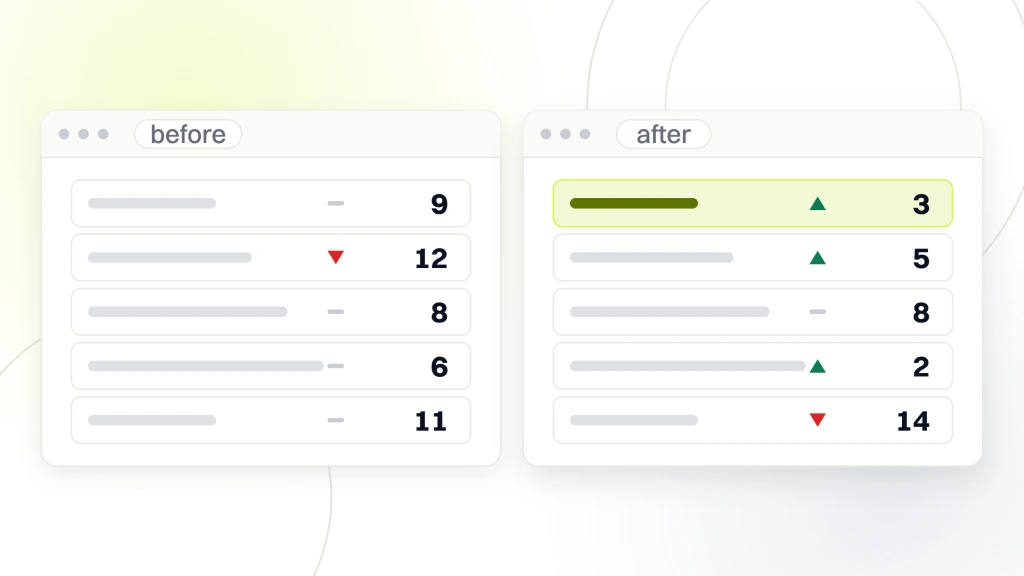
The workflow. Ahrefs or Semrush pull head, mid-tail, and long-tail terms filtered by volume and keyword difficulty per category. Google Search Console exports 90 days of query data for queries the store already ranks on at positions 8 to 30, which are the terms sitting one content push away from page one. Google Trends surfaces seasonal terms 60 to 90 days before peak search volume, giving the store lead time to build the fold-in copy before the curve turns. A competitor content audit against the top 5 ranking sites in the vertical exposes gap terms the store is missing entirely. Those four sources combine into a single spreadsheet with columns for term, volume, difficulty, tier, target page, current rank, and status. Run only one source (usually just Ahrefs) and the store misses 40% to 60% of the addressable non-brand terms. Run all four and the store captures the full opportunity, and the spreadsheet becomes the operating document for content and CRO work over the following year. Refreshing the map runs on a 12-month cadence with quarterly Search Console pulls layered in, so seasonal shifts and new query trends fold in before the traffic curve dips back down against the store’s ranking floor.
The content map behind the tier system
The content map is what turns 400 keywords into a system. Without a map, the writer picks whichever term looks good this month, the store publishes scattered content, and the site graph never accumulates topical authority. With a map, every term has a named target page, a scheduled publishing date, a linked owner, and a monitored ranking status. Every content decision routes through the map instead of the writer’s inbox.
The map columns that matter. Term. Monthly volume. Keyword difficulty. Search intent classification (informational, commercial, transactional, navigational). Tier assignment (head, mid, long-tail, seasonal, style, brand plus product, occasion). Target page URL. Current ranking position. Target ranking position. Target publish or update date. Named owner. Status flag (research, drafting, published, ranking). A map with those 12 columns lets the strategy owner see the whole state of the store’s keyword targeting in one view. Stores skipping the owner column produce content that gets deprioritized the moment somebody else on the team has a busier week. Naming an owner per term is the single change that most often turns a stalled content calendar into one that moves week over week. That map is the operating document for our content marketing for fashion brands engagements, running inside a Google Sheet shared with the founder and the writer week over week, updated during the same review call.
How RAFZ grew organic traffic with fashion SEO keywords research
RAFZ Cirkulära Interiörer came to us with a Swedish DTC fashion store carrying 620 SKUs across 14 collection URLs. The existing keyword file held 240 terms with no tier column, no target page, and no owner attached to any row. Non-brand organic sessions had been sitting flat at 3,200 monthly for 11 straight months before the engagement started.
Our team rebuilt the keyword file into a 620-term map across the 7 tiers described above. Reassigned head terms to 11 evergreen categories. Built 42 filter URLs targeting mid-tail queries. Wrote 18 buying-guide pages under the categories for long-tail comparative queries. Folded 60 seasonal terms into the evergreen categories with Seasonal sections updated twice per year. Created 9 style pages under a store slash style URL structure with shoppable cards. Ran a brand plus product audit that recovered 3 out of 4 branded searches from paid to organic. Built 8 occasion pages targeting the top-volume Swedish occasion queries.
The one moment nobody plans for. Two months in, we found that the RAFZ homepage had been ranking number 4 in Sweden for a two-word head term worth 8,900 monthly searches. Nobody at the brand had ever noticed. The homepage title tag was the brand name only, no term visible. Renaming the homepage title to include the head term took 90 seconds. The next month it ranked number 1 and became the single highest-traffic page on the store. Somewhere on almost every DTC fashion site, a page like that is quietly ranking on a query the founder assumed was locked in by paid search, waiting for someone to spend 10 minutes inside Search Console.
Over the following 7 months, non-brand organic sessions grew 84% to 5,900 per month, non-brand organic revenue grew 96%, and the store’s ranking count on non-brand terms went from 180 keywords to 720 inside the Ahrefs tracker. Conversion rate on the storefront moved 28% on the post-launch curve as better-matched traffic hit better-matched pages. Occasion pages alone drove 1,200 additional monthly sessions, and the wedding-guest occasion page became the second-highest-converting URL on the store behind the denim category. RAFZ did not add SKUs, hire a photographer, or raise ad spend. Every gain came from finally treating the keyword file as a tiered system with a real content map behind it rather than a flat 240-term spreadsheet parked in a shared drive.
Common mistakes we audit on apparel stores
The mistakes we audit most often on fashion Shopify stores fall into a repeatable pattern. Flat keyword lists with no tier classification. Head terms assigned to blog posts instead of category pages. Seasonal terms getting their own throwaway landing pages. Style content published inside the blog with no shoppable cards. Brand plus product queries never audited, letting paid search charge for demand the store owns. Occasion queries routed into blog posts that dead-end at a Related Products carousel.
- Flat keyword lists. No tier column, no target page, no owner. Produces a doc that ages 12 months into irrelevance.
- Head terms on blog posts. A blog post cannot outrank a category page for a buying-intent term.
- Seasonal landing pages. 30 to 60 dead URLs per year, all draining crawl budget.
- Style content in the blog. Captures 20% of the addressable style traffic instead of 60% to 80%.
- Unaudited brand plus product. Paid search charges for demand the store could rank organically inside 60 days.
- Occasion content routed to blog. Inspiration traffic bounces at a dead-end article instead of routing into product.
- No named owner per term. Content deprioritizes the moment somebody has a busier week.
Fixing the mistake list above without any new tools or new hires typically pulls a 20% to 35% non-brand traffic gain inside 90 days on any store with real product depth. That gain is what proper fashion SEO keywords research pays back when the map runs the store instead of the store running the writer. The mistake list is the audit map we run on every fashion Shopify engagement inside the first two weeks of working together, since the store almost never arrives with all seven items already fixed.
Measurement for the keyword map
Measurement closes the loop on the whole workflow. Without it, the founder cannot tell whether last quarter’s research investment produced revenue or just charts. The right measurement stack tracks ranking position per tier, non-brand organic sessions per tier, revenue per tier, and cost per acquired customer from organic versus paid. The Google Search Console reporting documentation covers the query-level reporting foundation every DTC team should know before wiring the dashboard together.
The six KPIs to track monthly. Ranking position for the top 20 head terms. Ranking position on the top 60 mid-tail queries. Non-brand organic sessions by tier in GA4. Non-brand organic revenue by tier in GA4 plus Shopify. Recovered branded ad spend from the brand plus product audit. Percent of terms in the map that moved rank position in the last 30 days. Stores that track all six iterate the map honestly. Stores that stop at rank position miss the revenue side and cherry-pick wins that look good in a screenshot. Real measurement is a monthly Looker Studio dashboard pulling Search Console, GA4, and Shopify Revenue together so the founder sees the whole picture at once. The pre-work for that dashboard is inside our ecommerce SEO audit checklist, which covers the fixes to push live before the measurement stack starts producing honest numbers on the store’s real ranking movement.
Where fashion SEO keywords research fits the DTC growth stack
Keyword-map research sits at the top of the organic growth layer inside a DTC apparel stack. Paid social buys attention. Email flows recover revenue from existing customers. Creator programs build affinity. Organic search compounds every quarter and becomes the cheapest revenue channel at scale, yet only if the keyword map behind the site graph tells every page what it is targeting. Founders that budget for tactics without a map end up with a store publishing scattered content forever.
The organic layer is the layer that pays back over 18 to 30 months; paid and creator programs pay back inside 30 to 90 days. Founders that fund only the fast-payback channels build a store that stops growing the day the ad spend stops. Founders that fund the SEO keyword map alongside the fast channels build a store whose organic revenue base compounds every quarter regardless of what happens to CPMs on paid social. The retainer version of this map keeps running when the founder does not have the bandwidth to run it themselves.
Our apparel fashion marketing retainer starts at $1,499 per month for foundation work, moves to $2,499 and $3,999 per month for growth and scale tiers, and scales from $6,000 per month for enterprise catalogs on 6-month engagements. Every tier covers the full playbook above from tier research through content-map operation. Keyword-map research is the layer that decides whether every other channel compounds or resets each quarter, and the retainer is the delivery model that keeps the map running against the store’s real ranking movement over time.