A google ads audit checklist decides whether a $6,000 monthly account produces 40 qualified leads or 12. Same budget, same industry, same city. What changes the ratio is the number of misconfigurations the account manager catches during the review. Most accounts inherited from a prior agency carry 8 to 14 fixable issues in the first two hours of review. Fix half of those and cost per acquisition drops 30% to 50% inside 45 days. This is the exact 14-point google ads audit checklist we walk on every new client engagement, with real numbers from a Gwinnett Area Plumbers rebuild that produced 141 qualified leads in four months.
You get the account-level settings audit that recovers 30% of the wasted spend, the campaign structure review that finds ad group bloat, the keyword audit that surfaces mismatched match types, the ad copy audit that catches broken URL parameters, the landing page audit that stops quality score drops, and the tracking audit that restores attribution across the whole funnel. Every check runs in under 10 minutes with an owner ready to apply the fix the same day. Pair the checklist with the PPC Management Services program at Redefine Web if you want the audit run for you by a team that has done 200-plus accounts.
Account settings on the google ads audit checklist
The account settings section is a 15-minute pass that recovers the fastest waste in most inherited accounts. The single check that catches the most money is location targeting. Google sets new campaigns to presence or interest by default, which serves ads to users searching about a location rather than users in it. A Dallas plumbing account with presence or interest targeting shows ads to a college kid in Ohio writing a paper about Texas plumbing codes. That click costs $18 and produces zero booked jobs.
Flip location targeting to presence only on every Search campaign in the account. That single change cuts irrelevant impressions 20% to 40% overnight on local service accounts. Second, check the ad rotation setting. Most accounts default to optimize, which is fine for Smart Bidding but broken for pure manual testing. Third, check the account-level negative keyword lists. If none exist, that gap is the reason 15% to 25% of monthly spend goes to queries no owner ever wanted to pay for.
Location targeting is the biggest single lever on the google ads audit checklist
Location targeting misconfiguration is the number one waste driver on service business accounts. Confirm every campaign uses presence only, targets the correct radius or city list, and excludes any location the business does not serve. A three-clinic dental group in Austin does not need ads showing in Houston or San Antonio. Add both cities to the excluded locations list. Berks Plumbing dropped cost per lead 67% partly because location targeting got locked to the actual service area before the account ever saw new spend.
Ad schedule for local service accounts
Ad schedule sits under campaign settings and is quietly the second-biggest lever on service accounts. A plumbing company that answers the phone from 7 a.m. to 9 p.m. gets zero return on ads that fire at 2 a.m. Pause ads outside answering hours or drop bid modifiers 50% for the off-hour window. That single change frees 8% to 14% of monthly budget to reinvest in the hours that actually convert. Most inherited accounts run 24/7 with no schedule adjustments because the prior agency never talked to the client about answering hours.
Campaign structure on the google ads audit checklist
The campaign structure section audits ad group bloat, campaign type mix, and budget allocation across the account. The most common failure is 40-plus keywords per ad group. Google needs 5 to 20 tightly themed keywords per ad group so responsive search ads and Smart Bidding can find a clean match. Ad groups running 40 or 80 keywords dilute quality score and cap the ceiling on click-through rate. Restructure into 8 to 15 service-specific ad groups per campaign and quality score typically climbs 25% to 45% inside 30 days.
Second check is campaign type mix. Most inherited accounts run all Search with no Performance Max, no Shopping if applicable, and no remarketing Display. A healthy PPC account runs Search as the anchor at 60% to 70% of budget, Performance Max at 15% to 25%, and remarketing Display at 5% to 10%. Automation Anywhere cut lead costs 97% while scaling 100 times more customers by rebuilding a global PPC account around Search plus Performance Max plus LinkedIn Ads as three separate spend allocations tuned for the enterprise RPA sales motion.
- Search campaign share. Should sit at 60% to 70% of monthly spend on lead-gen accounts.
- Performance Max share. Should sit at 15% to 25% once Search is stable and conversion tracking is clean.
- Remarketing Display share. Should sit at 5% to 10% funded from Search savings, not new budget.
- Brand campaign share. Should sit at 5% to 10% and always run separately from generic Search.
- Shared budgets. Should be off unless you have a specific reason to pool spend across campaigns.
Ad group density and quality score on the google ads audit checklist
Ad group density is the single strongest quality score predictor after landing page relevance. Ten tightly themed ad groups with 10 keywords each and 3 responsive search ads produce quality score 7 to 9 across the board. One bloated ad group with 60 keywords and 1 ad produces quality score 3 to 5. The math is not subtle. Cost per click on a quality score 8 account is 40% to 60% lower than the same account at quality score 4. Restructure ad groups first, everything else second.
Brand campaign separation
Brand campaign separation is the single easiest quality score win in the account. Keywords like your business name should live in a dedicated Brand campaign with its own budget, its own ads pointing at the homepage, and its own conversion tracking. Do not blend brand keywords into generic Search campaigns. Blending destroys the reporting layer and hides real generic performance behind inflated brand click-through rate.
Keyword audit on the google ads audit checklist
The keyword audit surfaces broad match keywords burning budget on irrelevant queries, missing negative keyword lists, and duplicated keywords across ad groups. The single check that catches the most waste is pulling the search terms report for the last 30 days and reading the actual queries Google matched to your keywords. Any query producing zero conversions and $100-plus in spend goes on the negative list the same day. On a typical inherited account, that first pass finds 40 to 200 negative candidates and eliminates 15% to 25% of monthly waste.
The winning keyword posture in 2026 is exact match plus phrase match for high-intent terms, and broad match paired with Smart Bidding for scaling volume once the negative list is mature. Most inherited accounts run broad match with no negatives, which is the fastest way to burn budget on irrelevant queries. For the vetting angle on keyword hygiene, see the best Google Ads management agencies guide. According to the Google Ads search terms report documentation, the report shows the exact user queries that triggered your ads and is the single most valuable data source in the account for negative keyword mining. See GA4 UTM parameter documentation for the exact parameter conventions when configuring the account tracking template.
Search terms report is the google ads audit checklist gold
The search terms report shows the actual user queries Google matched to your keywords. On any account without a mature negative list, 20% to 40% of the queries do not match campaign intent. “Free plumbing training” showing on a paid plumbing services campaign is the classic waste pattern. Pull the last 30 days, sort by cost, and add every irrelevant query to the negative list. That single pass typically eliminates 15% to 25% of the account waste and pays for the entire audit engagement inside two weeks.
Shared negative lists as the sustainability play
Shared negative keyword lists let you apply the same 200 to 800 negatives across every campaign in the account. Build one list for general junk queries (free, jobs, salary, DIY, training, tutorial) and one list per industry vertical, then apply both to every Search campaign. That structure keeps the negative list maintainable and prevents the same query from burning budget across multiple campaigns. Update the shared lists monthly from the newest search terms data.
Ad copy audit on the google ads audit checklist
The ad copy audit checks for at least three ads per ad group, at least one responsive search ad with 12 to 15 headline assets, working URL tracking parameters, and pinned headlines for compliance-sensitive verticals like legal, medical, and financial. The most common failure is a single ad per ad group. Google optimization needs at least three creative variants to test, and accounts running one ad per ad group forfeit the click-through rate gains that a healthy rotation produces. Add two ads to every ad group that runs just one and click-through rate typically climbs 15% to 30% inside 21 days.
The other common failure is broken UTM parameters. Half of the inherited accounts we audit carry ad final URLs missing UTM parameters or with malformed tracking templates. The GA4 side sees the traffic but cannot segment it by campaign or ad group. Set the tracking template at the account level and every ad inherits it. That single fix restores segmentation reporting inside 24 hours and reconnects the funnel view from ad click through booked lead in the CRM.
Responsive search ad asset count on the google ads audit checklist
Responsive search ads need 12 to 15 headline assets and 3 to 4 description assets to give Google optimizer enough variety. Accounts running responsive search ads with only 5 or 6 headlines cap the optimization ceiling. Add the missing assets, include the target keyword in the first three headlines, add a benefit-focused headline in position 4 to 6, and place a call to action in position 7 to 9. That structure produces higher Ad Strength scores and better click-through rate across every ad group in the campaign.
UTM parameter check at account level
The UTM parameter check runs at the account level under Settings, Tracking. Set the tracking template to auto-populate utm_source, utm_medium, utm_campaign, utm_content, and utm_term from Google Ads variables. Every ad inherits the template automatically. GA4 reports segment cleanly by campaign, ad group, and keyword the same day the template goes live.
Landing page audit on the google ads audit checklist
The landing page audit checks page load speed, mobile responsiveness, form field count, phone number placement, and message match with the ad copy. The most common failure is homepage landing. Ads sending traffic to the homepage typically produce quality score 4 to 6 because the page does not match the specific search intent. Dedicated landing pages per campaign move quality score to 8 or 9 and drop cost per click 20% to 40% inside 60 days.
The winning landing page structure is one page per ad group theme, a mobile hero with the value proposition and phone number, a form above the fold with 4 fields max, and a social proof block within the first two scroll depths. Page load under 2 seconds on mobile 4G. Cumulative Layout Shift under 0.1. Every landing page that violates any of these settings gets a rebuild queued in the fix log with an owner and due date attached.
Message match check on the google ads audit checklist
The message match check verifies the landing page H1 restates the value proposition from the ad copy. “24/7 emergency drain cleaning” ad copy should land on a page with “24/7 Emergency Drain Cleaning” in the H1, not “Welcome to Smith Plumbing.” That single alignment produces 30% to 60% higher conversion rate because the user sees the promise repeated and knows the click landed in the right place. Berks Plumbing rebuilt seven service-specific landing pages during the audit engagement and saw ad conversions climb 99% over the following quarter.
Page speed check with Core Web Vitals
The page speed check runs on Google PageSpeed Insights and Core Web Vitals. Target mobile Largest Contentful Paint under 2.5 seconds and mobile Interaction to Next Paint under 200 milliseconds. Any page above those thresholds drops quality score and eats budget. The most common speed offender is oversized hero images. Compress to WebP format and cap at 200 KB. That single fix typically shaves 1 to 2 seconds off mobile LCP and grows quality score one full point across every ad group pointing at the page.
Conversion tracking audit
The conversion tracking audit is the check that catches the most catastrophic misconfigurations. Missing conversion actions, duplicate conversion counts, phone call tracking disconnected from the CRM, form conversion firing on page load instead of submit. Every one of these breaks the bidding algorithm. Smart Bidding runs on the conversion signal. Broken signal, broken bidding. This is the most important section of the whole checklist and gets 20 minutes of attention on every audit, no exceptions.
The check runs in four steps. Verify each conversion action has a source and a category. Verify the count model (one per click for leads, every for ecommerce). Verify the value model (assigned or dynamic). Verify the recent conversion count matches CRM records within 5%. Any mismatch flags a tracking break that needs a fix inside 48 hours. Reference the Google Ads conversion tracking with Google Tag Manager guide for the setup that avoids the common breakage patterns.
Call tracking connection on the google ads audit checklist
Call tracking through CallRail or Google Ads call reporting is the most-missed conversion. Half of the local service accounts we audit have no phone conversion tracking at all. The client relies on “we get a lot of calls” as the KPI, and that is not measurable. Set up call tracking, wire it to Google Ads as a conversion action, and Smart Bidding starts optimizing for phone leads inside 14 days. Pain Cure Clinic grew chiropractic appointments 205% partly because phone tracking got wired into the ad account so Smart Bidding could optimize for booked patients instead of raw clicks.
Weekly CRM reconciliation habit
Weekly CRM reconciliation is the operational habit that catches tracking drift before it destroys 3 months of bidding data. Every Monday, pull Google Ads conversion count for the prior week and pull CRM new-lead count for the prior week. Any variance over 10% flags a tracking review. Skip the check and by month three the bidding algorithm is optimizing for phantom conversions while actual booked jobs drop off a cliff.
What is google ads audit checklist section timing table
The full google ads audit checklist runs in under two hours on a mid-size account. Every section has a specific owner and a specific fix timeline. Findings get logged in a shared ticket with the client, and fixes get applied inside 10 business days. Audit run cadence is quarterly on active accounts and at onboarding for every new account. That cadence catches configuration drift before it produces measurable performance loss.
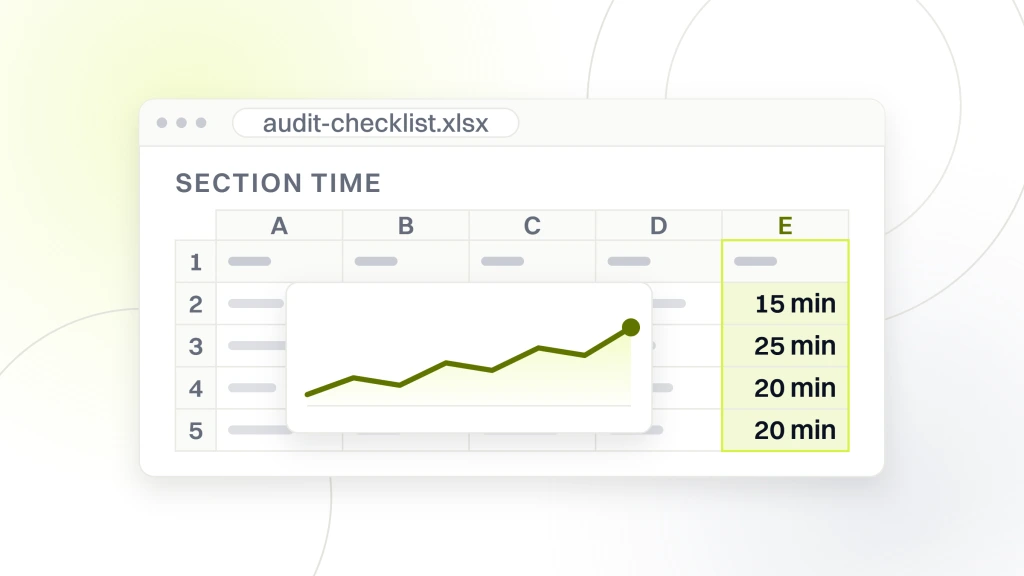
| Audit section | Time | Common issue | Typical fix impact |
|---|---|---|---|
| Account settings | 15 min | Presence or interest targeting | 15% to 30% CPA drop |
| Campaign structure | 25 min | Ad group bloat | 25% to 45% quality score gain |
| Keyword audit | 20 min | Missing negative lists | 15% to 25% waste cut |
| Ad copy audit | 15 min | Broken UTM parameters | Restored segmentation |
| Landing page audit | 15 min | Homepage as landing page | 20% to 40% CPC drop |
| Tracking audit | 20 min | Missing phone call tracking | Fixed Smart Bidding signal |
| Reporting audit | 10 min | No GA4 integration | Cross-channel attribution |
Fix owner assignment matters more than finding count
Fix owner assignment turns audit findings into applied fixes. Every finding on the audit ticket gets an assigned owner (account manager, developer, or client) and a due date. Audit findings without owners sit in the report unread. Every audit report we produce assigns owners on the day the audit runs. That single practice moves audit fix-completion rate from 40% to 90% inside 30 days.
Quarterly re-audit cadence catches drift
Quarterly re-audit cadence catches configuration drift that creeps in over 90 days. Google auto-apply recommendations occasionally re-enable themselves after major platform updates. New team members occasionally make well-meaning changes that break tracking. Quarterly audits catch these regressions inside 90 days rather than during a frustrated client conversation in month six about why the leads dropped 40%.
How to do google ads audit checklist. Gwinnett Area Plumbers rebuild
Gwinnett Area Plumbers came into the engagement with a Google Ads account carrying most of the common audit failures. Location targeting was misconfigured to presence or interest. Ad groups ran 25-plus keywords with a single generic ad each. There was no phone call tracking at all. The homepage was the landing page for every ad. The audit surfaced 11 fixable issues in the first 90-minute review pass, with severity 5 flags on tracking, landing pages, and location targeting.
The rebuild followed the checklist section by section. Location targeting flipped to presence only. Ad groups restructured into 10 service-specific ad groups (drain, water heater, repipe, sewer, and six more). Every ad group got its own dedicated landing page. CallRail dynamic number insertion tied every booked job back to source keyword. Sitelinks, callouts, and structured snippets rounded out the ad extensions. The four-month result was 141 qualified plumbing leads at a 14.6% conversion rate on 968 highly targeted ad clicks.
Gwinnett Area Plumbers audit and rebuild numbers
141 qualified leads in 4 months. 968 highly targeted ad clicks. 14.6% conversion rate on the entire ad spend. Those three numbers landed on an account that had been running under a prior agency with none of the audit fixes applied. The single largest driver was the call tracking install because it let Smart Bidding optimize on the actual booked-job signal for the first time. Behind that, the service-specific ad group structure produced quality score gains across every campaign in the account.
Audit before rebuild every time
Audit before rebuild every time. The 90-minute audit tells the account manager which pieces of the existing account are worth keeping and which need a full rebuild. Skip the audit and the rebuild replaces things that were already working. Run the audit and the rebuild scope tightens to the 8 to 14 real issues, cutting rebuild time from 30 hours to 12 hours per account and cutting client cost by half.
Google ads audit results across three more client accounts
The audit pattern repeats across verticals from local plumbing through enterprise SaaS. Same 14 checks, different fix priorities depending on where the account is bleeding the most. Three more client rebuilds show the range of outcomes when a proper google ads audit checklist runs on inherited accounts across chiropractic, fintech, and enterprise RPA.
Pain Cure Clinic runs a spinal and whole-body chiropractic practice in the US. The audit found broken landing page targeting, missing call tracking, and no negative keyword lists across a paid search account meant to book new patient appointments. The rebuild grew patient appointments 205%, organic traffic 289%, and patient reviews 162% across a 12-month engagement. ProCare Sports, a sports and spinal chiropractic clinic in San Diego, grew engagement 30% with a brand-aligned digital revamp that included paid ads audit and landing page overhaul as core scope.
Apex Fintech Solutions runs fixed income, structured products, and annuities across US capital markets. The audit surfaced 65% of media spend running against unqualified enterprise buyer intent. The nine-month rebuild improved media spend efficiency 65%, grew engagement 120%, and grew qualified leads 86% on an enterprise inbound strategy that treated the audit as the roadmap document. Automation Anywhere, the enterprise RPA leader in San Jose, cut lead costs 97% while scaling 100 times more customers with a multi-region PPC rebuild that used the same 14-point audit on 40-plus regional ad accounts before touching any budget allocation.
Tools that speed the google ads audit checklist
Tools that speed the checklist include Google Ads Editor for bulk changes, Google Analytics 4 for attribution reconciliation, CallRail for phone call tracking, SEMrush or Ahrefs for competitor keyword benchmarking, and a Google Sheet or Notion template for the finding log. Every one of these tools costs under $150 monthly and saves 3 to 5 hours per audit compared to a manual UI-only workflow. The tool stack pays for itself on the first audit.
The Google Sheet template is the underrated tool on the list. A finding log with columns for section, issue, severity, owner, due date, and status keeps the audit output actionable. Every audit output ends up in the same template so year-over-year comparisons run cleanly. Skip the template and audit findings live in a Word doc that nobody opens after the client-facing report goes out.
Google Ads Editor for bulk fixes on the google ads audit checklist
Google Ads Editor is the fastest way to apply bulk fixes across 40 campaigns and 200 ad groups. Location targeting changes, tracking template updates, negative keyword list applications, and ad copy edits run in bulk in Editor and push to production in one commit. That workflow cuts fix-apply time from 6 hours in the UI to 40 minutes in Editor on a mid-size account. Download Editor free from the official Google Ads Editor page.
Finding log template with severity ranking
The finding log template is a shared Google Sheet with tabs per audit run. Each row is one finding with columns for section, issue description, severity 1 to 5, assigned owner, due date, status, and impact estimate in dollars. Filter by status to run the weekly fix standup. Filter by owner to send targeted fix reminders. Filter by severity to prioritize the top 10 items for the executive summary. That single template turns audit findings into applied fixes at a 90% completion rate.
Google ads audit pricing and how it plugs into a PPC retainer
Google ads audit pricing at Redefine Web is simple. The audit is free, and it runs as the front end for every new PPC engagement.
If you want us to apply the fixes and manage the account, we quote a fixed monthly price once the audit shows what needs fixing. Ad spend is billed separately as a direct pass-through to Google.
What ongoing management adds to the google ads audit checklist
Ongoing management keeps the 14-point google ads audit checklist running after onboarding, with quarterly re-audits on active accounts. Every engagement includes the finding log template, the fix owner assignments, and the weekly standup rhythm that turns findings into applied fixes.
Where a google ads audit checklist starts on your account
Start with the account settings section. Fifteen minutes. Fix any settings-level findings the same day. Second, run the campaign structure review. Third, pull the 30-day search terms report and build the initial negative keyword list. Fourth, verify conversion tracking end to end from ad click through CRM record. Every one of these steps produces a measurable outcome inside the first two weeks and pays back the audit engagement inside 45 days. Skip the google ads audit checklist and you spend another quarter optimizing on top of misconfigurations that a two-hour review would have flagged on day one.
For related reading on the pricing side, the agency vetting side, and the campaign build side of the same practice, see the Google Ads management pricing guide. If you want the audit run for you by a team that has done the checklist across 200-plus accounts, book a discovery call with Redefine Web and we will walk your account section by section on a shared screen. The full 14-point pass runs in under two hours and produces a written fix log with owners, due dates, and dollar-impact estimates on every finding surfaced.