
Dental Marketing Automation That Recalls Patients Without a Front Desk Bottleneck
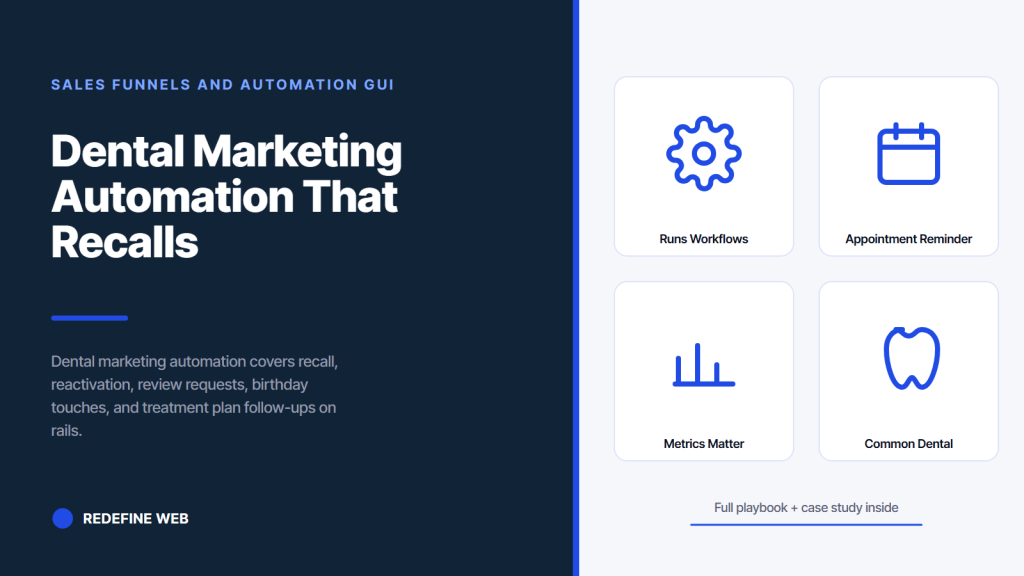
- Recall automation books 20 to 28 percent of overdue patients.
- Reactivation flows recover 12 to 18 percent of lapsed lists.
- Review requests fire 90 minutes after visit for best response.
- Email is for context. SMS is for booking links.
- Every workflow needs a front-desk handoff rule.
- What Dental Marketing Automation Actually Covers
- Dental Marketing Software That Runs the Workflows
- Dental Recall Automation Workflow That Fills the Hygiene Chair
- Dental Reactivation Automation for Lapsed Patients
- Dental Email Marketing Inside the Automation Stack
- Dental Review Request Automation That Actually Gets Answered
- Dental Marketing Tools That Integrate Cleanly
- Dental Appointment Reminder Automation
- Dental Treatment Plan Follow-Up Automation
- Dental Marketing Automation Metrics That Matter
- Common Dental Marketing Automation Mistakes
- How Smile Design Dentistry Scaled Automation Across 50 Locations
Dental marketing automation is the difference between a schedule that stays full and one that runs on your front desk chasing patients by phone every afternoon. If you’re a private practice or a DSO, the same principle applies. Recall, reactivation, review requests, birthday touches, treatment plan follow-ups, and appointment reminders all belong on rails, not on sticky notes. This guide walks you through the workflows you should have running today, the tools that make them work, the metrics that prove they’re working, and the mistakes we see most often when a practice tries to roll this out without a plan. Every recommendation here is one we’ve deployed on live dental accounts.
The short version. If your practice has more than 800 active patients and no automation stack, you’re leaving five to seven high-margin appointments a week on the table. That’s not an estimate from a vendor deck. That’s what shows up in the analytics of every practice we’ve audited without a working recall automation flow. This guide fixes it.
What Dental Marketing Automation Actually Covers
Dental marketing automation is not one tool or one workflow. It’s a layered system that handles patient communication across the whole lifecycle. Every practice needs the same seven layers running. Skip any layer and the schedule quietly drifts. Here’s the honest map of what belongs in the stack and what each layer is supposed to do for you.
New patient welcome sequence
Every new patient who books gets an automated welcome the day the appointment is set. Confirmation, what to expect, forms to complete, and a friendly note from the doctor. This single sequence improves show-rate by 8 to 12 percent on most practices because it reduces the anxiety gap between booking and arriving.
Six-month recall automation
Every patient who completes a hygiene visit gets scheduled for the next one before they leave. If they don’t schedule at the chair, the automation takes over. Five months out, an email nudge. Five and a half months out, a text with a booking link. Six months out, a second text if no response. The front desk only calls the patients who don’t respond to either automated touch.
Reactivation for lapsed patients
Any patient who hasn’t been in for 15 months goes into the reactivation flow. Three touches over six weeks, each with a different angle. A soft check-in, an educational note about why regular hygiene matters at their age, and a specific booking invitation. Roughly 12 to 18 percent of a reactivation list comes back in the first 60 days on a well-written sequence.
Dental Marketing Software That Runs the Workflows
Dental marketing software choices are where most practices get stuck. There are three broad categories, and each solves a different problem. You need at least one from each category. If you’re running only one tool across all three, you’re either paying too much for what you get or missing coverage.
Practice management integrated tools
Tools that plug directly into Dentrix, Open Dental, Eaglesoft, or Curve Hero. Weave, Solutionreach, and Modento sit in this category. The advantage is they pull real appointment and hygiene recall data. The disadvantage is the copy and cadence customization is often limited to templates. Good for the recall spine. Weaker for creative reactivation angles.
Standalone email and SMS platforms
Klaviyo, ActiveCampaign, and HubSpot handle the segmentation and personalization that PMS-integrated tools do poorly. You lose the direct hygiene data connection, so you have to sync patient lists through a middleware like Zapier or a purpose-built dental connector. Worth the extra setup if you want automation copy that reads like a human rather than a template.
Review request and reputation tools
Birdeye, Podium, and NiceJob focus specifically on post-visit review requests through SMS and email. Some overlap with the PMS-integrated category. If your PMS-connected tool covers review requests well, you don’t need a second tool here. If it doesn’t, add one. Reviews are too tied to new patient acquisition to leave to chance.
Dental Recall Automation Workflow That Fills the Hygiene Chair
Recall automation is the single highest-value workflow in your stack. Every hygiene chair sits empty for 20 to 30 hours a month on the average practice, and most of those hours are recoverable if the recall automation runs cleanly. Here’s the workflow we deploy for the practices we work with.
The pre-recall in-chair conversion
Before automation kicks in, the hygienist books the next appointment during the current visit. Practices that book at the chair recover 65 to 75 percent of their recall without any digital touch. That’s the baseline. Automation covers the remaining 25 to 35 percent, not the whole book. If your in-chair conversion is under 60 percent, fix that before you invest heavily in automation software.
The five-touch recall sequence
For patients who left without booking, run a five-touch sequence over three weeks. Touch one is an email at five months out with a personal note from the hygienist by name. Touch two is a text at five and a half months with a direct booking link. Touch three is a second email at six months with a soft nudge and a booking link. Touch four is a second text at six and a half months. Touch five is a front-desk call at seven months for patients who haven’t responded. That’s the sequence we’ve run across dozens of practices and the one that consistently books 20 to 28 percent of the remaining list.
Handling the unresponsive patients
After seven months with no response, move the patient to the reactivation flow. Don’t keep hammering the same recall angle. The patient is telling you the routine six-month cadence isn’t landing. A different message with a different frame will book more of them than a sixth reminder about hygiene appointments. Segmentation matters, and this is one of the places it earns its keep.
800 patients and no recall flow means 5 slots a week are empty by Friday. Fill those before adding a dollar of acquisition. Payback runs in weeks not quarters.
Dental Reactivation Automation for Lapsed Patients
Reactivation is where most practices leave real revenue on the table. Every practice we audit has 400 to 1,200 lapsed patients sitting in the PMS with valid contact info and no active outreach. Those patients already know your team, already trust your work, and already know where the office is. Winning them back is dramatically cheaper than acquiring a new patient through paid search or Meta ads.
Segmenting the lapsed list
Split the lapsed list into three tiers. Fifteen to twenty-four months since last visit. Twenty-five to thirty-six months. Thirty-seven months plus. Each tier gets a different message. Fresh lapsers respond to a soft check-in. Longer lapsers need a bigger reason to come back, often tied to a specific service or a specific concern. The deepest tier converts weakest, so don’t burn top creative budget on them.
The three-message reactivation sequence
Message one is a short email from the doctor by name asking how the patient has been. No pitch. Just a genuine hello. Message two, two weeks later, is a text with a specific booking link and a mention of new equipment, new team members, or an updated procedure the patient hasn’t seen. Message three, three weeks after that, is an email with a specific offer tied to what makes sense for the patient’s history. A whitening top-up. A hygiene bundle. A same-day exam slot.
Measuring reactivation performance
Track two numbers. Reactivation rate as a percent of the addressable list, and revenue per reactivated patient over the first 90 days. A healthy reactivation flow runs at 12 to 18 percent on the first two tiers combined, and reactivated patients tend to spend 20 to 40 percent more in the first 90 days than the practice average because they often come in with a specific concern that has been building.
Dental Email Marketing Inside the Automation Stack
Dental email marketing is a subset of the automation stack, not a separate discipline. Every email you send should live inside a workflow triggered by a patient event, not a monthly blast. Practices that still run monthly newsletters usually see open rates drift under 15 percent and click rates under 1 percent within a year. Event-triggered email routinely holds 45 to 55 percent open rates and 6 to 10 percent click rates because it lands when the patient actually cares.
Trigger events that belong on email
New patient welcome. Appointment confirmation. Post-visit thank-you with a review request. Six-month recall reminder. Reactivation touches. Treatment plan follow-up if the patient left the office without accepting all recommended work. Birthday note with a small hygiene reminder. Insurance benefits reminder near year-end. Every one of these is a real event in the patient’s relationship with the practice, and every one deserves a purpose-built email.
What doesn’t belong on email anymore
Monthly newsletters. Whitening promotion blasts to the entire list. Long-form educational content the patient didn’t ask for. These formats used to work in 2015. Today they train your list to ignore you. If a message isn’t tied to a specific event or a specific interest the patient has signaled, don’t send it. Every low-relevance email you send makes the high-relevance emails perform worse.
Where SMS wins over email
Confirmations, reminders, and any recall touch inside the last week benefit from SMS. Response rates run four to six times higher on SMS in that window. Reserve email for the long-form context and use SMS for the direct booking link. Practices that lean too hard on either channel underperform practices that use both in the right places.
Dental Review Request Automation That Actually Gets Answered
Review request automation is a specific workflow with its own rules. Get the timing wrong and your response rate collapses. Get the copy wrong and you invite a bad review from a patient who was happy in the chair but got a clumsy request three days later. Here’s the version that works in 2026.
Timing the request
Send the request 90 minutes to three hours after the visit ends. Not the next morning. Not three days later. The 90-minute window is when the patient still feels the outcome and hasn’t moved on to the rest of their day. Practices that shift their review request timing from next-day to same-day typically see a 40 to 60 percent bump in response rate on the same volume of visits.
The two-step ask
Step one is a text asking how the visit went with a one-to-five rating. Step two, only for four and five-star ratings, is a link straight to Google. One to three-star ratings route to a private feedback form so the office can address the concern before the patient posts publicly. This isn’t hiding bad reviews. It’s giving unhappy patients a direct channel to be heard, which is what most of them actually want.
What copy to use
Keep it short and personal. “Hi [First Name], thanks for coming in today. Quick question: how was your visit with [Doctor Name] on a scale of one to five? Reply with a number.” That message outperforms every polished template we’ve tested. Patients respond to specific and human, not corporate and polished. Skip the logo. Skip the paragraph of thanks. Get to the ask.
Dental Marketing Tools That Integrate Cleanly
Dental marketing tools live or die on integration. The best copy in the world doesn’t matter if it can’t fire on the right event because your PMS and your automation platform don’t talk to each other. Here’s the platform-by-platform integration reality most practice owners don’t hear until they’ve already signed a two-year contract.
| Tool | PMS Integration | Best For | Weakness |
|---|---|---|---|
| Weave | Native to major PMS platforms | Recall, reminders, phone | Copy templates feel dated |
| Solutionreach | Native to major PMS platforms | Reviews and recall | UI feels legacy |
| Modento | Native to Dentrix and Open Dental | Patient forms and comms | Newer, smaller feature set |
| Birdeye | Via middleware | Reputation and reviews | Recall requires second tool |
| ActiveCampaign | Via Zapier or custom | Reactivation copy quality | Setup requires more work |
| Podium | Via API to major PMS | Text-first patient comms | Priced high per location |
Choosing one tool versus a stack
Single-location practices can usually run one PMS-integrated tool and cover 80 percent of the workflows. Multi-location practices and DSOs benefit from splitting the workflow across two tools. One PMS-integrated tool for the appointment-driven work. One standalone platform for the segmentation-heavy reactivation and campaign work. The extra setup pays off in copy quality and creative flexibility.
Data hygiene as a prerequisite
Before you buy any tool, clean the patient list. Duplicate records, missing mobile numbers, and stale emails wreck automation performance. Run a monthly cleanup on the PMS. Every practice we’ve helped through a tool rollout has saved 20 to 40 hours of downstream troubleshooting by fixing the data first.
What HIPAA means for tool selection
Every tool that touches PHI needs a signed business associate agreement. That includes the automation platform, the SMS provider, any middleware you use, and your review request tool if the messaging references clinical information. Practices that skip the BAA step create real compliance exposure. Ask for the BAA on the first sales call. Any vendor that hesitates is not the right vendor.
Dental Appointment Reminder Automation
Appointment reminder automation is the workflow every practice already runs. Most run it poorly. The three-touch reminder is the industry default: seven days out, three days out, and 24 hours out. That cadence is fine as a baseline. What separates a good reminder flow from a mediocre one is the small details in copy, channel, and response handling.
Personalizing the seven-day touch
The seven-day touch should mention the doctor by name and the specific service booked. “Hi [First Name], this is a reminder that your hygiene visit with [Doctor Name] is scheduled for [Date] at [Time].” Practices that swap generic “appointment reminder” copy for named copy see show-rate improvements of two to four percentage points. That’s real money at the hygiene chair rate.
The 24-hour text with a reply option
The 24-hour reminder must include a reply option. “Reply Y to confirm, R to reschedule, C to cancel.” That single line pulls forward every cancellation that would otherwise become a no-show, and no-shows are dramatically more expensive than late cancellations because you can fill a slot with 18 hours’ notice but not with two.
Handling the confirmation replies
Your automation platform should update the PMS status automatically based on the reply. If your platform can’t do that, the front desk ends up manually updating statuses, which defeats the purpose. Confirm this capability before you buy. Manual reconciliation of confirmation replies eats about 20 minutes a day on a busy practice.
Dental Treatment Plan Follow-Up Automation
Treatment plan follow-up is the workflow with the highest revenue impact per patient and the one most practices don’t run at all. Every patient who leaves the office with recommended treatment they didn’t schedule is a candidate. Most practices have 30 to 50 percent of their active patients sitting on unaccepted treatment plans worth thousands of dollars each.
The two-week soft follow-up
Two weeks after the visit, send an email with a summary of the recommended treatment and the reasoning behind it. Not a sales pitch. A recap. Include the doctor’s note about why each item matters clinically. Patients often forget or misremember what was recommended, and the recap alone books 8 to 12 percent of the outstanding plan value.
The six-week benefits reminder
Six weeks after the visit, send a message about insurance benefits and financing options. Many patients delay treatment because they don’t understand what their plan will cover. A clear breakdown removes that friction. Include the specific dollar amount their plan will pay for the recommended work if you can pull that data. Specific numbers convert three to four times better than generic “we accept most insurance” copy.
The three-month next steps message
Three months out, if the plan is still open, send a final message with a direct scheduling link and a note about how the situation may worsen without intervention. Not fear-mongering. Clinical honesty. “Your cracked filling on tooth 14 will continue to break down. Scheduling before end of year uses your remaining benefits.” Direct copy books the patients who were going to accept eventually and just needed a nudge.
Dental Marketing Automation Metrics That Matter
Dental marketing automation lives on numbers. If you can’t measure the workflows, you can’t improve them, and you can’t defend the tool cost to the practice owner. Every workflow above has one or two metrics that prove it’s working. Track these monthly.
- Recall automation booking rate: percent of overdue hygiene patients who book from an automated touch.
- Reactivation booking rate: percent of lapsed patients from the addressable tier who return within 90 days.
- Review request response rate: percent of post-visit review requests that yield a public Google review.
- Show-rate delta: change in show-rate since implementing the confirmation sequence.
- Treatment plan acceptance rate: percent of open plans that close inside 90 days of the follow-up sequence.
- Email open and click rates by workflow, not aggregated across all sends.
- SMS delivery and reply rate by workflow.
Setting realistic targets
Recall automation should book 20 to 28 percent of the addressable list. Reactivation should book 12 to 18 percent of the fresh and mid tiers combined. Review requests should convert at 25 to 35 percent to a public review on the two-step ask. Show-rate should sit above 92 percent on established patients and above 85 percent on new patients. Treatment plan acceptance from the follow-up sequence should add 10 to 15 percent to your baseline in-chair acceptance rate.
Reporting to the practice owner
The monthly report to the owner should show revenue attributable to automation, not just booking counts. Multiply booked appointments by average appointment value by workflow. Show the total. That’s the number that keeps the tool budget alive when the practice manager pushes back at renewal. Booking counts alone rarely survive a budget review. Revenue does.
What to do when a workflow underperforms
Every workflow will have a bad month. Start with the copy. Test one variable at a time. Change the subject line for two weeks. Then change the CTA. Then change the timing. Do not change three things at once. You’ll never know which lever moved the number. Slow, disciplined testing builds a workflow that keeps improving.
Common Dental Marketing Automation Mistakes
Dental marketing automation goes wrong in predictable ways. Every practice we audit repeats one or more of these. Fix them before you launch new workflows. We rank the mistakes below by revenue damage, not by how obvious they are.
Blasting the whole list every month
Practices still send a monthly newsletter to every active patient. Open rates fall. Unsubscribe rates rise. Deliverability suffers. Every subsequent event-triggered email lands in more spam folders because the whole domain’s reputation drops. Kill the monthly blast. Every email should fire off a specific patient event or a specific segment behavior.
Same copy across all workflows
Recall copy, reactivation copy, and review request copy all sound the same because someone wrote them in one afternoon. Each workflow needs its own voice. Recall is warm and expected. Reactivation is curious and reintroduces the practice. Review requests are quick and direct. When all three sound identical, response rates on all three drop 20 to 40 percent below what they should be.
No handoff to the front desk
Automation should feed the front desk, not replace it. Every workflow needs a rule for what happens when a patient responds. If a patient texts back “I want to book but the link isn’t working,” someone at the desk needs to see that in five minutes, not five days. Practices that never wire the handoff end up with piles of patient replies going unanswered, which is worse than never running the automation at all.
How Smile Design Dentistry Scaled Automation Across 50 Locations
Smile Design Dentistry, a Florida DSO with 50+ locations, hit every scaling problem the small-office playbook misses. Broad PPC targeting drove leads no local office could convert. Recall ran on front-desk phone calls. We rebuilt PPC by geo and stage and added standardized automation across the network.
Per-location, per-stage campaigns
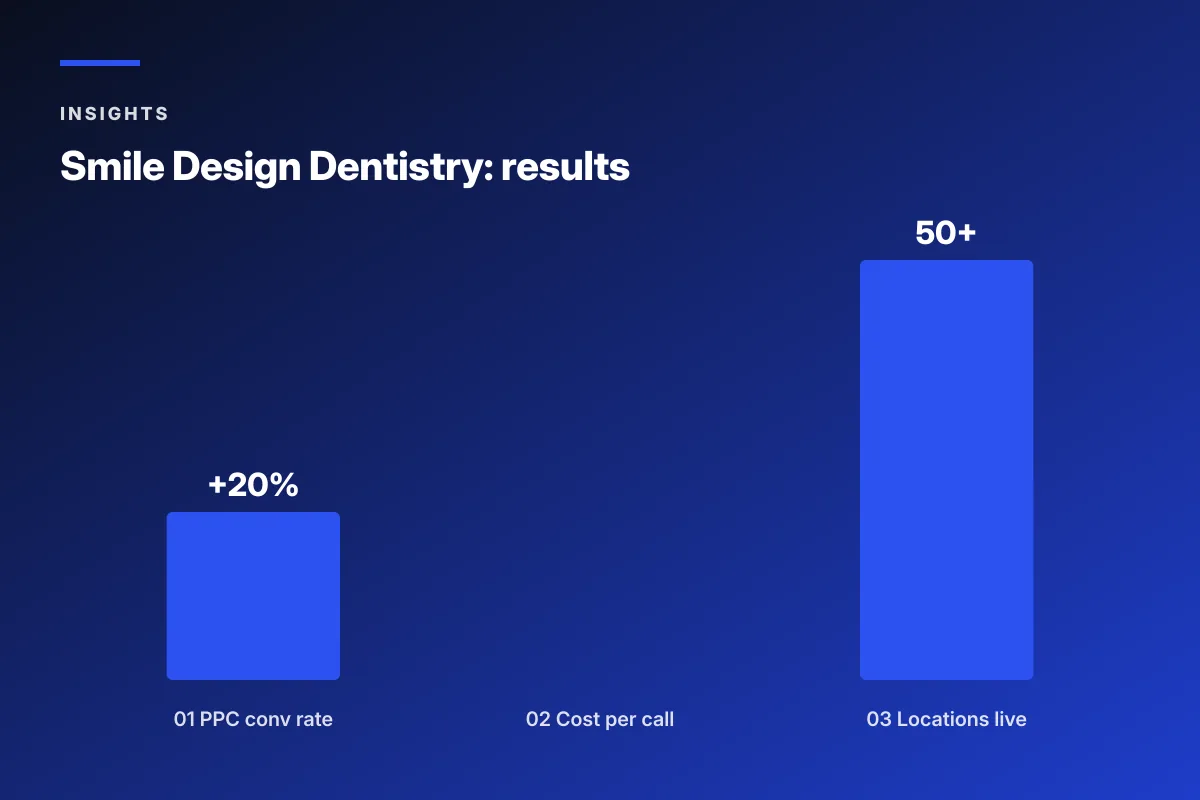
We restructured PPC by funnel and geography so high-intent leads went to the offices with capacity rather than the next available phone. Bid logic ran per neighborhood rather than per office, catching patients searching from drivable distance. Landing pages matched ad creative and reinforced local trust while keeping the national brand consistent. That single restructuring pushed PPC conversion rate up 20 percent and cut cost per call 30 percent across the network.
CallRail-scored automation triggers
Patient-quality scoring on every call let the automation platform target optimization against actual booked patients, not just phone rings. That single feed changed how the automation stack allocated budget. Reactivation lists got scrubbed against inbound call intent. Recall lists prioritized the offices with capacity to receive them. Full-funnel paid social layered awareness, consideration, and conversion campaigns on top of a standardized automation cadence that ran consistently across every location.
Continuous creative iteration
Automation copy, ad creative, and landing pages all ran on a formal test cadence. A/B tests ran every two weeks. Capacity-aware budget allocation kept high-volume offices supplied with new patients while lower-volume offices ran leaner. The whole program produced a network with 50+ locations live on optimized campaigns, scalable PPC, and a paid social and landing-page system that keeps improving month over month.
Dental marketing automation only works when the workflows, tools, and reporting all line up. If you’d like a partner to design and deploy the recall, reactivation, review, and treatment plan follow-up stack for your practice, our team at Redefine Web offers dental marketing for dentists and dental email marketing support built into every engagement. Related reads: dental review generation, dental marketing plan, and call tracking for dentists. External references: ADA practice management resources, HHS guidance on HIPAA business associates, and Google Business Profile review policy.
Frequently asked questions
What is dental marketing automation?
Dental marketing automation is a layered system of workflows that handles patient communication across the whole lifecycle without manual work at the front desk. The stack includes new patient welcome sequences, six-month recall reminders, reactivation flows for lapsed patients, review request automation, appointment confirmation and reminder sequences, treatment plan follow-ups, and birthday touches. Every workflow triggers on a specific patient event pulled from your practice management system. Done well, dental marketing automation recovers five to seven high-margin appointments a week for a mid-size practice that previously relied on front-desk phone calls to keep the schedule full.
What dental marketing software should a practice use?
Dental marketing software falls into three categories. PMS-integrated tools like Weave, Solutionreach, and Modento plug directly into Dentrix, Open Dental, Eaglesoft, or Curve Hero and handle recall, reminders, and reviews. Standalone platforms like Klaviyo, ActiveCampaign, and HubSpot handle segmentation and reactivation copy but require middleware to sync patient data. Reputation tools like Birdeye, Podium, and NiceJob focus on post-visit review requests. Single-location practices can usually cover 80 percent of workflows with one PMS-integrated tool. Multi-location practices and DSOs benefit from a two-tool stack: one PMS-integrated for appointment work and one standalone for reactivation campaigns.
How does dental recall automation work?
Dental recall automation runs a five-touch sequence over three weeks for any patient who left a hygiene visit without booking the next one. Touch one is a personalized email at five months out from the hygienist by name. Touch two is a text at five and a half months with a direct booking link. Touch three is a second email at six months. Touch four is a second text at six and a half months. Touch five is a front-desk phone call at seven months for patients who never responded. This sequence books 20 to 28 percent of the addressable list on top of the 65 to 75 percent of patients who book at the chair during the previous visit.
What is dental reactivation automation?
Dental reactivation automation targets patients who have been lapsed for 15 months or more. Split the lapsed list into three tiers: 15 to 24 months, 25 to 36 months, and 37 months plus. Fresh lapsers respond to soft check-ins. Longer lapsers need a specific reason to return, often tied to a service or a concern. Run a three-message sequence over five weeks. Message one is a warm hello from the doctor by name with no pitch. Message two is a text with a booking link and mention of what has changed at the practice. Message three is an email with a specific offer tied to the patient's history. Reactivation flows recover 12 to 18 percent of the first two tiers combined within 90 days.
When should dental review requests be sent?
Dental review requests should fire 90 minutes to three hours after the visit ends, not the next day. The 90-minute window is when the patient still feels the outcome and hasn't moved on to the rest of their day. Practices that shift review request timing from next-day to same-day typically see a 40 to 60 percent bump in response rate on the same visit volume. Use a two-step ask: text one asks for a one-to-five rating, and text two only fires for four and five-star ratings and routes the patient to Google. One to three-star ratings route to a private feedback form so the office can address concerns before a public post.
How much revenue does dental marketing automation add?
A well-run dental marketing automation stack typically adds 8 to 15 percent to gross revenue for a practice that previously ran manual recall and reactivation. The biggest drivers are recall automation booking 20 to 28 percent of overdue hygiene patients, reactivation flows recovering 12 to 18 percent of lapsed patients within 90 days, and treatment plan follow-ups adding 10 to 15 percent to baseline in-chair acceptance. Multiplied across a mid-size practice with 2,000 active patients, that translates to five to seven additional high-margin appointments per week. Report revenue attributable to automation, not just booking counts, when defending the tool budget to the practice owner.
Does dental marketing automation need to be HIPAA compliant?
Yes. Every dental marketing automation tool that touches protected health information needs a signed business associate agreement with the practice. That includes the automation platform, the SMS gateway, any middleware syncing data between the PMS and the platform, and any review request tool if the messaging references clinical information. Practices that skip the BAA step create real compliance exposure and often find out only during an audit. Ask for the BAA on the first sales call. Any vendor that hesitates or claims a BAA is not necessary is not the right vendor for a healthcare practice.
Book your free 30-minute strategy call.
No spam, no sales rep. We use your email to schedule your call with a senior strategist. That is it.
More from the blog
View all articles → Sales Funnels and Automation
 Automated Sales Funnel Services That Turn Traffic Into Booked Calls
Read article Sales Funnels and Automation
 Marketing Automation Professional Services Firms Actually Use
Read article Digital Marketing