Headless WordPress website development keeps the WordPress editor, custom post types, media library, and admin tools your team already uses, then hands page rendering to a separate JavaScript framework. WordPress stays the content backend. React, Next.js, Nuxt, or Astro renders the front end. The two layers talk through the REST API or WPGraphQL. You pay a real premium for the setup, and you get measurable gains on speed, flexibility, and multi-channel delivery when the site earns them.
This guide covers when headless WordPress website development pays off, what the stack looks like, what the build costs, what you give up from the classic WordPress experience, and how to spot a headless WordPress website development agency that has delivered more than one of these. Read straight through in about twelve minutes, save the sections that match your project, and skip the rest.
The Headless WordPress Tech Stack You Actually Deploy
Every headless WordPress project uses roughly the same four-layer stack. Backend CMS. API layer. Front-end framework. Front-end host. The specific pick at each layer changes based on team preference and traffic, but the shape holds across every build we’ve seen go live. Here’s the working reference stack, plus the two or three variants worth knowing.
| Layer | Default pick | Alternate | Why it matters |
|---|---|---|---|
| WordPress host | Kinsta | WP Engine, Pantheon | Managed hosting, staging, edge caching for the admin |
| API layer | WPGraphQL | REST API | GraphQL fetches only the fields you need per query |
| Front-end framework | Next.js | Nuxt, Astro, SvelteKit | SSR, ISR, static export, routing, image handling |
| Front-end host | Vercel | Netlify, Cloudflare Pages | Edge deploys, preview URLs, atomic rollbacks |
| Preview integration | Custom preview endpoint | WP Engine Atlas | Editors see draft content on the real front end |
| Media handling | WordPress CDN + Next.js Image | Cloudinary | Responsive images without editor friction |
WordPress backend hosts that actually handle traffic
Kinsta, WP Engine, and Pantheon are the three we build on for enterprise headless work. All three run Google Cloud or AWS underneath, offer staging environments, handle daily backups, and give you real SSH access. WP Engine’s Atlas platform bundles the front-end host too, which cuts one vendor from the stack. Pantheon fits agencies with 20+ sites on one dashboard. Kinsta wins on the admin experience. Shared hosts like Bluehost or SiteGround will run WordPress fine for a small blog, but they cap out under real headless load because API response times climb once traffic hits 50,000 monthly sessions.
WPGraphQL vs REST API
WPGraphQL wins for most headless builds because you fetch only the fields the page actually renders. A homepage query pulls 12 posts with title, excerpt, featured image, and category. REST returns the entire post object every time, including body content the homepage doesn’t display. GraphQL saves 60% to 80% of the payload on typical listing queries. REST is fine for smaller sites where the payload savings don’t compound.
Next.js as the default front end
Next.js is the default for a reason. Server-side rendering, incremental static regeneration, image optimization, routing, and API routes come in one framework. Vercel deploys it in under a minute. The React ecosystem has more component libraries and hires more easily than Vue or Svelte. If your team leans Vue, Nuxt is the direct equivalent. Astro fits content-heavy sites where you want islands of interactivity instead of full React hydration.
Headless WordPress Website Development Cost Bands
Headless builds land in three cost bands. Small headless ($30k to $60k), mid-market ($60k to $150k), and enterprise ($150k to $400k+). Each band buys a specific scope. Ongoing hosting and maintenance runs $600 to $4,000 per month depending on traffic and how many front ends the site runs. Numbers below reflect 2026 pricing and cover the full build plus first 90 days of post-launch care. For a look at classic responsive web design and development cost tiers, compare the delta before you commit.
Small headless build ($30k to $60k)
A small headless WordPress website development scope covers a marketing site of 20 to 60 pages, one front end, one language, a blog, and a resource library. Custom theme design converts to a Next.js component library. WPGraphQL runs the API. Vercel hosts the front end. Kinsta or WP Engine runs WordPress. Timeline is 10 to 14 weeks. Editors get a working preview endpoint and a Next.js Preview button. The site scores 95+ on mobile and rebuilds in under two minutes on any content change.
Mid-market headless build ($60k to $150k)
Mid-market covers a content-heavy site with 100 to 500 pages, two languages, a search integration, a CRM sync, and a lightweight ecommerce or lead capture layer. Custom design system, component library, more complex GraphQL schema, ISR for content freshness, and a preview environment that supports draft-first review. Timeline runs 14 to 20 weeks. Post-launch retainer runs $2,000 to $4,000 per month for content updates, front-end feature work, and CMS support.
Enterprise headless build and WordPress enterprise website development agency scope ($150k to $400k+)
Enterprise builds serve 1M+ monthly sessions, run 3+ front ends off one CMS, integrate with 4+ enterprise systems (Salesforce, HubSpot, Segment, Zendesk), and support editorial teams of 10 to 50 people. This is the scope where WordPress enterprise website development agency work operates. Timeline runs 5 to 9 months. A dedicated tech lead, front-end engineers split across React and design system tracks, a WordPress engineer for backend logic, and a QA lead all staff the project. Ongoing runs $8,000 to $25,000 per month.
Picking a Headless WordPress Website Development Agency
A headless WordPress website development agency looks different from a classic WordPress agency in three ways. JavaScript engineering depth, DevOps maturity, and CMS abstraction habits. The first eliminates 80% of agencies that pitch headless just because they have a React portfolio somewhere. The second and third separate the shops that build headless once from the shops that build it every quarter.
Questions that filter for real headless experience
Ask five questions and listen for specific answers.
- How many headless WordPress builds have you delivered in the last 24 months? Under three is a red flag.
- What preview solution do you use, and how do editors see draft content on the live front end? A vague answer means preview will hurt for months post-launch.
- What does your CI/CD pipeline look like from a content change in WordPress to a live front-end update? “Netlify handles it” is not a real answer.
- How do you handle image optimization end to end, from upload to the visitor’s screen? The answer should name Next.js Image, Cloudinary, or a specific responsive-image plugin, not “WordPress does it.”
- How do you handle SEO metadata (title, description, canonical, structured data) so it renders in the front-end HTML for crawlers? SSR or static generation, not client-side hydration.
WordPress VIP website developers vs standard headless shops
WordPress VIP website developers work on Automattic’s enterprise-hosted WordPress platform, which serves publishers like TechCrunch, Salesforce, and CNN. VIP shops know performance patterns, editorial workflows, and compliance rules other agencies never encounter. If your project needs SOC 2 compliance, HIPAA-adjacent editorial controls, or 10M+ monthly sessions, a VIP-certified shop is worth the premium. For a mid-market headless build, a standard agency with three or four headless projects delivered can produce the same outcome at 40% to 60% lower cost.
References you should actually call
Ask for three references from the last 18 months. Call all three. Ask each one three things. How many hours of front-end work did you buy in month one, month six, and month twelve after launch? What broke in the first 90 days? How responsive were the developers to editor complaints about preview? The answers reveal how the agency actually operates. Portfolio screenshots don’t. Bonus question worth asking. Would you hire the same agency again for the next headless build, and if not, what would you change about the contract? Honest answers on that one question filter out 30% of the shops on your shortlist.
Headless WordPress Mistakes We See Every Quarter
Every headless WordPress project we audit has at least one of the same four mistakes. Preview is broken. SEO metadata is missing from server-rendered HTML. The build takes 40 minutes because someone wired every page to fetch everything. Editors gave up and started drafting in Google Docs because the admin experience felt disconnected from the live site. All four are avoidable with the first setup call, and painful to fix after launch.
Broken preview kills editor adoption
The first mistake shows up on day one. Preview is a screenshot, a static export, or a “come back in five minutes” button. Editors give up on headless projects with broken preview inside 30 days. Set up a preview endpoint that fetches the draft post from WordPress, renders it through the real Next.js template, and shows the editor exactly what visitors will see. If preview is not working end-to-end when the build goes live, the build is not done.
SEO metadata that only renders client-side
If title, meta description, canonical URL, and Open Graph tags render only after client-side hydration, Googlebot sees empty tags on the first render and your SEO tanks. Every page must render SEO metadata server-side or in static export. This is a Next.js metadata API job or a static generateMetadata function. Non-negotiable. Test with the URL Inspection tool in Search Console before launch. Our SEO friendly WordPress website development playbook covers the metadata rules that map cleanly to a headless setup.
Build times that make content publishing painful
If a full site rebuild takes 40 minutes, editors will complain that a typo fix doesn’t go live for an hour. Switch to Incremental Static Regeneration or on-demand revalidation so only the changed page rebuilds. Full rebuilds should happen on schedule (nightly, weekly) or on structural changes (nav update, sitewide banner). A content change on page 47 should not trigger a rebuild of pages 1 through 300.
Editors quietly draft in Google Docs
Watch for the tell-tale sign that the CMS is broken. Editors start pasting from Google Docs into the WordPress admin at the last possible moment. It means preview, autosave, or block behavior is bad enough that they don’t trust the CMS to hold their draft. Fix the CMS experience or you’ll be maintaining an expensive publishing tool nobody uses. A headless project without a working editor experience is a fast archive nobody updates.
Hosting and DevOps for Headless WordPress
Headless doubles your hosting surface. You run WordPress somewhere. You run the front end somewhere else. Each side needs monitoring, backups, and a rollback plan. DevOps maturity is what separates a headless site that runs itself from a headless site that eats a developer’s Friday afternoon every week.
WordPress side monitoring
Kinsta and WP Engine both include uptime monitoring, security scans, and daily backups by default. Add ManageWP or MainWP for cross-site plugin update tracking if you run more than two WordPress installs. See our WordPress website maintenance packages for the retainer scope that keeps a headless backend healthy. Watch API response times. If a GraphQL query starts taking longer than 400 ms consistently, the WordPress database or the WPGraphQL cache needs attention before it slows down the front end.
Front-end deploys and rollback
Vercel and Netlify give you atomic deploys with instant rollback. Every deploy is a permanent URL. If a change breaks something, revert to the previous deploy in one click and investigate on the broken version’s URL without affecting the live site. That’s a real advantage over classic WordPress where a bad plugin update can require a database restore. Use it. Push small changes often.
CI/CD from content change to live
The pipeline runs like this. Editor hits Publish in WordPress, a webhook fires to Vercel, Vercel rebuilds the affected pages (ISR) or the full site (static export), the new build promotes to production. A healthy pipeline takes 30 to 90 seconds for a single-page ISR rebuild and 2 to 5 minutes for a full static rebuild on a mid-size site. If yours takes longer, the fetching pattern needs work. The most common culprit. Every page component fetches the full nav, footer, and settings on every render instead of pulling those once at build time. Refactor to a single global fetch and rebuild speed drops 60 to 80% overnight.
A WordPress Rebuild in Practice, Host Duplex
Host Duplex, a premier hosting provider, ran a WordPress site that took 8+ seconds to load. A hosting company losing customers on slow marketing pages is a bigger problem than most engineering leads realize. The rebuild was not fully headless (the scope did not justify the premium) but the architectural approach borrowed heavily from the headless playbook. Lightweight theme, aggressive caching, image optimization, plugin audit, and a component-based build. The result was sub-second page loads, 65% fewer server requests, and 5,000+ additional organic visits after the rebuild settled in.
What the audit found
The audit found 18 active plugins, half of which duplicated features already built into the theme. Images averaged 480 KB each. The homepage made 132 HTTP requests. No CDN. No image lazy-loading. The active theme conflicted with page builders that had been stacked over three years. Classic WordPress mistakes, easy to spot once the numbers hit the table, harder to unwind without discipline.
What the rebuild changed
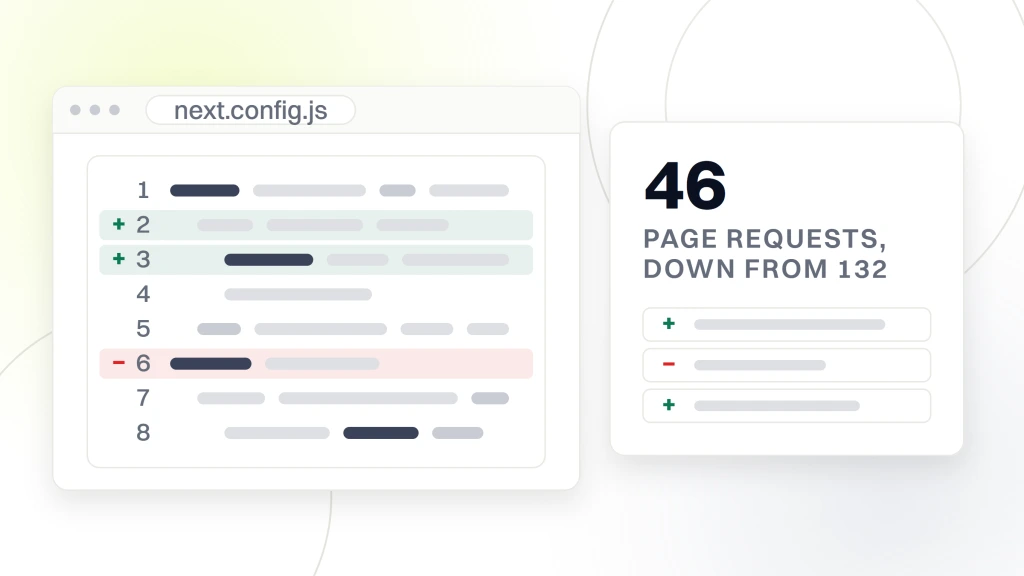
The rebuild swapped the theme for a purpose-built lightweight one with 8 blocks instead of 40. Plugins dropped from 18 to 6. Images ran through a build-time optimization pipeline that hit 60 to 90 KB per image with no visible quality loss. Cloudflare handled CDN and image resizing. Page requests fell from 132 to 46. Editors kept the same admin experience with a cleaner block library.
What the numbers looked like
Page load dropped 85%, from 8+ seconds to under one second. Server requests fell 65%. Organic traffic gained 5,000+ additional visits per month within 90 days as Core Web Vitals improved. The full write-up sits inside our case study library. The take-away. Even without going headless, borrowing headless-style discipline on assets, plugins, and caching moves the numbers hard.
A Decision Framework for Headless vs Classic WordPress
Work through six questions before you commit either way. Answer honestly, count the yes votes, and let the score guide the decision instead of the pitch deck. Sites that answer yes to four or more benefit from headless. Sites with three or fewer yes votes are ahead on classic WordPress.
- Do you serve more than 500,000 monthly sessions?
- Do you push content to more than one front end (web plus mobile app, kiosks, partner widgets)?
- Do you have at least one React or Vue developer on staff or on retainer?
- Do editors need per-block preview on the live front end (not just an admin preview)?
- Do you plan to redesign the front end without touching the CMS in the next 24 months?
- Is your monthly hosting and maintenance budget above $2,000?
Reading the score
Five or six yes votes and headless is a clear yes. The premium pays back because the project uses every advantage headless offers. Four yes votes and headless still fits, though you should budget carefully for the DevOps and front-end engineering capacity needed in months two through twelve. Three or fewer yes votes and stay classic. A clean, fast WordPress build with proper caching, image optimization, and a purpose-built theme delivers 90% of the visitor experience at 40% to 60% lower cost.
The middle path, partial decoupling
A middle path exists for sites in the ambiguous zone. Keep WordPress rendering most pages through a classic theme. Decouple one or two high-traffic pages (the homepage and product listings, say) as static-generated React components that fetch from the WordPress API. You get the speed win on the pages that matter without the full headless build cost. Partial decoupling runs $15,000 to $40,000, roughly a third of a full headless rebuild, and delivers 70 to 80% of the performance gain. It’s the honest middle for teams that want the speed on high-traffic pages without staffing a full front-end engineering track. This works well for content-heavy marketing sites that want to test headless benefits before committing.
Security and Compliance for Headless WordPress
Headless WordPress has one strong security win and two new attack surfaces. The win. The WordPress admin can sit behind IP restrictions or a private URL because visitors never touch it. The new surfaces. The API layer needs authentication for write operations, and the front-end build pipeline needs secret management for tokens and keys. Handle both properly and headless is more secure than a public WordPress admin. Handle either poorly and you expose data a classic setup would have kept safe.
Locking down the WordPress admin
Put the WordPress admin behind a VPN, IP allowlist, or Cloudflare Access. Editors sign in through single sign-on. Bot traffic never reaches wp-login.php. Brute-force attacks stop happening. This alone reduces the attack surface by 90% versus a public WordPress install. Pair it with two-factor authentication and you have an admin that stays quiet for years.
API authentication and rate limits
Read endpoints (fetching published content) can stay public. Write endpoints (mutations, preview, protected content) need JWT authentication or application passwords. Rate limits on the API layer stop abuse. Cache the GraphQL responses at the edge so repeated queries hit the cache instead of the WordPress database. WP Engine’s Atlas and Kinsta both support edge caching for API responses out of the box.
Compliance for healthcare and finance
For HIPAA-adjacent editorial workflows or finance content that needs audit trails, WordPress VIP or a similar enterprise host handles the compliance paperwork (SOC 2, HITRUST, GDPR data processing agreements). Standard hosts can meet the technical requirements but you’ll do more of the compliance mapping yourself. Budget legal and IT time for compliance review at the same tempo as the technical build.
Launch and Retainer Reality for Headless Builds
Launch day is not the finish line. It is week zero of a 12-week post-launch phase where the team stress-tests preview, editor training, cache behavior, and DevOps procedures. Budget for it. Headless projects that skip the post-launch retainer see editor adoption drop, cache misses pile up, and small bugs grow into weekend fires by month three. A serious agency scopes the launch and the first quarter after it as one continuous engagement.
The first 30 days
Days 1 through 30 focus on editor training, preview polishing, and cache tuning. Sit with editors for two or three hours a week. Watch them draft, preview, publish, and correct. Every friction they hit is a bug for the front-end team or a documentation gap for the CMS team. Fix each one same-week. That’s the phase that decides whether headless was a good call or a five-figure regret.
Days 31 through 90
Days 31 through 90 shift to performance monitoring, SEO validation, and the first round of iteration on the top pages. Run Search Console every week to catch metadata bugs, crawl errors, and structured data issues. Run Lighthouse or Real User Monitoring to catch performance drift as the content library grows. Iterate on the two or three highest-traffic pages based on real user behavior. Expect one or two structured data warnings in the first month. Fix them same-week or Google downgrades the rich result on the affected page type. Set up an alert on Core Web Vitals in Search Console so a regression on Largest Contentful Paint or Interaction to Next Paint pings the team before it costs a week of traffic.
Ongoing retainer scope
Beyond 90 days, the retainer covers front-end feature work, CMS support for editors, hosting cost review, plugin and framework updates, and one or two performance reviews per quarter. Content publishing runs on autopilot. Front-end and backend engineering hours scale with the roadmap. Retainers for mid-market headless sites run $2,000 to $4,000 per month. Enterprise headless retainers land at $8,000 to $25,000 per month depending on team size and roadmap.
How Headless Relates to Your Existing WordPress Site
Migrating a classic WordPress site to headless is a real project not a switch. Content survives intact. Themes and page builders don’t carry over. Page builder markup (Elementor, Beaver Builder, Divi) needs rework, which is often 40% to 60% of the migration effort. Plan for it.
Migrating from a classic build
If your team is thinking about migrating, start by cataloging the pages that use page builder blocks versus pages that use Gutenberg blocks. Gutenberg blocks map to headless with a component library. Page builder pages need to be rebuilt. Auditing this upfront tells you the real migration cost. Skipping this step is how projects blow their budget in month two of a nine-month rebuild.
Related reading on classic WordPress builds
If you’re comparing headless against a well-run classic build, our companion pieces cover the classic path in depth. See custom WordPress website development for the theme-plus-plugins path, how to develop a WordPress website for the step-by-step build sequence, WordPress website development cost for classic-build price bands, and WordPress ecommerce website development for the WooCommerce path. Reading two or three of them alongside this piece is the fastest way to decide.
Working with our team
When you want a partner who has delivered both classic and headless builds, our WordPress website development services cover the full range from a $12k five-page classic build to a $300k+ enterprise headless rebuild. Retainer plans start at $199 a month for maintenance and light feature work. External references worth reading before the first call. web.dev on Core Web Vitals, Kinsta’s headless WordPress overview, and MDN’s Web Performance guide.