WordPress ecommerce website development is where most founders learn that a store is not a brochure site with a shopping cart bolted on. You need clean product data, payment processing that clears in real time, tax logic that survives an audit, shipping rules that match your carrier setup, and inventory sync that won’t double-sell the last unit of your best product on a Friday night. The vendor quoting $2,400 for a WooCommerce store can’t deliver any of that. The vendor quoting $28,000 with no detail on what the extra money buys can’t either. Founders comparing agency options can review a WooCommerce web design agency that has built Woo storefronts at scale before scoping the work.
This guide covers WordPress ecommerce website development the honest way in 2026. You get real WooCommerce vs Shopify tradeoffs, four cost bands with what actually goes live in each, hosting numbers that keep your store fast under real traffic, extension picks that keep your monthly cost predictable, an a luxury decor DTC brand 179% revenue story, and the pre-launch checklist that catches broken checkouts before your first paying customer sees them. About 14 minutes end to end.
Why WordPress ecommerce website development starts with WooCommerce
WordPress ecommerce website development in 2026 defaults to WooCommerce for one reason. WooCommerce runs 27% of the top million ecommerce sites and hands you full ownership of your data and code. You can swap hosts, themes, or extensions without asking a platform vendor for permission.
The tradeoff is real. WooCommerce puts more setup work on you or your vendor than Shopify does. Shopify hands you a store in a day. WooCommerce takes 3 to 12 weeks of proper setup. If you value time to market above everything else, Shopify wins. If you value code ownership, customization depth, and lower cost at scale, WooCommerce wins. Both are honest picks. The wrong choice is either one made without knowing the tradeoff. See the WooCommerce documentation for the architecture reference.
WooCommerce vs Shopify tradeoff
Shopify costs $29 to $299 per month plus 0.5 to 2% transaction fees plus $79 to $299 per year for essential apps. That’s $600 to $8,000 per year in platform cost alone. WooCommerce costs $0 for the plugin plus $50 to $300 per month for hosting plus $800 to $1,400 per year for premium extensions. That’s $1,400 to $5,000 per year. Over 3 years a mid-size store on WooCommerce runs 15 to 30% cheaper on total cost of ownership than Shopify Plus. Under 3 years Shopify wins on time to market and zero infrastructure work.
Headless WooCommerce as a growth option
Headless WooCommerce splits your storefront from your admin. You keep WooCommerce as the backend for products, orders, and inventory, and build a custom React or Next.js frontend that consumes the WooCommerce REST API. That gives you the fastest possible page speed, complete design freedom, and the ability to serve your storefront through a CDN edge cache. The tradeoff is $30,000 to $150,000 in extra development. Headless fits stores over $2M in annual revenue where the speed and design gains earn back the extra cost. See our headless WordPress website development writeup for the deeper detail.
WordPress ecommerce website development cost by store size
WordPress ecommerce website development cost sits 30 to 60% above a comparable brochure site. A small store under 50 SKUs runs $8,000 to $18,000. A mid-size store with 200 to 800 SKUs runs $18,000 to $45,000. A large store with 1,000+ SKUs, subscriptions, and multi-currency runs $45,000 to $120,000. Enterprise stores with headless architecture or complex integrations start at $100,000 and reach $500,000. Each band is real. Budget preference doesn’t decide your band. SKU count, integration complexity, and the number of custom checkout rules do.
| Store size | Cost range | Timeline | What ships |
|---|---|---|---|
| Small (under 50 SKUs) | $8,000 to $18,000 | 4 to 8 weeks | WooCommerce + Stripe + basic shipping |
| Mid (200 to 800 SKUs) | $18,000 to $45,000 | 8 to 14 weeks | Subscriptions, tax logic, ERP sync |
| Large (1,000+ SKUs) | $45,000 to $120,000 | 12 to 24 weeks | Multi-currency, wholesale portal, PIM |
| Enterprise (headless) | $100,000 to $500,000 | 16 to 40 weeks | Headless frontend, CDN edge, custom API |
SKU count drives real cost
SKU count is the single biggest cost driver in WordPress ecommerce website development. Every additional 100 SKUs adds real hours to product data entry, category structure design, filter and search configuration, and QA on how each product page renders. A store with 40 products goes live in a weekend. A store with 800 products takes 3 to 6 weeks just on the product data import and cleanup pass. Vendors who quote the same number for 40 SKUs and 400 SKUs aren’t thinking about the product data step. Ask them upfront how they price your SKU count on the quote.
Integration cost stacks up fast
Every integration adds $1,500 to $8,000 depending on complexity. A Stripe or PayPal payment integration sits on the low end since both have great WordPress plugins. A NetSuite ERP integration runs high since NetSuite APIs require custom middleware. A shipping integration through ShipStation or Shippo runs $600 to $2,000. A tax integration through TaxJar or Avalara runs $800 to $3,000. Ask the vendor to list every integration in the scope with a real number attached. Lump-sum quotes hide the integration line items where cost overruns start.
Hosting picks for WordPress ecommerce website development
WordPress ecommerce sites need more hosting than a brochure site. WooCommerce runs 40% more database queries per page than a standard WordPress install since every product page pulls cart status, inventory count, related products, and category data. Cheap shared hosting collapses under that query load. Pages load in 6 seconds instead of 1. Conversion drops 20% for every extra second of mobile load time. That’s the hidden cost of picking $12 per month hosting for a store that should sit on $80 per month hosting.
The right hosting for a WooCommerce store starts at $50 to $150 per month for a small store. Kinsta at $105 to $225 per month for the ecommerce plans, Cloudways at $50 to $200 per month on DigitalOcean or Vultr, or WP Engine at $50 to $155 per month all handle small to mid-size WooCommerce well. Enterprise stores need $500 to $2,500 per month on dedicated infrastructure. Never run WooCommerce on shared hosting. The math on lost conversions from slow page speed dwarfs the $30 per month savings.
CDN and edge caching for stores
Every WooCommerce store should serve static assets through a CDN. Cloudflare’s free tier handles most stores under 50,000 monthly visits. Above that, BunnyCDN at $10 to $30 per month, or Cloudflare Pro at $20 per month, give you image optimization, faster global delivery, and origin protection. Full-page caching on WooCommerce is trickier since cart and checkout pages are dynamic. Managed WordPress hosts handle this with intelligent cache rules that exclude cart pages. Ask your host exactly how they cache WooCommerce before you sign up. Any host that gives a vague answer is a host that will cache your checkout page and break your store.
Database tuning for WooCommerce
WooCommerce stores gather database bloat faster than any other WordPress site. Every order creates 20 to 40 rows in wp_postmeta. Every abandoned cart, every session, every product view logs data. A store live for 2 years without database cleanup runs 3x slower than day one on the same hosting. The fix is scheduled database optimization through WP-Optimize or the hosting provider’s built-in tools, plus regular cleanup of old sessions and expired transients. Schedule monthly optimization. Skip it and the store loses 30% of its page speed over 18 months.
Premium extensions for WordPress ecommerce website development
Every serious WooCommerce store needs 4 to 8 premium extensions to reach parity with what Shopify ships built in. Budget $800 to $1,400 per year in extension licenses. Skipping this line means either accepting missing features or paying custom development for what should be an off-the-shelf plugin. Extensions are where WooCommerce feels expensive next to Shopify’s flat monthly fee. The tradeoff is that you own the code, you can swap extensions freely, and you’re not locked into a platform vendor’s roadmap.
- WooCommerce Subscriptions at $199 per year for recurring billing
- Table Rate Shipping at $79 per year for real-world shipping rules
- WooCommerce Bookings at $249 per year for time-slot sales
- TaxJar or Avalara at $19 to $99 per month for automated sales tax
- WooCommerce Memberships at $199 per year for gated content or wholesale
- Klaviyo for email at $20 to $200 per month depending on list size
- Reviews plugin at $79 per year for product reviews with schema markup
- ShipStation integration free from ShipStation with a $9 to $159 per month plan
Subscription billing setup
WooCommerce Subscriptions is the extension every recurring-billing business needs. It handles trial periods, prorated upgrades, dunning management for failed payments, and cancellation flows. Setup takes 4 to 8 hours for a first-time configuration. The alternative is Stripe Billing at 0.5% on recurring revenue, which is cheaper at low scale and more expensive at high scale. For a store doing $30,000 a month in subscriptions, WooCommerce Subscriptions saves you $1,500 a year over Stripe Billing. The math flips below $8,000 a month in subscription revenue.
Tax integration for multi-state stores
Sales tax on ecommerce in the US requires collecting tax in every state where you have economic nexus, which for most stores hits at $100,000 in sales into a state. TaxJar at $19 to $99 per month or Avalara at $50 to $500 per month automate the calculation and filing. Skip the automation and you spend 6 to 10 hours per quarter reconciling sales by state manually, plus you risk audit exposure on any state you miss. Every WooCommerce store above $200,000 annual revenue should have tax automation. Below that threshold the manual approach works if you’re disciplined.
DTC brand case study on developing an ecommerce website with WordPress
the brand, a luxury home decor brand, wanted to grow ecommerce revenue without pulling the discount lever every other week the way the rest of the category was doing. Their WordPress store ran on WooCommerce with a decent baseline, but the paid media, the SEO structure, and the site conversion flow weren’t tuned to the premium brand identity. Conversion rate sat around 1.4%. Paid social ran scattershot creative with no clear return-on-ad-spend story. The team needed a repositioned digital program that matched the luxury brand, not a discount-driven ecommerce grind.
We restructured SEO around intent-driven traffic queries where the buyer was already looking for premium, not searching for cheap alternatives. We rebuilt paid social with premium creative, tighter audience prospecting, and retargeting flows tied to real product interest. We tuned the WordPress ecommerce site for premium conversion patterns including trust signals, real product photography sequencing, and a checkout that respected the luxury buyer’s pace. Inside 4 years the results held. 179% ecommerce revenue growth, 1,588% paid search ROAS, 3,000% paid social ROAS, and conversion rate doubled without a single discount banner.
The outcome across 4 years
179% ecommerce revenue growth across the 4-year engagement. 1,588% paid search ROAS, more than doubling the previous year’s performance. 3,000% paid social ROAS through the retargeting and prospecting rebuild. Conversion rate doubled from 1.4% to over 2.8% without any discount incentives added. Every metric came from treating WordPress ecommerce as a full digital program, not as a website in isolation. The store was already on WooCommerce. The change was in how everything upstream of the checkout got structured to match the premium brand.
Lessons for your own WordPress store
Two lessons from the brand engagement carry into any WordPress ecommerce build. First, brand positioning shapes the WooCommerce build far more than most vendors admit. A premium store can’t use the same checkout flow as a discount store. Product page photography, review placement, and shipping messaging all shift. Get the positioning right on the site or your traffic converts at half the rate it should. Second, ecommerce is a program, not a launch. The 179% revenue growth came from 4 years of coordinated SEO, paid media, and site tuning. Any single quarter would have shown modest gains.
WordPress WooCommerce website development workflow start to finish
WordPress ecommerce website development follows a predictable workflow across 8 to 14 weeks for a mid-size store. Weeks one and two are discovery, product catalog audit, and information architecture. Weeks three and four are design mockups and homepage plus product page prototypes. Weeks five through eight are development, block building, product import, and payment integration. Weeks nine and ten are QA, checkout testing, and tax logic verification. Week eleven is client review and staging. Week twelve is soft launch and post-launch monitoring. Every phase depends on the previous one finishing cleanly. Slips cascade fast in ecommerce projects.
The single biggest workflow risk in WordPress ecommerce website development is the product catalog import. A CSV of 400 products with 12 attributes each is 4,800 data cells that all need to be right. Bad product data on import shows up as broken product pages after launch. Vendors who assume you supply clean product data on day one are being optimistic. Budget a week of vendor time for catalog cleanup, image normalization, and category structure QA. That week saves you from launching with 40 broken product pages that lose customers before they can buy. See our how to develop a WordPress website guide for the general workflow reference.
Product catalog import discipline
Product catalog import in WordPress ecommerce website development works via CSV upload. Every column maps to a WooCommerce field. Every product row needs SKU, name, price, weight, dimensions, category, images, description, and inventory count. Missing any of those breaks the product page. The fix is a template CSV filled in by your team before import, with a QA pass by the vendor on the first 20 rows. That catches format errors, missing images, and typos in category names. Then bulk import the remaining rows once the template is validated. That discipline saves 3 to 8 hours of post-launch fixes on a 400-SKU store.
Checkout testing before launch
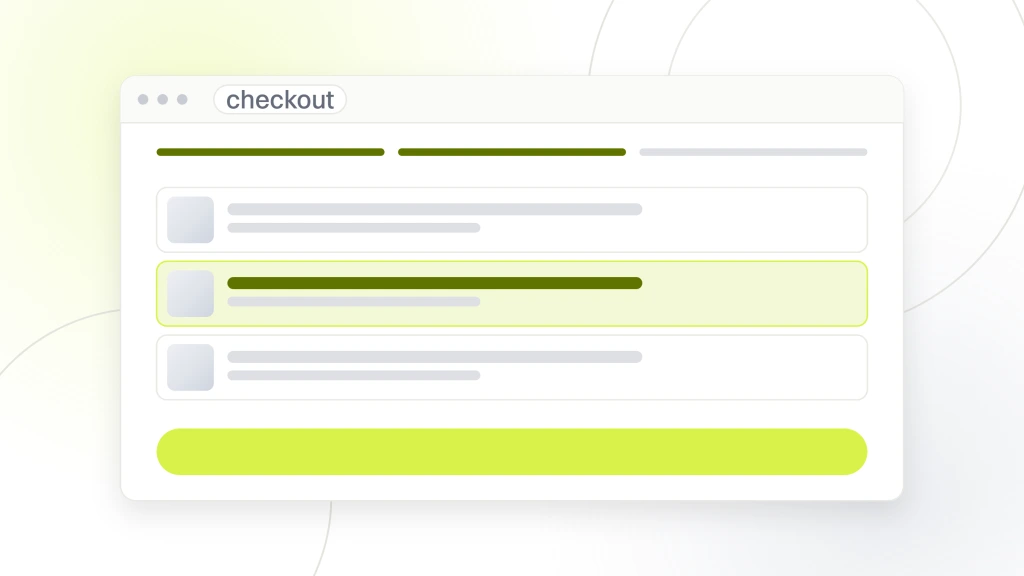
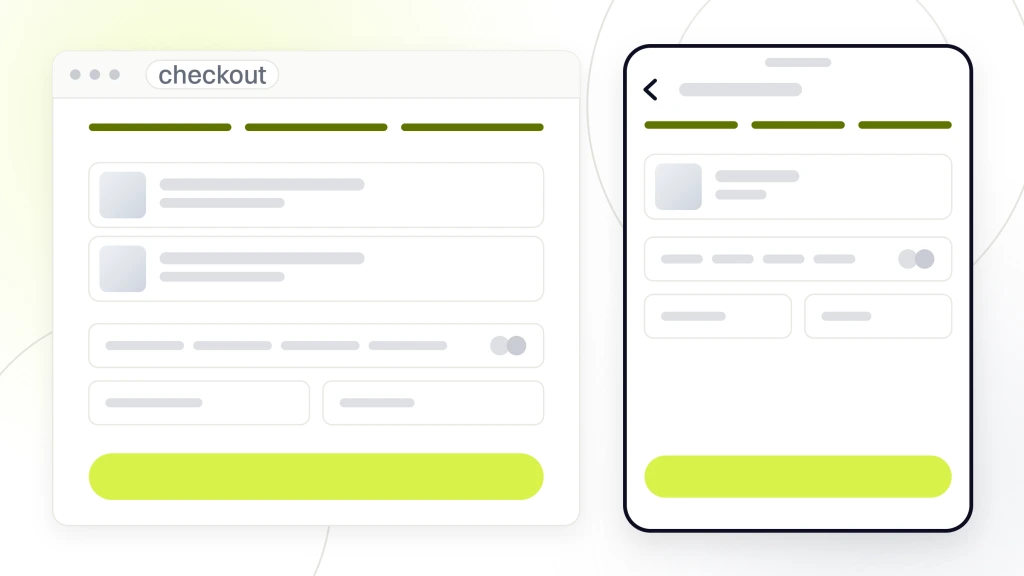
Test the checkout end to end before launch of any WordPress ecommerce website development project. Not once. Six times. With real credit cards, with expired cards, with international billing addresses, with combinations of shipping methods, with tax applied and without, with subscription products and one-time products in the same cart. Every failure mode you test is a failure mode you catch before a customer sees it. Sites that launch without proper checkout testing push broken checkouts that customers hit inside week one. Rebuilding customer trust after a broken launch takes 3 to 6 months. Testing 12 checkout scenarios takes 90 minutes.
The classic WooCommerce launch weekend goes like this. You cut over DNS at 11pm Friday. Everything looks fine. Saturday morning you have 3 orders. You are delighted. Saturday afternoon a customer emails saying the shipping calculator charged them $2,400 to send a $28 candle to Ohio. You dig in. Your table rate shipping rule was set in cents instead of dollars. You issue 3 refunds, apologize profusely, fix the rule, and never mention it in the launch announcement email. Nobody notices. Everyone at the office believes the launch was flawless. That is ecommerce.
SEO baseline for a WordPress ecommerce website
WordPress ecommerce website development needs a specific SEO baseline that brochure sites do not. Product schema markup on every product page. Review schema when reviews exist. Breadcrumb schema for category navigation. Category page schema. Product images with descriptive alt text that includes the product name. Product page URLs following the /product/product-name/ or /shop/category/product-name/ pattern. RankMath and Yoast both handle most of this, but you need to configure it explicitly for WooCommerce, not just install and leave defaults. Store SEO built right earns 4 to 8x more organic traffic than store SEO left at defaults.
Category pages are the highest-value SEO real estate in WordPress ecommerce website development. Google shows category pages more prominently than individual product pages for most head terms. A category page for luxury throw pillows can rank for the query luxury throw pillows and individual product pages struggle to rank for the same term. Write real 600 to 1,200-word descriptions on your top 10 category pages. Add FAQ blocks. Add trust signals. That work turns your category pages from thin templates into real ranking assets. See Ahrefs on ecommerce SEO for the deeper strategy.
Product schema markup baseline
Every product page shipped in WordPress ecommerce website development needs Product schema with name, image, description, brand, SKU, price, availability, and if applicable review data. Google uses this schema to show rich product results in search, including price, availability, and review stars. Sites without product schema get plain text results. Sites with rich schema get 2 to 4x more click-through. RankMath configures Product schema automatically once you turn it on in settings. Ask your vendor to verify it validates in Google’s Rich Results test before launch. Broken schema is worse than no schema since it can trigger manual actions.
Faceted navigation and crawl budget
Faceted navigation lets shoppers filter products by size, color, price, and other attributes. Every filter combination creates a URL. A store with 40 products and 5 filters generates 400 to 2,000 URLs that Google can crawl. Most of those URLs are near-duplicates that eat your crawl budget without adding value. The fix is canonical tags pointing filter URLs back to the parent category, robots.txt rules blocking filter parameters, or noindex meta tags on filter pages. Get this wrong and Google indexes 8,000 near-duplicate pages of your store and your real product pages fall behind.
Payment gateways for WordPress ecommerce stores
WordPress ecommerce website development teams default to Stripe, PayPal, or Square on a WooCommerce store since all 3 have official plugins, transparent pricing, and reliable webhook delivery. Stripe at 2.9% plus 30 cents per transaction covers most stores. PayPal at 2.9% plus 30 cents adds buyer trust for shoppers who prefer PayPal balance checkout. Square at 2.6% plus 10 cents fits stores that sell in person too. Pick 2 of the 3. Two gateways give customers choice without adding complexity.
Alternative gateways in WordPress ecommerce website development like Authorize.net at $25 per month plus 2.9%, or Braintree at 2.59% plus 49 cents, or Klarna for buy-now-pay-later at 3.29%, exist for stores with specific needs. Klarna in particular can push conversion up 15 to 30% on higher-ticket products since buyers who can’t afford the full price today will complete the purchase on a payment plan. Add Klarna once your average order value crosses $150. Skip it below that threshold since the fees eat the incremental conversion gain on low-ticket products.
Stripe setup for WooCommerce
Stripe setup on WooCommerce takes 45 minutes when the plugin is installed correctly. Install the official WooCommerce Stripe Payment Gateway plugin. Connect your Stripe account through OAuth. Configure webhook endpoints in the Stripe dashboard pointing at your site’s webhook URL. Turn on Apple Pay and Google Pay in the plugin settings. Test with Stripe’s test card numbers. That covers a small store. For subscriptions, add the WooCommerce Subscriptions extension and configure recurring billing. For international currency, turn on Stripe’s multi-currency features. Stripe handles almost everything you throw at a small to mid-size WooCommerce store.
Payment security compliance
PCI compliance is not optional. Every WooCommerce store handling credit cards falls under PCI DSS scope. Using Stripe, PayPal, or Braintree with their hosted checkout flows moves you into the simpler PCI SAQ-A compliance category since card data never touches your server. Building your own checkout that captures card data on your server pushes you into SAQ-D territory, which requires quarterly external scans, penetration testing, and detailed documentation. The math is obvious. Use hosted checkout. Never build your own card capture. The compliance overhead is not worth the marginal customization gain.
Post-launch retainer for WordPress ecommerce sites
A launched WooCommerce store earns most of its money in year 2 and year 3, not year 1. WordPress ecommerce website development doesn’t end at the launch date. The retainer that runs the store after launch is where the return on the build shows up. Retainers for a WooCommerce store run $600 to $2,500 per month for maintenance and edits, and $2,500 to $6,000 per month for retainers that include SEO, paid media, and conversion optimization. Skip the retainer and the store silently degrades over 6 to 12 months as products go stale, extensions need updating, and competitors push better catalogs.
A real WooCommerce retainer covers 7 things every month. Weekly backups tested for actual restore. Monthly plugin and extension updates run on staging first. Security patching within 48 hours of disclosure. Uptime monitoring with alerting. Database optimization to prevent WooCommerce table bloat. A scoped block of hours for product edits, category additions, and small design changes. Monthly review of Google Analytics, Search Console, and conversion funnel data. Anything below those 7 is hosting with a monthly logo, not a real ecommerce retainer.
Cart abandonment recovery in the retainer
Cart abandonment recovery is one of the highest-return activities in post-launch WordPress ecommerce website development. The average WooCommerce store loses 70% of started checkouts before payment. A 3-email abandonment sequence through Klaviyo or Mailchimp recovers 8 to 15% of those abandoned carts. On a store doing $50,000 a month in orders, that’s $3,500 to $7,500 per month in recovered revenue. Setting up the sequence takes 4 to 8 hours. Maintaining it takes 30 minutes per month. Every ecommerce retainer should include cart abandonment as a standing line item.
Monthly analytics review
The monthly analytics review is where a WordPress ecommerce website development retainer earns its fee. Review Google Analytics for conversion rate by traffic source. Review Search Console for indexation issues and query-level ranking changes. Review the ecommerce funnel for drop-off points. Note which product pages get traffic but don’t convert. Note which category pages rank well but don’t click through. That analysis surfaces the 3 to 5 small changes that move revenue meaningfully next month. A store without a monthly review misses those changes and drifts sideways for a year before anyone notices.
Where to start with your WordPress ecommerce website development
WordPress ecommerce website development starts with an honest SKU count, a real integration list, and a fixed budget. Send those 3 inputs to 3 WordPress ecommerce vendors and compare quotes side by side. The vendor whose quote itemizes discovery, design, development, product import, integrations, and post-launch support is the vendor you invite to a full scope call. The vendor whose quote is a lump sum without those line items is the vendor whose invoice will surprise you in month 3.
Ready to scope WordPress ecommerce website development with a team that has built WooCommerce stores across luxury decor, home services, professional retail, and B2B wholesale? Our WordPress website development services cover the full engagement. For the custom design conversation, see custom WordPress website development. For the pricing detail, see WordPress website development cost. For the step-by-step process, see how to develop a WordPress website. For an authoritative benchmark on Core Web Vitals, see the web.dev Core Web Vitals reference.
For founders choosing a build partner, our deeper read on picking an ecommerce web design company covers pricing bands, platform picks, and the questions to ask before signing.