
Home services web design is the craft of building a plumber, HVAC, roofer, or electrician website that loads under 2.5 seconds on a phone, answers the three questions a caller asks inside three seconds, and rings the phone before the visitor scrolls past the hero photo. Nothing decorative survives the audit. Every element earns its pixels: a phone number in the header, a click-to-call button under the thumb, one photo of a real technician on a real job, three review snippets with names and cities, and a service-area map that answers “do you cover me” without a form fill. Sections that fail to close a caller inside 90 days come out on the next iteration.
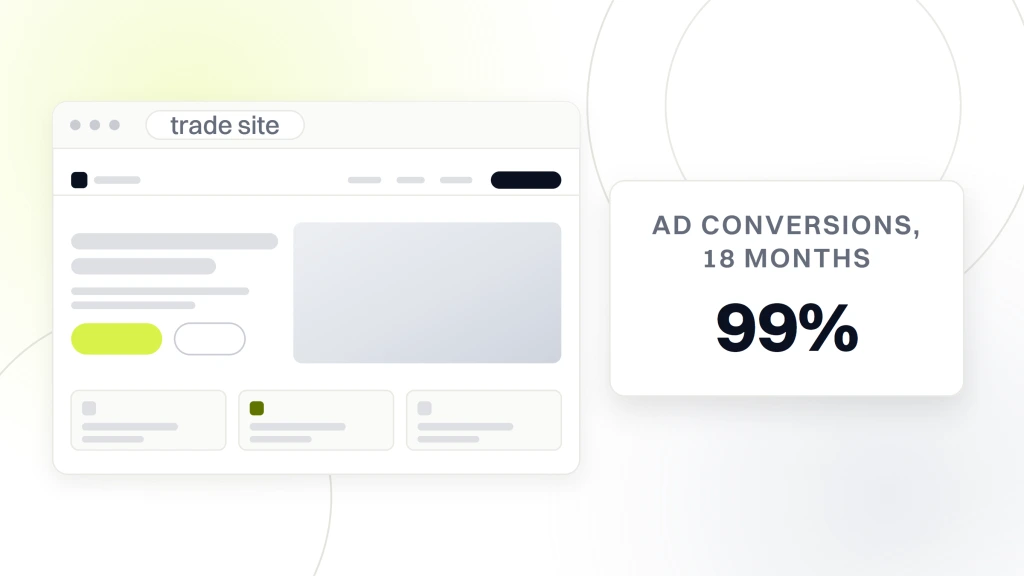
You want proof the pattern works. One Pennsylvania plumbing shop rebuilt a single-page site into service-specific landing pages and grew home services Google Ads conversions 99% inside 18 months at a 67% lower cost per acquisition. A Georgia plumbing team layered appointment-focused landing pages under paid ads and cleared 141 qualified leads in four months at a 14.6% site conversion rate. Tilghman Builders, a Redefine Web client, rebranded, rebuilt, and grew annual revenue from $1.5 million to $6.8 million across nine years of compounding refreshes. The pattern pays for itself faster than any other line item on the marketing budget when the build is scoped around calls, not carousels.
Why home services web design differs from other industries
Home services traffic runs 70% to 85% mobile and skews hard toward emergency intent. A visitor with a burst pipe does not scroll, does not read, and does not fill out a nine-field form. That reader wants a big phone number, a click-to-call button their thumb can hit on the first try, and one photo of a real technician standing next to a real truck. Every design choice bends toward that reality or the site loses the caller inside three seconds.
Emergency intent shapes every design decision
Emergency queries close within an hour of a click. Your homepage headline names the service and the timeframe: 24-hour water heater repair in Cincinnati, same-day AC service in Phoenix, or emergency electrician near Austin. The phone number sits in three places: header, above the fold, and a sticky mobile bottom bar. Miss any of the three and mobile conversions drop 30% to 45% versus the pattern that works. Per the Google web.dev LCP guide, largest contentful paint under 2.5 seconds is the mobile bar for pages that convert.
Trust signals sell service-line jobs
The trust bar on every home services page carries the same six signals: license number, insurance status, years in business, Google review count with the star rating, one guarantee (24-hour response, same-day service, or 100% satisfaction), and a Google Guaranteed badge if the account holds Local Service Ads verification. Miss any of the six and the click-through rate on the primary CTA drops 15% to 25% inside the first month after launch.
Anatomy of a converting plumber website design
Every high-converting home services website hits the same seven-slot pattern above the fold: a service-plus-timeframe headline, a header phone number in 22-plus-pixel type, a sticky click-to-call button, one hero photo of a real technician, a trust bar with license and review count, a three-field booking form, and a service-area check. Everything below the fold exists for the visitor who did not call inside the first three seconds. Nothing else earns its scroll.
The seven above-the-fold elements
- Headline that names the service plus the timeframe in fewer than 12 words.
- Phone number in the header in a font size at least 22 pixels on mobile.
- Click-to-call button as a sticky bottom bar on mobile with a bright accent color.
- One hero photo of a real technician on a real job. No stock photos of models pretending.
- Trust bar with license, insurance, years, and review count in a single horizontal strip.
- Booking form with three fields: name, phone, and one dropdown for service type.
- Service area map or a text list of the top 12 zip codes you cover, so visitors know they are in your radius.
What goes below the fold and in what order
Below the fold: a service description in three short paragraphs, three review snippets with names and cities, an FAQ block that answers the six questions callers ask on the phone, a financing note if you offer it, a second CTA, and a footer with your NAP block and social profiles. Total page length under 700 words for a service-line landing page. Anything longer and the mobile visitor bounces before scrolling to the second CTA. Keep it tight or you leave money on the table every day the site runs.
Page speed inside every trade website build
Page speed is the first line item on any of these engagements. Mobile visitors do not wait for hero animations. Anything slower than 2.5 seconds on largest contentful paint costs 30% to 40% of mobile traffic before the page renders a single pixel of the phone number. The fix is not exotic. Compress the hero image below 200 KB in WebP. Cut the carousel. Cut the hero video. Kill unused CSS. Enable browser caching at the CDN edge. Host on a fast managed provider with a warm PHP opcache.
The three page-speed killers we find on every audit
Killer one: a 3 MB hero image that could have been 180 KB in WebP. Killer two: a page builder loading 400 KB of unused CSS on every route. Killer three: a shared host that spikes to a 4-second server response time the moment two ad campaigns run at once. Fixing all three drops LCP from 6 seconds to 1.8 seconds inside two weeks of focused work. Every engagement opens with a page speed audit and a numbered fix list, in that order.
Why speed matters more than design theater
Fancy design loses to load speed on every mobile funnel we have measured this year. Scroll animations. Custom cursors. Video backgrounds. Each one adds 500 KB to a page that needs to render in under 2 seconds on a 4G connection at a gas station. Home services accounts do not need pretty. They need fast, legible, and click-to-call. A plain page with a giant phone number outperforms an award-winning site on booked calls every single quarter we A/B test the two.
How much home services web design costs in 2026
Pricing runs $2,500 to $7,500 on our small-business tiers and from $12,000 per project on custom multi-location builds, scaled by service-line count, city coverage, and integration depth. Ongoing maintenance runs $199, $299, or $499 per month. A cheap template drop under $500 costs more in lost conversions inside the first 90 days than a properly scoped build costs over the whole project, since the template drop rarely gets past 4-second mobile LCP and never earns the map pack.
Project tiers by scope
| Scope | Project cost | Pages built | Timeline |
|---|---|---|---|
| SMB starter | $2,500 to $4,500 | Homepage plus 3 service pages | 3 to 5 weeks |
| SMB pro | $7,500 | Homepage plus 6 to 8 service pages | 5 to 8 weeks |
| Multi-location trades | $12,000 and up | 15 to 30 pages plus location templating | 10 to 16 weeks |
What ongoing maintenance covers
Every tier assumes one round of content revisions and two rounds of design revisions before launch. Extra revision rounds add $500 to $1,500 each depending on scope. Rush timelines under half the standard duration add a 30% surcharge, since the design team compresses discovery, wireframes, and QA into fewer working days. Maintenance covers WordPress core and plugin updates, security monitoring, weekly backups, uptime monitoring, page speed checks, and content edits. Skip maintenance and the site catches a slow plugin update, a WordPress core mismatch, or a bloated theme regression that drops LCP from 1.8 seconds to 5 seconds inside a quarter. Every home services site we manage runs on our monthly website maintenance packages from $199 per month, so unpatched sites do not lose Google rankings or conversion rate over 90-day windows.
Home services web design case study on a plumbing shop rebuild
One Pennsylvania plumbing shop came to us with a single-page website that ranked for the brand name and nothing else. Cost per acquisition on paid ads ran high, since the same page absorbed emergency water heater queries, planned bathroom remodel queries, and drain cleaning searches with zero content differentiation between them. Classic small-business web design problem, one page trying to close every visitor with one headline, one photo, and one form.
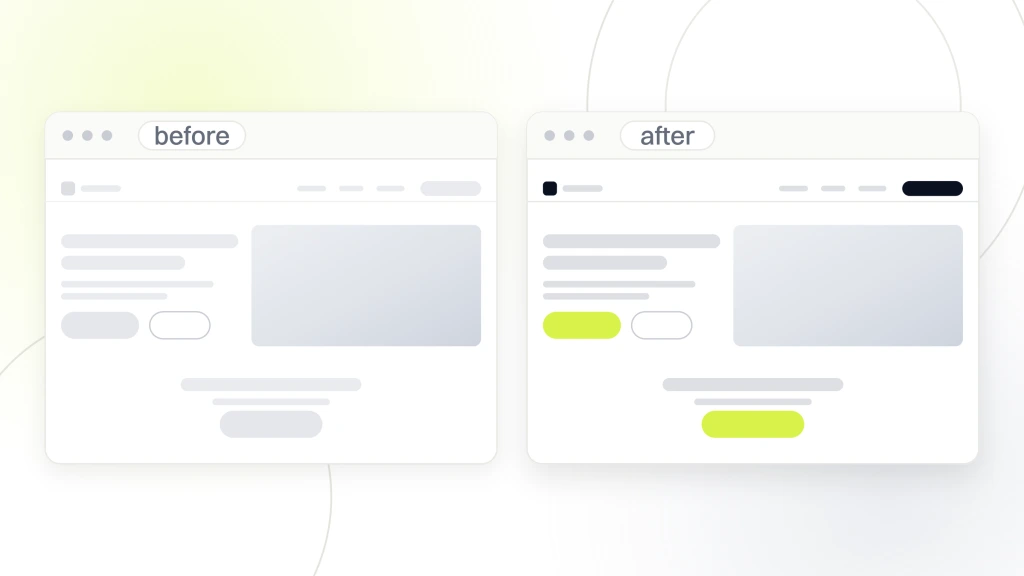
We rebuilt the site with service-specific landing pages for the top eight service lines, added five location pages for the primary service area, and moved LCP from 5.4 seconds to 1.7 seconds on mobile. Ad conversions climbed 99% inside 18 months. Cost per acquisition dropped 67%. Organic users rose 75% once the service-plus-city pages started ranking on their own long-tail queries under a broader home services SEO playbook. Per Google Search Central page experience documentation, mobile LCP under 2.5 seconds is a ranking factor that compounds over quarters on properly maintained sites.
What changed on the site itself
Change one: split the single page into eight service pages so each service line ranked on its own long-tail queries. Change two: added five city location pages so the map pack impressions could grow. Change three: cut the page builder overhead and moved to a lean theme with 180 KB of total CSS instead of 940 KB. Change four: compressed every image to WebP under 200 KB and enabled lazy loading below the fold on every page.
Best platforms for a home services website design
Every conversation about these builds eventually lands on the platform question. WordPress. Webflow. Squarespace. Wix. Custom static build. The honest answer for 90% of home services businesses is WordPress on a fast managed host, since the plugin ecosystem for booking forms, review aggregation, and local schema runs deeper than any competitor and the total cost of ownership at 3-year horizons is the lowest of any option we track.
Where WordPress wins for home services
WordPress wins on plugin depth (CallRail integration, WPForms with conditional logic, review aggregation, local schema, Google Analytics 4 wiring), theme flexibility, and pricing at scale. A custom WordPress build on a lean theme lands 20% to 40% cheaper than a Webflow build at the same scope and roughly the same speed after optimization. For a full breakdown, our web design services for small business page walks through the build format we run on every home services project.
Where Webflow makes sense
Webflow makes sense for the rare home services business that wants an ambitious visual design, has an internal marketer who edits the site weekly, and does not need to integrate with a legacy CRM that only publishes WordPress connectors. Total cost of ownership on Webflow runs 30% to 60% higher than WordPress at 3-year horizons since the CMS hosting fee compounds. Most home services accounts land back on WordPress inside 18 months if the initial choice was Webflow.
Service pages that carry a home services website design
The homepage does not do the closing on a home services site. Service pages do. Every one of these builds needs one page per service line: water heater repair, drain cleaning, sewer line replacement, hydro jetting, and so on for a plumber website design. HVAC needs at least six pages: install, repair, maintenance, indoor air quality, ductless, and commercial. Roofing needs at least five: repair, replacement, storm damage, gutter service, and inspections. Electrical needs at least four: panel upgrades, EV chargers, rewiring, and emergency service.
How each service page should read
Each service page opens with a headline that names the service plus the city plus one timeframe. The next paragraph answers the three questions the caller asks on the phone: do you fix this, do you fix it fast, and what does it cost. Below that, a bulleted list of the specific symptoms this service handles, three review snippets from clients who used this service, an FAQ with six questions, and a booking form. Total length under 700 words. Every service page ranks on its own long-tail queries and closes visitors inside three seconds of scrolling.
Location pages for service area coverage
Location pages sit alongside service pages and target the map pack. One page per city in your primary service area, with an embed of your Google Business Profile for that location, three reviews from clients in that city by name, a service area map, and a paragraph naming the neighborhoods you serve inside that city. Skip generic content on location pages. Google Search Quality Rater guidelines penalize doorway pages, and generic-content location pages get filtered out of the map pack.
Conversion elements every trade site needs
Conversion elements are the small design choices that add 20% to 40% to booked-call rate without touching traffic. Sticky mobile CTA. Click-to-call button locked in the header. Booking form above the fold. Trust bar with real license and review numbers. Review snippets with names and cities. Financing badge if you offer it. Every one of these gets tracked on every project we launch. When one drops, the account manager rewrites it inside a week.
Sticky mobile CTA and click-to-call
The sticky mobile CTA sits at the bottom of the screen in a bright accent color with the phone number visible and a click-to-call action. Mobile visitors click it. Desktop visitors ignore it, which is fine, since desktop visitors on home services sites are usually spouses researching for a partner on the phone with the technician. The sticky CTA moves mobile booked-call rate 15% to 25% versus the flat header layout on every home services site we have tested.
Booking forms that get filled out
Booking forms on home services sites need three fields, not seven. Name, phone, service type. Everything else can happen on the phone or in the follow-up. Forms with more than three fields drop completion rate 40% to 60% versus the tight version. Add a fourth field only if it saves the technician 10 minutes on the call (zip code for routing, urgency dropdown for scheduling). Everything else is form theater and it costs you calls every week.
Integrations every trade site needs at launch
A home services site launches with four integrations wired on day one: call tracking (CallRail or WhatConverts), Google Analytics 4 with proper event tracking, Google Ads conversion imports, and a Google Business Profile embed for location signaling. Miss any of the four and the account cannot see which channel booked the call, and if you cannot see the source you cannot fix the funnel inside a quarter.
Call tracking wired at launch
CallRail or WhatConverts wired at launch means every phone number on the site swaps dynamically based on the traffic source. Google Ads clicks see one number. Organic sees another. Direct sees your real number. Every call gets attributed to the correct channel automatically. Roughly 70% to 80% of home services conversions happen over the phone, so this is not optional. Skip call tracking and Google Ads Smart Bidding trains on form submissions that never happen, wasting 40% to 60% of spend on the wrong signals.
Analytics events that matter
GA4 events on a home services site: phone_click, form_submit, chat_open, financing_click, and scroll_to_reviews. Skip pageviews as a KPI. Track engagement events instead. Every event fires with the service line and the traffic source attached. Google Ads offline conversion imports pull these events back into Search campaigns so Smart Bidding learns which service lines and channels drive booked calls, not just clicks. Per the Google GA4 enhanced measurement documentation, enhanced measurement events are the foundation of paid media attribution in 2026.
More home services web design case studies
A Georgia residential plumbing shop came to us wanting fast lead flow, not a brand story. The site rebuild produced 141 qualified leads in four months, 968 highly targeted clicks, and a 14.6% site conversion rate on tracked calls. The account did not need enterprise design. It needed a clean structure, tracked calls, and a landing page that matched query intent from the ad word-for-word. Total project ran under $8,000 and paid for itself in the first 45 days on ad-tracked booked jobs.
A Portland plumbing and HVAC brand on omni-channel design
One Portland metro plumbing and HVAC business ran a five-year program that layered a full site rebuild alongside PPC, Meta Ads, OTT streaming, Spotify audio, programmatic display, and a rebrand. The site carried a single visual signature across every service page and every location page for coherent recall. Call-volume growth hit 149% annually across five years of the engagement. Site conversion rate held at 12.3% on tracked calls, roughly 3x the industry median for a project of that scope.
Tilghman Builders on nine-year design compounding
Tilghman Builders, a remodeling business and Redefine Web client, grew annual revenue from $1.5 million to $6.8 million over a nine-year window with Redefine Web as the digital marketing partner and web design agency of record. The site refresh cycle hit every 24 months, with new portfolio integrations, updated case studies, and refreshed service pages every cycle. Website traffic grew 784%. Marketing-qualified leads climbed 637%. Nine years of compounding on a site that got refreshed at the right cadence, not left to rot between rebuilds.
Passion Built on SEO-driven renovation bookings
Passion Built, a Sydney bathroom and home-renovation specialist and Redefine Web client, retired two failing websites and replaced them with a single SEO-driven WordPress build. Keyword rankings expanded from 6 to more than 300 competitive terms inside 12 months. Monthly website visitors grew past 800. Renovation bookings from the site cleared $60,000 in the first year at a 10% visitor-to-lead conversion rate. The build paired a mobile-first WordPress site with a Google My Business overhaul and targeted Google Ads for renovation queries.
Red flags in plumber, HVAC, and roofer web design proposals
Every home services owner reads a proposal that sounds great until a second proposal lands next to it on the same desk. The differences show up in the specifics the first proposal quietly leaves out. The red flags below catch the majority of shallow proposals before the contract gets signed and the deposit clears.
- Template drop under $500 with no service pages, no location pages, and no call tracking wired at launch.
- Page builder-heavy Elementor or WPBakery build that loads 900 KB of CSS on every page and cannot get LCP under 3 seconds on a real mobile device.
- No mention of mobile-first design, sticky CTA, or click-to-call button anywhere in the written scope.
- Booking form with 8+ fields that will draw 40% lower completion than a 3-field form on identical traffic.
- No CallRail or WhatConverts setup on launch. Ads will train Smart Bidding on garbage signals for the first 90 days.
- Site hosted on the designer’s server, not yours. You do not own the asset and cannot leave without a fight and a legal letter.
- Stock photo hero of a smiling technician who is clearly a model. Visitors detect the fake in 200 milliseconds and the trust bar dies with it.
Green flags in a real home services proposal
Green flags: a written scope that names service pages and location pages by count, a mobile-first layout with a sticky click-to-call bar, call tracking wired at launch (CallRail or WhatConverts), GA4 events for phone_click and form_submit, and a hosting stack you own on the deed. The proposal names a mobile LCP target under 2.5 seconds. The launch checklist shows every integration wired before go-live, not the week after. The case studies list plumbers, HVAC, roofers, and electricians you can phone and verify, not restaurants and boutiques with one home services logo added at the bottom of the grid.
Make home services web design work for you
A well-scoped project is the craft of building a site that rings your phone the same day it goes live. Every element earns its pixels. Every service line gets its own page. Every location gets its own page. Every phone call gets tracked back to the source channel. Every page loads under 2.5 seconds on mobile. Home services accounts routinely see 30% to 60% more booked calls inside 90 days of a properly scoped rebuild.
If your current home services site loads over 3 seconds on mobile, does not have service-specific pages, or is missing call tracking on day one, a rebuild pays for itself inside three months on freed PPC for home services spend and cleaner organic lead flow. Ask three vendors for line-item scopes with service pages and location pages listed by count. Compare against the green flags above. Redefine Web offers a fixed-scope home services build inside our home services web design program from $2,500 to $7,500 on the SMB tiers, plus ongoing hosting and maintenance inside our monthly website maintenance packages from $199 per month. Book a call and we will walk you through the last three home services rebuilds we launched, page by page, with the mobile LCP before and after, the conversion rate gain, and the exact line-item scope each client bought.