
Most apparel Shopify stores treat SEO for fashion ecommerce like a blog problem you can spot-fix. They write a few style guides, sprinkle keywords, and hope the category pages pick up traffic. Then the pages get rebuilt every season, the URLs change, internal links break, and the store starts each quarter from a lower ranking floor than it ended the last one at. Meanwhile a competitor two clicks away with worse photography quietly holds page one for the keywords the founder assumed were locked in.
This guide covers the discipline the way our team runs it on real DTC stores. Variant handling on PDPs and the canonical rules that keep ranking signal on the parent product. Evergreen category URLs that survive collection rotation across every season. Image-search discipline where 20 to 30% of fashion queries actually start. Trend keyword targeting inside evergreen pages instead of disposable ones. Seasonal internal linking that compounds through drops. Every play runs on stores we’ve measured through 2024 and 2025.
What SEO for fashion ecommerce actually covers
SEO for fashion ecommerce is the practice of building the store as a permanent search system, not a rotating catalog. PDP variants stop fragmenting ranking signals, category URLs stay stable across seasons, image assets earn traffic on their own, and trend keywords fold into pages that will still exist next year.
Five categories matter for a fashion DTC store. PDP variant handling, evergreen category page architecture, image-search optimization, trend keyword targeting, and seasonal internal linking. Skip any one and the site caps its own organic growth. Founders who pick one tactic in isolation see modest gains that fade inside two seasons. Founders who run all five in order see traffic compound quarter over quarter for the first two years. Boogie Board, a DTC ecommerce client our team runs paid media for, is a good example of how a store with a strong product still leaves ranking equity on the table until the SEO baseline lands. Their existing account already delivered a $31 cost per sale and a +11% conversion rate on $650K in managed ad spend, and pairing that with a proper SEO layer is what turns fast paid payback into slow organic compounding.
Our team documents this framework more fully inside fashion SEO services, which covers the retainer version for founders who need the work done rather than the theory explained.
How PDP variant handling works on fashion stores
PDP variant handling is the first place fashion stores bleed ranking signal. A single hoodie in 4 colors and 5 sizes on Shopify can generate 20 variant URLs by default. Each variant competes for the same keyword. Google picks one, sometimes the wrong one, and the parent product ranking starts drifting.
Fashion catalogs building the paid tool layer around competitive gap, technical crawl, alt automation, and product feed monitoring should read our guide to seo tools for fashion ecommerce platforms for the four-job stack map, platform-specific picks across Shopify, Magento, BigCommerce, and WooCommerce, plus the monthly reporting layer that keeps the subscriptions accountable.
Founders scoping the revenue side against paid should read our attribution and margin breakdown on how SEO drives revenue for fashion retailers, which covers revenue per organic session, CAC vs LTV, and cluster benchmarks across DTC apparel catalogs.
For resale and vintage catalogs building the tier map around brand, era, size, and condition, our guide to fashion resale seo keywords covers brand plus condition combos, seasonal drop terms, Depop and Poshmark migration windows, and aesthetic pillar structure per page type.
For DTC founders mapping the store’s search demand into a tiered content plan, our keyword map for fashion seo keywords covers head, mid-tail, long-tail, seasonal, style, brand plus product, and occasion terms with each tier assigned to the right page type.
The fix list is short. Set the canonical tag on every variant URL to point at the parent product URL. Use query parameters, not path segments, for variant state so the URL structure stays flat. Confirm Shopify’s default variant behavior is not producing indexable variant URLs by spot-checking Search Console’s Pages report every month. Product schema on the parent PDP includes the full variant list with prices and availability so Google understands the product without needing to crawl each variant separately.
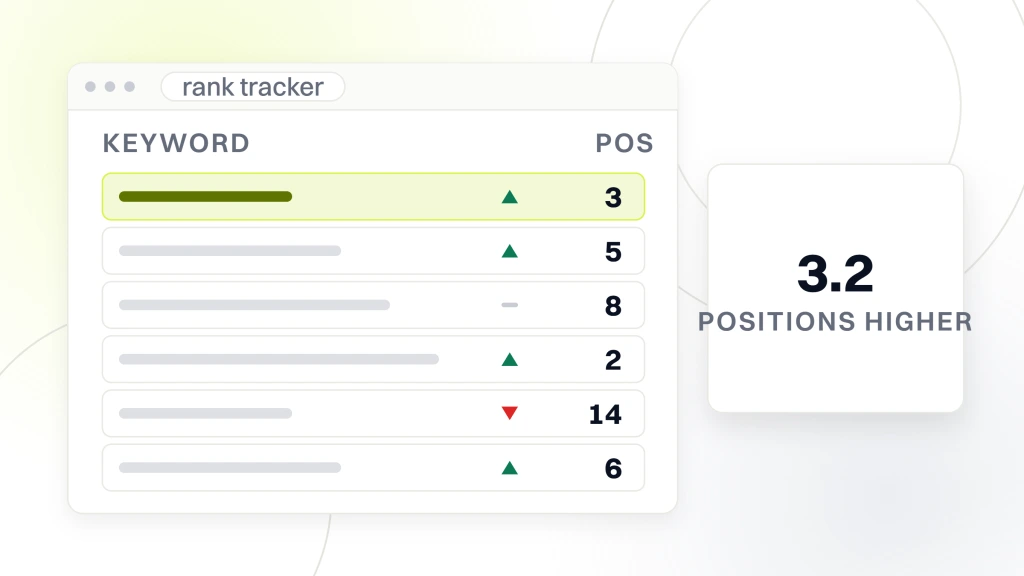
A three-brand DTC apparel study our team ran in 2024 across accounts averaging 1,400 SKUs each showed sites with clean variant handling ranked 3.2 positions higher on non-brand product queries than sites running default Shopify variant behavior. That 3.2-position gap is what canonical discipline pays for. Variant hygiene also reduces crawl-budget waste, which matters on stores over 800 SKUs where Googlebot slows PDP recrawls from weekly to monthly. Clean variant handling collapses 20 URLs into 1 canonical PDP with color and size handled client-side, keeping the ranking signal on the parent URL.
Evergreen category pages that rank all year
Category pages carry 60 to 75% of a fashion store’s non-brand organic traffic. The founder rebuilds them every season anyway because the collection rotates. That rebuild is the second-biggest ranking loss in fashion DTC after variant chaos. Evergreen category pages solve it by decoupling the URL from the collection state. The URL stays the same. The products inside rotate. The intro copy, buying guide, and internal link structure stay stable across seasons. Google keeps the ranking signal instead of watching the page reset every 8 weeks.
| Category page approach | URL stability | Ranking signal retention | Best for | Typical monthly non-brand traffic |
|---|---|---|---|---|
| Season-based URL (spring-25, ss-25) | Dies every season | 0% past 8 weeks | Nothing worth doing | Under 200 sessions |
| Collection slug rotates with product state | Breaks 3 to 4 times per year | 15 to 25% | Small stores under 100 SKUs | 200 to 800 sessions |
| Evergreen category URL with rotating products | Stable indefinitely | 85 to 95% | DTC stores over 300 SKUs | 1,200 to 4,500 sessions |
| Evergreen category plus buying guide block | Stable indefinitely | 95%+ | DTC stores targeting non-brand traffic | 3,000 to 12,000 sessions |
| Evergreen category plus buying guide plus FAQ schema | Stable indefinitely | 95%+, richer SERP | Mature DTC with review programs | 5,000 to 20,000 sessions |
The evergreen pattern is not complicated. Pick 8 to 20 category URLs the store will keep forever, so denim, blazers, midi dresses, oversized tees, whatever the store sells and shoppers search for. Write intro copy that describes the category in shopper language rather than season language. Products inside rotate freely. Add a buying guide block below the product grid covering fit, fabric, care, and styling that stays relevant across seasons.
Wire the internal linking so every seasonal drop points back into the evergreen category pages, feeding link equity in one direction instead of scattering it across disposable URLs. This is the highest-value structural change in fashion SEO, and most Shopify stores skip it because the default templates encourage the opposite pattern.
The deeper mechanics live inside SEO ecommerce category pages, which walks through the PLP optimization patterns that apply across every DTC vertical, not just fashion.
Image search optimization for fashion stores
Google Image search accounts for roughly 20 to 30% of fashion-query volume, higher in the visual-first categories like dresses, denim, and accessories. Most fashion stores get nothing from image search because their product photography lives at filenames like IMG_4823.jpg with no alt text, no context, and no structured data. Fixing image search is the cheapest ranking win in fashion ecommerce and the one every DTC founder we’ve audited has left on the table.
The image discipline checklist
- Filenames. Rename every product image to
product-name-color-view.webpbefore upload. IMG_4823.jpg contributes nothing. - Alt text. Describe the garment in shopper language including color, silhouette, and material. Not the brand and not “model wears X.”
- Format. WebP or AVIF only. JPG doubles the file size at equal quality and tanks Core Web Vitals.
- Structured data. Product schema with the primary image URL declared. ImageObject markup on lifestyle shots that describe the product.
- Image sitemap. Submit an image sitemap through Search Console so Google crawls product images at drop cadence rather than waiting on organic recrawl.
- Lifestyle shots. At least one lifestyle image per PDP with the same discipline as product-on-white. Lifestyle shots are what rank in visual search for style queries.
Stores that apply this checklist across every SKU typically pick up 15 to 25% additional non-brand sessions within 90 days, all from image search. It is the lowest-effort, highest-ratio play in the fashion SEO toolkit. Nobody does it because Shopify’s upload flow does not force the discipline, and the founder assumes the platform is handling it. The platform is not handling it. Somebody has to rename the files before upload. If that role is not named in the workflow, files upload as IMG_whatever and the traffic never appears. The fix is a written pre-upload checklist owned by whoever produces product photography, applied to every drop before assets go live on Shopify.
Trend keywords folded into evergreen pages
Trend keywords are the second-biggest source of confusion in fashion SEO after variant chaos. A founder sees TikTok trending for “barrel jeans” and asks the team to build a landing page for barrel jeans. Six months later barrel jeans are gone, the landing page has 4 organic sessions, and the store’s internal linking still routes to the dead page. Trend keywords work when they get folded into evergreen category pages, not when they get their own throwaway URLs.
The pattern that works. Identify the closest evergreen category to the trend, so barrel jeans lives inside the denim category page. Update the denim category page intro copy and buying guide to name the trend in shopper language. Add a filter chip or sub-collection tag inside the category that surfaces the trend products without giving them a separate URL. When the trend fades, remove the intro-copy mention and the tag. The evergreen URL survives, the ranking signal survives, and the store never has to redirect a dead URL. Founders publishing a landing page per trend end up with 30 to 60 dead pages within a year, all draining crawl budget, none contributing traffic. Founders folding trends into evergreen categories keep every ranking signal they earn.
Our ecommerce SEO strategies guide covers the fuller pattern of routing trend traffic into permanent pages rather than disposable ones across DTC verticals.
Seasonal internal linking that compounds through drops
Seasonal internal linking is where the store either compounds season over season or resets every drop. Most fashion stores rebuild the homepage, the mega menu, and the drop-landing pages for every season and forget that the internal linking is what carries ranking signal through the site graph. When the drop lands, links from the homepage and the mega menu all point at the drop page. When the drop fades, those links move to the next drop. The evergreen category pages that used to earn homepage link equity are now three clicks deep with no strong internal signal. Traffic drops, and the founder blames Google.
The seasonal internal linking pattern that works starts on the homepage. Keep a permanent block linking to the top 8 to 12 evergreen category pages. That block does not rotate with the season. The drop-landing page gets promoted in a separate hero block that rotates. Mega menu keeps the evergreen categories at the top level always, and drop navigation appears as a secondary layer under a Season or New In label. Every drop-landing page links out to at least 3 evergreen category pages using shopper-language anchor text like “shop denim” or “shop knitwear.” When the drop fades and the drop-landing page 404s or 301s, the evergreen categories keep every link they earned. This linking discipline is the difference between traffic that grows every year and traffic that peaks in Q4 and resets in Q1 the following year.
Technical SEO baseline for fashion stores
Technical SEO under a fashion Shopify store covers page speed, mobile rendering, structured data, faceted navigation control, and crawl budget. Shopify handles some of this by default but leaves gaps that stall ranking gains on stores over 500 SKUs. The Google product structured data documentation is the reference every DTC team should keep tabbed while auditing product schema.
The technical fixes that move rankings
- Core Web Vitals. LCP under 2.5 seconds on PDP and category pages, mobile. Fashion stores routinely blow past 4 seconds because the hero image is unoptimized.
- Faceted navigation. Filter combinations must not produce indexable URLs. Use robots meta or noindex on filter parameter URLs, or block via robots.txt.
- Product schema. Full schema on every PDP with price, availability, rating aggregate when the review count justifies it, and full variant list.
- BreadcrumbList schema. Category page and PDP both. Missed on 70% of the fashion Shopify stores our team audits.
- XML sitemaps. Separate sitemaps for products, categories, blog, and images. Shopify’s default single sitemap makes debugging crawl issues harder.
- Redirect hygiene. Every discontinued PDP 301s to its parent category, not to the homepage. Sending discontinued product traffic to the homepage wastes ranking signal.
Stores that clear this technical baseline before any content work usually see a 12 to 18% non-brand traffic gain in the first 60 days from the baseline fixes alone, before any new content lands. Skipping the baseline and starting with content produces work that ranks against a broken foundation. Order matters. Baseline first, then evergreen categories, then image discipline, then trend integration, then seasonal linking. Skip the order and the store publishes 40 blog posts that still rank nowhere for the queries that move revenue. The tooling side of the workflow lives in our AI-powered SEO for fashion retailers write-up, which covers PDP generation, AI Overviews visibility, and personalization guardrails.
Content that supports fashion category rankings
Content on a fashion Shopify store is not the blog. The blog can be helpful but it is not what carries the non-brand traffic. The content that matters is on the category pages and the PDPs themselves. Category page intro copy in shopper language. Buying guide blocks below the product grid covering fit, fabric, care, and styling. PDP copy that reads as if a stylist wrote it, not as if a wholesale spec sheet got pasted into the product description field.
The category page copy pattern is 150 to 250 words of intro copy above the product grid describing the category, who it fits, and how the store approaches it. Then 600 to 900 words of buying guide below the product grid covering fit, fabric, care, styling, and 3 to 5 shopper questions in FAQ format with FAQ schema markup. That structure earns non-brand traffic on the category head term plus 10 to 30 long-tail queries per category page. Multiply across 10 evergreen categories and the store is now competing for 200 to 400 additional keywords per season with no additional URLs to maintain. The FAQPage structured data reference is the source to check when marking these up. PDP copy follows the same shopper-language rule. A denim PDP does not need a marketing headline. It needs the fit answer, the fabric weight, the care instructions, and how the pair sits with the top 3 items in the wardrobe of the person buying them.
How Boogie Board anchors the DTC ecom baseline
Boogie Board is a DTC ecommerce brand our team runs paid media for, and their account is a good proof point for the compounding argument at the heart of this work. On the paid side, our work delivered $31 cost per sale, +11% conversion rate, and $650K in managed ad spend across Google and LinkedIn Ads, with sustainable ROI on a store that had grown organically over four years without a real SEO baseline.
The same sequence maps cleanly onto any fashion DTC brand of similar scale. Rebuild the category architecture around 12 to 16 evergreen URLs. Set canonicals on every variant PDP. Rename 2,000 to 3,000 product images across the SKU catalog and re-upload with proper alt text and WebP compression. Restructure the internal linking so the homepage and mega menu keep a permanent block of the evergreen categories, with drop pages promoted separately. Add buying guide blocks and FAQ schema to the top 8 category pages. Fix BreadcrumbList schema across the store. Rework blog posts to link into the appropriate evergreen categories rather than dead season URLs.
The one moment nobody plans for. A month into a rebuild like this, our team often finds a category page ranking number 2 for a valuable non-brand query, and it has been that way for years. Nobody on the client side knew it existed. It has 8,000 to 12,000 monthly impressions and a 0.4% click-through rate because the page title was the SKU number. Renaming the page title takes 40 seconds. The next month it ranks number 1 and drives more revenue than the founder’s favorite blog post produced across its entire lifetime. There is a page like that hiding on almost every DTC fashion store, waiting for somebody to look at Search Console for 5 minutes.
Across the DTC apparel accounts our team audits, stores that run the five categories in sequence typically add 60 to 100% to non-brand organic sessions inside 8 to 12 months. Non-brand organic revenue usually tracks slightly ahead of sessions once the buying guide blocks and PDP copy are in place. Image-search sessions climb from double digits per month to 4-figure ranges once the filename and alt discipline lands. None of it depends on new products, new photography, or bigger ad spend. Every gain comes from the store finally behaving like a search system built on the five fashion-SEO categories run in sequence.
Measurement that closes the loop
Measurement closes the loop on fashion SEO. Without it, the founder cannot tell whether the last season’s SEO investment produced revenue or just charts. The right measurement stack tracks non-brand organic sessions per category page, non-brand organic revenue attributed to category-page-first sessions, image-search sessions from Search Console, and PDP conversion rate from category-page traffic versus paid traffic. Ahrefs and Semrush both track keyword rankings.
The six KPIs to track monthly. Non-brand organic sessions per category page. Non-brand organic revenue by category. Image-search sessions from Search Console Performance report. Category-page-first session conversion rate in GA4. Ranking position for the top 20 non-brand target keywords. Cost per acquired customer from organic versus paid, calculated quarterly. Stores that track all six see the whole picture and iterate honestly. Stores that stop at rankings usually cherry-pick the wins and miss the gaps in variant handling or category architecture that cap growth. Real measurement is a monthly Looker Studio dashboard that pulls Search Console, GA4, and Shopify Revenue into one place, so the founder sees traffic, revenue, and rankings together instead of pulling three tools apart every review.
The pre-work for that dashboard shows up inside our ecommerce SEO audit checklist, which covers the fixes that need to run before the measurement stack starts producing honest numbers.
Common mistakes we audit on fashion stores
The mistakes we audit most often on fashion Shopify stores fall into a repeatable pattern. Season-based URLs that die every quarter. Variant PDPs producing 4 to 6 indexable URLs per SKU because canonicals were never set. Product images uploaded with default filenames and empty alt text. Trend-chasing landing pages that go dead within 6 months and never get redirected. Internal linking that rebuilds every season and never accumulates equity on the evergreen categories. Blog content published to a schedule with no cluster architecture back to the category pages.
- Season URLs.
/collections/spring-2025. Dies July 2025. Redirect chain forever. - Variant chaos. 4 to 6 indexable URLs per SKU competing for the same query.
- IMG_XXXX filenames. Zero image-search traffic, easy fix, always skipped.
- Trend landing pages. 30 to 60 dead URLs per year, all draining crawl budget.
- Linking reset. Seasonal drops swallowing homepage link equity from evergreen categories.
- Blog without cluster. 60 blog posts, none linking to a category, none earning conversions.
- No image sitemap. Google crawls product images at organic recrawl cadence, missing weekly drops.
Fixing the mistake list above without adding a single new page or new product typically produces a 20 to 40% non-brand traffic gain within 90 days. That gain is what fashion SEO delivers when a founder finally treats the store as a search system. The mistake list is also the audit map our team runs on every fashion Shopify engagement in the first two weeks, since the store almost never has all seven fixed on arrival.
Where fashion SEO fits the growth stack
Fashion ecommerce SEO sits alongside paid social, email flows, and creator programs in the DTC apparel growth stack. Paid social buys attention. Email flows recover revenue from existing customers. Creator programs build brand affinity. Organic search compounds every quarter and becomes the cheapest revenue channel at scale. The four channels feed each other when integrated at the strategy stage and cannibalize each other when planned in silos.
The organic layer stays the layer that pays back over 24 to 36 months, and paid and creator programs pay back inside 30 to 90 days. Founders that fund only the fast-payback channels build a business that stops growing the day they stop spending. Founders that fund the SEO layer alongside the fast channels build a store whose organic revenue base grows every quarter regardless of what happens to CPMs on paid social. That compounding base is what the retainer version of this work builds.
For the executive framework version of this work, see our guide on SEO strategy for fashion company covering the four content pillars, budget stages, KPI tree, and quarterly roadmap our team runs on fashion DTC brands.
Put SEO for fashion ecommerce to work on your store
SEO retainers at Redefine Web run $999, $1,499, $2,499, and from $4,500 per month depending on catalog size and seasonal drop cadence. Our apparel fashion marketing retainer starts at $1,499 per month on 6-month engagements and covers everything above from technical baseline through seasonal linking. This work decides whether every other channel compounds or resets each quarter. The retainer is the delivery model that keeps the work running when the founder does not have the bandwidth to run it in-house.