
Technical SEO for SaaS · Foundations That Compound
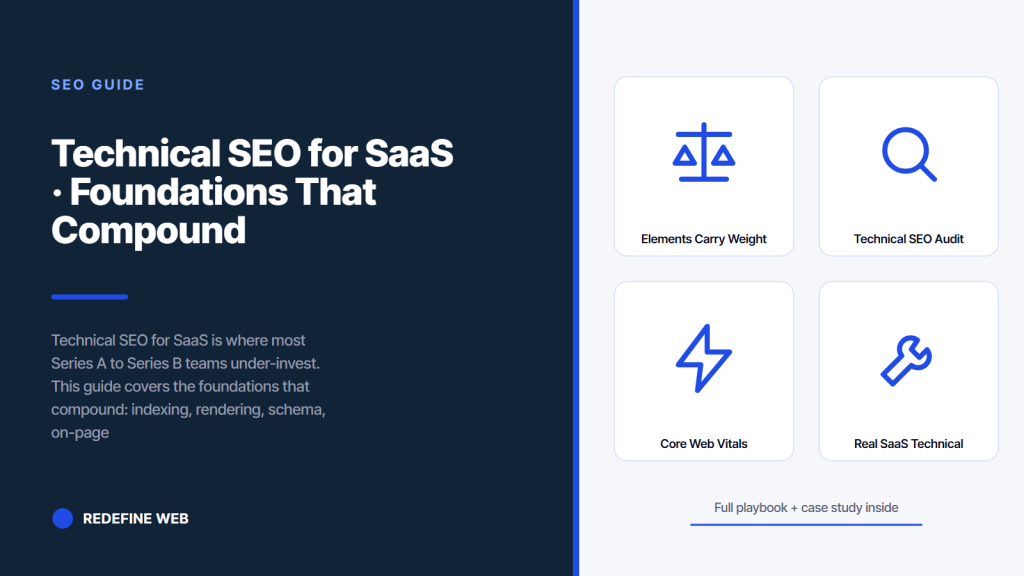
- Technical SEO for SaaS covers ten variables, not just page speed.
- Fix rendering, canonical, and schema before Core Web Vitals.
- Client-side rendered marketing pages index poorly. Use SSR or SSG.
- Template-level schema stays clean. Manual schema always drifts.
- A 90 day plan needs 200 to 320 engineering hours.
- Saas on-page seo elements that carry weight
- Schema seo for saas company sites
- Technical seo audit services for saas that produce action
- Programmatic seo for saas that does not read like AI slop
- Core Web Vitals for SaaS marketing sites
- A real SaaS technical work example
- Tooling stack for technical seo for saas companies
- A 90 day technical seo plan for a mid-stage SaaS
Technical SEO for SaaS is the layer most Series A to Series B teams under-invest in and pay for the rest of the year. Content programs stall when the technical foundation cannot support them, and that is a fixable problem you should solve before you scale the content spend. This guide covers the specific technical work that compounds returns in B2B saas seo, from indexing logic to rendering strategy to schema patterns to programmatic pages.
Read straight through in twelve minutes. You get the audit checklist, the fix priority order, the tooling stack, and the specific work SaaS teams should sequence in the first 90 days of a technical seo for saas program. Written for founders, heads of growth, technical marketers, and dev leads at $2M to $80M ARR B2B SaaS companies who are ready to stop patching and start building the search foundation right. The math on this work pays back inside two quarters when done in the right order.
Saas on-page seo elements that carry weight
On-page seo for saas covers title tag composition, meta description writing for SERP CTR, H1 hierarchy, H2 semantic clarity, internal linking within body content, image alt text, and content depth. Each element pulls in the same direction when the page is genuinely useful and works against you when the page is thin.
The single most-neglected on-page element on SaaS marketing sites is the H1. Product pages ship with H1s like the product name, which reads short and clean but ranks nothing. Comparison pages ship with H1s copied from templates. Category primers ship with H1s that avoid the target keyword out of some misplaced writer preference. Fix the H1s and the ranking curve responds inside 6 to 10 weeks. That is one afternoon of work for a growth engineer with CMS access and produces measurable movement.
Title tag composition patterns
Title tags for SaaS pages follow three patterns. Comparison pages: X vs Y for SaaS Buyers 2026. Category primers: Best X Software for Y Users. Alternative-to pages: X Alternatives for Y Use Case. These patterns rank because they match search intent literally. Fancy title tags that avoid the pattern lose SERP CTR against templated competitors. Fancy is a luxury after you rank. Rank first, get fancy later.
Internal linking density that flows equity
Internal linking is where SaaS sites either compound or stall. Target 4 to 8 internal links per 2,500-word article, weighted toward related cluster content and toward money pages like pricing, demo request, and free trial. Every published article should also earn 2 to 4 inbound internal links from other pages within 60 days of publish. If your CMS makes bulk internal linking hard, prioritize a plugin or a script. The link equity math is worth the tooling investment.
Schema seo for saas company sites
Structured data on SaaS sites drives rich results, AI extraction, and knowledge graph entities. Article schema on blog posts. Product schema on product pages. Review schema on comparison and alternative-to pages. FAQPage on any page with an FAQ block. Organization schema on the homepage. HowTo on tutorials and integration guides.
The mistake most SaaS teams make with schema is implementing it per page manually. Schema always drifts when implemented that way. Template-level schema stays clean. Roll structured data into your CMS or framework once, tie the fields to the content model, and every page inherits the right schema for its type. Do this once, and never think about it again except when Google adds a new schema type worth supporting.
Schema patterns per page type
- Blog post: Article plus Person for the author plus Organization for the publisher
- Comparison page: Product plus Review plus FAQPage on the same URL
- Alternative-to page: Product plus Review plus SoftwareApplication
- Category primer: Article plus BreadcrumbList plus FAQPage
- Pricing page: Product plus Offer plus AggregateRating from real reviews
- Integration page: Article plus HowTo for the setup steps
- Docs tutorial: HowTo plus BreadcrumbList
Benefits of technical seo for saas startups
Startups that invest in technical seo early avoid the 6 to 12 month rebuild bill later. For the strategic wrapper that ties this technical work to pipeline outcomes, see our SaaS SEO Consulting breakdown. Clean rendering strategy, canonical logic, and schema templates cost 4 to 6 weeks of engineering time at Series Seed and prevent a 12 to 20 week migration project at Series B. The math is not close. Every SaaS founder we have watched who postponed the technical foundation ended up paying 3x to 5x more to fix it under time pressure at a later stage. Start clean, stay clean.
Technical seo audit services for saas that produce action
A working technical seo audit for a SaaS site covers indexation, rendering, canonical logic, internal linking, schema, sitemap health, robots directives, Core Web Vitals, hreflang if multi-region, and programmatic patterns. Delivered as a prioritized fix list with developer estimates, not a 40-page PDF nobody reads.
The audit format that produces action is a spreadsheet with 30 to 80 rows, each row a specific fix, tagged by priority, effort estimate, and expected impact. Fix priority is the deliverable. The PDF summary is optional. Any consultant delivering a PDF as the primary artifact is optimizing for looking smart, not for shipping fixes. Ask for the spreadsheet.
Audit scope and cost
Technical audit cost lands at $6,000 to $22,000 for a SaaS site depending on URL count and complexity. Below 200 URLs and a single subdomain, expect the lower band. Multi-region with 500+ URLs and a docs subdomain plus a marketplace, expect the higher band. Audits that promise fixed pricing without asking about URL count and subdomain layout are scoping blind. Expect the price to move up once the auditor sees the real site inventory.
Audit timeline and delivery
A full technical seo audit takes 3 to 5 weeks. Week 1 is crawling, Search Console data pulls, and tooling setup. Weeks 2 and 3 are analysis and prioritization. Weeks 4 and 5 are presentation and handoff to your dev team. Anything faster than 3 weeks is a template audit dressed up as custom work. Anything slower than 6 weeks is the auditor padding. For a longer breakdown, see our SaaS SEO Agency Tied to Pipeline & ARR.
Most SaaS sites fail on rendering + canonicals long before speed. Site-search your product name in Google. If parameters and duplicates outrank the real page, speed can wait.
Programmatic seo for saas that does not read like AI slop
Programmatic SEO for SaaS builds pages from a data source at scale. Alternative-to pages for every direct competitor. Integration pages for every native integration. Use-case pages for every combination of persona plus job. Location pages for every metro if the SaaS is local-service adjacent. Done right, programmatic SEO produces hundreds to thousands of ranking pages from a few templates.
Done wrong, programmatic SEO produces AI slop that gets deindexed inside a quarter. Google’s spam policy on scaled content abuse covers exactly what triggers manual action. The line between working programmatic pages and spam is real differentiated content per page, tied to a real data source and a real user need. Every page has to serve someone specific, not just a keyword variant.
Every SaaS founder asks the same question about programmatic SEO. They read the Zapier case study on the plane home from SaaStr and text their engineering lead at 2am about spinning up 40,000 landing pages by Friday. The polite answer is that Zapier spent seven years building the data foundation and the integration catalog before the programmatic pages worked. The impolite answer is that Google will notice 40,000 templated pages before your engineering lead finishes the first coffee on Monday.
Programmatic template patterns that work
Working programmatic templates carry unique data per page. Real competitor feature comparisons pulled from public documentation. Real integration setup steps pulled from your API docs. Real use-case examples pulled from customer interviews. The template is the wrapper. The unique data is the value. Reverse those and the pages read as filler. Every programmatic page should also allow at least 200 words of hand-written commentary or expert quotation to pull the page above pure templating.
Scale limits and when to stop
Programmatic scale limits are set by data quality, not template capacity. If you have 300 real integrations, build 300 integration pages. If you have 40 real competitors worth naming, build 40 alternative-to pages. Do not fabricate. Do not pad. The scale ceiling is the honest data ceiling. Cross it and rankings collapse when Google notices the thin content pattern.
Core Web Vitals for SaaS marketing sites
Core Web Vitals for SaaS marketing sites should land at LCP under 2.5s, INP under 200ms, and CLS under 0.1 across mobile. Passing all three is a hygiene bar. Failing any one is a ranking headwind on competitive queries and a headwind that grows over time as competitors improve.
The three vitals fail in different ways. LCP fails from unoptimized hero images and blocking JavaScript. INP fails from third-party scripts and heavy React re-renders. CLS fails from ads, embedded widgets, and web fonts loading late. Each has a specific fix pattern. The web.dev vitals reference is the authoritative source on measurement and fix priority.
LCP fixes that move the number
LCP on SaaS marketing sites is almost always the hero image. Serve it as WebP or AVIF. Size it to the viewport, do not serve a 4K image on a 375px phone. Preload the hero. Skip the lazy-load attribute on above-fold images. Remove any blocking JavaScript in the head. These five moves usually take LCP from 4 seconds to 2 seconds in one afternoon of work.
INP fixes that move the number
INP on SaaS marketing sites is usually a third-party script problem. Segment, Intercom, HubSpot, Marketo, and analytics libraries all add tens of milliseconds each. Every additional third-party tag compounds the problem. The fix is a script audit. Remove any tag not currently used. Defer any tag that does not need to run before first paint. Load the rest asynchronously. INP responds within a week of the fix.
A real SaaS technical work example
Rocket Software, Inc. came in with a client-side rendered marketing site, broken canonical logic, and missing schema across every page type. The technical seo work took 5 weeks. Activation rate rose from 7 percent to 28 percent because organic traffic finally reached the right pages.
The five week timeline covered a migration to Next.js with SSR, canonical policy applied across parameter URLs, template-level schema for Article and Product and FAQPage, internal linking density raised from 1.8 to 5.4 links per page average, and Core Web Vitals brought into green on mobile. The activation rate climb came from organic traffic landing on the right product pages instead of shell rendered client-side. That is the pattern we see whenever a SaaS marketing site fixes rendering first. The Search Engine Land technical archive covers similar case patterns.
What worked in the Rocket Software engagement
Two moves produced most of the result. First, migrating rendering from client-side to server-side inside 3 weeks so Google could actually see the product pages. Second, applying template-level schema across all page types so rich results and AI extraction picked up the content. The other three fixes (canonical, internal linking, vitals) helped, but the rendering and schema pair was where the activation curve moved.
What broke along the way
The migration in week 3 dropped 40 URLs on launch because the redirect map missed a set of legacy blog post slugs. It cost 4 days of ranking dip and one lost publication window. The founder wanted to skip the redirect map to save engineering time. Skipping it would have cost roughly 60 percent of the existing organic base. We pushed back, the redirects landed, and the ranking hold survived. If your consultant does not push back on that shortcut, they are optimizing for founder happiness, not for your business.
Tooling stack for technical seo for saas companies
The tooling stack that covers technical seo for saas companies has four layers. Search Console for ground truth from Google. A crawler for indexation, canonical, and internal linking audits. A vitals monitor for Core Web Vitals tracking. A log analyzer for crawl budget analysis on larger sites.
Total tooling cost for a Series A to Series B SaaS lands at $300 to $900 per month. That includes Screaming Frog for crawling, Ahrefs or Semrush for keyword tracking, DebugBear or Calibre for vitals monitoring, and Search Console which is free. Anything more expensive is a nice-to-have. Anything cheaper is missing at least one of the four layers.
| Layer | Tool recommendation | Monthly cost | Why it matters |
|---|---|---|---|
| Google truth | Search Console | Free | Actual index and impressions data |
| Crawling | Screaming Frog | $20 | Indexation and canonical audits |
| Keyword tracking | Ahrefs or Semrush | $99 to $500 | Competitor gap plus ranking history |
| Vitals monitoring | DebugBear or Calibre | $150 to $300 | Continuous Core Web Vitals |
| Log analysis | Botify or Splunk | $0 to $500 | Crawl budget on 1000+ URL sites |
Tooling adjustments at scale
At Series C and beyond, add a log analyzer, an enterprise crawler like Botify or Lumar, and dedicated rank tracking at the 1,000 keyword tier. Tooling budget rises to $2,000 to $5,000 per month. That is a rounding error against enterprise SaaS marketing budgets, and the visibility gain is worth the spend. Below Series C, the leaner stack covers the honest need.
Tooling antipatterns to avoid
Stacking six overlapping keyword tools does not help. Buying an $800 per month enterprise crawler for a 200 URL site does not help. Chasing a shiny new AI-audit tool every quarter does not help. The tools are commodity. The judgment applied to their output is where the value is. Any consultant who pitches you tooling first is selling the wrong thing.
A 90 day technical seo plan for a mid-stage SaaS
Days 1 to 15 are audit and prioritization. Days 16 to 45 are rendering strategy fix, canonical policy application, and schema template rollout. Days 46 to 75 are internal linking density work, sitemap cleanup, and vitals fixes. Days 76 to 90 are validation, monitoring setup, and handoff.
That plan needs roughly 200 to 320 hours of engineering time across the 90 days. Plan for 1 growth engineer at 50 percent capacity or 2 at 25 percent. Anything less and the plan slips. Anything more usually means the engineering leader is trying to do the work themselves instead of assigning it. Related: SaaS Website Design Agency for B2B SaaS.
Days 16 to 45 execution focus
The middle 30 days is where the biggest structural fixes land. Rendering strategy change, canonical policy, and schema templates. These three cost 40 to 60 percent of the total engineering time in the 90 day plan and produce roughly 70 percent of the ranking impact. Sequence them tightly. Do not spread these fixes across quarters. A big-bang execution window produces the fastest ranking recovery.
Days 76 to 90 validation and handoff
Validation covers a recrawl of the site, Search Console verification, structured data testing, and a Core Web Vitals check. Handoff covers documentation of what changed, a monitoring dashboard, and a playbook for the internal team to maintain the technical seo baseline over time. Skip the handoff and the site drifts back inside 6 months. The playbook is the artifact that makes the work durable. For the full retainer shape once the technical baseline is in place, see the B2B SaaS Marketing Agency Tied to Pipeline hub.
Frequently asked questions
What does technical SEO for SaaS cover beyond page speed?
Technical SEO for SaaS covers indexation logic, canonical handling, sitemap health, robots directives, JavaScript rendering strategy, structured data, internal linking density, Core Web Vitals, hreflang for multi-region sites, and programmatic page generation. Page speed is one of ten variables and rarely the one holding your rankings back. Most SaaS marketing teams equate technical SEO with Core Web Vitals because that number appears in their tools first. The tools are wrong. Vitals matter, but they matter less than rendering strategy, canonical logic, and internal linking on a SaaS site. Fix the underlying architecture first, then optimize speed. Speed is a hygiene bar, not a growth lever.
What rendering strategy works best for SaaS marketing sites?
Server-side rendering or static generation is the honest choice for any page you want ranking in organic search. Client-side rendered pages index poorly because Google's crawler renders JavaScript late and imperfectly. Next.js with server-side rendering is the pattern we install most often on SaaS accounts. Astro with island architecture is a solid alternative for marketing-heavy sites. Nuxt for Vue teams, Remix for React teams. Whatever framework you pick, the goal is fully rendered HTML on every URL that matters to search. Static generation wins for pages that rarely change. SSR wins for pages that need per-request personalization. Mix them at the page level based on freshness requirements.
How much does a technical SEO audit cost for a SaaS site?
A full technical SEO audit for a SaaS site costs $6,000 to $22,000 depending on URL count and complexity. Below 200 URLs and a single subdomain, expect the lower band. Multi-region with 500+ URLs and a docs subdomain plus a marketplace, expect the higher band. The audit takes 3 to 5 weeks and should deliver a spreadsheet with 30 to 80 rows, each row a specific fix tagged by priority, effort estimate, and expected impact. Any auditor promising fixed pricing without asking about URL count and subdomain layout is scoping blind. Expect the price to move up once the auditor sees the real site inventory.
How do I fix Core Web Vitals on a SaaS marketing site?
LCP fixes are hero image work. Serve WebP or AVIF, size to viewport, preload the hero, remove lazy-load on above-fold images, remove blocking JavaScript in the head. INP fixes are third-party script work. Audit every tag, remove unused ones, defer non-critical ones, load the rest asynchronously. CLS fixes are layout stability work. Set width and height on images, reserve space for ads and embeds, preload web fonts. Passing all three vitals is a hygiene bar. Failing any one is a ranking headwind that compounds against you as competitors improve their vitals over time. Fix in the order that matches your worst metric.
What is programmatic SEO for SaaS and when should I use it?
Programmatic SEO for SaaS builds pages from a data source at scale. Alternative-to pages for every direct competitor. Integration pages for every native integration. Use-case pages for every combination of persona plus job. Done right, programmatic SEO produces hundreds of ranking pages from a few templates. Done wrong it produces AI slop that gets deindexed inside a quarter. The line between working programmatic pages and spam is real differentiated content per page, tied to a real data source and a real user need. If you have 300 real integrations, build 300 pages. Do not fabricate. Scale ceiling equals data ceiling.
Can Webflow handle SEO for SaaS at scale?
Webflow serves fully rendered HTML by default, which solves the rendering problem for many early-stage SaaS teams. Where Webflow SEO for SaaS breaks is at scale. Above 300 URLs the CMS becomes hard to structure programmatically, internal linking gets manual, the build queue slows down, and the CMS API becomes a bottleneck for content operations. Most SaaS companies outgrow Webflow between Series A and Series B and migrate to Next.js or a headless CMS. Plan the migration before the pain, not after. The migration alone costs 4 to 8 weeks of engineering time and 6 to 12 weeks of ranking risk if the redirect map is sloppy.
What structured data patterns should a SaaS site implement?
Blog posts need Article schema plus Person schema for the author plus Organization schema for the publisher. Comparison pages need Product plus Review plus FAQPage on the same URL. Alternative-to pages need Product plus Review plus SoftwareApplication. Category primers need Article plus BreadcrumbList plus FAQPage. Pricing pages need Product plus Offer plus AggregateRating from real reviews. Integration pages need Article plus HowTo for the setup steps. Roll structured data into your CMS or framework once, tie the fields to the content model, and every page inherits the right schema for its type. Manual per-page schema always drifts. Template-level schema stays clean.
Book your free 30-minute strategy call.
No spam, no sales rep. We use your email to schedule your call with a senior strategist. That is it.
More from the blog
View all articles → SEO
SEO Organic Search Engine Optimization Services That Grow Real Traffic
Read article SEO
SEO SEO for Pet Groomers That Fills the Appointment Book Weekly
Read article SEO
SEO