
WordPress Website Development Cost Bands for Real Builds
- Four honest bands from under $2,500 to $25,000 and up.
- Ask every vendor to itemize six line items on the quote.
- McKinnon Heating pulled 300+ leads in 90 days on a $14,000 rebuild.
- Hosting runs $20 to $150 monthly. Retainer $400 to $1,800.
- Negotiate soft costs. Leave the technical spine intact.
- Four honest bands of WordPress website development cost in 2026
- Six line items every WordPress website development cost quote itemizes
- WordPress website development packages and how to read them
- WordPress website development timeline against your launch date
- Hosting and retainer WordPress website development cost after launch
- Case study on getting real value from WordPress website developer cost
- WordPress ecommerce website development cost with WooCommerce
- Negotiation levers that trim a WordPress website development proposal
- Red flags that inflate WordPress website development cost
- Where to start scoping your WordPress website development cost
WordPress website development cost is the number that stops most business owners cold. You get three quotes back, one says $2,400, one says $9,800, one says $28,000, and none of the three vendors will explain what accounts for the spread. You already sense somebody is guessing. The gap between the low quote and the high quote is 12x, and the deliverable descriptions all sound the same. You need a way to read the quotes before the next sales call, and you need it in the next four days.
This guide is the honest breakdown of WordPress website development cost in 2026. You get four real price bands, the six line items every legitimate quote itemizes, timeline math, hosting and retainer numbers, a McKinnon Heating & Cooling lead-flow story from a WordPress rebuild, and the negotiation levers that trim 15 percent off a bloated quote without cutting scope. Read straight through in about twelve minutes.

Four honest bands of WordPress website development cost in 2026
WordPress website development price splits into four honest bands. Under $2,500 is DIY with hourly help. $3,500 to $8,000 is a semi-custom small business site on a child theme. $9,000 to $22,000 is a fully custom design and development build with SEO structure. $25,000 and up is enterprise with integrations, custom post types, and multi-language support. Each band is real. The mismatch shows up when a $22,000 vendor ships what an $8,000 vendor would have built.
Where your project lands inside those bands depends on scope, not on your budget preference. Ten pages of content is different from thirty. A CRM integration is different from a plain contact form. Custom post types for case studies or team bios add real hours. The vendor who quotes you $6,000 without asking about page count, integrations, or custom post types is guessing. The vendor who asks all three questions before quoting is running an honest scoping process, and their quote will actually match what you get.
| Band | Cost range | Timeline | Typical deliverable |
|---|---|---|---|
| DIY + hourly help | Under $2,500 | 2 to 6 weeks | Elementor or Astra theme + $75/hr assist |
| Semi-custom small business | $3,500 to $8,000 | 4 to 8 weeks | Child theme + custom homepage + 5 templates |
| Fully custom design and dev | $9,000 to $22,000 | 8 to 14 weeks | Bespoke design, custom blocks, SEO baseline |
| Enterprise WordPress | $25,000 and up | 12 to 24 weeks | Custom post types, integrations, multi-language |
Match the band to your revenue model
A brochure site for a personal brand under $200,000 in revenue fits the DIY plus hourly help band. A small business under $2M in revenue that drives some pipeline from search fits the semi-custom band at $3,500 to $8,000. A business over $2M in revenue where the site is the lead engine fits the fully custom band at $9,000 to $22,000. Anything over $10M in revenue with real integrations fits the enterprise band. The mismatch is spending $18,000 on a site your business does not need, or spending $4,000 on a site your business actually needs at $14,000.
Regional price variance is real
The same custom WordPress build runs $14,000 with a New York agency, $9,000 with a Midwest agency, $5,500 with a Manila-based team, and $3,200 with a solo freelancer on Upwork. The cheaper end has real tradeoffs on communication, time zones, and post-launch support quality. The math often works for the middle band because Midwest or Southeast US agencies deliver the same code quality as coastal shops at 30 percent lower cost. If price is the primary variable, ask three vendors across three regions and compare deliverables line by line.
Six line items every WordPress website development cost quote itemizes
A real WordPress website development quotation shows six line items with real numbers attached. Discovery and information architecture. Design. Development. Content and copywriting. SEO baseline setup. Post-launch training and handover. A quote that hands you a single lump sum with none of those broken out is a quote you cannot compare against another vendor. Ask every vendor for the itemized version, and every vendor who resists is a vendor whose lump sum hides either padding or missing scope. Both are red flags.
- Discovery and information architecture: $800 to $2,500 depending on business complexity
- Design and prototyping: $2,000 to $6,000 for a custom design system
- WordPress development and custom blocks: $3,500 to $12,000 based on template count
- Content, copywriting, and imagery: $1,500 to $6,000 for a full site copy pass
- SEO baseline setup and schema: $600 to $1,800 as part of the launch
- Post-launch training and handover: $400 to $1,500 for docs and a training session
Ask vendors to itemize before you compare
Send every vendor the same list of six line items and ask for their number against each one. That gives you an apples-to-apples read of three quotes in under an hour. One vendor comes back with $600 on SEO baseline while another lists $2,400. That is a real difference in scope, not just price. One vendor lists $6,000 on content while another lists $0 because they expect you to supply the copy. Also a real difference. The itemized quote is not a cost-saving move. It is a comprehension tool.
What vendors hide in the lump sum
Lump sum quotes hide three things. First, the content assumption. Some vendors assume you supply all copy. Others include a full copy pass. Second, the revision cap. Some quotes include unlimited revisions until launch. Others cap at two rounds per deliverable with $150 per additional round. Third, the launch support window. Some quotes include 30 days of post-launch support. Others end billing on launch day and charge $175 per hour for anything after. All three assumptions live inside the lump sum, and none of them show up until month three.
WordPress website development packages and how to read them
WordPress website development packages come in three shapes. Fixed-price package deals at $2,000 to $8,000 for defined scopes. Tiered packages at Small, Medium, and Large with each tier priced separately. Retainer-included packages that bundle the build with 12 or 24 months of post-launch support at a monthly rate. Each shape has honest tradeoffs. Fixed-price packages are the easiest to compare across vendors. Tiered packages give you more optionality. Retainer packages spread cash flow. Pick the shape that matches how you buy other business services.
Every honest package publishes what is included and what triggers a change order. What is included: page count, template count, revision rounds, hosting for the first year, plugin licenses. What triggers a change order: additional pages, custom post types not in the original scope, e-commerce beyond the specified SKU count, third-party integrations. Vendors who publish both lists on their pricing page are running an honest business. Vendors who publish neither and quote per project are running a negotiation, which is fine if you enjoy negotiating and expensive if you do not.
Fixed price vs tiered packages
Fixed-price packages work best when your scope is well-defined and you can describe the deliverable in one sentence. A 10-page brochure site with a contact form on a child theme is a fixed-price scope. Tiered packages work best when you are still deciding between five templates and fifteen, or between one custom post type and three. The tier structure gives you a shopping cart. You pick the small tier for the child theme build or the large tier for the custom design plus custom post types. Both are valid. Both are honest when the vendor documents what each tier includes.
Pay monthly WordPress plans
Pay monthly WordPress website development packages spread the build cost over 24 to 48 months at $199 to $599 per month, bundling hosting, edits, and maintenance into the same monthly line. That model is legitimate when the subscription runs long enough to fully cover the build cost plus a real retainer scope, and when the vendor commits to the code and account ownership transfer at end of term. It is a cash-flow game when the monthly fee is $99 for two years and the vendor keeps the code. Our pay monthly website plans shows the honest version of that model.
Send every quoting vendor the same 1-page brief listing page count, integrations, and post types. Any vendor who won't rebid off the brief is guessing.
WordPress website development timeline against your launch date
WordPress website development timeline runs 4 to 24 weeks depending on scope. A child theme small business site ships in 4 to 8 weeks. A fully custom build ships in 8 to 14 weeks. An enterprise WordPress project ships in 12 to 24 weeks. Timelines slip when the client side is slow on content, revisions, or approvals. Every extra week of client delay pushes the launch back by two weeks on the vendor side because the vendor rebooks the team on other work. Lock the content, the copy, and the approver on day one.
You can compress a timeline by staging deliverables and paying a rush fee. A 12-week custom build compresses to 8 weeks when you commit to two-day revision turnarounds and pay a 15 percent rush fee. Any tighter than 8 weeks on a custom build risks either a shortcut in the SEO baseline or a rushed content pass that reads like it was written on a plane. Rush is not always worth it. Ask why the timeline matters and whether launching two weeks late is actually a business problem or an anxiety issue. Sometimes it is one, sometimes the other.
Phase breakdown across a 12-week build
A 12-week custom WordPress build follows a predictable phase breakdown. Weeks one and two are discovery, sitemap, and information architecture. Weeks three through five are design mockups and revisions. Weeks six through nine are development, block building, and content input. Week ten is QA, cross-browser testing, and accessibility review. Week eleven is client review and revisions. Week twelve is soft launch, DNS switch, and post-launch monitoring. Slip any one phase and the whole timeline slides. Vendors who share this breakdown at kickoff are running an organized project. Vendors who cannot describe the phases are winging it.
Client-side delays are the real killer
Vendors get blamed for timeline slips. The truth is client-side delay causes 70 percent of missed launch dates. Slow content approvals, an owner traveling for two weeks during design signoff, a change of mind on the homepage headline in week nine that triggers three cascading redesigns. All of it slides the timeline. Lock a single approver on day one. Give them two business days to respond to every deliverable. Any slower than that and the timeline gets pushed by the exact number of extra days you spent approving. That accountability is honest and it saves you money.
Hosting and retainer WordPress website development cost after launch
WordPress website development charges do not end on launch day. Managed WordPress hosting runs $20 to $150 per month for a small business site, $150 to $500 per month for a mid-market site, and $500 to $2,000 per month for enterprise. Post-launch retainers run $400 to $1,800 per month for maintenance, and $2,000 to $4,000 per month for retainers that also cover SEO or paid ads on the same site. Budget the annual all-in number on day one, not the build fee in isolation.
Cheap hosting is where most business owners lose the money they saved on the build. A $12 per month shared hosting plan on a big-box provider costs you an extra 400 milliseconds on every page load, which tanks your mobile page speed score, which loses you rankings, which costs you 20 percent of the organic traffic you were paying the build to earn. Managed WordPress hosting at $35 to $90 per month is worth the difference on any business site. See our website maintenance packages for the retainer scope that keeps the build earning after launch.
Premium plugin license costs
Premium plugins add real cost every year. Advanced Custom Fields Pro at $249 per year. Gravity Forms at $259 per year. WP Rocket for caching at $59 per year. RankMath Pro at $199 per year. WooCommerce Subscriptions at $199 per year. A real business site runs $600 to $1,400 per year in plugin licenses alone. Vendors who never mention plugin renewals in the original quote are the vendors who send you a $780 invoice in month thirteen for the renewals you did not know were coming. Ask for the plugin list at kickoff.
Security scanning and firewall costs
WordPress security add-ons like Wordfence Premium at $99 per year, Sucuri firewall at $199 per year, or Cloudflare Pro at $20 per month add another $250 to $500 to your annual bill. Skip them on a low-traffic personal site. Include them on any business site that handles customer data, processes payments, or ranks for competitive terms. Hackers scan every WordPress site every day. Sites without a firewall or a scanner get hit inside the first 90 days after launch. Rebuilding a hacked site costs 3x more than the annual security spend that would have prevented it.
Case study on getting real value from WordPress website developer cost
McKinnon Heating & Cooling, a Toronto HVAC contractor, came to us with a two-page WordPress site running Google Ads on a broken account. Their old site had a homepage and a contact page. That was it. Google Ads was pushing traffic to the homepage with no service-specific landing pages, a display network setting that had never been turned off, and a conversion rate under 2 percent. They had spent $18,000 on ads in the previous quarter and pulled 40 leads. The math was not working. The team needed a real WordPress site and a rebuilt ad account, both scoped honestly.
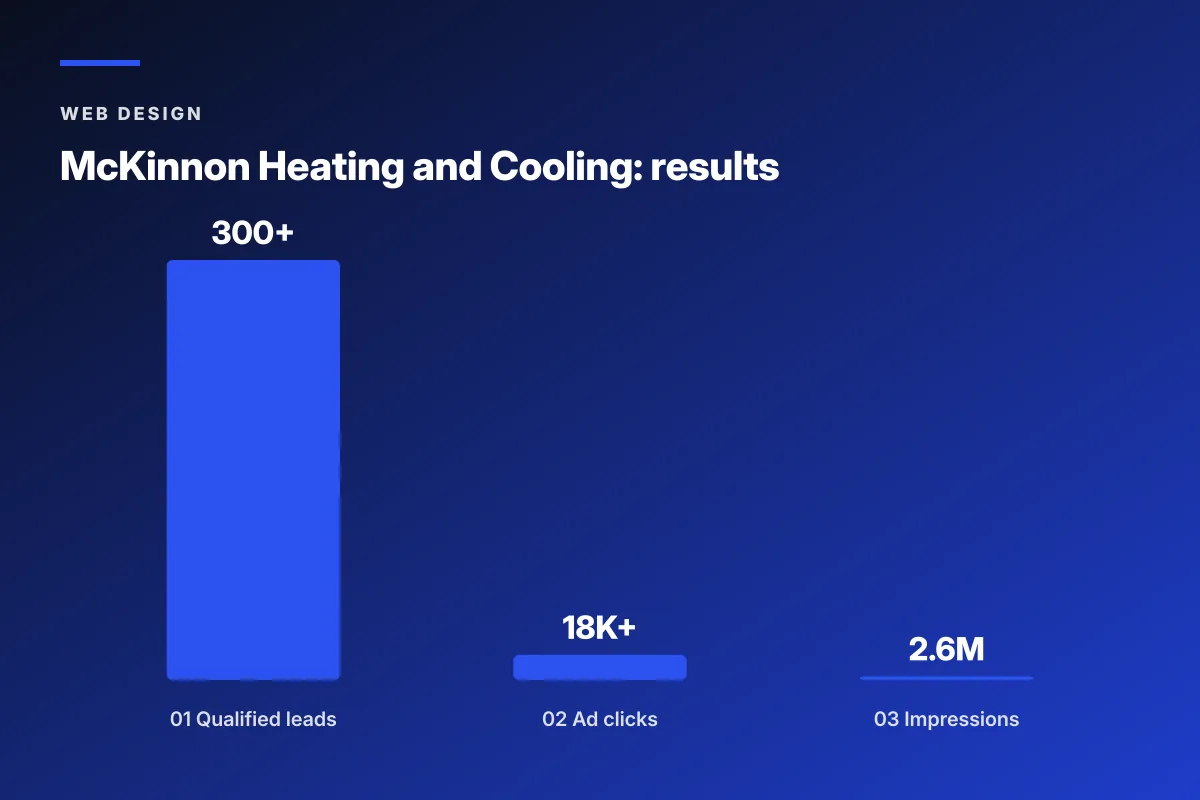
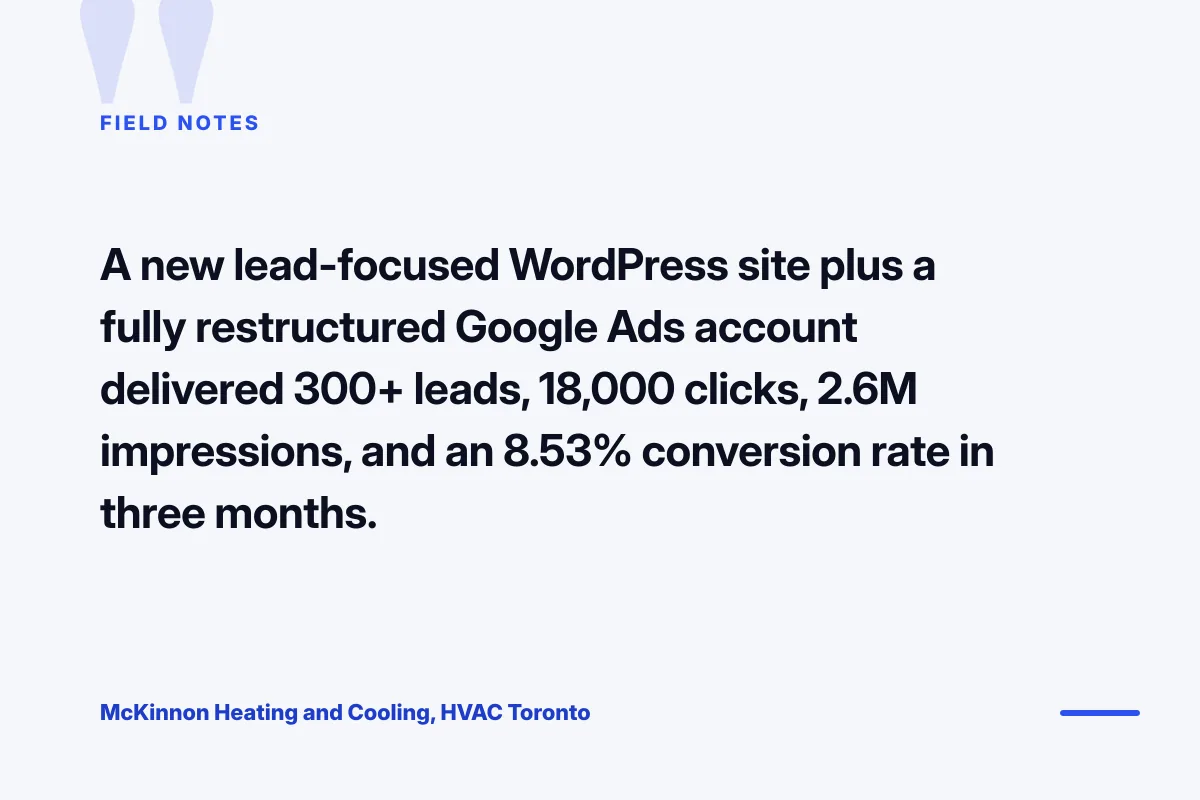
We ran a fully custom WordPress rebuild at the $14,000 band with service-specific landing pages, real local SEO structure, and a Google Ads account restructure that turned off display, tightened match types, and pointed each campaign at its own landing page. Inside 90 days McKinnon Heating pulled 300+ qualified leads, 18,000+ ad clicks, 2.6 million impressions, and an 8.53 percent conversion rate on the ad landing pages. The build paid back inside the first quarter because the WordPress cost was scoped against a revenue target, not against a lump-sum negotiation.
The outcome measured at 90 days
300+ qualified HVAC leads in the first quarter, up from 40. 18,000+ ad clicks routed through restructured Google Ads campaigns. 2.6 million impressions across targeted campaigns. 8.53 percent conversion rate on the new landing pages, up from under 2 percent on the old homepage. Every metric came from a WordPress build scoped for the actual job, plus an ad account tied to that build. The vendor who quoted $6,000 for a template with a color swap could not have delivered any of these numbers because the template would have been the same broken homepage McKinnon started with.
Lessons for reading your own quote
Two lessons from the McKinnon rebuild carry into every WordPress cost conversation. First, a $14,000 build scoped against a revenue target beats a $6,000 build scoped against a lump-sum minimum every time. The math works because the revenue target forces the vendor to build the pages that convert instead of the pages that look pretty. Second, the WordPress build is only half the return. The other half is the marketing structure that runs on top of it. Skip the marketing structure and the $14,000 site earns the same as the $6,000 site, which is not much at all.
WordPress ecommerce website development cost with WooCommerce
WordPress ecommerce website development cost sits 30 to 60 percent above a comparable brochure site because WooCommerce adds real hours to development. A small store with under 50 SKUs runs $8,000 to $18,000. A mid-size store with 200 to 800 SKUs runs $18,000 to $45,000. A large store with 1,000+ SKUs, subscriptions, and multi-currency runs $45,000 to $120,000. Add another $2,000 to $8,000 for payment gateway setup, shipping calculators, and tax integration. The higher end of every range is honest for a complete build. The lower end assumes a lot of shortcuts.
WooCommerce hosting requires more than a $12 shared plan. Ecommerce WordPress hosting runs $50 to $250 per month at the small end, and $500 to $2,500 per month at the mid-market end. Payment processing runs the standard 2.9 percent plus 30 cents per transaction on Stripe or PayPal. Premium WooCommerce extensions like Subscriptions, Memberships, and Bookings run $199 to $299 per year each. Budget the annual all-in for the store, not just the build. A store with $500,000 in annual revenue can absorb $8,000 per year in software and hosting without blinking. A store with $80,000 in revenue cannot.
WooCommerce vs Shopify on cost
WooCommerce costs less on the build for a semi-custom store because you own the code and pay one-time development fees. Shopify costs more on the build and more on the monthly subscription but ships faster and requires no hosting or security management. Over three years, a mid-size store on WooCommerce runs 15 to 30 percent cheaper total cost of ownership than Shopify Plus. Under three years, Shopify wins on time-to-market. Pick WooCommerce if you have a WordPress vendor already or if you value code ownership. Pick Shopify if you need a store live in 30 days and you value zero infrastructure work. See our WordPress ecommerce website development writeup for the detailed comparison.
WooCommerce extension costs
Every WooCommerce store needs at least four premium extensions to reach parity with Shopify. WooCommerce Subscriptions at $199 per year for recurring billing. Table Rate Shipping at $79 per year for real-world shipping rules. WooCommerce Bookings at $249 per year if you sell time slots. TaxJar or Avalara integration at $19 to $99 per month for automated sales tax. Add a shipping label plugin at $99 per year and a review plugin at $79 per year. Budget $800 to $1,400 annually in extension licenses alone. Vendors who never mention these on the original quote are hiding real cost inside the lump sum.
The classic quote conversation with the wrong vendor goes like this. You send an RFP describing an eight-page site with a contact form and a blog. Three vendors respond. One quotes $2,800. One quotes $12,000. One quotes $34,000. You ask the $2,800 vendor what is included and they say a website. You ask the $34,000 vendor what is included and they say strategy. Neither answer helps. The $12,000 vendor sends a two-page itemized quote with hours per phase and gets the meeting. Turns out clarity beats charisma, and neither one is expensive.
Negotiation levers that trim a WordPress website development proposal
Every WordPress website development proposal has 10 to 20 percent of soft cost you can negotiate without cutting scope. The soft cost lives in three places. First, the discovery phase, which most vendors overweight relative to actual hours. Second, the copywriting line, which you can bring in-house if you have a marketing lead. Third, the training and handover session, which most vendors can compress from four hours to two without losing anything. Ask the vendor to break out those three line items and offer to cut the copywriting and compress the training. That is a 15 percent trim on most proposals.
Do not negotiate on development hours. That is where the vendor’s margin lives, and cutting it makes the vendor rush the build. Do not negotiate on the SEO baseline. That is where your ranking traction gets set, and cutting it costs you 6 months of organic growth. Do not negotiate on the post-launch retainer. That is where your site keeps earning after launch, and cutting it means month seven brings a $2,000 emergency fix bill on a site the vendor no longer feels obligated to maintain properly. Negotiate on the soft costs. Leave the technical spine intact.
Bring copywriting in-house
Vendor copywriting runs $600 to $6,000 depending on site size. If you have a marketing lead or an internal writer, you can bring that in-house and save the full line item. Provide the vendor with clean copy for every page at the start of the design phase. Keep it to specification. Vendors love this because content delays are the biggest cause of missed launch dates. You save the money, they hit the timeline, everybody wins. Do not do this if you do not have a real writer. Vendor-written copy from a proper writer beats owner-written copy from an owner who is not a writer.
Compress the training session
Most vendors quote a four-hour training and handover session at $600 to $1,500. You can compress it to a 90-minute recorded walkthrough for $200 to $400. That saves the difference and gives you a video you can rewatch later. The tradeoff is that a live session lets you ask questions in real time. If your team is already familiar with WordPress, the recording works. If nobody on your team has touched WordPress before, take the live session. That decision is honest. The negotiation is about which one you actually need.
Red flags that inflate WordPress website development cost
Every WordPress website development cost conversation has three red flags that predict a bad build at any price. First, a vendor who quotes without asking about page count, integrations, or custom post types. That vendor is guessing and the invoice will surprise you in month two. Second, a vendor whose portfolio has no live sites in your industry. That vendor will learn on your dime, and the WordPress website developer cost you pay covers their education. Third, a vendor who cannot name the theme or the plugins they plan to use. That vendor is subcontracting the work.
The fourth red flag is a WordPress website development proposal that reads like a legal contract instead of a scoping document. Real scoping documents describe what gets built in plain English, with page counts, template counts, integrations, and content assumptions. Legal-heavy proposals with 12 pages of liability language and 2 pages of deliverable description are protecting the vendor at your expense. Ask for a scope document you can read in ten minutes. If the vendor cannot produce one, they are not organized enough to run the project on time. See HubSpot on website pricing patterns for a second reference.
Deposit signals hidden in the payment schedule
Legitimate vendors take 30 to 50 percent of WordPress website development cost as a deposit, 30 to 40 percent at design signoff, and the balance at launch. Vendors who ask for 100 percent up front are running a cash-flow game, not a project. Vendors who require the deposit in cryptocurrency, wire transfer with no invoice, or an unnamed offshore account are running something worse than a cash-flow game. A real deposit lands on a proper invoice with your business name and the vendor’s tax ID. Anything else is a signal to walk away before the contract signs.
Portfolio inflation as a cost signal
Vendors who list 200 client logos on their portfolio page but can only show live work for 12 of them are inflating their track record. The 188 logos are usually one-off small engagements from years ago. That inflation predicts a high WordPress website development cost that never quite matches the deliverable. Ask for live sites launched inside the last 18 months in your industry. Any vendor who cannot produce three examples with mobile PageSpeed scores you can verify is a vendor whose price does not match their portfolio. See Kinsta on WordPress development pricing for a third comparison.
Where to start scoping your WordPress website development cost
WordPress website development cost is easy to compare when you send the same six-line-item request to three vendors. Discovery. Design. Development. Content. SEO baseline. Training. Same list, same page-count assumption, same integration list. Compare the numbers side by side. The vendor whose numbers cluster around the middle of the market with clean itemization is the vendor you invite to a full scope call. The vendor 40 percent below the middle is either missing scope or cutting a corner you cannot see yet. The vendor 40 percent above the middle is padding.
Ready to scope a WordPress build with real itemization and a team that publishes both what is included and what triggers a change order, our WordPress Website Development Services covers the full engagement. For the bespoke design conversation, see custom WordPress website development. For the step-by-step process, see how to develop a WordPress website. For the WooCommerce cost detail, see WordPress ecommerce website development. For an authoritative benchmark on hosting performance, see the web.dev Core Web Vitals reference.
Frequently asked questions
How much does WordPress website development cost in 2026?
WordPress website development cost splits into four honest bands in 2026. Under $2,500 gets DIY with hourly help on a themeforest or Astra child theme. $3,500 to $8,000 gets a semi-custom small business site with a custom homepage and five templates. $9,000 to $22,000 gets a fully custom design and development build with SEO baseline. $25,000 and up gets an enterprise WordPress project with custom post types, integrations, and multi-language support. Add $20 to $150 per month for managed hosting, $600 to $1,400 per year for premium plugins, and $400 to $1,800 per month for the post-launch retainer. Budget the annual all-in number, not just the build fee, so month seven does not surprise you with plugin renewals or edit fees.
What should a WordPress website development quotation include?
A real WordPress website development quotation itemizes six line items with real numbers attached. Discovery and information architecture at $800 to $2,500 depending on business complexity. Design and prototyping at $2,000 to $6,000 for a custom design system. WordPress development and custom blocks at $3,500 to $12,000 based on template count. Content, copywriting, and imagery at $1,500 to $6,000 for a full site copy pass. SEO baseline setup and schema at $600 to $1,800 as part of the launch. Post-launch training and handover at $400 to $1,500 for documentation and a training session. A vendor who quotes a single lump sum with none of those broken out is a vendor whose lump sum hides either padding or missing scope.
What is the WordPress website development timeline for a custom build?
WordPress website development timeline runs 4 to 24 weeks depending on scope. A child theme small business site ships in 4 to 8 weeks. A fully custom build ships in 8 to 14 weeks. An enterprise WordPress project ships in 12 to 24 weeks. Timelines slip when the client side is slow on content, revisions, or approvals, and every week of client delay pushes the launch back by two weeks on the vendor side because the vendor rebooks the team on other work. Lock the content, the copy, and the single approver on day one. You can compress a 12-week custom build to 8 weeks with two-day revision turnarounds and a 15 percent rush fee, but tighter than 8 weeks risks shortcuts in the SEO baseline or rushed content.
How much does WordPress ecommerce website development cost?
WordPress ecommerce website development cost sits 30 to 60 percent above a comparable brochure site because WooCommerce adds real hours to development, payment integration, and shipping logic. A small store with under 50 SKUs runs $8,000 to $18,000. A mid-size store with 200 to 800 SKUs runs $18,000 to $45,000. A large store with 1,000+ SKUs, subscriptions, and multi-currency runs $45,000 to $120,000. Add $2,000 to $8,000 for payment gateway setup, shipping calculators, and tax integration. Ecommerce hosting runs $50 to $250 per month at the small end and $500 to $2,500 per month at the mid-market end. Every WooCommerce store needs $800 to $1,400 per year in premium extensions.
What are WordPress website developer costs versus agency costs?
A senior WordPress freelancer costs $6,000 to $18,000 for a full custom build and ships in 8 to 12 weeks. A WordPress agency costs $12,000 to $30,000 for the same scope and ships in 10 to 14 weeks. The gap is not markup. Agencies split the work across a designer, developer, project manager, SEO lead, and sometimes a copywriter. That coordination is where the extra spend lands. Pick the freelancer when your brand assets are locked, your copy is written, and your scope is under 20 pages. Pick the agency when you need brand strategy, information architecture, copy, SEO, and development coordinated as one program. Match the choice to whether your internal team is already senior enough to run strategy in-house.
Are pay monthly WordPress website development packages a good deal?
Pay monthly WordPress website development packages spread the build cost across 24 to 48 months at $199 to $599 per month, bundling hosting, edits, and maintenance into one monthly line. The model is legitimate when the subscription runs long enough to fully cover the build cost plus a real retainer scope, and when the vendor commits to code and account ownership transfer at end of term. Read the contract for those two clauses before signing. The model becomes a cash-flow game when the monthly fee is $99 for two years and the vendor keeps the code, the hosting, and the domain under their name. Retainer packages that bundle build plus 24 months of ongoing service at $299 to $599 per month are the honest version of the pay monthly model.
How do I negotiate a WordPress website development proposal?
Every WordPress website development proposal has 10 to 20 percent of soft cost you can trim without cutting scope. Negotiate on discovery hours, which most vendors overweight relative to actual work. Negotiate on the copywriting line if you have an internal writer who can supply clean copy for every page. Negotiate on the training and handover session, which most vendors can compress from four hours to a 90-minute recorded walkthrough. Do not negotiate on development hours, the SEO baseline, or the post-launch retainer. Those three are where your build actually earns the return on investment. Cutting them makes the vendor rush the build, skip the ranking work, and stop returning your calls after launch.
Book your free 30-minute strategy call.
No spam, no sales rep. We use your email to schedule your call with a senior strategist. That is it.
More from the blog
View all articles → Web Design
 Core Web Vitals Healthcare Websites Actually Need to Book Patients
Read article Web Design
 Professional Services Website Design Best Practices for 2026
Read article Web Design