
Custom WordPress Website Development Services
- Custom WordPress builds run $6,000 to $30,000 across four honest bands.
- Block editor first, page builder never. Portable content wins year three.
- Ask seven filter questions on every first vendor call.
- Code repo and account ownership transfer on final payment. In writing.
- Host Duplex went from 8-second load to sub-second on a custom rebuild.
- Why custom WordPress website development beats a themeforest theme
- Real pricing for custom WordPress website development services in 2026
- Stack picks for custom WordPress website design and development
- Seven questions for the first call with custom WordPress website developers
- Bespoke WordPress website development with SEO baked in
- Case study on picking a custom WordPress website development company
- Custom WordPress website development agency vs freelancer
- Custom WordPress development for business websites across verticals
- Contract clauses that protect your custom WordPress build
- Post-launch retainer for custom WordPress website development for businesses
- Where to start with your own custom WordPress website development
Custom WordPress website development is the version of a business site where the theme, the layout, and the code all get written for your workflow instead of pulled off a themeforest shelf. You already sense the difference. The pre-made theme costs $79 and the custom build costs $9,000, and nobody selling you either one will tell you which one you actually need. You want a site that ranks, converts, and stays editable in month fourteen when the marketing lead you hired last week wants to publish a new service page on a Tuesday.
This guide is the honest version of custom WordPress website development for businesses in 2026. You get real scope bands, block-editor stacks that stay migration-safe, the seven filter questions to ask on every first vendor call, the Host Duplex sub-second rebuild story, and the retainer math that keeps the site earning after launch. Read straight through in about fourteen minutes.
Why custom WordPress website development beats a themeforest theme
Custom WordPress website development pays back the extra spend the moment your revenue depends on the site. Pre-made themes ship with layout options you will never use and a page builder that locks your content. Custom builds strip that overhead and give you pages that load fast plus code you can hand to any developer in year three.
The tradeoff is real. A themeforest theme runs $79 plus three days of your time. You also lose sections that could have matched your buyer journey, a mobile score that could have hit 90, and editorial control that could have kept your marketing team unblocked past month twelve. A custom WordPress build runs $8,000 to $30,000 and takes 8 to 14 weeks. You do not need the custom build for a five-page brochure site. You do need it once your site drives lead flow, ranks for competitive terms, or handles more than a hundred pages of content. The question is not which is better in the abstract. The question is which one matches your revenue model.
When custom wins on the math
Custom wins the math when the site earns more than $10,000 a month in pipeline value. A dental group booking 40 exams a month from organic search, a home services contractor pulling $60,000 a month in inbound calls, a B2B software company routing 200 demo requests a quarter, all of them break even on a $15,000 custom build inside the first year. The theme build looks cheap on day one and expensive on day 400 when the checkout stops working, the mobile score tanks, and the developer who set it up stopped answering email in month nine.
When a theme is still the right call
A themeforest or Astra child theme is still the right pick for a brochure site under 10 pages, a personal portfolio, a small nonprofit with a $3,000 budget, or any business where the site is a supporting asset not the lead engine. You save the money, you accept the tradeoffs on speed and flexibility, and you plan to redo the site in year three when the business outgrows the theme. That is an honest plan. Any vendor who tells you the theme build will hold forever is optimizing for the invoice, not for your year three.
Real pricing for custom WordPress website development services in 2026
Real pricing for custom WordPress website development services splits into four honest bands. Under $5,000 is child theme plus custom CSS, still a template underneath. $6,000 to $12,000 is semi-custom with a bespoke homepage and three custom templates. $12,000 to $25,000 is fully custom with brand-matched design, custom blocks, and SEO structure built in. $25,000 and up is enterprise with custom post types, integrations, and multi-language support. Each band is honest. The mismatch is when a vendor charges $22,000 and delivers what a $6,000 vendor would have shipped.
Where your project lands depends on three variables. First, how many custom page templates you need above the homepage. Five templates is standard. Fifteen templates is enterprise. Second, whether you have integrations, like a CRM sync, a booking system, or a headless commerce layer. Every integration adds $1,200 to $4,000. Third, whether you need custom post types beyond posts and pages, like case studies, staff bios, or resource libraries. Every custom post type with its own template adds $800 to $2,500. Ask the vendor to itemize these three variables and you get a real quote instead of a lump sum.
| Band | Price range | Timeline | What ships |
|---|---|---|---|
| Child theme | $3,000 to $5,000 | 3 to 5 weeks | Custom CSS on Astra or GeneratePress |
| Semi-custom | $6,000 to $12,000 | 6 to 10 weeks | Custom homepage + 3 templates + SEO base |
| Fully custom | $12,000 to $25,000 | 8 to 14 weeks | Bespoke design, blocks, SEO structure |
| Enterprise | $25,000 and up | 12 to 24 weeks | Custom post types, integrations, multi-language |
Hidden costs that never show up on the quote
Managed WordPress hosting runs $20 to $150 per month for a small business site. Premium plugins for forms, backups, security, and caching add $180 to $900 per year. Custom photography from a real photographer adds $600 to $3,500. Copywriting handled by a dedicated writer adds $800 to $4,500. A vendor whose quote lists none of these has left them for you to find on your own budget. Ask for the annual all-in number, not just the build fee, so month seven does not surprise you with a $180 plugin renewal you never budgeted for.
Retainer math after launch
Post-launch retainers for a custom WordPress site run $400 to $1,800 per month depending on scope. That covers weekly backups, monthly plugin updates, security patching, uptime monitoring, and a scoped block of hours for small edits. Sites that run SEO or paid ads on the same retainer push the number to $2,000 to $4,000 per month. The trap is the vendor who quotes $79 per month and delivers hosting only, then charges $180 per hour for every edit request. Every edit request. In perpetuity. Do the math over two years.
Stack picks for custom WordPress website design and development
Stack picks matter more than most owners realize. Custom WordPress website design and development runs best on the native block editor in 2026. Gutenberg with custom blocks written in React gives you portable content, native accessibility, and a build that survives a WordPress core update without ceremony. Elementor, Divi, and other page builders lock your content into their proprietary blocks. Migrate away from Elementor and half your layout turns into stripped text you get to reformat by hand. The stack pick on day one dictates the pain on day 800.
The right stack for a custom build in 2026 is a bespoke theme built on Underscores or a starter like Sage 10, with custom blocks registered through block.json, ACF blocks for the marketing team’s editorial control, and a caching layer through WP Rocket or a hosting-provided edge cache. The wrong stack is a bloated multipurpose theme with 20 plugins doing what native blocks would handle cleanly. Ask the vendor which theme they will start from and which plugins they will install. If the list runs past 15, ask why. See the WordPress Block Editor documentation for the reference architecture the vendor should follow.
Block editor first, page builder never
Every custom WordPress build shipped in 2026 should default to native Gutenberg blocks. Editorial teams edit inside a familiar interface. Content stays in portable HTML in the database. Custom blocks written in React give you the same design control a page builder claimed to offer, without the lock-in. Any vendor who defaults to Elementor for a custom build is optimizing for their own build speed at the cost of your year-three flexibility. You want the flexibility. You are paying for it.
ACF blocks for editorial control
Advanced Custom Fields Pro layered on top of Gutenberg gives your marketing team the exact fields they need to fill on each block without accidentally breaking the layout. A hero block shows fields for headline, subhead, CTA text, CTA URL, and background image. Nothing else. The editor cannot accidentally add a rogue paragraph in the middle of the hero. That constraint keeps the design intact through 200 edits over the life of the site. The tradeoff is the ACF Pro license at $249 per year, which is small money against the design consistency it buys you.
A five-page brochure site doesn't need of custom WordPress. Wait till you've got 40+ ranked pages or real lead flow before you spend on a custom theme.
Seven questions for the first call with custom WordPress website developers
Custom WordPress website developers reveal themselves inside the first vendor call. Every business owner burns their first vendor call on the wrong questions. You ask about price. They give you a range. You ask about timeline. They give you a range. Ninety minutes later you know nothing. The seven questions below force the vendor to show you how they actually work. If they fumble three of them, you are on the wrong call and can politely end it and move on.
- Show me two live custom WordPress sites you built in the last 18 months, with the mobile PageSpeed scores.
- Which theme do you start from, and which page builder if any does the site use?
- How do custom blocks get built on your team, and can our editors modify them without code?
- What plugins do you install by default, and why each one?
- How do you handle migration from our current site without breaking Google rankings?
- Who owns the code repository and the accounts after launch, and how does the transfer happen?
- What is the post-launch retainer, and what triggers a change order versus a normal support ticket?
The live sites question filters half the market
Ask for two live custom WordPress sites built inside the last 18 months, with mobile PageSpeed scores you can run yourself. Vendors who show older work are hiding a portfolio that no longer holds up. Vendors who cannot cite a mobile score are not tracking performance. Every real custom build should score above 80 on mobile in Google PageSpeed Insights on launch day. If the vendor’s showcase pieces score under 60, your site will land in the same bucket. That single check filters out most of the shortlist inside ten minutes.
Ownership transfer keeps you in control
Who owns the code repository and the accounts after launch is the question you ask once and never forget. Some agencies keep the Git repo, the hosting, and the admin accounts under their own login and hand you a client seat. That looks fine until you want a second opinion on the code in year two and the vendor refuses to hand it over. The right answer is your GitHub or Bitbucket org, your hosting under your billing, your admin accounts on your business email, all transferred within five business days of the final payment. Written into the contract. Non-negotiable.
Bespoke WordPress website development with SEO baked in
Bespoke WordPress website development that ignores SEO on day one loses six months of ranking growth by month twelve. Every custom build should ship with a clean information architecture, a fast mobile page speed, semantic HTML markup, schema.org structured data on service and blog pages, and an XML sitemap that submits automatically. That is the baseline. A vendor who treats SEO as an add-on retainer for an extra $2,000 per month has not built SEO into the site. They have offered to bolt it on after they already made the money on the build.
You need three SEO things in every custom build. First, RankMath or Yoast configured with real title tags and meta descriptions, not defaults. Second, schema markup for Organization, WebSite, and every service or article page. Third, an internal linking pattern that connects the homepage to service pages to blog posts in a topical cluster. Vendors who ship a custom WordPress build without those three things are shipping a pretty design that cannot rank. Our SEO-friendly WordPress website development writeup covers the full baseline.
Schema markup on day one
Schema markup is the layer that tells Google and every large language model what each page on your site is about. Custom WordPress builds should ship with Organization schema on the homepage, LocalBusiness schema for single-location businesses, Article schema on every blog post, FAQPage schema where relevant, and Service schema on service pages. The RankMath plugin handles most of the work if the vendor configures it properly on install. A vendor who ships a site with no schema is a vendor who has not looked at how modern search results get assembled since 2019.
Internal linking as a design pattern
Internal linking is not a plugin. It is a design pattern the vendor bakes into the theme. Related posts blocks at the bottom of every blog post. Service page cross-links inside the body copy. Homepage links to the top three revenue services. Silo linking from a pillar page down to cluster posts and back up. All of it planned during design, not sprinkled in as an afterthought. A custom build that ignores internal linking is a custom build that loses link equity from every page instead of routing it to the money pages.
Case study on picking a custom WordPress website development company
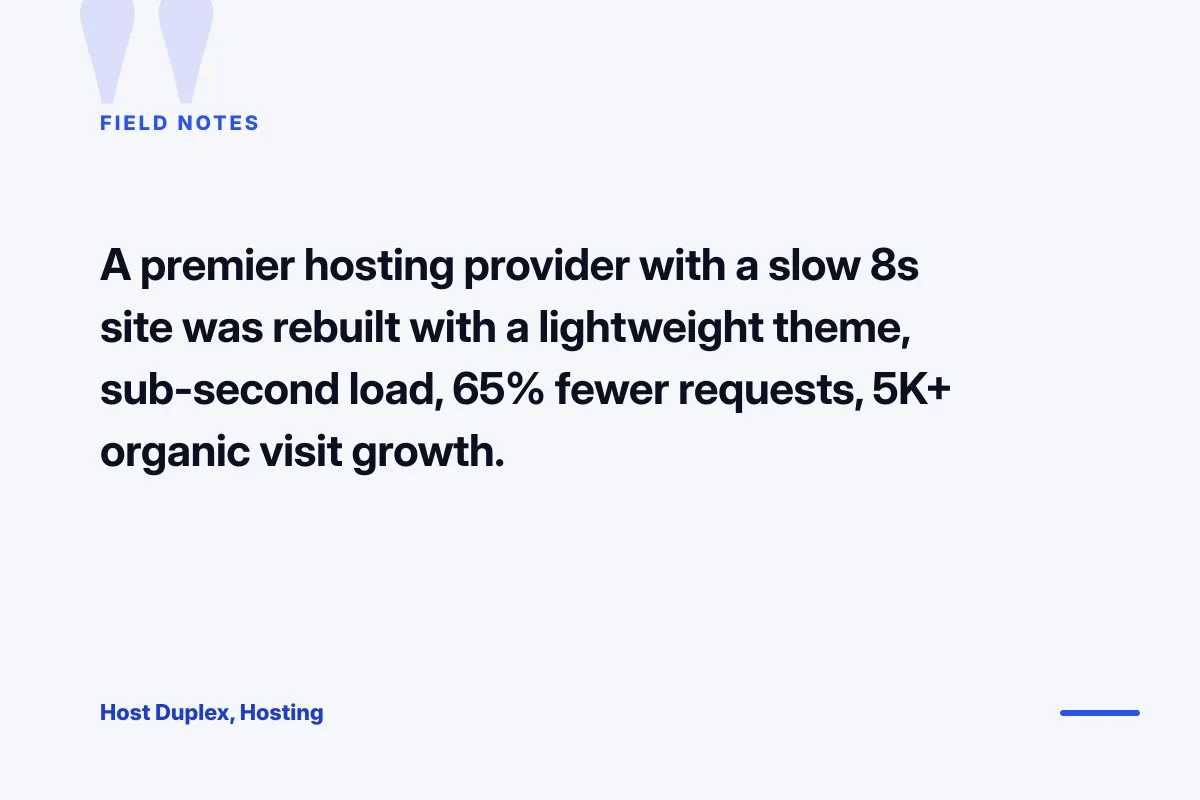
Host Duplex, a premier hosting provider on Magento, WordPress, and cloud stacks, came to us with a site that took more than eight seconds to load. Which is ironic for a speed-focused brand. Their old build had accumulated four years of plugin sprawl, a heavy multipurpose theme, and a homepage stacked with sliders that killed the mobile score. Every prospective client who landed on the site saw a slow page and bounced. The team knew the site was underperforming, and knew a rebuild was overdue, but the rebuild kept getting deprioritized against client work.
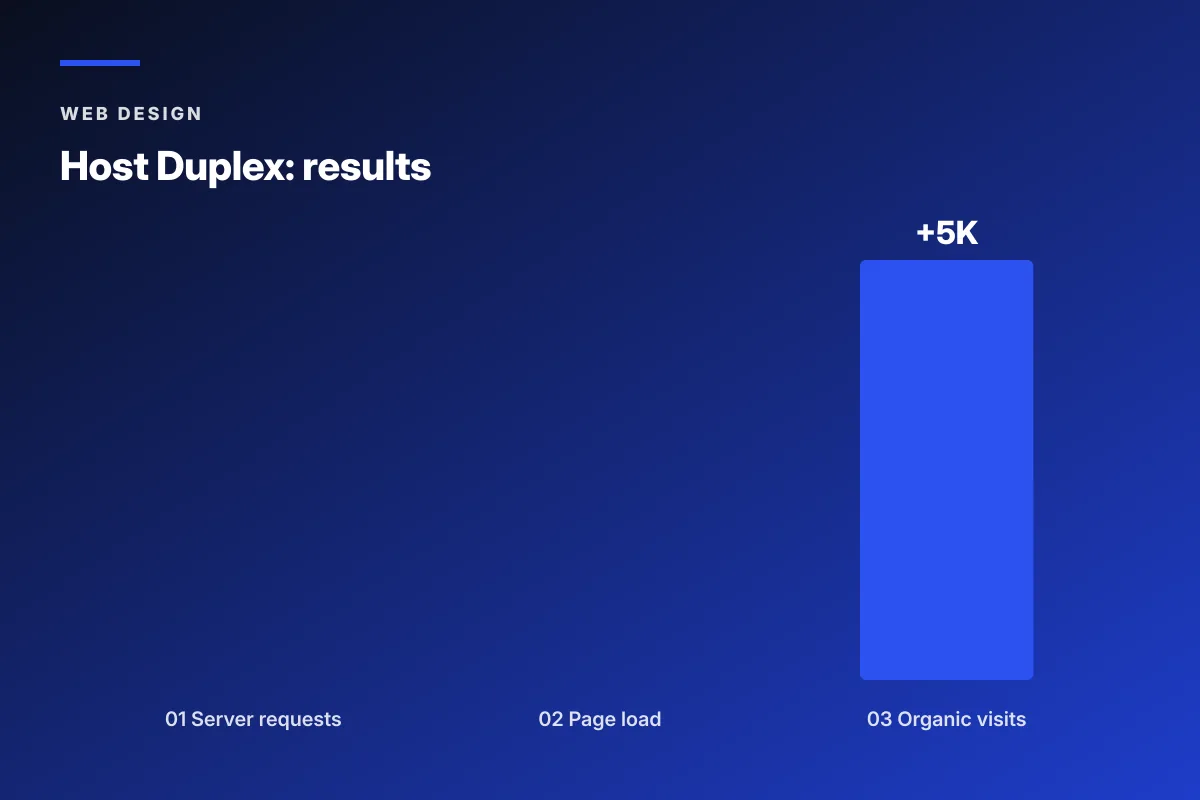
We ran a full custom WordPress rebuild on a lightweight bespoke theme with native block editor content, cut the plugin count from 34 to 11, replaced the multipurpose theme with hand-written PHP templates, and moved the site to a properly-tuned managed WordPress host. Load time went from eight seconds to under one. Server requests dropped 65 percent. Organic traffic gained 5,000 new visits in the first quarter. Every one of those numbers came from a custom build that matched their revenue model instead of the templated approach the previous vendor had shipped.
The outcome measured at 90 days
Sub-second page load on desktop and mobile inside the first quarter. Server requests down 65 percent, which cut hosting CPU load and improved every other page-speed metric alongside it. Page load improved 85 percent overall, dropping from over 8 seconds to under 1. Organic visits gained 5,000 in the same window, a direct result of the mobile score jumping from red to green in Google Search Console. Every metric compounded on the next one because a custom build removes the plugin sprawl that was choking every page underneath.
Lessons for your own custom WordPress build
Two lessons from the Host Duplex rebuild carry over to almost every custom build. First, plugin count is a proxy for site health. Under 15 active plugins on a business site is healthy. Over 25 is a code smell. Over 40 is a rebuild candidate. Second, the theme decision is the single biggest performance lever on the site. A bloated multipurpose theme with 200 layout options ships with hundreds of kilobytes of CSS and JavaScript your visitors never use. A bespoke theme ships only what your site needs. That difference alone accounts for two-thirds of the speed gain on most custom rebuilds.
Custom WordPress website development agency vs freelancer
Custom WordPress website development agency work sits at $12,000 to $30,000 for a full build. A senior WordPress freelancer sits at $6,000 to $18,000 for a similar scope. On paper the freelancer wins. In practice the answer depends on how much strategy you want handled, whether the person you hire will still be reachable in month nine, and whether the build needs SEO, copy, and design under one roof or you already have those covered internally.
A single senior freelancer covers design and development in one head, sometimes with a subcontracted designer. That works when the scope is a semi-custom site with existing brand assets and copy. It becomes a bottleneck the moment you need SEO strategy, a content plan, or a redesign of the brand identity. A custom WordPress website development company splits those roles across a designer, a WordPress developer, a project manager, an SEO lead, and sometimes a dedicated copywriter. You pay more because you get five disciplines instead of one. You also get someone answering the phone when the freelancer takes an unexpected two-week trip in month three.
When a freelancer fits the scope
Pick a senior WordPress freelancer when your brand assets are locked, your copy is already written, and your scope is a semi-custom site under 20 pages. A B2B services firm with an in-house marketing lead who can hand the freelancer wireframes and copy on day one will get a great build for $8,000 to $14,000. You save on the strategy overhead because you are already handling strategy. The freelancer builds what you scoped, ships in 10 weeks, and stays on hourly retainer for edits. That is a working model when your team is already senior enough to run the scope.
When an agency fits the scope
Pick a custom WordPress website development agency when you need brand strategy, information architecture, copy, SEO, and development coordinated as one program. A dental group opening a second location, a home services contractor scaling past $2M in revenue, a B2B software company preparing for a Series A, all of them need the split disciplines an agency provides. You pay $15,000 to $30,000 for the build. You also get a launched site that ranks in the first quarter and converts inside the first six months. For most owners without an in-house marketing lead, the agency route is where the math lands.
Custom WordPress development for business websites across verticals
Custom WordPress development for business websites plays out differently in every vertical. A dental practice needs a HIPAA-aware contact form, a real appointment booking flow, and local SEO structure that ranks in the map pack. A B2B software company needs demo request forms tied into a CRM, gated content for lead scoring, and integration with HubSpot or Salesforce. A home services contractor needs a mobile-first design, service-area landing pages, and a Google Ads landing page tied to the top revenue service. Each vertical has its own baseline. A vendor with portfolio work in your vertical builds against that baseline from day one.
Ask the vendor which verticals they have shipped custom WordPress work in over the last 24 months. Three sites in your vertical means the vendor has already solved most of your problems before you asked. Zero sites in your vertical means you are paying for the vendor’s education. Neither is inherently wrong. You just want to know which one you are buying. A vertical specialist costs roughly the same as a generalist and ships better outcomes because they already have the templates, the integrations, and the SEO structure worked out for businesses that look like yours.
Portfolio match against your vertical
Ten minutes with a vendor’s portfolio and a browser tells you whether they know your vertical. Load their vertical case studies on your phone. Check the mobile score. Note whether the copy speaks to a specific persona or to a generic small business. Look for named clients with real numbers, not stock testimonials. Vendors who have shipped three or more sites in your vertical understand the shape of the problem before you describe it. That saves you the first three sales calls of explaining your business, which shortens the whole vendor hunt.
Integration baseline per vertical
Every vertical has a small stack of expected integrations. Dental practices integrate with practice management software like Dentrix or Open Dental, plus a HIPAA-aware form provider. B2B software companies integrate with HubSpot, Salesforce, Marketo, or Pardot for lead capture. E-commerce brands integrate with WooCommerce, Shopify, or headless commerce stacks. Home services integrate with call tracking, review platforms, and often a scheduling tool. Ask the vendor which integrations they have shipped for your vertical. If they cannot name three, they will learn on your dime.
Contract clauses that protect your custom WordPress build
The contract for a custom WordPress website development engagement is a legal document you will read once and refer back to during month seven when something breaks. Six clauses matter more than the rest. Get them right and the rest can be boilerplate. Get any one wrong and you are the owner who calls a lawyer about a website in month nine, which is a conversation nobody wants to have.
- Fixed feature list scope, not a fixed hour count
- Revision rounds capped and priced per additional round
- Ownership transfer of code repo, hosting, and accounts on final payment
- Timeline milestones with agreed penalties for vendor-caused delays
- Post-launch retainer terms with a written response-time commitment
- Termination clause with a fair exit path if either side needs out
Fixed feature list beats hour counts
A scope defined as 60 hours of development work is a scope you will argue about in week six. A scope defined as one custom homepage, four service page templates, one blog template, one contact form with CRM sync, and one Google Business Profile integration is a scope you can point at. Fixed feature list beats fixed hour count every time. The vendor knows what to build. You know what to expect. Any change gets a change order with its own price, which protects both sides. Vendors who resist a fixed feature list intend to bill twice for the same feature.
Code repository ownership
Code repository ownership is the single clause most business owners forget to write in. The Git repo where the custom theme lives should live in your GitHub or Bitbucket organization from day one. The vendor gets developer access. When the project completes, you retain the repo. That way you can hand the code to any WordPress developer in year three without asking the original vendor for permission. Vendors who host the repo in their own GitHub and refuse a transfer are vendors planning to hold your code hostage. Non-starter. Walk away.
The classic first meeting with the wrong custom WordPress vendor goes like this. You describe your business for ten minutes. They nod. They say the word alignment twice. They pull up their portfolio. Every site on the portfolio is a yoga studio. You sell industrial pumps. They tell you their process is really flexible. You ask what the price is. They tell you it depends. Ninety minutes later you leave the meeting with a coffee mug and no proposal. The mug is fine. The proposal never arrives.
Post-launch retainer for custom WordPress website development for businesses
A custom WordPress site earns most of its money in year two and year three, not year one. The retainer that runs the site after launch is where the real return on the build shows up. A launched site that gets ignored for six months loses 30 percent of its ranking traction and 40 percent of its conversion rate as content ages, plugins go stale, and competitors ship new pages. The retainer is not optional overhead. It is the thing that keeps the $18,000 build earning back the investment.
A real post-launch retainer for a custom WordPress site covers five things every month. Weekly backups tested for actual restore, not just written to a folder. Monthly plugin and theme updates run on staging first, then to production. Security patching for known vulnerabilities inside 48 hours of disclosure. Uptime monitoring with alerting to a real inbox. A scoped block of hours for small edits and new content. Anything below those five is hosting with a monthly logo, not a real retainer. Our WordPress Website Development Services covers what a full retainer looks like at $599 and up per month.
Backup cadence and restore testing
Weekly backups mean nothing if the vendor has never tested a restore. A backup that fails to restore during an emergency is worse than no backup, because the false sense of security kept you from making a second copy. Ask the vendor how often they test a restore from backup on a staging environment. Once a quarter is the floor. Once a month is professional. Vendors who say they run backups but have never actually restored one are vendors whose backup process breaks the first time you need it. That is the wrong moment to discover the problem.
Plugin update cadence
WordPress core, themes, and plugins publish security patches every week. Miss two months of patches and your site is a target for automated bots hitting millions of URLs looking for known vulnerabilities. A real retainer runs weekly plugin updates on a staging environment first, with a smoke test before pushing to production. That catches 95 percent of security exposures before they turn into a hacked site and a rebuild bill. See the WordPress documentation on updates for the process reference the vendor’s cadence should match.
Where to start with your own custom WordPress website development
Custom WordPress website development starts with a simple test. Take your current site and load it on your phone. Run it through Google PageSpeed Insights on mobile. Note the score. If it is under 60, or if the site does not tell a visitor what you sell in the first three seconds, or if you cannot edit a homepage headline without emailing a developer, you have a candidate for a custom rebuild. The rebuild pays back inside 18 months in almost every business where the site drives more than 10 leads a month.
Send the seven questions above to three vendors and compare the answers. The vendor who quotes a fixed feature list, breaks out monthly hosting and retainer, names a real project manager, and answers the ownership question cleanly is the vendor you invite to a full scope conversation. Ready to scope a custom WordPress build with a team that ships work in your budget band, our WordPress Website Development Services covers the full engagement from discovery through post-launch. For a more measured pricing conversation see our WordPress website development cost writeup, and for the step-by-step process see how to develop a WordPress website. For the enterprise scale of the same conversation see headless WordPress website development. For an authoritative reference on the block editor architecture, see the WordPress Block Editor handbook.
Frequently asked questions
How much does custom WordPress website development cost in 2026?
Custom WordPress website development pricing splits into four honest bands. Child theme with custom CSS runs $3,000 to $5,000. Semi-custom with a bespoke homepage and three custom templates runs $6,000 to $12,000. Fully custom with brand-matched design, custom blocks, and SEO structure runs $12,000 to $25,000. Enterprise with custom post types, integrations, and multi-language support runs $25,000 and up. Add $20 to $150 per month for managed hosting, $180 to $900 per year for premium plugins, and $400 to $1,800 per month for the post-launch retainer. Budget the annual all-in number, not just the build fee, so month seven does not surprise you with unbudgeted plugin renewals or edit fees.
What makes bespoke WordPress website development different from a theme build?
Bespoke WordPress website development writes the theme, the layout, and the custom blocks specifically for your business workflow instead of pulling a multipurpose theme off the shelf. You get pages that load fast because they only ship the CSS and JavaScript your site needs, sections that match your buyer journey, editorial control through custom blocks your marketing team can safely modify, and code you can hand to any WordPress developer in year three without a rebuild. A themeforest theme runs $79 and works fine for a five-page brochure site. A bespoke build runs $12,000 to $25,000 and pays back once your site drives more than $10,000 a month in pipeline value.
Should I hire custom WordPress website developers as freelancers or through an agency?
Pick a senior WordPress freelancer when your brand assets are locked, your copy is written, and your scope is a semi-custom site under 20 pages. Freelancer builds run $6,000 to $18,000 and ship in 8 to 12 weeks. Pick a custom WordPress website development agency when you need brand strategy, information architecture, copy, SEO, and development coordinated as one program. Agency builds run $12,000 to $30,000 and ship in 10 to 14 weeks. Agencies split the work across a designer, developer, project manager, SEO lead, and copywriter, which matters when you do not have those roles filled internally. Match the choice to whether your team is already senior enough to run the strategy in-house.
What questions should I ask a custom WordPress website development company on the first call?
Ask seven questions to filter every vendor on the first call. Show two live custom WordPress sites built in the last 18 months, with the mobile PageSpeed scores. Which theme do you start from and which page builder if any does the site use. How do custom blocks get built and can our editors modify them without code. What plugins do you install by default and why each one. How do you handle migration from our current site without breaking Google rankings. Who owns the code repository and the accounts after launch and how does the transfer happen. What is the post-launch retainer and what triggers a change order versus a normal support ticket. Fumble three of these and the vendor is off the shortlist.
Do I need custom WordPress development for business websites or will a theme work?
Custom WordPress development pays back when your revenue depends on the site. A dental group booking 40 exams a month from organic search, a home services contractor pulling $60,000 a month in inbound calls, a B2B software company routing 200 demo requests a quarter, all of them break even on a $15,000 custom build inside the first year. A themeforest or Astra child theme still works fine for a brochure site under 10 pages, a personal portfolio, or a small nonprofit with a $3,000 budget where the site is a supporting asset rather than the lead engine. The question is not which is better in the abstract. The question is which one matches your revenue model over the next 24 months.
How long does custom WordPress website development take?
A child theme build with custom CSS ships in 3 to 5 weeks. A semi-custom build with a bespoke homepage and three custom templates ships in 6 to 10 weeks. A fully custom build with brand-matched design, custom blocks, and SEO structure ships in 8 to 14 weeks. An enterprise build with custom post types, integrations, and multi-language support ships in 12 to 24 weeks. Timelines slip when the client side is slow on content, revisions, or approvals. Every additional week of client-side delay pushes the launch back by two weeks on the vendor side because the vendor rebooks the team. Lock the content, the copy, and the approver on day one to hit the target timeline.
What should a custom WordPress website development agency include in the post-launch retainer?
A real post-launch retainer for a custom WordPress site covers five things every month. Weekly backups tested for actual restore, not just written to a folder. Monthly plugin and theme updates run on staging first, then to production. Security patching for known vulnerabilities inside 48 hours of disclosure. Uptime monitoring with alerting to a real inbox. A scoped block of hours for small edits and new content. Anything below those five is hosting with a monthly logo attached, not a real retainer. Retainers run $400 to $1,800 per month for maintenance-only scopes and $2,000 to $4,000 per month for retainers that also cover SEO or paid ads on the same site.
Book your free 30-minute strategy call.
No spam, no sales rep. We use your email to schedule your call with a senior strategist. That is it.
More from the blog
View all articles → Web Design
 Core Web Vitals Healthcare Websites Actually Need to Book Patients
Read article Web Design
 Professional Services Website Design Best Practices for 2026
Read article Web Design