Beauty website hosting picks decide site speed, checkout reliability, and the search ranking floor. A brand running on shared plans under $8 per month typically sees mobile Largest Contentful Paint above 4 seconds, cart abandonment 40 to 60% higher than industry benchmarks, and Core Web Vitals scores that block ranking gains on category keywords. Cheap plans picked on price alone leave the brand at a permanent disadvantage against competitors on managed WordPress, Shopify Plus, or dedicated cloud. This guide walks how to pick beauty website hosting that supports the traffic patterns of an active DTC or clinic site, and how to migrate off shared plans without breaking Q4 revenue.
The playbook covers managed WordPress vs Shopify vs dedicated cloud, Core Web Vitals targets tied to Google ranking behavior, checkout reliability infrastructure, image optimization for product photography, CDN configuration, backup and disaster recovery, security hardening for DTC brands, cost planning by brand stage, and the 12-month Beauté Aesthetics New York program that cut mobile LCP from 4.8 seconds to 1.1 seconds and grew qualified leads 166% across the same infrastructure rebuild.
Platform choice sets the ceiling on site performance
The hosting stack you pick sets a hard ceiling on how fast a beauty site can serve product photography, how many concurrent shoppers checkout can handle at 8pm on a launch night, and how much control the team keeps over performance tuning. Three platform families cover most beauty DTC and clinic sites today. Managed WordPress on Kinsta, WP Engine, or Pressable runs $39 to $400 monthly and gives full theme control plus WooCommerce integration. Shopify and Shopify Plus run $39 to $2,300 monthly and hand off infrastructure entirely, at the cost of some layout flexibility. Dedicated cloud on AWS, Google Cloud, or Azure runs $400 to $3,400 monthly and suits brands past 20 million in annual revenue with in-house DevOps talent. For the wider take on what web hosting actually is and whether a brand needs a managed plan at all, see our guide to website hosting and maintenance packages.
Managed WordPress for DTC and clinic sites
Managed WordPress fits beauty brands that want deep design control, a content-heavy blog, and WooCommerce as the store engine. Providers like Kinsta and WP Engine handle server tuning, PHP version updates, database optimization, and staging environments, so the team focuses on product and content. Baseline Time to First Byte on managed WordPress runs 80 to 240 milliseconds on cached responses and 300 to 900 milliseconds on uncached. That range beats shared plans by 3 to 8 times on cached responses. Plans priced $89 to $199 monthly cover most growth-stage brands past 400,000 in annual revenue.
Shopify and Shopify Plus for high-SKU beauty stores
Shopify and Shopify Plus fit brands that prioritize checkout conversion, ship internationally, and want zero infrastructure work. Shopify handles PCI compliance, CDN delivery, database scaling, and payment processing under one roof. Checkout on Shopify converts 12 to 28% higher than most WooCommerce builds on the same traffic mix, driven by the polished mobile checkout flow and Shop Pay one-click payment. The tradeoff is template flexibility. Custom design work on Shopify happens inside Liquid template constraints, which limits some layout ideas that are trivial to build on a WordPress custom theme.
Dedicated cloud for enterprise brands
Dedicated cloud on AWS, Google Cloud, or Azure suits brands past 20 million in annual revenue running heavy custom logic, multi-region delivery, or headless commerce architectures. Compute cost runs $400 to $1,200 monthly on right-sized instances, plus CDN and managed database services adding $200 to $800 monthly. In-house DevOps or a dedicated managed services partner is a hard prerequisite. Without it, the cost savings vs managed WordPress get eaten by outage response time and misconfigured autoscaling policies.
Core Web Vitals targets your stack must hit
Google uses Core Web Vitals as a direct ranking signal on both mobile and desktop. Three metrics carry the weight. Largest Contentful Paint (LCP) measures how fast the largest visible element renders and needs to hit under 2.5 seconds. Interaction to Next Paint (INP) measures how quickly the site responds to taps and clicks and needs to stay under 200 milliseconds. Cumulative Layout Shift (CLS) measures unexpected visual movement during page load and needs to stay under 0.1. Beauty sites failing any one of the three lose ranking on high-intent keywords to competitors sitting green across all three.
LCP targets and the hero image trap
LCP on beauty product pages usually anchors to the hero product image. Getting that image under 2.5 seconds on mobile 4G means the image needs to be preloaded, compressed to WebP or AVIF, sized correctly for the viewport, and served from a CDN edge location near the shopper. Sites that skip preload on the hero and lazy-load it below the fold routinely see LCP creep to 3.5 to 5 seconds on mobile. Adding a single <link rel=”preload” as=”image”> tag for the hero and swapping the format to AVIF typically drops LCP 1 to 2 seconds on the same infrastructure.
INP tuning and third-party script discipline
INP degradation on beauty sites almost always traces back to third-party JavaScript. Chat widgets, review platforms, upsell popups, quiz plugins, and analytics tags each add 20 to 200 milliseconds of main-thread work. Ten of those tags stacked on a product page turn a 1.5-second INP into a 4-second INP. The fix is a script audit that removes anything below a proven conversion contribution, and delayed loading for the survivors through Google Tag Manager triggers tied to user interaction, not page load.
Image optimization inside a beauty website hosting stack
Image optimization inside the stack matters more than for most categories, since product photography carries emotional weight that drives conversion. Hero images at 1,600 to 2,400 pixel width need to look pristine on retina displays and load in under 600 milliseconds. Compression to WebP or AVIF at appropriate quality levels (75 to 85 for hero, 65 to 75 for product grids, 55 to 65 for thumbnails) cuts file sizes 60 to 90% versus uncompressed JPEG delivery without visible quality degradation on typical viewing conditions.
WebP vs AVIF format choice
WebP vs AVIF format choice depends on browser support requirements and CDN capability. WebP hits 96% of global browsers with 20 to 40% smaller file size than JPEG at equivalent visual quality. AVIF hits 92% of global browsers with 40 to 60% smaller file size than WebP at equivalent quality. Both formats support alpha transparency for packaging cutout photography. Serving AVIF with WebP fallback and JPEG fallback through picture element markup or CDN Accept header negotiation delivers the best format each browser can handle without breaking older browser rendering.
Responsive image srcset delivery
Responsive image srcset delivery serves appropriately sized images per viewport rather than one massive image for every device. A 2,400 pixel wide hero image weighs 400 to 800 kilobytes even after WebP compression. The same image resized to 640 pixels for mobile weighs 40 to 80 kilobytes. Serving mobile shoppers the mobile-sized image through srcset saves 340 to 720 kilobytes per page load. Sites that send the same 2,400 pixel image to every device waste 60 to 80% of mobile bandwidth on unnecessary pixel data. Our beauty and skincare marketing hub covers image compression pipelines by category.
CDN configuration inside beauty website hosting stacks
CDN configuration moves static assets (images, CSS, JavaScript) closer to the shopper geographically. Cloudflare, Fastly, and BunnyCDN cover 200-plus global edge locations with sub-40ms first byte delivery times. Cloudflare offers a free tier that covers most emerging brands. Fastly runs $50 to $400 monthly with more advanced edge compute capability. BunnyCDN runs $10 to $40 monthly for simpler setups. Choosing a CDN based on brand geographic distribution matters less than turning one on at all.
Cache invalidation strategy
Cache invalidation strategy needs to handle product image updates, inventory changes, and pricing changes without serving stale content. Cache invalidation through CDN API on product updates through WooCommerce or Shopify webhooks keeps the cache accurate. Wildcard cache purges after major site deploys prevent CSS caching bugs that break layout. Cache TTL for images can run 30 to 90 days safely. Cache TTL for HTML should stay under 5 to 15 minutes to prevent price and inventory display errors.
Edge compute for personalized product recommendations
Edge compute on Fastly Compute@Edge or Cloudflare Workers moves personalized content assembly (product recommendations, cart contents, personalized offers) to the CDN edge instead of the origin server. This drops personalized page assembly from 200 to 800 milliseconds down to 20 to 80 milliseconds. Brands past 4 million annual revenue running heavy personalization on the product detail page typically see edge compute pay back inside 90 days through recovered conversion on faster personalized page delivery.
Checkout reliability inside the infrastructure
Checkout is the single highest-revenue page on any beauty site, and the one shoppers abandon fastest if it stalls. A launch-night traffic spike that pushes checkout response time from 400 milliseconds to 2 seconds routinely drops conversion 20 to 45% inside the same hour. Hosting that survives launch nights and holiday peaks needs three things. Autoscaling compute that adds capacity before the queue backs up. A payment gateway with redundant processors. And uptime monitoring that pages the on-call engineer inside 60 seconds of a 500-error spike.
Payment gateway redundancy
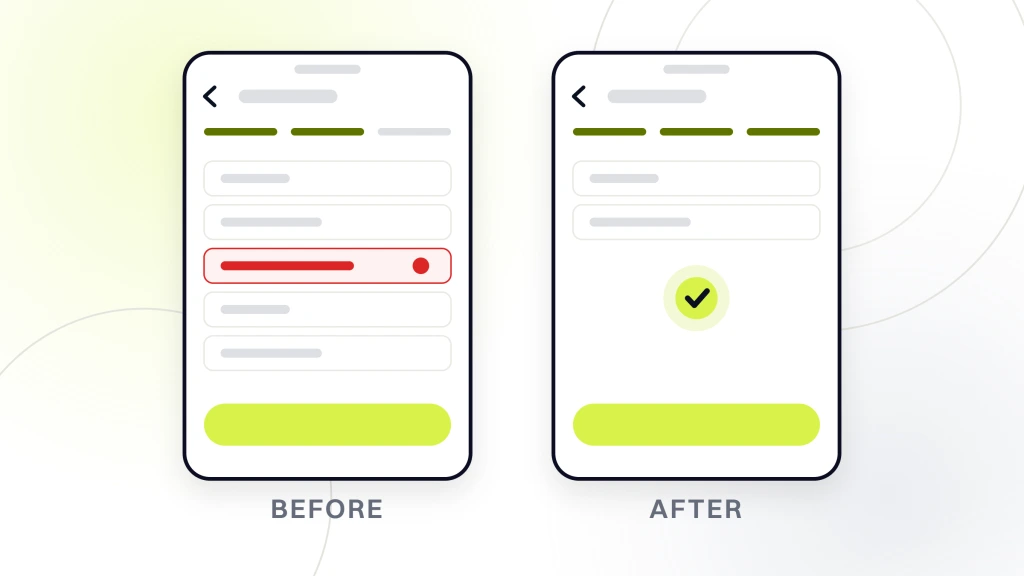
Payment gateway redundancy on beauty sites means Stripe as the primary processor and Braintree or Adyen as a secondary that takes over on a Stripe outage. Stripe posted a global 90-minute outage in 2024 that cost DTC brands 8 to 20% of daily revenue on the day. Sites with a fallback processor routed traffic to the backup inside 4 minutes and saved 90% of the affected revenue. The extra integration cost lands at $2,400 to $6,000 one-time and pays back on the first outage.
Uptime monitoring and paging discipline
Uptime monitoring on Pingdom, Better Uptime, or UptimeRobot polls the checkout page every 30 to 60 seconds from 8 to 16 global locations. Alerts fire to Slack, SMS, or PagerDuty inside 60 seconds of a checkout failure. Brands past 400,000 in annual revenue should hold 99.95% uptime as the working target, which caps annual downtime at 4.4 hours. Anything under 99.9% means the stack or on-call rotation needs a rebuild before the next peak window.
Backup and disaster recovery for beauty website hosting stacks
Backup and disaster recovery decides how much revenue survives a database corruption, ransomware attack, or accidental delete. Daily automated backups with 30-day retention cover most disaster scenarios. Hourly incremental backups during peak Q4 windows protect against data loss during high-transaction periods. Off-site backup storage in a different cloud region prevents single-region outage from wiping both origin and backup. Brands running WooCommerce should test backup restoration quarterly, since untested backups frequently turn out to be corrupted or incomplete when actually needed.
Backup retention windows
Backup retention windows should hold 30 days of daily backups plus 12 months of monthly backups plus 3 years of quarterly backups for compliance and forensic recovery scenarios. Retention past 3 years usually costs more than the recovery value, since forensic issues surface inside 12 to 24 months typically. Cold storage on AWS Glacier or Google Coldline runs 0.4 to 4 cents per gigabyte per month for long-term retention. A typical beauty brand full backup runs 8 to 40 gigabytes, so long-term cold storage rarely exceeds $10 monthly.
Restore-time-objective testing
Restore-time-objective testing quarterly measures how long a full site restore actually takes on the current backup configuration. Teams assume backups restore in 30 to 60 minutes and typically discover in testing that actual restoration takes 4 to 12 hours, since backup format requires database import steps, media file re-sync, and DNS propagation. Documenting the actual restore-time-objective and matching it against tolerable downtime targets catches gaps before an actual incident forces the discovery under pressure.
Beauty website hosting case study from Beauté Aesthetics New York
Beauté Aesthetics New York, a Manhattan luxury beauty and aesthetics clinic serving male and female clients across cosmetic procedures and wellness services, engaged Redefine Web on a 12-month program that included hosting migration from shared plans to managed WordPress. Baseline mobile LCP ran 4.8 seconds. Mobile INP averaged 380 milliseconds. Core Web Vitals failed on all three metrics. Cart abandonment ran 78% on mobile bookings.
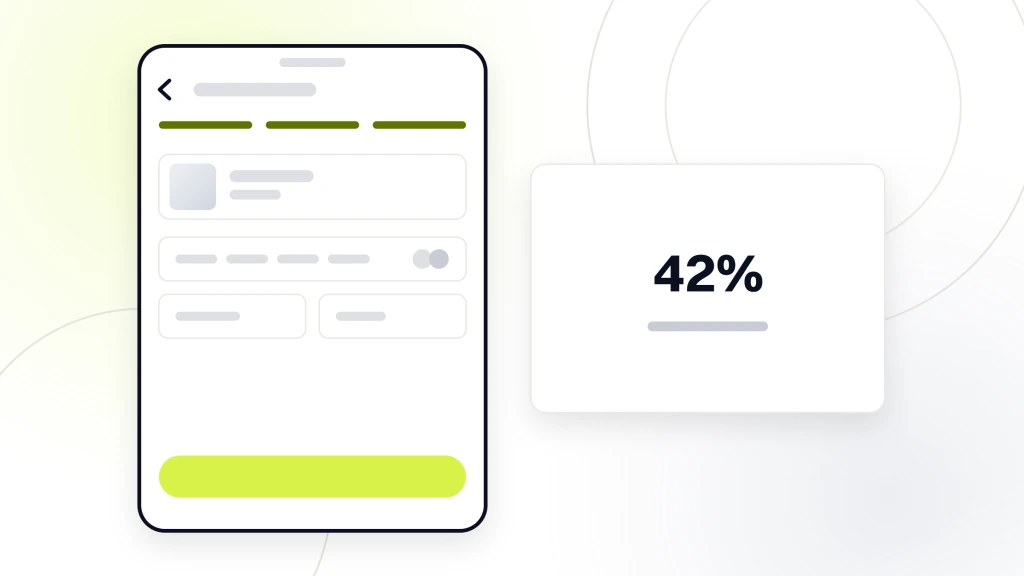
The infrastructure rebuild across months 1 through 3 covered hosting migration, image compression to WebP, CDN configuration on Cloudflare, third-party script audit, delayed loading through Google Tag Manager, and critical CSS preloading. Mobile LCP dropped from 4.8 seconds to 1.1 seconds by month 3. Mobile INP dropped from 380 milliseconds to 80 milliseconds. Cart abandonment on mobile bookings dropped from 78% to 42%.
Across the full 12-month program the paired hosting rebuild, SEO restructure, and web redesign work grew qualified leads 166%, new users 88%, and website conversion rate 27%. Organic bookings climbed from 3.2% to 42% of monthly appointments driven partly by the Core Web Vitals gains that opened ranking on procedure-plus-location keywords. Each stack decision was tested against the live booking widget under simulated peak-hour traffic before cutover, so the production migration carried zero surprise regressions on checkout reliability. See our beauty and skincare web design service for the site rebuild scope that partnered this hosting migration, along with the specific plugin audit list that came out of the pre-cutover review process for the clinic booking flow.
Ecommerce beauty proof points that mirror the same hosting patterns
Two Redefine Web ecommerce projects show the same infrastructure-plus-optimization pattern paying off outside the clinic model. Abigail Ahern, a home decor and lifestyle brand, saw ecommerce revenue grow 179% and paid search ROAS climb to 1,588% over the 2020 to 2024 program window after the infrastructure and paid media rebuild. Boogie Board, a consumer electronics DTC brand running $650K in annual ad spend, cut cost per sale to $31 and lifted conversion rates 11% through paired landing page optimization and hosting-side speed work in the 2023 to 2024 window. Both wins started with a stack that could hold sub-2-second load times under paid traffic bursts. The traffic quality is only as good as the page it lands on.
Security hardening on the infrastructure
Security hardening covers WordPress core updates, plugin update discipline, admin account protection, file permission audits, and malware scanning. Beauty sites get targeted heavily by credential stuffing attacks, since customer email plus password combinations resell easily on dark web markets. Web Application Firewall through Cloudflare Pro, Sucuri, or Wordfence blocks the majority of automated attack traffic. Two-factor authentication on all admin accounts prevents single-credential breaches from compromising the site.
WordPress core and plugin updates
WordPress core and plugin updates should go live inside 48 hours of security release disclosure. Waiting past a week on a disclosed vulnerability invites automated exploit attempts against the known vulnerable version. Staging environment testing before production update deployment catches breaking changes. Managed WordPress providers like WP Engine and Kinsta handle core updates automatically. Plugin updates need manual review on custom themes, since plugin conflicts occasionally break custom code. Plugin update discipline for WooCommerce sites cuts the vulnerability window that automated exploit scanners rely on.
PCI compliance for payment data
PCI compliance for payment data means never storing raw payment card data on the site database. Payment gateways like Stripe and Braintree tokenize card data, so the site only stores payment tokens, not card numbers. Sites storing raw card numbers face PCI DSS Level 1 audit requirements costing $40,000 to $120,000 annually. Tokenized payment through Stripe drops PCI scope to SAQ A questionnaire completed annually at no cost. Per PCI Security Standards Council documentation, tokenization is the standard approach for DTC brands.
Cost planning across the stack tiers
Cost planning across the tiers should reflect brand stage, traffic volume, and revenue at risk from downtime. Emerging brands under $400,000 annual revenue can run managed WordPress at $39 to $89 monthly. Growth-stage brands 400,000 to 4 million annual should upgrade to $89 to $199 monthly managed WordPress or Shopify. Brands 4 to 20 million should consider Shopify Plus at $2,300 monthly or dedicated cloud on AWS at $400 to $1,200 monthly. Brands past 20 million typically run enterprise CDN plus dedicated origin at $1,400 to $3,400 monthly.
Total infrastructure cost annually
Total infrastructure cost annually for a growth-stage brand typically runs $6,400 to $14,400 covering hosting, CDN, backup, monitoring, security tooling, and technical maintenance. That total lands between 0.4% and 0.8% of annual revenue for brands past 2 million. Skimping on infrastructure to save $200 to $600 monthly usually costs 4 to 12 times that in lost conversion from slow site speed and lost trust from occasional outages. Infrastructure is a rare category where the cheap option ends up more expensive.
Migration cost from shared to managed
Migration cost from shared to managed hosting typically runs $800 to $3,400 covering database export, media file transfer, DNS cutover, plugin compatibility verification, and post-migration performance testing. Migration during a low-traffic window (typically Tuesday or Wednesday early morning) minimizes revenue exposure. Migration during Q4 peak windows adds 40 to 90% to the effective cost through revenue at risk during the transition. Planning migration in Q1 or Q3 avoids peak-window risk and still captures performance gains before the next peak window arrives.
Locking in beauty website hosting that compounds growth
A strategy that compounds growth comes down to six patterns. Pick a platform stack that matches brand stage and product catalog complexity. Hit Core Web Vitals green across LCP, INP, and CLS through image optimization and third-party script discipline. Wire payment gateway redundancy and uptime monitoring above 99.95% SLA. Configure a CDN with proper cache TTL and invalidation on product updates. Run daily backups with a tested restore-time-objective. Push WordPress core and plugin security updates inside 48 hours of disclosure. Programs running all six patterns hit the Core Web Vitals ranking gains that grow organic contribution to revenue.
The Beauté Aesthetics New York 12-month program cut mobile LCP from 4.8 to 1.1 seconds through the hosting migration and Core Web Vitals restructure, growing qualified leads 166% and organic bookings from 3.2% to 42% of monthly appointments. If your brand is running on shared plans or fighting slow Core Web Vitals scores, our beauty and skincare SEO service pairs with the infrastructure rebuild for compounding organic gains, and our maintenance plans bundle hosting, security, and Core Web Vitals monitoring at $199, $299, and $499 monthly tiers. Book a call and we will walk the last three migrations we ran end to end across skincare DTC, aesthetic clinics, and consumer ecommerce brands.